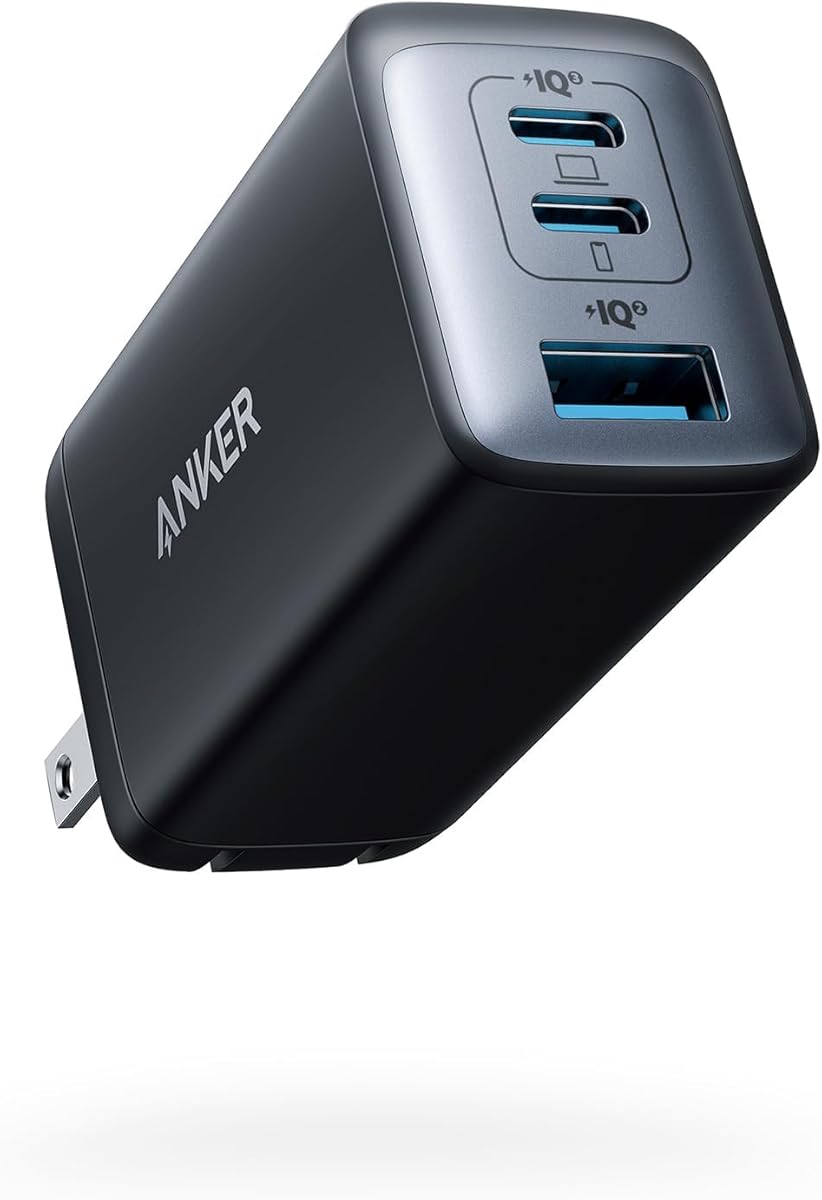
Anker 65W Max 3-Port USB C Charger Block
4.7Editor score
Compact AirPods Pro case size
65W single port output
GaN II technology efficiency
Compare the best Anker Gan chargers for laptops and phones. This guide reviews ten top models for speed, size, safety, and value in 2026.
Finding the right power solution for your devices is essential in today's fast-paced digital world. Anker Gan chargers offer efficient, compact charging for laptops, tablets, and phones. They use advanced GaN technology to deliver high power without bulk.
We compared ten leading Anker models based on output wattage, port count, size, safety features, and real-world performance. Our analysis focuses on how well each charger handles multiple devices and maintains efficiency under load. This list covers options for travelers, professionals, and home desks.
Each pick below highlights specific strengths and ideal use cases to help you choose quickly. We include detailed specs, pros, cons, and buying advice for every model. Please note that product availability and pricing can change frequently on Amazon.
4.7Editor score

4.7Editor score

4.6Editor score
This table compares all ten Anker Gan chargers side by side. You can see key specifications like wattage, port types, and unique features to find the right fit for your needs.





This Anker 100W charger combines power and intelligence in a single package. It earns our Editor's Choice for its perfect balance of high output and smart features. The HD display keeps you informed about charging status in real time.
We may earn a commission when you buy through this link, at no additional cost to you.
Its standout strength is the consistent 100W output on any USB-C port. This means you can charge a laptop at full speed without worrying about port selection. The advanced GaN technology ensures this performance lasts longer than average chargers.
The low-current mode is a thoughtful addition that safely charges small devices like earbuds. While the display is helpful, it does add a tiny bit of bulk. However, the foldable plug keeps it pocketable for most users.
Choose this if you need reliable 100W charging with modern convenience. It fits professionals who carry multiple devices daily. Its safety and smart features make it a top recommendation for 2026.
The high-definition smart display shows temperature and power output instantly. This transparency helps you monitor device health and charger performance during use.
Automatic switching to 95W plus 5W mode protects sensitive low-power electronics. You do not need to find a separate small charger for your earbuds.
We may earn a commission when you buy through this link, at no additional cost to you.
The Anker Prime 250W station is a powerhouse for home or office desks. It dominates the premium category by offering unparalleled total output. You can charge a gaming laptop, phone, tablet, and more simultaneously without compromise.
We may earn a commission when you buy through this link, at no additional cost to you.
Its first USB-C port delivers a massive 140W for fast laptop charging. The smart control dial lets you adjust power distribution easily. Real-time LCD feedback keeps you aware of voltage and temperature at a glance.
This unit is clearly designed for fixed locations. It is too heavy for travel and needs a stable desk surface. Also, full IoT features require Wi-Fi registration. But for stationary needs, it is unbeatable.
Buy this if you have a desk with many high-power devices. It replaces multiple brick chargers with one clean hub. The speed and control justify the premium price for power users.
Four USB-C and two USB-A ports allow charging up to six devices at once. The 250W total output ensures no device suffers from low power.
Rotate the dial to adjust energy output instantly. This gives you precise control over how much power each device receives during use.
We may earn a commission when you buy through this link, at no additional cost to you.
This Anker 65W charger offers exceptional value for everyday needs. It is our Best Budget pick because it delivers core performance at a low price. The GaN II tech makes it small enough for any bag or pocket.
We may earn a commission when you buy through this link, at no additional cost to you.
It provides full 65W charging for a single laptop or tablet. You can also charge two phones at the same time. The foldable plug prevents snags in your luggage. It is a no-fuss solution that works reliably.
The lack of a display means you cannot see power metrics. Also, 65W may be slow for larger laptops under heavy load. But for most users, it is more than enough. It saves money without sacrificing safety.
Choose this for students or travelers on a tight budget. It handles phones and mid-size laptops perfectly. Its proven track record makes it a safe buy for anyone.
Higher operating frequency and stacked design make the unit smaller. You get the same power as older blocks but in a much tighter form factor.
When you connect three devices, power is shared efficiently. This ensures all your gadgets get enough energy to charge at a good speed.
We may earn a commission when you buy through this link, at no additional cost to you.
This Anker Prime 160W unit is a marvel of engineering for high-end laptops. It delivers 140W to a single port without any slowdown. This makes it ideal for powerful MacBook Pros that need maximum charging speed on the go.
We may earn a commission when you buy through this link, at no additional cost to you.
Its power density is incredibly high, matching the size of an AirPods case. The app integration allows custom charging modes. You can monitor voltage and power in real time. It brings desktop-level features into a portable package.
The main downside is the cost. Not everyone needs 160W power. However, if you run high-performance laptops, this saves time. It avoids the need for multiple chargers or heavy brick alternatives.
Select this if you own a 16-inch MacBook Pro and travel. Its speed ensures your laptop is ready fast. The compact size makes it worth the investment for pros.
Single port delivery stays at 140W without derating. Your laptop charges at max speed even during heavy work sessions or intensive tasks.
Link the charger to your phone to switch modes. You gain custom control over charging behavior and see real-time data on your screen.
We may earn a commission when you buy through this link, at no additional cost to you.
This 200W station is perfect for households with many devices. It allows everyone to charge their phones and tablets at once. The dual 100W ports mean two laptops can charge at full speed together. It solves the clutter of multiple bricks.
We may earn a commission when you buy through this link, at no additional cost to you.
Its width matches an iPhone 17 but stands sturdy. It stays in place even with many heavy cables. Temperature monitoring protects connected electronics. It is a reliable hub for shared spaces like kitchens or desks.
The lack of a display reduces cost but removes visibility. You must trust the internal sensors. Still, the safety checks run millions of times a day. It is practical and secure for daily use.
Pick this for families who need one solution for all devices. It keeps counters clean and power accessible. Its 200W capacity is enough for almost any modern need.
Two USB-C ports can both deliver 100W. This lets you charge two 14-inch MacBooks to 50% in about 28 minutes each at the same time.
The design stays balanced under heavy cable load. It is not intended for travel, so it stays fixed on your desk or shelf.
We may earn a commission when you buy through this link, at no additional cost to you.
The Anker 140W charger balances speed and port count well. It is designed to power four devices at once without compromise. The color display provides clear details on temperature and status. It is great for travel teams.
We may earn a commission when you buy through this link, at no additional cost to you.
Each of the two USB-C ports can hit high speeds for laptops. The ActiveShield system checks temperature constantly. This ensures safety even with multiple heavy loads. Its size is manageable for bags.
It is heavier than single-port chargers. For solo travelers this might be a downside. However, for small teams or groups it saves space. It consolidates power needs efficiently.
Choose this if you manage multiple devices on a trip. It keeps your workflow uninterrupted. The safety and speed make it a strong mid-range pick.
Each USB-C port supports fast charging for 15-inch MacBooks. You can charge your laptop to 50% in about 30 minutes.
This system monitors device temps over 10 million times daily. It adapts to heat to prevent damage during long sessions.
We may earn a commission when you buy through this link, at no additional cost to you.
This 67W charger is ideal for daily commute needs. It is 51% smaller than the original MacBook charger. The three ports let you charge a phone and tablet easily. It fits in your bag pocket perfectly.
We may earn a commission when you buy through this link, at no additional cost to you.
It delivers 67W for fast laptop charging on its own. The ActiveShield system keeps everything secure. You get reliable protection against heat or surges. Its warranty adds peace of mind.
The 67W total is lower than 100W models. For very powerful laptops it may be slower. But it is sufficient for most ultrabooks. It prioritizes portability over max output.
Buy this if you carry a light laptop and phone. It is simple and effective. The size advantage makes it easy to pack anywhere.
This unit is significantly smaller than older chargers. It is 51% smaller than the original 67W MacBook charger. Ideal to bring anywhere you go.
Two USB-C ports and one USB-A port allow charging of three devices at once. A single device can take up to 67W power.
We may earn a commission when you buy through this link, at no additional cost to you.
This 100W charger focuses on secure connections and reliability. Its thicker prongs prevent loose fits in outlets. The drop-proof structure ensures it survives accidental drops. It is built for rugged daily use.
We may earn a commission when you buy through this link, at no additional cost to you.
Each USB-C port delivers full 100W for laptops. You can charge a 14-inch MacBook Pro quickly. The foldable design makes it easy to carry. It fits bags and pockets without adding bulk.
The lack of a display means less monitoring. But physical safety is prioritized. It stays firmly connected. This is key for travel where outlets vary.
Choose this for durability and simple 100W charging. It is great for commuters who need a secure fit. Its build quality stands out.
Each USB-C port delivers a full 100W. This efficiently charges a 14-inch MacBook Pro from 0 to 50% in just 30 minutes.
Thicker prongs and a balanced design improve grip. The drop-proof structure ensures it stays firmly connected during use.
We may earn a commission when you buy through this link, at no additional cost to you.
This Nano 65W charger is the smallest 65W model available. It is perfect for minimalists who need just one plug. It charges a MacBook at full speed. It also supports Samsung Super Fast Charging.
We may earn a commission when you buy through this link, at no additional cost to you.
Its compact size is 58% smaller than older chargers. The GaN II tech ensures it stays cool. It folds flat to protect your bag. It is a reliable single-port solution.
The single port means you cannot charge a phone while charging a laptop. But it is simple and lightweight. For solo laptop travel it is ideal.
Buy this if you only need one charger for your laptop. It is tiny and efficient. It avoids the bulk of multi-port options.
Charge a 2020 MacBook Air in less than 2 hours. An iPhone 13 charges up to 3 times faster than with an original 5W charger.
It is 58% smaller than an original 61W USB-C charger. With a foldable plug, it takes up less space while giving you just as much power.
We may earn a commission when you buy through this link, at no additional cost to you.
This universal charger covers three plug types in one unit. It fits most global destinations with built-in US UK and EU plugs. The auto voltage detection works in one second. It is safe for international trips.
We may earn a commission when you buy through this link, at no additional cost to you.
It delivers 100W to a single USB-C port. You can charge a laptop anywhere. The smart screen shows voltage and power. It keeps you informed abroad. The size is credit card thin.
The AU plug is not included so Australia is excluded. You may need an adapter for that region. But for Europe and America it is perfect. It avoids the mess of separate plug adapters.
Choose this for frequent international travelers. It removes the need for multiple adapters. Its speed and safety make it a trusted choice.
Built-in US UK and EU plugs support over 200 countries. It is about the footprint of a credit card and the thickness of a ping-pong ball.
The charger detects local voltage in just 1 second. The 1.3-inch LCD screen lets you monitor the voltage zone and power output in real time.
We may earn a commission when you buy through this link, at no additional cost to you.
Selecting the right charger involves looking at wattage, port count, size, and extra features. This guide breaks down key factors to consider for your specific needs.
Total power output determines how much electricity the charger can deliver at once. Higher wattage like 160W or 250W allows multiple high-performance devices to charge simultaneously without slowing down. For a single laptop, 65W may be enough. For gaming laptops or desktop replacement needs, look for 100W or higher. Always check the max power for a single port if you plan to charge a laptop quickly.
Look for the maximum wattage listed for the entire unit and the fastest single port. Ensure it meets your most demanding device.
Port configuration refers to the number and type of ports available. Many Anker chargers offer a mix of USB-C and USB-A. USB-C ports support faster charging for modern devices. USB-A ports are great for older cables. Consider how many devices you typically charge at once to choose between 3-port, 4-port, or 6-port models.
Count your daily devices and pick a model that offers enough ports with the right mix of types.
Size matters if you travel or carry your charger in a small bag. Anker uses GaN technology to shrink chargers significantly. Some are as small as an AirPods case while others are desktop stations. Foldable plugs help with packing. Check dimensions and weight before buying to ensure it fits your travel needs.
Check dimensions and weight to ensure it fits your bag or travel case easily.
Smart features include displays that show power and temperature, or apps that control charging. These provide visibility into how your devices are charging. Some models have control dials for adjusting power. While not essential, they add convenience and peace of mind. Decide if you need this data or if a simple charger is sufficient.
Decide if you need real-time display data or app control for your charging routine.
Safety technology protects your devices from overheating and power surges. Anker uses ActiveShield systems that monitor temperature millions of times a day. Look for certifications like NRTL or Overvoltage protection. Good safety systems prevent damage to expensive electronics. Always prioritize models with active thermal management.
Ensure the charger has active thermal monitoring and certified safety features.
Warranty and support details show how long the manufacturer stands by their product. Anker typically offers 18 to 24 months of warranty. This covers defects and performance issues. A longer warranty gives confidence in the build quality. Check the included documents for warranty terms.
Look for at least 18 months of warranty coverage to ensure peace of mind.
Your use case scenario dictates which type is best. If you use the charger at a desk, a large station is fine. If you travel, compact is better. For international trips, check plug compatibility. Matching the charger to your lifestyle avoids buying unnecessary features.
Match the charger type to your daily lifestyle and travel habits.
Budget and value balance cost against features. High-wattage models cost more. A simple 65W charger is cheap. Decide what you need versus what you want. More features increase cost. Choose the lowest cost that meets your power needs.
Select the lowest cost that meets your essential power and port needs.
Plug the charger directly into a wall outlet. Connect your devices using USB-C or USB-A cables. The charger will automatically distribute power to all connected items. Monitor the display if your model has one to see power levels.
Clean the unit with a soft dry cloth occasionally. Do not use liquids. Avoid bending the prongs or cables sharply. Keep the charger in a cool place to prevent heat damage. Use a dedicated power strip to avoid overload.
For travel, fold the prongs before packing. Place the charger in a padded pocket to prevent drops. If using an international model, ensure the plug type matches the destination. Store in a dry bag to protect against humidity during transit.
Yes, Anker GaN chargers include advanced safety systems like ActiveShield. These monitor temperature millions of times daily to prevent overheating. They also offer built-in protections against surges. This makes them safer than many non-branded alternatives.
Yes, you can safely use a 100W charger for a 60W laptop. The device will only draw the power it needs. The charger will not force too much electricity into it. This ensures safe and fast charging.
GaN stands for Gallium Nitride. It is a semiconductor material used in chargers to reduce size. It allows more power to be delivered in a smaller space. This makes chargers lighter and more efficient than silicon ones.
Some heat is normal during fast charging. However, excessive heat may indicate an overload or ventilation issue. Ensure the charger has airflow. If it stays too hot, check connected devices. Turn it off if heat persists.
Yes, most Anker GaN chargers support fast charging for iPhones. They use USB-C PD protocols that work with modern iPhones. You just need a USB-C to Lightning cable. Charging speeds will be much faster than standard 5W bricks.
Yes, a single Anker station can replace multiple individual chargers. Multi-port models allow you to charge laptops phones and tablets together. This reduces desk clutter and the number of wall plugs needed. It simplifies your setup significantly.
We reviewed ten top Anker GaN chargers ranging from compact 65W models to powerful 250W stations. Each offers unique strengths for different needs. Our picks cover budget friendly options and premium power hubs.
Prioritize power output and port count based on your devices. If you travel, size is key. If you work at a desk, look for stations with multiple high-speed ports. Always ensure safety features are in place.
Check current prices and availability before buying as they change often. The models listed here are reliable choices for 2026. Choose the one that fits your daily routine and budget.