
Replacement Remote for Dish Upgraded Network 54.1 54.2 54.3 54 Series UHF
4.5Editor score
Voice search compatible
UHF wireless signal
Easy pairing setup
This guide compares the top Dish Network replacement remotes for 2026, evaluating compatibility, features like voice search and backlighting, and ease of
Finding a reliable Dish Network replacement remote is essential for uninterrupted entertainment. Whether your original remote is lost or malfunctioning, selecting the right model ensures seamless control over your satellite receiver and connected devices.
We have evaluated ten top-rated replacements based on compatibility, user feedback, and key features. This list covers infrared and UHF models, voice-enabled options, and universal solutions designed for various Dish Network receiver families.
Each pick highlights specific strengths and compatibility notes to help you choose confidently. While prices fluctuate regularly, the models listed here offer proven performance and value. Always verify your receiver model before purchasing to ensure a perfect fit.
4.5Editor score

4.6Editor score

4.6Editor score
The following comparison table provides a side-by-side look at the key specifications and features of each top-rated Dish Network replacement remote. This overview helps you quickly identify the most suitable model for your specific receiver setup and usage needs.


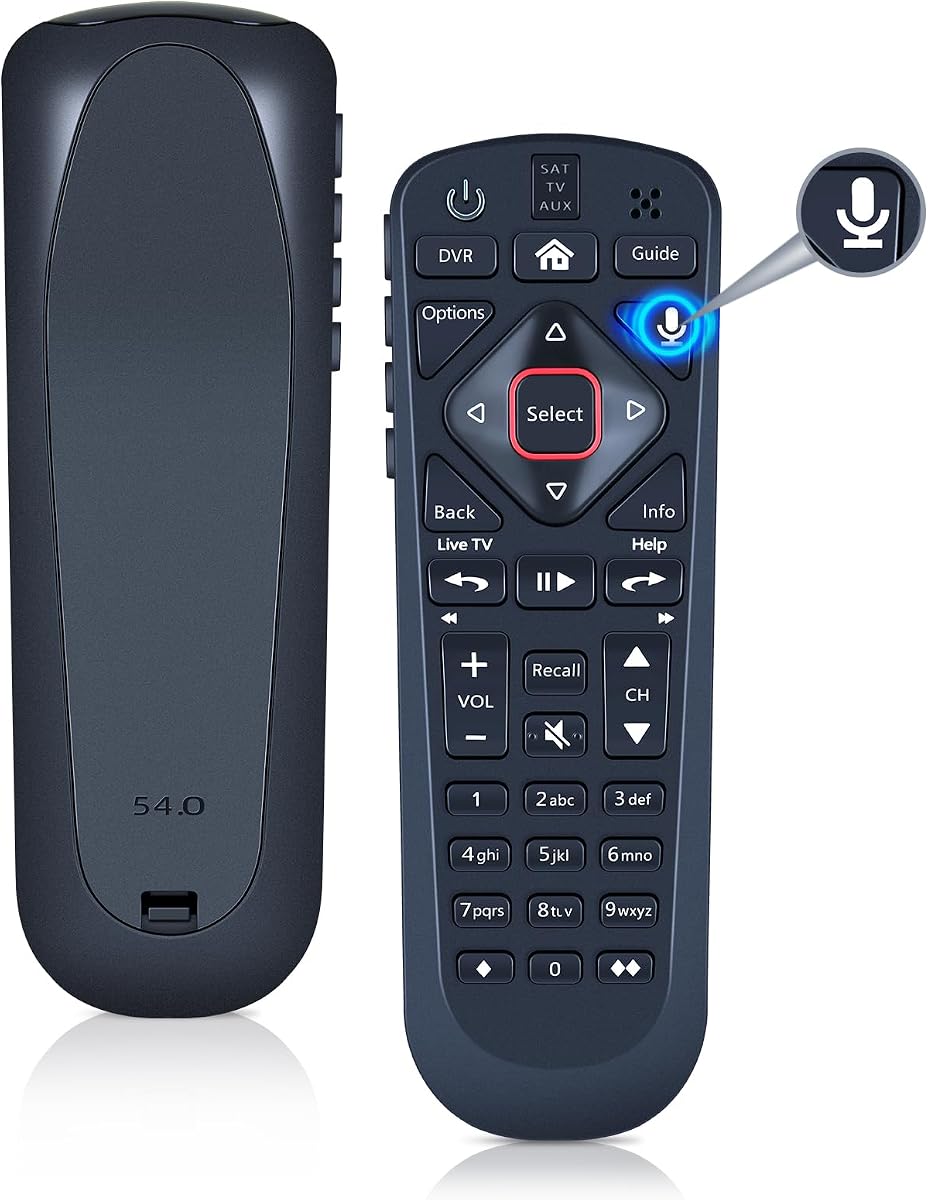


This replacement remote offers solid performance for Dish Network users with upgraded 54 series receivers. With a rating of 4.5 stars, it stands out for its reliable UHF connectivity and voice search capabilities that streamline navigation.
We may earn a commission when you buy through this link, at no additional cost to you.
The remote supports pairing with auxiliary devices like Blu-ray players and stereos, extending its utility beyond just the satellite receiver. Users appreciate the straightforward pairing process and the ability to unpair easily if needed.
While the remote performs well, it requires careful setup to ensure proper connection with the receiver. Some users may find the initial instructions slightly dense, but following the steps leads to a stable connection.
This model is ideal for budget-conscious buyers seeking a feature-rich alternative to original remotes. Its compatibility with multiple series and devices makes it a versatile choice for modern home entertainment setups.
The built-in voice search function allows users to find channels and content quickly without manual typing.
Users can pair the remote with various auxiliary devices, enhancing control over their entire entertainment system.
We may earn a commission when you buy through this link, at no additional cost to you.
The Dish 54.0 remote is a top-tier option for Hopper users, earning a 4.6 rating for its advanced features. Backlit keys and a remote locator make it exceptionally user-friendly in various lighting conditions.
We may earn a commission when you buy through this link, at no additional cost to you.
Personalization allows users to program hot keys for apps and recording functions, streamlining daily interactions. The remote locator feature ensures you never lose track of the device, adding significant practical value.
Internet connectivity is necessary for full search functionality, which may limit usage in areas with poor connectivity. Despite this, the remote's core functions remain robust and responsive for most tasks.
This remote is perfect for households seeking enhanced usability and customization. Its blend of practical features and reliability makes it a standout choice for Hopper system owners.
The keypad illuminates automatically in dark settings, ensuring easy visibility without additional light sources.
Pushing a button on the DVR triggers the remote to beep and blink, helping locate it quickly.
We may earn a commission when you buy through this link, at no additional cost to you.
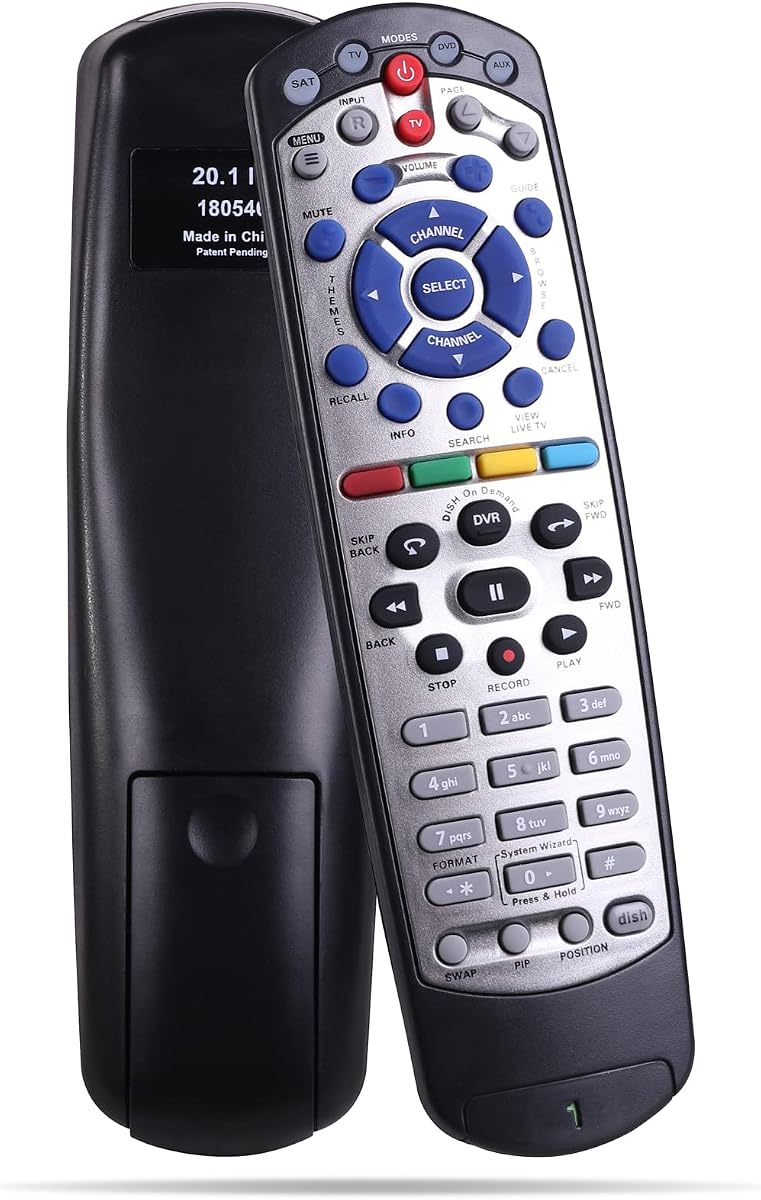
This infrared remote serves as a straightforward replacement for Dish Network 20.1 receivers. It offers basic functionality with a focus on reliability and ease of use for standard TV and VCR controls.
We may earn a commission when you buy through this link, at no additional cost to you.
The remote requires setup to pair with devices, ensuring correct codes are selected for optimal performance. While it lacks advanced features like learning, it covers essential commands effectively.
Users should note that this remote is not a learning model, limiting its ability to mimic other device signals. However, for dedicated Dish receivers, it performs its core duties well.
Ideal for users needing a budget-friendly fix for older receiver models, this remote delivers dependable service. Its warranty provides added peace of mind for purchase confidence.
As a standard IR remote, it supports essential commands without needing complex configuration or Bluetooth pairing.
The product includes a one year warranty, offering protection against manufacturing defects or early failures.
We may earn a commission when you buy through this link, at no additional cost to you.
This UHF remote provides voice search functionality for upgraded 54 series receivers, enhancing navigation ease. With a 3.7 rating, it offers functional value but requires careful setup for best performance.
We may earn a commission when you buy through this link, at no additional cost to you.
The remote can pair with auxiliary devices, making it versatile for controlling multiple entertainment components. Its UHF signal ensures reliable connectivity even through obstacles in the room.
Users should verify receiver compatibility, as it does not support the Hopper 3 model. Additionally, unpairing and re-pairing steps must be followed precisely to avoid connection issues.
Best suited for households with compatible 54 series systems seeking voice control, this remote delivers practical features. Its ability to manage multiple devices adds significant value to home setups.
Built-in voice search helps find content quickly, reducing the need for manual navigation through menus.
UHF technology allows the remote to work through walls and furniture for consistent control.
We may earn a commission when you buy through this link, at no additional cost to you.
This remote features a built-in microphone for voice search, offering hands-free content discovery for 54 series users. With a 4.2 rating, it balances functionality and usability effectively for most households.
We may earn a commission when you buy through this link, at no additional cost to you.
Pairing with auxiliary devices like stereos expands its utility beyond basic TV control. The remote is designed for Hopper compatibility, ensuring it integrates well with existing systems.
Setup requires following specific steps to ensure the microphone and voice functions operate correctly. Some users may need to adjust settings initially to optimize performance.
A solid choice for those prioritizing voice control, this remote simplifies navigation and search tasks. Its warranty adds confidence, making it a reliable option for upgrading your remote setup.
The built-in microphone supports voice commands, reducing the effort needed to browse channels and apps.
The remote includes clear instructions for pairing with receivers and auxiliary devices for full functionality.
We may earn a commission when you buy through this link, at no additional cost to you.
The Dish Network 21.1 universal remote supports both IR and UHF PRO signals, offering flexibility for various receiver configurations. With a 4.4 rating, it provides robust control for multi-room entertainment systems.
We may earn a commission when you buy through this link, at no additional cost to you.
Designed for TV1 and TV2 locations, this remote allows centralized management of multiple zones. Its universal design ensures compatibility with a wide range of Dish Network receivers and accessories.
Users may need to calibrate the remote to optimize signal performance across different devices. Clear setup instructions could be more detailed, but the remote is generally straightforward to configure.
Ideal for homes with multiple TV setups, this remote simplifies control across zones. Its dual signal support ensures reliable operation in diverse environments and user preferences.
Combining IR and UHF PRO allows the remote to work with a broader range of devices and configurations.
The remote manages TV1 and TV2 locations efficiently, making it suitable for multi-room households.
We may earn a commission when you buy through this link, at no additional cost to you.
This remote offers plug-and-play functionality for Dish Network 20.1 receivers, eliminating the need for complex programming. With a 4.1 rating, it delivers reliable performance with minimal setup effort for users.
We may earn a commission when you buy through this link, at no additional cost to you.
The remote supports a wide range of receiver models, ensuring broad compatibility across different system configurations. Its high-quality build and sensitive keys contribute to a comfortable and effective user experience.
While it lacks advanced features like voice control, the remote performs all essential functions efficiently. Users should be prepared to insert batteries before use, as none are included with the product.
Best for those seeking a simple, effective replacement without hassle, this remote provides dependable service. Its ease of use and compatibility make it a practical choice for everyday control.
The remote works immediately after battery installation, saving time and avoiding complex coding steps.
High-quality sensitive keys ensure accurate input with minimal effort, improving the overall control experience.
We may earn a commission when you buy through this link, at no additional cost to you.
This two-pack option provides extra remotes for Dish Network 20.1 receivers, offering convenience for multi-room or household use. With a 4.3 rating, it balances affordability with dependable performance for standard tasks.
We may earn a commission when you buy through this link, at no additional cost to you.
The compact design makes the remote easy to handle, suitable for all ages. Rigorous quality testing ensures each unit performs reliably, matching the functionality of original remotes.
While it is a basic IR remote, it covers essential functions for satellite receivers, TVs, and VCRs. Setup requires following included instructions to pair with the correct device codes.
Ideal for families needing multiple remotes or a spare backup, this pack delivers value and reliability. Its warranty and quality assurance make it a safe choice for routine entertainment control.
Purchasing a two-pack provides a spare or replacement option, ensuring uninterrupted access to remote controls.
Each remote undergoes testing before shipment, ensuring stable performance and functionality matching original units.
We may earn a commission when you buy through this link, at no additional cost to you.
This infrared remote delivers standard control capabilities for Dish Network 20.1 receivers, designed to mimic original performance. With a 4.0 rating, it provides reliable basic functions for everyday entertainment needs.
We may earn a commission when you buy through this link, at no additional cost to you.
The remote comes with a manual that guides users through setup and code selection to ensure correct pairing. Its design focuses on essential commands, making it suitable for straightforward operation.
Setup steps must be followed carefully to avoid programming errors. While it lacks advanced features, its reliability and warranty make it a practical choice for budget-conscious consumers.
Best for users seeking a dependable, no-frills replacement, this remote handles core tasks effectively. Its inclusion of a manual and warranty adds value for those unfamiliar with remote configuration.
The included manual offers step-by-step setup instructions, helping users configure the remote correctly and efficiently.
Designed to perform like the original remote, it covers all essential buttons and functions needed for control.
We may earn a commission when you buy through this link, at no additional cost to you.
The Dish Network Remote 52.0 is a premium option supporting all Hopper receivers, earning a 4.6 rating for its advanced features. It offers convenient tools like backlit keys and a remote finder to enhance usability.
We may earn a commission when you buy through this link, at no additional cost to you.
Users can program hot keys to launch apps or record shows, customizing the remote to fit their viewing habits. The backlit keys ensure easy navigation in dim environments without external lighting.
While it represents a higher investment, the added convenience and broad compatibility justify the cost for serious users. Setup may take some time to configure fully, but the benefits are clear.
This remote is ideal for households prioritizing customization and ease of use across multiple devices. Its premium features make it a top choice for maximizing the Hopper system's potential.
Pressing a button on the receiver locates the remote, reducing time spent searching for it in the home.
Hot keys allow launching apps or recording with a single press, streamlining interactions with the system.
We may earn a commission when you buy through this link, at no additional cost to you.
Selecting the right replacement remote involves considering compatibility, features, and usability factors to match your specific needs and setup.
Verify the remote supports your specific receiver series. Many remotes are designed for 54 series or 20.1 models, and mismatching can result in non-functional devices.
Check the product title or specs to confirm your receiver model is listed as supported before purchasing to ensure proper operation.
IR remotes require line of sight, while UHF remotes work through obstacles like furniture. Choose UHF for convenience in larger rooms or blocked setups.
UHF connectivity often provides more reliable control in complex home theater configurations compared to standard infrared signals.
Modern remotes may include built-in microphones for voice search, allowing hands-free navigation and faster content discovery.
If voice control is important, ensure the remote supports this feature and that your receiver is compatible with voice search functions.
Backlit keys are valuable for controlling devices in dark rooms. Look for remotes with automatic illumination for better usability at night.
This feature ensures you can see buttons clearly without external lighting, improving the overall user experience.
Some remotes can pair with auxiliary devices like Blu-ray players or stereos, expanding their utility beyond the satellite receiver.
Consider whether you need a remote that can control multiple components to simplify your home entertainment setup.
Remotes with a locator function beep or blink when triggered by the receiver, helping you find lost devices quickly.
This convenience feature is particularly useful in households where remotes often get misplaced or hidden in furniture.
Check if the remote comes with a warranty and reliable customer support to address issues that may arise after purchase.
A one-year warranty is common for replacements and provides added protection against defects or early failures.
Confirm if batteries are included or sold separately. Most remotes require AAA batteries, so ensure you have the correct type ready.
Consider the battery life expectations and whether the remote includes any power-saving features to reduce replacement frequency.
Start by inserting fresh AAA batteries into the remote and opening the receiver's front panel to access setup buttons. Follow the pairing instructions provided in the remote's manual to connect with your receiver.
Press the SYS INFO button on the receiver and the SAT button on the remote until you hear beeps indicating successful pairing. This initial setup ensures the remote communicates correctly with your system.
To maintain performance, avoid exposing the remote to extreme temperatures or moisture. Store it in a safe place and clean buttons regularly with a dry cloth to prevent dust buildup.
To pair your remote, open the front panel of the receiver and press the SYS INFO button. Then press the SAT button on the remote until you hear three beeps indicating successful pairing. Follow the on-screen prompts to complete the setup process.
Yes, many replacement remotes can pair with auxiliary devices like Blu-ray players or stereos. Check the product specifications to confirm if it supports multi-device pairing before purchasing.
IR remotes require line of sight to function, while UHF remotes can work through obstacles like furniture or walls. UHF provides more flexible placement options for your remote.
Most replacement remotes do not include batteries, so you will need to purchase AAA batteries separately. Always check the product details to confirm battery inclusion before buying.
Ensure you have paired the remote correctly and inserted fresh batteries. If issues persist, try unpairing and re-pairing the remote with your receiver following the instructions in the manual.
Many replacement remotes come with a one-year warranty that covers defects or malfunctions. Review the product details to understand the specific warranty terms and support options offered.
Choosing the right Dish Network replacement remote depends on your specific receiver model and desired features. The top picks offer a range of options from budget-friendly to premium models with advanced capabilities.
Prioritize compatibility, signal type, and useful features like backlighting or voice search to ensure a seamless user experience. Selecting a remote that fits your setup prevents unnecessary troubleshooting and frustration.
Remember that prices and availability may change, so verify product details before purchasing. With the right remote, you can restore full control to your entertainment system efficiently.