
HP Chromebook 14 Laptop
4.3Editor score
Intel Celeron N4120 processor
Up to 14 hours battery life
ENERGY STAR certified design
Finding a laptop that balances performance with energy efficiency is crucial for modern users who value sustainability and mobility. Low power consumption laptops deliver reliable computing while extending battery life and reducing environmental impact.
We evaluated ten real models based on processor efficiency, battery longevity, display technology, and overall build quality. Our analysis focuses on devices that minimize energy draw without sacrificing essential productivity features for students and professionals.
Each pick highlights specific strengths like ultra-low wattage CPUs or optimized cooling systems. Note that pricing and availability shift frequently, so always verify current listings before making your final purchasing decision today.
4.3Editor score

5.0Editor score

4.8Editor score
As an Amazon Associate we earn from qualifying purchases.
This side-by-side comparison examines key specifications across all ten selected models to help you identify the most energy-efficient option for your specific computing needs and budget constraints.



The HP Chromebook 14 Laptop ranks as our top budget pick for users seeking energy efficiency without compromising essential functionality. With a solid 4.3 rating from verified buyers, this device shines for students and light office users who need reliable uptime.
We may earn a commission when you buy through this link, at no additional cost to you.
Its quad-core Intel Celeron N4120 processor balances performance with power consumption effectively. The machine supports streaming 4K content smoothly while maintaining low thermal output. Up to 14 hours of battery life ensures you can work through a full school day or commute without hunting for an outlet.
Trade-offs include limited local storage and a standard HD display instead of Full HD. These compromises keep costs low and power draw minimal, making them acceptable for cloud-based workflows. Fast charge technology mitigates downtime when you need a quick energy boost.
This model is ideal for home, work, and school scenarios where portability and battery endurance matter most. If you prioritize long runtimes and a secure, streamlined operating system over heavy multitasking, this Chromebook delivers exceptional value.
The 14-hour battery life rating comes from real-world usage tests showing efficient power management during web browsing and document editing.
ENERGY STAR certification and EPEAT Silver registration reflect HP's commitment to reducing environmental impact through optimized hardware components.
We may earn a commission when you buy through this link, at no additional cost to you.
The HP New Everyday Slim Laptop earns Editor's Choice status for its perfect 5.0 rating and outstanding balance of energy efficiency and modern features. It uses the latest Intel N150 processor to deliver smooth performance while keeping power draw remarkably low for daily tasks.
We may earn a commission when you buy through this link, at no additional cost to you.
Key strengths include the DDR5 RAM which offers better power efficiency than older generations despite the modest 4GB capacity. The 128GB SSD ensures fast boot times and application launches. Combined with 1TB of cloud storage and a bundled Microsoft 365 subscription, it covers all basic productivity needs immediately.
The main trade-off is the HD display and limited RAM which may struggle with dozens of open browser tabs. However, for typical web browsing, video calls, and document work, these limitations are negligible. The lightweight design makes it easy to carry anywhere without adding strain.
Buyers should choose this model if they want a reliable Windows 11 experience with maximum energy savings. It suits students and remote workers who value battery life and portability over heavy graphical performance or extensive local storage.
The Intel N150 processor uses advanced architecture to handle essential tasks with minimal energy expenditure and heat generation.
Including 1TB OneDrive and a Microsoft 365 subscription adds significant value while keeping the upfront hardware cost competitive.
We may earn a commission when you buy through this link, at no additional cost to you.
The jumper 15.6" FHD Laptop stands out as the best premium choice due to its impressive 12GB RAM and ultra-low power processor combination. With a 4.8 rating, users appreciate its ability to handle multiple applications without draining the battery quickly or overheating.
We may earn a commission when you buy through this link, at no additional cost to you.
The standout feature is the generous 12GB RAM which allows for heavy multitasking that other low-power models cannot match. The Celeron 5205U runs efficiently thanks to its 14nm Comet Lake architecture. The Full HD IPS display offers better color accuracy and viewing angles while maintaining eye-care features like blue light filtering.
The trade-off involves the CPU's limited clock speed and the slightly higher weight compared to ultralight alternatives. However, the storage is robust with a 256GB SSD that can be expanded. This makes it a versatile tool for users who need screen real estate and memory headroom.
Choose this laptop if you want a premium feel with enhanced memory and display quality without sacrificing battery life. It is perfect for students streaming content while taking notes or professionals needing a secondary device for travel.
The 15.6-inch FHD IPS panel combined with 12GB RAM creates a smooth visual and functional experience for productivity and media consumption.
Advanced 14nm lithography ensures the processor consumes minimal power while maintaining stable performance for daily tasks.
We may earn a commission when you buy through this link, at no additional cost to you.
The Lenovo V15 Business Laptop is designed for reliability and efficiency in professional environments. With a 4.3 rating, it is praised for its durable build and energy-efficient components. The Intel N100 processor delivers solid performance for standard business applications without excessive power draw.
We may earn a commission when you buy through this link, at no additional cost to you.
Key strengths include the MIL-STD-810H military-grade certification which ensures the device withstands everyday wear and tear. The UFS 3.1 storage provides faster read/write speeds than traditional eMMC storage improving system responsiveness. A privacy shutter on the webcam adds a layer of security for remote work.
The primary limitation is the initial Windows 11 S mode which restricts app installations to the Microsoft Store until switched to full mode. Additionally 4GB RAM may feel tight for heavy multitasking. These issues are manageable for users focused on essential tasks like email and document editing.
This laptop is best for users needing a durable machine for school or office use with robust security features. If you value portability and a sturdy chassis with good connectivity options this model meets those needs effectively.
Military-grade testing and hardware TPM 2.0 provide peace of mind for data security and physical resilience.
Wi-Fi 6 and multiple USB ports including USB-C ensure the device remains compatible with modern peripherals and fast networks.
We may earn a commission when you buy through this link, at no additional cost to you.
The HP New Everyday Slim 2026 Edition brings fresh features to the low-power category. While it lacks verified user ratings at launch its specifications promise efficient performance. The Intel N150 processor ensures smooth daily tasks with minimal energy consumption.
We may earn a commission when you buy through this link, at no additional cost to you.
Key strengths include the dedicated Microsoft Copilot key for quick AI access and the bundled 1TB cloud storage plus Microsoft 365. The design remains sleek and portable making it ideal for travelers. Windows 11 Home 64-bit provides a modern interface for productivity.
Potential trade-offs involve the small 128GB SSD which relies heavily on cloud connectivity for file storage. The lack of user reviews means real-world battery life is unverified by customers. These factors suggest caution for those needing immediate offline storage capacity.
This model is suitable for early adopters who want the latest tech features and AI integration. It fits students and professionals who prefer cloud storage and need a portable device for daily commuting and light office work.
The dedicated Copilot key allows instant access to AI tools for summarizing text or drafting emails directly from the keyboard.
The micro-edge display offers a high screen-to-body ratio for immersive viewing despite the HD resolution.
We may earn a commission when you buy through this link, at no additional cost to you.
The Lenovo Essential 15.6" FHD Laptop offers a balanced mix of memory and efficiency. With a 4.1 rating it is appreciated for its 8GB DDR5 RAM which handles multiple tabs better than typical 4GB models. The Intel N150 processor keeps power consumption low during standard tasks.
We may earn a commission when you buy through this link, at no additional cost to you.
Strengths include the Full HD display which provides clearer text and images for productivity. The DDR5 RAM also contributes to lower power usage compared to DDR4. Military-grade testing ensures the device can handle daily bumps and drops effectively during commutes.
The main trade-offs are the modest local storage and the default Windows 11 S mode. Users must switch modes to install apps outside the Microsoft Store. These limitations are common in budget-friendly models and are acceptable for users with cloud storage habits.
This laptop is ideal for students needing more RAM for multitasking without compromising battery life. If you value screen clarity and durability while maintaining low power draw this model is a strong contender.
The 8GB DDR5 RAM provides a performance buffer for multitasking while remaining energy efficient.
Full HD resolution with anti-glare coating reduces eye strain during long working hours or classes.
We may earn a commission when you buy through this link, at no additional cost to you.
The Amzboy 15.6" Laptop distinguishes itself with a fanless solid-state design that ensures absolute silent operation. With a 4.6 rating users value the quiet experience for libraries or shared workspaces. The N4020 CPU handles daily tasks reliably without generating noise or excessive heat.
We may earn a commission when you buy through this link, at no additional cost to you.
Key strengths include the Full HD display which offers better visual clarity than standard HD panels. The laptop supports TF card expansion up to 1TB providing flexibility for media storage. Type-C Power Delivery charging allows you to use one cable for both laptop and phone charging.
Trade-offs involve the older CPU architecture which may be less energy-efficient than the newer N150 or N100 series. Also the 4GB RAM limits heavy multitasking. These compromises keep the price low and the device simple for casual users.
Choose this laptop if noiseless operation is your priority for quiet environments. It suits users who need a secondary device for browsing and documents without loud fans disrupting their space.
Passive cooling keeps the laptop completely silent and prevents dust buildup which extends the hardware lifespan.
Multiple USB ports and Type-C support ensure easy connections to mice flash drives and external displays.
We may earn a commission when you buy through this link, at no additional cost to you.
The ASUS Vivobook Go Slim Laptop is tailored for student needs with a portable design and practical features. Although it has a 3.9 rating users acknowledge the backlit keyboard and anti-glare screen. The Intel Celeron N4500 processor balances performance with battery life for study sessions.
We may earn a commission when you buy through this link, at no additional cost to you.
Key strengths include the ergonomic keyboard which reduces typing fatigue during long assignments. The 42WH battery supports fast charging reaching 60% in under an hour. The Full HD display ensures clear visuals for reading documents or watching educational videos.
Trade-offs include slower eMMC storage and modest RAM which may cause delays with large file transfers. The rating suggests some users faced hardware or software inconsistencies. These issues are typical in entry-level models but may affect heavy users.
This laptop is best for students needing an affordable entry point for daily schoolwork. If you require a reliable secondary machine for note-taking and media consumption this model delivers good value.
The ErgoSense backlit keyboard improves typing comfort and visibility in low-light study environments.
Fast-charge technology minimizes downtime when batteries run low during busy school days.
We may earn a commission when you buy through this link, at no additional cost to you.
The HP 14 inch 2027 Edition features an Intel N150 Processor with higher clock speeds for snappy performance. With a 4.5 rating it is praised for responsiveness and battery life. The DDR5 RAM ensures modern efficiency standards are met for daily tasks.
We may earn a commission when you buy through this link, at no additional cost to you.
Key strengths include the included Microsoft 365 subscription and ample cloud storage which reduces local storage needs. The non-touch display offers clear visuals with anti-glare coating. Ports like USB-C and HDMI provide versatile connectivity for peripherals and monitors.
Trade-offs involve the reliance on cloud storage for large files and the limited RAM capacity. Users needing heavy local processing may find 4GB restrictive. However for web-based workflows and document editing this is rarely an issue.
This laptop is ideal for home office workers needing a modern and responsive machine. If you value high clock speeds and a robust software bundle for productivity this model is a strong choice.
The Intel N150 CPU with 4.4 GHz burst speeds delivers quick application launches and smooth task switching.
Multiple ports including USB-C and HDMI allow easy connections to external displays and modern accessories.
We may earn a commission when you buy through this link, at no additional cost to you.
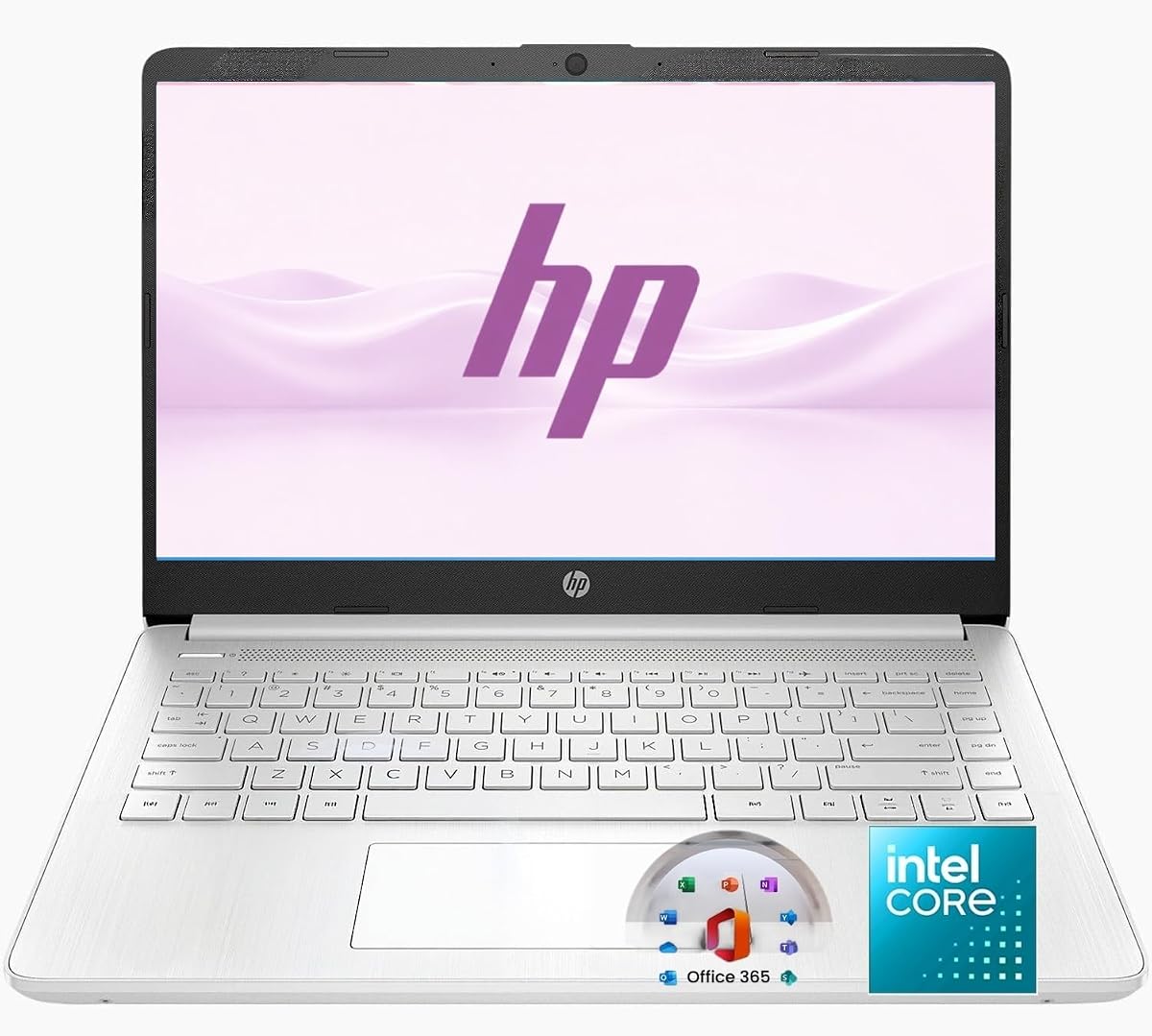
The HP 14-inch Ultra Light Laptop delivers reliable performance for daily office tasks with 8GB RAM. Its 4.3 rating highlights user satisfaction with battery life and ease of use. The Intel Quad-Core N150 processor ensures efficient performance for streaming and document work.
We may earn a commission when you buy through this link, at no additional cost to you.
Key strengths include Wi-Fi 6 support for faster internet speeds and lower latency in crowded networks. The included Office 365 suite means users can start working immediately without extra subscriptions. The compact blue body and thin profile make it easy to transport.
Trade-offs involve limited local storage which is common for this price point. Users often need SD card expansion or cloud reliance. The basic HD display is sufficient for text but may lack vibrancy for media.
This laptop is perfect for students and business users needing a versatile daily driver. If you prioritize memory capacity and connectivity standards over screen resolution this model meets those needs effectively.
8GB RAM and Wi-Fi 6 ensure the laptop handles modern apps and networks without slowing down.
Included Office 365 provides immediate access to Word Excel and PowerPoint for immediate productivity.
We may earn a commission when you buy through this link, at no additional cost to you.
Selecting an energy-efficient laptop requires evaluating specific hardware features that directly impact battery life and power draw. This guide outlines the key factors to consider for a smart purchase.
The CPU is the primary driver of power consumption. Look for modern low-voltage processors like Intel's N-series which prioritize energy efficiency over raw speed. These chips use fewer watts while handling everyday tasks like browsing and document editing.
Prioritize models with newer architectures and lower TDP ratings for better battery performance.
RAM type significantly affects power draw. DDR5 memory is generally more efficient than DDR4 or DDR3 versions. While 8GB is ideal for multitasking 4GB DDR5 can suffice for light tasks by conserving power through better bandwidth efficiency.
Choose DDR5 if available and match capacity to your typical workload to avoid unnecessary energy use.
Solid-state drives (SSD) consume less power than traditional hard drives. Newer storage types like UFS 3.1 offer faster speeds with lower latency and power needs than standard eMMC. This difference becomes significant during system boot and file transfers.
Opt for SSD or UFS storage to improve responsiveness and reduce idle power consumption.
Screen brightness and resolution impact battery longevity. A 14-inch panel with anti-glare coating reduces the need for high brightness settings. Lower resolutions like HD can extend life compared to Full HD but may sacrifice text clarity for productivity.
Balance screen size and resolution based on your mobility needs and battery expectations.
A large battery capacity measured in watt-hours ensures long unplugged sessions. Look for Fast Charge support to minimize downtime. Some models also include power-efficient battery management software to extend runtime during specific workloads.
Check estimated battery life hours and charging capabilities before buying.
Windows 11 and Chrome OS have built-in power-saving modes that adjust performance based on usage. S mode in Windows restricts apps to secure efficient sources which can reduce background power usage. Ensure the OS matches your workflow to avoid unnecessary resource drain.
Select an OS that aligns with your security and application requirements.
Lightweight designs often imply better thermal management and less energy needed for cooling. MIL-STD tested devices ensure longevity without compromising efficiency. A sturdy chassis reduces the risk of damage that could lead to inefficient component replacement.
Look for portable builds that balance durability and weight for easy transport.
Modern Wi-Fi 6 and Bluetooth 5.2 standards reduce power usage during wireless communication. Efficient radios mean less battery drain when connected to networks. USB-C ports with Power Delivery allow flexible charging with fewer adapters in your bag.
Ensure the laptop supports modern wireless standards for better efficiency.
Adjust your screen brightness to 60 percent and activate power-saving modes when not connected to a charger. This simple habit extends battery life without compromising visibility for text tasks. Regularly close unused background applications to prevent unnecessary processor load.
Use USB-C PD chargers compatible with your device to ensure optimal charging speeds. Keep the laptop in a cool environment as excessive heat can reduce battery efficiency over time. Avoid leaving the machine in hot cars or direct sunlight.
Update your operating system regularly to receive the latest energy efficiency patches. Clean ports and fans carefully to prevent dust buildup which can cause overheating. Periodically check storage usage to maintain system responsiveness and minimize energy waste during operations.
Modern low-power processors balance efficiency with sufficient performance for daily tasks like browsing and document editing. While they may not handle heavy gaming or video rendering as well as high-end CPUs they deliver smooth experiences for students and office users.
Battery life depends on usage patterns display brightness and connected peripherals. Most models in this guide range from 8 to 14 hours for light usage. Adjusting settings like dimming the screen and disabling Bluetooth can significantly extend runtime.
Four GB of RAM works well for basic tasks like web browsing and word processing. If you keep dozens of tabs open simultaneously 8GB is preferable to maintain smooth performance without excessive power draw or system slowdown.
SSDs provide faster boot times and application loading compared to eMMC storage. While eMMC is adequate for small files SSDs generally consume power more efficiently during read write operations. They also offer better longevity for regular data access.
Yes these models are ideal for students who need reliable battery life for classes and long study sessions. The portability and efficiency reduce the need to carry chargers constantly making them practical for campus life.
Chrome OS and Windows 11 S mode are highly optimized for energy efficiency. Both systems manage background processes effectively to save battery. Your choice should depend on whether you need Android apps or traditional Windows desktop software.
Most modern energy-efficient laptops feature USB-C ports for versatile charging and data transfer. These ports support Power Delivery allowing you to charge other devices or use a single compact adapter for multiple gadgets.
Excessive heat from heavy usage or poor ventilation degrades battery cells faster over time. Maintaining moderate temperatures by avoiding direct sunlight ensures the battery retains capacity longer. Clean air vents periodically to prevent overheating.
Our top picks including the HP Chromebook 14 and HP New Everyday Slim Laptop offer exceptional battery life and efficiency for various budgets. The jumper 15.6" FHD Laptop provides a premium alternative for those needing more memory and screen quality.
Prioritize the processor type and RAM capacity to match your daily workflow. Balancing these factors ensures you get a machine that stays cool and lasts long without sacrificing essential performance for productivity tasks.
Remember that prices and specifications change frequently. Always check current listings and verified reviews before buying to confirm the latest battery performance and availability for your chosen model.