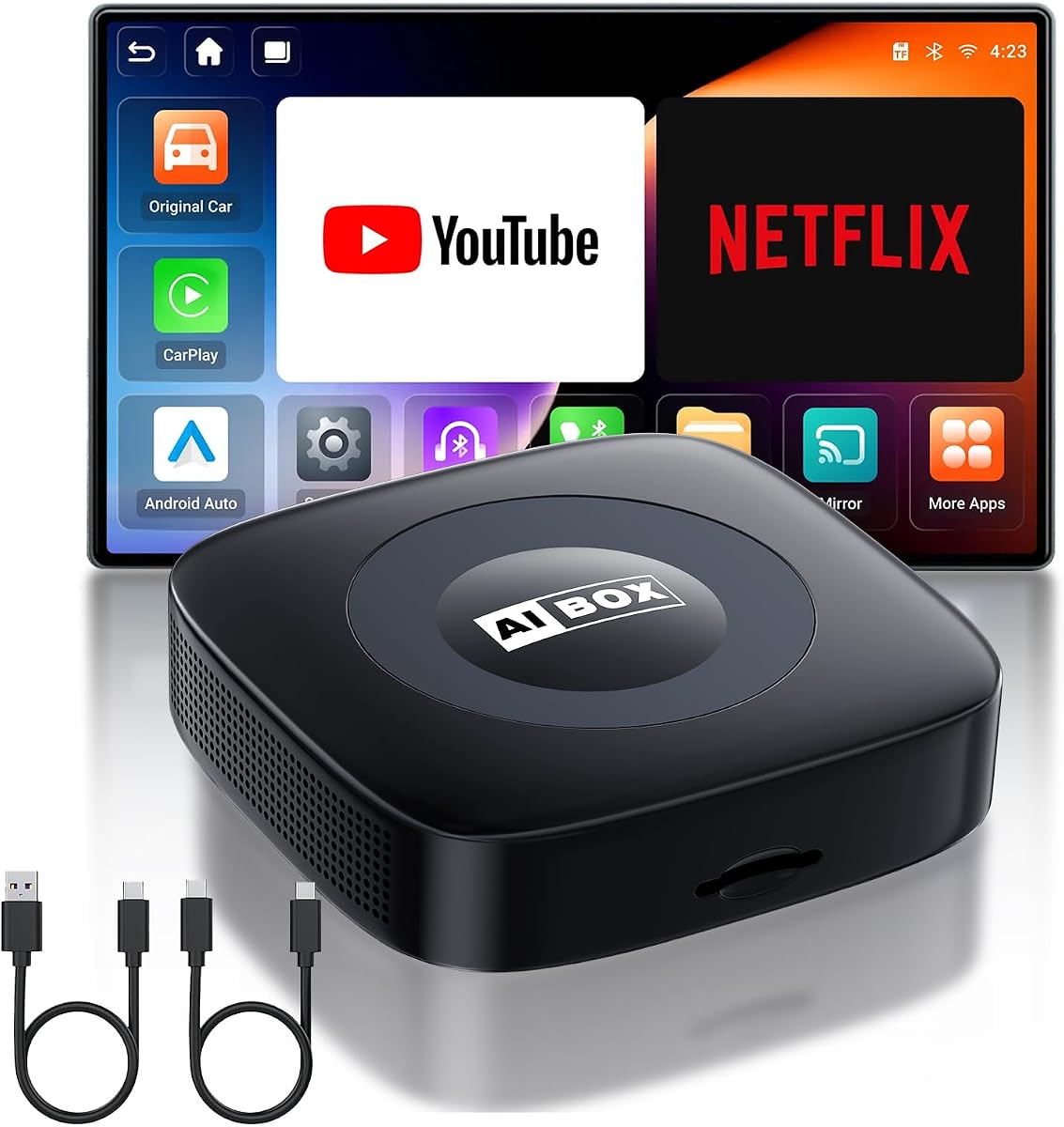
AI Box Carplay 2026 Upgraded
5.0Editor score
WiFi 6 and BT 5.3
Android 13.0 OS
Compact portable body
This guide compares the top Carplay Box with Google Play adapters for wireless connectivity, streaming apps, and seamless integration with factory wired
Transform your factory wired CarPlay system into a wireless smart hub with a Carplay Box with Google Play. These devices unlock full Android functionality, allowing you to download apps, stream videos, and navigate without cables cluttering your dashboard.
We evaluated ten top models based on connection stability, app availability, hardware performance, and ease of setup. Each product was analyzed for its ability to convert wired systems to wireless while supporting essential media and navigation tools for daily driving.
Every pick includes detailed specs, pros, cons, and real-world usage scenarios to help you decide. Note that availability and details may shift over time, so always verify current compatibility before purchasing to ensure a perfect fit for your vehicle.
5.0Editor score

4.7Editor score

5.0Editor score
The following table offers a side-by-side look at all ten contenders, highlighting their unique strengths and core specifications to help you find the ideal match for your specific car model and usage needs.


This Magic Box CarPlay Adapter stands out with its 4.7 rating for delivering a complete Android experience directly on your factory screen. It transforms your wired CarPlay system into a fully functional smart hub where you can download apps and stream content effortlessly.
We may earn a commission when you buy through this link, at no additional cost to you.
The standout feature is the built-in Play Store access, allowing you to install any Android app like YouTube or TikTok. The one-tap screen mirroring lets you share phone content in HD without complex setups. Fast auto-connect ensures you are ready to drive seconds after starting the engine.
While excellent for entertainment, local laws often restrict video playback while driving, so this is best for parked use like charging stops. It also lacks support for BMW or Tesla models which use different interfaces. These trade-offs are acceptable for most owners of standard factory wired systems.
Drivers wanting full app freedom without buying a new head unit should buy this. It offers the most flexibility and ease of use for modern cars. We highly recommend it as the top choice for those seeking a versatile Carplay Box with Google Play.
Accessing the Google Play Store lets you download any compatible app directly on your car screen for unlimited entertainment options.
The fast auto-connect feature remembers your device so you never have to pair manually after the initial setup process.
We may earn a commission when you buy through this link, at no additional cost to you.
This 3-in-1 adapter offers robust wireless freedom for factory wired systems with a focus on stability and media playback. It delivers a seamless experience by converting your existing setup into a smart hub without complex configurations or cable clutter.
We may earn a commission when you buy through this link, at no additional cost to you.
The dual-band WiFi and Bluetooth 5.3 ensure smooth streaming of navigation and video apps simultaneously. Pre-loaded apps like Netflix and YouTube are ready to go right out of the box. The aluminum alloy build helps with heat dissipation during long trips, ensuring reliability.
While it supports offline playback via USB, it does not explicitly mention full Google Play Store access like others. It also excludes BMW and Tesla models which use unique protocols. These limitations are minor for users seeking stable wireless upgrades for standard cars.
Buy this if you prioritize stable connections and offline media options for road trips. It is a durable solution for keeping passengers entertained. We suggest it for drivers who value build quality and consistent performance over extensive app customization.
Dual-Band WiFi technology ensures that navigation and video streaming run smoothly without dropouts or interference.
The aluminum alloy construction protects internal components and helps maintain optimal operating temperatures in various climates.
We may earn a commission when you buy through this link, at no additional cost to you.
This premium adapter delivers a high-end AI-driven experience with an 8-core Qualcomm platform and Android 13 OS. It transforms your vehicle into a fully connected smart hub capable of handling complex multitasking and advanced features effortlessly.
We may earn a commission when you buy through this link, at no additional cost to you.
The inclusion of a 4G LTE trial card lets you use apps without relying on your phone hotspot. ScenePilot AI provides unique features like trip logging and privacy locks. The high-end hardware ensures smooth app switching and fast responses even with many apps installed.
While the price is higher, the added value of LTE and AI features justifies the cost for power users. It may not fit older Subaru units with only wireless CarPlay support so verification is essential. These trade-offs are acceptable given the advanced capabilities provided.
Buy this if you want the best performance and independent connectivity without tethering to your phone. It is perfect for tech enthusiasts seeking a modern car experience. We recommend it as the top premium option for those demanding top-tier functionality.
4G LTE support ensures you stay connected even if your phone hotspot is unavailable or has limited data.
Bluetooth Lock features secure personal apps and accounts when the vehicle is left unattended by the driver.
We may earn a commission when you buy through this link, at no additional cost to you.
This 2026 upgraded model offers a compact design with fast connection speeds suitable for both iPhone and Android users. It provides a seamless transition to wireless connectivity while maintaining strong performance for daily driving needs.
We may earn a commission when you buy through this link, at no additional cost to you.
The H618 Quad-Core Chip paired with WiFi 6 ensures low latency and fast data transmission. Android 13.0 OS keeps the system ready for modern app requirements. The compact size fits neatly in the interior without blocking vents or controls.
While 2GB RAM is decent for standard tasks it might struggle with many heavy apps at once. It also does not work with vehicles that already have factory wireless CarPlay built in. These trade-offs are acceptable for most standard wired car owners.
Buy this if you need a reliable compact solution for both phone platforms. It is ideal for daily commuters seeking a quick upgrade. We recommend it for those valuing portability and modern OS features over extreme raw power.
WiFi 6 and Bluetooth 5.3 provide stronger signals and faster data rates for smoother streaming and navigation.
The small body design ensures it remains hidden and does not interfere with the car dashboard layout.
We may earn a commission when you buy through this link, at no additional cost to you.
This adapter stands out for its Gemini AI integration that acts as a co-pilot for road trips and queries. It offers a fully customizable entertainment hub where you can download apps and control devices hands-free.
We may earn a commission when you buy through this link, at no additional cost to you.
The 4GB RAM provides ample headroom for switching between navigation and apps without lag. Gemini can plan multi-stop trips or control smart home devices before you arrive. The dual-band WiFi ensures streaming and navigation run smoothly together.
The lower rating suggests some users faced connectivity challenges that needed cache clearing. The HDMI output is great for kids but requires extra setup. These trade-offs are manageable if you value AI features over plug-and-play perfection.
Buy this if you want AI assistance and robust multitasking power. It suits families needing external screens and smart features. We suggest it for tech-savvy drivers who want an AI co-pilot on every ride.
Gemini AI can plan trips and answer questions hands-free to help you focus on driving.
MINI HDMI output lets you connect external monitors for backseat entertainment during long trips.
We may earn a commission when you buy through this link, at no additional cost to you.
This 4-in-1 smart box combines wireless CarPlay and streaming with Gemini AI entertainment features. It transforms older cars into modern cockpits with easy pairing and reliable daily connectivity for commuting.
We may earn a commission when you buy through this link, at no additional cost to you.
Gemini AI tells stories and answers questions hands-free keeping passengers entertained. Dual-Band WiFi ensures smooth playback without buffering even on long highway drives. The HD media output allows connecting to rear headrest displays for a family trip.
While it supports multiple functions the initial pairing must be done correctly in car settings. It excludes BMW and Tesla models which use different hardware. These limitations are minor for users of standard wired OEM systems.
Buy this if you need reliable entertainment and voice features for passengers. It is perfect for school pickups and family outings. We recommend it for drivers seeking a versatile mix of utility and fun.
Gemini AI keeps kids entertained with stories and trivia so the driver can stay focused.
HD media output allows easy connection to backseat displays for shared movie watching.
We may earn a commission when you buy through this link, at no additional cost to you.
This upgraded model brings both wireless CarPlay and Android Auto with robust streaming capabilities. It is designed to be a reliable video box for home outdoor or car use with a focus on stability.
We may earn a commission when you buy through this link, at no additional cost to you.
The HDMI connection allows projecting movies to external screens during camping or outdoor events. 5G WiFi and BT 5.0 deliver stable transmission for daily driving needs. The compact housing aids heat dissipation to keep the device stable.
It may need external power in some HDMI modes which is not always convenient. Storage space for offline content is limited compared to higher RAM models. These trade-offs are acceptable for those needing versatile video projection.
Buy this if you want a device that works for car and outdoor use. It is great for camping trips and shared viewing. We suggest it for users seeking a simple reliable adapter for multiple scenarios.
HDMI connection lets you show movies on external monitors for outdoor gatherings or home use.
Refined housing design helps dissipate heat ensuring consistent performance during long sessions.
We may earn a commission when you buy through this link, at no additional cost to you.
This all-in-one adapter supports both wireless CarPlay and Android Auto offering great flexibility for households with different phones. It converts wired systems to wireless with an easy setup process.
We may earn a commission when you buy through this link, at no additional cost to you.
Built-in Netflix and YouTube allow quick access to streaming without extra apps. The TF card slot supports up to 256GB so you can store many videos offline. The 4.2GHz processor ensures smooth playback and mirroring without lag.
It cannot run streaming and CarPlay at the same time so you must switch modes carefully. It excludes BMW and Tesla which use proprietary interfaces. These trade-offs are minor for users with standard factory setups.
Buy this if you need to switch between iPhone and Android frequently. It is ideal for families with mixed device preferences. We recommend it for those valuing compatibility and ease of use.
Supports both Apple and Android devices so every family member can connect without issues.
Large TF card support means you can carry hundreds of videos without relying on data.
We may earn a commission when you buy through this link, at no additional cost to you.
This multimedia AI box offers robust hardware with an 8-core processor and 64GB storage. It provides a refined travel experience with full Android 13.0 support for modern apps.
We may earn a commission when you buy through this link, at no additional cost to you.
The SIM card support allows independent internet access without your phone. It supports Spotify Netflix and YouTube with voice input. The high-speed Wi-Fi standards ensure quick app downloads and streaming.
It requires a touch screen car interface which may not be present in all vehicles. You must manage your own SIM data plan which adds complexity. These trade-offs are acceptable for users wanting a high-end standalone solution.
Buy this if you need substantial storage and independent internet connection. It suits users wanting a standalone tablet experience in car. We recommend it for those prioritizing raw performance and capacity.
64GB storage allows you to download many apps and videos for offline use.
SIM card support enables internet use even when your phone is not available.
We may earn a commission when you buy through this link, at no additional cost to you.
This budget-friendly video box focuses on streaming apps for wired CarPlay vehicles. It supports both CarPlay and Android Auto while offering built-in Netflix and YouTube for entertainment.
We may earn a commission when you buy through this link, at no additional cost to you.
The TF card slot lets you play offline videos when signals are weak. It works with over 800 car models since 2016. The setup is quick with auto-connect features included.
It does not support downloading apps beyond built-in ones which limits customization. Some users report minor stability hiccups. These trade-offs are acceptable for buyers seeking a basic reliable streaming solution.
Buy this if you need a simple video playback tool without extra costs. It suits budget-conscious commuters. We recommend it for those prioritizing price and basic functionality.
Built-in apps allow quick access to favorite shows without complex setup steps.
TF card support ensures you can watch movies even in areas with poor internet.
We may earn a commission when you buy through this link, at no additional cost to you.
Selecting the right adapter depends on your car model and needs. This guide explains the key factors to consider before purchasing a wireless upgrade.
Ensure your car has a factory wired CarPlay or Android Auto system before buying. These boxes work by converting existing wired ports to wireless. Always check the manufacturer compatibility list to confirm your specific model is supported especially for brands like BMW or Tesla which may need special hardware.
Compatibility is the first rule to avoid returns. Verify your vehicle settings allow wired CarPlay.
Look for devices running Android 13 or newer to ensure modern app compatibility. Full Google Play Store access is essential for downloading custom apps beyond basic streaming. This allows you to install navigation tools or games directly on your car screen.
Android OS version determines future-proofing. Prioritize models with full Play Store access for flexibility.
Higher RAM like 4GB helps multitasking between navigation and video apps without lag. More internal storage like 64GB allows downloading more apps and offline content. If you plan to install many apps aim for higher specs to keep performance smooth.
Check RAM and ROM specs carefully. Higher numbers mean smoother performance and more space.
Dual-Band WiFi and Bluetooth 5.0 ensure stable connections with minimal latency. Some advanced models offer 4G LTE or SIM support for independent internet. This is useful if your phone hotspot is unreliable or you prefer offline capabilities.
Strong connectivity reduces buffering. LTE options add freedom if your hotspot signal is weak.
Aluminum alloy construction helps dissipate heat during long drives better than plastic. Overheating can cause crashes so a robust build is vital for reliability. Look for compact designs that fit neatly without blocking vents.
Heat management affects longevity. Metal bodies protect internal components during summer driving.
Check if the box supports offline playback via USB or TF card for areas with no signal. HDMI outputs allow connecting to external monitors for kids. Ensure the device supports the video apps you plan to use like Netflix or YouTube.
Offline options keep passengers entertained. HDMI adds versatility for rear seat viewing.
Plug-and-play adapters save time and reduce frustration. Auto-connect features ensure you are ready to drive seconds after starting the engine. Avoid models requiring complex manual configuration if you want convenience.
Easy setup means less downtime. Auto-connect ensures you never fiddle with cables.
A longer warranty like 3 years indicates confidence in product durability. Reliable customer support helps if connection issues arise during installation. Check reviews for how quickly the manufacturer responds to troubleshooting requests.
Good support saves headaches. A solid warranty protects your investment against defects.
Start by inserting the adapter into your car's USB port and turning on the ignition. Follow the on-screen prompts to pair the device via Bluetooth if required. Once paired the box will connect automatically every time you start the vehicle.
To install new apps connect to a Wi-Fi hotspot or insert a SIM card if your model supports it. Navigate to the Google Play Store and download your preferred navigation or streaming apps. Keep the device updated via OTA updates to ensure smooth performance.
For care keep the device clean and away from direct sunlight to prevent overheating. If you experience connection issues restart the box and your phone to refresh the signal. Store it in a cool place when the car is not in use to extend its lifespan.
You typically need a smartphone for the initial setup and pairing process. After that many features work independently especially if the device has its own internet connection. It still relies on the car screen which usually requires an active CarPlay signal.
Using a wireless adapter generally does not void your vehicle warranty as it is an external accessory. However always check with your dealer to ensure it does not conflict with existing systems. These devices are designed to be non-intrusive.
Most devices only allow video playback when the car is in park to comply with safety laws. It is illegal to view video while driving in many regions. These features are best used during charging stops or traffic waits.
Bluetooth is primarily used for pairing and audio streaming while Wi-Fi handles internet and app data. Some models use one connection for CarPlay and another for streaming to ensure stability. Dual-band Wi-Fi helps manage this traffic effectively.
Many models support offline playback via USB drives or TF cards for music and videos. This is useful when traveling in areas with poor mobile signals. Check the specific product specs to confirm offline media capabilities.
Most standard boxes do not support BMW or Tesla as they use unique wireless systems. Some advanced models have specific solutions but standard wired CarPlay converters will not work. Always verify compatibility before purchasing.
We reviewed ten top models ranging from budget friendly video boxes to high-end AI solutions. The Magic Box and LAMTTO models lead for their app flexibility and AI features offering a modern experience.
Prioritize compatibility and build quality to ensure a smooth integration with your factory system. Look for devices with strong Wi-Fi specs and clear support for the apps you use most daily.
Always verify current details and availability before purchasing as features may update. These devices are a smart way to upgrade your older car tech without replacing the entire head unit.