
Mouse Jiggler Mover Wiggler Undetectable Shaker
4.7Editor score
Ultra compact and portable size
Driver-free plug and play
Compatible with multiple systems
This comprehensive guide compares the top-rated laptop jiggler devices to help remote workers and gamers keep their systems active without detection or
Keeping your computer active during long meetings or downloads is essential for remote professionals. A laptop jiggler simulates mouse movement to prevent sleep mode and status changes without software installation.
We evaluated ten top-rated devices based on undetectability, ease of use, and compatibility across different operating systems. Our analysis focused on physical movers that avoid IT flags while maintaining workflow efficiency.
Each pick highlights unique features like silent motors, adjustable intervals, and compact designs. Please note that product availability and details may change over time as manufacturers update their lineups frequently.
4.7Editor score

4.7Editor score

4.1Editor score
The following table provides a side-by-side overview of all ten models evaluated in this guide. Use this reference to quickly compare specifications and select the right device for your setup.
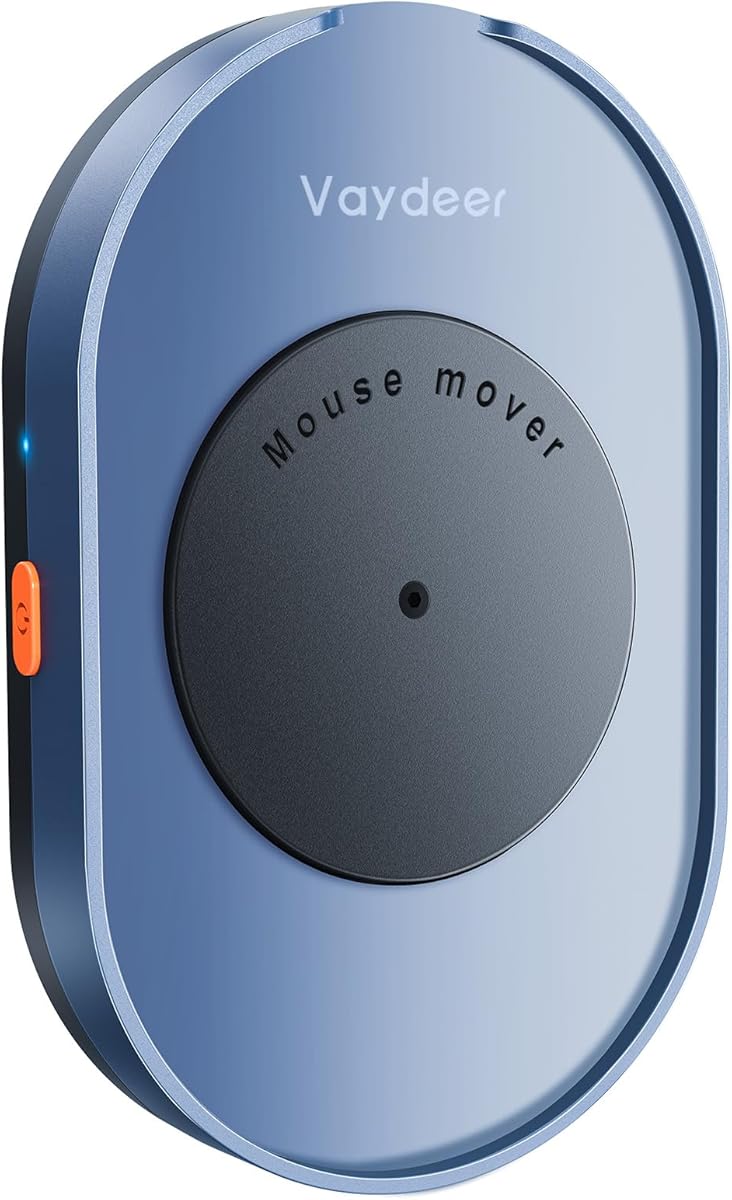


This device stands out as a top choice for professionals seeking both function and style. With a rating reflecting high satisfaction, it uses a patented 3D holographic disc to keep your cursor active. The ambient glow ring adds a modern touch to your workspace while ensuring your computer stays awake during long sessions.
We may earn a commission when you buy through this link, at no additional cost to you.
The TECH8 USA model offers three motion levels allowing you to customize movement intensity based on your needs. Its large disc supports a wide range of mouse sizes making it versatile for different setups. You can set an auto shut-off timer for convenience ensuring it runs only when needed without manual intervention.
While the price point is higher than some competitors the unique design and reliable performance justify the investment for many users. The glow ring can be turned off if you prefer a discreet look during meetings. Overall the build quality and attention to detail make it a standout option.
If you value aesthetics alongside functionality this jiggler is an excellent choice for remote work. It prevents sleep mode effectively without requiring software installation or IT permissions. We recommend it for users who want a reliable device that complements their desk environment visually.
Adjustable levels let you tailor movement to avoid detection while maintaining productivity.
The holographic disc and LED ring make it a conversation piece on your desk.
We may earn a commission when you buy through this link, at no additional cost to you.
Quiet operation is crucial for shared offices and this model delivers with a motor running below 45dB. It holds ISO security certification ensuring it is safe and trustworthy for company use. The ability to power it via USB or an external adapter adds flexibility to how you place it on your desk.
We may earn a commission when you buy through this link, at no additional cost to you.
This device simulates physical movement without software making it undetectable by standard IT scans. The on off switch saves time compared to plugging and unplugging repeatedly. It is designed to be a practical gift for colleagues who need reliable tools to stay active during long shifts.
The main drawback is managing the cable when using an external adapter though the USB option mitigates this. The switch button is convenient but requires you to remember to press it before starting work. Despite these minor issues the focus on silence makes it a strong contender for quiet environments.
For users prioritizing noise reduction this jiggler is an ideal solution. It keeps your system active without disturbing others around you. We recommend it for open office workers or anyone sensitive to noise during meetings or focused tasks.
Designed to run quietly ensuring minimal distraction in shared workspaces.
ISO certification provides peace of mind regarding safety and compatibility.
We may earn a commission when you buy through this link, at no additional cost to you.
This two pack provides excellent value for users needing multiple devices or backups. The movement is so slight at one to two pixels that you can work or present without noticing the cursor shifting. It runs directly after plugging in eliminating the need for drivers or complex setup steps.
We may earn a commission when you buy through this link, at no additional cost to you.
Compatibility is broad covering Windows Mac and even Raspberry Pi systems seamlessly. It works well for online meetings gaming or remote connections keeping you active throughout long sessions. The small form factor makes it easy to store or transport when working from different locations.
While it lacks the advanced features of higher end models it fulfills its primary purpose effectively. The small size is convenient but might be misplaced if not stored carefully. For the price point the quality and functionality make it a smart choice for budget conscious users.
If you need a reliable and affordable solution this pack is worth considering. It keeps your computer awake without interfering with your regular mouse usage. We recommend it for students or remote workers looking for cost effective tools to maintain productivity.
Getting two units allows for backups or use across multiple devices.
Minimal movement ensures your workflow remains uninterrupted during use.
We may earn a commission when you buy through this link, at no additional cost to you.
Modern laptops often rely on USB-C ports making this adapter a practical choice for many users. It offers two jiggle modes allowing you to switch between slight and random movement easily. The device is recognized as a trusted USB composite device ensuring no warnings appear on your system.
We may earn a commission when you buy through this link, at no additional cost to you.
The switch button allows you to turn it on or switch modes without plugging and unplugging the cable. It works well for online reading gaming and keeping platforms like Teams active. The simple plug and play setup means you can start using it immediately without any configuration steps.
The build is functional but basic compared to more premium options on the market. Lack of an adjustable timer means you cannot set automatic shut-offs for extended periods. However the USB-C compatibility and ease of use make it a strong option for newer devices.
For those with USB-C laptops this jiggler provides direct connectivity without extra adapters. It keeps your system active while maintaining a simple interface for control. We recommend it for users who prioritize port compatibility over advanced customization features.
USB-C support ensures compatibility with the latest laptop models.
Two movement modes let you adapt to different work scenarios.
We may earn a commission when you buy through this link, at no additional cost to you.
Space saving design is key for clutter free desks and this model excels with its slim profile. It uses a rotating platform to create physical movement keeping your computer awake effectively. The auto start feature means it begins working as soon as you connect the USB cable to your system.
We may earn a commission when you buy through this link, at no additional cost to you.
The included cable provides flexibility to position the device where it fits best on your setup. The motor runs quietly in the background ensuring it does not disrupt your concentration. This simplicity makes it easy to integrate into existing workflows without additional configuration.
Cable length can sometimes limit how you route it around monitors or other equipment. The switch button works well but its placement might require adjustment for optimal use. Despite these minor points the focus on slim design makes it appealing for minimalist setups.
If you value a clean workspace this jiggler offers a discreet solution. It avoids unnecessary bulk while delivering reliable performance for long sessions. We recommend it for users who prefer streamlined peripherals on their desks.
Slim dimensions ensure it fits neatly alongside other peripherals.
Connect and go without needing to press buttons every time.
We may earn a commission when you buy through this link, at no additional cost to you.
This model offers precise control over movement frequency allowing you to set intervals between five and sixty seconds. The large turntable ensures your mouse stays stable during operation even if it is a larger gaming mouse. Visual feedback via LED display helps you confirm settings instantly without guessing.
We may earn a commission when you buy through this link, at no additional cost to you.
The device uses a silent motor to minimize noise making it suitable for quiet environments. It can be powered by USB or an external adapter giving you flexibility in placement. This adjustability makes it ideal for users who need specific movement patterns for their workflows.
The larger size means it takes up more desk space than compact alternatives. Setup involves setting the timer which adds a step compared to plug and play models. However the control it offers is unmatched for those who want to fine tune their experience.
For power users seeking specific control this jiggler delivers superior customization. It balances silence with functionality to keep your system active efficiently. We recommend it for those who need exact timing and clear visual indicators.
Adjustable intervals allow you to match movement with your specific needs.
LED display confirms active settings for ease of use.
We may earn a commission when you buy through this link, at no additional cost to you.
Durability is often a concern with small devices but this model uses aluminum alloy for a sturdy build. It includes a USB C adapter making it versatile for various port types on modern laptops. Two jiggle modes allow you to switch between slight and random movement as needed.
We may earn a commission when you buy through this link, at no additional cost to you.
The switch button makes it easy to toggle power without unplugging the cable. It is recognized as a trusted device ensuring no security warnings appear during use. The compact design ensures it fits easily into your workspace without taking up much room.
The metal body adds weight and durability but may feel cold to the touch. While the USB C adapter is useful it adds an extra piece to manage on your desk. Overall the build quality and port flexibility make it a strong contender.
If you need a durable device that feels premium this option stands out. It provides reliable movement simulation without software or drivers. We recommend it for users who value long lasting build quality over advanced features.
Aluminum construction ensures the device withstands regular use over time.
USB C adapter adds value for modern laptop users.
We may earn a commission when you buy through this link, at no additional cost to you.
This device offers three distinct modes ranging from slight movement to variable speed random movement. An exclusive color LED indicator lets you see which mode is active without checking documentation. Its compact size makes it easy to slip into a laptop bag for travel.
We may earn a commission when you buy through this link, at no additional cost to you.
The one button control simplifies switching between modes allowing you to focus on work. It works instantly on Windows Mac and Linux without drivers ensuring seamless integration. The discreet design ensures it does not draw attention during meetings or public work.
The LED is small and discreet which can be a drawback in bright environments. The plastic build is functional but not as premium as metal alternatives. However the simplicity and clear feedback make it easy to use daily.
For users who value simplicity and portability this jiggler is ideal. It keeps your system active while offering clear visual feedback. We recommend it for travelers or those who switch modes frequently.
Color LED ensures you always know which mode is running.
Compact form factor allows for easy transport in any bag.
We may earn a commission when you buy through this link, at no additional cost to you.
Affordability is a major draw for this model making it accessible for anyone on a tight budget. Its tiny size makes it easy to carry between offices or while traveling for work. It plugs directly into your USB port and starts working immediately without any drivers.
We may earn a commission when you buy through this link, at no additional cost to you.
Compatibility covers popular systems including Windows Mac and Linux ensuring broad usage. The small footprint ensures it does not clutter your desk while maintaining a low profile. It is an ideal helper for keeping your computer awake during long meetings or downloads.
The lack of extra features like a switch or LED means you must unplug to stop it. While simple this can be inconvenient if you need to pause frequently. However the price and reliability make it a strong choice for basic needs.
If you want a no fuss solution this device delivers essential functionality well. It keeps your system active without adding complexity to your setup. We recommend it for users prioritizing cost and simplicity over features.
Low price point makes it accessible for all users.
Focuses on core needs without extra bells or whistles.
We may earn a commission when you buy through this link, at no additional cost to you.
This device stands out by targeting trackpads directly allowing you to keep laptops active without external mice. It uses a mechanical movement to simulate fingertip input ensuring your system stays awake. The cordless design offers a truly clutter free experience for modern workspaces.
We may earn a commission when you buy through this link, at no additional cost to you.
Powered by a single AA battery it can last up to six months on average daily use. The low RPM motor ensures silent operation so you can work without distraction. It is portable and does not require any cables to connect to your device.
The price is higher than plug models reflecting its unique cordless nature. Optimizing settings like disabling palm rejection may be necessary for consistent results. Despite this the innovation in design makes it a compelling option for laptop users.
For those who want to avoid cable clutter this jiggler offers a unique solution. It keeps your screen awake while maintaining a clean desk setup. We recommend it for users who value wireless freedom over wired convenience.
Cordless design eliminates cable clutter on your workspace.
Six-month battery life reduces maintenance and hassle.
We may earn a commission when you buy through this link, at no additional cost to you.
Selecting the right jiggler depends on your specific needs and workspace constraints. This guide outlines key factors to consider before making your purchase.
Ensure the device mimics a standard mouse input to avoid being flagged by IT systems. Look for products recognized as standard USB mouse devices rather than unknown peripherals.
Prioritize devices that use physical movement or trusted identifiers to ensure safety.
Decide between USB powered or battery operated models based on your workflow needs. Cordless options offer flexibility but require battery changes while USB models are always on.
Choose a power source that minimizes interruptions and manages cables effectively.
Check if your laptop uses USB A or USB C ports to ensure a direct connection. Some models come with adapters to support multiple port types for broader compatibility.
Verify you have the correct adapter or connector before purchasing to avoid extra costs.
Adjustable movement settings let you fine tune cursor shifts to stay under detection thresholds. Look for options offering different speeds or patterns to suit various software platforms.
Select a device with customizable modes to balance activity with natural cursor behavior.
Silent operation is vital for shared workspaces or quiet home offices. Check decibel ratings or product claims to ensure the motor does not disturb your concentration.
Opt for models explicitly marketed as silent or low noise for a peaceful experience.
Durable materials ensure longevity especially if you move the device frequently. Metal alloys offer sturdier feel while plastic keeps the device lightweight and affordable.
Assess materials and warranty terms to find a balance between cost and durability.
Compact designs are ideal for smaller desks or portable workstations. Consider how much space the device takes up relative to your existing setup constraints.
Choose a size that fits comfortably without obstructing other peripherals on your desk.
Driver-free plug and play models save time by eliminating software installation steps. Look for devices that start working immediately upon connection to your system.
Prioritize simple setups to avoid technical hurdles before you begin your work.
Connect your device to a USB port and ensure your mouse rests securely on the surface. For trackpad models simply place the unit on the pad to begin simulated movement.
Use the switch buttons if available to control power and movement modes according to your preference. Adjust settings like timer intervals to match your work session duration effectively.
Keep the device clean by wiping it gently with a dry cloth to remove dust. Store it safely when not in use to prevent damage to small components or surfaces.
Most physical models are safe because they mimic standard mouse inputs recognized by operating systems. However always check your company policy on external hardware to ensure compliance.
Physical devices do not require software installation as they connect directly to your USB port. This plug and play design ensures they work across different operating systems without drivers.
Yes these devices prevent sleep mode by simulating activity keeping your system active for hours. This is ideal for long downloads remote connections or media streaming tasks.
Most devices allow you to use your regular mouse without interference. The jiggler moves the cursor slightly while you retain full control over navigation.
While most require a physical mouse specific models exist to simulate movement on touchpads. Check product descriptions to confirm compatibility with your laptop input method.
Simply unplug the USB connection or press the power button if available to stop movement. This ensures your cursor stays still when you are actively working.
We highlighted ten top options ranging from budget friendly to premium specialized devices. Each model offers unique features to help you keep your system active seamlessly.
Prioritize safety and port compatibility to ensure the device works smoothly with your setup. Consider your workspace needs when selecting features like silent operation or timer controls.
Remember that availability and details may change so check current listings before purchasing. Choose the device that aligns best with your professional requirements today.