
CLEEFUN Long USB C Cable 20ft
4.6Editor score
QC3.0 Fast Charge Support
20000+ Bend Lifespan
Tangle Free Nylon Design
This guide compares the top 10 best long USB cable options available in October 2026 to help you find reliable connectivity for your devices at home or office.
Finding a reliable long USB cable is essential for modern connectivity needs. Whether you need to reach a distant outlet or connect peripherals across a room, the right cable ensures stable data transfer and charging without signal loss.
We analyzed ten top-rated models based on durability, speed, length, and compatibility. Our comparison covers various connector types including USB-A, USB-C, and Micro USB to ensure you find the perfect match for your specific setup and device requirements.
Each pick highlights key strengths and ideal use cases to simplify your decision. Note that prices and availability may change over time so verify current details before purchasing to ensure you get the best value for your specific needs today.
4.6Editor score

4.7Editor score

4.7Editor score
The following table provides a detailed side-by-side comparison of all ten selected products. Evaluate key specifications like length, connector type, speed, and durability features to identify which cable best fits your specific connectivity requirements and budget constraints.


This top rated 20-foot USB 3.0 cable stands out for its reliable high-speed data transfer and durable construction. With a 4.7 star rating it proves essential for connecting external hard drives and peripherals across large spaces without signal degradation.
We may earn a commission when you buy through this link, at no additional cost to you.
Its 5 Gbps transfer rate is ten times faster than USB 2.0 allowing quick backups of large files. The reinforced nylon braided jacket and gold plated connectors ensure longevity while the multiple shielding layers minimize interference for stable performance during extended use.
While it does not support charging which limits its use to data devices the trade-off is acceptable for users prioritizing speed and reliability. The cable does not offer charging functionality but excels in data transfer scenarios requiring robust connectivity over distance.
Ideal for home office setups needing to link computers to drives or monitors this cable offers great value. Its universal compatibility with Windows PC desktops and external enclosures makes it a versatile solution for anyone needing long reach USB 3.0 connectivity.
The 5 Gbps speed ensures rapid file synchronization compared to older USB 2.0 standards.
Reinforced molding and nylon braiding protect against wear and frequent bending.
We may earn a commission when you buy through this link, at no additional cost to you.
The CLEEFUN 20-foot USB-C cable offers exceptional value for those needing long reach charging and data sync. With a 4.6 rating it balances cost and performance effectively for everyday users with modern smartphones and tablets.
We may earn a commission when you buy through this link, at no additional cost to you.
It supports QC3.0 fast charging which significantly reduces charge time for compatible devices. The heavy duty nylon braided jacket and aluminum housing provide robust protection against daily wear ensuring the cable remains functional for years of use.
While it lacks the high 5 Gbps transfer speed of USB 3.0 options this is acceptable for general charging and standard data syncing. Users needing faster file transfers might prefer USB 3.0 options but for most this speed is sufficient.
This cable is perfect for bedroom or office setups where outlets are far from charging spots. Its wide compatibility with Galaxy and Pixel devices makes it a smart budget choice for anyone needing reliable long USB-C connectivity.
Supports QC3.0 standards for quicker power delivery to compatible smartphones.
Nylon braiding keeps the cable organized and easy to manage daily.
We may earn a commission when you buy through this link, at no additional cost to you.
This 40-foot active USB cable delivers unmatched reach for printers and scanners in large offices. Rated 4.7 stars it ensures consistent connectivity even at extreme distances where passive cables often fail due to signal loss.
We may earn a commission when you buy through this link, at no additional cost to you.
The active technology boosts signal integrity over 40 feet ensuring reliable data transmission to your hardware. Gold plated plugs and reinforced joints maintain secure connections while the nylon braid offers flexibility and protection against physical damage.
Although it is more expensive than standard cables the value lies in its ability to support specialized Type B printers reliably. Users needing extra length for peripherals will find this investment worthwhile for uninterrupted workflow and stable device communication.
Ideal for offices with distant printer setups this cable solves distance problems effectively. Its wide compatibility with popular models ensures you can connect your equipment without worrying about connectivity dropouts or signal degradation issues.
Maintains signal quality over long distances for reliable peripheral communication.
Designed specifically for Type B devices like printers and scanners.
We may earn a commission when you buy through this link, at no additional cost to you.
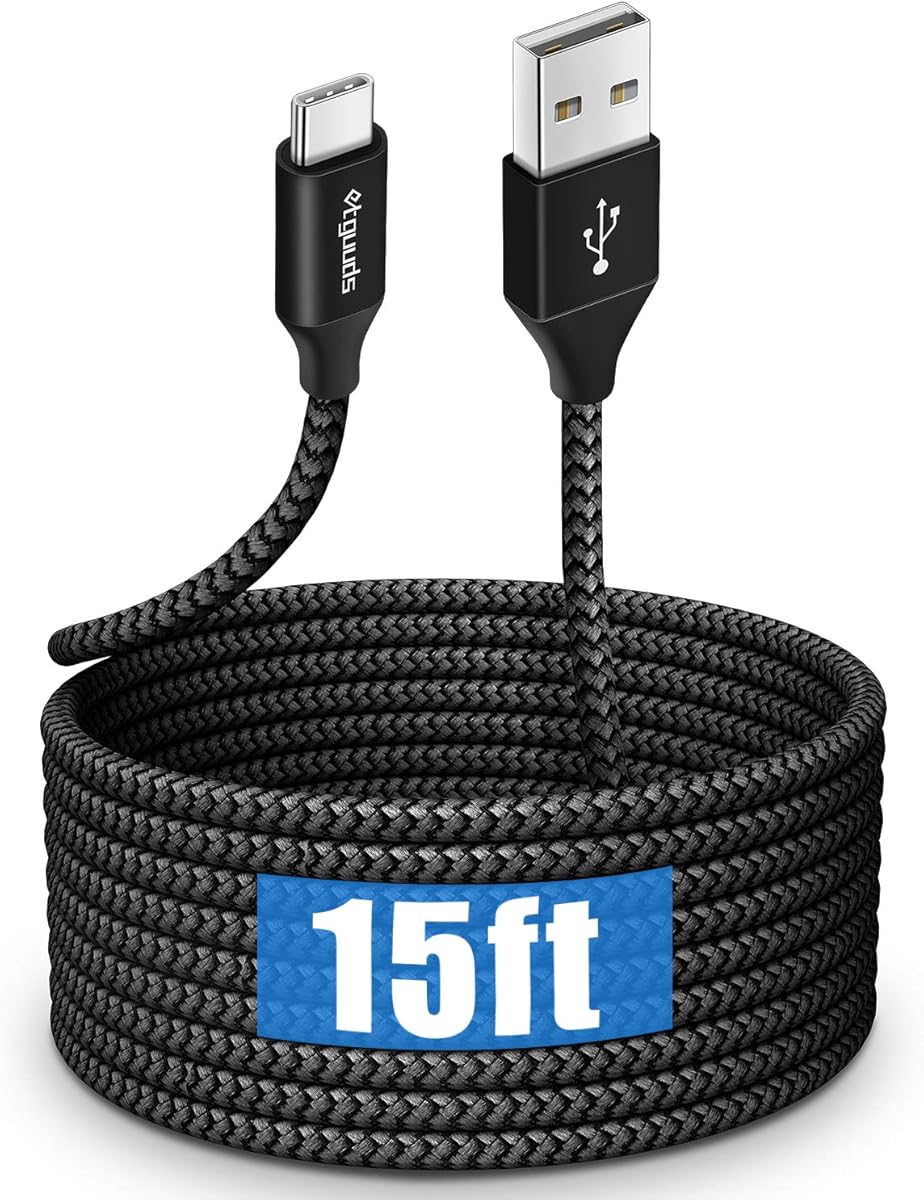
The etguuds 15-foot USB-C cable offers a practical balance of length and charging performance. With a 4.6 rating it supports 3 A charging which provides fast power delivery for most modern smartphones and tablets efficiently.
We may earn a commission when you buy through this link, at no additional cost to you.
Its nylon braided build ensures resistance to daily wear and tangling while the 480Mbps sync rate handles file transfers efficiently. The 56 kΩ resistor protects your devices from electrical issues ensuring safe and stable power delivery throughout use.
While not offering the fastest USB 3.0 data speeds this cable excels in charging reliability and durability. Users prioritizing power delivery over massive file transfers will find this mid-length option sufficiently robust for home and office environments.
Great for use on sofas or beds this cable brings flexibility to your charging habits. Its broad compatibility with Samsung and iPhone 15 models makes it a versatile addition to any tech ecosystem needing reliable USB-C charging solutions.
Built-in resistors prevent voltage spikes to protect connected devices safely.
Nylon braiding supports 20000+ bends for extended lifespan daily.
We may earn a commission when you buy through this link, at no additional cost to you.
This 10-foot USB-C cable is an excellent choice for standard charging needs in smaller spaces. With a 4.6 rating it supports 3 A fast charging making it ideal for quick top-ups in bedrooms or living rooms conveniently.
We may earn a commission when you buy through this link, at no additional cost to you.
The premium nylon braided material provides durability without stiffness ensuring the cable remains flexible over time. Built to last it handles daily plugging and unplugging well while the compact length avoids clutter in smaller setups effectively.
It does not support video output limiting use to power and data sync. Users needing monitor connectivity should look elsewhere but for pure charging this cable delivers reliable performance at a competitive price point for most users.
Suitable for virtually all Type-C devices this cable offers broad utility. Its simplicity and effectiveness make it a practical daily driver for anyone needing a dependable charging cable with moderate length for home environments.
Soft yet sturdy nylon ensures long-term resistance to wear and tear.
Delivers efficient power for fast charging compatible smartphones and tablets.
We may earn a commission when you buy through this link, at no additional cost to you.
This pack includes two 15-foot USB-C cables offering excellent convenience for multi-device households. With a 4.5 rating it allows placement in multiple rooms without needing extra buys ensuring consistent charging capabilities across different areas.
We may earn a commission when you buy through this link, at no additional cost to you.
The cables feature high-speed data transfer and safety mechanisms to prevent overheating. Thickened cores and reinforced connectors ensure durability against bending and daily wear while the tough sheath protects against physical damage effectively.
While individual performance may vary between units users benefit from the cost savings of a bundle. This setup is ideal for families needing reliable charging options in bedrooms and living spaces simultaneously without extra expense.
Compatible with popular models like iPhone 15 and Galaxy phones it serves diverse needs. The dual-pack approach ensures you always have a backup cable ready making it a practical choice for ongoing daily charging requirements.
Two cables in one package save money and provide spare replacements easily.
Built-in protections prevent overvoltage and overheating for device safety.
We may earn a commission when you buy through this link, at no additional cost to you.
This 20-foot USB 3.0 extension cable provides excellent reach for webcams and external drives. With a 4.6 rating it maintains 5 Gbps speeds ensuring fast data transfer even when peripherals are located far from the computer directly.
We may earn a commission when you buy through this link, at no additional cost to you.
Its heavy-duty 22AWG wire and triple-layer shielding ensure zero lag during streaming or data tasks. Gold plated connectors and reinforced joints enhance durability while the round design resists tangling in office or home setups effectively.
It is not suitable for VR headsets or rapid charging but works perfectly for standard peripherals. Users needing to extend ports for remote desks will find it offers stable connectivity without performance loss over the cable length.
Ideal for home offices this cable bridges the gap between devices and ports efficiently. Its compatibility with HP printers and webcams makes it a versatile solution for extending existing setups without replacing hardware entirely.
Triple-layer shielding minimizes interference for consistent data transfer.
Male to female design allows connecting existing peripherals seamlessly.
We may earn a commission when you buy through this link, at no additional cost to you.
This 16-foot USB-A to USB-B cable from Amazon Basics offers reliable connectivity for standard printers. With a 4.7 rating it ensures consistent performance for external hard drives and scanners without signal degradation issues.
We may earn a commission when you buy through this link, at no additional cost to you.
Gold-plated connectors help ensure optimal signal transmission while the durable design resists corrosion. Its frustration-free packaging simplifies setup making it a straightforward choice for those prioritizing reliability over advanced features.
While limited to USB 2.0 speeds it meets the needs of most office equipment. Users needing high-speed transfers for video editing might prefer faster options but for general printing and storage it performs consistently well.
Ideal for home offices this cable connects essential peripherals efficiently. Its trusted brand reputation ensures quality control making it a safe pick for anyone needing standard printer connectivity with moderate reach and reliability.
Gold plating prevents corrosion ensuring stable connection over time.
No drivers needed just plug and play for immediate use.
We may earn a commission when you buy through this link, at no additional cost to you.
This 20-foot USB-C cable combines high-speed transfer with charging capabilities. With a 4.2 rating it supports USB 3.2 Gen 1 chip technology for 5Gbps data rates making it suitable for large file transfers over distance.
We may earn a commission when you buy through this link, at no additional cost to you.
The double braided layer and aluminum alloy construction increase service life while strain relief ports handle frequent use. It offers theoretical 18W charging though actual power may reduce due to resistance over the long cable length.
While charging speed drops with length data transfer remains fast for connected storage. Users prioritizing speed and reach over fast charging will find this cable a strong choice for syncing SSDs or drives remotely.
Ideal for users needing both data and power over distance this cable offers versatility. Compatibility with iPhone 15 and Galaxy S series ensures it serves well for modern device ecosystems requiring extended connectivity options.
Ensures high 5Gbps transfer speeds for efficient data movement.
Aluminum alloy and braiding protect against physical damage effectively.
We may earn a commission when you buy through this link, at no additional cost to you.
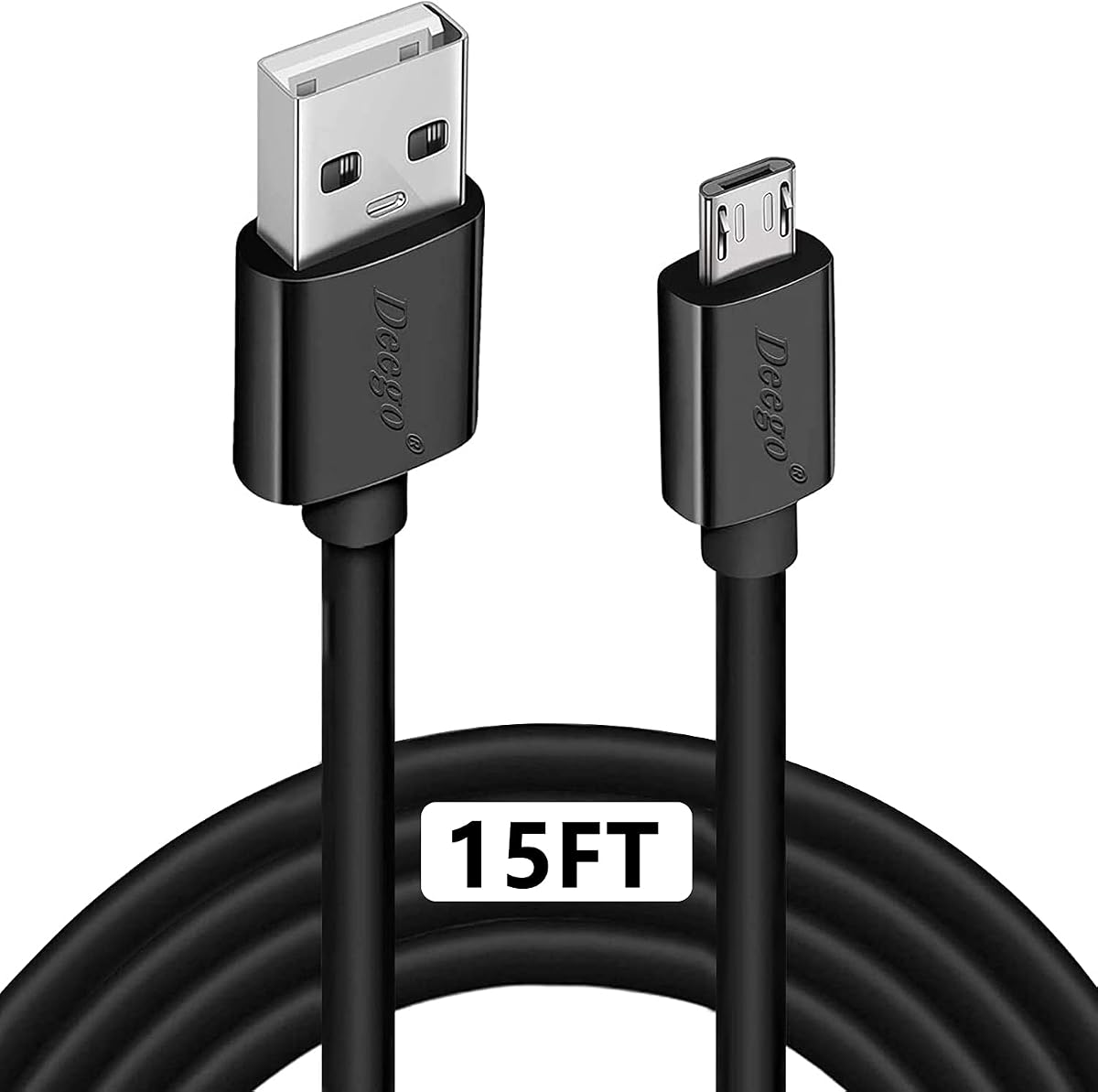
This 15-foot Micro USB cable is tailored for gamers and legacy device owners. With a 4.6 rating it supports 2.4A charging ensuring quick power delivery for PS4 controllers and Android smartphones easily.
We may earn a commission when you buy through this link, at no additional cost to you.
The stainless steel head slots tightly preventing loose connections during use. Its tested 10000+ bend lifespan and PVC jacket ensure durability while the extra reach allows comfortable play without reaching for wall chargers.
While Micro USB is older this cable keeps older devices and controllers functional. Users with Alexa Echo Dots or older Kindles will find this cable essential for maintaining connectivity without replacing hardware unnecessarily.
Ideal for home setups this cable offers flexible reach for charging. Its compatibility with PS4 and various Android devices makes it a practical solution for anyone needing long reach charging for standard Micro USB peripherals.
Extra length supports uninterrupted controller play on consoles like PS4.
Stainless steel head prevents slipping during active use sessions.
We may earn a commission when you buy through this link, at no additional cost to you.
Choosing the right long USB cable depends on your specific device types and intended use cases. Evaluate length, connector type, speed, and durability to ensure reliable performance for your setup.
Match the cable connector to your device ports. Common types include USB-A to USB-B for printers, USB-A to USB-C for modern phones, and USB-A Male to Female for extension needs.
Verify the shape and orientation of your ports before buying to ensure compatibility and avoid connectivity issues.
Determine the exact distance needed between your power source and device. Standard lengths range from 10 to 40 feet so measure your space to avoid excess slack or insufficient reach.
Choose a length that reaches comfortably without creating trip hazards or clutter in your workspace.
USB 2.0 offers 480Mbps suitable for basic peripherals while USB 3.0 reaches 5 Gbps for fast file transfers. Select USB 3.0 if you transfer large files regularly.
Prioritize USB 3.0 standards for external hard drives and backups requiring high throughput and efficiency.
Look for nylon braided jackets and reinforced connectors to resist wear and tangling. High bend lifespan ratings ensure the cable survives frequent plugging and unplugging.
Choose cables with aluminum housings or steel heads for added strength and longevity.
Some cables support fast charging protocols like QC3.0 while others are data only. Check if your device requires specific charging standards for optimal performance.
Select a cable rated for your device's power needs to ensure efficient charging and battery health.
For lengths over 10 feet active cables boost signal integrity to prevent data loss. Passive cables may fail beyond standard limits.
Use active extension cables for printers or drives located far from your computer.
Multiple shielding layers reduce electromagnetic interference ensuring stable connections. This is vital for sensitive devices like webcams or hard drives.
Choose shielded cables for environments with many electronics to maintain data accuracy.
A solid warranty indicates manufacturer confidence. Look for replacements or lifetime technical support for peace of mind.
Select brands offering clear support policies to protect your investment.
Always inspect connectors before plugging in to ensure no debris or damage exists. Gently align the cable with your port to avoid bending pins or damaging the housing during insertion.
Route cables carefully to prevent kinks or sharp bends that could damage internal wiring. Avoid running cables under heavy furniture or in areas where they might get pinched by doors.
Store unused cables coiled loosely rather than tight knots to preserve internal wires. If using for high-speed data, ensure ports are clean and secure to maintain stable signal quality.
Yes longer cables introduce more resistance which can reduce charging speed slightly. For most standard lengths this loss is minimal but extreme lengths like 40 feet may impact fast charging protocols. Check the cable specifications for voltage drop ratings.
Yes USB 3.0 cables are backward compatible with USB 2.0 devices. You will get full performance for USB 2.0 devices and better performance if the device supports USB 3.0. The physical connectors usually match for Type-A models.
Passive cables simply extend the wire while active cables include internal amplifiers to maintain signal quality. Active cables are necessary for long runs to prevent data loss. Passive cables work fine for short lengths without amplification.
Type B connectors are square-shaped and commonly used on printers and scanners for data communication. They provide a stable secure connection designed for stationary devices. Standard Type A cables will not fit into Type B ports.
Braided nylon jackets offer greater resistance to fraying and tangling than rubber. They typically have longer lifespans and look more premium. However rubber may be slightly more flexible so consider your environment needs.
Check the product specifications for mentions of QC3.0 or 3 A charging capability. Not all USB-C cables support fast charging so verify before buying. The packaging usually lists supported protocols clearly.
The top picks cover a range of needs from budget-friendly options to high-performance extensions. The USB 3.0 models excel in data transfer while USB-C options offer versatile charging for modern devices.
Prioritize durability and correct connector types for your specific hardware. A well chosen cable ensures your peripherals work reliably without frustrating connectivity drops over time.
Remember to verify current prices and availability before purchasing as deals change frequently. With the right cable you can optimize your workspace connectivity effortlessly.