
Home Security Systems for House
4.7Editor score
Instant app alerts
No monthly fees
Expandable system
This guide compares the top 10 alarm systems without monthly fees to help you secure your home with reliable DIY security and no hidden costs.
Securing your home does not require a costly monthly subscription. Many modern alarm systems offer robust protection without recurring charges, making safety accessible for everyone.
We evaluated ten leading options based on connectivity, ease of use, and smart home compatibility. Each product was selected for its ability to deliver peace of mind independently.
Every pick highlights key features and real-world performance. Note that prices and stock levels change frequently, so verify current details before purchasing your chosen system.
4.7Editor score
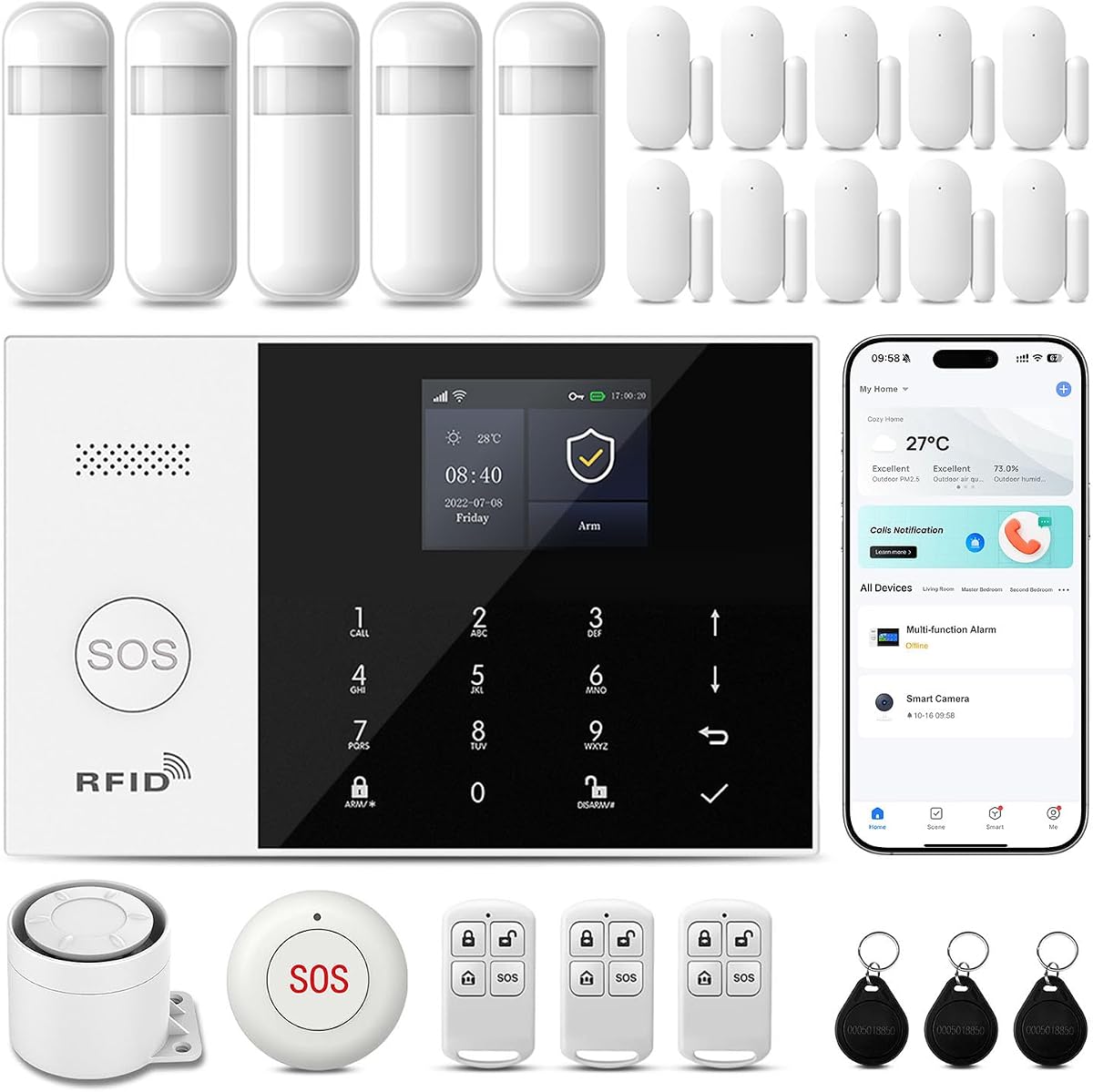
4.8Editor score

4.5Editor score
The following table provides a side-by-side comparison of all ten featured alarm systems to help you quickly identify the right fit for your specific security needs.


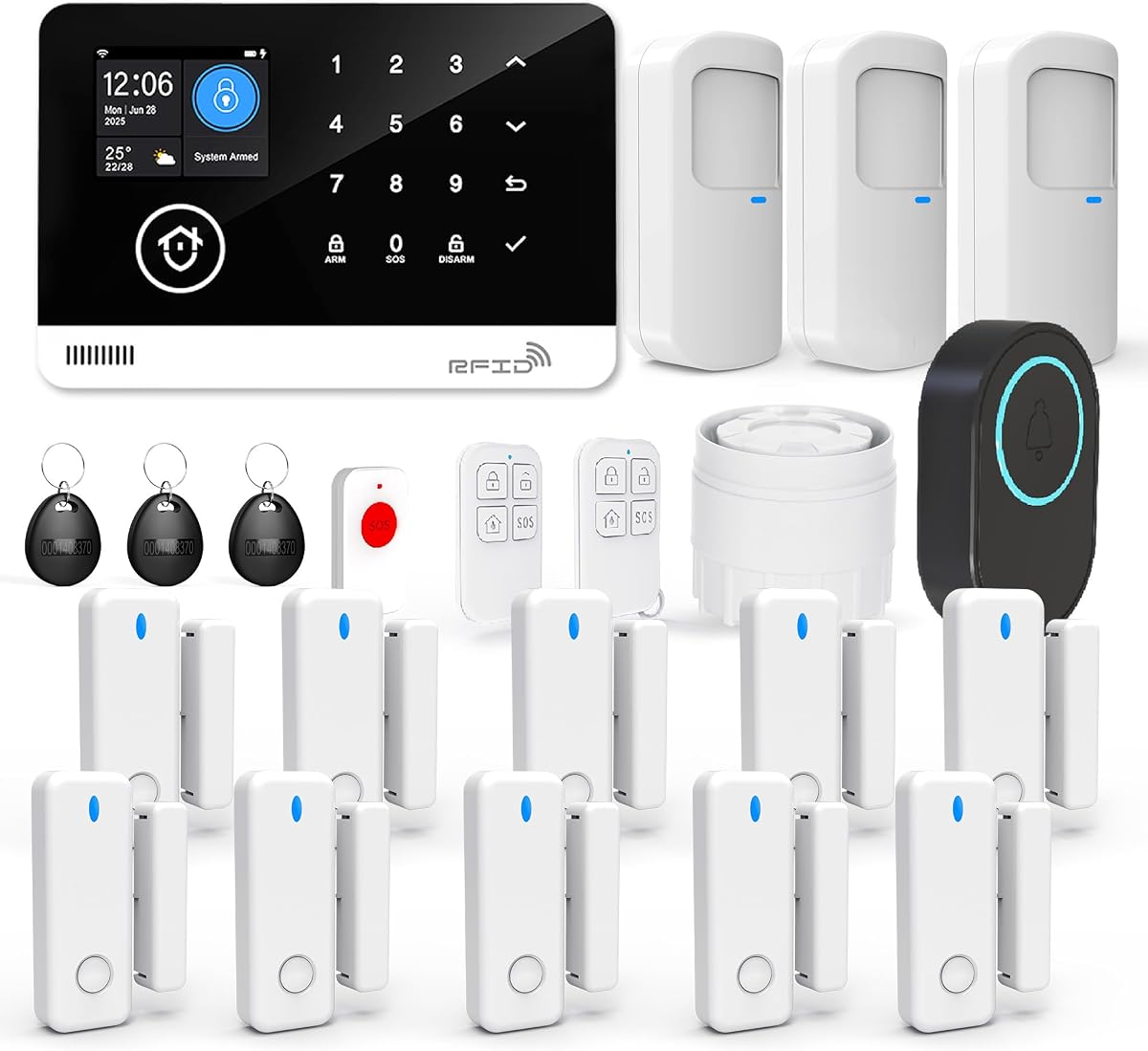
This 24-piece alarm system offers robust dual connectivity with both WiFi and GSM capabilities. It holds a strong rating for reliability and features a color screen for easy status monitoring.
We may earn a commission when you buy through this link, at no additional cost to you.
The system allows remote control via Tuya or Smart Life apps. You can send alerts via SMS, phone call, or app push notifications when a sensor is triggered.
While it is highly capable, you need a SIM card for the 4G features. This adds a minor operational step but ensures security remains active even during internet outages.
Ideal for users wanting comprehensive protection without subscriptions. The included SOS device makes it a safe choice for families with elderly members or children.
The system automatically switches to 4G when WiFi disconnects, ensuring constant monitoring without relying on a single connection point.
The color screen displays weather, system status, and date, providing a central hub for home security management.
We may earn a commission when you buy through this link, at no additional cost to you.
This system focuses on immediate deterrence with a powerful 120dB indoor siren. It includes ten door sensors and a keypad for a complete DIY package.
We may earn a commission when you buy through this link, at no additional cost to you.
Installation is straightforward using adhesive pads. The backup battery ensures the system runs during power outages, keeping your home protected without electricity.
It lacks cellular backup, which means it depends on your home internet. For renters or those with stable WiFi, this is a cost-effective solution.
Buy this if you prioritize loud alarms and easy setup. It offers solid protection for standard homes without requiring professional installation or fees.
The 120dB siren is designed to scare away intruders instantly and alert neighbors to potential break-in attempts.
Includes ten door sensors and one motion sensor, covering multiple entry points right out of the box.
We may earn a commission when you buy through this link, at no additional cost to you.
This 15-piece kit integrates seamlessly with Alexa for hands-free arming and disarming. It is perfect for tech-savvy users who want voice control.
We may earn a commission when you buy through this link, at no additional cost to you.
You receive real-time alerts directly to your phone. The system is designed for simple installation, allowing you to secure your home in minutes.
It does not support 5GHz networks, which is a standard limitation for many security devices. Ensure your router settings match the device requirements.
Great for users who already use smart home devices. The combination of voice control and no monthly fees makes it a convenient choice.
Connects with Alexa to allow voice commands for arming and disarming without needing to touch the keypad.
Supports adding up to twenty sensors and five remotes to grow your security setup as needed.
We may earn a commission when you buy through this link, at no additional cost to you.
With a high rating and low price point, this system offers exceptional value. It supports the Smart Life app and allows expansion up to one hundred accessories.
We may earn a commission when you buy through this link, at no additional cost to you.
You can set multi-channel alarms including SMS, app pushes, and voice monitoring. It provides versatile notification methods without requiring a subscription.
The price is very competitive, but basic features like GSM require a separate card purchase. It is best for WiFi-centric homes.
Ideal for budget-conscious buyers who want room to grow. The high approval rating suggests reliable performance for the cost.
Supports up to one hundred wireless storage locations, allowing you to add many accessories over time.
Use the Smart Life app to customize settings and monitor devices easily from anywhere.
We may earn a commission when you buy through this link, at no additional cost to you.
This system is optimized for Google Home users, enabling voice control for arming and disarming. It comes with essential sensors and a powerful siren.
We may earn a commission when you buy through this link, at no additional cost to you.
The remote control includes a one-touch SOS function for emergencies. Installation is quick, typically taking around fifteen minutes with adhesive mounting.
It relies on WiFi connectivity only. While reliable, it lacks cellular backup, which could be a limitation for areas with frequent internet issues.
Recommended for Google ecosystem users seeking simplicity. The SOS feature adds a layer of safety for families with vulnerable members.
Works with Google Home to allow hands-free control of security modes via voice commands.
Designed for DIY setup that can be completed in about fifteen minutes without tools.
We may earn a commission when you buy through this link, at no additional cost to you.
This system stands out with a forty-eight-hour backup battery, ensuring protection during extended power outages. It includes twenty-one pieces for broad coverage.
We may earn a commission when you buy through this link, at no additional cost to you.
The hub features a color screen and supports Alexa for voice control. Tamper-proof design prevents unauthorized removal of the base station.
It is fully WiFi dependent, so internet outages will disable remote features. However, local alarms will still sound when triggered.
Perfect for households with frequent power fluctuations. The long battery life provides peace of mind during storms or grid failures.
The rechargeable battery provides up to forty-eight hours of backup power during outages.
Removal of the base station triggers a loud alarm and sends notifications to your phone.
We may earn a commission when you buy through this link, at no additional cost to you.
This premium system features a large 4.3-inch touchscreen for easy management. It supports both WiFi and GSM, offering flexible connectivity for reliable monitoring.
We may earn a commission when you buy through this link, at no additional cost to you.
You can choose between loud or silent alarm modes. The silent mode allows you to react to intruders without alerting them immediately.
Controls include remote, app, RFID card, and touchscreen. It offers versatility but at a higher cost than basic kits.
Ideal for users wanting a high-end experience without monthly fees. The silent mode is a unique feature for advanced security needs.
The large touchscreen allows direct adjustment of settings and view of accessory status.
Use silent mode to alert yourself without warning intruders so you can take protective measures.
We may earn a commission when you buy through this link, at no additional cost to you.
This system is designed for smaller homes with a nine-piece kit. It supports auto alarm dialing to preset numbers when an event is detected.
We may earn a commission when you buy through this link, at no additional cost to you.
It works with both Alexa and Google for voice control. Connectivity switches automatically between WiFi and 4G to keep the system online.
While the kit is small, it can be expanded. It is a good starting point for basic security monitoring needs.
Recommended for small apartments or starter homes. The auto dial feature ensures someone gets notified without needing an app.
The system can call preset phone numbers automatically when a sensor is triggered.
Supports WiFi and 4G networks and switches automatically when one disconnects.
We may earn a commission when you buy through this link, at no additional cost to you.
This model holds a high customer rating due to its comprehensive features and reliability. It includes a 24-piece kit for full home coverage.
We may earn a commission when you buy through this link, at no additional cost to you.
You can set automatic scheduling to arm and disarm at specific times. This prevents forgetting to arm the system when you leave.
It combines WiFi and 4G for stable connections. The included SOS device adds emergency utility for families.
Ideal for users wanting high reliability and smart scheduling. The high rating suggests strong satisfaction among buyers.
Set the system to arm and disarm automatically at different times of the day.
Uses WiFi and 4G to ensure notifications reach you even if one network fails.
We may earn a commission when you buy through this link, at no additional cost to you.
This system provides a comprehensive 22-piece kit with SMS alert capabilities. It connects via WiFi and GSM to ensure you receive messages even without data.
We may earn a commission when you buy through this link, at no additional cost to you.
The system supports RFID card access for quick arming. It includes various sensors and SOS buttons for robust monitoring.
Note that the GSM uses 2G which may be outdated in some regions. Check local network availability before purchasing.
Recommended for users who prefer SMS over app notifications. The large kit offers immediate security for larger properties.
The system sends text messages to preset numbers when a trigger event occurs.
Use RFID cards to arm or disarm the system quickly without entering a code.
We may earn a commission when you buy through this link, at no additional cost to you.
Choosing a no-fee alarm system requires evaluating connectivity, components, and smart integration to match your home layout and preferences.
Look for systems offering both WiFi and cellular backup if you want reliability during internet outages. Pure WiFi systems are cheaper but depend on your router staying online.
Ensure the system supports your local network bands like 2.4GHz for stable performance.
Evaluate the number of door and motion sensors included in the box. A larger kit reduces the need for immediate purchases.
Check if the package includes a siren, keypad, and remote controls for a complete setup.
Verify if the system uses a dedicated app or supports universal platforms like Smart Life or Tuya.
Universal apps often allow easier integration with other smart home devices.
Check compatibility with Alexa or Google Assistant for hands-free arming and disarming.
Voice integration adds convenience especially when your hands are full or during emergencies.
A built-in rechargeable battery is essential to keep the system running during power outages.
Look for systems offering at least 24 hours of backup power for reliability.
Ensure the base station supports adding extra sensors or sirens in the future.
Scalability allows you to grow your security as your home needs change.
Choose systems with adhesive mounting and clear instructions for DIY installation.
Simple setup reduces time and avoids the need for professional fees.
Check if the system supports multiple alert types like app push, SMS, or phone calls.
Multiple channels ensure you receive notifications even if one method fails.
Set up your system by connecting the base station to your router and downloading the required app. Follow the pairing instructions for each sensor to ensure they communicate properly.
Test the system regularly by arming and triggering each sensor. This confirms that alerts are sent correctly to your smartphone.
Keep the base station away from interference and clean sensors with a soft cloth. Replace batteries as needed to maintain reliable performance.
Some models include a SIM slot for 4G connectivity, but you must purchase the card separately. Pure WiFi systems do not require a SIM card at all.
Yes, all featured systems support remote control via a smartphone app. This allows you to arm or disarm the system from anywhere.
WiFi-only models will lose remote monitoring but local alarms will still sound. Dual-network models switch to cellular to maintain connectivity.
No subscription is required, but cellular data or SMS functions may incur charges from your mobile provider if used.
Most systems support expanding to around one hundred accessories, allowing you to cover doors, windows, and motion points.
Many of the featured models are compatible with Alexa and Google Assistant for voice control and smart home integration.
No, these systems are designed for DIY installation. They come with adhesive mounts and clear instructions for easy setup.
We highlighted ten reliable systems that deliver security without recurring subscriptions. From budget-friendly kits to premium dual-network options, there is a choice for every home.
Prioritize connectivity and expansion based on your home size. A system with cellular backup or smart app integration adds significant value.
Always verify current prices and availability before purchasing. Security technology evolves quickly, so check the latest details for your chosen model.