
10Gtek 10Gb PCI-E NIC Network Card
4.4Editor score
Intel 82599EN controller support
Includes low profile bracket option
Compatible with Windows and Linux OS
This comprehensive guide compares the top ten fiber optic network interface cards for servers, NAS, and desktops to help you choose the right high speed
Fiber optic network interface cards provide critical high speed connectivity for modern networks requiring gigabit speeds and long distance runs without electromagnetic interference.
We evaluated ten leading products based on chipset quality, port flexibility, compatibility across operating systems, and real world performance metrics for reliable deployment scenarios.
Each selection details key features and trade offs so you can match hardware capabilities to your infrastructure needs while noting that market pricing fluctuates frequently.
4.4Editor score

5.0Editor score

4.9Editor score
The following table presents a side by side overview of all ten selected adapters highlighting their primary specifications and unique selling points for quick comparison.


This StarTech card stands out as the top choice due to its stable Intel I350 chipset and flexible dual SFP ports supporting both fiber and copper.
We may earn a commission when you buy through this link, at no additional cost to you.
It offers robust manageability features like VLAN tagging and PXE boot which are essential for centralized OS deployment in enterprise server environments.
While it requires purchasing separate transceiver modules it ensures long term reliability and broad compatibility with various cabling standards.
Network administrators seeking a dependable upgrade path for desktops or servers will find this adapter delivers consistent throughput and excellent cooling design.
The unlocked SFP slots allow you to choose between fiber for long distances or copper for shorter runs without swapping the card itself.
Built in support for VLAN tagging and link aggregation helps streamline network management and improve traffic flow efficiency across multiple systems.
We may earn a commission when you buy through this link, at no additional cost to you.
This adapter brings ten gigabit speeds to desktops and NAS systems using a proven Intel 82599ES controller that handles heavy data traffic reliably.
We may earn a commission when you buy through this link, at no additional cost to you.
It supports advanced virtualization tools like SR IOV and QoS which helps maintain performance during gaming or large file transfers in virtual environments.
Users should note that while server systems often have drivers pre installed desktop Windows may require manual setup which adds a small step.
For gamers and storage enthusiasts needing faster LAN speeds than standard gigabit this card delivers excellent value with versatile bracket options.
Integrated support for Virtual Machine Device Queues ensures that virtualized workloads maintain high performance without consuming excessive host CPU resources.
The PCIe x4 interface provides sufficient bandwidth to sustain full 10G throughput while maintaining compatibility with common motherboard slots.
We may earn a commission when you buy through this link, at no additional cost to you.
Asus delivers a polished experience with this 10G adapter featuring a stylish aluminum heatsink that keeps temperatures down during intense data transfers.
We may earn a commission when you buy through this link, at no additional cost to you.
The SFP+ cage accepts both fiber and direct attach copper cables giving you the freedom to switch media types as network needs evolve.
Built-in QoS technology automatically prioritizes gaming or critical streams which helps reduce latency on shared networks without manual configuration.
Users valuing build quality and thermal management will appreciate the sophisticated design that balances performance with reliable operation over time.
The aluminum heatsink dissipates heat efficiently which prevents thermal throttling and ensures consistent performance during long duration tasks.
Automatic prioritization boosts bandwidth for important applications so gaming or video calls remain smooth even when other data transfers are active.
We may earn a commission when you buy through this link, at no additional cost to you.
This card offers an affordable entry point into 10G networking while retaining the stability of the original Intel 82599EN controller for reliable throughput.
We may earn a commission when you buy through this link, at no additional cost to you.
It comes with both full height and low profile brackets making it easy to fit into compact cases or standard server racks without issues.
Users should note that hot swapping is not supported so plan installations during maintenance windows to avoid connection interruptions during use.
For budget conscious buyers needing enterprise grade performance this adapter delivers excellent value without sacrificing core connectivity features or speed.
Despite its lower price it maintains compatibility with major virtualization platforms and storage protocols like iSCSI and FCoE for enterprise use.
The included brackets allow seamless integration into mini towers or rack mounted servers ensuring you can upgrade without case replacements.
We may earn a commission when you buy through this link, at no additional cost to you.
Utilizing a modern Realtek RTL8127 controller this card brings PCIe Gen4 speeds to smaller systems with a single SFP+ port design.
We may earn a commission when you buy through this link, at no additional cost to you.
It includes a QR code for quick driver downloads which simplifies setup for users who prefer scanning over manual file transfers.
Although it lacks support for newer Linux kernels the current range covers most stable releases ensuring broad compatibility with desktop environments.
This adapter is ideal for users wanting the latest PCIe standards without the bulk or cost of higher lane count cards for basic 10G needs.
The Gen4 x1 design offers higher per lane bandwidth allowing full throughput without requiring a large motherboard slot like x8 or x16.
Scan the QR code to download drivers instantly saving time and reducing friction during the initial installation and configuration process.
We may earn a commission when you buy through this link, at no additional cost to you.
This adapter uses genuine Intel silicon to ensure reliable throughput while avoiding vendor lock-in that often rejects non branded optical modules in other cards.
We may earn a commission when you buy through this link, at no additional cost to you.
It detects automatically on popular platforms like Proxmox and TrueNAS without driver installation which saves significant setup time for home labs.
Because it lacks active cooling it requires good case airflow or a clip fan to maintain safe temperatures during extended high load operations.
Users looking for an affordable Intel based 10G solution will appreciate the flexibility to choose their own transceivers and cables freely.
Unlike branded cards that block third party optics this unit accepts any compliant SFP+ module giving you freedom to choose cost effective optics.
Hardware checksum offload reduces CPU overhead allowing the system to handle more network traffic without impacting overall application performance.
We may earn a commission when you buy through this link, at no additional cost to you.
This dual port adapter provides massive bandwidth with two 25GbE SFP28 ports backed by the powerful Mellanox ConnectX4 EN controller for data centers.
We may earn a commission when you buy through this link, at no additional cost to you.
It supports RDMA over RoCE which drastically reduces latency for storage and virtualization workloads by bypassing the CPU during data transfers.
Advanced features like overlay network support and flexible port partitioning make it ideal for complex cloud or large scale virtual machine environments.
For professionals needing the highest speeds available for a reasonable price this card delivers enterprise level performance in a standard PCIe form factor.
RDMA capabilities allow direct memory to memory transfers significantly speeding up storage access and virtual machine migration tasks without CPU intervention.
Two independent ports enable link aggregation or failover configurations ensuring continuous connectivity even if one physical link fails.
We may earn a commission when you buy through this link, at no additional cost to you.
This package stands out by including a multimode optical module in the box so you can start using fiber connections right away.
We may earn a commission when you buy through this link, at no additional cost to you.
The gold plated contact fingers help prevent oxidation and ensure reliable electrical contact which extends the card lifespan during regular use.
It supports auto adaptive transmission rates allowing it to function on switches that may not support full 10G speeds without errors.
Users needing a simple plug and play fiber setup with minimal extra purchases will find this bundle convenient and ready to deploy.
With the optical module included you save the hassle of sourcing compatible transceivers separately and can test connectivity immediately.
Gold plating on the PCIe edge connectors protects against corrosion ensuring stable connection integrity even in humid environments.
We may earn a commission when you buy through this link, at no additional cost to you.
For users wanting to upgrade existing copper infrastructure this card offers 10G speeds over standard Ethernet cables without needing fiber optics.
We may earn a commission when you buy through this link, at no additional cost to you.
It includes a CAT6A cable that supports the full 10G speed ensuring you have the right cable to maximize performance out of the box.
Auto negotiation handles speed changes so it works with older switches that might only support lower speeds without manual configuration.
This is the ideal choice for homes or small offices where rewiring with fiber is impractical but higher bandwidth is needed for streaming.
Using 10GBase-T means you can plug directly into existing structured cabling systems without installing new fiber lines or transceivers.
The included high quality cable removes the guesswork about which cable to buy ensuring you meet performance requirements immediately.
We may earn a commission when you buy through this link, at no additional cost to you.
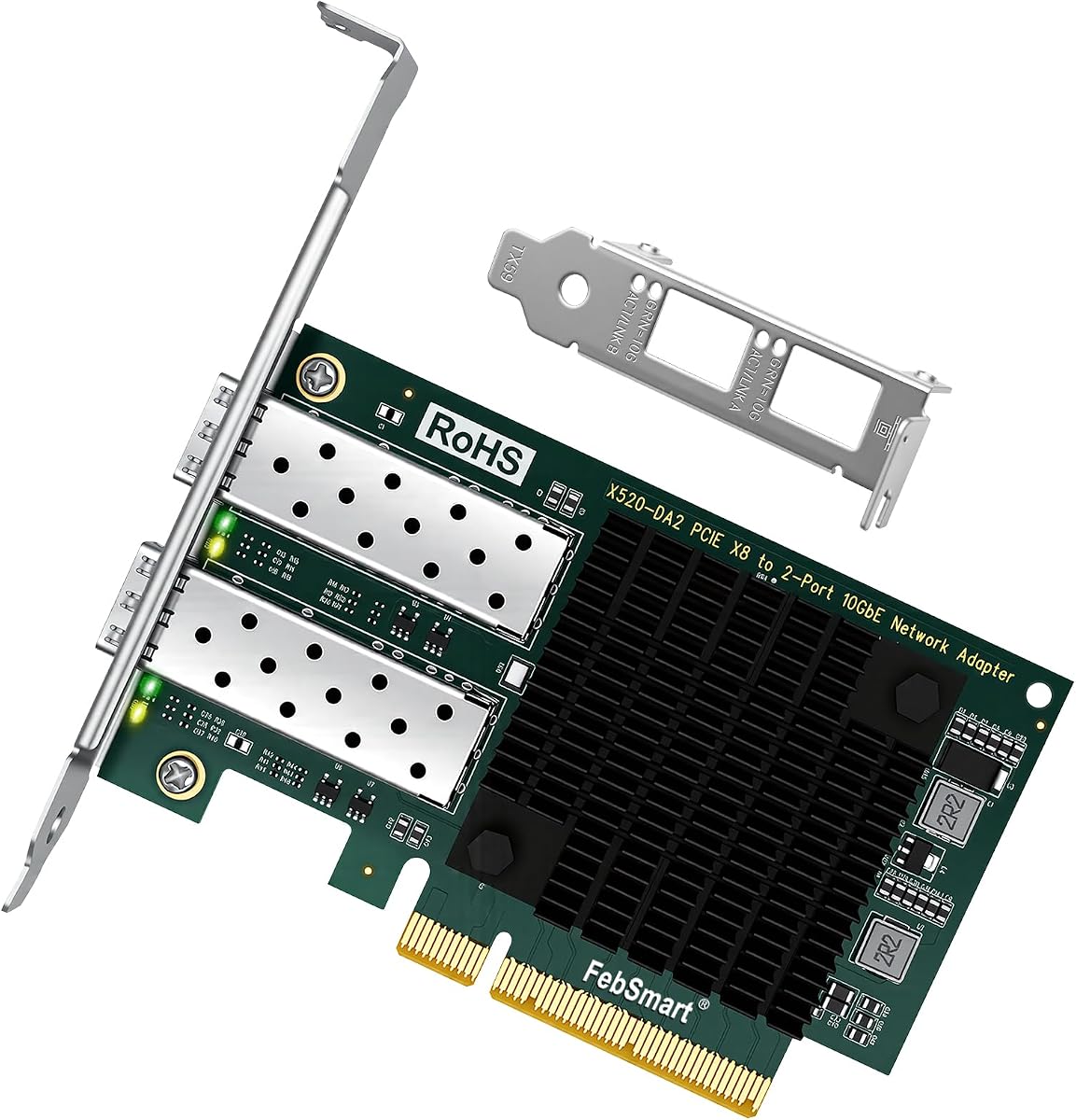
This dual port adapter provides two 10GbE SFP+ connections for redundancy or aggregation using the reliable Intel 82599ES controller.
We may earn a commission when you buy through this link, at no additional cost to you.
It supports advanced features like SR IOV and FCoE making it a strong candidate for desktop virtualization and storage over network use cases.
The inclusion of a low profile bracket ensures fit in smaller desktop cases while the full height bracket suits standard tower chassis.
For users needing two independent fiber links without spending premium prices this card offers a solid balance of features and flexibility.
Having two ports allows for link aggregation to double throughput or failover to maintain uptime if one cable or switch fails.
The compact design and included brackets mean it fits easily into standard PC cases making it accessible for enthusiasts and pros.
We may earn a commission when you buy through this link, at no additional cost to you.
Selecting the right fiber optic network interface card depends on matching specific hardware requirements to your intended workload and environment.
Choose between 1GbE, 10GbE, or 25GbE speeds based on your network needs and switch capabilities to avoid bottlenecking your system.
Always verify your switch and cabling support the chosen speed before purchasing a card.
Intel and Mellanox chipsets offer broad driver support and stability across operating systems including Linux, Windows, and VMware.
Stick to established chipsets for better long term software support and fewer conflicts.
SFP+ ports allow flexible use of fiber or copper transceivers whereas fixed ports limit you to specific media types.
Consider future needs to decide if unlocked SFP slots are worth the investment.
Check if your case requires a low profile bracket or supports a full height design to ensure physical compatibility.
Always look for cards that include both brackets to avoid return hassles.
If running VMs look for SR IOV and VMDq features that offload network traffic from the CPU for better performance.
These features are critical for data centers or home lab virtualization setups.
Passive heatsinks need adequate airflow in your case to prevent thermal throttling during heavy loads.
Ensure your chassis provides sufficient ventilation for high performance cards.
Verify drivers exist for your specific OS version especially for newer releases like Windows 11 or recent Linux kernels.
Missing drivers can lead to instability or complete incompatibility.
Budget for SFP+ transceivers or DAC cables which are often sold separately unless stated in the package.
Confirm the module type matches your existing fiber infrastructure.
Turn off your computer before inserting the card to prevent damage to the motherboard or the adapter itself.
Install drivers from the manufacturer website before installing the hardware to ensure the OS recognizes the device immediately.
Check for dust buildup on the heatsink and ports periodically to maintain optimal cooling and prevent connection issues.
No standard fiber cards require switches with SFP+ ports or optical interfaces. For copper switches you would need a 10GBase-T card instead of fiber SFP models.
Yes SFP+ ports support both fiber transceivers and direct attach copper cables which are cost effective for short distance connections inside a server rack.
Some cards require specific kernel versions to load drivers properly. Check your OS version against the manufacturer requirements to ensure compatibility.
SR IOV allows virtual machines to access the NIC directly which reduces CPU overhead and improves network performance in virtualized environments.
Most NICs draw power from the PCIe slot alone and do not need extra power connectors. Always verify your specific model requirements though.
Check your motherboard manual to see available PCIe slots and their lane sizes to ensure your adapter fits physically and electrically.
The StarTech 2 Port GbE SFP Network Card and 10Gtek 10Gb PCI-E NIC offer strong options for general users seeking reliability and value.
Prioritize chipset compatibility and slot size to ensure your chosen adapter performs well in your specific desktop or server environment.
Always check current prices and availability since these products change frequently across different retailers and regions.