
Creality Ender 3 V3 SE
3.8Editor score
CR Touch auto leveling
Sprite direct extruder
Dual Z-axis stability
This guide compares the top auto bed leveling 3D printers for beginners, evaluating features like calibration speed, build volume, and ease of use.
Starting with 3D printing can feel overwhelming when manual bed leveling seems too technical. Auto bed leveling printers simplify this process, ensuring perfect first layers without constant tinkering. This guide highlights the best options for newcomers seeking reliability and ease of use.
We evaluated these printers based on their leveling technology, print speed, build volume, and overall user experience. Our goal is to help you find a machine that reduces setup time and maximizes creative output. Each model offers unique strengths suited to different beginner needs and budgets.
Every pick here showcases specific capabilities like one-click calibration, high-speed printing, or advanced filament handling. Prices and availability change frequently, so verify details before purchasing. Use this resource to make an informed decision that aligns with your specific printing goals and workspace constraints.
3.8Editor score

4.3Editor score

4.3Editor score
This side-by-side comparison highlights key specifications across all ten models, helping you quickly identify which printer matches your desired features and performance expectations for automated bed leveling.


The FLASHFORGE Adventurer 5M stands out as a top choice for beginners who value speed and simplicity. With a 4.3 rating, it delivers reliable performance right out of the box. Its one-click auto leveling system ensures the first layer is perfect every time, removing the guesswork from setup.
We may earn a commission when you buy through this link, at no additional cost to you.
Speed is a major highlight, reaching 600mm/s with Core XY motion. Vibration compensation minimizes ghosting, ensuring clean prints even at high rates. The direct extruder supports various filaments including flexible TPU. A 280C nozzle heats quickly, reducing wait times between prints.
While powerful, the open frame design means it works best in well-ventilated areas. Some users might find the speed too fast for intricate details without tuning. However, these trade-offs are acceptable for most hobbyists focused on efficiency and functional parts.
Anyone seeking a fast, easy-to-use printer should consider the Adventurer 5M. Its robust design and smart features make it ideal for daily printing tasks. This model balances performance and usability better than many competitors in its class.
The auto leveling system calibrates the bed in seconds, ensuring consistent adhesion without manual screws.
The detachable nozzle lets you swap sizes in under a minute, simplifying maintenance and upgrades.
We may earn a commission when you buy through this link, at no additional cost to you.
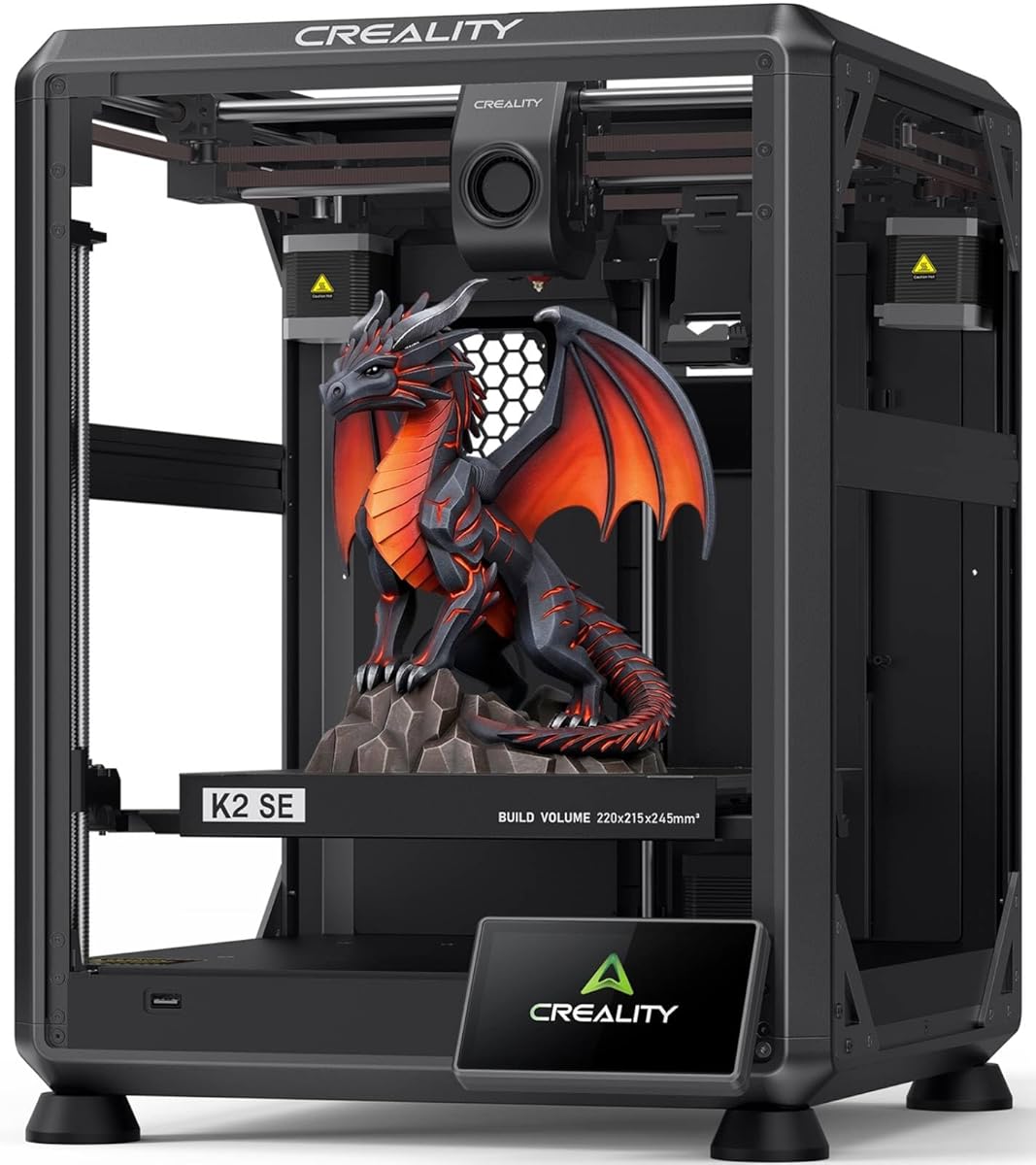
The Creality K2 SE offers a robust platform for beginners ready to grow their skills. Featuring a die-cast aluminum frame, it provides stability for high-speed prints. Auto leveling with one-tap activation ensures smooth starts without tedious adjustments.
We may earn a commission when you buy through this link, at no additional cost to you.
Its compatibility with the Creality CFS system allows future upgrades to multi-color printing. The direct drive extruder handles diverse materials well. A built-in run-out sensor prevents failed prints due to empty spools. Creality OS supports remote monitoring via the cloud.
The main drawback is the cost of adding the multicolor system later. Assembly might take a bit more time compared to fully pre-assembled units. Still, the solid build and upgrade path make it a versatile investment for long-term users.
This printer suits those who want a reliable base for future expansion. Its balance of speed, stability, and smart features supports both simple and complex projects effectively. Consider it if you plan to explore multi-material printing.
The die-cast aluminum frame reduces flex during rapid movements, ensuring dimensional accuracy.
Support for CFS allows adding multi-color capabilities without replacing the entire printer.
We may earn a commission when you buy through this link, at no additional cost to you.
The E-Leveler 2 is an essential tool for printers that lack built-in auto leveling. This electronic tool provides visual LED feedback as you adjust the bed screws manually. It simplifies the process, making it easier for beginners to achieve a perfect first layer.
We may earn a commission when you buy through this link, at no additional cost to you.
Its design includes balancing end caps and a simplified nozzle target. The improved battery holder and LED indicator ensure consistent use. Compatible with most manual printers, it bridges the gap between basic and advanced machines without buying a new device.
This product is not a printer itself but a calibration aid. It still requires manual turning of bed screws which takes time. However, the visual guidance significantly reduces errors compared to paper-only methods or feeling resistance.
Consider this if your printer lacks auto leveling but you want to improve print quality. It is a cost-effective solution for maintaining bed accuracy. The tool works well for hobbyists who prefer manual control over automated systems.
The light signals when the bed is level, offering instant feedback during adjustment.
Designed to work with most printers having manually adjustable beds for broad utility.
We may earn a commission when you buy through this link, at no additional cost to you.
The FLASHFORGE AD5M combines speed with precision through its all-metal CoreXY structure. It measures nozzle-to-plate distance automatically for flawless first layers. The quick-release nozzle system simplifies maintenance significantly, reducing downtime for tool changes.
We may earn a commission when you buy through this link, at no additional cost to you.
Users benefit from Orca-Flashforge slicer features and remote monitoring via the Flash Maker APP. Power loss recovery saves projects during unexpected outages. This connectivity helps manage prints from anywhere with ease. The build volume suits small to medium projects perfectly.
High-speed printing requires proper settings to avoid artifacts. Some users find the software setup slightly complex initially. However, the hardware quality and automation features make these minor hurdles worthwhile for consistent output.
Ideal for beginners who want professional-grade speed and reliability. The AD5M offers a stress-free creative journey with advanced controls. It is a strong choice for those prioritizing efficient workflows and precise results.
Automated offsets ensure consistent Z-height without manual calibration every time.
Monitor and control prints remotely using the Flash Maker APP from any location.
We may earn a commission when you buy through this link, at no additional cost to you.
The QIDI Q2 redefines entry-level capability with professional features like a heated chamber. Its nozzle functions as a leveling sensor for unmatched first-layer accuracy. This ensures reliable adhesion regardless of bed surface imperfections.
We may earn a commission when you buy through this link, at no additional cost to you.
Advanced materials like PPS-CF become accessible with the 370C nozzle. Linear rails reduce vibration artifacts for smoother surfaces. Triple filtration keeps the environment safe by blocking harmful particles. AI monitoring tracks prints in real time.
This printer is a significant investment compared to standard models. Its size may not fit smaller workspaces easily. Yet the engineering quality and material range justify the cost for serious hobbyists and small businesses.
Choose the Q2 if you need versatility and top-tier reliability. It grows from beginner tasks to complex engineering projects seamlessly. This model is the best option for those demanding professional results at home.
Using the nozzle as a sensor ensures precise first-layer calibration without extra probes.
The 370C nozzle enables printing of tough composites like PPS-CF safely.
We may earn a commission when you buy through this link, at no additional cost to you.
The AD5M Pro focuses on health and comfort with enclosed design and filtration. It offers a low-speed silent mode for uninterrupted work or study. One-click auto leveling eliminates manual Z-axis calibration for ease of use.
We may earn a commission when you buy through this link, at no additional cost to you.
Dual HEPA and carbon filters block VOCs and particulates effectively. The included nozzle bundle supports various printing needs immediately. Users can manage devices via the Orca-Flashforge slicer or mobile app easily.
The filtration system adds some weight to the printer. It might be overkill for users with ample ventilation space. However, the quiet operation and air quality features make it ideal for home offices.
This printer is perfect for those concerned about noise and air safety. It combines high-speed capability with user-friendly maintenance. The 5M Pro ensures a clean and comfortable printing environment.
Dual filters block 99% of particulate matter and VOCs for cleaner indoor air.
Switch to silent mode to reduce noise during night or focused work sessions.
We may earn a commission when you buy through this link, at no additional cost to you.
The Ender 3 V3 SE brings modern features to a classic entry platform. CR Touch auto leveling simplifies the first setup significantly. It supports automatic loading and unloading of filament which saves manual effort.
We may earn a commission when you buy through this link, at no additional cost to you.
Dual Z-axis lead screws reduce wobbling for stable prints. The Sprite extruder handles TPU and PETG smoothly. Assembly takes just twenty minutes with only three steps. This makes it very accessible for first-time users.
Some users report a lower rating due to minor inconsistencies. The build volume is smaller than high-end models limiting size. Despite this, its reliability and upgrade path remain popular among hobbyists.
Ideal for beginners seeking a proven platform at an accessible entry level. It offers excellent value for those starting their 3D printing journey. Consider this if you want a trusted brand with auto features.
Over 500,000 units shipped worldwide prove this extruder's dependability.
Two lead screws reduce vibration and Z wobbling during printing.
We may earn a commission when you buy through this link, at no additional cost to you.
The CR Touch kit turns older Ender printers into auto-leveling machines affordably. It performs multi-point detection to calculate virtual planes for compensation. This ensures consistent first layers without manual adjustment for each print.
We may earn a commission when you buy through this link, at no additional cost to you.
Installation includes mounting brackets and installation tools for ease. You must download and flash compatible firmware for the feature to work. The sensor supports various bed surfaces like PEI or glass effectively.
Firmware flashing can be daunting for non-technical users. Compatibility depends on having the right motherboard version. Always check before purchase to ensure it fits your existing printer model.
This kit is perfect for upgrading an existing printer without buying new gear. It extends the life of older machines with modern convenience. Consider it if you have a compatible Ender model and enjoy tinkering.
Records height at multiple points to build a virtual plane for compensation.
The sensor works on PEI, sticker, glass, or metal platforms easily.
We may earn a commission when you buy through this link, at no additional cost to you.
The AD5X enables vibrant multi-color designs without swapping spools manually. Its Intelligent Filament System detects and refills material automatically. Fully auto leveling ensures the complex multi-material setup starts cleanly.
We may earn a commission when you buy through this link, at no additional cost to you.
High-speed printing reaches 600mm/s while maintaining accuracy. The all-metal CoreXY structure minimizes vibration during multi-color moves. Large print size allows for detailed figurines and prototypes with varied hues.
Managing multiple filaments requires initial setup time and cost. The system may be overkill for single-color printing needs. However, for artists, the ability to print full-color models is unmatched.
Choose this if multi-color creativity is your priority. It simplifies the multi-material workflow with smart tech. The AD5X is a unique tool for those wanting colorful, detailed designs.
Automatically detects and refills filament to prevent print interruptions.
Print up to four colors simultaneously for stunning visual designs.
We may earn a commission when you buy through this link, at no additional cost to you.
This version of the Ender 3 V3 SE focuses on simplicity and reliability. CR Touch auto leveling and auto Z-offset help achieve the first layer easily. A 32-bit silent mainboard ensures a quiet and comfortable printing environment.
We may earn a commission when you buy through this link, at no additional cost to you.
The flexible PC spring steel plate allows quick model removal with minimal effort. Consistent performance makes it a great tool for functional parts or prototypes. Dual synchronized Z-axis screws reduce vibration for accurate layer alignment.
It lacks advanced features like heated chambers or high-speed modes. The build volume is limited compared to larger models. These limitations are acceptable for users prioritizing ease and quiet operation over raw power.
Best for absolute beginners who want straightforward operation. Its design reduces setup stress and maintains reliability. The 3 V3 SE is a solid daily driver for hobbyists of all ages.
The 32-bit mainboard reduces noise for a more comfortable workspace experience.
Flexible PC spring steel plate lets you remove prints by bending the plate.
We may earn a commission when you buy through this link, at no additional cost to you.
Selecting the right printer involves considering several key factors beyond just leveling. Here are the most important aspects to evaluate for a smooth start.
Auto leveling systems vary from CR Touch sensors to nozzle-based detection. Ensure the printer measures the bed accurately to avoid failed prints. Look for one-click calibration to save time daily.
Prioritize models that adjust automatically without manual Z-offset tweaking.
High-speed printers reduce wait times but may require calibration for detail. Beginners often prefer moderate speeds that balance finish with efficiency. Check acceleration and max speed specs before buying.
Choose a printer that offers high speeds without sacrificing first-layer integrity.
Larger build volumes allow printing bigger projects in one go. Ensure the dimensions fit your workspace and intended projects. Standard sizes like 220mm work for most beginner needs.
Select a build size that matches your typical project scale and space.
Ensure the printer supports the filaments you plan to use like PLA or TPU. High-temperature nozzles unlock advanced materials but cost more. Direct drive extruders handle flexible filaments better.
Verify the nozzle temperature and extruder type match your material choices.
Some printers arrive pre-assembled while others need minor assembly. Beginners should look for models with few assembly steps to reduce frustration. Check instructions for required tools and time.
Opt for models with minimal setup to start printing within hours.
Remote monitoring and slicing software simplify workflow management. Cloud support lets you start prints from your phone easily. Check if the software is user-friendly for beginners.
Choose printers with intuitive software and remote capabilities for convenience.
Enclosed printers offer better temperature control and safety for kids. Filtration systems reduce emissions from certain materials like ABS. Open frames need good ventilation to remain safe.
Select an enclosed or filtered model if safety is a priority.
Reliable customer service helps resolve issues quickly. Check warranty terms and community forum activity for the brand. Responsive support is crucial when you encounter setup challenges.
Prioritize brands with strong support networks and clear warranty terms.
Start by following the manufacturer's assembly instructions to ensure all parts are secure. Place the printer on a stable, flat surface to avoid vibration issues during printing. Connect power and load the filament through the guide path.
Run the auto leveling routine immediately after setup to calibrate the first layer. Ensure the build plate is clean with IPA for better adhesion. Select the correct slicer profile for your chosen filament material.
Perform regular maintenance like nozzle cleaning and belt tensioning to maintain quality. Store filament in a dry box to prevent moisture issues. Update firmware periodically to access new features and bug fixes.
Auto leveling handles bed tilt but you still need to set Z-offset for nozzle height. This ensures the first layer adheres properly. Manual tweaks might be needed for different materials or nozzle swaps.
Beginners often get best results at moderate speeds like 50mm/s to 100mm/s. This allows you to monitor quality and troubleshoot easily. Once confident, you can increase speeds without risking failed prints.
Auto leveling compensates for minor warping by adjusting Z-height. However, severe warping should be fixed mechanically or the bed replaced. It works best when the bed is physically stable and clean.
A heated bed improves adhesion for materials like ABS and PETG. Most beginner printers include it as standard. Ensure temperature settings match your filament requirements to prevent warping.
Clean the nozzle regularly to avoid clogs affecting print quality. Perform maintenance if you notice uneven lines or skipped extrusions. Use a cold pull or needle to clear debris safely.
Failures can result from humidity, incorrect slicer settings, or filament issues. Auto leveling only manages height, not material flow or cooling. Always check drying and temperature settings before printing.
Enclosed models offer safer operation and better temperature control. They help with materials like ABS but add to the cost. Open frames are fine if you have good ventilation space.
Keep a basic set including hex keys, screwdrivers, and IPA for cleaning. A soft brush helps remove dust from parts. Use nozzle cleaning tools like needles or cold pulls regularly.
We reviewed ten models ranging from budget-friendly entries to professional machines. Top picks like the FLASHFORGE Adventurer 5M and QIDI Q2 stand out for automation and speed. Consider your budget and intended project types when deciding.
Prioritize reliability and ease of use over raw speed as you start. Auto leveling features reduce frustration and increase your chances of successful prints. Invest in a machine that grows with your skills and confidence.
Remember that prices and features may change over time. Check current listings and community reviews before buying to ensure the best fit. This guide aims to simplify that search and help you find a trusted printer.