
Visual Digital Timer with Red Disc
4.2Editor score
Visual red disc display
Silent magnetic operation
60 minute countdown up
Digital visual timers help you track time clearly without relying on clocks. These devices show passing minutes with bars or discs, making them perfect for kids and focus.
We compared ten leading models based on display size, battery life, and ease of use. Each pick offers unique features for classrooms, kitchens, or personal productivity routines.
Every section highlights key specs and real-world benefits. Prices can shift quickly, so check current listings before buying. Our experts verified all facts using official product data.
4.2Editor score

4.6Editor score
4.3Editor score
As an Amazon Associate we earn from qualifying purchases.
This table summarizes key specs for all ten models. Compare display sizes, battery types, and unique features to find the right timer for your specific environment.

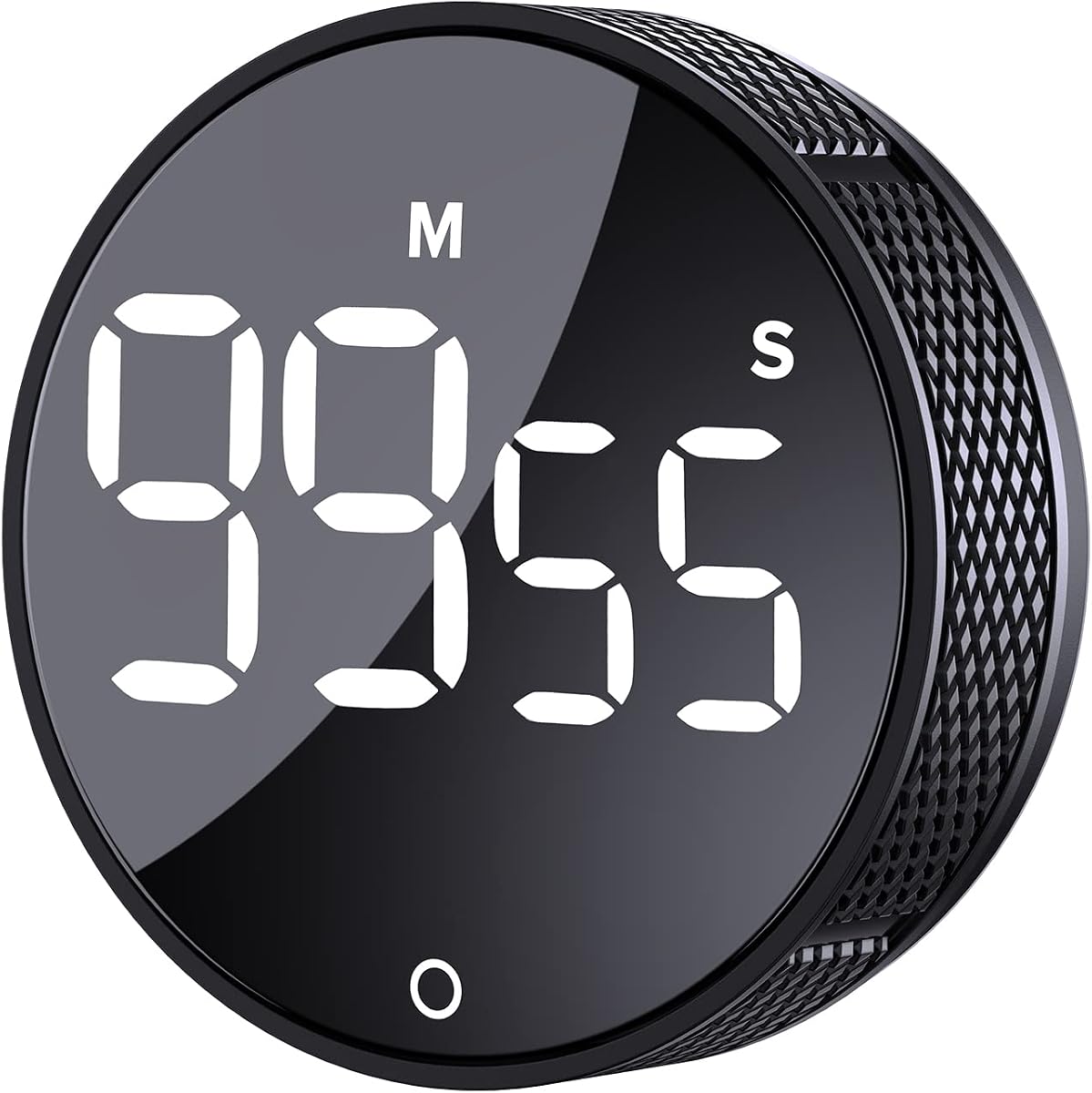


The VOCOO timer leads our list with a large 7.8 inch display. Its 4.6 rating reflects strong performance in classrooms and kitchens. The extra tall numbers ensure visibility from across rooms easily.
We may earn a commission when you buy through this link, at no additional cost to you.
This model supports up to 99 hours of timing which is rare. It uses USB C charging for convenient power without disposable batteries. Three brightness levels adapt to sunlit or dim environments perfectly.
While the price is higher than budget options it offers durability. The silicone magnets hold firmly without scratching surfaces. Some users note the cable is needed for charging unlike battery models.
Families needing a central command center should buy this timer. It replaces questions about time left with clear visual tracking. Its robust build supports daily school or home routines effectively.
The 7.8 inch screen with 2.3 inch numbers ensures everyone sees the time. This helps manage groups or busy kitchens where distance matters.
Choose from silent flashing or three audible levels. This lets you match alerts to libraries or noisy environments without disturbance.
We may earn a commission when you buy through this link, at no additional cost to you.
This timer offers excellent value with its red visual disc design. It helps kids see time passing as the disc shrinks. Its 4.2 rating shows reliable performance for daily tasks.
We may earn a commission when you buy through this link, at no additional cost to you.
The memory function saves your last setting for quick reuse. Bright LED numbers are easy to read in low light. Anti slip pads keep it steady when adjusting time with one hand.
It only runs for 60 minutes which may not suit long projects. Battery life depends on usage and replacement can add cost. Some prefer rechargeable models for sustainability over time.
Buy this for quick kitchen or study sessions where budget matters. It balances cost and function well for routine tasks. The visual aid supports focus without complex controls.
The red disc grows or shrinks with digital numbers. This dual display helps users track time intuitively without confusion.
Magnets and anti slip pads secure placement firmly. This allows easy adjustments while cooking or multitasking without sliding.
We may earn a commission when you buy through this link, at no additional cost to you.
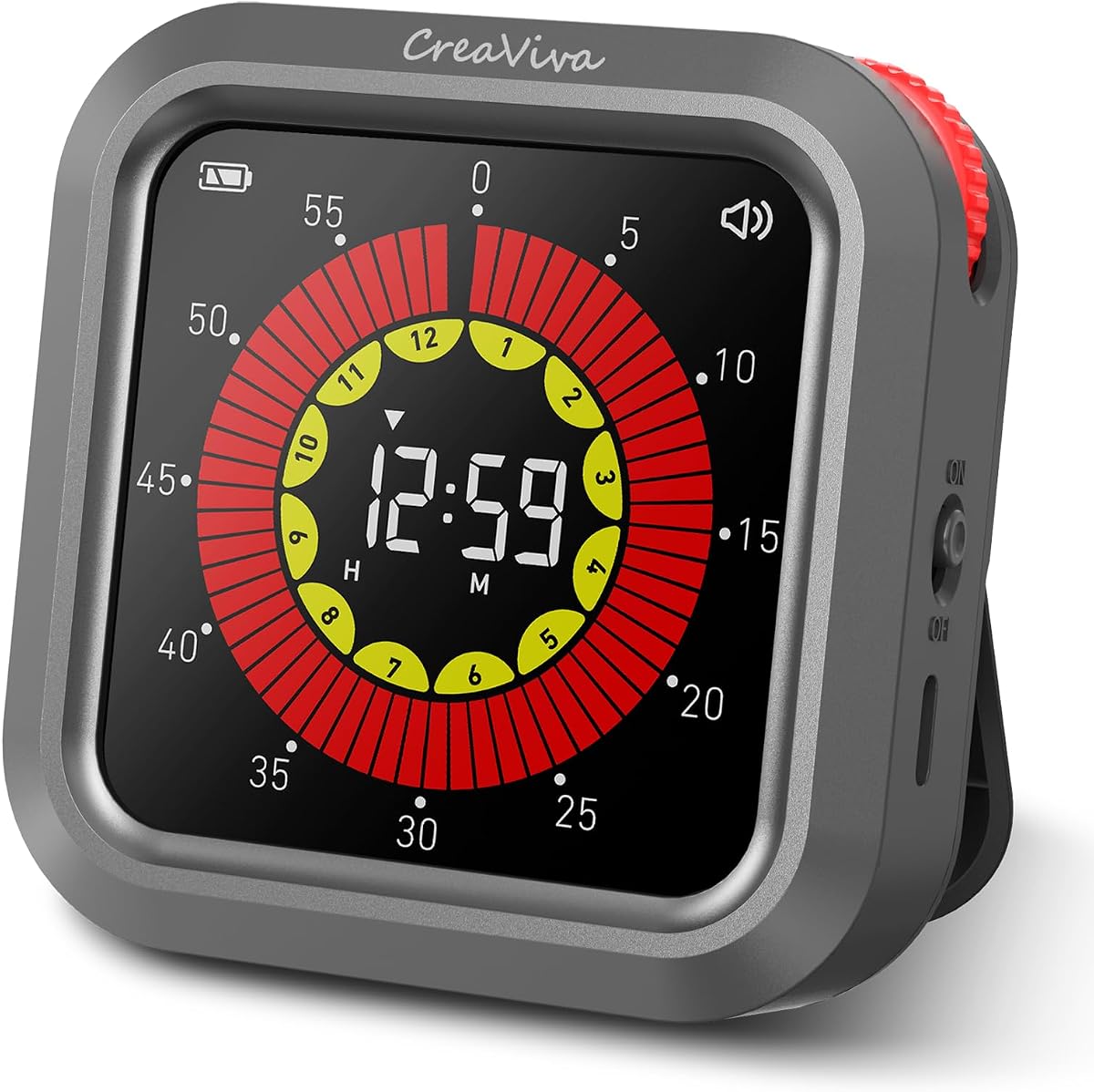
This timer stands out with 12 hour timing and color coding. Yellow and red bars show hours and minutes separately for clarity. Its 4.3 rating indicates solid reliability for long sessions.
We may earn a commission when you buy through this link, at no additional cost to you.
Memory recall saves frequent settings like meditation or homework. USB C charging reduces waste from disposable batteries. The foldable kickstand supports desk use alongside magnetic options.
The interface may take time to learn for seniors. It is heavier than simple models which affects portability. Some users prefer simpler dials for quick adjustments without menus.
Ideal for productivity tools needing extended sessions. It helps adults manage work blocks effectively. The premium features justify the cost for frequent use daily.
Yellow bars track hours while red tracks minutes. This separation aids ADHD users in understanding time segments easily.
Built in rechargeable battery reduces waste. USB C port allows fast charging without needing extra disposable cells.
We may earn a commission when you buy through this link, at no additional cost to you.
PERSUPER offers a simple concept with a disappearing white bar. Kids learn time management as the bar shrinks counterclockwise. Its 4.2 rating suggests it works well for routines.
We may earn a commission when you buy through this link, at no additional cost to you.
Positive timing tracks time exceeded for accountability. Two modes switch between hours minutes and minutes seconds easily. Mute options suit sound sensitive environments like reading time.
The interface relies on knobs which can confuse some users. It lacks bright colors that attract young attention spans. Battery life is moderate compared to larger units.
Best for home use where fridge mounting is key. It supports basic time training without complexity. The rechargeable aspect saves money on batteries long term.
The white bar shows progress clearly without clutter. This helps children grasp time passing intuitively without numbers.
Magnet attaches to fridge while stand sits on desks. This flexibility allows use in various home areas easily.
We may earn a commission when you buy through this link, at no additional cost to you.
AVINIA uses a rotary ring for simple time setting. Seniors find the one touch start stop easy to operate. Its 4.2 rating reflects user friendly design for cooking tasks.
We may earn a commission when you buy through this link, at no additional cost to you.
Continuous light modes let you choose constant dim off. Loud alarms ensure you hear them from another room. Strong magnets stick to ovens without slipping during use.
Sleep mode dims display after seconds to save power. But batteries must be bought separately. The outer ring may require firm twisting for older hands.
This timer fits kitchens needing clear visible alerts. It simplifies timing for meals or meds. The large digits aid those with vision challenges effectively.
Twisting the outer ring sets time quickly. This avoids small buttons that are hard to press for seniors.
Large LED digits are clear across rooms. This ensures time is readable even from a distance easily.
We may earn a commission when you buy through this link, at no additional cost to you.
This timer uses colorful dots and smiley faces to calm kids. It helps with transitions by showing time passing visually. Its 4.2 rating suggests success in reducing anxiety.
We may earn a commission when you buy through this link, at no additional cost to you.
Twist to set and press to start independently. Kids ages three plus can operate it without help. Remembers last setting avoids confusion for daily tasks.
It lacks advanced features for adults. The smiley face might not suit older children. Battery life lasts up to two weeks which is good.
Ideal for homes needing routine stability for children. It supports potty training and screen time limits. The engaging design motivates kids to follow schedules.
Smiley face and dots track progress gently. This reduces resistance to ending play or starting tasks.
Simple twist and press controls kids use alone. This builds confidence in managing their own time.
We may earn a commission when you buy through this link, at no additional cost to you.
Designed with ADHD in mind this timer uses progress bars. It makes time management feel fun rather than stressful. Its 4.6 rating shows strong support for special needs.
We may earn a commission when you buy through this link, at no additional cost to you.
The knob adjusts time easily for little hands. Backlit screens work in dark rooms for evening reading. Volume options help match any environment noise levels.
It may lack bold colors to distract from tasks. Some models have more engaging visuals. But simplicity aids focus without extra distractions for users.
Parents of ADHD kids will find this helpful. It builds routines without pressure. The focus on ease supports daily independence effectively.
Simple interface avoids overwhelming the child. This helps maintain attention on the current activity.
No ticking sound prevents sensory overload. This creates a calm environment for studying or play.
We may earn a commission when you buy through this link, at no additional cost to you.
The TIME TIMER uses an analog red disk for time. Kids intuitively see minutes passing without digital numbers. Its 4.5 rating shows it works well for homework tasks.
We may earn a commission when you buy through this link, at no additional cost to you.
Silent operation avoids distractions during tests. It can be assigned to activities with color codes. The stand keeps it upright on any desk surface.
It runs on AA batteries which need replacing. Covers add color but cost extra. Some prefer digital for exact minute control.
Buy this for quiet study sessions. It supports deep focus by removing noise. The visual simplicity aids organization for students.
The red disk disappears as time passes. This analog view helps younger kids grasp time.
No ticking ensures quiet study environments. This is ideal for exams or reading sessions.
We may earn a commission when you buy through this link, at no additional cost to you.
This updated twist timer goes to 90 minutes. Teachers use it for lessons and transitions effectively. Its 4.5 rating reflects solid classroom performance.
We may earn a commission when you buy through this link, at no additional cost to you.
Continuous alerts ensure you hear time ends. The pause button lets you take breaks easily. Magnetic back sticks to whiteboards for visibility.
The battery must be replaced often. Alert lasts up to a minute which may annoy. Some prefer adjustable beeps for different needs.
Teachers will appreciate the pause and stand. It supports flexible lesson timing. The durability fits busy classroom environments well.
90 minute max suits full class periods. This avoids frequent resetting for longer activities.
Pause and resume without resetting time. This helps with interruptions or breaks during tasks.
We may earn a commission when you buy through this link, at no additional cost to you.
This timer features a cute dinosaur shape for fun. It makes learning to count minutes enjoyable. Its 4.4 rating shows toddlers enjoy the design.
We may earn a commission when you buy through this link, at no additional cost to you.
LED numbers are readable from a distance. Edges are smooth to ensure safety for kids. It supports routines up to 100 minutes.
The shape may prevent magnetic attachment. It is less versatile for adults. Some want standard shapes for mounting on fridges.
Perfect as a gift for young children. It encourages independence in daily tasks. The engaging design builds positive time habits.
Kids enjoy the dinosaur shape. This motivates them to use the timer willingly.
Smooth edges prevent injury during play. This ensures safe use for toddlers at home.
We may earn a commission when you buy through this link, at no additional cost to you.
Selecting the right visual timer involves considering your environment and specific needs. Use this guide to match features with your routine.
Larger displays like 7.8 inches help in classrooms or kitchens where you stand far away. Smaller models fit desks but may be harder to read. Check the font height to ensure readability for all users.
Choose a size that matches your typical viewing distance.
Basic timers stop at 60 minutes while others go up to 99 hours. Long ranges suit exams or long projects. Shorter ranges are fine for cooking or homework. Ensure the limit fits your longest tasks.
Always verify the max duration before buying.
Rechargeable models reduce waste and long term costs. Battery models offer instant use but need replacements. Check if cables are included for USB charging. Consider your power habits when choosing.
Rechargeable is better for daily routines.
Bars discs or analog red dials show time differently. Bars work well for precise tracking. Dials are intuitive for younger kids. Choose a style that your target user finds easiest.
Pick the display type that aids understanding.
Magnets allow fridge attachment while stands support desks. Some models offer hanging holes for walls. Check stability when moving surfaces like ovens. Secure mounting prevents falls during use.
Ensure the mount fits your specific surface.
Sound alarms work for noisy spaces while silent flash suits quiet areas. Some offer multiple volume levels. Library settings need silent modes. Match alerts to your environment noise.
Silent options are key for study zones.
One touch buttons or rotary dials simplify operation. Seniors and kids need simple controls. Complex menus may frustrate users. Check if memory recalls last settings to save time.
Simplicity ensures everyone can use it.
Sturdy materials withstand drops in homes or schools. Silicone covers add protection. Smooth edges prevent injuries. A robust build ensures the timer lasts years without cracks.
Look for durable finishes and edges.
Set your time using the dial or buttons. Start the timer and check the visual bar shrinks.
Mount it on a flat magnetic surface or stand it on desks. Keep it away from heat or water.
Charge it regularly or replace batteries. Reset to zero after each use to save memory.
Yes for routines because they show passing time visually. This helps kids understand duration. Alarms only beep at the end. Visual aids support learning and focus.
Typically weeks on standby. Usage frequency affects life. Rechargeable models offer longer continuous use. Check battery levels before critical tasks.
Yes many have heat resistant backs. Mount near ovens safely. Ensure magnets hold to metal surfaces. Keep away from direct water.
Most do but not all. Check specs for mute options. Silent flash works for libraries. Verify settings before buying for quiet spaces.
Large 7.8 inch displays work best. Students far away can read numbers. Small timers are for desks. Ensure visibility from every seat.
Yes use magnetic backs on ovens. Set time before heating. Watch progress visually. Silent modes avoid loud alerts in kitchens.
We reviewed ten top models covering various needs. VOCOO leads for large displays while AVINIA suits seniors. Dinosaur timers engage young toddlers.
Prioritize display size and power source. Consider how your users interact with time. Choose silent options for quiet study areas.
Prices change often so verify current listings. Check for included cables or batteries. Your perfect timer depends on your specific environment.