
Lightning to HDMI Adapter for iPhone to TV
4.4Editor score
Low Cost
Plug and Play
5-Year Warranty
This guide compares the top 10 HDMI Lightning Adapter for iPhone models to help you find the best screen mirroring solution for your Apple device today.
Finding the right HDMI Lightning Adapter for iPhone can transform your mobile experience into a big screen event. Whether you want to present slides or watch videos, quality matters for smooth performance and reliable connections.
We evaluated ten top-rated adapters based on compatibility, build quality, and user feedback. Our analysis covers MFi certification, video resolution support, and charging capabilities to ensure you pick the right tool for your needs.
Each pick highlights key strengths and potential limitations found in real-world usage. Prices and availability change frequently, so verify the latest details before purchasing to ensure you get the best value for your specific setup.
4.4Editor score

4.2Editor score

4.2Editor score
The following table provides a side-by-side comparison of the ten selected adapters to help you quickly identify the best fit for your specific iPhone model and usage requirements.





This adapter is a top pick for those seeking reliable mirroring without breaking the bank. It carries MFi certification and supports 1080p output for clear visuals on any HDMI screen.
We may earn a commission when you buy through this link, at no additional cost to you.
The main strength lies in its extensive compatibility across iPhone and iPad models. Users can mirror apps like YouTube and local videos seamlessly while keeping the device charged through the pass-through port.
It does not support HDCP protected streaming services like Netflix or HBO Go. This limitation applies to most third party adapters due to Apple policy restrictions rather than a defect.
Choose this if you need a portable, reliable solution for presentations or casual viewing at home or while traveling on the go.
The built-in MFi chip ensures stable video output and reduces the risk of connection drops during important presentations or long viewing sessions.
Its lightweight design fits easily into pockets or bags making it ideal for travel or business use where extra space is limited.
We may earn a commission when you buy through this link, at no additional cost to you.
This adapter provides solid value with consistent mirroring performance for most media needs. It supports iOS 9.2 and above ensuring compatibility with newer iPhones and iPads.
We may earn a commission when you buy through this link, at no additional cost to you.
Users appreciate the plug and play design that eliminates setup hassles. Simply connect to TV and press trust to start streaming local files or approved apps quickly.
The charging port helps maintain battery life during long sessions. However it does not support protected streaming apps which is standard for Lightning based solutions.
It is a great choice for educators or presenters who need reliable screen sharing without spending much on hardware.
Installation requires no Wi-Fi or apps making it straightforward for non technical users to connect their devices in seconds.
The compact form factor ensures it fits in any travel kit allowing you to turn any hotel TV into a viewing screen easily.
We may earn a commission when you buy through this link, at no additional cost to you.
KikoSaka offers a well built adapter that prioritizes connection stability through its cable design. The MFi certification ensures it works seamlessly across all supported Apple devices.
We may earn a commission when you buy through this link, at no additional cost to you.
It supports a wide range of iOS versions making it a future proof choice for those upgrading their phones regularly without needing new adapters.
The lack of a charging port means you cannot keep the device powered while viewing. This may require a power bank for extended sessions or events.
Select this for a durable cable-based solution when portability is less important than having a solid physical connection to your display.
The reinforced design helps prevent fraying and connection loss over time which is essential for frequent users or professionals.
Works with all Lightning equipped devices including older iPhones and iPads ensuring broad utility across different tech generations.
We may earn a commission when you buy through this link, at no additional cost to you.
This model stands out with a 6.6-foot built-in cable offering greater reach to the display. It is ideal for scenarios where your phone cannot be placed right next to the TV.
We may earn a commission when you buy through this link, at no additional cost to you.
The delay-free performance ensures real-time mirroring which is critical for presentations or gaming on the big screen without noticeable lag.
While it supports high definition visuals it lacks a pass-through charging port. Users should plan for power solutions if they expect to use it for long periods.
It suits home entertainment setups where distance to the TV matters and you want a neat integrated solution without extra dongles.
The extended cable length allows you to sit comfortably away from the display while still maintaining a stable video connection.
Crystal clear visuals support up to 1080p making it great for showing photos or videos with vibrant colors and sharp detail.
We may earn a commission when you buy through this link, at no additional cost to you.
As the official Apple option this adapter delivers unmatched compatibility and build quality. It mirrors your screen accurately without the risk of third party incompatibilities.
We may earn a commission when you buy through this link, at no additional cost to you.
Users pay a premium for peace of mind. It works flawlessly with all supported iOS versions and devices ensuring a hassle-free experience every time.
You must supply your own HDMI cable which adds to the total cost. This makes it less convenient if you do not have one readily available.
Choose this if budget is less important than guaranteeing perfect performance and support from the device manufacturer.
The design matches Apple hardware perfectly ensuring it feels and works like a natural extension of your iPhone or iPad.
Official products often receive better long term support which is valuable for business or educational environments where downtime is costly.
We may earn a commission when you buy through this link, at no additional cost to you.
This adapter delivers excellent value with a five-year warranty backing its performance. It supports up to 1080p which is plenty for most TVs and projectors.
We may earn a commission when you buy through this link, at no additional cost to you.
The included charging port ensures you do not drain your battery during use. This is a key feature often missing in budget units.
Build quality is adequate for casual use. It may not withstand rough handling as well as premium options but it serves well for occasional needs.
It is a smart pick for students or travelers who want reliable features without spending much.
A five-year worry-free warranty offers reassurance against defects and ensures long-term reliability for your investment.
Customer service responds within twelve hours which is a strong plus when you need help setting up or troubleshooting connection issues.
We may earn a commission when you buy through this link, at no additional cost to you.
lulaven is a trusted name with thousands of verified positive ratings. The adapter offers zero lag mirroring which makes it great for gaming or presentations.
We may earn a commission when you buy through this link, at no additional cost to you.
It works with almost all Lightning models from iPhone 5 up to recent versions. This broad support makes it a versatile choice for households with older devices.
Be aware it does not support HDCP apps or USB-C devices. Users must accept these limits when choosing this cable over newer options.
It is a solid choice for educators or families who need a dependable adapter for school or home viewing.
Thousands of positive reviews confirm that this adapter performs well over time without frequent connection failures.
Its plug and play nature makes it ideal for hotel use or business trips where you need quick setup without technical knowledge.
We may earn a commission when you buy through this link, at no additional cost to you.
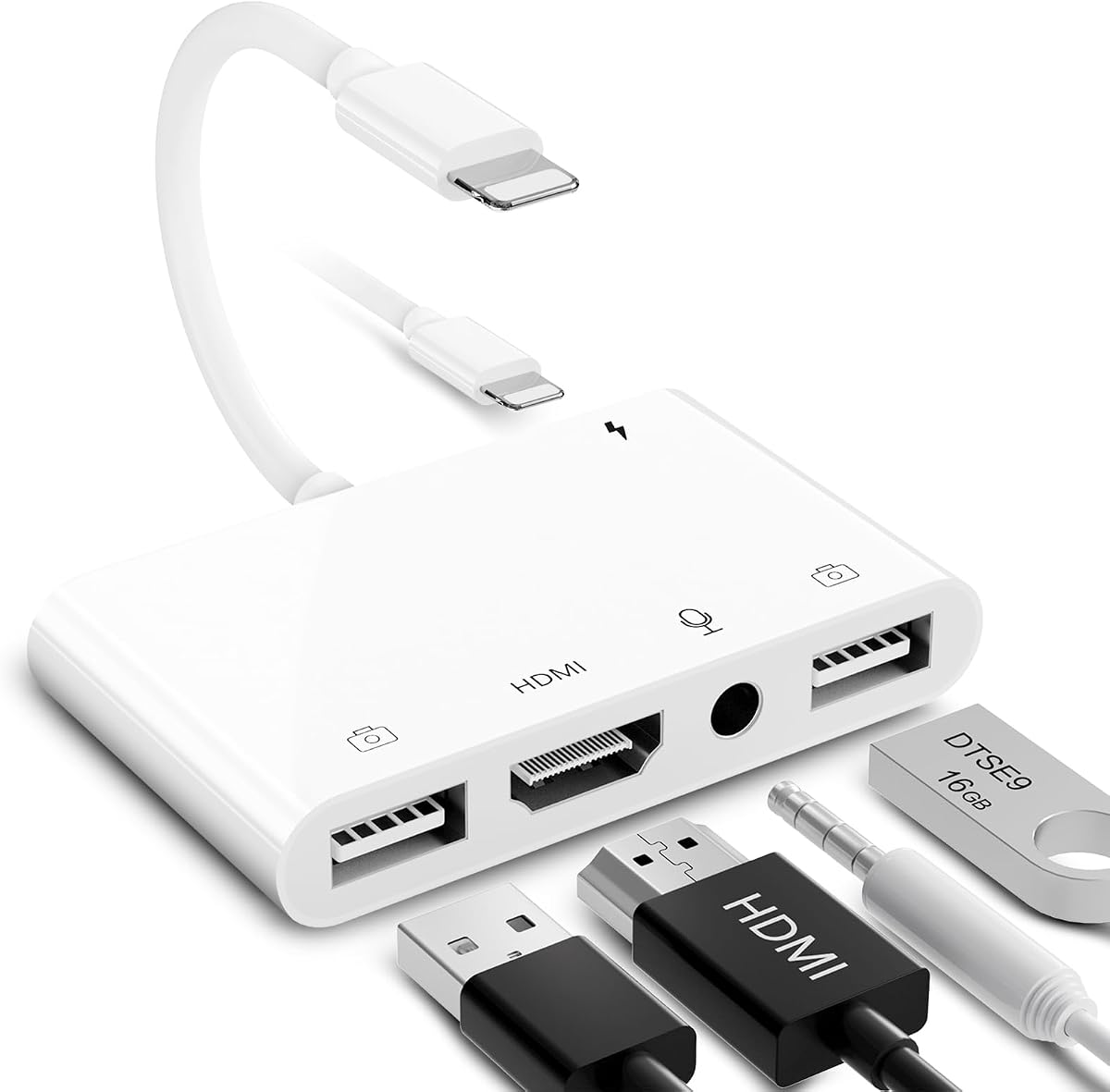
This unit adds two USB ports and a microphone jack to standard HDMI mirroring. It turns your iPhone into a desktop with keyboard and mouse support.
We may earn a commission when you buy through this link, at no additional cost to you.
Users can copy files from flash drives or use external audio equipment directly. This makes it ideal for professionals or content creators.
You must connect a power source for USB devices to work reliably. This adds extra cables and reduces the compactness of the setup.
Choose this if you need more than just video mirroring and require input device support on the go.
The USB OTG support enables direct file transfers and peripheral use turning your phone into a mobile workstation.
The 3.5mm headphone jack supports live streaming and recording needs for content creators and social media influencers.
We may earn a commission when you buy through this link, at no additional cost to you.
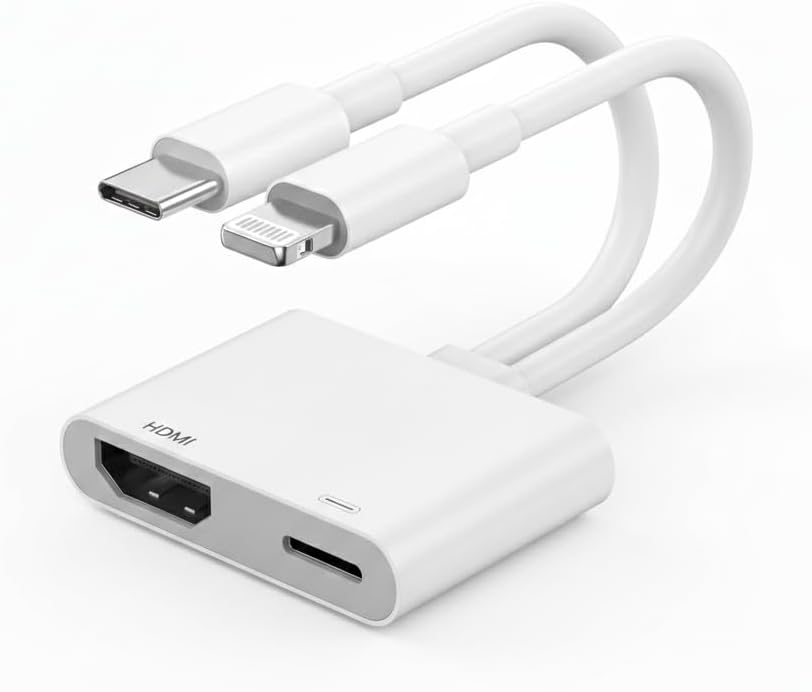
This adapter stands out with support for both Lightning and USB-C devices. It can deliver up to 4K on USB-C devices and 100W pass-through charging for sustained use.
We may earn a commission when you buy through this link, at no additional cost to you.
The 100W power delivery ensures your device stays charged even during high-demand tasks. It is a robust option for professionals with multiple devices.
Note that Lightning connections remain limited to 1080p due to hardware constraints. This dual nature makes it a versatile tool for mixed environments.
Select this if you own both older iPhones and newer USB-C devices and want one adapter for all needs.
On USB-C devices you get true 4K visuals and HDCP support enabling streaming services that do not work on Lightning.
The 100W charging port keeps your laptop or phone powered during long meetings or presentations without battery anxiety.
We may earn a commission when you buy through this link, at no additional cost to you.
This classic official Apple adapter remains a top rated choice for many users. It offers a stable connection with minimal compatibility issues across all supported devices.
We may earn a commission when you buy through this link, at no additional cost to you.
Users appreciate the simplicity and reliability of the original design. It works consistently without the need for settings adjustments or driver installations.
It requires a separate HDMI cable which increases overall cost and bulk. This is a trade-off for the high build quality and peace of mind.
It remains the go-to option for those who value simplicity and official support over extra features.
Years of positive user feedback highlight this adapter as a reliable choice for daily professional or personal use.
The plug and play nature ensures anyone can connect their phone to a TV instantly without any learning curve.
We may earn a commission when you buy through this link, at no additional cost to you.
Choosing the right adapter involves considering your specific device model, desired resolution, and whether you need extra ports or charging.
Always look for MFi (Made for iPhone) certification to ensure the adapter contains a genuine Apple chip. This guarantees reliable performance and avoids pop-up warnings or connection drops that cheap clones often cause.
MFi certification is the first thing to check when buying an adapter to ensure stability and device safety.
Most Lightning adapters support 1080p HD which is sufficient for most TVs. Newer USB-C models can reach 4K but Lightning ports are limited by hardware to 1080p.
Match the resolution to your TV and needs. 1080p is fine for most but consider USB-C if you have a 4K display.
Adapters with a pass-through charging port let you keep your iPhone plugged in while streaming. This is crucial for long sessions like movies or business presentations where battery drain is a concern.
Prioritize adapters with a charging port if you plan to use them for more than thirty minutes at a time.
Be aware that most Lightning adapters do not support HDCP protected apps like Netflix or HBO Go. This is due to Apple policy rather than a product defect so check expectations before buying.
If streaming protected content is a priority consider a USB-C adapter which supports more apps on compatible devices.
Durability varies by brand. Metal housings and reinforced cables last longer than plastic ones. Since these adapters get plugged and unplugged often solid construction helps avoid internal wire damage.
Check reviews for comments on build strength especially if you travel frequently or use it daily.
Budget options can work well but often lack extras like long cables or warranties. Premium options cost more but offer better support and longevity over time.
Balance cost with how often you will use the adapter. Frequent users benefit more from higher quality models.
A good warranty protects you from defects. Some brands offer one to five year warranties with responsive customer support for troubleshooting or replacements if issues arise.
Look for at least a one-year warranty to ensure you are covered if the adapter fails.
Ensure the adapter lists your specific iPhone model as compatible. Most cover iPhone 5 to 14/15 but some may have issues with very new iOS updates or specific mini/pro variants.
Verify compatibility details on the product page to avoid returns or setup issues.
Connect the Lightning adapter to your iPhone and plug an HDMI cable into the adapter leading to the TV. Select the correct HDMI input on your TV and your screen should mirror automatically within seconds.
Keep the adapter clean and store it in a protective case to prevent physical damage or connector oxidation which can lead to connection issues over time.
If you experience black screens or lag ensure the HDMI cable is secure and your iPhone is updated to the latest iOS version to maintain compatibility with the adapter.
Most Lightning adapters do not support Netflix or Hulu due to HDCP copyright protections. This limitation comes from Apple policy and not the adapter itself so try screen mirroring via AirPlay if your TV supports it.
Yes most Lightning adapters require you to supply your own HDMI cable for connecting to the TV. Only models with built-in HDMI cables include this in the package.
Only adapters with a pass-through charging port support this feature. Look for products that list a Lightning charging port to keep your device powered during use.
This can happen due to a loose cable connection or incompatible video settings. Try reseating the connectors and ensuring your iPhone is updated to the latest iOS version.
Yes most adapters work with all Apple devices that have a Lightning connector including iPads and iPods. Always check the product compatibility list before purchasing.
iPhone 15 uses USB-C not Lightning so you will need a USB-C adapter instead. Lightning adapters are only for iPhone 14 and older models with Lightning ports.
Yes the adapter transmits both video and audio through the HDMI connection. Ensure your TV or monitor has working speakers or external speakers for sound output.
Most adapters are compact enough to fit in pockets or bags. Look for lightweight designs and consider carrying a small HDMI cable for travel convenience.
We reviewed ten top options ranging from official Apple adapters to budget third-party picks. Each offers unique strengths depending on whether you prioritize value, extra ports, or brand reliability.
Consider how often you will use the adapter and which features matter most like charging ports or cable length. The right choice depends on balancing performance with your personal budget.
Prices change often so check current listings and verify compatibility before buying. Use this guide as a starting point to find the perfect HDMI solution for your setup.