
TP-Link AXE5400 Tri-Band WiFi 6E Router
4.3Editor score
Tri-Band WiFi 6E with 6 GHz band
Near-zero latency for responsive gaming
EasyMesh-compatible for whole home coverage
This guide compares the top low latency WiFi routers for gaming and streaming. Explore features, speeds, and performance to find the perfect router for your
Finding the right network hardware is crucial for seamless online experiences. Low latency WiFi routers minimize delay, ensuring smooth gaming, video calls, and streaming without frustrating interruptions or lag spikes.
We analyzed ten leading models based on speed, coverage, and real-world performance. Each router offers unique strengths, from budget-friendly options to premium gaming beasts, catering to diverse home network requirements and preferences.
Every pick highlights key features and ideal use cases. Prices and availability change frequently, so check current listings before purchasing to ensure you get the best value for your specific connectivity needs today.
4.3Editor score

4.6Editor score

4.3Editor score
The following table provides a side-by-side comparison of the ten routers featured in this guide. Review the key specifications to quickly identify which model aligns best with your connectivity requirements.
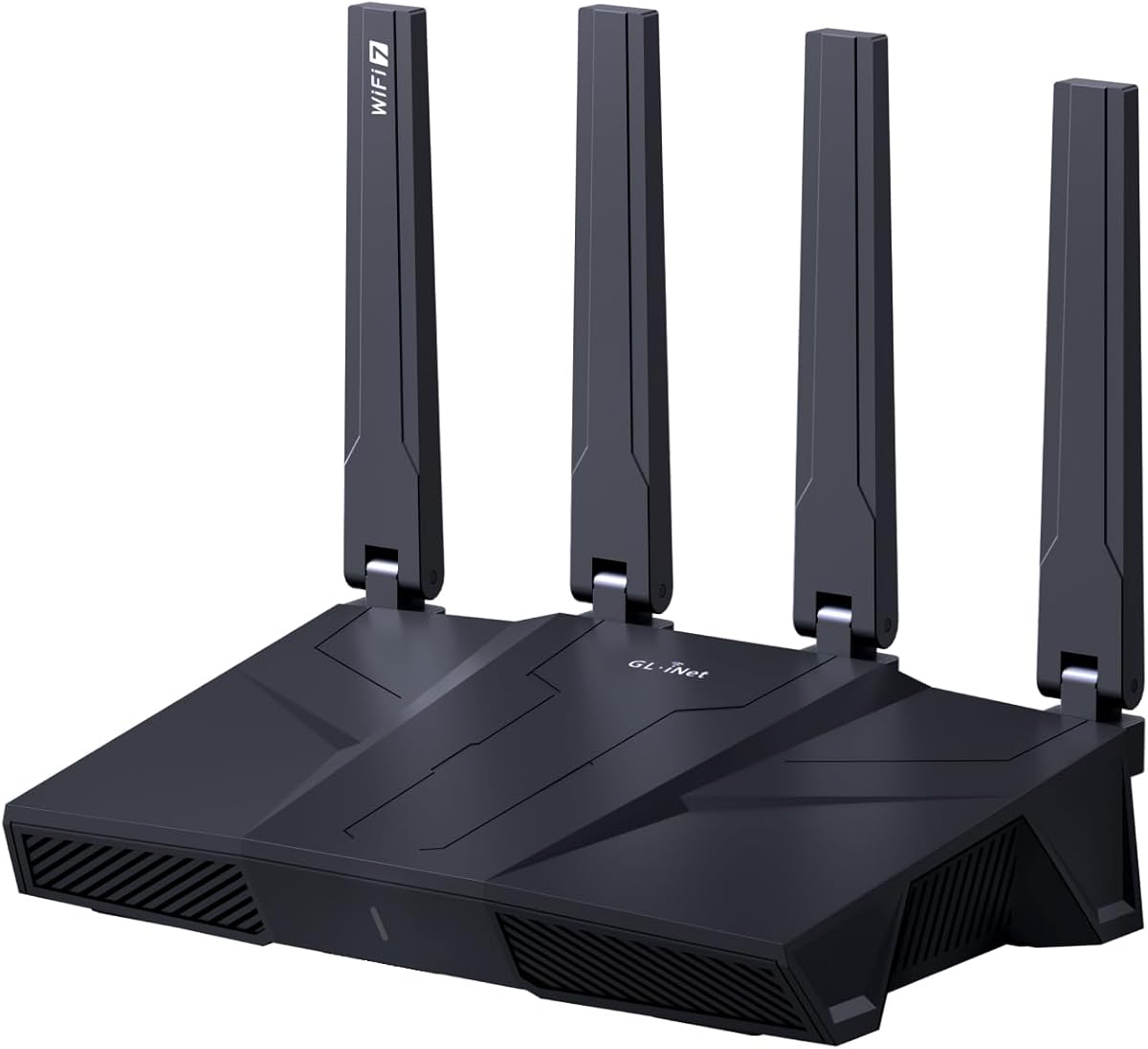



The GL.iNet GL-MT6000 Flint 2 stands out as a top contender for low latency networking. With a strong rating of 4.6 stars, it delivers Wi-Fi 6 speeds up to 6 Gbps ensuring smooth performance for gaming and streaming.
We may earn a commission when you buy through this link, at no additional cost to you.
This router shines with its dual 2.5G ports and massive device connectivity, supporting over a hundred devices. Its support for OpenVPN and Wireguard up to 900Mbps provides secure, fast connections ideal for advanced users needing control.
While it requires a firmware update upon initial setup, this step greatly enhances performance. The inclusion of AdGuard Home adds significant value by allowing users to filter ads and block trackers directly at the network level.
If you need a powerful router that balances speed, security, and device capacity, the Flint 2 is an excellent choice. It handles intense multiplayer battles and heavy traffic with ease for a stable home network.
AdGuard Home support lets you manage DNS settings to block unwanted tracking and ads for a cleaner online experience.
With Wireguard and OpenVPN speeds reaching high Mbps, you maintain secure connections without sacrificing gaming or streaming performance.
We may earn a commission when you buy through this link, at no additional cost to you.
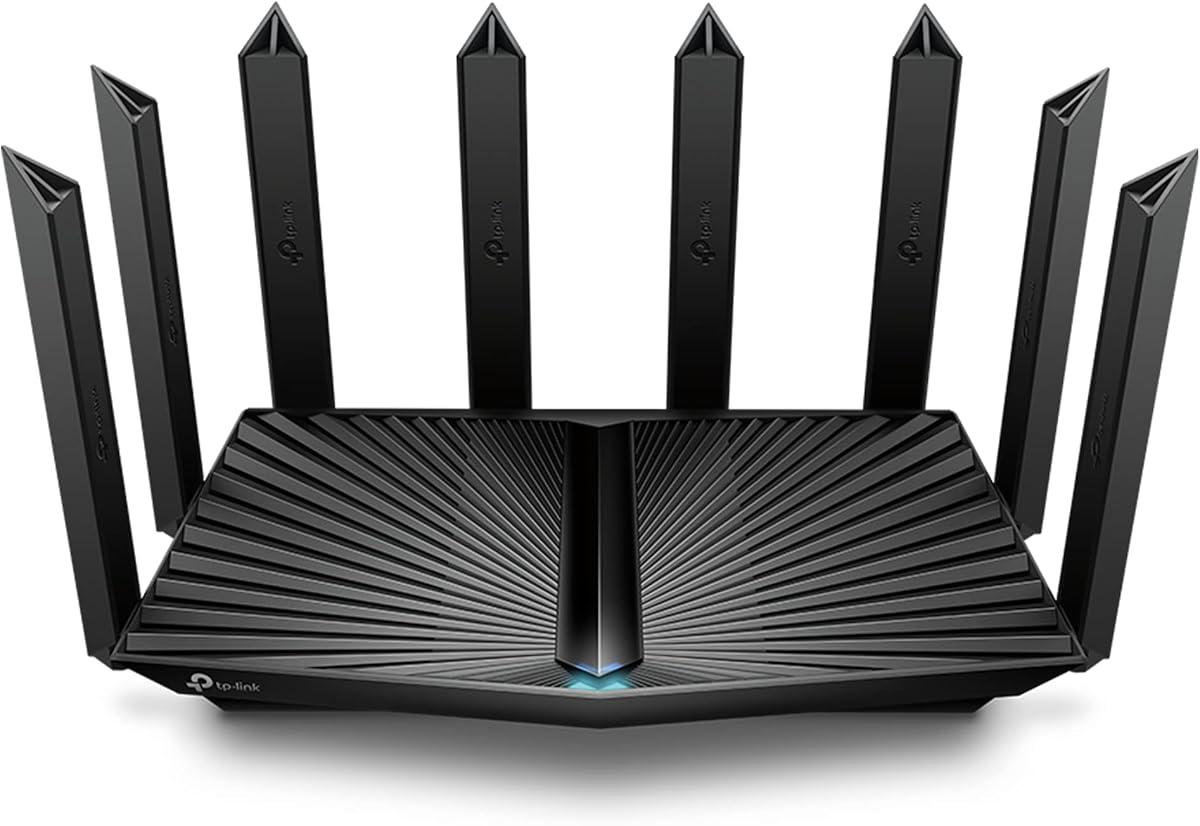
The TP-Link AXE5400 Tri-Band offers near-zero latency through its 6 GHz band at an accessible price point. Its 4.3-star rating reflects solid performance for gaming and video chatting without breaking the bank.
We may earn a commission when you buy through this link, at no additional cost to you.
Featuring a unique housing design for optimal heat dissipation, this router maintains reliability during extended use. OFDMA technology increases capacity four times enabling simultaneous transmission to more devices without congestion.
While it has less RAM than some premium models, the EasyMesh compatibility allows you to extend coverage easily. This makes it suitable for growing homes needing flexible networking without complex setup.
For budget-conscious buyers seeking reliable low latency performance, this router is a strong pick. It delivers fast speeds and responsive connections ideal for most daily online activities.
The 6 GHz band brings more bandwidth and faster speeds enabling responsive gaming with less interference from other devices.
EasyMesh compatibility means you can add compatible routers or extenders later to eliminate dead zones as your home needs grow.
We may earn a commission when you buy through this link, at no additional cost to you.
The ASUS ROG Rapture GT-BE98 Pro sets a new standard with up to 30 Gbps speeds across its quad-band design. Its 4.3-star rating highlights its capability to handle the most demanding gaming setups effortlessly.
We may earn a commission when you buy through this link, at no additional cost to you.
Triple-Level Game Acceleration optimizes traffic from your PC to game servers ensuring every step reduces lag. Dual 10G ports and quad 2.5G ports offer unmatched wired flexibility for NAS drives and desktops.
While expensive and requiring compatible devices to realize full speeds, the performance boost is significant. The external dual-feeding antennas provide superior signal strength ensuring coverage remains strong even with large setups.
Professional gamers and tech enthusiasts will appreciate the raw power and precision of this router. It is an investment that pays off in consistently low latency and maximum throughput for competitive play.
Triple-Level Game Acceleration boosts gaming traffic every step of the way from device port to game server.
Dual 10G ports and quad 2.5G ports allow direct high-speed connections for multiple high-bandwidth devices simultaneously.
We may earn a commission when you buy through this link, at no additional cost to you.
The GL.iNet GL-BE9300 Flint 3 embraces WiFi 7 standards for ultra-fast speeds and significantly reduced latency. Its 4.3-star rating reflects its ability to handle high-density environments with cutting-edge MLO technology.
We may earn a commission when you buy through this link, at no additional cost to you.
With five 2.5G ports, this router is perfect for homes with multiple wired devices needing fast connections. It supports over a hundred devices ensuring seamless performance for all digital needs without congestion.
Firmware updates are recommended at setup to ensure superior user experience. Parental controls help create safer digital environments for families while maintaining high-speed connectivity for all users.
If you need extensive coverage and multi-gigabit capabilities for your smart home, this router delivers. Its balance of advanced features and reliable performance makes it a top choice for tech-savvy households.
Five 2.5G ports provide ample wired connectivity for gaming rigs, NAS drives, and smart TVs needing speed.
Integrated support for Bark and parental controls helps manage screen time and filter content effectively.
We may earn a commission when you buy through this link, at no additional cost to you.
The NETGEAR Nighthawk WiFi 7 Router delivers up to 9.3 Gbps across three bands for faster, farther, and more reliable WiFi. Its 4.3-star rating confirms it keeps up with busy homes needing streaming and gaming.
We may earn a commission when you buy through this link, at no additional cost to you.
With coverage in every room up to 2500 sq ft, it handles up to 100 devices comfortably. The app simplifies network management allowing you to run speed tests or pause devices from anywhere.
While the 30-day free trial for Armor security requires a subscription to continue, the basic router protection is solid. Multi-gig wired connections unlock the full potential of high-speed internet plans.
For large homes needing consistent performance across every room, this router is a great fit. It combines speed, coverage, and ease of use to support modern digital lifestyles effortlessly.
Download the free Nighthawk app to manage WiFi, pause devices, and run speed tests from anywhere.
A 2.5 Gig WAN port unlocks multi-gig plans ensuring your router is not a bottleneck for fast internet.
We may earn a commission when you buy through this link, at no additional cost to you.
The NETGEAR Nighthawk WiFi 7 RS90 offers a compact yet powerful dual-band design for busy homes. With up to 3.6 Gbps, it provides reliable speeds for streaming, video calls, and gaming.
We may earn a commission when you buy through this link, at no additional cost to you.
Coverage extends up to 2000 sq ft supporting up to 50 devices. MU-MIMO and OFDMA technologies allow multiple devices to send and receive data simultaneously reducing wait times for bandwidth.
While it has fewer ports than larger models, the 2.5 Gig WAN port ensures high-speed internet access. The app makes setup and ongoing management straightforward for all users regardless of expertise.
For those seeking a reliable entry into WiFi 7 without excess bulk, this model works well. It balances performance and cost effectively for average-sized homes needing faster connectivity.
MU-MIMO and OFDMA enable multiple devices to share bandwidth efficiently reducing delays during heavy usage.
Download the free app for guided setup and management features like speed tests and guest network creation.
We may earn a commission when you buy through this link, at no additional cost to you.
The TP-Link Archer BE230 brings WiFi 7 technology to budget-conscious users with up to 2882 Mbps speeds. Its 4.2-star rating confirms reliable performance for 4K and 8K streaming and gaming.
We may earn a commission when you buy through this link, at no additional cost to you.
Dual 2.5G ports break the 1G barrier ensuring seamless connectivity from internet to multiple LAN devices. The quad-core processor eliminates lag managing high throughput with minimal latency during heavy transmissions.
While it lacks a 6 GHz band, the existing bands deliver excellent speeds for most needs. EasyMesh compatibility allows for whole-home coverage if you need to expand range later.
If you want future-proof WiFi 7 features without overspending, this router is a smart choice. It offers great value through fast wired connections and stable wireless performance for all devices.
A next-gen 2.0 GHz quad-core processor manages high throughput effortlessly eliminating lag even during heavy data usage.
Dual 2.5G ports maximize Gigabitplus internet speeds ensuring wired devices get top performance without bottlenecks.
We may earn a commission when you buy through this link, at no additional cost to you.
The GL.iNet GL-BE6500 Flint 3e is designed for gaming and home use with ultra-low latency and fast VPN speeds. Its 4.2-star rating reflects strong performance up to 6.5 Gbps using WiFi 7 standards.
We may earn a commission when you buy through this link, at no additional cost to you.
OpenVPN and Wireguard speeds up to 1100 Mbps give complete control over gaming and streaming bandwidth. MLO and 4K-QAM breakthroughs ensure efficient data transfers and reduced latency in high-density environments.
VPN performance may differ based on server location and provider but remains impressive for home needs. Parental controls help create balanced digital environments while maintaining fast connectivity for all users.
For gamers who need secure, fast connections without compromise, this router excels. Its combination of speed, range, and advanced features makes it a top contender for serious users.
MLO plus 4K-QAM enables ultra-fast speeds and reduced latency through innovative multi-link operations.
Designed for extra long range WiFi delivering strong signal strength across up to 2500 square feet.
We may earn a commission when you buy through this link, at no additional cost to you.
The TP-Link AX6000 delivers up to 4804 Mbps on the 5 GHz band for faster gaming and streaming. Its 4.4-star rating shows reliability and range with eight high-gain antennas equipped with beamforming.
We may earn a commission when you buy through this link, at no additional cost to you.
MU-MIMO and OFDMA technologies lower latency enabling multiple devices to communicate simultaneously. A 2.5G port breaks the gigabit barrier ensuring your router isn't the bottleneck for fast internet plans.
OneMesh support allows flexible whole-home WiFi creation with compatible extenders. VPN client support lets devices access remote servers without installing software on each device individually.
For those upgrading from older models but not needing WiFi 7 yet, this router is powerful. It offers excellent speed, range, and device handling for smooth daily connectivity needs.
Eight high-gain antennas with beamforming ensure vast coverage and stable connections even in hard-to-reach areas.
A 2.5G port allows entry into multi-gig internet speeds for higher wired performance.
We may earn a commission when you buy through this link, at no additional cost to you.
The Asus ROG Rapture GT-AXE11000 boosts speeds up to 11000 Mbps as the world's first Wi-Fi 6E tri-band router. Its 4.1-star rating confirms it delivers lower latency with wider channels in the 6GHz spectrum.
We may earn a commission when you buy through this link, at no additional cost to you.
2.5G LAN/WAN port prioritizes all traffic ensuring full potential of WiFi 6. Triple-level Game Acceleration accelerates traffic from device to game server reducing lag in competitive scenarios.
A quad-core CPU with cooling system brings computational capability to the next level. While it can run warm, the optimized antenna design ensures excellent performance and efficiency.
For gamers needing maximum speed and minimal interference, this model is powerful. The dedicated 6GHz band and high throughput make it ideal for demanding gaming setups.
Triple-level Game Acceleration speeds up game traffic every step from device to game server.
A quad-core CPU processor and cooling system bring computational capability to the next level for performance.
We may earn a commission when you buy through this link, at no additional cost to you.
Selecting the right router requires understanding key factors that impact speed and responsiveness. This section outlines essential considerations to help you find the ideal low latency WiFi router for your needs.
Newer WiFi standards like WiFi 6E and WiFi 7 offer wider channels and less interference for lower latency. Choose the latest generation supported by your devices for best performance.
Prioritize routers using WiFi 7 or 6E standards if you need future-proofing and minimal lag.
Look for routers with high maximum speeds like 9.3 Gbps or 30 Gbps to handle multiple data streams. Ensure the rated speed matches your internet plan to avoid bottlenecks.
Higher rated speeds ensure your router keeps up with high bandwidth demands from gaming and streaming.
Dual 2.5G or 10G ports provide faster wired connections than standard Gigabit ports. Having enough LAN ports prevents the need for switches and keeps devices directly connected.
Select models with multiple high-speed ports to maximize wired performance and reduce cable clutter.
Modern homes have many connected devices requiring routers that support over 50 or 100 units. Check the manufacturer's device capacity to ensure your network won't slow down.
Choose a router that supports at least as many devices as your household currently owns.
Coverage ranges vary from 2000 sq ft to 2500 sq ft. Ensure the router reaches every corner of your home to prevent dead zones and maintain consistent signal strength.
Pick a router covering your full home square footage for uninterrupted connectivity throughout.
Features like MLO, OFDMA, and beamforming enhance stability and speed. VPN support and parental controls offer added security and management options.
Look for MLO and OFDMA to enable efficient data transfer and reduced latency during heavy use.
Mobile apps simplify configuration and ongoing management. Check for easy setup options and regular firmware updates to keep the router performing well.
Choose routers with user-friendly apps for guided setup and quick network monitoring.
Built-in security suites protect connected devices from malware and hackers. Some require subscriptions but many offer essential tools for free to ensure safe browsing.
Prioritize models with automatic firmware updates and basic security scanning for device protection.
When you first receive your router, connect it to your modem via Ethernet and follow the initial setup instructions carefully. Update the firmware to the latest version to ensure optimal performance and security from the start.
Place the router in a central location away from metal objects and thick walls to maximize signal distribution. Ensure the vents remain clear of dust for proper airflow preventing overheating during heavy usage periods.
Regularly reboot the device once a month to clear temporary glitches and maintain stable connections. Check for new firmware updates periodically to benefit from performance improvements and bug fixes provided by the manufacturer.
Low latency typically refers to ping times under 50 milliseconds which ensures real-time responsiveness. Routers with WiFi 6E or WiFi 7 standards often provide the necessary bandwidth and interference reduction to achieve these times.
Yes, most routers require a separate modem to connect to your internet service provider. Ensure your modem supports your internet plan's speed to avoid bottlenecks in your home network setup.
Many models support mesh features like EasyMesh or OneMesh allowing you to add extenders. This expands coverage without requiring full router replacements as your home needs grow over time.
Some routers like Flint models support hardware VPN acceleration to minimize speed loss. Actual VPN speeds still depend on your ISP and chosen server location but these units maximize potential throughput.
WiFi 7 routers are the latest and offer the most headroom for future devices and higher internet speeds. Investing now ensures compatibility with upcoming tech without needing upgrades soon.
Check your device's wireless adapter specifications for WiFi 7 compatibility. Most newer laptops, phones, and consoles released in 2024 or later may support these standards.
The routers selected here cover various needs from budget-friendly options to premium gaming powerhouses. Each model offers distinct strengths ensuring you can find a reliable solution for fast and responsive connectivity.
When deciding, consider your home size, device count, and internet speed. Prioritizing WiFi 6E or 7 models ensures you benefit from the latest technologies designed to minimize lag and maximize throughput.
Always verify current pricing and availability before purchasing as offers change frequently. With the right router, you can enjoy seamless streaming, gaming, and browsing across every connected device in your home.