
FIFINE Mini Gooseneck USB Microphone
4.3Editor score
Flexible gooseneck design
Plug and play setup
Noise reduction windscreen
Discover the top rated dictation microphone for computer to boost productivity. Our guide compares features compatibility and audio quality for speech
Finding the right dictation microphone for computer use is essential for professionals who rely on speech-to-text software. A quality microphone ensures accurate transcription and reduces the need for manual corrections during busy workdays.
We compared ten top models based on audio clarity, compatibility with Windows and Mac, and ease of setup. Each product was evaluated for noise cancellation build quality and specific features that support efficient voice recording workflows.
Every pick in this guide highlights key strengths and potential limitations to help you choose wisely. Prices and availability may change over time so always check the latest details before making your final purchase decision.
4.3Editor score

4.2Editor score

4.2Editor score
This side-by-side comparison highlights the core specifications and unique strengths of each microphone model. Use this overview to quickly identify which device aligns best with your specific dictation needs.




This USB microphone offers a reliable entry point for users needing a dictation microphone for computer tasks. With a 4.4 rating it balances affordability and functionality well for everyday speech recognition needs.
We may earn a commission when you buy through this link, at no additional cost to you.
The 360 degree adjustable gooseneck allows you to position the mic exactly where you need it for optimal sound pickup. Its noise canceling technology helps reduce background interference ensuring clearer transcription results during calls or recordings.
While it lacks advanced controls like gain adjustment it excels in simplicity. The LED indicator clearly shows mute status which prevents accidental audio leaks during important meetings or sensitive document entry.
Ideal for students or professionals starting with voice typing this mic works seamlessly with Windows and macOS. It provides solid performance without requiring drivers making it a practical choice for immediate setup.
The gooseneck design ensures you can adjust the mic height and angle to suit your desk layout perfectly.
Built in noise canceling helps isolate your voice from ambient sounds like fans or street noise.
We may earn a commission when you buy through this link, at no additional cost to you.
The Philips LFH3500 stands out as a premium dictation microphone for computer users seeking workflow efficiency. Its 4.2 rating reflects strong performance in professional environments where speed and accuracy are paramount.
We may earn a commission when you buy through this link, at no additional cost to you.
Unique motion sensor technology allows device control via gestures reducing the need to switch between keyboard and mouse. Configurable function keys let you map commands to physical buttons for seamless integration with dictation software.
The free floating decoupled microphone design minimizes vibration noise ensuring pristine audio capture. While the price is steep the investment pays off for heavy users who dictate documents daily and value ergonomic design.
This model is best suited for legal or medical professionals who need precise control. It pairs well with Dragon software and offers features that standard USB mics simply cannot match.
Motion sensors detect hand movements allowing you to control playback or navigation without touching the device.
Optimised grille structure and pop filters deliver studio grade sound quality for detailed transcription.
We may earn a commission when you buy through this link, at no additional cost to you.
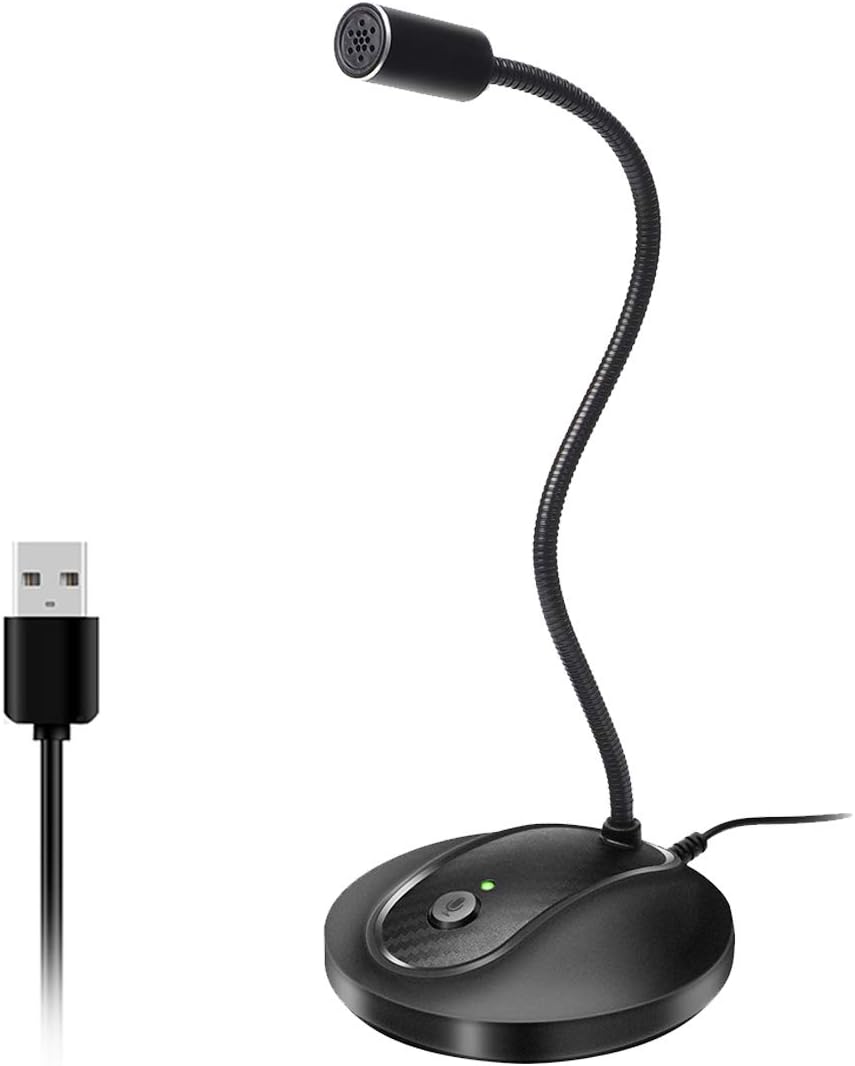
For those seeking an affordable dictation microphone for computer use the FIFINE Mini offers exceptional value. Rated 4.3 it delivers consistent audio quality for speech recognition without breaking the bank.
We may earn a commission when you buy through this link, at no additional cost to you.
Its compact design takes up minimal desk space while the flexible gooseneck allows precise positioning. The included windscreen helps reduce plosive sounds which improves transcription accuracy significantly during fast speaking.
Though it lacks advanced signal processing the sturdy metal base ensures it stays stable on your desk. It works well with Dragon NaturallySpeaking and other common dictation tools right out of the box.
This mic is perfect for students or remote workers on a tight budget. It provides reliable performance for basic voice input tasks and is easy to transport between different work locations.
The small size makes it ideal for shared desks or laptops where space is at a premium.
A windscreen is included to help reduce harsh sounds and improve overall recording clarity.
We may earn a commission when you buy through this link, at no additional cost to you.
The Logitech Blue Yeti is a versatile dictation microphone for computer users who also create content. With a 4.6 rating it is widely regarded for its broadcast quality sound and flexible capture modes.
We may earn a commission when you buy through this link, at no additional cost to you.
Its four pickup patterns allow you to switch between cardioid omni and stereo modes depending on your setup. The Blue VOICE software enhances vocal clarity with real-time effects which can optimize speech recognition performance.
While larger than standard dictation mics the adjustable desktop stand lets you position it perfectly. Onboard controls for gain and mute make it easy to manage audio levels during long recording sessions.
This mic suits professionals who need one device for dictation and other audio tasks. Its robust build and excellent sound quality make it a future proof investment for various creative workflows.
Switch between different pickup patterns to isolate voice or capture room sound as needed.
Blue VOICE software provides additional tools to refine voice quality before it reaches your dictation software.
We may earn a commission when you buy through this link, at no additional cost to you.
The TONOR G11 acts as a unique dictation microphone for computer settings involving multiple speakers. Its 4.3 rating highlights its effectiveness in conference or collaborative document creation scenarios.
We may earn a commission when you buy through this link, at no additional cost to you.
With an omnidirectional pickup pattern it captures sound from 360 degrees ensuring no voice is missed. The 11.5 ft range makes it suitable for larger tables or shared workspaces where distance varies.
Its compact design saves space while the sturdy metal build ensures longevity. A blue LED indicator confirms the mute status clearly which is essential during shared screen sessions or sensitive discussions.
Best used for team meetings where everyone contributes to notes this mic simplifies group recording. It is simple to operate and works instantly with Windows and macOS systems for immediate productivity.
Omnidirectional pickup ensures all voices in a group are captured equally without repositioning.
Its small form factor keeps your desktop tidy while still offering professional audio capabilities.
We may earn a commission when you buy through this link, at no additional cost to you.
The ZealSound K66 serves as a versatile dictation microphone for computer and mobile users. With a 4.4 rating it offers professional features like noise reduction that improve speech recognition accuracy significantly.
We may earn a commission when you buy through this link, at no additional cost to you.
Its intelligent noise reduction mode filters out keyboard clicks and fan noise automatically. Physical knobs for volume and echo provide hands-on control without needing complex software menus on your computer.
Zero latency monitoring via the headphone jack ensures you hear exactly what is being recorded. This helps in correcting mistakes immediately during long dictation sessions which saves time later.
Ideal for freelancers or creators who switch between PC and phone this mic is highly adaptable. It includes adapters for iOS and Android making it a true all-in-one tool for voice recording needs.
Press and hold the mute button to activate noise reduction which cleans up ambient sounds instantly.
Included USB-C and Lightning adapters ensure it works seamlessly across different devices without extra gear.
We may earn a commission when you buy through this link, at no additional cost to you.
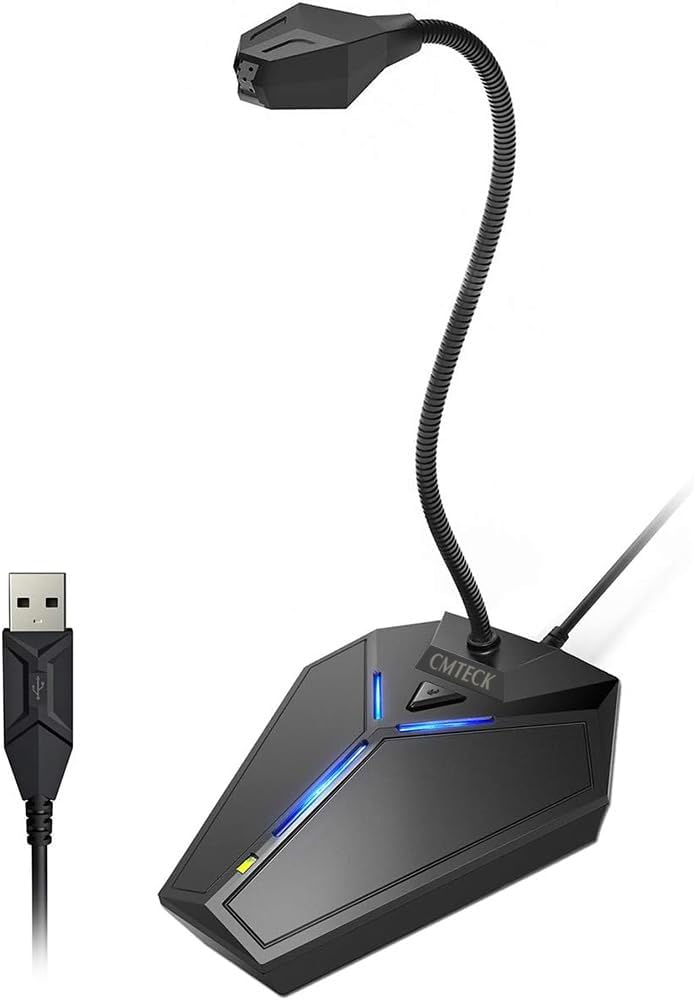
The CMTECK USB Microphone is a solid dictation microphone for computer users in home offices. With a 4.4 rating it focuses on delivering clear audio through its intelligent noise suppression chip.
We may earn a commission when you buy through this link, at no additional cost to you.
Its flexible metal gooseneck allows precise positioning to catch your voice clearly. The mute button features a distinct LED indicator which prevents accidental recording during personal calls or meetings.
The design is straightforward but functional ensuring it works instantly on Windows and macOS. It is a cost effective solution for those who need reliable voice capture without unnecessary complex features.
Best for daily tasks like email dictation or note taking this mic provides consistent performance. Its sturdy base keeps it stable even if you adjust the neck frequently during long typing sessions.
The built-in chip actively filters out background static to ensure your voice remains the focus.
Green and Red lights clearly show whether the microphone is active or muted for peace of mind.
We may earn a commission when you buy through this link, at no additional cost to you.
The Nuance PowerMic III is the ultimate dictation microphone for computer users heavily invested in Dragon software. With a 4.2 rating it excels in environments where speed and voice control are critical.
We may earn a commission when you buy through this link, at no additional cost to you.
It combines a microphone with full PC mouse capabilities allowing you to navigate documents without using your hands. The ergonomic thumb control makes it easy to execute commands efficiently while typing.
Its unidirectional design focuses solely on your voice which minimizes interference from other sources. While the price is high it is an essential tool for lawyers or doctors who rely on accurate transcriptions.
This mic is designed specifically for professionals using Dragon Medical or Legal versions. It offers features like cursor control and voice formatting that standard mics cannot support during complex document entry.
Mouse buttons on the mic allow you to highlight text or open files using voice commands alone.
Built for heavy daily use this microphone maintains accuracy and comfort even during extended recording sessions.
We may earn a commission when you buy through this link, at no additional cost to you.
The PHILIPS LFH3200 is a reliable dictation microphone for computer environments prioritizing energy efficiency. Its 4.3 rating reflects consistent performance in professional settings requiring durable and accurate audio input.
We may earn a commission when you buy through this link, at no additional cost to you.
Noise canceling technology ensures precise speech recognition results even in noisy office environments. The advanced speaker design allows for clear playback of recorded notes which is useful for verification during work.
Designed specifically for Dragon NaturallySpeaking it offers push button operation that streamlines workflows. It balances cost and functionality making it a solid choice for organizations looking to equip teams affordably.
Ideal for mid-level professionals this mic provides the essential tools for efficient dictation without extra cost. It is simple to set up and integrates well into existing corporate systems for productivity.
Energy Star compliance ensures low power consumption which is beneficial for large scale deployment.
Built specifically for Dragon software this mic ensures maximum compatibility and recognition accuracy.
We may earn a commission when you buy through this link, at no additional cost to you.
The OLYMPUS RecMic II is a specialized dictation microphone for computer users who prefer trackball navigation. With a 4.0 rating it offers unique features that cater to specific ergonomic preferences for voice control.
We may earn a commission when you buy through this link, at no additional cost to you.
Its improved trackball allows for smooth cursor movement and navigation across documents. The silent contact keys minimize annoying clicking noises which can interfere with high quality voice recordings in quiet settings.
Dual microphone systems ensure you capture audio clearly even in challenging environments. This model is particularly useful for those who need a physical trackball interface alongside their dictation workflow.
Best for users transitioning from mouse to dictation this mic offers a hybrid solution. It is robust and reliable for specific tasks though it may require some customization to fit general workflows perfectly.
The trackball allows precise cursor control which is helpful when navigating long documents during dictation.
Silent keys ensure your physical actions do not add background noise to your recorded voice files.
We may earn a commission when you buy through this link, at no additional cost to you.
Choosing the right microphone depends on your specific workflow and software needs. Understanding key features ensures you select a device that enhances accuracy and comfort.
The pickup pattern determines how the microphone captures sound from different directions. Cardioid patterns focus on your voice from the front which reduces background noise during typing. Omnidirectional mics capture sound from all sides which is useful for meetings with multiple speakers.
Select a pattern that matches your environment to minimize noise and ensure accurate transcription results.
Active noise cancellation filters out background sounds like fans or keyboard clicks. This technology is crucial for accurate speech recognition as it ensures the software hears only your voice. Some models use hardware chips while others rely on software processing to achieve this.
Prioritize models with intelligent noise reduction to improve transcription accuracy in busy environments.
Ensure the microphone is compatible with your operating system and software. Most modern mics use USB for plug and play functionality which simplifies setup. Check if the device supports both Windows and macOS for flexibility across devices.
Always verify system requirements before purchasing to avoid driver issues or connection problems.
A comfortable design reduces strain during long dictation sessions. Look for adjustable features like goosenecks or stands that allow you to position the mic optimally. Button placement should be intuitive to prevent accidental mutes during work.
Choose a design that fits your desk layout and feels natural to use for extended periods.
Advanced microphones often include programmable function keys for faster workflows. These keys can be mapped to commands like copy paste or cursor movement within your software. This feature is especially valuable for users who rely heavily on voice commands.
Consider models with customizable buttons if you need to execute frequent commands during daily tasks.
Durable materials like metal ensure the microphone withstands daily use without failing. A sturdy base prevents tipping during adjustments while protecting the internal components. Look for warranties that indicate the manufacturer stands behind the product quality.
Invest in a well-built device to ensure long-term reliability and consistent performance.
High fidelity audio ensures speech recognition software can distinguish between similar words. A wide frequency response captures the nuances of your voice which improves clarity. Better audio quality directly correlates with fewer corrections during document review.
Opt for mics with high resolution audio capture to maximize the efficiency of your workflow.
Budget dictates whether you choose a basic USB mic or a premium specialized tool. Evaluate if advanced features justify the higher cost based on your usage frequency. Sometimes a mid range option offers the best balance of features and affordability.
Assess your specific needs before spending to ensure you get the best value for your investment.
Start by plugging the microphone into a USB port on your computer. Most models work instantly but check system settings if the device is not recognized. Adjust the volume levels to a comfortable point before beginning to speak.
Position the mic at a consistent distance from your mouth to maintain steady audio input. Avoid moving the device excessively during a session as this can cause variations in volume and quality. Ensure the mute light is off when you intend to record.
Clean the grille gently with a soft cloth to remove dust and oils over time. Keep the microphone away from liquids and extreme temperatures to protect internal components. Regular maintenance ensures the device remains reliable for daily transcription tasks.
A good microphone offers clear audio capture and reliable noise cancellation to ensure accuracy. Compatibility with your operating system and software is essential for seamless integration. Ease of setup without drivers also saves time during daily use.
While many USB mics work some are optimized for speech software specifically. Look for models designed for Dragon or similar tools to get the best performance. However standard mics can still work well if positioned correctly.
Most modern microphones are plug and play and do not require additional drivers. Just connect the device to your computer and select it as the input source. Check the product description to confirm driver free compatibility before buying.
Keep the microphone about 6 to 8 inches away from your mouth for optimal results. This distance prevents popping sounds while ensuring your voice is captured clearly. Adjust based on your comfort and the software recommendations.
Yes several affordable models offer high performance for everyday tasks. Look for mics with good noise cancellation features even if they lack advanced controls. Budget options like the FIFINE Mini provide solid value for basic needs.
A gooseneck allows you to adjust the position to fit your desk and speaking style. This flexibility ensures the mic captures your voice effectively without cluttering the workspace. It is ideal for users who need to move frequently.
We have reviewed ten top models ranging from budget friendly to premium professional tools. The Philips LFH3500 and Nuance PowerMic III offer advanced features for experts while the FIFINE provides solid value for beginners.
Prioritize features like noise cancellation and comfort when making your decision. The best microphone is the one that fits your specific workflow and helps you work faster.
Always check current product listings to confirm availability and compatibility with your system. Your choice depends on your daily tasks and how much you rely on voice input for productivity.