
CRUA 34 Inch 165Hz UWQHD IPS Ultrawide Gaming Monitor
4.2Editor score
165Hz Refresh Rate
IPS Panel Technology
PIP and PBP Modes
Built-in Speakers
Compare the 10 best cheap ultrawide monitors for gaming and work. This guide reviews specs, features, and value to help you find the perfect budget display.
Finding a high quality display that fits your budget can be challenging in today's market. Ultrawide monitors offer immersive experiences and productivity boosts but many carry steep price tags. We have identified top models that balance performance and cost effectively for various user needs.
Our team analyzed detailed specifications, user feedback, and expert reviews to compile this list. We focused on refresh rates, panel types, connectivity options, and build quality. Each selection represents a strong value proposition within the cheap ultrawide monitor category for 2026.
Every pick includes specific pros, cons, and real world performance notes to guide your decision. Note that prices fluctuate frequently based on demand and availability. We recommend verifying current offers before purchasing to ensure you get the best deal possible.
4.2Editor score

4.4Editor score

4.6Editor score
This side by side comparison highlights key differences across all ten models. We examine resolution, refresh rates, panel types, and unique features to help you distinguish between options quickly.


The SANSUI 34-inch monitor stands out with a 200Hz refresh rate rarely seen at this price point. It delivers smooth motion for gaming and productivity alike. The UWQHD resolution ensures crisp details across the expansive screen real estate.
We may earn a commission when you buy through this link, at no additional cost to you.
Its Fast VA panel provides deep blacks and high contrast ratios which enhance visual immersion significantly. AI features like AI Crosshair and PQ improve usability without extra software. The 1500R curve matches the natural field of view for comfortable long sessions.
While the VA panel offers better contrast than IPS it might show slower response times in dark transitions. Some users may prefer an IPS panel for color accuracy depending on their workflow needs. This trade off is acceptable given the performance and cost balance.
Competitive gamers and multitaskers will find this monitor exceptional value for money. The high refresh rate ensures fluid gameplay while the wide screen boosts productivity. We recommend this model for those seeking premium specs on a budget.
The 200Hz refresh rate provides unparalleled smoothness during fast paced gaming sessions.
Built-in AI tools like Sniper Scope enhance gaming utility without needing external apps.
We may earn a commission when you buy through this link, at no additional cost to you.
LG's 34WR55QK-B offers a refined experience tailored for professionals and creators alike. The WQHD resolution paired with IPS technology ensures vibrant colors and wide viewing angles. Its USB-C port with 65W power delivery simplifies workstation setups significantly.
We may earn a commission when you buy through this link, at no additional cost to you.
OnScreen Control allows intuitive window management which boosts workflow efficiency immediately. The adjustable stand supports tilt and height changes reducing neck strain during long workdays. HDR10 support adds depth to media consumption experiences.
While the 100Hz refresh rate is smooth it might not satisfy hardcore competitive gamers. The price is higher than basic models but justified by build quality and features. It serves best as a central display for creative or office environments.
Content creators and professionals should prioritize this model for its color fidelity and connectivity. The ergonomic design ensures comfort over extended periods of use. It remains a top choice for those valuing polish over raw gaming speed.
OnScreen Control software splits screens into layouts enhancing multitasking workflows efficiently.
USB-C delivers display signal and laptop charging through a single cable connection.
We may earn a commission when you buy through this link, at no additional cost to you.
CRUA delivers an impressive gaming monitor that balances specs and cost remarkably well. The 165Hz refresh rate ensures fluid gameplay while the IPS panel maintains excellent color vibrancy. It is an ideal entry point into ultrawide gaming without overspending.
We may earn a commission when you buy through this link, at no additional cost to you.
The screen real estate allows for seamless multitasking and immersive gaming experiences alike. Dual HDMI and DisplayPort inputs provide flexibility for multiple devices. Built-in speakers add convenience though external audio may still be preferred.
While the stand lacks height adjustment it offers adequate tilt for most desk setups. The warranty is standard but may feel limited compared to major brands. These constraints are minor considering the performance capabilities offered at this price.
Budget gamers and students will appreciate the high refresh rate and resolution combo. It offers features usually reserved for pricier models. We recommend this for those seeking performance per dollar above all else.
165Hz refresh rate eliminates motion blur for competitive gaming scenarios effectively.
120% sRGB coverage ensures vivid and accurate color reproduction for media.
We may earn a commission when you buy through this link, at no additional cost to you.
MSI's PRO series focuses on delivering a reliable tool for office productivity tasks. The UWQHD resolution provides ample space for spreadsheets and code windows simultaneously. Eye Care features help reduce fatigue during long working hours.
We may earn a commission when you buy through this link, at no additional cost to you.
The 120Hz refresh rate is smoother than standard 60Hz displays making scrolling feel more natural. VA panel technology ensures deep blacks which help with document readability in dim light. Adaptive Sync prevents screen tearing if occasional gaming occurs.
Color accuracy is adequate for general use but may not satisfy photographers. Connectivity is basic with HDMI and DisplayPort but lacks USB-C. This makes it strictly a desktop monitor rather than a versatile workstation tool.
Professionals needing a second monitor or focused workspace will find this suitable. The price reflects its utilitarian nature without flashy extra features. We suggest it for users prioritizing eye comfort and clear text rendering.
TUV Rheinland certified flicker-free and low blue light settings protect vision daily.
VA panel ensures high contrast ratio making dark UI elements clearly visible.
We may earn a commission when you buy through this link, at no additional cost to you.
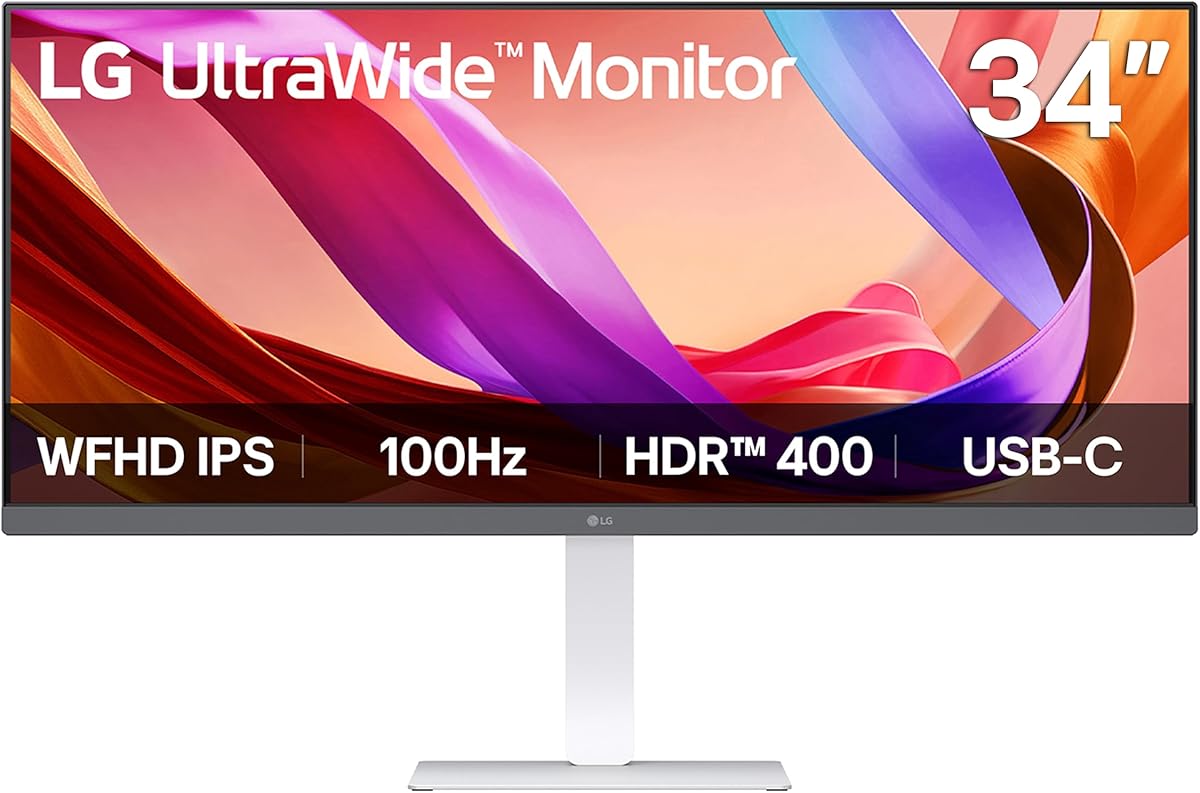
The LG 34U530A-W offers the most accessible entry into the ultrawide category. Its WFHD resolution is lower than WQHD but still provides significant screen width. The IPS panel ensures consistent colors from almost any viewing angle.
We may earn a commission when you buy through this link, at no additional cost to you.
The 100Hz refresh rate delivers smooth scrolling and decent gaming performance for casual play. USB-C connectivity allows single cable laptop connection which simplifies cable management effectively. Height and tilt adjustments help find a comfortable viewing position.
The lower resolution may appear slightly soft compared to WQHD panels. This can be noticeable on large text or detailed graphics work. However for general web browsing and media consumption it remains completely adequate and functional.
Users on a tight budget or new to ultrawide screens should consider this first. It delivers core benefits without complex price tags. We recommend it for basic office tasks and casual home entertainment.
21:9 aspect ratio allows multiple windows open without overlapping on screen.
USB-C port supports both display signal and laptop data transfer needs.
We may earn a commission when you buy through this link, at no additional cost to you.
LG brings HDR10 to the budget space with this curved WQHD IPS model. It offers vibrant highlights and deeper shadows enhancing visual media consumption significantly. The 96W power delivery over USB-C charges laptops efficiently while displaying content.
We may earn a commission when you buy through this link, at no additional cost to you.
The subtle 3800R curve reduces distortion at the edges ensuring straight lines look natural. Wide color gamut supports accurate image editing for hobbyists and professionals alike. The built-in speakers provide decent sound without external hardware.
Gaming performance is decent with 100Hz but lacks variable refresh rate certification for PC. The price sits higher than basic models reflecting the extra HDR and power features. It suits media consumers needing better brightness and color fidelity.
Content creators and movie enthusiasts will appreciate the HDR performance and connectivity. It bridges the gap between office and entertainment setups well. We recommend it for those wanting a bit more polish than entry-level offers.
HDR10 enhances dynamic range making bright scenes pop against dark backgrounds.
96W USB-C charging keeps laptops powered up while using the display.
We may earn a commission when you buy through this link, at no additional cost to you.
Samsung's ViewFinity S50GC delivers a polished office experience with a focus on health. An ambient light sensor adjusts brightness automatically matching the surrounding environment perfectly. PBP allows viewing two sources simultaneously which boosts workflow efficiency.
We may earn a commission when you buy through this link, at no additional cost to you.
The WQHD resolution offers sharp text rendering ideal for documents and coding. HDR10 support enhances visual media consumption for media and presentations. The slim bezel design helps maintain focus by removing distractions on the frame.
Absence of USB-C limits laptop connectivity options compared to modern competitors. Gaming features are minimal beyond basic refresh rates and FreeSync support. This model is clearly designed around professional needs rather than entertainment.
Office workers and students prioritizing eye comfort and multitasking will find it ideal. The price fits within typical corporate budgets. We recommend it for environments requiring reliable visual performance and health features.
Ambient light sensor adjusts brightness reducing eye strain during long shifts.
PBP function allows viewing two devices on one screen without switching inputs.
We may earn a commission when you buy through this link, at no additional cost to you.
This model mirrors the previous one with a focus on seamless dual device usage. PBP enables viewing a laptop and desktop side by side for efficient review tasks. The ambient light sensor and Eye Saver Mode help maintain eye comfort.
We may earn a commission when you buy through this link, at no additional cost to you.
The IPS panel ensures consistent color across the screen for design and work. HDR10 adds depth to movies and media content consumed during breaks. The slim bezels reduce visual distractions keeping focus on the content.
Lack of USB-C means separate cables for power and video for laptops. Stand adjustments are minimal compared to higher end models. These trade-offs keep the price accessible while delivering essential professional features.
Users with multiple inputs will find the PBP feature particularly useful and effective. It suits workstations needing visual efficiency over gaming prowess. We recommend it for professionals managing multiple devices daily.
PBP lets two sources share the screen simultaneously for faster comparison work.
Minimal bezels keep focus on screen content without visual frame distractions.
We may earn a commission when you buy through this link, at no additional cost to you.
Acer offers a compact 29.5-inch option that packs a 200Hz refresh rate. It fits smaller desks while maintaining the immersive wide aspect ratio. The lower resolution keeps costs down while refresh rates stay high for gaming.
We may earn a commission when you buy through this link, at no additional cost to you.
FreeSync Premium ensures smooth performance compatible with most AMD graphics cards. The deep 1800R curve brings the edges closer for a more immersive view. Tilt adjustments help align the screen comfortably with eye level.
The resolution is lower than 34-inch models making text slightly less sharp. This can limit productivity use for detailed work. However for gaming and media it remains a high value option for smaller spaces.
Gaming enthusiasts with limited desk space will appreciate the balance of speed and size. It delivers high refresh performance without premium pricing. We recommend it for casual gamers in tighter room setups.
200Hz refresh rate ensures ultra smooth motion for competitive gaming sessions.
1800R curve wraps the view creating deeper immersion for players.
We may earn a commission when you buy through this link, at no additional cost to you.
KTC presents a strong contender with an HVA panel and vibrant color gamut. The 180Hz refresh rate provides smooth visuals for gaming and general use. Its contrast ratio surpasses many IPS competitors making dark scenes pop.
We may earn a commission when you buy through this link, at no additional cost to you.
The height adjustable stand adds ergonomic value not always found at this price. Wide sRGB coverage ensures vivid colors suitable for media and photo editing. PIP and PBP modes help users multitask efficiently across inputs.
Software support is basic compared to major brands offering dedicated suites. Warranty terms are standard but require checking before purchase. These trade-offs reflect the focus on raw performance and visual quality instead.
Users prioritizing visual performance and ergonomics will find it a solid pick. It offers high-end features at a competitive price. We recommend it for gamers and creators seeking contrast and color accuracy.
HVA panel offers deep blacks improving image depth during media playback.
Height adjust allows setting screen level to reduce neck strain easily.
We may earn a commission when you buy through this link, at no additional cost to you.
Selecting the right monitor depends on understanding key specs and matching them to your workflow needs.
Resolution determines image sharpness. For 34-inch displays, WQHD (3440×1440) offers crisp text and detail. WFHD (2560×1080) is more affordable but may look slightly softer. Choose based on whether text clarity or cost is your priority.
Prioritize WQHD for productivity and WFHD if budget is tight and gaming only.
Refresh rate affects motion smoothness. 100Hz works for general tasks while 165Hz or higher benefits gaming. Higher rates reduce motion blur significantly during fast-paced games. Check your graphics card compatibility before buying.
Invest in 165Hz+ if competitive gaming is a primary goal.
IPS panels offer better color accuracy and viewing angles. VA panels provide deeper blacks and higher contrast. IPS is better for design work while VA is excellent for media consumption in dark rooms.
Choose IPS for color-critical work or VA for movies and gaming contrast.
Ports like HDMI, DisplayPort, and USB-C determine device connections. USB-C with power delivery simplifies laptop setups. Ensure you have necessary ports for your PC or console to avoid extra dongles.
Look for USB-C if you use a laptop as your main workstation.
A good stand supports height, tilt, or swivel adjustments. Proper ergonomics prevent neck strain during long sessions. Wall mount (VESA) compatibility adds flexibility if you prefer custom arms.
Prioritize stands with height adjust for better posture and comfort.
Flicker-free and low blue light technologies reduce eye fatigue. These are essential for users spending long hours at the screen. Features like ambient sensors adjust brightness automatically to save eyes.
Ensure these certifications exist if you work long shifts daily.
PIP and PBP allow viewing multiple inputs on one screen. This improves workflow efficiency by eliminating window switching. Software tools like OnScreen Control can further split the display layout.
Use PBP for monitoring two systems simultaneously without extra monitors.
Warranty duration and customer support quality vary by brand. Major brands often offer better reliability and return policies. Read terms to understand coverage for dead pixels or defects.
Verify warranty length before buying to protect your investment.
Position the monitor at eye level to maintain good posture. Adjust height or tilt so you can view the center without bending your neck. Use the VESA mount if you prefer a wall or arm setup for flexibility.
Keep the screen clean using a microfiber cloth and mild cleaner. Avoid harsh chemicals that might damage the anti-glare coating. Dust the bezels and vents regularly to ensure proper airflow and prevent overheating.
Configure display settings in your OS to match the native resolution. Enable color profiles or eye care modes if available in your monitor settings. Calibrating the display ensures you get the most out of the hardware you bought.
Yes many affordable models offer high refresh rates and fast response times. Features like FreeSync ensure smooth gameplay. Look for at least 144Hz refresh rate for competitive gaming to see the best results.
They can replace dual 1080p setups but you may need bezels. The wide space lets you keep windows open without overlapping. PBP allows two inputs so you can connect two devices on one screen.
WQHD (3440×1440) offers a great balance of sharpness and performance. It looks clear for text and detailed graphics. WFHD saves money but might feel slightly pixelated on larger screens.
Yes most support HDMI or USB-C. USB-C with power delivery allows one cable to transmit video and charge the laptop. Ensure your laptop ports match the monitor inputs for smooth connectivity.
Yes most accept HDMI inputs from consoles. However games must support 21:9 aspect ratios to fill the screen. Most modern titles support this but check before buying to ensure full immersion.
For high refresh rates like 165Hz, a dedicated GPU is recommended. Integrated graphics might struggle with high refresh settings. A mid-range card ensures smooth framerates for competitive online titles.
Use a microfiber cloth and distilled water. Spray liquid on the cloth not the screen. Avoid ammonia-based cleaners which damage coatings. Dry the screen gently to prevent streaks and residue.
Major brands like LG and Samsung typically offer better support and coverage. Check warranty terms carefully before purchasing. Some budget brands offer one year while others offer two to three years.
We highlighted the SANSUI, CRUA, and LG models as top contenders in the budget space. Each delivers specific strengths like refresh rate, color accuracy, or connectivity options. These picks represent the best value for diverse user needs in 2026.
Prioritize what matters most to you whether it is gaming speed or workspace ergonomics. Resolution and panel type should align with your daily tasks. Don't overlook stand adjustability to ensure long-term comfort and health.
Prices fluctuate often so verify current deals before finalizing your purchase. Look for bundle offers or discounts that add extra value. We hope this guide helps you find the perfect screen for your setup.