
Canon Canoscan Lide 300 Scanner
4.2Editor score
Auto Scan Mode detection
USB connectivity standard
Compact lightweight design
Finding the right flatbed scanner can transform how you manage digital archives and creative projects. Whether you need to preserve old photos or digitize large documents, the right device ensures high quality results every time.
We have analyzed ten popular models based on resolution, scanning speed, and user feedback. Each product offers unique strengths for home offices, schools, and businesses looking to streamline their workflow.
Our reviews highlight key features and trade-offs so you can decide quickly. Remember that prices and availability change frequently, so check current listings before making your final purchase decision today.
4.2Editor score

3.7Editor score

3.7Editor score
As an Amazon Associate we earn from qualifying purchases.
The following table offers a quick side-by-side comparison of all ten models reviewed in this guide. Use it to identify key specifications and features at a glance.




The Epson Perfection V39 II stands out as a top choice for home users needing high-quality photo scans. It delivers 4800 dpi optical resolution ensuring that every detail from your favorite memories is captured clearly and accurately.
We may earn a commission when you buy through this link, at no additional cost to you.
This model includes dedicated one-touch buttons for quick scanning without opening software. The Easy Photo Fix feature helps restore faded colors with a single click making it ideal for digitizing old family albums effortlessly.
While it handles photos beautifully the flatbed size limits larger documents. Some users find the software settings complex at first but the clear documentation helps reduce the learning time quickly.
If you prioritize photo restoration and portability this scanner is a strong buy. Its USB power eliminates extra cords and keeps your workspace tidy while delivering vibrant results.
Easy Photo Fix technology allows you to restore color to faded photos instantly without manual editing skills.
Being USB powered means you can take this scanner to different locations without needing a separate power outlet.
We may earn a commission when you buy through this link, at no additional cost to you.
The Canon Canoscan Lide 300 offers exceptional value for those needing a reliable document scanner without breaking the bank. Its Auto Scan Mode detects what you place on the glass saving time on manual settings selection.
We may earn a commission when you buy through this link, at no additional cost to you.
You will appreciate the compact design that fits easily on small desks. It handles text documents and basic images well making it a practical choice for students and home offices needing simple digitization.
Compared to higher-end models it lacks advanced photo tools. However for basic paper documents it performs consistently and delivers clear PDFs suitable for storage or sharing with colleagues.
Choose this model if you want a straightforward tool for everyday paperwork. The low cost and easy operation make it an excellent entry point into flatbed scanning.
Auto Scan Mode automatically detects the document on the glass so you do not need to manually select the mode.
The unit is small and light so you can move it between rooms or store it easily when not in use.
We may earn a commission when you buy through this link, at no additional cost to you.
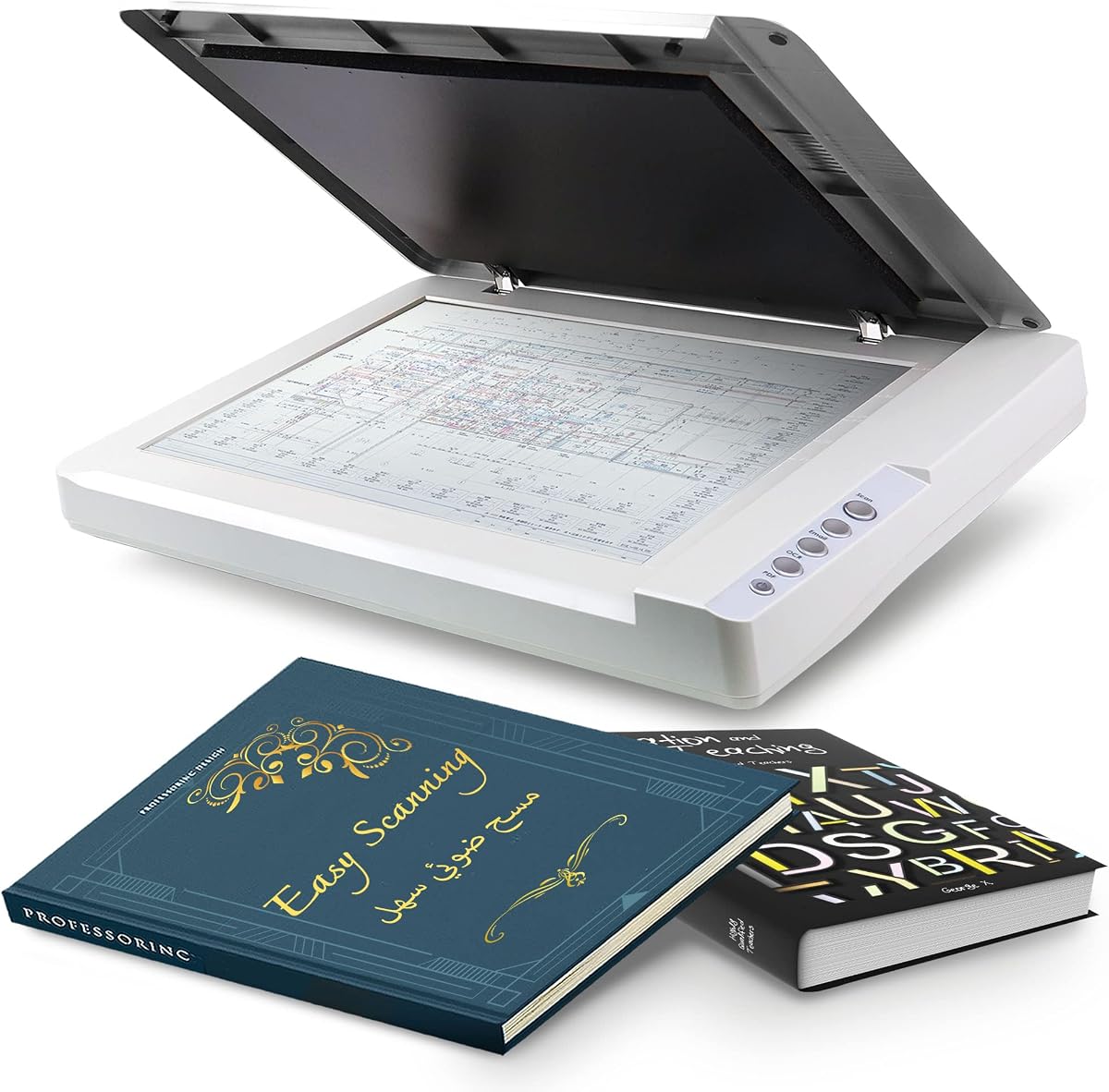
The VIISAN 3120 A3 is built for users who need to scan oversized materials like blueprints and large art. Its frameless glass allows edge-to-edge scanning so no detail is lost at the borders.
We may earn a commission when you buy through this link, at no additional cost to you.
It completes A3 scans in about eight seconds which is fast for large formats. The Auto-Scan function starts automatically when you close the lid making continuous workflows much smoother for libraries or offices.
The CIS sensor works well for flat items but may blur three-dimensional objects. This limitation is standard for this type of scanner and ensures high-quality results for papers and books.
If you need A3 size capabilities this scanner is a top investment. Its speed and large bed make it ideal for schools and businesses handling large documents regularly.
The frameless glass allows you to scan right to the edge so you do not lose information on the borders.
Auto-Scan begins automatically when the lid closes so you do not have to press buttons for every scan.
We may earn a commission when you buy through this link, at no additional cost to you.
The VIISAN VF3240 A3 delivers impressive speed for those handling high volumes of large documents. It can complete an A3 color scan in just four seconds which is remarkable for productivity in busy offices.
We may earn a commission when you buy through this link, at no additional cost to you.
Its frameless glass lets you scan right to the edge so no part of your document is cut off. The 2400 dpi resolution ensures fine details in technical drawings are preserved accurately for engineering work.
Windows users may see lower resolution limits via certain drivers but the dedicated software allows full resolution access. This minor setup detail ensures you get the best output for your files.
Choose this model if you need fast A3 scanning for technical or business needs. The speed and design make it a strong tool for CAD drawings and large format work.
This scanner can finish A3 scans in four seconds which helps you process many pages quickly during work hours.
The frameless glass design means you can scan to the edge without worrying about a border cutting off content.
We may earn a commission when you buy through this link, at no additional cost to you.
The Epson Perfection V19 II brings high-quality photo scanning to a compact and affordable package. With 4800 dpi optical resolution it captures fine details that make old photos look vibrant and clear again.
We may earn a commission when you buy through this link, at no additional cost to you.
You can stand it vertically using the built-in kickstand which saves valuable desk space when not in use. The USB power supply makes it easy to move between rooms without hunting for extra cables.
While it handles photos well text documents are limited by the smaller bed size. The software supports OCR for editable documents but advanced features are less robust than larger models.
This model is perfect for home users with limited space. Its photo capabilities and compact design make it a smart choice for preserving memories.
The built-in kickstand lets you store the scanner vertically so it takes up less room on your desk.
At 4800 dpi you can get high-quality scans that preserve every detail in your favorite photos and prints.
We may earn a commission when you buy through this link, at no additional cost to you.
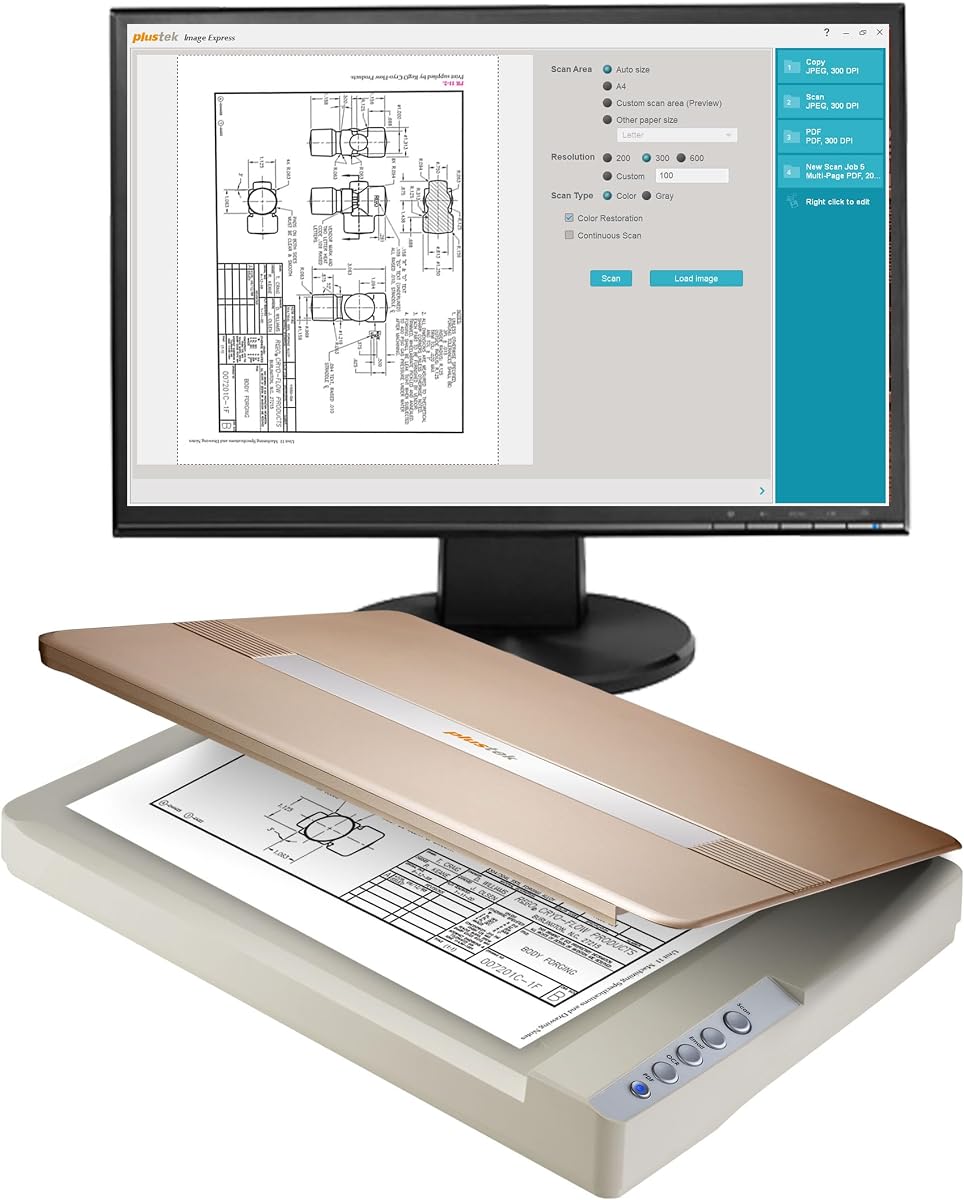
The Plustek OpticPro A320E excels at handling large-format papers like maps and bound books. Its scan area supports up to 12 by 17 inches ensuring even oversized items fit comfortably without cropping.
We may earn a commission when you buy through this link, at no additional cost to you.
File management is straightforward thanks to Doc Action which lets you send scans to email or folders directly. You can also save multiple pages as separate PDFs which helps organize complex projects efficiently.
Compatibility is strong with TWAIN and WIA drivers working on Windows and Mac. This broad support means your existing software will likely work without needing extra installations or drivers.
Choose this scanner if you deal with large documents often. Its robust design and file management tools make it a reliable workhorse for offices.
Doc Action software lets you send scanned files to different places like email or network folders easily.
The large scan area allows you to handle maps and oversized documents without needing to cut or split pages.
We may earn a commission when you buy through this link, at no additional cost to you.
The Plustek OpticSlim 1680 is designed for speed when handling large documents. It can scan tabloid size pages in seconds which is useful for busy environments where time is a critical factor.
We may earn a commission when you buy through this link, at no additional cost to you.
One-key buttons let you set destinations and file types beforehand so you just press a button to finish a job. This simplifies workflow for teams where everyone uses different settings.
The interface is intuitive making it easy to learn quickly. However the software is less flexible than higher-end models if you need advanced editing options.
If you need fast large format scanning this is a great tool. Its speed and simple controls make it ideal for offices needing quick digitization.
With pre-set buttons you can just press one key to finish a scan without navigating through complex menus.
The scanner handles large pages quickly so you can process documents faster during your workday.
We may earn a commission when you buy through this link, at no additional cost to you.
The Plustek OS1180 is ideal for schools and libraries that need to digitize large pages quickly. It handles A3 documents in roughly nine seconds which is efficient enough for steady workflows.
We may earn a commission when you buy through this link, at no additional cost to you.
Its LED light source uses less energy and needs no warm-up so you can start scanning immediately. This convenience helps when students or staff need quick access to the scanner.
The included ABBYY OCR software helps make text searchable in PDFs. This feature is valuable for archival work where you need to find specific text in scanned documents later.
Choose this model for educational or institutional needs. Its speed and software bundle provide solid value for organizations managing large archives.
The software bundle includes ABBYY OCR which makes text in your scanned files searchable for later use.
LED lighting uses less energy and does not need warm-up so the scanner is ready to work right away.
We may earn a commission when you buy through this link, at no additional cost to you.
The Epson DS-1630 differs by using a sheet-fed auto document feeder for stacks of paper. It can scan up to 25 pages per minute which is great for digitizing large piles of paperwork quickly.
We may earn a commission when you buy through this link, at no additional cost to you.
Duplex scanning lets you scan both sides of a page automatically. This saves time and effort compared to manually flipping pages when you need to archive documents.
It includes a flatbed for fragile items like IDs that cannot go through the feeder. This versatility ensures you can handle different types of originals without extra equipment.
Choose this model if you need fast document throughput. The speed and auto features make it excellent for offices with high paper volumes.
The ADF allows you to load a stack of pages and let the machine scan them automatically without manual input.
Duplex scanning automatically captures both sides of the paper so you do not have to flip pages manually.
We may earn a commission when you buy through this link, at no additional cost to you.
The Plustek OpticSlim 2700 focuses on speed and simple PDF creation for documents. It can complete a scan in just three seconds which is excellent for quick daily tasks.
We may earn a commission when you buy through this link, at no additional cost to you.
A dedicated PDF button lets you scan and save directly to a file without opening software first. This feature is great for users who want to get documents into folders fast.
Built-in image processing handles auto rotation and deskew so your documents look straight. This saves time on editing after scanning and keeps your digital files looking professional.
If you need a quick tool for standard documents this is a great choice. Its speed and PDF features make it ideal for busy office tasks.
With a dedicated button you can scan directly to PDF without needing to open extra software for the job.
The scanner automatically rotates and straightens images so you do not have to adjust them later.
We may earn a commission when you buy through this link, at no additional cost to you.
Selecting the right scanner depends on your specific needs for size speed and resolution. This guide breaks down key factors to help you find the perfect match.
Resolution determines how detailed your scanned images will be measured in dots per inch or dpi. For photos aim for at least 4800 dpi to capture fine details like texture and color gradients accurately.
For text documents 600 dpi is usually sufficient since readability matters more than detail. Higher resolution files are larger so balance quality with your storage capacity needs.
Scan speed affects how quickly you can digitize large stacks of paper or images. Faster scanners save valuable time especially in busy environments like schools or small offices.
Look for models that advertise seconds per page or sheets per minute. Keep in mind that higher resolutions often reduce speed so choose a balance that fits your workflow.
The scan area determines what sizes of paper you can fit on the glass without cropping. Standard Letter scanners work for most documents but larger formats need A3 or 12 by 17 inch beds.
If you handle blueprints or large art ensure the bed is wide enough. Frameless designs are helpful for edge-to-edge scanning without losing content near the borders.
Most portable scanners run via USB which eliminates the need for extra power outlets. This is convenient for laptops and small desks where cable management is important.
Desktop models may need AC adapters which offer more stable power but reduce portability. Consider how often you move your scanner before choosing a power solution.
Software plays a big role in how easy it is to manage your files. Look for tools like OCR for searchable PDFs and photo restoration for fixing old faded images.
Some models include one-touch buttons that let you scan to email or print directly without opening the software. These features streamline workflows for users who need speed over control.
Connectivity options include USB Ethernet or Wi-Fi for network access. USB is standard and works with most computers but network scanners allow multiple users to share a device.
Check driver compatibility with your operating system to avoid issues. Windows and Mac support is common but Linux support may require checking before purchase.
Durability matters if you plan to scan daily in a high-use environment. Look for warranties that cover at least a year and models with sturdy build materials.
LED light sources tend to last longer than older bulbs and use less energy. This is a smart feature for reducing long-term maintenance and electricity costs.
Value means getting the features you need without paying for extras you do not use. Compare prices across models with similar specs to find the best balance of cost and performance.
Budget models are great for occasional scanning but may lack speed or large bed sizes. Investing more often brings better software and faster speeds for serious work.
Start by ensuring the glass surface is clean and free of dust. Use a soft dry cloth to wipe away any smudges so your scans come out clear and without spots or lines.
Place your document face down and center it on the glass. Close the lid gently to avoid shifting and align the document with the guides to ensure straight edges in your final image.
After use keep the scanner in a dry place away from direct sunlight. Regular cleaning and careful handling will extend the lifespan of your device and keep results consistent.
For high-quality photo prints a resolution of at least 4800 dpi is recommended. This ensures that fine details and colors are preserved accurately when you enlarge or edit the images later.
Most flatbed scanners can handle thick books if they have a high-rise or removable lid. Always check the specifications to ensure the scanner supports the thickness of your items before buying.
Most modern scanners include drivers for macOS but older models may not. Always check the product details for Mac compatibility and driver availability before purchasing to avoid installation issues.
OCR or Optical Character Recognition converts scanned text into editable formats. This is useful because it lets you edit the text in a word processor instead of keeping it as a static image.
White lines are usually caused by dust on the glass or sensor. Clean the glass gently with a microfiber cloth and avoid touching it with your fingers to prevent smudges.
Many scanners come with basic software to get started but some users prefer third-party options. Check the included software features to see if they meet your needs before buying extra tools.
Some newer models support Wi-Fi or cloud apps to scan to your phone. However most traditional flatbed scanners are designed for use with computers via USB for best results.
CIS sensors are lighter and consume less power while CCD sensors often offer higher image quality. CIS is common in portable models but CCD may be better for large or detailed scans.
We reviewed ten top models ranging from budget-friendly options to high-performance A3 scanners. Each offers distinct strengths for photos documents or large format needs so choose based on your specific use case.
Prioritize resolution speed and scan area to match your workflow. A scanner with the right features will save you time and ensure your digital files look professional and clear.
Prices and availability change regularly so always check the latest listings before buying. We hope this guide helps you find the perfect scanner for your home or office today.