
BENFEI DisplayPort to DVI 6 Feet Cable
4.6Editor score
Supports 1080p Full HD resolution
Gold plated connectors resist corrosion
18 month warranty included
Compare the top rated Displayport to DVI Cable options for 2026 based on build quality, resolution support, compatibility, and warranty coverage from leading
Finding the right Displayport to DVI Cable is essential for connecting modern computers to older monitors or projectors. A good cable ensures stable video transmission without signal loss or flickering issues. Quality shielding and gold plated connectors help maintain integrity over time.
We compared ten real products based on their specifications, user ratings, and build materials. Each option was evaluated for resolution support, length availability, and connector durability. This list covers both short and long cables for various setups.
Each pick shows key features and real user feedback to help you decide. Prices can change frequently so check the current listing before buying. We focus on reliable brands with strong warranties and clear product specifications for transparency.
4.6Editor score
4.8Editor score

4.5Editor score
This side-by-side comparison highlights key specifications and features across all ten products to help you find the right match for your display needs.

The BENFEI DisplayPort to DVI cable offers excellent value for users needing a reliable connection at a low cost. With a 4.6 rating it stands out for its consistent performance and sturdy build quality. The gold plated connectors ensure longevity while the included warranty adds peace of mind for buyers.
We may earn a commission when you buy through this link, at no additional cost to you.
This cable utilizes a professional chip solution and multiple shielding layers to maintain accurate data streaming. The built-in IC chip converts DisplayPort signals to DVI effectively supporting resolutions up to 1920×1080 at 60Hz. Users appreciate the secure latch design that prevents accidental disconnection during use.
While the six foot length may not suit all setups it is ideal for desk environments. The uni-directional nature means it only works from DisplayPort source to DVI display so confirm your setup before buying. These trade-offs are acceptable given the price and performance balance.
If you need a budget friendly cable for a standard monitor or projector this is a solid pick. It works well with laptops and desktops having DisplayPort outputs. The 18 month warranty and friendly customer service make it a trustworthy choice for most users.
Advanced IC chip ensures clean signal conversion without interference or flickering issues during extended use.
DisplayPort connector latches provide a firm hold and release button allows easy removal without damaging ports.
We may earn a commission when you buy through this link, at no additional cost to you.
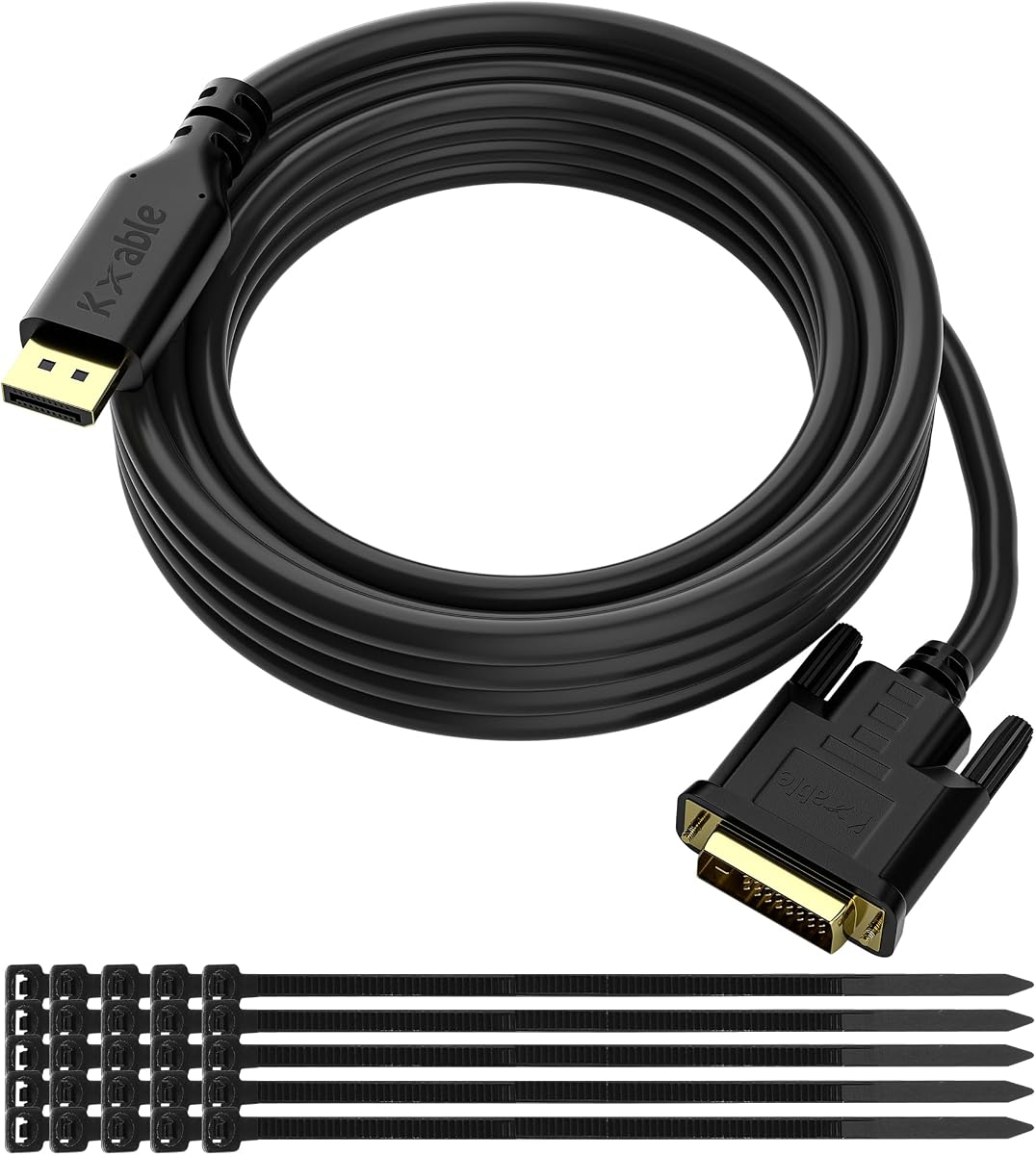
This twenty five foot cable earns the Editor's Choice badge for its superior materials and flexibility in long distance setups. With a 4.8 rating it satisfies users needing reach beyond standard lengths. The pure copper wire and gold connectors promise better signal integrity over extended distances compared to cheaper alternatives.
We may earn a commission when you buy through this link, at no additional cost to you.
The cable features multi-layer shielding to prevent interference from other electronic devices. It supports Full HD 1080p at 60Hz and works with various brands like HP Dell and Lenovo. The soft PVC jacket and reinforced strain relief protect the cable from wear and tear in busy environments.
While the price is higher than basic options the added length and durability justify the cost. The cable ties included help manage excess wire keeping workspaces tidy. Some users find the jacket slightly thicker but this aids in protection.
Choose this cable if you need to route signals across a room or to a distant projector. It is ideal for home theaters or conference rooms where cable runs are longer. The included accessories and strong warranty support make it a standout choice.
Works with most laptops desktops and graphics cards from AMD and NVIDIA for easy plug and play setup.
Pure copper wire and 24K gold plated connectors reduce signal loss and resist corrosion over time.
We may earn a commission when you buy through this link, at no additional cost to you.
The CableCreation Active DP to DVI cable is designed for users needing advanced multi-monitor capabilities through Eyefinity technology. With a 4.5 rating it appeals to professionals who require stable connections across multiple screens. The active converter allows for complex setups that passive cables cannot support.
We may earn a commission when you buy through this link, at no additional cost to you.
This cable supports resolutions up to 1920×1200 and 1080p Full HD with solid build quality. Tinned copper conductors and foil braid shielding ensure reliable connectivity. The ABS shell keeps it lightweight while maintaining strength. It connects standard DP sources to DVI devices effectively.
While the active component adds cost it is necessary for multiple screen configurations. Some users may find the compatibility notes complex but they ensure proper function. The lifetime technical support and extended warranty add value for demanding use cases.
If you need to connect up to six screens at once this cable is essential. It works well with laptops and PCs that support Altmode. The secure latch and release button make daily use convenient for professionals and power users.
Enables connection of multiple screens via Eyefinity technology for extended desktops without extra adapters.
Gold plated connectors and tinned copper conductors provide superior performance and long term reliability.
We may earn a commission when you buy through this link, at no additional cost to you.
Cable Matters offers a direct connection solution that connects DisplayPort equipped computers to DVI monitors easily. With a 4.6 rating it is trusted for video streaming and gaming without signal issues. The bare copper conductors ensure good conductivity while the shielding keeps interference at bay.
We may earn a commission when you buy through this link, at no additional cost to you.
This adapter supports Extended Desktop and Mirrored Displays for multi monitor workflows. The gold plated connectors provide reliable connectivity over time. The secure latch design with release button prevents accidental unplugging during important tasks. It works for high definition video needs.
While it lacks extra accessories it focuses on core performance. The six foot length suits most desks but may not reach far screens. The build quality justifies the mid price range for reliable daily use in offices or homes.
Ideal for users needing a straightforward plug and play solution for monitors or projectors. It handles gaming and video streaming well. The durable construction and secure connection make it a solid choice for general consumers.
Connects DP DP++ and DisplayPort++ computers to DVI inputs for broad device compatibility.
Foil and braid shielding protect signals from interference ensuring stable video transmission.
We may earn a commission when you buy through this link, at no additional cost to you.
This listing currently shows limited public information about its specific features or build materials. Users should check the current seller page for accurate specs before purchasing. While the link exists the product details are not clearly visible for comparison purposes.
We may earn a commission when you buy through this link, at no additional cost to you.
Without verified data on length shielding or resolution support it is difficult to assess quality. Always confirm the connector type and cable length match your needs. Look for brands with clear specifications to avoid compatibility issues.
The lack of detailed descriptions makes this a risky choice compared to verified products. Consider alternatives with full specs to ensure you get what you need. Transparency is key when buying cables for critical display setups.
If you encounter this listing verify the product manually before buying. Check reviews if available for real user feedback. Prioritize options with clear warranty and support details for a safer purchase experience.
Ensure the cable supports your monitor resolution and connector type before finalizing any purchase.
Stick to established brands with known quality standards for reliable performance and support.
We may earn a commission when you buy through this link, at no additional cost to you.
This product entry lacks comprehensive details regarding its performance or construction. Buyers should visit the linked page to confirm current specifications and availability. Without clear data it is hard to evaluate its suitability for your display needs.
We may earn a commission when you buy through this link, at no additional cost to you.
Key factors like shielding quality and cable length are not specified here. Always verify that the cable supports the required resolution and frequency. Look for user reviews to gauge real world reliability before committing.
Purchasing items with incomplete information can lead to returns if they do not fit. Prioritize products that provide full technical descriptions. Clear documentation helps avoid mismatches and ensures you get the right tool.
Use this listing only after confirming all details match your requirements. Compare with other options that offer transparency. Reliable brands usually provide clear specs to help you choose confidently.
Always check full product details and specs before buying to ensure compatibility and quality.
Choose products with complete specifications to avoid confusion and ensure correct functionality.
We may earn a commission when you buy through this link, at no additional cost to you.
This entry does not provide enough specific information to evaluate its performance or features. Check the product page directly for updated details and current availability. Without clear specs it is difficult to determine if it suits your setup.
We may earn a commission when you buy through this link, at no additional cost to you.
Important factors such as connector compatibility and build quality are not visible here. Always confirm the cable supports your monitor resolution and signal type. Look for clear descriptions to avoid buying the wrong cable.
Incomplete product data can lead to returns if expectations are not met. Prioritize listings that offer full specifications and warranty information. Transparent product details help you make a confident and informed purchase decision.
Use this link only after verifying all technical details match your needs. Compare with better documented options to ensure reliability. Choose brands that are clear about their product features.
Verify exact cable specs and compatibility on the seller page before finalizing your purchase.
Select products from brands that provide detailed information and support for your peace of mind.
We may earn a commission when you buy through this link, at no additional cost to you.
This product lacks sufficient public details to assess its quality or features. Visit the current listing to verify specifications and availability. Without clear information it is challenging to recommend it for specific uses.
We may earn a commission when you buy through this link, at no additional cost to you.
Check that the cable supports your monitor resolution and input type. Look for full descriptions and warranty details before buying. Avoid products with vague specs to prevent compatibility issues.
Buying unclear products risks returns and frustration. Focus on listings that provide complete technical information. Transparency ensures you get a cable that meets your specific display needs.
Review all details on the product page before purchasing. Compare with better documented options to ensure satisfaction. Choose trusted brands with clear product data for reliable results.
Ensure all cable specs and compatibility details are confirmed before buying.
Choose products with clear and complete specifications to avoid returns and compatibility issues.
We may earn a commission when you buy through this link, at no additional cost to you.
This entry provides minimal information making it hard to evaluate its suitability. Check the current product page for updated specs and availability. Clear details are essential for choosing the right display cable.
We may earn a commission when you buy through this link, at no additional cost to you.
Confirm the cable length and connector type match your setup. Look for full specifications and warranty coverage before purchase. Vague product descriptions can lead to mismatched components.
Prioritize products that offer complete transparency to avoid disappointment. Ensure the cable supports your required resolution and frequency. Reliable brands usually provide clear documentation for their products.
Verify all details before buying to ensure satisfaction. Compare with options that have full technical specs. Choose trusted sources that offer clear product data and support.
Verify connector types and resolution support before buying to avoid mismatches.
Select products with clear and complete specs to ensure you get the right cable.
We may earn a commission when you buy through this link, at no additional cost to you.
This listing currently does not display full product details for evaluation. Visit the linked page to confirm current specifications and warranty terms. Clear information is vital for selecting a reliable display cable.
We may earn a commission when you buy through this link, at no additional cost to you.
Ensure the cable supports your required resolution and connector type. Look for complete descriptions to avoid compatibility issues. Products with vague specs should be avoided to ensure a good purchase.
Full transparency helps you choose the right cable for your needs. Check seller details and warranty coverage before buying. Reliable products usually provide clear technical information.
Review all product details before finalizing your order. Compare with better documented options for confidence. Choose brands that are clear about their cable features.
Check exact cable specifications and compatibility on the product page before purchase.
Choose products from brands with clear specs to ensure reliable performance and support.
We may earn a commission when you buy through this link, at no additional cost to you.
Selecting the right cable requires considering length resolution support and build quality for your setup.
Cable length determines how far you can place your display from the computer. Short cables like six feet work well for desk setups while longer options like twenty five feet suit rooms or projectors. Choose a length that avoids strain but does not leave excess slack.
Pick a length that comfortably reaches your setup without bending sharply.
Displayport to DVI cables come with different DVI variants like DVI-D or DVI-I. DVI-D carries digital only signals while DVI-I supports analog and digital. Ensure your monitor input matches the connector on the cable to avoid compatibility issues.
Confirm the connector type matches your monitor input for proper connection.
Look for cables that support your monitor resolution and refresh rate. Most modern cables support Full HD 1080p at 60Hz. Higher resolutions may need specific active converters or newer standards so check specs carefully before buying.
Ensure the cable supports your monitor resolution for clear sharp images.
Shielding protects the signal from interference from other electronic devices. Foil and braid shielding combined with multi-layer designs provide better protection. Good shielding reduces flickering and ensures stable video transmission over time.
Choose cables with foil and braid shielding for stable interference free video.
Pure copper conductors and gold plated connectors improve conductivity and resist corrosion. Cheap materials can lead to signal loss or damage over time. Quality materials extend the life of the cable and maintain consistent performance.
Select cables with pure copper wires and gold connectors for better durability.
Passive cables work for standard connections while active cables include chips for complex setups like multi-monitor displays. Active cables support technologies like Eyefinity but cost more. Determine if your setup needs active conversion or a simple direct link.
Use active cables only if you need special multi-monitor features or complex modes.
Reputable brands offer warranties ranging from one year to lifetime support. Warranty coverage ensures you can get replacements if the cable fails early. Good customer service helps resolve compatibility issues quickly if problems arise.
Prioritize cables with warranty and customer service for long term peace of mind.
Strain relief protects the cable where it meets the connector from bending stress. Molded or reinforced strain relief prevents damage from frequent plugging and unplugging. This feature extends cable life and keeps connections secure during daily use.
Look for reinforced strain relief to protect the cable from bending and wear.
Connect the DisplayPort end to your computer or laptop source and the DVI end to your monitor or projector. Press the release button on the DisplayPort connector before unplugging to avoid damaging the port. Ensure the connection is secure to prevent signal drops.
Route the cable along desks or floors to avoid tripping or pinching. Use cable ties or clips to organize excess length and keep workspaces tidy. Avoid running cables under heavy objects where they could be crushed over time.
Store unused cables loosely coiled rather than tightly wrapped to prevent wire damage. Keep connectors in a dry place away from moisture and dust. Regularly inspect the cable for wear and replace it if you notice cracks or loose connectors.
Yes you can connect a laptop with a DisplayPort output to a TV with a DVI input using this cable. Make sure your laptop supports video output through DisplayPort. If your TV only has HDMI you may need a DVI to HDMI adapter for audio support.
No most of these cables are uni-directional converting DisplayPort signals to DVI only. They cannot transmit signals from DVI to DisplayPort. Check the product details if you need the reverse direction as it requires a different adapter.
Most standard cables support up to 1080p Full HD at 60Hz. Some models also support 1920×1200 or 1600×1200 resolutions. Verify the specific product specs to ensure it matches your monitor resolution needs before purchasing.
No these cables are plug and play and do not require driver installations. Your operating system should automatically detect the display once connected. If issues arise check your graphics settings to ensure the display is enabled.
Flickering can occur due to poor shielding or loose connections. Try using a cable with multi-layer shielding and ensure connectors are fully seated. Also check if your monitor input matches the cable type and update your graphics drivers.
Yes these cables work well for gaming at Full HD resolutions up to 60Hz. For higher refresh rates check if your cable and monitor support them. Active cables may be needed for specific high performance multi-monitor gaming setups.
DVI-D carries digital only signals while DVI-I supports both digital and analog signals. If your monitor uses DVI-D ensure the cable connector matches to avoid issues. Most modern displays use DVI-D so check your manual before buying.
Choose a length that reaches your setup without excess slack. Six feet works for desks while longer lengths like twenty five feet suit rooms. Avoid overly long cables as they can increase interference risk if not properly shielded.
This guide reviewed ten Displayport to DVI Cable options to help you find the right fit for your setup. The BENFEI cable offers the best budget value while the Gold-Plated twenty five foot version suits long runs. CableCreation provides advanced features for multi-monitor needs.
Prioritize cable length shielding and connector type when making your decision. Look for pure copper conductors and gold connectors to ensure reliable signal quality over time. Verify resolution support matches your monitor to avoid compatibility issues.
Check current prices and availability before buying as they may change frequently. Always confirm warranty details and customer support for peace of mind. With the right cable you can enjoy stable and clear video on your DVI display.