
Lenovo 100E Chromebook 2ND Gen
4.0Editor score
Affordable price point
Compact 11.6 inch display
Chrome OS simplicity
Finding a reliable laptop that does not break the bank is essential for students and budget conscious users. Chromebooks offer an affordable alternative to traditional Windows laptops with fast boot times and secure browsing experiences.
We evaluated ten popular models based on processor speed, memory capacity, display quality, and overall build durability. Our analysis focuses on real world usability for tasks like web browsing, document editing, and video streaming.
Each pick highlights key strengths and potential limitations to help you choose the right device for your needs. Remember that pricing and availability can change frequently so check current listings before making your final purchase decision today.
4.0Editor score

4.4Editor score
4.4Editor score
As an Amazon Associate we earn from qualifying purchases.
The following table provides a side by side overview of all ten models including their key specifications and direct links to product details for easy comparison shopping.




This HP model stands out as a reliable choice for students and casual users seeking affordability without sacrificing core functionality. With a 4.4 rating from numerous buyers it delivers consistent performance for everyday tasks like web browsing and document editing.
We may earn a commission when you buy through this link, at no additional cost to you.
The Intel Celeron N4120 processor provides four cores to handle multitasking smoothly ensuring you can keep multiple tabs open without significant slowdowns. The 14 hour battery life is a standout feature allowing you to work through a full school day or office shift without hunting for an outlet.
While the 64GB eMMC storage is modest it is adequate for cloud based workflows typical of Chrome OS users. The HD display offers clear visuals for videos and reading though it lacks the sharpness of higher resolution panels found on premium laptops.
This device is ideal for those needing a secure fast and portable machine for education or light productivity. If you prioritize battery endurance and reliable connectivity over massive local storage this Chromebook offers excellent value for its price point.
With up to 14 hours of battery life you can rely on this device for long days away from power sources.
Multiple USB ports and HDMI output ensure easy connection to peripherals and external monitors.
We may earn a commission when you buy through this link, at no additional cost to you.
The HP Chromebook 14 offers a sleek thin design that makes it easy to carry in a backpack for daily commutes. Its 4.3 rating reflects strong satisfaction among users who value portability and long lasting battery performance for academic or home use.
We may earn a commission when you buy through this link, at no additional cost to you.
Equipped with the Intel Celeron N4120 this device handles everyday tasks efficiently. The 4K ready graphics allow for smooth streaming of high definition content which is perfect for entertainment breaks between study sessions or work assignments.
The 14 hour battery life combined with fast charge technology ensures you stay powered up throughout the day. While the 64GB storage is limited the cloud first nature of Chrome OS minimizes the impact of local storage constraints for most users.
This model is best suited for students who need a reliable portable machine for assignments and browsing. The combination of performance battery life and a modern design makes it a compelling option in the budget laptop market.
Intel UHD Graphics 600 supports smooth playback of 4K videos for enhanced entertainment experiences.
ENERGY STAR certified and EPEAT Silver registered to reduce environmental impact.
We may earn a commission when you buy through this link, at no additional cost to you.
This Dell Chromebook brings versatility with its 2 in 1 convertible design allowing you to use it as a tablet for creative tasks or a laptop for typing. The 4.3 rating indicates strong value for those needing a touch interface on a budget.
We may earn a commission when you buy through this link, at no additional cost to you.
The 11.6 inch touchscreen is perfect for navigation and drawing with a stylus though it may feel small for extended multitasking. Powered by the Intel Celeron N4020 it handles basic web applications and document processing with ease.
As a renewed model it offers significant savings while maintaining core functionality. The 32GB storage is quite limited so reliance on cloud storage is necessary. The USB Type C port ensures modern connectivity for peripherals and charging.
This device is an excellent choice for younger students or users who prefer touch interaction. Its compact form factor makes it highly portable for travel or small desks.
Switch between laptop and tablet modes for different use cases effortlessly.
Certified renewed products provide reliable performance at a fraction of the cost.
We may earn a commission when you buy through this link, at no additional cost to you.
The Lenovo Flagship Chromebook impresses with an 8 Core MediaTek Kompanio 520 processor that delivers strong performance for its class. Its 4.2 rating highlights appreciation for the responsive touch interface and crisp Full HD display.
We may earn a commission when you buy through this link, at no additional cost to you.
The 1920 x 1080 resolution provides sharp visuals for videos and reading making it superior to standard HD panels. WiFi 6 support ensures fast reliable internet connections which is crucial for streaming and online collaboration tools.
While storage remains at 64GB eMMC the fast boot times and cloud integration keep the system agile. The 720p webcam with privacy shutter adds a layer of security for video calls and remote learning sessions.
This model is best for users who prioritize display quality and processor speed on a budget. The sleek design and touch capabilities make it a versatile tool for both work and entertainment.
1920 x 1080 resolution ensures crisp images and text for better visual experiences.
WiFi 6 support guarantees faster speeds and better performance in crowded networks.
We may earn a commission when you buy through this link, at no additional cost to you.
This Acer Chromebook features a spacious 15.6 inch display providing more workspace for multitasking and media consumption. With a 4.4 rating it is praised for the included accessory bundle that enhances usability right out of the box.
We may earn a commission when you buy through this link, at no additional cost to you.
The Intel Celeron N4020 offers reliable performance for everyday computing tasks. The anti glare coating on the display makes it comfortable to use in bright environments such as near windows or outdoor settings.
While it is slightly heavier than smaller models the larger screen real estate compensates for portability trade offs. The included wireless mouse earbuds and HDMI cable add significant value to the overall package for new users.
This device is ideal for those who need a larger screen and immediate accessories without extra costs. The combination of size performance and bundled items makes it a compelling budget choice.
Includes wireless earbuds mouse and cables for immediate use without extra purchases.
15.6 inch screen provides ample space for split screen apps and media viewing.
We may earn a commission when you buy through this link, at no additional cost to you.
This ASUS Chromebook stands out with double the storage of many budget competitors at 128GB which reduces reliance on cloud drives. The 4.3 rating reflects satisfaction with the larger screen and increased storage capabilities.
We may earn a commission when you buy through this link, at no additional cost to you.
The 15 inch Full HD IPS display offers wide viewing angles and accurate colors for media and work. The Intel processor boosts speeds up to 2.80GHz ensuring snappy response times for common applications.
Being a renewed model it offers cost savings while maintaining core performance standards. The HDMI port allows easy connection to external monitors for presentations or dual screen setups at home.
This device is best for users needing more local storage for files and media. The larger screen and IPS technology make it suitable for content consumption and light creative work.
128GB storage allows more files and applications without constant cloud dependency.
IPS panel provides consistent colors and viewing angles for comfortable use.
We may earn a commission when you buy through this link, at no additional cost to you.
This HP model boasts an impressive 4.5 rating making it a top choice for users seeking reliability at an entry level price point. Its sleek ceramic white design and multi touch touchpad offer a premium feel despite the budget specs.
We may earn a commission when you buy through this link, at no additional cost to you.
The Intel Celeron N4000 is capable of handling basic tasks like web browsing and document editing efficiently. With access to the Google Play Store you can run millions of Android apps extending the device's functionality significantly.
The 13.5 hour battery life ensures all day usage for students or remote workers. The fast charge feature allows 50 percent charging in just 45 minutes minimizing downtime when you need to keep working.
This device is ideal for first time Chromebook users or those needing a simple secure device for browsing. Its high rating and compact design make it a safe purchase for general computing needs.
Access millions of Android apps via Google Play Store for enhanced functionality.
Quick charge from 0 to 50 percent in 45 minutes for minimal interruptions.
We may earn a commission when you buy through this link, at no additional cost to you.
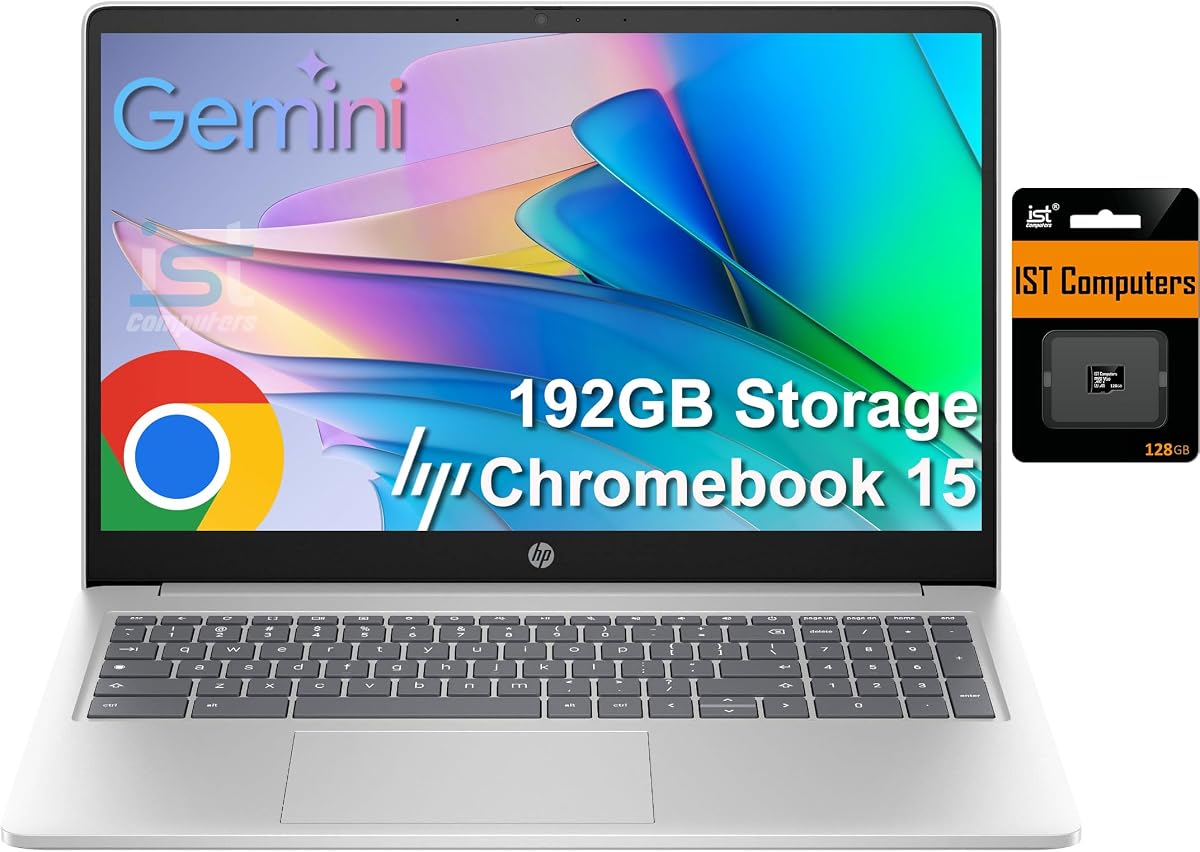
This HP Chromebook delivers exceptional performance with 8GB of DDR5 RAM and 192GB of storage exceeding many competitors in the budget category. The 4.4 rating reflects high satisfaction with its speed and ability to handle multitasking seamlessly.
We may earn a commission when you buy through this link, at no additional cost to you.
Powered by the Intel N200 processor it offers superior efficiency and speed for daily tasks. The larger 15.6 inch screen combined with a numeric keyboard makes it well suited for spreadsheet work and data entry tasks.
The expanded storage ensures you can keep more files locally without frequent cloud syncing. While it is priced higher than other models the added RAM and storage justify the cost for power users.
This device is best for professionals or students needing robust performance on a budget. The combination of DDR5 RAM and ample storage makes it a powerful option for demanding workflows.
8GB DDR5 RAM provides faster data processing and smoother multitasking.
192GB storage allows ample space for files and applications locally.
We may earn a commission when you buy through this link, at no additional cost to you.
This Acer Chromebook features the latest WiFi 6 technology ensuring ultra fast and reliable internet connections for streaming and conferencing. The 4.1 rating indicates solid performance particularly for users prioritizing wireless connectivity and display quality.
We may earn a commission when you buy through this link, at no additional cost to you.
The inclusion of DDR5 RAM is rare in this price range offering better performance and future proofing compared to DDR4 models. The 15 inch Full HD IPS display provides vibrant colors and clear text for various media tasks.
As a renewed model it offers significant cost savings while maintaining modern specs. The 64GB storage is modest but the cloud based nature of Chrome OS mitigates this limitation for most users.
This device is ideal for users who want modern connectivity and memory specs at a lower price. The combination of WiFi 6 and DDR5 makes it a tech forward option for the budget segment.
DDR5 RAM ensures better performance and efficiency for modern applications.
Ultra fast WiFi 6 ensures reliable connectivity in crowded network environments.
We may earn a commission when you buy through this link, at no additional cost to you.
This Lenovo Chromebook offers the most affordable option in the list with a focus on basic functionality and durability. Its 4.0 rating reflects its suitability for simple tasks like web browsing and document editing for younger students.
We may earn a commission when you buy through this link, at no additional cost to you.
The compact 11.6 inch form factor makes it easy to carry in small bags. The MediaTek processor provides adequate power for running Chrome OS smoothly even with limited local storage space.
While storage is restricted to 16GB this device is best used with cloud based storage solutions. The renewed condition ensures it functions well while offering significant savings compared to new models.
This device is perfect for schools or individuals needing a no frills computer for basic tasks. Its low cost and portability make it a practical choice for education environments.
Designed for classroom use with a focus on durability and essential features.
Small 11.6 inch screen and lightweight build make it easy to transport.
We may earn a commission when you buy through this link, at no additional cost to you.
Selecting the right Chromebook involves balancing performance features and cost to match your specific needs. Understanding key specs helps avoid overspending or underbuying for your use case.
The processor is the brain of your Chromebook. For basic browsing and documents entry Intel Celeron N4000 or N4120 models are sufficient. If you need faster multitasking consider models with newer N200 or MediaTek Kompanio 520 chips.
Look for quad core processors if possible to handle multiple apps simultaneously without lag.
RAM determines how many apps you can keep open at once. 4GB is standard for budget models and works well for typical tasks. 8GB is preferable if you use many tabs or demanding web apps.
Ensure the RAM is DDR4 or DDR5 for better efficiency and speed in modern applications.
Most budget Chromebooks use eMMC storage which is fast but limited. 64GB is a good minimum for most users. 128GB or more is ideal if you store many offline files or media.
Prioritize cloud storage integration since Chrome OS relies heavily on online data management.
Screen size and resolution impact comfort. 14 inch is a sweet spot for portability. Look for Full HD IPS panels if possible for better colors and viewing angles.
Anti glare coatings are essential for use in bright rooms or near windows to reduce eye strain.
Battery life is critical for mobile use. Aim for at least 10 hours to get through a work or school day. Fast charge features add convenience when you are in a hurry.
Check real world battery tests not just official claims to ensure longevity during actual use.
Ensure the device has enough USB ports for your peripherals. USB Type C is becoming standard for charging and data. HDMI ports are useful for connecting to external displays.
Wi Fi 6 support ensures faster wireless speeds and better performance in crowded networks.
A sturdy chassis prevents damage during transport. Lightweight designs are easier to carry daily. Consider weight if you plan to use it while standing or commuting.
Renewed models can offer good value but verify warranty coverage and condition before buying.
Chrome OS auto updates keep your device secure and fast. Check Auto Update Expiration dates to ensure long term support. Most modern Chromebooks support updates for several years.
Longer support means you can use the device longer without needing replacements.
Keep your Chromebook clean by wiping the screen and keyboard with a soft dry cloth. Avoid using harsh chemicals that can damage the anti glare coating on the display.
Maximize battery life by adjusting screen brightness and closing unused apps when not in use. Utilize cloud storage to minimize local storage usage and improve system speed.
Update your Chrome OS regularly to ensure you have the latest security patches and features. Enable automatic updates to maintain protection without manual intervention.
Yes modern Chromebooks support full versions of Microsoft Office online and Google Workspace apps. They are excellent for word processing spreadsheets and presentations. For heavy local software needs a Windows machine might be better but for most tasks a Chromebook works well.
Since Chrome OS relies on cloud storage 64GB is usually sufficient for most users. If you store large media files offline consider models with 128GB or more. Most documents and photos take up minimal space so focus on RAM and processor speed.
Yes buying from reputable sellers ensures tested and cleaned devices. Renewed models often include warranties similar to new ones. Check the seller's return policy and condition rating to ensure you get a reliable product at a lower price.
Most budget Chromebooks offer between 10 to 14 hours of mixed usage. Real world performance depends on screen brightness and apps used. Look for models with fast charging to minimize downtime when power runs low.
Some models include touchscreens while others do not. Touchscreens are useful for tablets or convertible laptops but may add to the cost. Decide based on whether you prefer finger navigation or traditional mouse control for your workflow.
Native Windows programs do not run on Chrome OS but you can use web based alternatives or Android apps. Remote desktop tools allow access to a PC if needed. Check if your essential apps have web versions before purchasing.
With regular updates a Chromebook can last 3 to 5 years or more. Auto update expiration dates vary by model so check support timelines. Proper care like avoiding drops and keeping it clean extends physical lifespan.
Chromebooks offer faster boot times longer battery life and lower prices than traditional laptops. They are secure and easy to maintain with no driver issues. For web based work they are often more efficient and user friendly.
Our top picks include the HP 14 for overall value and the Lenovo Flagship for display quality. The HP Chromebook 15 stands out for performance needs with its DDR5 RAM and larger storage capacity.
Prioritize processor speed and RAM if you plan to multitask frequently. For casual users focus on battery life and screen comfort to ensure a pleasant daily experience with your device.
Always check current prices and availability before buying since deals change often. Verify warranty terms especially for renewed models to protect your investment against unexpected issues.