
Thermaltake Pure 20 Series
4.5Editor score
High Airflow Design
Sleeve Bearing
Easy Installation
Choosing the right cooling solution is critical for maintaining system stability and longevity. A high quality 200mm case fan moves a significant volume of air while keeping noise levels low. These larger fans often provide better airflow per rotation compared to smaller 120mm or 140mm units.
We evaluated ten leading models based on airflow capacity, acoustic performance, bearing technology, and build quality. Our analysis focuses on real world specifications and user feedback to ensure you get reliable cooling without unnecessary noise or vibration disrupting your workspace.
Each product entry highlights key specifications, pros, and cons to help you make an informed decision. Prices and availability fluctuate frequently so please verify current listings before purchasing to ensure you get the best value for your specific needs.
4.5Editor score
4.8Editor score

4.6Editor score
As an Amazon Associate we earn from qualifying purchases.
This side-by-side comparison outlines the key specifications and unique features of each selected fan to help you identify the best fit for your chassis and cooling requirements.


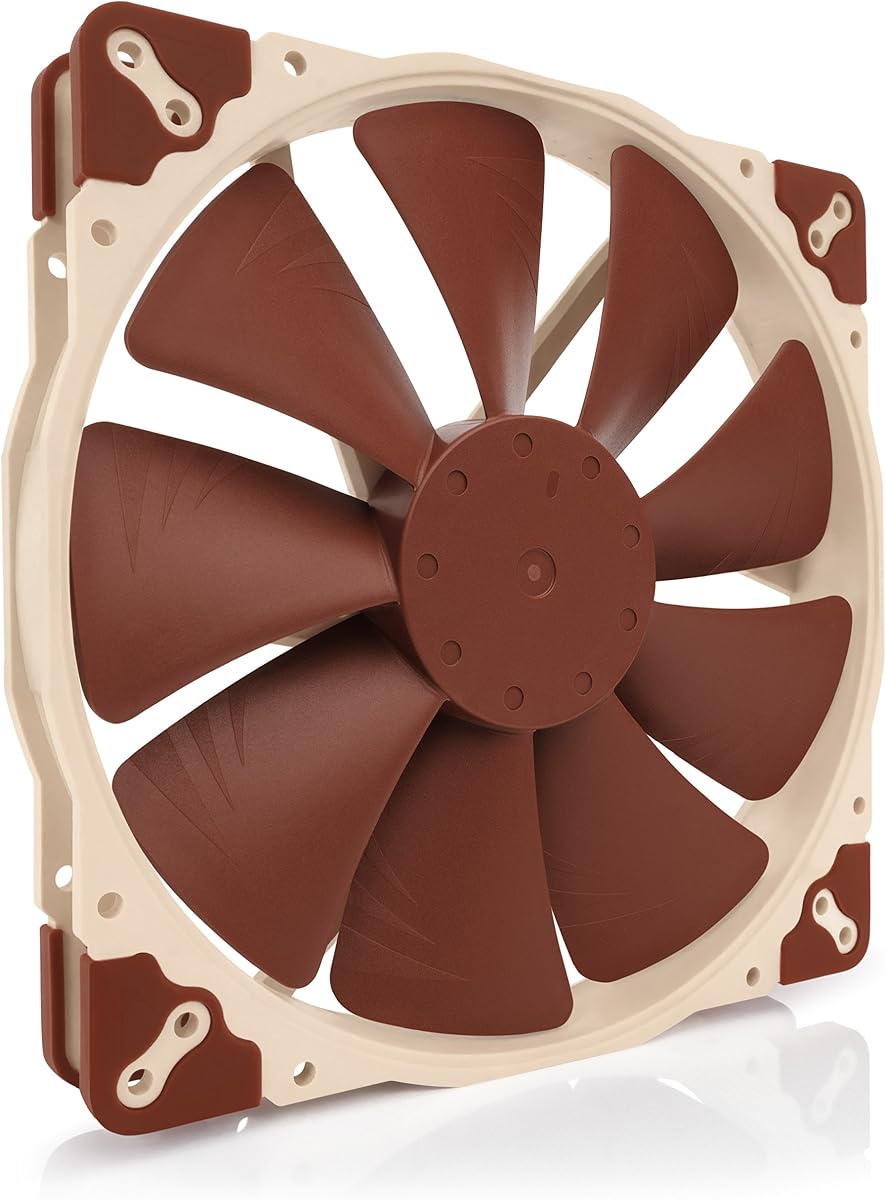
This Noctua model stands out as the top choice for enthusiasts seeking silent yet powerful cooling. It delivers superior airflow with minimal noise due to its advanced acoustic optimization frame and Flow Acceleration Channels.
We may earn a commission when you buy through this link, at no additional cost to you.
The fan features a durable construction with a long lifespan bearing that ensures reliability over time. Its design supports multiple mounting hole configurations making it versatile for various chassis types.
While the price is higher than budget options the performance justifies the investment. The included accessories like the Low-Noise Adaptor give users precise control over speed and acoustics.
Buyers prioritizing silence and longevity should choose this fan. It is ideal for home stations or gaming rigs where noise reduction is critical for comfort.
Advanced frame design reduces turbulence and resonance for quieter operation.
Multiple hole patterns allow installation in diverse case layouts.
We may earn a commission when you buy through this link, at no additional cost to you.
The Thermaltake Pure 20 Series offers excellent value for builders on a budget. It features a thick 30mm design to boost air pressure and airflow efficiently.
We may earn a commission when you buy through this link, at no additional cost to you.
Its blade design focuses air to reduce noise while maintaining cooling performance. Anti-vibration mounting reduces case resonance which helps keep overall system noise down.
The sleeve bearing provides decent longevity but may not match dual ball bearings in extreme heat. For average use this is a reliable choice without breaking the bank.
Ideal for entry level or budget builds needing effective cooling. It balances silence and style well for users who do not need advanced PWM control.
Blade geometry focuses air direction to minimize noise creation.
Shaved frame allows for flexible mounting options in cases.
We may earn a commission when you buy through this link, at no additional cost to you.
This chromax variant combines high performance with aesthetic customization. Users can swap anti-vibration pads to match their build color scheme easily.
We may earn a commission when you buy through this link, at no additional cost to you.
The performance matches the standard NF-A20 PWM with low noise and high efficiency. PWM control ensures speed adapts to thermal needs automatically without manual input.
Customization costs slightly more but adds visual cohesion to premium builds. The lack of RGB is intentional for those preferring clean monochrome aesthetics.
Best for users wanting silence with style flexibility. It suits professional workstations or dark themed gaming setups perfectly.
Swappable pads allow users to match fan aesthetics to their build.
Maintains top tier acoustic specs in a black finish.
We may earn a commission when you buy through this link, at no additional cost to you.
The CT200 PWM delivers strong airflow for cooling demanding components. Hydraulic bearings provide silent operation with good durability for daily use.
We may earn a commission when you buy through this link, at no additional cost to you.
Daisy chain connectors simplify wiring by linking multiple fans together. This reduces cable clutter and ensures organized airflow in larger cases.
Performance is solid but lacks some premium features like extended mounting options. The price is reasonable for those needing reliable PWM control.
Recommended for users needing high airflow without excessive cost. It fits well into existing Thermaltake lineups for consistent aesthetics.
Links multiple fans to reduce cable clutter and simplify wiring.
Ensures reliable silent operation and extended lifespan.
We may earn a commission when you buy through this link, at no additional cost to you.
This SickleFlow fan balances cooling performance with striking RGB aesthetics. The frosted blades diffuse light evenly for a uniform glow without hotspots.
We may earn a commission when you buy through this link, at no additional cost to you.
PBT frame and air balance blades ensure stable airflow and durability. Anti-resonance mounting minimizes vibration noise during operation.
RGB lighting adds visual appeal but requires a compatible controller for full function. Ensure your case supports aRGB sync before purchasing.
Best for gamers wanting high airflow and style. It suits modern setups where lighting effects are a key visual component.
Enhances RGB dispersion for a vibrant uniform luminous effect.
Minimizes noise and optimizes airflow with stability.
We may earn a commission when you buy through this link, at no additional cost to you.
The FLX version offers simplicity for users with 3-pin headers. Speed is controlled via Low-Noise Adaptor for maximum airflow or near-silent operation.
We may earn a commission when you buy through this link, at no additional cost to you.
Quality matches standard NF-A20 with Flow Acceleration Channels and acoustic optimization. It delivers reliable cooling without electronic PWM complexity.
Lack of PWM means automatic speed control requires external controller. This suits setups where consistent speed is preferred over dynamic adjustments.
Ideal for users needing quiet reliable fans for legacy or simple setups. It maintains top tier durability with a straightforward design.
Enables precise speed tuning for silent or high airflow needs.
Provides power to standard headers without PWM requirements.
We may earn a commission when you buy through this link, at no additional cost to you.
This fan supports 5V applications making it versatile for USB powered devices. Polarity protection ensures safe operation even if connected incorrectly.
We may earn a commission when you buy through this link, at no additional cost to you.
Includes OmniJoin adaptor set for connection to proprietary headers. This enhances compatibility with specialized motherboards or cases.
Power via USB limits max performance slightly but ensures portability. Ideal for small form factor cases or external cooling projects.
Recommended for niche builds needing low voltage flexibility. It brings Noctua quality to unique power scenarios.
Allows fan to run on USB host ports or power banks.
Enables connection to proprietary fan headers seamlessly.
We may earn a commission when you buy through this link, at no additional cost to you.
The MF200R RGB integrates with major motherboard RGB ecosystems. Syncing effects across fans creates a unified visual build experience.
We may earn a commission when you buy through this link, at no additional cost to you.
Jet Engine blade design maintains airflow while reducing noise effectively. Sound absorbing pads help dampen vibration for quieter operation.
Requires a controller for full RGB functionality. Check your case or motherboard compatibility before purchase to avoid extra costs.
Great for RGB enthusiasts on a budget needing solid airflow. It suits colorful builds needing reliable silent cooling.
Protects fan by automatically stopping motor if jammed.
Mixes noise reduction tech with sound absorbing rubber pads.
We may earn a commission when you buy through this link, at no additional cost to you.
This CHICIRIS model offers vibrant lighting with solid hydraulic bearing performance. 34 LEDs create bright uniform illumination across the fan frame.
We may earn a commission when you buy through this link, at no additional cost to you.
ARGB sync enables control via motherboard software. This simplifies light shows matching the rest of your system.
Hydraulic bearing ensures quiet reliable operation over time. It delivers decent airflow while maintaining low noise levels.
Ideal for budget RGB builds needing style. It provides high visual impact with reliable cooling features.
Control lighting effects directly from motherboard software.
Delivers 95CFM for efficient heat dissipation.
We may earn a commission when you buy through this link, at no additional cost to you.
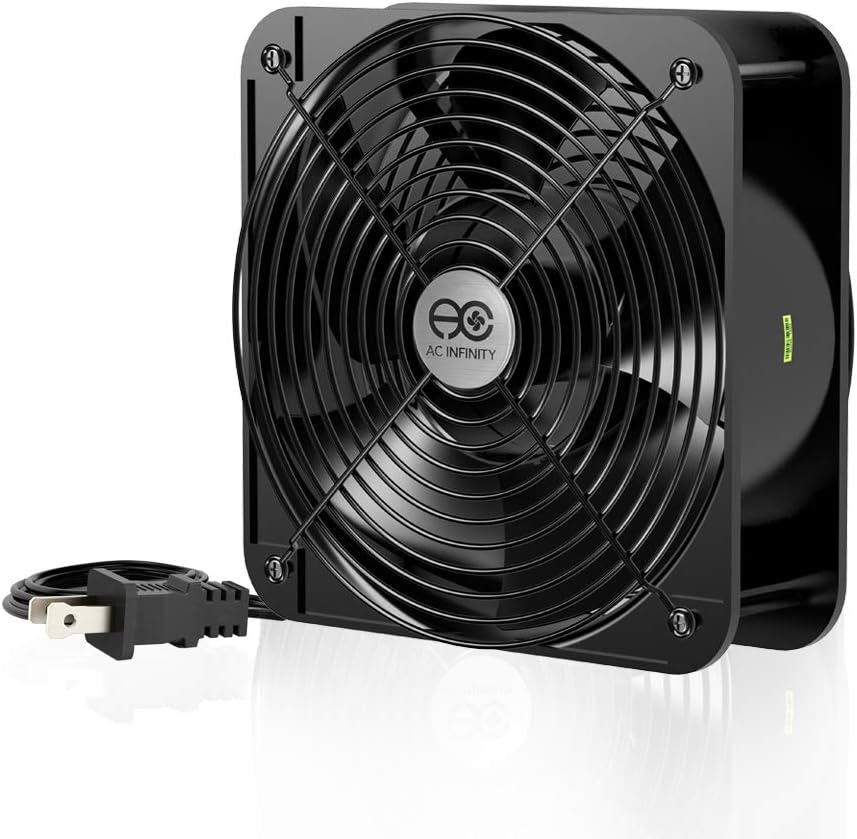
The AXIAL 2060 delivers massive airflow for industrial or custom cooling. Dual ball bearings ensure stability even when laid flat or standing upright.
We may earn a commission when you buy through this link, at no additional cost to you.
Operates on AC power allowing use without motherboard fan headers. This suits projects needing high volume ventilation like server racks.
Noise is high and may distract from quiet PC builds. Use only when maximum cooling is priority over acoustics.
Best for technical projects needing extreme cooling. It suits specialized builds where performance outweighs noise.
Maximizes airflow for projects requiring heavy ventilation.
Allows flexible orientation with long lifespan.
We may earn a commission when you buy through this link, at no additional cost to you.
Selecting the ideal fan involves balancing performance, noise, and compatibility. This section details key factors to consider before purchasing.
Airflow (CFM) determines how much air the fan moves, while static pressure is resistance through restricted areas. High CFM is ideal for case vents and open spaces.
Prioritize high airflow for general case cooling and static pressure for radiators or dense filters.
Decibels (dB) measure acoustic output. Lower dB values mean quieter operation essential for home offices. Noise rises with fan speed.
Look for fans rated below 20 dB for silent builds.
Bearings affect lifespan and noise. Sleeve bearings are affordable but wear faster. Dual ball bearings are durable but pricier.
Choose hydraulic or dual ball for reliability.
4-pin PWM allows automatic speed control via motherboard. 3-pin FLX offers fixed speeds. Match headers to your motherboard specs.
Use PWM headers for dynamic cooling efficiency.
200mm fans come in 20mm or 30mm thickness. Ensure your case has space for depth before mounting.
Measure chassis clearance carefully.
RGB fans add visual flair but require controllers or software sync. Confirm motherboard compatibility for lighting control.
Select ARGB sync fans for software lighting control.
Anti-vibration mounts reduce case resonance. Rubber pads absorb motor vibration improving acoustic performance.
Look for included rubber pads.
MTTF hours indicate expected lifespan. Higher values mean longer reliable operation. Check warranty for added protection.
Verify MTTF ratings for longevity.
Install the fan securely using anti-vibration mounts to prevent rattling. Align the airflow arrows to intake or exhaust as required.
Connect the power cable to the correct motherboard header or power supply. Ensure cables are managed to avoid obstruction.
Clean dust regularly with compressed air to maintain airflow and prevent bearing friction.
Many modern cases support 200mm fans in front or rear positions. Always check chassis specifications for exact clearance and mounting hole patterns before buying to ensure compatibility.
Yes PWM fans adjust speed automatically based on system temperature reducing noise. 3-pin fans run at fixed speeds which may be noisier under low load conditions.
No the size mismatch prevents secure mounting. Use adapters only if explicitly designed for that conversion but ensure structural stability for safe operation.
Clean every three to six months to prevent dust buildup. Dust increases noise and reduces cooling efficiency affecting overall system stability and thermal performance.
Most fans last over 50,000 hours. High quality models exceed 100,000 hours. Bearing type affects longevity with dual ball lasting longer than sleeve bearings.
Y-cables allow multiple fans to connect to one motherboard header. This simplifies wiring and allows grouped speed control without needing additional fan ports.
The Noctua NF-A20 PWM leads the pack for balanced performance and silence. Budget options like Thermaltake Pure 20 series offer strong value without sacrificing core cooling.
Prioritize bearing quality and noise ratings for long term comfort. Match fan connectors to your motherboard headers for easiest installation.
Verify current pricing and availability before purchase to ensure you secure the best deal for your specific build needs.