
Creality Falcon2 Pro 60W
3.5Editor score
Integrated enclosure design
Fast 500mm/s engraving speed
One key control system
Selecting the right 60W laser engraver is crucial for professionals and hobbyists alike who demand precision and speed. Whether you are cutting thick acrylic or engraving intricate details on metal, the power and capabilities of your machine define your output quality and production efficiency significantly.
We have evaluated ten leading models based on their laser output, safety features, software compatibility, and overall build quality. Our comparison considers real-world performance data, user feedback, and technical specifications to ensure you receive a comprehensive overview of the current market options available today.
Each pick in this guide highlights specific strengths such as enclosed safety systems, dual laser capabilities, or extensive workspace sizes. Please note that pricing and availability can change frequently, so verify the current details on the manufacturer or retailer page before making your final purchasing decision.
3.5Editor score

4.8Editor score

4.2Editor score
As an Amazon Associate we earn from qualifying purchases.
The following table provides a side-by-side comparison of the ten most notable 60W laser engravers currently available. We have selected key specifications and features to help you quickly identify the model that best fits your specific workflow and material requirements.




The Creality Falcon2 Pro 60W stands out as a top contender for those seeking a balance of power and safety. With its fully enclosed Class 1 design and dual laser system, it offers professional-grade capabilities suitable for serious makers and small businesses alike. The integrated camera further enhances workflow efficiency by reducing setup time significantly.
We may earn a commission when you buy through this link, at no additional cost to you.
This machine excels in versatility thanks to its three-level adjustable power settings ranging from 22W to 60W. You can switch seamlessly between cutting thick materials like 60mm black acrylic and performing fine engraving tasks without changing hardware. The combination of the main 60W laser and the secondary 1.6W laser allows for precise positioning and detailed work that lower-powered machines struggle to achieve.
While the performance is impressive, potential buyers should consider the initial cost and the need for specific software compatibility. The machine requires a connection to LightBurn for certain camera features which may necessitate additional licensing. However, the trade-off is justified by the safety features and the high-quality output that minimizes material waste and rework.
If you are looking for a reliable 60W laser engraver that can handle both cutting and engraving with minimal safety concerns, the Falcon2 Pro is an excellent choice. It is particularly well-suited for those running batch production or needing to cut complex shapes quickly. The enclosed structure ensures a cleaner workspace which is a major plus for indoor environments.
The fully enclosed Class 1 design minimizes laser exposure and improves smoke containment making it safe for various workspaces.
The built-in HD camera provides accurate material positioning and live preview to reduce setup time and improve alignment.
We may earn a commission when you buy through this link, at no additional cost to you.
This version of the Creality Falcon2 Pro focuses on accessibility and ease of use for budget-conscious professionals. It features an integrated enclosure that maintains safety while allowing for high-speed batch processing. The machine is designed to be user-friendly with a quick installation process that gets you started in minutes.
We may earn a commission when you buy through this link, at no additional cost to you.
The standout feature here is the speed capability with engraving speeds exceeding 500mm/s. This allows for rapid production of signs and decor items. The intelligent two adjustable beams ensure that you can achieve the necessary output power for various tasks without manual fiddling. The design also includes a drawer for organizing debris which keeps the workspace clean.
While it is a strong budget option, some users have reported mixed experiences with the software integration. It is crucial to verify that the included tools meet your specific design needs before purchasing. Additionally, the lower rating suggests that there may be occasional quality control issues to be aware of.
For those prioritizing speed and ease of setup, this model offers a compelling entry point into high-power engraving. It is ideal for small studios or individuals who need to produce items quickly without a complex setup. The safety features are robust enough for general workshop use.
Shipped in an over unit mostly assembled to save time on installation and testing when you receive the machine.
The bottom drawer is designed to organize debris during the creation process making cleaning convenient and less frequent.
We may earn a commission when you buy through this link, at no additional cost to you.
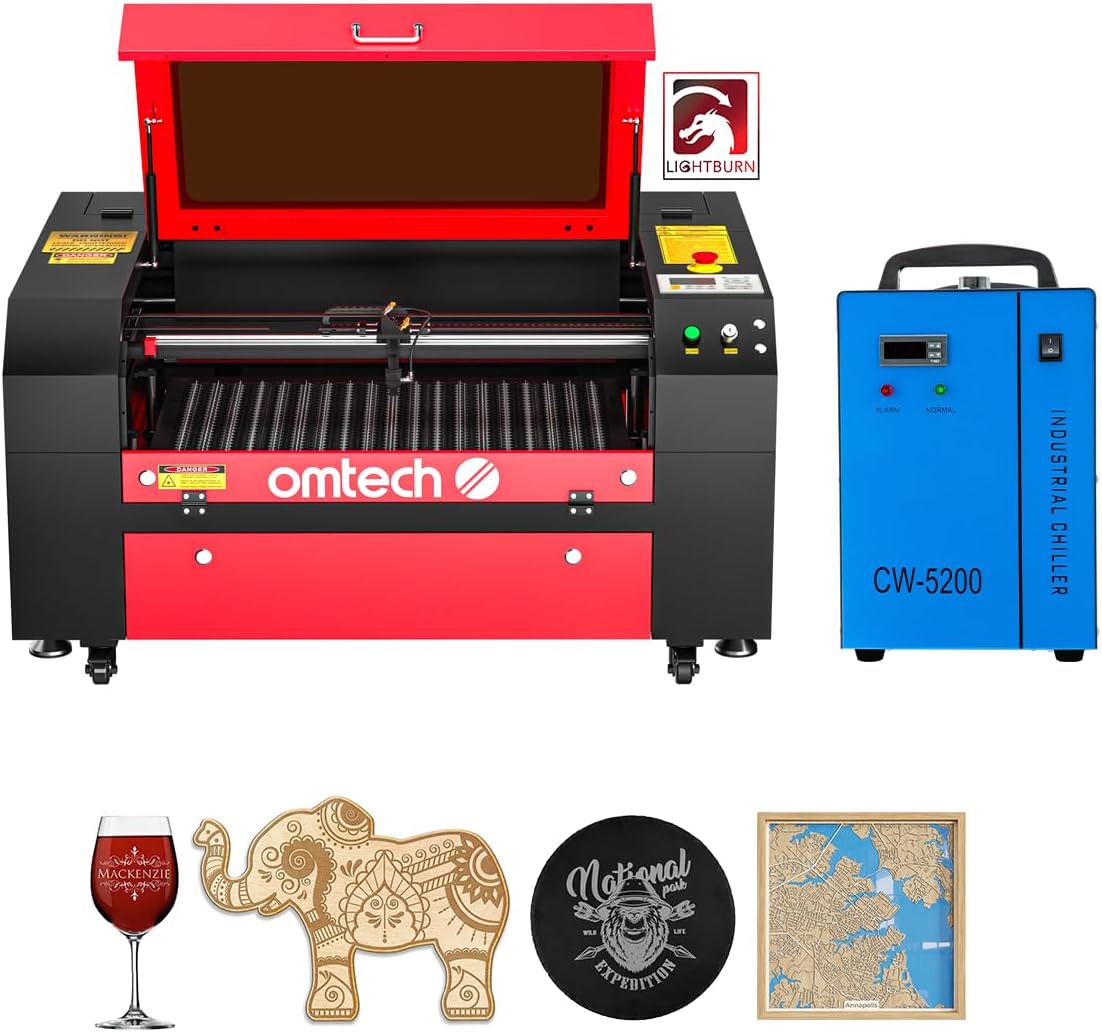
The OMTech Maker 60W CO2 is designed for those who need a commercial laser cutter bundle with essential accessories included. It comes with a water chiller and LightBurn software to ensure consistent laser performance and intuitive navigation. This setup allows you to get right to work with autofocusing features that eliminate manual adjustments.
We may earn a commission when you buy through this link, at no additional cost to you.
One of the most significant advantages of this model is its large work area measuring 20×28 inches. The four-way pass-through doors make it easy to accommodate longer items like signs or decorative panels. The honeycomb and aluminum blade beds provide versatility for different types of materials and cutting requirements.
However, it is important to note that this is a Class 2 laser and is not designed for cutting metal. It is best suited for non-metallic materials like wood, acrylic, and leather. If your primary focus is on engraving metals, you may need to look into a fiber laser option instead.
This machine is a strong choice for small businesses or hobbyists who want a reliable CO2 laser with minimal setup hassle. The included water chiller helps maintain optimal performance during long runs. The safety window and air assist system help protect the lenses and keep the workspace clean.
Comes with a water chiller and LightBurn software to provide consistent laser performance and intuitive navigation.
The honeycomb and aluminum blade beds feature a 20×28 inch work area to fit most projects including long items.
We may earn a commission when you buy through this link, at no additional cost to you.
This Creality model emphasizes safety with its Class 1 certification and fire-resistant metal enclosure. The built-in HD camera makes operations more visualized and allows for batch engraving and cutting which improves work efficiency. It is designed for ease of use with pre-assembly and available installation videos.
We may earn a commission when you buy through this link, at no additional cost to you.
The machine handles cutting 20mm wood and 30mm dark opaque acrylic in a single pass which saves time. The dual laser bundle with the extra 1.6W light module allows for precise engraving. This is particularly useful for small businesses seeking high performance without sacrificing detail quality.
While the camera is a powerful feature it requires connection to LightBurn to function fully. This means you need to budget for the software if you do not already have it. The free software options like LaserGRBL do not support the camera features directly.
If you want a machine that balances safety with visual alignment capabilities this is a solid option. The official after-sales service and lifetime technical support provide peace of mind for buyers. The enclosed structure effectively filters smoke which is important for indoor environments.
Certified Class 1 cutting and engraving machine that prioritizes safety for users of all levels from beginners to professionals.
Built-in high resolution camera makes all operations and procedures more visualized for better accuracy and efficiency.
We may earn a commission when you buy through this link, at no additional cost to you.
The xTool F2 Ultra is a dual-laser powerhouse that masters all materials including metals with its 60W MOPA fiber laser and 40W diode laser. It is designed for industrial-grade productivity with speeds up to 15000mm/s. The machine allows for vibrant color engraving and precise 3D deep engraving capabilities.
We may earn a commission when you buy through this link, at no additional cost to you.
One of its most impressive features is the ability to engrave over 100 vibrant and consistent colors on metals without paint or dyes. The dual 48MP AI cameras increase positioning accuracy to 0.2mm and boost precision significantly compared to single-camera systems. The AI auto-detects materials and suggests settings for one-click focus.
However, the price point is a significant consideration as it is one of the most expensive options on the market. The standard working space is also relatively small at 8.7×8.7 inches though it is expandable with an auto conveyor. These factors make it best suited for high-value production or specialized color work.
If you need a machine that can handle metal engraving with color capabilities this is the top choice. It is ideal for professional jewelers or those creating custom metal goods. The high speed and accuracy help reduce production time and improve throughput.
Delivers over 100 vibrant and consistent colors on metals thanks to its precisely calibrated structure and optical system.
Dual 48MP AI cameras increase positioning accuracy to 0.2mm and boost precision compared to single-camera systems.
We may earn a commission when you buy through this link, at no additional cost to you.
The Monport 60W Fiber Laser is a brand new integrated mini fiber laser designed specifically for metal marking. It maintains high performance with a lifespan of up to 100000 hours. The customized galvanometer system allows for a maximum speed of 10000mm/s and achieving a carving accuracy of 0.01mm.
We may earn a commission when you buy through this link, at no additional cost to you.
This machine is optimized for deep engraving and cutting capabilities on metals. The working area of 150x150mm is designed to avoid poor engraving effects or distortion. It supports deep 2.5D engraving and can even handle some metal sheet cutting depending on the metal thickness.
While the working area is small it is sufficient for jewelry and small components. The inclusion of BSLcad and compatibility with LightBurn makes it flexible for different software preferences. The compact size makes it easy to fit in small studios or workshops with limited space.
For professionals focused on metal etching and marking this is a highly effective tool. The high speed and accuracy ensure consistent results batch over batches. It is a reliable choice for those who need to engrave stainless steel or brass frequently.
The newly customized galvanometer system allows for a maximum speed of 10000mm/s and accuracy of 0.01mm.
Simultaneously maintaining high performance and a lifespan of up to 100000 hours for long-term reliability.
We may earn a commission when you buy through this link, at no additional cost to you.
The VEVOR 60W CO2 offers a spacious dual work bed design with a 24×16 inch work area. This accommodates leather goods and wooden décor effectively. The four-way pass-through design allows for longer materials and easy manual feeding which is ideal for larger projects.
We may earn a commission when you buy through this link, at no additional cost to you.
It reaches up to 600 mm/s for engraving which is efficient for production runs. The laser tube life is rated for 3500+ hours providing longevity. The built-in air-assist system clears dust and smoke keeping the workspace fresh and the lenses clean.
The machine requires manual focusing which can be a time-consuming task compared to autofocus models. It is also important to remember that this is a CO2 laser suitable for non-metal materials only. However for general sign making and engraving it is a solid option.
If you need a large working area without spending a fortune this model offers excellent value. The broad compatibility with Windows macOS and Linux systems ensures it fits into various existing setups. The water pump cooling and security features ensure stable and secure operation.
The 24×16 inch work area accommodates leather goods and wooden décor with a four-way pass-through design.
The built-in air-assist system clears dust and smoke keeping the workspace fresh.
We may earn a commission when you buy through this link, at no additional cost to you.
This OMTech model is designed as a commercial laser cutter bundle that comes with a water chiller and LightBurn software. The motorized workbeds can be adjusted up and down at the touch of a button which simplifies the setup process. It is built to handle large items with a 28×20 inch work area.
We may earn a commission when you buy through this link, at no additional cost to you.
The high-performance DC tube delivers 60W of power and is rated for up to 1000 hours of usage. It doubles its lifespan when used consistently at lower settings. The four-way pass-through doors make it easy to accommodate larger items without obstruction.
While it is a powerful machine the motorized bed adjustment can sometimes be tricky if not calibrated correctly. It is designed for those who need consistent output for commercial orders. The air assist and pass-through doors improve workflow efficiency significantly.
If you are running a commercial shop this machine offers the necessary tools for high-volume production. The included accessories save you the hassle of buying separate components. The stability of the DC tube ensures consistent engraving depth.
No more struggling with manual adjustments or guesswork as the workbeds can easily be adjusted up and down at the touch of a button.
The high-performance DC tube delivers 60W of power for up to 1000 hours of usage ensuring consistent output.
We may earn a commission when you buy through this link, at no additional cost to you.
The Aliencell X1 Lite 60W is designed for photo-quality engraving with 20,000 mm/s² acceleration and 20kHz frequency. This ensures clean sharp results even at maximum acceleration. The machine features a massive 26×21 inch bed size which is 76% larger than many competitors.
We may earn a commission when you buy through this link, at no additional cost to you.
It includes an intelligent auto-focus engraving machine with crosshair positioning and laser-guided alignment. The preview feature in Aliencell Space simulates engraving on material textures with less than 5% deviation reducing guesswork. It also includes tutorials and real US-based technical support.
While the bed is large the physical footprint of the machine will require more space in your workshop. The SGS certification ensures that the safety standards are high which is important for industrial environments. It is fully compatible with LightBurn for professional control.
If you need to produce photo-quality images or work on large materials this is a strong choice. The high frequency ensures smooth gradients and richer grayscale detail. It is suitable for both hobbyists and small businesses looking for premium output.
Built-in 20kHz high frequency ensures clean sharp results even at maximum acceleration with smoother gradients and richer detail.
Aliencell Space simulates engraving on material textures with less than 5% deviation reducing guesswork and waste.
We may earn a commission when you buy through this link, at no additional cost to you.
This Cloudray model features a 60W JPT MOPA fiber laser source that allows for 100+ color markings on metals. It is ideal for ring and bracelet engraving. The package includes two F-theta lenses allowing for different working areas of 4.3×4.3 and 7.9×7.9 inches.
We may earn a commission when you buy through this link, at no additional cost to you.
The speed can reach 10000mm/s making it fast for marking tasks. It can engrave metals such as stainless steel aluminum and brass with precise accuracy. The manual lift column supports large working area due to an adjustable height block.
While it is great for color marking it is important to always wear safety goggles during operation. The manual lift can be less convenient than motorized options but it provides flexibility for larger items. It is a portable option with a gross weight of 43 lbs.
If you need to create intricate designs on jewelry or small metal parts this is a specialized tool. The consistent marking quality ensures that each engraving is as accurate as the last. It is certified for safety and reliability.
The 60W JPT MOPA fiber laser has a laser source from JPT and GSOBK galvo scanner head for 100+ color markings.
Includes two F-theta lenses with different precision allowing for two working areas of 4.3×4.3 and 7.9×7.9 inches.
We may earn a commission when you buy through this link, at no additional cost to you.
Choosing the right 60W laser engraver requires understanding your specific needs regarding materials and production volume.
The first factor to consider is the type of laser. Diode lasers are generally more affordable but CO2 and Fiber lasers offer better precision on specific materials. For a 60W unit, ensure the output is consistent across different materials.
Select a power level that matches your cutting needs. A true 60W output is essential for cutting thick acrylic or wood efficiently without burning the edges.
Safety should be a top priority when working with high-power lasers. Look for models that are Class 1 or Class 2 certified and feature enclosed frames to prevent accidental exposure.
Enclosed designs not only protect the user but also help contain smoke and fumes. Ensure the machine has emergency stop buttons and safety interlocks.
The size of the working area determines the maximum size of the materials you can engrave. Large businesses may need beds that can handle signs or large sheets.
Consider the dimensions carefully. A larger bed allows for batch processing but may require more physical space in your workshop.
Check which software the machine supports. Most professional engravers work well with LightBurn but some may have proprietary software that limits design flexibility.
Ensure the software is intuitive and supports the file types you typically use. Compatibility with standard design tools is a significant advantage.
Engraving speed affects production throughput. Look for models that can operate at high speeds without sacrificing detail or accuracy.
Higher speed capabilities allow you to complete jobs faster. Precision is key for intricate designs where small errors are noticeable.
Long runs require effective cooling to prevent the laser tube from overheating. Some models include water chillers while others require external cooling systems.
Consider the maintenance requirements such as lens cleaning and belt alignment. Machines with easy access to components are easier to maintain.
The cost of a 60W engraver can vary widely. Higher priced models often include better safety features and software.
Balance the features with your budget. It is better to invest in a reliable machine that lasts longer than a cheaper option that requires frequent repairs.
Check the warranty period and the availability of technical support. Good customer service can save you significant time if issues arise.
Look for companies that offer documentation and installation guides. Lifetime technical support is a valuable feature for complex machines.
To get the best results, always start by calibrating the focus. This ensures the laser beam is at the correct height to cut through materials cleanly. Most machines have an autofocus feature but manual checks are recommended before large batches.
Keep the lenses and mirrors clean to maintain power and precision. Dust and smoke can accumulate and affect the beam quality. Use a lint-free cloth and proper cleaning solution to wipe them down regularly.
Ensure the ventilation is working properly to manage smoke and fumes. A good exhaust system protects your health and prevents residue from settling on the machine. Always follow the safety guidelines provided by the manufacturer.
A 60W laser engraver can cut various non-metallic materials like wood, acrylic, leather, and paper. CO2 lasers are best for organic materials while fiber lasers are ideal for metals. Diode lasers can cut thin wood and acrylic but may struggle with metals.
Yes, but only if it has proper safety features like an enclosure and Class 1 certification. Always wear appropriate laser safety glasses when operating. Ensure the machine is used in a well-ventilated area to manage smoke.
A 60W laser is considered high power for desktop units allowing for faster cutting and deeper engraving. It is more capable than 20W or 40W models which often struggle with thick materials. However, industrial units often exceed 60W.
LightBurn is widely regarded as the best software for professional engravers due to its versatility and compatibility. Most machines support it natively. Some also support RDWorks or proprietary software but LightBurn offers more design control.
Clean the lenses regularly with a lint-free cloth and isopropyl alcohol. Avoid touching them with fingers to prevent oils from affecting the beam. Inspect them for scratches or residue that could reduce cutting efficiency.
It depends on the laser type. Fiber and MOPA lasers can engrave metal effectively but CO2 and diode lasers generally cannot cut metal. They may mark coated metals but not bare metal surfaces.
We have reviewed ten top options ranging from budget-friendly diode models to premium industrial fiber lasers. Each machine offers unique strengths tailored to different professional needs and work environments.
When making your decision prioritize the laser type that matches your primary materials. Safety features and software compatibility are also critical factors to ensure a smooth workflow.
Prices for these machines fluctuate so it is wise to check the current listings before buying. Investing in the right model will enhance your productivity and the quality of your projects.