
Newmen GM326 Mechanical Keyboard
4.4Editor score
Hot-swappable linear switches
Compact portable design
Multi-function volume knob
This guide compares the top 75 percent mechanical keyboards for gaming and work, evaluating build quality, switch types, and wireless features.
Finding the right 75 percent mechanical keyboard can transform your daily computing experience. These compact layouts save desk space while keeping essential keys for productivity and gaming.
We compared ten top models based on build quality, switch smoothness, connectivity options, and customization features. Each pick balances performance with value for different user needs.
Every selection includes detailed specs and real-world performance notes to help you choose wisely. Remember that availability and pricing fluctuate frequently on major online marketplaces.
4.4Editor score

4.6Editor score

4.7Editor score
The following table offers a side-by-side look at all ten selected keyboards. Compare core specifications like connectivity, switch type, and special features to find your perfect match.

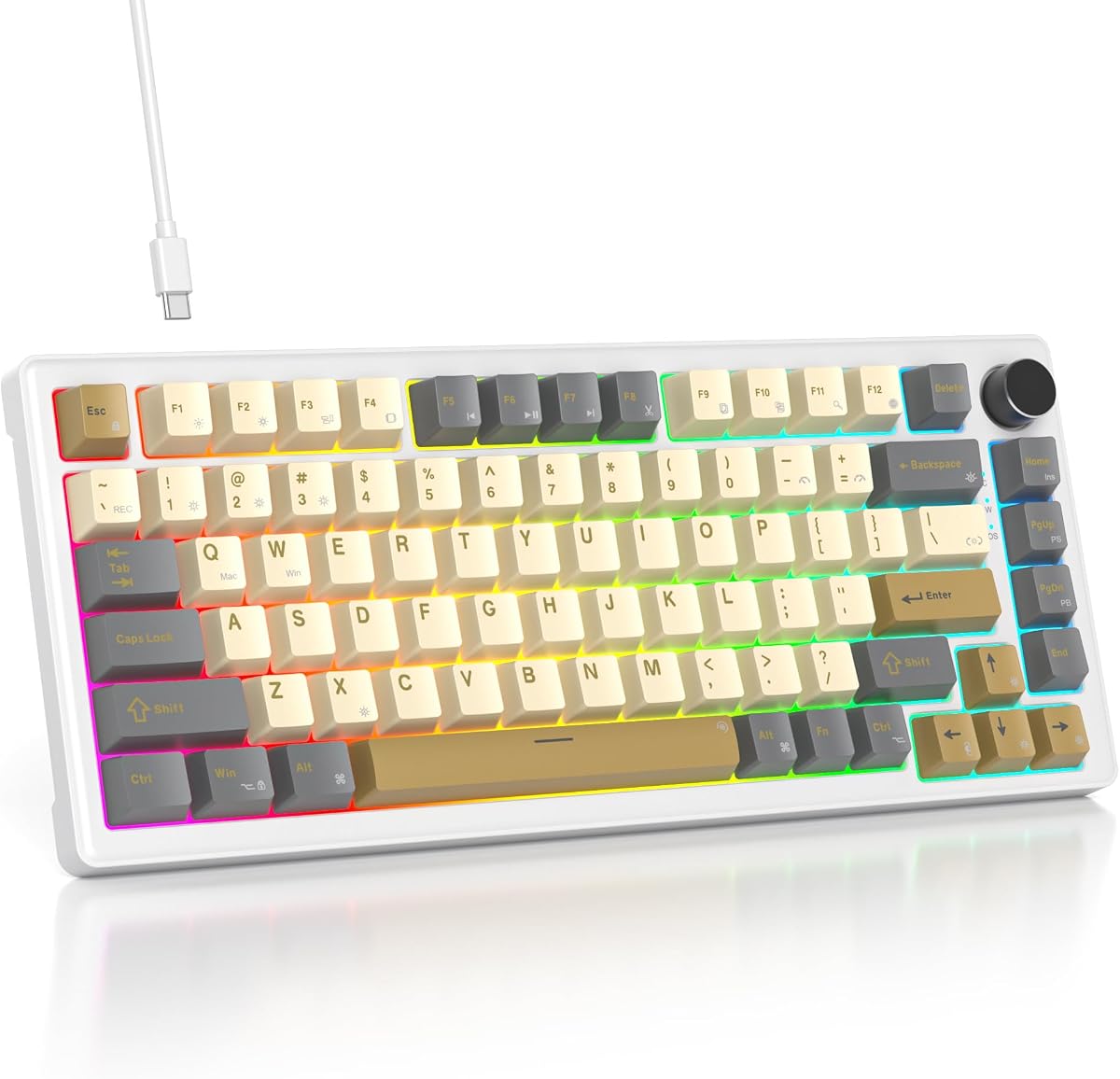


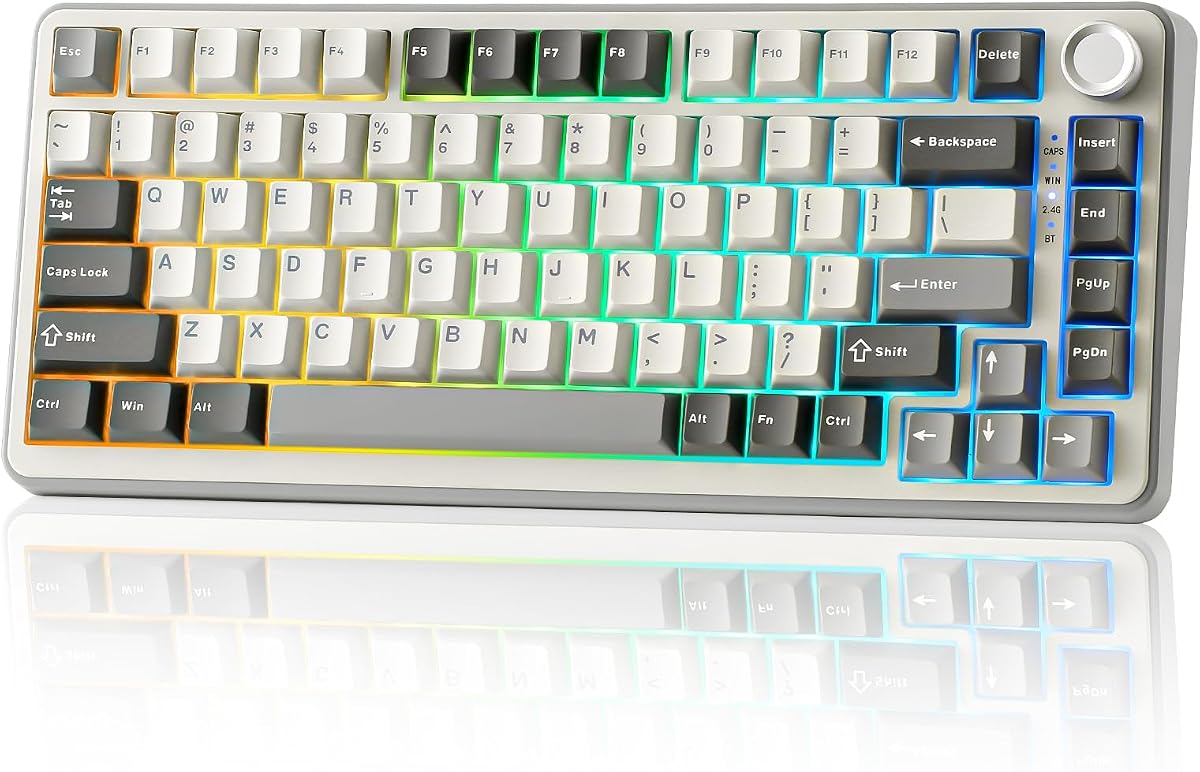
The AULA F75 Pro stands out as a top contender in the 75 percent mechanical keyboard category. With a solid 4.6 star rating from users, it delivers a premium experience without breaking the bank. Its standout qualities include tri-mode connectivity and a rich feature set for both work and play.
We may earn a commission when you buy through this link, at no additional cost to you.
This keyboard supports Bluetooth 5.0, 2.4GHz wireless, and USB-C wired connections, allowing you to switch between five devices effortlessly. The pre-lubed Reaper switches provide a creamy typing feel while the five-layer filling silencer minimizes cavity noise for a thocky sound profile. PBT keycaps ensure longevity and a soft touch over time.
While the keyboard excels in many areas, potential buyers should note that the full customization driver only works on Windows systems in wired mode. Additionally, the side-printed keycap design is unique and may not appeal to everyone compared to traditional top legends. These trade-offs are minimal given the overall value and performance.
Ideal for gamers and professionals alike, the AULA F75 Pro balances portability with desktop functionality. If you need a reliable wireless keyboard with deep customization and a robust battery, this model is a strong recommendation to consider for your next upgrade.
Switch seamlessly between Bluetooth, 2.4GHz, and wired modes to connect up to five devices at once for maximum productivity across workstations.
Five layers of silencer material combined with PCB slotting and pre-lubed stabilizers create a satisfying, noise-dampened typing experience.
We may earn a commission when you buy through this link, at no additional cost to you.
The RK ROYAL KLUDGE R75 brings gasket mounting technology to a wider audience with impressive results. Users appreciate the smooth cream switches and the tactile feedback provided by the CNC metal volume knob. It is a strong choice for those seeking customization and build quality on a budget.
We may earn a commission when you buy through this link, at no additional cost to you.
Its triple-mode connectivity ensures you can work across devices without hassle, while the 4000mAh battery supports extended use. The south-facing RGB LEDs enhance keycap legend visibility, especially with PBT keycaps. The hot-swappable PCB invites you to experiment with different switch types easily.
However, the battery life is standard compared to competitors with larger capacities, and the RGB lighting is restricted to south-facing orientation which limits some modding options. These limitations do not detract significantly from the core typing experience it offers daily users.
For enthusiasts wanting to tweak their keyboard without soldering, the R75 is an excellent entry point. It combines a professional aesthetic with practical features that appeal to both gamers and office workers seeking a compact layout.
Poron cotton cushioning between the PCB and casing reduces vibration and enhances sound quality for a more satisfying typing experience.
Compatible with 3-pin and 5-pin switches, allowing you to personalize your typing feel without needing any special tools or skills.
We may earn a commission when you buy through this link, at no additional cost to you.
The 75% Retro Mechanical Keyboard offers an accessible entry into the world of custom mechanical keyboards. With pre-lubed white jade switches and a gasketed mount, it provides a smooth, quiet typing experience suitable for office environments. The compact design saves desk space without sacrificing essential keys.
We may earn a commission when you buy through this link, at no additional cost to you.
This model includes a multi-function knob for volume control, enhancing workflow efficiency. The five-layer padding design ensures stability while reducing noise during use. Full-key macro programmability allows for tailored shortcuts, boosting productivity for both creative and professional tasks.
On the downside, it lacks wireless connectivity which might limit portability for some users. The driver software is functional but less advanced than premium options. These constraints are acceptable given the low price and the quality of the typing experience provided.
Recommend this keyboard for those prioritizing acoustic comfort and tactile feedback in a budget-friendly package. It serves well as a secondary keyboard for travel or as a primary unit for quiet office work.
Pre-lubed switches minimize friction and noise, creating a serene typing environment ideal for shared workspaces or late-night sessions.
A tight fit between internal components ensures a consistent, comfortable typing feel that reduces fatigue during extended use.
We may earn a commission when you buy through this link, at no additional cost to you.
The MageGee 75% Mechanical Keyboard is a straightforward choice for users seeking a reliable wired gaming keyboard. Its red switches offer fast, linear response times ideal for rapid keystrokes during intense games. The blue LED backlighting provides a classic gaming aesthetic without overwhelming complexity.
We may earn a commission when you buy through this link, at no additional cost to you.
Built with a sturdy metal panel and ABS keycaps, this keyboard is designed to withstand daily use. The N-key rollover feature ensures every key press registers accurately, preventing missed commands. Its compact layout frees up mouse space while keeping essential function keys accessible.
While it lacks wireless connectivity and advanced RGB customization, the keyboard delivers consistent performance for its price. The limited lighting modes may appeal to minimalists who prefer a clean look over flashy effects. This simplicity is a trade-off for cost-effectiveness.
This model is ideal for gamers or users who prefer a no-frills experience. If you value durability and responsive switches over wireless flexibility, the MageGee offers a solid foundation for your desktop setup.
Red switches provide minimal resistance and fast actuation, allowing for quick and repetitive key presses during competitive gaming.
A metal panel construction adds durability and stability, ensuring the keyboard remains secure even during vigorous gaming sessions.
We may earn a commission when you buy through this link, at no additional cost to you.
The 75 Percent Keyboard Gasket-Mounted delivers a premium acoustic experience through its thoughtful design. The gasket-mounted structure paired with sound-absorbing pads creates a soft, cushioned typing feel that reduces finger fatigue. It is a reliable option for users seeking comfort without sacrificing durability.
We may earn a commission when you buy through this link, at no additional cost to you.
Equipped with high-quality PBT keycaps, this keyboard resists oil and wear over time. The hot-swap socket allows for easy customization of switches without soldering. Full-key anti-ghosting ensures accuracy during intense use, while customizable software adds flexibility for macros and remapping.
A drawback is its wired-only connection, which may limit mobility for users needing portability. The aesthetic is minimalist and may not suit those wanting vibrant designs. However, the build quality and comfort make these limitations acceptable for a focused typing setup.
Ideal for office professionals and enthusiasts who prioritize typing comfort, this keyboard offers a refined experience. Consider it if you seek a durable, comfortable, and silent keyboard for daily tasks.
The flexible gasket structure absorbs impact and provides a softer keystroke feel that enhances comfort during long typing sessions.
PBT material resists shine and oil buildup, maintaining a textured and clean surface that feels good to touch over months of use.
We may earn a commission when you buy through this link, at no additional cost to you.
The AULA S75 PRO Wireless stands out for its interactive LCD screen and robust wireless capabilities. With a sleek design and rich features, it appeals to power users who want to monitor battery status, time, and GIFs directly from their keyboard. The build quality matches its premium price tag.
We may earn a commission when you buy through this link, at no additional cost to you.
It supports Bluetooth 5.0, 2.4GHz, and USB-C wired modes to connect five devices simultaneously. Pre-lubed stabilizers and switches deliver a smooth typing experience, while five layers of silencer material ensure a solid feel with minimal noise. Side-facing RGB lighting adds to the visual appeal.
Setting up the screen customization requires downloading software and connecting via wired mode which may be a slight inconvenience. Additionally, full macro customization is Windows-only. Despite these minor hurdles, the unique features and performance justify the investment for tech enthusiasts.
If you value visual feedback and deep customization, the S75 PRO is an excellent investment. It brings a high-tech flair to the standard mechanical keyboard, making it a standout choice for modern desktop setups.
The LCD screen provides real-time updates and allows you to display GIFs, battery status, and system information at a glance.
Connect up to five devices across Bluetooth and wireless modes for seamless switching between workstations or entertainment platforms.
We may earn a commission when you buy through this link, at no additional cost to you.
The Keychron K2 is a favorite among Mac users seeking a compact mechanical keyboard. Its dedicated Mac layout ensures that all essential function keys are accessible without shortcuts. The Super Red switch provides smooth, linear performance with a long lifespan, making it reliable for heavy typing.
We may earn a commission when you buy through this link, at no additional cost to you.
Bluetooth 5.1 connectivity allows easy switching between three devices, while the 4000mAh battery supports up to 72 hours of typing. The white LED backlight is elegant and energy-efficient. The inclusion of extra keycaps for both Windows and Mac systems adds to its versatility.
One limitation is the lack of hot-swappable sockets, which restricts future customization. The LED lighting is also limited to white without RGB options. Despite this, the build quality and Mac optimization make it a standout for Apple ecosystem users.
Ideal for creatives and professionals on Mac, this keyboard balances compatibility and performance. If you need a reliable, wireless option with native function key support, the K2 is a top recommendation.
Designed with a unique Mac layout and included keycaps, the keyboard ensures seamless integration with macOS systems and workflows.
A large 4000mAh battery supports up to 72 hours of continuous use, reducing the need for frequent charging cycles.
We may earn a commission when you buy through this link, at no additional cost to you.
The YUNZII B75 PRO is designed for users who crave a creamy acoustic experience with wireless convenience. Its gasket mount structure and five-layer padding ensure a soft and quiet typing feel. The Cocoa Cream V2 switches deliver a smooth tactile profile that reduces noise effectively.
We may earn a commission when you buy through this link, at no additional cost to you.
Tri-mode connectivity supports Bluetooth, 2.4GHz, and USB-C wired connections for flexibility. The hot-swappable PCB allows you to change switches easily. South-facing LEDs and programmable software provide extensive customization options for backlighting and macro mapping.
While the software support is robust, full macro programming works best on Windows systems. Mac users may find limited functionality in customization features. Still, the build quality and sound tuning are impressive for the price point.
For users seeking a premium acoustic feel without breaking the bank, this keyboard is a strong choice. It fits well in home office setups where sound dampening and comfort are top priorities.
Five-layer padding and precision-tuned stabilizers produce a creamy, solid typing sound that minimizes unwanted noise and vibration.
Built-in 4000mAh battery ensures extended wireless usage times, keeping you productive during long work or gaming sessions.
We may earn a commission when you buy through this link, at no additional cost to you.
The Newmen GM326 is an economical option for users needing a portable 75 percent keyboard. Its compact layout and lightweight design make it ideal for travel and small desks. The hot-swappable function allows you to tweak the experience without specialized tools.
We may earn a commission when you buy through this link, at no additional cost to you.
A multi-function knob simplifies volume control, while the RGB backlight adds a vibrant look. N-key rollover ensures accurate input during gaming. The ergonomic ABS keycaps and adjustable tilt legs enhance comfort during extended typing sessions.
Limitations include the use of ABS keycaps which may shine over time, and a basic build compared to premium models. However, the price and portability make these compromises reasonable. It serves well as a travel companion or secondary input device.
Best for students or travelers seeking a budget-friendly and portable mechanical keyboard. If you need essential features without a high price tag, this model delivers value and convenience.
Small mini size and detachable USB-C cable make this keyboard easy to pack and use across different locations and setups.
Two-stage adjustable tilt legs and stepped keycaps provide comfortable typing angles to reduce wrist strain during long sessions.
We may earn a commission when you buy through this link, at no additional cost to you.
The Womier SK80 features a vibrant color multimedia display that enhances customization and usability. Users can visualize connection modes, system status, and custom GIFs on the screen. The gasket-mounted design ensures a responsive and quiet typing experience with minimal noise.
We may earn a commission when you buy through this link, at no additional cost to you.
South-facing transparent light diffusers provide clean lighting effects. The hot-swappable PCB supports 3-pin and 5-pin switches for flexible upgrades. Pro software allows full customization of RGB modes, macros, and GIF images, giving users deep control over their setup.
The driver is only available for Windows, and setting up custom GIFs requires a wired connection which can be a hurdle. However, the unique screen and robust customization justify these steps for enthusiasts. The aesthetic appeal is unmatched in this price range.
Ideal for gamers who want to personalize their experience deeply, the SK80 offers a premium visual and tactile combo. Consider it if you enjoy displaying dynamic content and want a highly customizable mechanical keyboard.
The color display lets you show GIFs, system stats, and connection modes directly on the keyboard for a personalized interface.
RGB lighting can sync with music to create rhythmic patterns that enhance the visual experience during gaming or media playback.
We may earn a commission when you buy through this link, at no additional cost to you.
Selecting the right mechanical keyboard requires considering layout, switches, connectivity, and build materials to match your workflow needs.
Mechanical switches vary in feel and sound. Linear switches offer smooth movement without tactile feedback, ideal for gaming. Tactile switches provide a bump at actuation for typing feedback. Clicky switches add audible feedback for clear confirmation but may be noisy in offices. Choose based on your preference for feedback and noise levels.
Match switch type to your primary use case for optimal comfort and performance.
Keyboards offer wired USB, Bluetooth, or 2.4GHz wireless. Wired ensures zero latency and stable connection. Bluetooth allows multi-device switching with slight latency acceptable for work. 2.4GHz provides near-wired latency for gaming. Decide based on whether you prioritize speed or mobility.
Wireless options add flexibility while wired ensures reliability for competitive gaming.
Materials like aluminum frames, gasket mounts, and PBT keycaps enhance durability. Gasket mounts improve sound dampening and typing comfort. PBT keycaps resist shine and wear better than ABS. A solid build ensures longevity and consistent performance over time.
Prioritize sturdy materials for a keyboard that lasts and feels premium.
Backlighting ranges from single-color LED to customizable RGB. South-facing LEDs improve visibility through legends. Effects like music sync and dynamic patterns add visual flair. Ensure brightness and colors are adjustable to suit your environment preferences.
Choose lighting that enhances visibility without being distracting or overwhelming.
Hot-swap sockets let you change switches without soldering. Software allows macro programming and key remapping for workflow efficiency. A multi-function knob aids quick volume or backlight control. Look for tools that support your desired level of customization.
More customization options provide flexibility to tailor the keyboard to your unique needs.
Wireless keyboards need strong batteries for longevity. 4000mAh capacities support several days of use. Turning off RGB extends battery life significantly. Check battery specs to ensure it fits your charging habits and usage frequency.
Long battery life reduces interruptions and improves overall convenience.
ABS keycaps are cheaper but prone to shine over time. PBT keycaps are more durable and resistant to oil. Double-shot legends ensure text longevity. Texture and feel also influence typing comfort and satisfaction.
Invest in quality keycaps to maintain a clean and pleasant touch long-term.
Ensure keyboard compatibility with your operating system. Some models offer Mac-specific layouts and switches. Drivers may be OS-specific for full functionality. Verify support for your devices to avoid workflow disruptions or missing features.
Check OS compatibility to ensure seamless integration with your existing setup.
Connect your keyboard via USB-C or wireless pairing to start typing immediately. For wireless models, charge the battery fully before first use to maximize life. Use shortcut keys or the multifunction knob to switch modes or adjust settings.
Regularly clean the keyboard surface and keycaps with a soft brush or compressed air to remove dust and debris. Avoid using liquid cleaners directly on the keyboard to prevent internal damage. Replace keycaps or switch lubricants if needed for consistent performance.
Update firmware and driver software to access new features and improve stability. Protect your keyboard from spills and extreme temperatures to extend its lifespan. Store it safely when not in use to avoid physical damage or accidental impacts.
A 75 percent layout combines compactness with functionality by removing the numpad while retaining arrow keys and function rows. It saves desk space without sacrificing essential controls for gaming and typing. This layout is popular for users wanting a clean desk with full functionality.
Yes, they are ideal for gaming due to their compact size allowing more mouse movement. Most models include N-key rollover and fast switches for responsive inputs. The layout keeps essential keys close without unnecessary bulk that can interfere with play.
Many models feature hot-swappable PCBs allowing you to change switches without soldering. This enables customization of typing feel and sound. Check product specs to ensure hot-swap support before purchasing for maximum flexibility.
Wireless keyboards connect via Bluetooth or 2.4GHz dongles. Bluetooth supports multiple devices and pairs easily with PCs and mobiles. 2.4GHz offers lower latency better for gaming. Switching modes is often done via physical buttons or keyboard shortcuts.
Yes, several keyboards include Mac-specific layouts and additional keycaps. These ensure all function keys work properly on macOS. Always verify system compatibility in the product details to avoid issues with shortcuts or missing keys.
Basic typing works plug-and-play without drivers. However, full RGB customization, macros, and firmware updates require software. Drivers typically support Windows and sometimes macOS depending on the brand and features available.
A gasket mount uses flexible gaskets between the PCB and case to soften keystrokes and reduce noise. This design improves typing comfort and sound quality compared to rigid mounts. It is common in premium keyboards for a smoother experience.
Mechanical switches typically last up to 50 million keystrokes or more. This ensures long-term durability for daily use. High-quality switches maintain their performance over time without significant degradation.
The top three picks for this category are the AULA F75 Pro for its versatile connectivity and premium features, the RK ROYAL KLUDGE R75 for gasket mount value, and the Newmen GM326 for budget-conscious buyers seeking portability.
When choosing, prioritize connectivity and switch type based on your primary tasks. Gamers may favor wireless options with low latency while typists should look for acoustic comfort and keycap durability.
Always check current availability and pricing before purchasing as deals change often. Selecting a model that aligns with your workflow needs will maximize satisfaction and performance long-term.