
Frameo 10.1 Inch WiFi Digital Picture Frame
4.7Editor score
32GB large internal memory
Secure private sharing app
HD IPS touch screen display
Digital frames have evolved into smart displays that blend art, memory keeping, and home decor. Today's best models use AI to enhance photos, generate art, and share moments instantly with family. A good frame offers a clear screen, easy sharing, and reliable battery or power options for your space.
We compared ten leading AI art and photo digital frames based on display technology, storage capacity, app features, and user feedback. Our analysis covers electronic ink screens for paper-like viewing, IPS displays for vivid colors, and unique AI tools that bring photos to life. Each product was evaluated on ease of use and connectivity.
Every pick in this list showcases specific strengths like cloud storage, AI video creation, or long battery life. Prices and availability can change quickly, so check the latest details before buying. We focused on real-world performance to ensure your chosen frame enhances your home and keeps memories accessible for years.
4.7Editor score
![Magic Frame[Old Photo Alive]](https://m.media-amazon.com/images/I/81RI++-D+BL._AC_SL1200_.jpg)
4.4Editor score

5.0Editor score
As an Amazon Associate we earn from qualifying purchases.
This side-by-side comparison highlights key specifications for all ten models. You can quickly see differences in screen type, storage, and AI features to find the right fit for your needs.
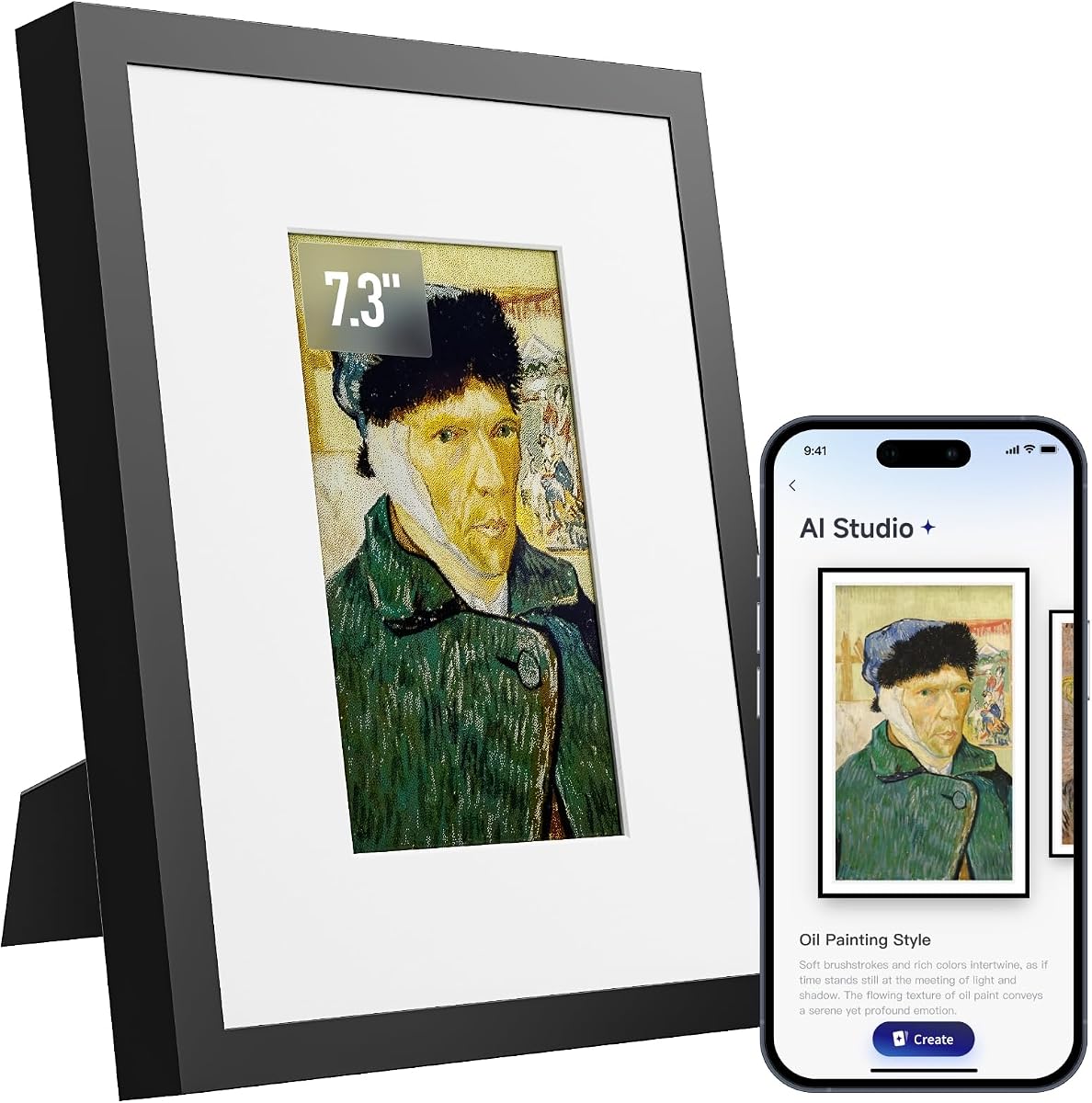


The Magic Frame[Old Photo Alive] stands out as a top choice for those wanting dynamic memories. It scores high for bringing old photos to life with AI motion and offers unlimited storage. The 10.1 inch screen ensures clear viewing of every shared moment in your home.
We may earn a commission when you buy through this link, at no additional cost to you.
This model excels in turning static images into moving videos using AI motion. It includes 2000 credits so you can create up to 20 videos right away. Sharing via the Homture app is seamless and allows family to send photos instantly from anywhere with internet access.
While the AI features are great, they rely on credits that cost extra after the starter card. The screen is bright which might be less ideal for low light bedrooms. Overall these trade-offs are worth it for the unique capability to animate cherished memories.
Buy this if you want a modern frame that animates photos and stores unlimited files. It is perfect for grandparents or parents who love seeing family moments come alive. The easy setup and gift packaging make it a thoughtful present for any occasion.
Transform old photos into lively videos where people appear to wave or move naturally.
Send and store countless photos and videos online without paying monthly fees.
We may earn a commission when you buy through this link, at no additional cost to you.
This Frameo model is a top pick for reliable and affordable photo sharing. With a high rating and 32GB storage it handles everyday family moments well. The 10.1 inch IPS screen offers clear images from any angle in your room.
We may earn a commission when you buy through this link, at no additional cost to you.
Sharing is simple through the secure Frameo app which only allows invited friends to send content. The auto-rotate feature ensures photos display correctly whether the frame is vertical or horizontal. It also syncs calendars to show daily plans alongside your memories.
Videos are limited to fifteen seconds which may not fit longer family clips. There are no AI features to animate or colorize photos. For a straightforward sharing frame this is acceptable given its low cost and strong user feedback.
Choose this for a trusted frame that focuses on sharing without complex features. It is ideal for parents or seniors who want a simple way to see photos from kids. The privacy and battery backup make it a safe daily use choice.
Only invited family members can send photos ensuring your memories stay private.
Store over eighty thousand photos locally without relying on cloud service.
We may earn a commission when you buy through this link, at no additional cost to you.
The KoKonna AI E Ink Frame offers a premium experience with unique E Ink technology. It is rated perfectly by users who value the paper-like viewing feel. The frame supports AI artwork creation and unlimited storage for your digital gallery.
We may earn a commission when you buy through this link, at no additional cost to you.
Its 6-color E Ink display delivers a refined look without glare or blue light. The battery can last up to three years so you rarely plug it in. You can create custom art via text prompts and send them directly to the frame.
E Ink screens have lower resolution so photos may look less detailed than IPS screens. The price is higher than average but justified by the battery and unlimited storage. This makes sense for users who want a gallery feel in their home.
Buy this for a sleek wall art piece that displays AI art and photos. It is great for offices or desks where eyesight comfort matters. The long life and clean look make it a standout gift for design lovers.
Enjoy a paper-like screen that reduces eye strain and glare naturally.
Use the frame for years without needing constant power or charging.
We may earn a commission when you buy through this link, at no additional cost to you.
This Frameo variant is designed for those wanting a big screen for shared photos. The 15.6 inch Full HD display offers vivid colors for any room. It includes 64GB storage so you can keep thousands of family clips without limits.
We may earn a commission when you buy through this link, at no additional cost to you.
The built-in speaker lets you play videos with sound directly from the frame. You can reply to shared photos with emojis to keep conversations going. The touchscreen allows easy swiping and auto-rotate works well for wall or desk setups.
It only works on 2.4GHz Wi-Fi which may limit router setup options. The power adapter requires careful handling to avoid port damage. These are minor issues considering the large screen size and video capabilities.
Pick this for a family hub that shows movies and photos on a big display. It is excellent for living rooms or offices where visibility matters. The storage and speaker add versatility for entertainment or memories.
See photos clearly from across the room on a massive Full HD panel.
Play video clips with audio via USB or SD card for lively memories.
We may earn a commission when you buy through this link, at no additional cost to you.
Another Frameo large frame with 15.6 inch screen for family photos. It supports non-WiFi uploads via USB or SD card if your family is not tech-savvy. The interface is designed to be user-friendly for seniors or all ages.
We may earn a commission when you buy through this link, at no additional cost to you.
The React feature allows real-time emoji reactions to shared photos. Sleep mode helps reduce energy use when not in use. The display shows vivid colors and details which helps bring photos to life clearly on the large screen.
Storage is 32GB which is less than the 64GB model but still ample for photos. There are no AI tools for creating art or videos. This is acceptable for a pure photo display without needing complex functions.
Choose this if you need a simple large frame with optional USB upload. It is great for grandparents who prefer physical storage methods. The big screen and easy setup make it a welcoming gift choice.
Add photos easily without internet using SD card or USB drive.
Simple interface helps seniors enjoy photos without technical hassle.
We may earn a commission when you buy through this link, at no additional cost to you.
The SwitchBot AI Art Frame offers a compact wireless solution with E Ink. It can display AI generated art using prompts via the SwitchBot app. The battery lasts up to two years at low refresh rates so placement is flexible.
We may earn a commission when you buy through this link, at no additional cost to you.
Electronic ink provides a paper-like look with no glare in bright light. You can schedule art updates for holidays or events. The frame works with Alexa for voice control and fits well on desks or walls.
The screen has low resolution so photos are best viewed from a distance. AI features require a subscription fee beyond the initial purchase. These trade-offs suit users prioritizing battery life and art style over photo detail.
Buy this if you want a portable frame for art or simple photos. It is ideal for art lovers who value wireless setup. The battery and Alexa support make it a smart modern decor piece.
Place the frame anywhere without cords thanks to long battery life.
Generate personalized art via app prompts for unique wall decor.
We may earn a commission when you buy through this link, at no additional cost to you.
This compact frame uses E-Paper for a clean look on desks. AI optimization enhances colors and contrast for photos. It has a handmade wooden frame which suits various home styles and adds warmth.
We may earn a commission when you buy through this link, at no additional cost to you.
Battery life reaches several weeks because static images use near zero power. You can upload photos via a mobile app without wires. Slideshow intervals are customizable to suit your viewing pace.
The small size may hide fine detail in group photos. Rating is unavailable so review history is unknown. This frame works best as a desk accent for simple daily photos.
Pick this for a desk display that saves energy. It is good for offices or side tables. The wooden look and low power make it a quiet and elegant choice.
Enjoy low power use and clear images without screen glare.
Handmade wooden design adds warmth to your home decor.
We may earn a commission when you buy through this link, at no additional cost to you.
The Magic AI Frame offers high rating and clear Full HD viewing. It supports four AI motion templates like Spellcasting or Living Oil Painting. Local storage of 64GB keeps files safe without relying on cloud.
We may earn a commission when you buy through this link, at no additional cost to you.
Unlimited cloud storage makes sharing easy across family. Touchscreen controls let you browse photos like a physical album. AI credits let you control creation costs but can be returned if unsatisfied.
Credits are needed for video effects so there is a small cost per video. For most users this is minor. The high rating shows most people love the magic features.
Buy this for fun family gifts that animate photos. It is great for tech-savvy families wanting dynamic displays. The storage and AI make it versatile and rewarding.
Choose from Spellcasting or Living Oil Painting styles for videos.
Save thousands of photos and videos locally on the frame.
We may earn a commission when you buy through this link, at no additional cost to you.
This model focuses on simplicity with large fonts and touch control. It offers 32GB storage and auto-rotate for easy viewing. Aimor app ensures safe sharing and auto-brightness adjusts to light.
We may earn a commission when you buy through this link, at no additional cost to you.
It is designed for seniors or those wanting a simple display. Privacy features help keep memories safe within family circles. The 1-year replacement service adds peace of mind.
Screen resolution is lower than Full HD models and no AI features exist. This fits the goal of simple photo viewing. The interface is responsive and easy to navigate for all ages.
Choose this for a reliable frame for grandparents. It balances simplicity and modern sharing well. The service and design make it a safe purchase.
Large fonts and simple menus make it easy for all ages.
Screen adjusts light automatically for comfortable viewing anywhere.
We may earn a commission when you buy through this link, at no additional cost to you.
The Homture AI Magic Frame offers motion sensor wake-up when you approach. It includes 2000 credits for up to 20 AI videos locally. Storage of 64GB plus unlimited cloud helps keep family memories.
We may earn a commission when you buy through this link, at no additional cost to you.
The sensor saves power and greets you with photos. GDPR/CCPA compliance ensures secure cloud storage. Gift mode lets you preload messages and videos before giving it.
Battery life is not stated so expect regular power use for sensor. Credits are limited but generous for starters. The motion feature is unique and adds convenience.
Buy this for a modern frame that reacts to your presence. It is good for entryways or desks. The sensor and AI make it a fun interactive gift.
Frame lights up with photos when you walk near it.
Create twenty high-quality videos out of the box with credits.
We may earn a commission when you buy through this link, at no additional cost to you.
Choosing the right digital frame means balancing display type storage and sharing features. Consider who will use it and what you want to display.
IPS screens offer vibrant colors and better resolution ideal for photos in bright rooms. E Ink displays are better for offices or bedsides due to low glare and high battery life. Decide based on viewing distance and room lighting.
IPS is better for photo detail while E Ink is better for eyes and battery. Match the tech to your usage.
Some frames animate photos or generate new art using AI. Look for frames with credit systems or subscriptions for these tools. AI can bring old photos to life or create decor.
Decide if you want dynamic photos or just static sharing. AI adds fun but may cost extra.
Frames often offer 32GB to 64GB local storage plus unlimited cloud. More storage means more photos available without deleting. Check for SD slots to expand further if needed.
Prioritize cloud or local storage based on internet access. More storage ensures fewer limits.
Apps allow family to send photos instantly. Look for secure private sharing where only invited users can connect. Some apps support video sharing but limits apply.
Choose an app that fits family tech levels. Privacy settings help keep memories safe.
Battery life varies from weeks to years on E Ink. For daily use a wired model is reliable. For portability look for frames with rechargeable batteries.
E Ink offers best battery life but slower refresh. Match power to your setup.
Most frames use 2.4GHz Wi-Fi. Check if the frame supports USB uploads in case of Wi-Fi issues. Some frames support wall mounts for flexibility.
Check network requirements for your home. Wi-Fi and USB options add convenience.
Prices vary by screen size and features. Budget frames work well for photo sharing only. Premium frames include AI and better build. Set a budget and compare features.
Higher price brings more features. Decide which ones you need most.
Touchscreens make setup and sharing easy. Look for large fonts and simple menus for seniors. Gift ready packaging helps for presents.
User friendly setups reduce frustration. Consider who will interact with the frame often.
Start by charging the frame fully then download the app on your phone. Follow on screen steps to connect the frame to your Wi-Fi network. Once paired you can send photos and videos from your phone to the frame.
Organize photos into albums in the app to manage what displays on the frame. Adjust settings like brightness and sleep mode to fit your room. If using AI features follow app prompts to create videos.
Clean the screen with a soft dry cloth to avoid scratches. Place the frame away from direct sunlight to reduce glare or heat. If not using for a long time turn it off to save battery.
Some models support SD card or USB uploads which means you can add photos without a phone. Others rely on app sharing which requires a smartphone. Check product specs before buying.
E Ink frames can last weeks to years while IPS frames need daily charging or power. Battery life depends on refresh rates and settings. Check the model for specific estimates.
Some AI features require monthly subscriptions. Basic photo sharing is usually free. Always check terms before signing up for AI services.
Most support short clips usually up to 15 seconds. Longer clips may need USB or SD card. Video quality varies by frame model.
Yes many frames store photos locally so they display offline. You still need Wi-Fi to send new photos. Offline display works without internet.
Most apps use invite-only sharing and encryption. Privacy policies protect data from outside access. Review security settings for peace of mind.
7 to 10 inch frames fit desks while 15 inch frames work for walls. Choose based on where you hang the frame. Bigger screens show more detail.
Credits are valid but check expiration dates on your account. Unused credits may be lost if not used. Always check terms before creating videos.
We reviewed ten models offering different strengths for photo and art display. Top picks include Magic Frame for AI video, Frameo for value, and KoKonna for premium E Ink. Each fits different needs and spaces in your home.
Prioritize screen type and storage based on your family needs. Decide if AI features are worth the cost for you. Look for frames that match your tech comfort level.
Check current prices before buying as deals change often. Use the app features to share memories easily. Choose a frame that keeps your memories alive and accessible.