
Webcam for PC HD 1080P
4.4Editor score
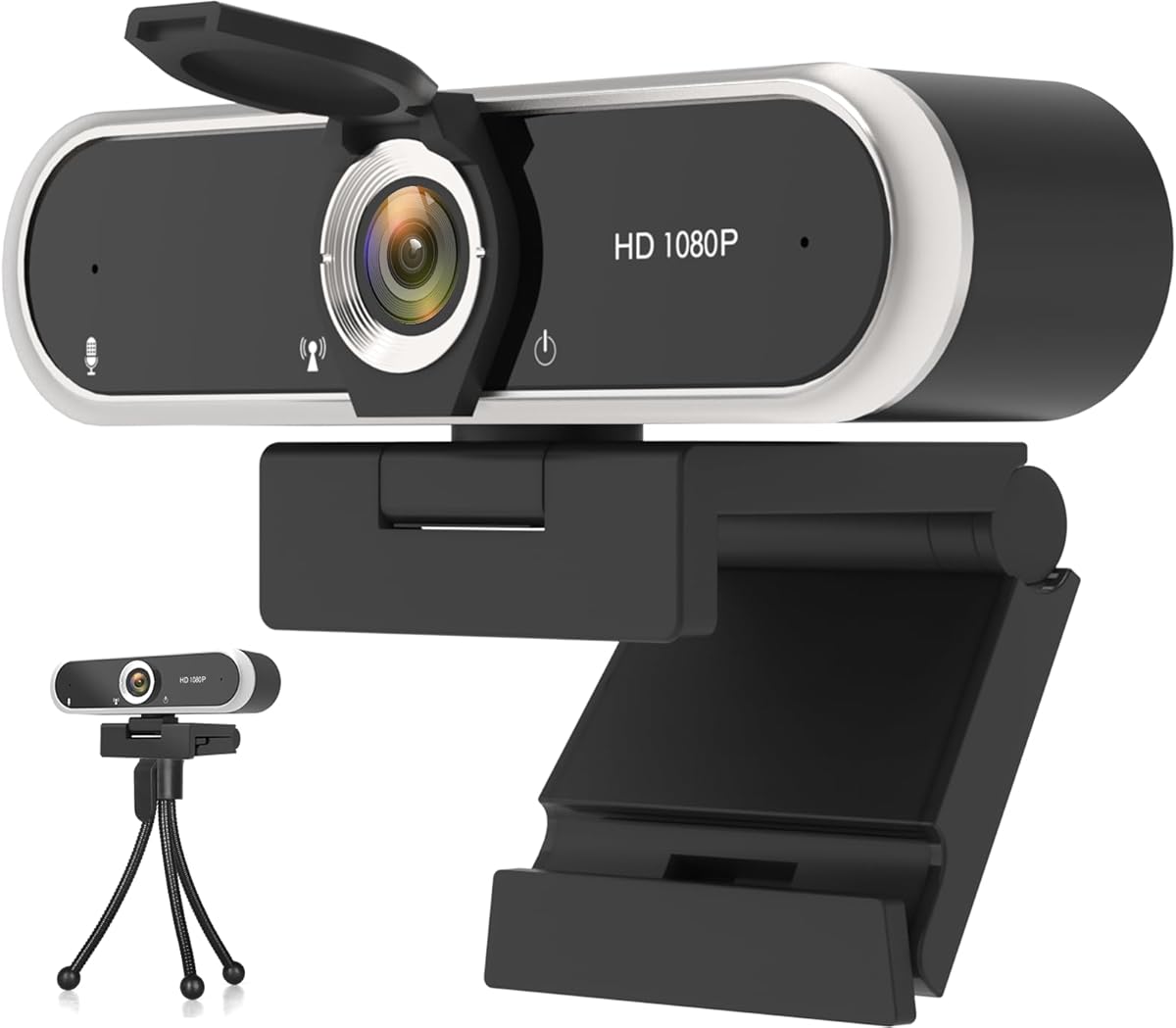
Full HD 1080p video quality
Plug and play USB connection
Adjustable clip design included
This guide compares the top ten cheap webcams for streaming based on video quality, microphone performance, and compatibility to help you choose the right
Finding a reliable streaming setup does not require breaking the bank. Affordable webcams have improved significantly, offering clear video and decent audio for creators on a budget. Whether you are broadcasting gameplay or hosting virtual meetings, the right camera makes a huge difference in your presentation quality.
We evaluated ten highly rated options available online to identify the best value for money. Our selection process focused on resolution, low-light performance, microphone clarity, and ease of setup. Each product was assessed against common streaming platforms like Twitch, Zoom, and YouTube to ensure practical usability.
Every pick below highlights specific strengths and ideal use cases for different creators. Prices fluctuate frequently due to sales and inventory changes, so check current listings before purchasing. This guide aims to simplify your decision by focusing on proven performance and reliable features for affordable streaming solutions.
4.4Editor score

4.4Editor score

4.6Editor score
The following table provides a side-by-side overview of the top ten affordable webcams selected for this guide. Compare key specifications such as resolution, microphone type, and special features to find the model that aligns with your specific streaming needs and budget constraints.




The Logitech Brio 101 stands out as a reliable entry-level webcam for streaming and meetings. It delivers crisp Full HD video at 1080p, ensuring you look professional without requiring complex software. The design is sleek and modern, fitting well with various desktop setups.
We may earn a commission when you buy through this link, at no additional cost to you.
Its Auto-Light Balance feature adjusts brightness to reduce shadows, making it a great choice for home offices with uneven lighting. The built-in microphone captures clear audio for conversations, and the privacy slide adds a layer of security when the camera is idle. Compatibility with major platforms like Zoom and Teams is seamless.
While it lacks manual focus controls, the fixed focus works well for typical desk distances. Some users might find the low-light performance adequate but not exceptional compared to higher-end models. These trade-offs are acceptable given the price point and the focus on essential features.
This webcam is ideal for streamers who need a dependable camera right out of the box. If you prioritize ease of use and brand reliability over advanced customization, the Brio 101 is a strong recommendation. It balances performance and cost effectively for everyday content creation.
The integrated privacy cover slides to block the lens, offering peace of mind when you are not on camera.
Constructed with a minimum of 77% post-consumer recycled plastic, it supports eco-friendly manufacturing practices.
We may earn a commission when you buy through this link, at no additional cost to you.
This webcam offers an incredibly accessible entry point for anyone looking to start streaming or attending online classes. It provides full 1080p HD video at 30fps, which is sufficient for most casual streaming needs. The plug-and-play design means you can start recording immediately after connecting to your computer.
We may earn a commission when you buy through this link, at no additional cost to you.
Despite its low cost, it includes automatic low-light adjustment to reduce noise and restore colors in dim environments. The braided cable is durable and long enough to reach across a desk without extra adapters. Compatibility with Windows and Mac systems ensures it works for most users without additional drivers.
The build quality is functional but basic, relying on plastic components that may not feel premium. Fixed focus works well at a standard distance but might not suit users who move around frequently. These limitations are expected at this price range and do not hinder daily performance.
For students or hobbyists on a tight budget, this is an excellent choice that delivers solid results. It prioritizes core functionality over luxury features, making it a smart buy for essential video communication. If you need a reliable camera without spending much, this model is worth considering.
Built with a stable transmission chip to ensure smooth video streaming without dropped frames during use.
Supports multiple operating systems including Windows, Mac, and various Linux versions for broad device support.
We may earn a commission when you buy through this link, at no additional cost to you.
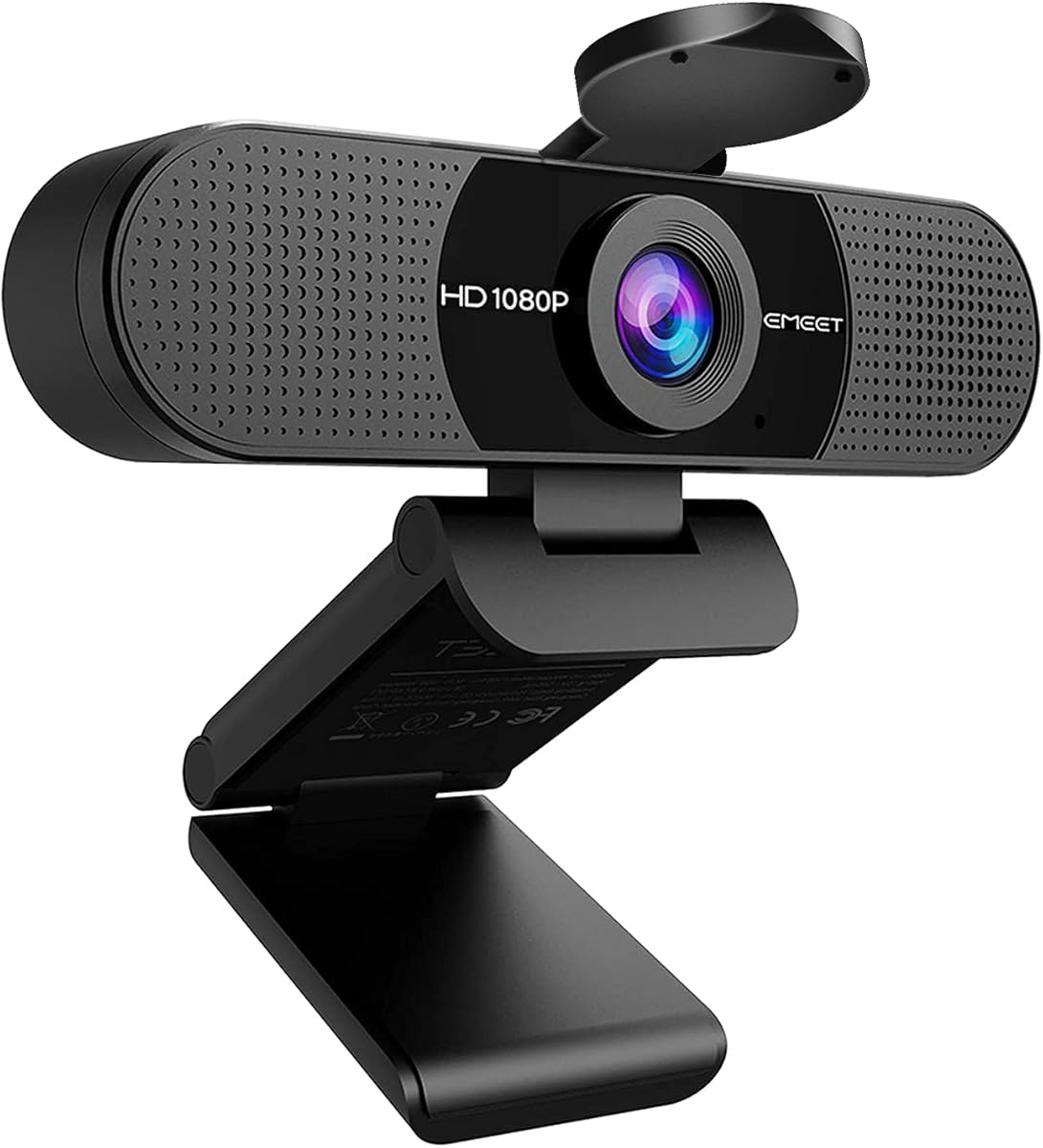
The EMEET C960 is a well-rounded webcam that balances price and performance effectively for streaming. It captures video at 1080p and features a 90-degree field of view, allowing more participants to fit into the frame. The dual microphones pick up voice clearly, which is vital for interactive streams.
We may earn a commission when you buy through this link, at no additional cost to you.
Automatic light adjustment helps balance exposure, though it works best in normal or well-lit environments. The privacy cover slides open automatically when connected, adding convenience and security. It supports USB-C adapters and USB-A, making it versatile for both old and new computers.
While it lacks autofocus, the fixed focus is sharp enough for typical desk setups. Users should ensure they have decent lighting to avoid graininess in darker conditions. These are minor constraints that are common in budget-friendly cameras.
This model is ideal for streamers who need a wide angle and good audio without spending much. It is a reliable tool for remote work or gaming streams where clarity matters. If you value audio quality and field of view, the C960 is a top contender.
Two omnidirectional microphones capture your voice from any direction while reducing background noise effectively.
The 90-degree lens captures more people without needing constant manual adjustments during group calls.
We may earn a commission when you buy through this link, at no additional cost to you.
This webcam stands out for its HDR video capabilities, which help maintain clarity in varying lighting conditions. It supports Full HD 1080p at 30fps and includes a privacy shutter for security. The noise-canceling microphones filter out ambient sounds, ensuring your voice comes through clearly during calls.
We may earn a commission when you buy through this link, at no additional cost to you.
Automatic light correction adjusts exposure to keep your face visible even in backlit or dim scenarios. The 360-degree rotating head allows for flexible positioning on monitors or desks. It is compatible with a wide range of systems including Linux and Android.
The plastic build feels lightweight and may not be as durable as premium models. Fixed focus limits use cases where you need to move further away. Despite this, the HDR feature makes it a strong choice for variable lighting environments.
For streamers dealing with inconsistent room lighting, this model offers a practical solution. It prioritizes visual clarity and privacy features without adding cost. If you need a versatile camera that handles light changes well, this is a smart purchase.
Enhanced HDR ensures your face remains visible in both dark and bright background conditions simultaneously.
A 360-degree rotating head lets you adjust the angle for portrait or landscape streaming setups easily.
We may earn a commission when you buy through this link, at no additional cost to you.
The NexiGo N60 offers a balance of hardware and software control for users who want to tweak settings. It records at 1080p resolution and uses a glass lens for sharper images. The built-in noise-canceling microphone helps maintain audio clarity even in noisy environments.
We may earn a commission when you buy through this link, at no additional cost to you.
Software allows for adjustments to video parameters, which is useful for refining your stream quality. A privacy cover slides across the lens to protect your privacy when not in use. It works with many operating systems including Linux and Chrome OS.
Some users report difficulties installing the proprietary software, though plug-and-play functionality remains. The focus is fixed and works best at typical desk distances. These issues do not affect basic usage but limit advanced customization for some.
This webcam is suited for streamers who want a bit more control over their setup. If you need a reliable camera with the option to tweak visuals, the N60 is a strong choice. It offers good value for its feature set.
A 3.6mm glass lens provides a crisp image that holds focus better than plastic alternatives.
Works with Mac OS, Windows, Android, and Linux ensuring it fits most computer systems without issues.
We may earn a commission when you buy through this link, at no additional cost to you.
This webcam brings high-resolution video to the affordable category with its 4K Ultra HD capability. It allows you to see every detail on screen, which is great for content creators wanting top-tier visuals. The 80-degree field of view and 360-degree swivel give you precise control over your angle.
We may earn a commission when you buy through this link, at no additional cost to you.
Automatic light correction ensures you look your best even in poor lighting. The built-in noise-canceling microphone captures clear audio for your streams. It comes with a USB-C adapter to work with modern laptops alongside legacy USB-A ports.
Streaming at 4K requires a powerful computer to handle the data load. Fixed focus might not suit users who need to move around. These are technical considerations that are necessary for high-resolution output.
If you want 4K quality without buying a high-end camera, this is an excellent option. It prioritizes visual fidelity and flexibility. For serious streamers looking to upgrade their video quality, this webcam is a compelling choice.
Experience lifelike video quality that makes you look professional on every call.
Adjustable tilt and swivel allow you to mount it securely on a monitor or tripod.
We may earn a commission when you buy through this link, at no additional cost to you.
The C920x is a classic choice that delivers professional-grade video quality consistently. It features autofocus to keep your image sharp even when you move slightly. Stereo audio with dual mics ensures natural sound without needing an external microphone for calls.
We may earn a commission when you buy through this link, at no additional cost to you.
Advanced capture software like XSplit VCam helps you manage your background without a green screen. The HD lighting adjustment fine-tunes exposure to prevent dark or washed-out images. It is fully compatible with Windows 11 and popular streaming apps.
The lack of a privacy shutter means you need a cover if privacy is a concern. The price is higher than entry-level models but justifies the quality. If you want a long-term investment, this webcam holds its value well.
For streamers who prioritize image fidelity and audio, this is a top-tier option. It is a proven tool for professional work and high-quality streaming. If you need reliable performance, the C920x is a solid recommendation.
Autofocus keeps your image sharp even if you move slightly during a call.
Includes a license for XSplit VCam to blur or replace backgrounds without a green screen.
We may earn a commission when you buy through this link, at no additional cost to you.
The EMEET S600 delivers advanced streaming capabilities with its Sony sensor and PDAF autofocus. It supports 4K at 30fps and smooth 1080p at 60fps for fluid motion. The autofocus is fast and precise, making it ideal for active streamers or content creators.
We may earn a commission when you buy through this link, at no additional cost to you.
Noise-canceling technology filters out background sounds to keep voice capture clear. The customizable field of view lets you focus on yourself or include more surroundings. The rugged design ensures it stays securely in place on your desk.
It works without drivers for easy setup but offers software for advanced customization. Lighting impacts performance, so use in well-lit conditions for the best results. These are manageable constraints for the high performance offered.
For streamers who want pro-level features, this is a powerful choice. It combines speed and resolution in a durable package. If you value technical quality and versatility, the S600 is a top pick.
Phase Detection Autofocus offers faster speed and higher precision than common autofocus systems.
Adjustable field of view allows you to focus on yourself or include more surroundings.
We may earn a commission when you buy through this link, at no additional cost to you.
This webcam is designed for ease of use with plug-and-play functionality right out of the box. It delivers Full HD 1080p video at 30fps for smooth streaming. The noise-canceling microphone ensures clear voice communication during calls.
We may earn a commission when you buy through this link, at no additional cost to you.
Automatic brightness adjustment helps you look your best even in low-light conditions. There is no need to install drivers or software. It works with major platforms like Zoom and Teams for everyday use.
The audio is functional but basic compared to dual-mic setups. It lacks advanced controls for manual adjustments. These trade-offs are acceptable for a camera focused on simplicity.
For users who need a dependable webcam without technical hassle, this is a great option. It prioritizes reliability and ease of setup. If you value simplicity and consistent performance, the XOCLON 1080P is worth considering.
Simply plug it into your laptop or desktop and it is ready to go immediately.
Delivers consistent and stable video quality on any laptop or desktop daily.
We may earn a commission when you buy through this link, at no additional cost to you.
The EMEET C960 offers solid performance for home office tasks with its low-light boost. It features a 90-degree wide-angle lens for group calls and dual noise-reduction microphones for clear audio. The foldable design allows you to take it anywhere easily.
We may earn a commission when you buy through this link, at no additional cost to you.
Automatic low-light correction ensures you look your best even in dim conditions. It works with major software like Zoom and Teams. The clip allows for flexible mounting on monitors or laptops.
Fixed focus is fine for typical distances but lacks flexibility. Requires well-lit rooms for best output. These are minor constraints for a versatile webcam.
This webcam is ideal for home office users who need reliability. If you value wide angles and good audio, the C960 is a strong choice. It fits various needs for work and leisure streaming.
Automatic low-light correction ensures you look your best even in dim lighting conditions.
The convenient foldable design allows you to take it anywhere easily.
We may earn a commission when you buy through this link, at no additional cost to you.
Selecting the right webcam involves weighing several technical factors against your specific streaming needs and budget constraints. This guide breaks down the key considerations to help you make an informed choice.
Resolution determines the clarity and detail of your video output. Most affordable models offer 1080p Full HD which is the standard for streaming. Some higher-end budget options provide 4K resolution for sharper visuals but require more bandwidth and processing power.
Look for at least 1080p to ensure professional-quality video without overcomplicating your setup.
Frame rate impacts how smooth your video looks during movement. Standard webcams provide 30fps which is sufficient for most talking head streams. If you plan to stream fast-paced games, 60fps models offer smoother motion but are often more expensive.
Aim for 30fps for general streaming and consider 60fps if gaming is a primary use case.
The field of view defines how much of your room is captured. Wider angles like 90 degrees allow more people or background details to fit. Narrower angles focus on you but may make the background look empty.
Select a wider angle if you host group meetings or want dynamic backgrounds.
Audio clarity is just as important as video for viewer retention. Built-in microphones with noise-canceling features help reduce background hum. Dual mics often provide better stereo sound than single mic units.
Prioritize models with noise-canceling mics if you do not plan to use a separate microphone.
Webcams vary in how they handle low-light conditions. Models with auto-light adjustment balance brightness to avoid dark faces. Fixed sensors struggle in dim rooms so lighting becomes critical for those units.
Choose a camera with low-light boost if your streaming space lacks consistent lighting.
Most webcams use USB-A connections but newer laptops may only have USB-C ports. Check if the camera comes with adapters for seamless connection. Long cables offer flexibility in positioning without needing extra hardware.
Ensure your camera supports your computer's available ports to avoid extra purchases.
Security is a key concern for many users. Physical privacy shutters or covers provide assurance that the camera is off when not in use. Software-based privacy options are less secure but still useful.
Prioritize physical covers if you often leave your camera connected and unattended.
A good mounting clip should fit monitors of various thicknesses. Some models also support tripods for more creative angles. Adjustable mounts allow you to position the camera at eye level.
Check the mounting mechanism to ensure it fits your monitor or desk setup securely.
Start by positioning your webcam at eye level for a flattering angle. Ensure your face is well-lit from the front to avoid shadows on your face. A stable surface like a sturdy monitor clip helps prevent camera shake during streams.
Regularly clean the lens with a soft microfiber cloth to remove dust and smudges. Keep the camera dry and away from extreme temperatures to maintain sensor health. Avoid touching the lens directly with your fingers to prevent oils from accumulating.
Use privacy covers when not in use to protect your personal space. Update your drivers occasionally to ensure compatibility with new software. Adjust the field of view settings if your software allows to tailor the framing to your needs.
For most budget streaming setups, 1080p Full HD is the sweet spot. It provides sharp video without requiring a high-end computer to process the data. Higher resolutions like 4K can strain older systems and require more bandwidth for stable uploads.
Most webcams in this guide are plug-and-play and do not require extra software. However, specific software like Logitech Capture or EMEETLINK offers advanced customization. If you only need basic video, the default settings are usually sufficient for streaming.
Add a simple desk lamp or ring light facing your face to improve brightness. Adjust camera software settings to boost exposure if available. Ensure your room has enough ambient light so the sensor does not have to work as hard to capture detail.
Built-in mics with noise-canceling are acceptable for casual streaming and meetings. For professional audio quality, a separate microphone is always better. However, many budget webcams include decent mics that eliminate the need for extra gear initially.
Yes, most models listed are compatible with macOS 10.14 and higher. Always check the specific product page for the latest driver requirements. USB connection usually works without additional software on Mac systems.
With proper care, a webcam can last several years of regular use. Avoid dropping or mishandling the camera to prevent internal damage. Dust buildup on the lens can reduce quality over time but is easily cleaned.
Choosing a budget webcam does not mean compromising on quality. The models highlighted offer solid performance for various streaming needs. From the reliable Logitech C920x to the affordable EMEET C960, there is an option for every creator.
Prioritize features that matter most to your setup like resolution or microphone quality. If you stream in dim rooms, focus on cameras with auto-light adjustments. Always ensure your computer can handle the video data before buying.
Remember that prices fluctuate so check current deals before purchasing. A slight wait might bring you a better deal on a top pick. With the right tool, you can create professional content without spending much.