
HOTTABLET Tablet
3.7Editor score
Dual-Band Wi-Fi
Protective Case Included
Android 14 OS
Finding a reliable cheap WiFi tablet can be challenging when you need a balance of performance and affordability. This guide explores the best options available in November 2026 to help you make an informed decision without overspending on unnecessary features.
We compared ten distinct models based on processor speed, display quality, storage capacity, and connectivity standards like Wi-Fi 6. Each product was evaluated for real-world usability, ensuring you get a device that handles streaming, browsing, and light work efficiently.
Each pick highlights specific strengths and weaknesses to match different user needs. Please note that prices and availability change frequently, so always check the latest details before purchasing to ensure you secure the best current deal for your budget.
3.7Editor score

5.0Editor score

4.5Editor score
As an Amazon Associate we earn from qualifying purchases.
The following table provides a side-by-side comparison of all ten products featured in this guide. Review the key specifications for each device to quickly identify which model aligns best with your specific connectivity and performance requirements.


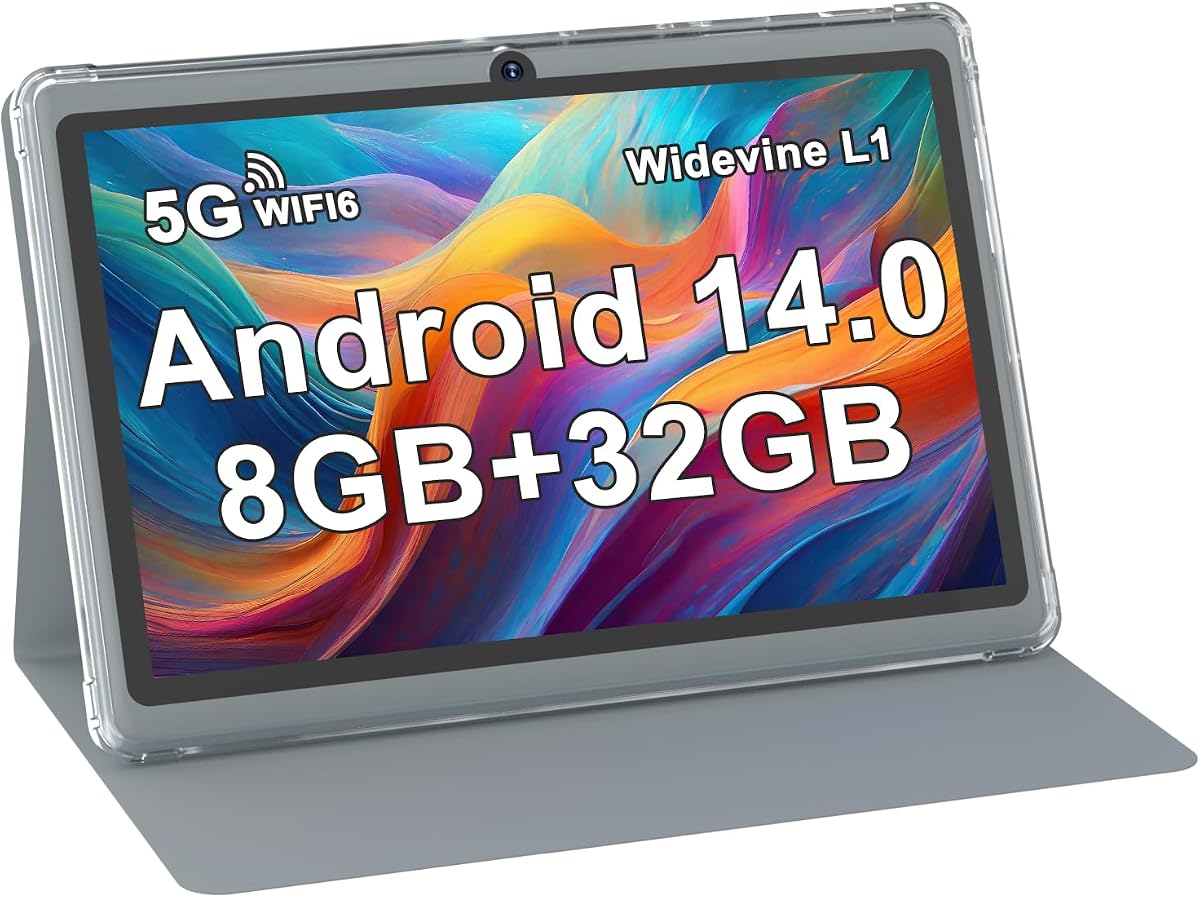


The Jeazans Tablet stands out as the top choice for users seeking a cheap WiFi tablet that does not compromise on modern features. With its Android 16 operating system and high rating, it offers a smooth experience for streaming and multitasking tasks.
We may earn a commission when you buy through this link, at no additional cost to you.
Its standout quality lies in the Widevine L1 certification which enables high-definition playback on popular streaming apps. The Wi-Fi 6 connectivity ensures that you get stable and fast internet speeds essential for a reliable viewing experience anywhere in your home.
While the price is slightly higher than other budget options, the performance justification is clear. The trade-off involves a slightly heavier device compared to ultra-light models, but the robust build quality and reliable features make it a solid long-term investment for daily use.
This device is ideal for families or students who need a reliable secondary screen for education and entertainment. We recommend it to anyone who wants the best balance of speed and streaming capabilities without paying premium flagship prices.
The Widevine L1 certification allows you to watch content in high definition on supported apps without quality degradation, making it perfect for movie nights.
Support for Wi-Fi 6 means you get faster download speeds and lower latency, ensuring smooth video calls and quick app updates.
We may earn a commission when you buy through this link, at no additional cost to you.
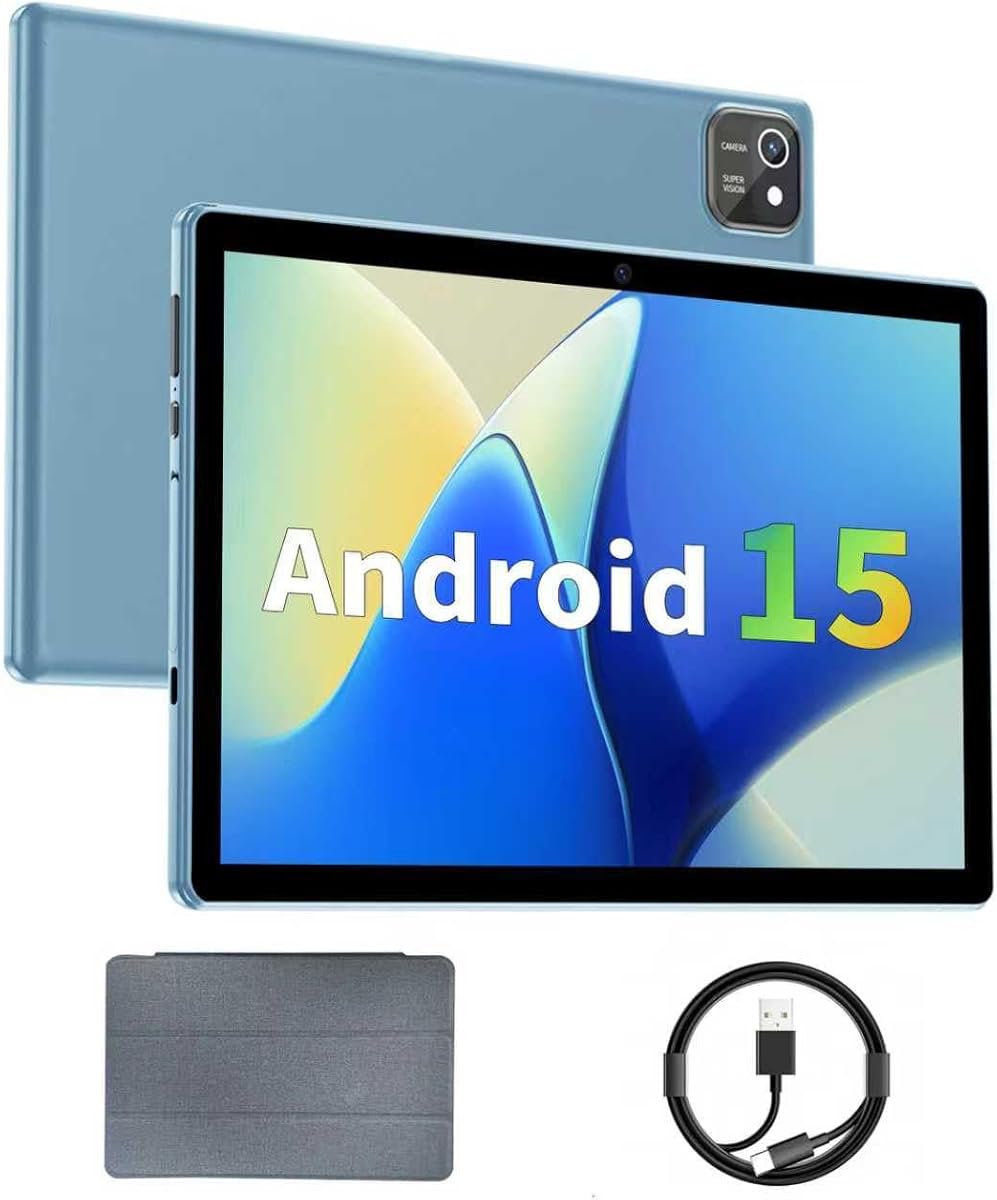
The HOTTABLET Tablet is an excellent entry point for those strictly prioritizing cost over screen size. It runs a modern Android system and comes with a protective case which adds significant value for budget-conscious shoppers looking for immediate usability.
We may earn a commission when you buy through this link, at no additional cost to you.
Its compact 7-inch form factor makes it easy to carry and use with one hand. The dual-band Wi-Fi support ensures that even at this price point, you do not have to sacrifice basic connectivity stability for daily browsing and video streaming.
The main trade-off is the smaller screen which may feel cramped for extended movie watching sessions. Battery life is also moderate compared to larger 10-inch models but is sufficient for short daily tasks like reading or light web browsing.
We recommend this tablet for children or as a secondary device for quick checks on the go. If you need a portable and affordable solution that comes ready to use out of the box, this is a strong contender.
The included protective case saves you extra money and ensures the device is safe from bumps and scratches right from day one.
Its small size and low weight make it perfect for slipping into a backpack or jacket pocket for travel and commute use.
We may earn a commission when you buy through this link, at no additional cost to you.
Although slightly more expensive, the Amazon Fire HD 10 offers a premium experience that justifies the cost for many users. Its Full HD screen provides vibrant colors and sharp text which makes reading and watching movies a delight on this device.
We may earn a commission when you buy through this link, at no additional cost to you.
The hardware performance is robust with an octa-core processor that handles multitasking well. You get a battery life that lasts through a full day of mixed usage allowing you to travel or work without constantly searching for a power outlet.
The primary limitation is that it relies on the Amazon Appstore rather than the Google Play Store by default. This can be a hurdle for users who rely heavily on specific Android apps though sideloading is possible for more advanced users.
We suggest this tablet for families already invested in the Amazon ecosystem or those who prioritize screen quality above all else. If you want a reliable entertainment device that feels more like a high-end gadget this is a top choice.
The Full HD display ensures that every color pops and text remains crisp, making it ideal for graphic-heavy apps and streaming services.
With up to thirteen hours of battery life you can watch movies read books, and browse the web from morning until night without recharging.
We may earn a commission when you buy through this link, at no additional cost to you.
The Evermyth GMS tablet impresses with its massive RAM configuration which helps in keeping multiple applications running in the background. This is particularly useful for users who switch frequently between work apps, communication tools, and media players.
We may earn a commission when you buy through this link, at no additional cost to you.
It runs the latest Android 16 system providing access to new features and security updates that older budget tablets often miss. The inclusion of Wi-Fi 6 and Bluetooth 5.4 ensures that you have the latest connectivity standards for faster and more reliable connections.
While the RAM is high, much of it is virtual which means performance may not match physical RAM chips. The build quality is functional but feels lighter than premium models which might be a concern for rough handling.
This device is a strong choice for power users on a budget who need to run several apps simultaneously. We recommend it for students or professionals who require a secondary device for heavy multitasking without breaking the bank.
With high total RAM you can keep dozens of tabs and apps open without the device slowing down or restarting your applications.
Support for the latest Wi-Fi 6 standard ensures your internet connection remains fast and stable even in crowded network environments.
We may earn a commission when you buy through this link, at no additional cost to you.
The COOPERS Tablet offers a balanced mix of features at a very competitive price point making it a great value for casual users. The 10-inch screen provides ample space for reading documents and watching videos which is essential for a general-purpose device.
We may earn a commission when you buy through this link, at no additional cost to you.
It includes built-in GPS which is rare in this price range and useful for navigation or location-based apps. The IPS touch screen ensures that colors look consistent and text remains readable from various angles during casual use.
Performance is adequate for basic tasks but the quad-core processor may struggle with heavy gaming or intensive video editing. The older Bluetooth version also means compatibility with some newer accessories might be limited compared to recent models.
We recommend this tablet for budget travelers or families needing a simple media consumption device. If you need a screen that is easy on the eyes and offers basic navigation features without a high price tag this fits well.
The built-in GPS allows you to use navigation apps directly on the tablet which is handy for road trips or outdoor activities.
The IPS display technology ensures that images look vibrant and text remains sharp from any viewing angle you prefer.
We may earn a commission when you buy through this link, at no additional cost to you.
This generic 7-inch Android tablet is designed for simplicity and portability making it suitable for basic daily tasks. Its lightweight build means you can hold it for long periods without hand fatigue which is great for reading or browsing.
We may earn a commission when you buy through this link, at no additional cost to you.
Being GMS certified ensures that you can access essential Google apps and services without compatibility issues. The screen resolution is adequate for reading text and browsing the web though it is not intended for high-end media consumption.
The low RAM means you should keep your open apps to a minimum to avoid slowdowns. It is not designed for heavy multitasking but serves well as a dedicated reader or a simple web browsing device for elderly users.
We recommend this for anyone who needs a cheap device for reading ebooks or checking emails on the go. If you prioritize portability and low cost over high performance this is a functional and reliable choice.
Its light weight and compact size make it easy to use one-handed for long periods without causing strain or fatigue.
With GMS certification you can easily download and use common Google apps like Maps and YouTube directly from the store.
We may earn a commission when you buy through this link, at no additional cost to you.
The aiprotablet Tablet is a solid contender for those needing more internal memory without spending a fortune. With 12GB of RAM and support for expansion up to 1TB you can store a large library of media without worrying about space.
We may earn a commission when you buy through this link, at no additional cost to you.
It runs Android 15 which brings a modern interface and good security features to your daily use. The battery life is robust enough to last through a full day of moderate usage including streaming and browsing on the go.
One limitation is the reliance on Wi-Fi 5 which is slightly older than Wi-Fi 6 found in other recent models. While still fast for most tasks you might notice slower speeds on very congested networks compared to newer standards.
We suggest this tablet for users who plan to download lots of media files for offline viewing. If you have a large music or video collection and need a device that can hold it all this is a practical solution.
With 64GB of internal storage and expansion options you can keep thousands of photos and videos on your device without issues.
The 6000mAh battery ensures you can use the tablet for extended periods without needing to find a charger constantly.
We may earn a commission when you buy through this link, at no additional cost to you.
This 7-inch tablet comes with a protective cover which makes it ideal for travel and daily commuting. The Wi-Fi 6 support ensures that even on a smaller device you get fast internet speeds for streaming and downloading apps quickly.
We may earn a commission when you buy through this link, at no additional cost to you.
It features Android 14 with enough RAM for smooth multitasking within its size class. The dual camera setup allows for basic video conferencing and photo capturing which adds utility for personal or light work tasks.
The main trade-off is the battery life which is shorter than larger models due to the compact design. However for short trips or daily commuting this is sufficient to keep you connected throughout the day.
We recommend this for anyone who needs a small and affordable device for travel. If you want to browse the web and take video calls without carrying a heavy laptop this is a handy option.
The included protective cover ensures your device stays safe during transit which is perfect for frequent travelers or students.
With Wi-Fi 6 support you get reliable high-speed connections in public hotspots which is great for staying connected on the move.
We may earn a commission when you buy through this link, at no additional cost to you.
The Callsky-Tab Tablet focuses on raw performance with an octa-core processor and high RAM capacity for its price. This combination allows for fast app launching and smooth multitasking which is rare in budget devices today.
We may earn a commission when you buy through this link, at no additional cost to you.
It features a lightweight design that makes it easy to handle and carry around. The screen quality is adequate for general use providing clear text and colors for reading and casual video watching sessions.
While the processor is powerful the overall build quality feels more average than premium models. You may notice that the finish is more plastic-like compared to higher-end tablets but it does not affect the core functionality.
We recommend this for users who want speed and performance without paying for brand names. If you need a fast device for browsing and productivity tasks this offers a good balance of power and affordability.
The octa-core processor ensures that applications launch quickly and switch smoothly even when you are running multiple tasks at once.
Its lightweight design means you can use it for long periods without your arms getting tired which is great for reading.
We may earn a commission when you buy through this link, at no additional cost to you.
The Samsung Galaxy Tab A11 brings a well-known brand name to the budget WiFi tablet segment with a unique 90Hz display. This refresh rate makes scrolling feel smoother and more responsive which enhances the overall user experience significantly.
We may earn a commission when you buy through this link, at no additional cost to you.
It runs Android 15 with Samsung's optimized interface providing a clean and intuitive layout for users. The build quality is sturdy and feels more premium than generic alternatives which is often a priority for brand-conscious buyers.
Since it is an international version you should be aware of potential warranty limitations and the need to set up a compatible region. Also the charger is not included in the box so you may need to buy one separately.
We suggest this tablet for fans of the Samsung ecosystem who want a reliable device. If you prefer a brand with a proven track record and a smoother display experience this is a solid choice.
The 90Hz refresh rate makes navigating through pages and apps feel much smoother and more responsive than standard 60Hz screens.
Samsung's attention to design means this device feels more robust and reliable in hand compared to generic unbranded options.
We may earn a commission when you buy through this link, at no additional cost to you.
Selecting the right affordable tablet requires understanding which features truly matter for your daily needs. This guide breaks down the critical factors to help you avoid common pitfalls and choose a device that offers the best value.
The operating system dictates the apps you can run and the security of your device. Newer versions like Android 16 offer better performance and latest features but may not be available on all budget models. Always check the OS version before purchasing to ensure longevity.
Look for the latest Android version to ensure your device remains secure and compatible with modern apps for years to come.
Connectivity is crucial for a WiFi tablet to perform well in streaming and browsing. Wi-Fi 6 offers faster speeds and better stability in crowded networks compared to older Wi-Fi 5 models. This factor is often overlooked but greatly impacts user experience.
Prioritize models with Wi-Fi 6 to get the fastest possible internet speeds and the most stable connection for streaming.
RAM determines how many apps you can run simultaneously without slowdowns. While budget tablets often advertise high RAM numbers some use virtual memory which may not perform as well as physical RAM. An octa-core processor generally provides smoother performance than quad-core ones.
Choose a tablet with sufficient physical RAM and a strong processor to handle multitasking efficiently without lag.
Screen size impacts portability and the ease of viewing content. A 7-inch screen is easy to carry but might be too small for movies while a 10-inch screen offers better media consumption at a cost of added weight. IPS panels are preferred for better viewing angles and color accuracy.
Select a screen size that balances your need for portability with your desire for a larger viewing area.
Battery life is a major factor for mobile usage. Look for tablets with at least 5000mAh capacity to ensure the device lasts through a full day of moderate use. Fast charging support is also a valuable feature for quick top-ups.
Check the battery capacity to ensure you get enough power for your daily activities without frequent recharging.
Storage allows you to keep more media and apps on your device. Many budget tablets come with limited internal storage but support microSD cards to expand capacity. This is essential if you plan to download many videos or games.
Ensure the tablet has a microSD slot to allow for storage expansion if you need to store large amounts of data.
While not the primary focus, cameras are useful for video calls and scanning documents. Dual camera setups with decent resolution help in making clear video calls which is important for remote work or staying in touch with family.
Look for a dual-camera setup if video conferencing is a key part of your daily usage on the tablet.
Buying from established brands often ensures better build quality and customer support. However, budget models from new brands can offer good value. Check the warranty period to ensure you have protection against potential defects or hardware issues.
Prioritize models with a good warranty to protect your investment against unexpected hardware failures.
To maximize the lifespan of your budget tablet, always keep it in a protective case when not in use. Since budget devices may have more sensitive materials, avoiding direct impacts or drops is crucial to prevent screen cracks and internal damage.
Optimize your battery health by avoiding extreme temperatures and not leaving the device charging overnight unnecessarily. Use the power-saving mode when you know you will be away from a charger for extended periods to conserve energy.
Regularly update your software to ensure you have the latest security patches and features. Clear your cache occasionally to free up storage space and keep the device running smoothly over time.
Yes, most tablets in this guide include front-facing cameras suitable for video calls via apps like Zoom. The audio quality and screen size will vary, but a 10-inch model will generally provide a better experience for meetings.
Most budget models are Wi-Fi only and do not support SIM cards for mobile data. If you need internet on the go without Wi-Fi you would need to use a mobile hotspot or choose a specific model that includes cellular support.
Battery life varies by model but you can generally expect between 6 to 10 hours of mixed usage. Models with larger batteries like 6000mAh tend to last longer during continuous media consumption or web browsing sessions.
Most of the tablets featured support microSD card expansion which allows you to add up to 1TB of extra storage. This is useful for storing large video files and music libraries without worrying about running out of internal space.
Many models come with parental control features and protective cases which make them suitable for children. The smaller 7-inch options are often easier for younger hands to hold and manage during casual play.
Yes, most tablets in this list are GMS certified meaning they come with Google Play Store pre-installed. This ensures you can download popular apps like YouTube, Gmail, and Maps without needing to sideload them.
We have reviewed ten diverse options to help you find a reliable and affordable device that meets your specific needs. Whether you prioritize speed, screen quality, or brand reputation there is a suitable choice in this list for everyone.
When making your final decision consider your daily usage habits and the tasks you will perform most frequently. A balance of performance and cost is key to ensuring you get the best value for your investment without overspending.
Prices and availability for these models can change quickly so we recommend checking the current listings before you buy. Visit the product pages to get the most up-to-date information and ensure you secure the best deal available today.