
acer Chromebook Plus Spin 714
4.5Editor score
Intel Core Ultra 5
120Hz refresh rate
Thunderbolt 4 support
Chromebooks for AI represent a new generation of laptops designed to leverage artificial intelligence tools directly within the operating system. These devices offer seamless integration with Google AI, features like Gemini, and enhanced productivity tools that streamline workflows for students and professionals alike.
We evaluated ten top models based on their processing power, AI-specific capabilities, display quality, and overall user experience. Each product was analyzed for its ability to handle AI-driven tasks, battery longevity, and value proposition to ensure a comprehensive comparison for informed purchasing decisions.
Each pick highlights unique strengths such as premium build quality, extended battery life, or specific AI enhancements. Note that pricing and availability fluctuate frequently, so verify current deals before making a final purchase decision to secure the best value for your needs.
4.5Editor score

4.9Editor score
5.0Editor score
As an Amazon Associate we earn from qualifying purchases.
This side-by-side comparison highlights the core specifications and unique strengths of each model to help you quickly identify the right fit for your AI-driven computing needs.


The Acer Chromebook Plus 514 stands out as the top choice for AI integration, offering a robust Intel Core i3 processor paired with generous storage and a high-resolution touch display. Its standout quality is the inclusion of Google AI Pro, providing extended access to Gemini and 5TB of cloud storage for 12 months.
We may earn a commission when you buy through this link, at no additional cost to you.
This model excels in performance thanks to the 13th Gen Intel Core i3 processor which handles multitasking efficiently. The 8GB LPDDR5 memory ensures smooth operation across multiple browser tabs and AI apps. Additionally, the Wi-Fi 7 support guarantees future-proof connectivity for fast data transfers and seamless video calls.
While the device lacks dedicated GPU power, it is well-suited for web-based AI tools and productivity tasks. The battery life is impressive, though real-world usage may vary based on brightness and network settings. The anti-glare coating on the screen helps maintain visibility in bright environments.
Students and professionals seeking a reliable AI Chromebook will find this model ideal for daily workflows. It balances cost, performance, and AI features effectively. We recommend checking current availability before purchase as stock levels may fluctuate due to high demand.
The Chromebook integrates Gemini directly into Gmail and Docs allowing you to simplify jargon-filled content and generate creative ideas with minimal effort.
AI-powered video tools automatically enhance clarity and lighting cancel noise and blur backgrounds ensuring you always look professional during virtual meetings.
We may earn a commission when you buy through this link, at no additional cost to you.
The ASUS Chromebook Plus CX34 offers a solid entry point into AI-enhanced computing with its dedicated AI features and accessible pricing. It provides 12 months of Google AI Premium Plan, giving users access to advanced Gemini tools without immediate extra costs.
We may earn a commission when you buy through this link, at no additional cost to you.
Its strengths lie in the AI-powered Google features like Magic Eraser and lighting enhancement for video calls which improve daily usability. The Intel Core i3 processor ensures smooth performance for basic tasks. The device also includes ample cloud storage for backups and file management.
Trade-offs include a standard Full HD resolution compared to higher-end WUXGA panels and slower UFS storage. These limitations are acceptable for casual users focused on document editing and web browsing. The compact design makes it easy to carry around campus or office.
Ideal for students on a budget who still want AI tools integrated into their workflow. It is a good option if you prioritize cost savings over maximum screen real estate or storage speed. Ensure you meet age and redemption requirements for the AI software plan.
Use built-in AI to design unique backgrounds and reimagine photos effortlessly enhancing your creative projects without needing external software.
AI noise cancelation and lighting features ensure clear audio and visual quality during meetings improving communication with remote teams.
We may earn a commission when you buy through this link, at no additional cost to you.
The Acer Chromebook Plus 515 provides a larger viewing area for users who prefer extended screen real estate. Its AI features are comprehensive, including NotebookLM access which helps summarize and organize documents effectively for research or study sessions.
We may earn a commission when you buy through this link, at no additional cost to you.
Key strengths include the faster LPDDR5X memory which improves data processing speed over standard DDR5. The Intel Core i3 processor handles multitasking well, allowing you to run multiple apps simultaneously. The touch display adds versatility for navigation and drawing.
The larger chassis increases portability slightly compared to 14-inch models. Battery life is adequate for day-to-day use but may not last as long under heavy load. The HD resolution is standard for this price range but lacks the sharpness of higher-end panels.
Best for users who need more screen space for spreadsheets or creative work. It is suitable for those prioritizing storage and memory over compactness. Consider your travel needs before selecting this model over smaller variants.
NotebookLM helps you quickly digest long documents and extract key points saving time during research or report writing phases.
The enhanced memory ensures smooth switching between browser windows and AI tools without noticeable lag or slowdown.
We may earn a commission when you buy through this link, at no additional cost to you.
This model features the powerful Intel Core Ultra 5 processor designed to unlock next-level AI experiences on the PC. Its premium build quality and Thunderbolt 4 support make it ideal for professionals needing robust connectivity and performance.
We may earn a commission when you buy through this link, at no additional cost to you.
The standout features include a high refresh rate display for smoother visuals and dedicated AI engines for efficient processing. It offers better low-power processing for longer unplugged performance. The antimicrobial Gorilla Glass display ensures durability and hygiene in shared environments.
Trade-offs include a higher cost compared to standard Chromebooks and limited storage capacity. However, the performance benefits justify the investment for power users. The convertible design adds flexibility for different usage modes like tablet or tent mode.
Ideal for professionals who require high performance and premium features. It is excellent for those who value connectivity options like Thunderbolt 4. Check if the premium features align with your workflow before purchasing to ensure cost-effectiveness.
The Intel Core Ultra processor includes dedicated engines that enhance AI tasks and graphics performance for a more immersive experience.
Antimicrobial Gorilla Glass resists fingerprints and ensures the screen remains clean and clear even after frequent touch interactions.
We may earn a commission when you buy through this link, at no additional cost to you.
This version focuses on value with a larger 512GB SSD and military-grade durability standards. It is designed to be versatile for students and professionals who need reliable performance in various conditions.
We may earn a commission when you buy through this link, at no additional cost to you.
Strengths include ample storage for files and media, plus support for up to three external monitors. The Quick Insert key simplifies image creation using AI tools. Battery life is supported by fast charging technology for quick top-ups.
The N355 processor is efficient but less powerful than higher-end options. This trade-off is acceptable for basic tasks but may limit heavy multitasking. The rugged build ensures longevity in harsh environments like classrooms.
Best for users who need extra storage and durability without paying premium prices. It is ideal for fieldwork or environments where device security is paramount. Verify the processor matches your specific software requirements before purchase.
Expand your workspace with up to three external monitors using HDMI and USB-C connections for enhanced productivity.
Meets MIL-STD-810H standards ensuring the device can withstand drops and spills during daily use or travel.
We may earn a commission when you buy through this link, at no additional cost to you.
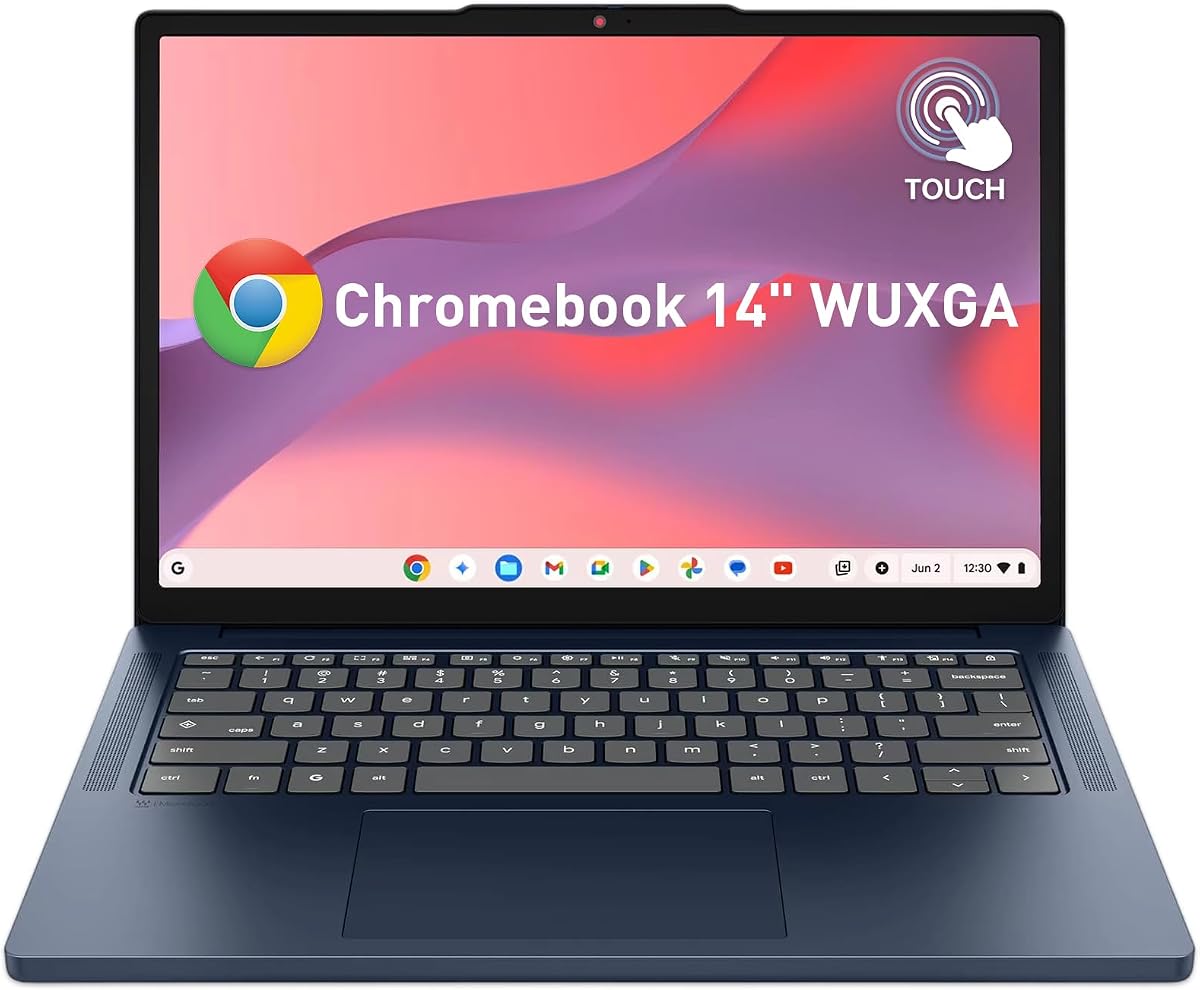
Designed for portability, this Chromebook offers a lightweight build and long battery life for campus use. It includes features like a privacy shutter to protect personal data during classes.
We may earn a commission when you buy through this link, at no additional cost to you.
Key strengths include efficient power management and fast USB-C charging for quick turnarounds. The 14-inch WUXGA display provides a crisp viewing experience for digital textbooks. Dual-array microphones ensure clear audio in group study sessions.
Trade-offs involve limited storage and memory compared to higher-end models. External drives may be needed for larger file sets. However, cloud storage integration mitigates this issue effectively.
Ideal for students who prioritize portability and battery life. It is perfect for those who need a reliable device for basic tasks without heavy data storage needs. Consider if your projects require more local storage capacity.
Weighing under 3 lbs and featuring long battery life this laptop easily fits into backpacks for travel between classes.
A physical camera shutter protects privacy between virtual classes and study sessions without needing software toggles.
We may earn a commission when you buy through this link, at no additional cost to you.
This model emphasizes ruggedness and storage with a military-grade chassis and large SSD. It supports multiple external displays and includes a backlit keyboard for low-light work.
We may earn a commission when you buy through this link, at no additional cost to you.
Strengths include the durable design suitable for travel or industrial environments. The wide port selection simplifies connectivity without extra dongles. AI tools like Gemini help organize drafts and optimize materials efficiently.
The device is slightly heavier due to its sturdy build. Battery life may vary depending on usage intensity. It remains a reliable choice for demanding environments where screen fragility is a concern.
Best for users who need a robust device for field work. It is ideal for environments where standard laptops might get damaged. Ensure the weight is acceptable for your daily commute before purchasing.
Equipped with USB-C USB-A and HDMI ports this device supports a wide range of peripherals without adapters.
The white backlit keyboard allows comfortable typing in dim environments such as study halls or late-night sessions.
We may earn a commission when you buy through this link, at no additional cost to you.
This device balances performance and storage with a modern Intel Core 3 processor. It provides Wi-Fi 6E connectivity ensuring fast network speeds in congested areas.
We may earn a commission when you buy through this link, at no additional cost to you.
Strengths include ample storage and efficient memory management for multitasking. The touch display supports intuitive navigation and drawing tasks. Battery life supports typical school days or business meetings.
Trade-offs include average brightness levels compared to high-end displays. It is not designed for intensive graphics tasks but excels at general productivity. Bluetooth connectivity enables seamless pairing with peripherals.
Best for users needing reliable general performance with large storage. It is ideal for those who prioritize file capacity over display brightness. Check current reviews for specific battery performance before purchase.
The Intel Core 3 processor provides efficient daily task performance ensuring smooth operation across browser apps.
Wi-Fi 6E and Bluetooth 5.3 enable fast and reliable connections to networks and external devices.
We may earn a commission when you buy through this link, at no additional cost to you.
This model offers an AMD Ryzen 3 processor which provides efficient performance for daily tasks. It features a spill-resistant keyboard and durable build suitable for busy environments.
We may earn a commission when you buy through this link, at no additional cost to you.
Strengths include up to 12 hours of battery life and an enhanced touchpad for precise navigation. The AI-powered video call tools improve clarity automatically. Wi-Fi 6E ensures fast data transfer speeds.
The main trade-off is the limited 128GB storage requiring reliance on cloud services. However, this makes the device affordable and efficient for users who prioritize cloud storage. It supports external drives for additional space.
Best for budget-conscious buyers who still want AI features. It is ideal for users who rely on cloud storage over local drives. Verify if the storage meets your needs before purchase.
The keyboard resists spills up to 30ml protecting the device from minor accidents during daily use.
Up to 12 hours of battery life ensures you can work through long days without frequent charging interruptions.
We may earn a commission when you buy through this link, at no additional cost to you.
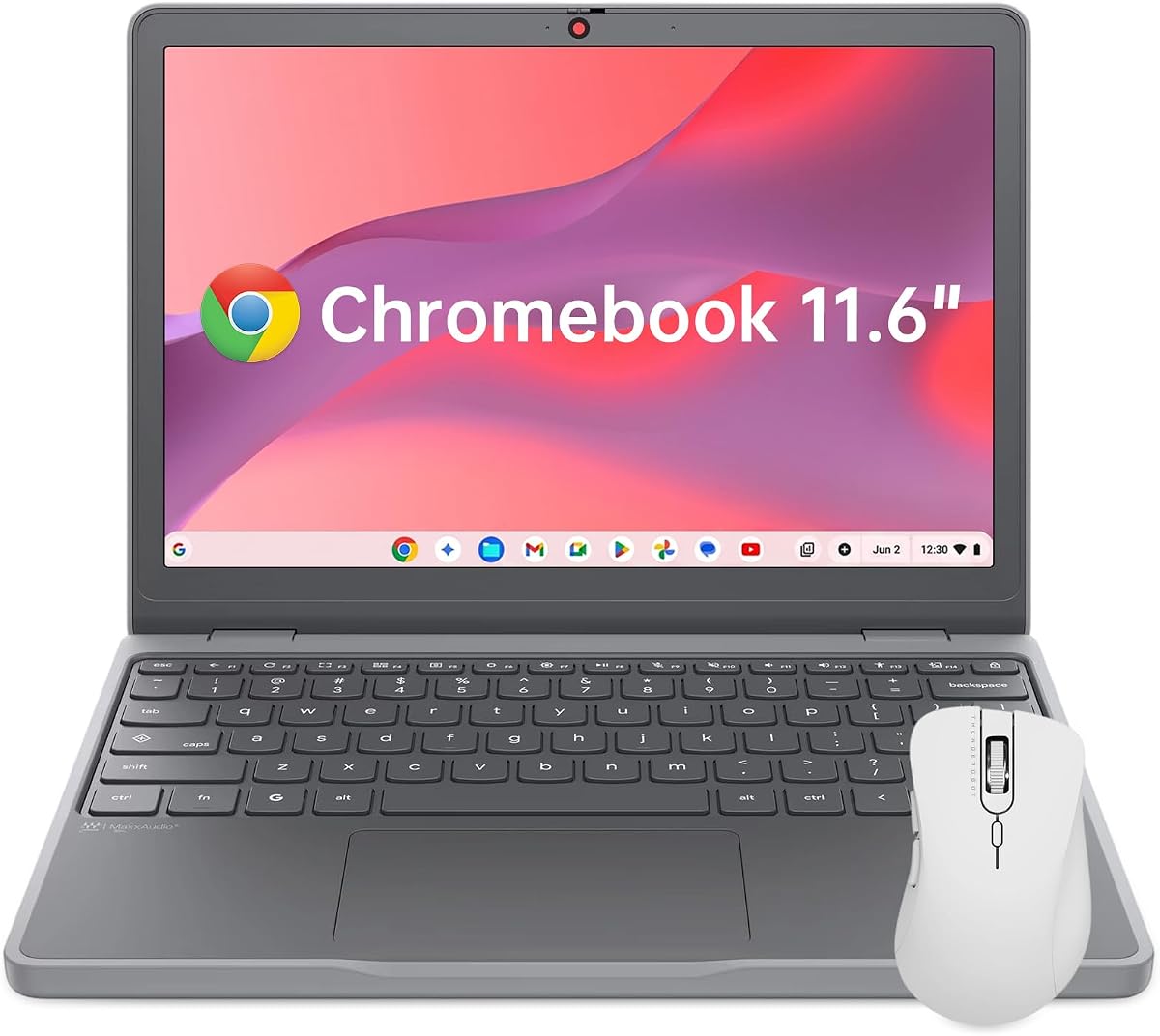
This ultra-portable Chromebook is designed for maximum convenience and travel. It features a low blue light display to reduce eye strain during long sessions and includes built-in security chips.
We may earn a commission when you buy through this link, at no additional cost to you.
Strengths include a lightweight chassis and compact dimensions making it easy to carry. The battery supports all-day use for students and travelers. It provides essential ports for basic connectivity without bulk.
Trade-offs include a small screen and standard resolution which may limit productivity. It is suitable for basic tasks but not ideal for content creation. Storage is limited requiring cloud reliance.
Best for users needing a secondary device for quick tasks. It is ideal for travel or situations where space is limited. Ensure the screen size meets your comfort requirements before purchase.
The low blue light certification helps reduce eye fatigue during extended study or work sessions.
Weighing only 2.69 lbs this device fits easily into small bags for travel or commuting.
We may earn a commission when you buy through this link, at no additional cost to you.
Selecting the right Chromebook for AI involves balancing performance, AI features, and practical usability for your specific needs.
A fast processor like the Intel Core i3 or Core Ultra is essential for running AI tools smoothly without lag. Higher-end chips handle multitasking better and support more advanced AI features.
Prioritize processors with dedicated AI engines or newer generations for better efficiency.
Look for models that include Google AI Pro or Gemini features directly within the operating system for streamlined workflows. These built-in tools enhance productivity without requiring additional subscriptions.
Check that the model includes 12 months of premium access to maximize value.
At least 8GB of RAM ensures smooth multitasking across multiple AI-enabled applications. Larger SSDs reduce the need for external storage and improve load times for apps.
Consider models with 512GB SSD if you store many files locally rather than relying on cloud storage.
A WUXGA touch display offers sharper visuals and interactivity which is helpful for AI creative tools. Anti-glare coatings help maintain visibility in bright environments.
Choose a resolution of at least 1920×1200 for comfortable viewing of detailed content.
All-day battery life is critical for students and professionals who work remotely. Models with 10 or more hours of runtime reduce dependency on outlets during workdays.
Verify real-world battery estimates in reviews as settings and usage significantly impact duration.
MIL-STD-810H ratings indicate a device can withstand drops and spills which is useful for fieldwork. Rugged builds ensure longevity in harsh environments.
Look for spill-resistant keyboards and durable materials if the device will be used outside the office.
Wi-Fi 6E and Bluetooth 5.3 support faster and more reliable wireless connections. USB-C ports with power delivery simplify charging and data transfer.
Ensure the model has enough ports to connect external displays or peripherals without dongles.
Compare features like cloud storage and processor power against the price. Some models offer higher value through included AI subscriptions and larger storage.
Select a model that balances cost with the specific AI and performance features you require.
To maximize AI performance, ensure your device is updated to the latest Chrome OS version which includes the newest AI integrations and security patches. Regularly update apps and browser extensions to maintain compatibility with AI features.
Manage storage by utilizing cloud services like Google Drive and OneDrive alongside local SSD space. This hybrid approach keeps files accessible without overwhelming limited local storage capacity.
Protect the device by using a protective case and avoiding extreme temperatures. Clean the screen with a microfiber cloth to prevent scratches and maintain display clarity over time.
Chromebooks for AI include built-in features like Gemini integration, voice assistants, and AI-powered video call tools. They also offer faster processors and optimized software to run generative AI apps smoothly.
Yes, you can use Adobe Photoshop via the Chrome OS web or Android app versions. These tools include AI features like generative fill that work within the browser environment.
Most models include 12 months of Google AI Pro or Premium. This includes access to advanced Gemini features and cloud storage. Check product details for expiration dates.
Many models support one or two external displays via USB-C or HDMI. Check specific port specs for maximum resolution support like 4K at 60Hz.
Most Chromebooks listed include basic AI tools like noise cancellation and voice dictation. Premium models offer more advanced features like real-time translation or image generation.
Some AI tools work offline, but most features require internet access for cloud processing. Always connect to Wi-Fi for full AI functionality.
Look for Intel Core Ultra or newer Core i3 models which include AI engines. AMD Ryzen models also support AI workloads in supported applications.
The Acer Chromebook Plus 514 leads the pack for its balance of performance and integrated AI tools. It remains the top choice for professionals and students seeking productivity enhancements.
For those prioritizing portability and budget, the Lenovo 2026 Chromebook offers excellent value with key AI features. Evaluate your storage and memory needs to avoid future bottlenecks.
Always check current prices and availability before buying. Prices fluctuate frequently, so verifying deals ensures you get the best value for your specific workflow requirements.