
havit HV-F2056 Laptop Cooling Pad
4.4Editor score
Three ultra-quiet fans operate silently
Adjustable ergonomic height settings
Extra USB port connectivity
Gaming laptops often suffer from thermal throttling during intense sessions. A reliable cooling fan for MSI gaming laptop ensures optimal performance and extends device life significantly.
We compared ten top-rated cooling solutions based on airflow, noise, and compatibility. Each product was evaluated for its ability to handle high-performance MSI chassis effectively.
This guide highlights unique features and real-world benefits for every pick. Prices and availability change frequently so please verify details before making your final purchase decision.
4.4Editor score

4.4Editor score

5.0Editor score
As an Amazon Associate we earn from qualifying purchases.
This side-by-side comparison highlights the key specifications and capabilities of each cooling solution to help you find the perfect match for your specific MSI gaming machine.


The Razer Laptop Cooling Pad stands out as a premium solution for managing thermal performance in high-end gaming laptops. With a strong rating, it offers intelligent cooling that adapts to your workload without requiring constant manual intervention.
We may earn a commission when you buy through this link, at no additional cost to you.
Its standout feature is the smart cooling system that adjusts fan speeds automatically based on system temperatures. The airtight pressure chamber ensures that the 140mm brushless fan directs air efficiently to critical components like the CPU and GPU.
While the price is higher than standard models, the build quality and features justify the cost for serious users. The included USB hub and customizable RGB lighting add significant value to the overall desktop setup experience.
If you own an MSI Blade or similar premium laptop, this cooler is a worthy investment. It balances performance with convenience and provides long-term reliability through its manufacturer warranty.
The pad uses adaptive smart cooling to manage heat efficiently without noise or complexity.
A built-in 3-port USB hub allows you to connect peripherals without cluttering laptop ports.
We may earn a commission when you buy through this link, at no additional cost to you.
The havit HV-F2056 is a top choice for those seeking effective cooling without breaking the bank. It delivers reliable thermal relief for mid-sized gaming laptops while maintaining a quiet and comfortable user experience.
We may earn a commission when you buy through this link, at no additional cost to you.
Its three ultra-quiet fans create a noise-free environment ideal for focused gaming or work. The design doubles as an ergonomic stand with two height settings to improve posture during extended sessions.
While it lacks advanced features like RGB or software control, its core functionality is solid. The metal mesh provides stability, and the extra USB port offers convenient connectivity for peripherals.
This cooler is perfect for budget-conscious users who prioritize simplicity and silence. It effectively manages heat for 15 to 17 inch laptops without adding bulk or noise to your desk.
Three ultra-quiet fans ensure minimal noise interference while maintaining efficient cooling.
Adjustable height settings allow for better viewing angles and reduced neck strain.
We may earn a commission when you buy through this link, at no additional cost to you.
This cooling pad is engineered specifically for MSI Raider laptops and delivers exceptional thermal performance. With a perfect rating, it handles the high heat output of powerful GPUs and CPUs with ease.
We may earn a commission when you buy through this link, at no additional cost to you.
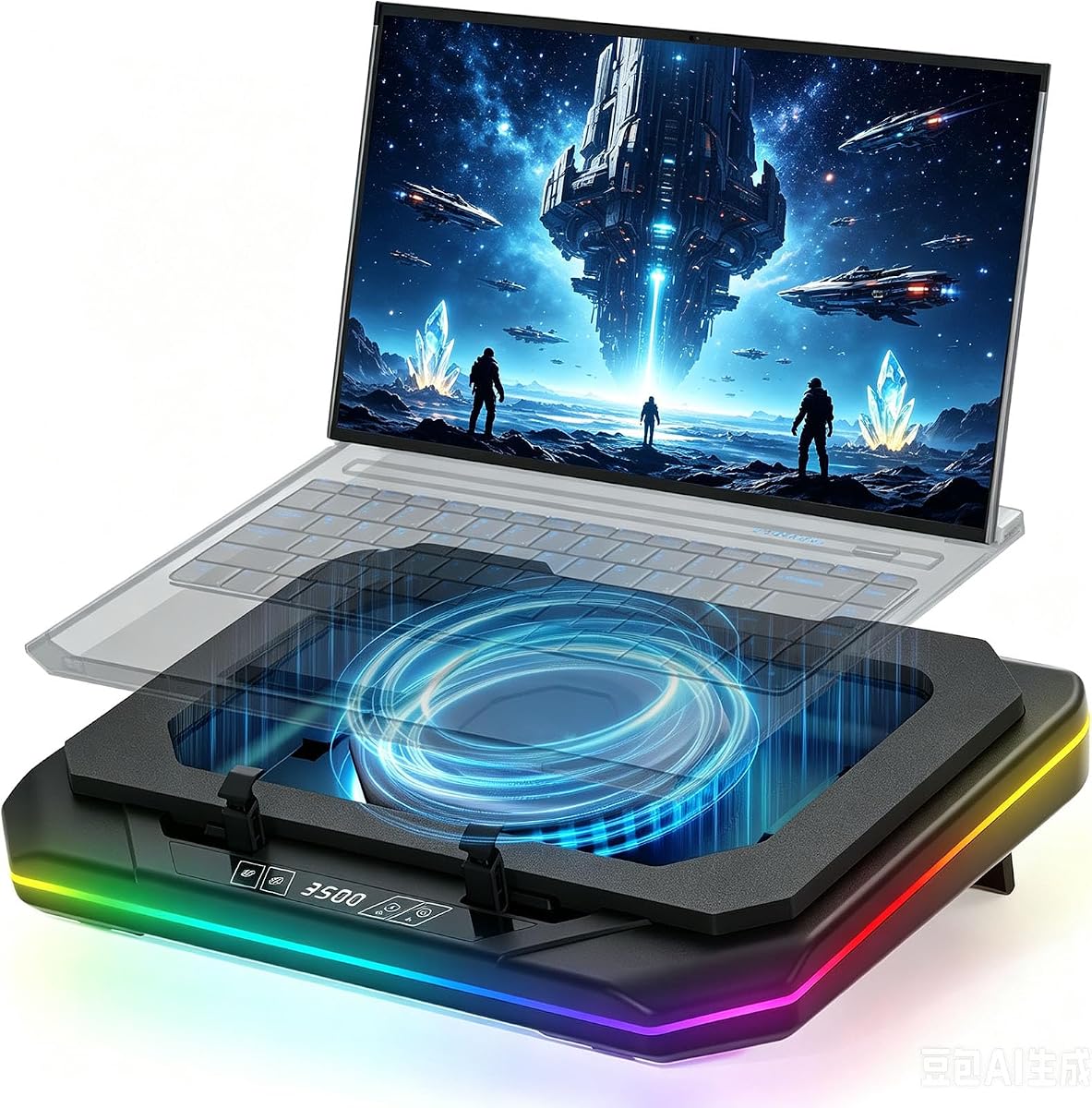
The super powerful turbofan reaches up to 3500 RPM to reduce temperatures by up to 40 degrees in just 90 seconds. Sealed wind pressure ensures maximum efficiency by directing air exactly where needed.
While the noise level can be high at maximum speed, it is a worthy trade-off for the cooling power it offers. The included USB hub and RGB lighting add a functional and aesthetic touch to your setup.
If you own an MSI Raider 18 or similar model, this cooler is a specialized solution. It combines raw cooling power with thoughtful design features to keep your system running smoothly under heavy loads.
Powerful turbofans and sealed airflow design drastically reduce CPU and GPU temperatures.
Designed specifically for MSI Raider models to ensure perfect fit and airflow alignment.
We may earn a commission when you buy through this link, at no additional cost to you.
This pad is designed for MSI Vector and Creator laptops, offering high performance cooling for demanding workflows. With a perfect rating, it ensures that your system remains stable even during intense rendering or gaming.
We may earn a commission when you buy through this link, at no additional cost to you.
The turbofan provides rapid heat dissipation, reducing combined CPU and GPU temperatures significantly. The sealed wind pressure design maximizes airflow efficiency to target the most critical hotspots on your laptop.
Additional features like retractable side panels prevent slipping while the USB hub provides essential connectivity. The RGB lighting enhances the gaming atmosphere and complements modern laptop aesthetics effectively.
It is an excellent choice for users with Vector or Creator models who need robust cooling. The combination of performance and design makes it a top contender for high-end laptop setups.
Powerful turbofans deliver quick temperature reduction during high-load tasks.
Retractable panels and foldable footrests ensure stability and adaptability.
We may earn a commission when you buy through this link, at no additional cost to you.
The Kootek Laptop Cooling Pad offers versatile cooling with five fans to cover a wide range of laptop sizes. It combines functionality with ergonomic design to provide a comfortable and cool typing experience.
We may earn a commission when you buy through this link, at no additional cost to you.
Its whisper-quiet fans ensure that you can focus on your work without noise distractions. The six adjustable height settings allow for customization to suit your specific posture preferences comfortably.
While the LED lights cannot be turned off independently, the cooling performance remains consistent and reliable. The dual USB hub adds practical value for users who need extra connectivity for peripherals.
This is a solid choice for users seeking a universal solution for various laptop sizes. It balances cost, performance, and comfort effectively for everyday gaming and work usage.
Designed to support laptops from 12 to 17 inches with secure placement.
Ultra-quiet fans create a peaceful workspace for focused productivity.
We may earn a commission when you buy through this link, at no additional cost to you.
The ChillCore Cooling Pad features an impressive nine fans to deliver aggressive cooling for large gaming laptops. It offers extensive customization options for height and lighting to suit any gaming environment.
We may earn a commission when you buy through this link, at no additional cost to you.
Its LCD display provides real-time feedback on fan speed allowing for precise adjustments. The nine fans ensure that airflow is distributed effectively across the entire surface of your laptop.
While the setup may be slightly complex, the benefits of adjustable height and lighting are significant. The whisper-quiet design ensures that the fans do not overpower the audio of your games.
This pad is ideal for users with larger laptops who need maximum cooling capacity. The combination of fan count and customization makes it a standout option in its price category.
Nine cooling fans deliver substantial airflow to handle high heat output effectively.
LCD display provides instant feedback on fan speed settings.
We may earn a commission when you buy through this link, at no additional cost to you.
The llano V12 Ultra combines hardware excellence with intelligent software control for dynamic cooling. Its high rating reflects its ability to adapt to workload changes and maintain optimal temperatures.
We may earn a commission when you buy through this link, at no additional cost to you.
The AI temperature control adjusts fan speed automatically to match your usage. A powerful turbofan paired with a memory foam seal ensures that air is directed precisely into intake vents.
Users appreciate the removable dust filter which helps maintain performance over time. The inclusion of USB 3.0 ports adds modern connectivity for fast data transfers and peripherals.
This cooler is best for users who want software integration with powerful cooling. It balances automation and manual control to suit various preferences and usage scenarios.
AI software adjusts fan speeds automatically based on current system workload.
Memory foam seals ensure air pressure is maintained for maximum cooling.
We may earn a commission when you buy through this link, at no additional cost to you.
The llano V12 Gaming offers powerful cooling with a large diameter turbofan designed for intense gaming sessions. Its build quality and performance make it a reliable choice for high-performance laptops.
We may earn a commission when you buy through this link, at no additional cost to you.
Its high-power adapter ensures the fan runs at full speed without draining laptop battery. The integrated dust filter protects your laptop from debris while maintaining consistent airflow over time.
The scroll wheel allows for instant and precise adjustments to fan speed. RGB lighting can be controlled easily and adds a vibrant touch to your gaming setup.
This pad is perfect for gamers who need robust cooling and aesthetic customization. It effectively handles heat during demanding tasks while providing user-friendly controls.
A large turbofan and high-power adapter deliver intense cooling during load.
Scroll wheel allows for instant airflow adjustments without navigating software.
We may earn a commission when you buy through this link, at no additional cost to you.
This cooling pad uses a patented design to direct airflow efficiently and reduce temperatures significantly. It supports a wide range of laptop sizes from 12 to 19 inches for broad compatibility.
We may earn a commission when you buy through this link, at no additional cost to you.
The fan design allows for quiet operation while maintaining effective cooling. You can adjust the speed from 800 to 2600 RPM to balance noise and performance as needed.
A spring-loaded bracket automatically grips your laptop securely in place. The sealed airflow design works well for gaming laptops while the removable foam supports ultrabooks effectively.
This is a great choice for users with different types of laptops who value quiet cooling. The USB-C power option adds convenience for modern setups requiring less cable clutter.
Patented fan design directs air efficiently to cool components effectively.
Adapts to various laptop sizes with sealed or open mode options.
We may earn a commission when you buy through this link, at no additional cost to you.
The llano Gaming Laptop Cooler offers rapid cooling with a robust turbofan to handle demanding gaming tasks. It features a sturdy design that ensures stability and ergonomic comfort for long sessions.
We may earn a commission when you buy through this link, at no additional cost to you.
A real-time LED display allows for instant monitoring of fan speed and status. Touch-sensitive buttons make adjustments easy and intuitive without needing to reach for software settings.
The included dust filter protects your laptop from intrusion and extends the device lifespan. Double non-slip baffles secure the laptop firmly on any surface to prevent unwanted movement.
This cooler is ideal for users who need reliable performance and clear visibility of settings. It balances build quality and cooling efficiency well for daily gaming and work use.
Turbofan delivers rapid temperature drops during intense gaming or rendering sessions.
Dust filter and non-slip baffles protect laptop and ensure secure placement.
We may earn a commission when you buy through this link, at no additional cost to you.
Choosing the right cooling fan for MSI gaming laptop requires careful consideration of several technical factors to ensure optimal performance and longevity.
Fan speed determines how quickly air moves through the system and is measured in RPM. Higher RPM generally means better cooling but can increase noise levels significantly.
Look for fans with adjustable speeds so you can balance cooling power with your comfort preferences.
Noise level is measured in decibels and affects how intrusive the cooler is during use. A quiet cooler ensures you are not distracted during intense gaming sessions or calls.
Prioritize models that offer low dBA ratings or whisper-quiet operation modes for better user experience.
Ensure the cooling fan fits your specific laptop size and intake ports to work effectively. Some models are designed specifically for larger gaming chassis while others fit ultrabooks.
Check product dimensions and stated compatibility ranges before purchasing to avoid fit issues.
Airflow and static pressure are critical for pushing air into bottom intakes efficiently. Sealed pressure chambers help maintain focus and deliver air where it is most needed.
Select a cooler with sealed designs if your laptop relies on bottom intake ventilation.
Many cooling pads include built-in USB hubs to expand connectivity options for peripherals. This feature can reduce cable clutter and improve desktop organization.
Ensure the USB hub supports the devices you need and does not drain laptop power excessively.
High-quality materials like metal mesh and reinforced chassis contribute to longevity and stability. Dust filters also extend the life of both the cooler and your laptop by preventing debris.
Invest in a model with a sturdy build to ensure reliable performance over years of use.
Place the cooling pad on a flat and stable surface to ensure proper airflow and balance. Align the fans with your laptop's bottom intake vents for maximum thermal efficiency.
Adjust the height and angle to improve ergonomics and prevent neck strain. Use the included USB cable to connect to a powered port for full fan speed.
Clean the dust filters regularly to maintain performance and prevent overheating. Check the fan blades occasionally for dust buildup and wipe them with a soft cloth.
Yes, a cooling fan can significantly reduce CPU and GPU temperatures during heavy tasks. Lower temperatures prevent thermal throttling and help maintain higher performance levels for longer periods.
Some pads require software for full control while others offer manual buttons or knobs. Check product specs before buying to see if software integration is necessary for your needs.
Quality pads aim for quiet operation typically under 35 dBA at lower settings. High-speed turbo models may be louder but offer better cooling for extreme thermal loads.
Most pads support a wide range of sizes but verify the specific fit for your laptop. Ensure the pad aligns with your intake vents for the best cooling effect.
Yes, keeping your laptop cool reduces wear on components and prevents overheating issues. This can lead to a longer lifespan and better sustained performance over time.
Most filters are removable and washable or can be vacuumed gently. Check the manual for specific instructions and clean them every few months to maintain airflow.
We have reviewed ten top cooling solutions that offer excellent thermal management for MSI laptops. Each pick balances performance, noise, and features to suit different user needs and budgets.
Prioritize models with sealed pressure chambers and adjustable fan speeds for the best experience. Consider connectivity options like USB hubs to maximize the value of your purchase.
Prices and availability change frequently so please check current listings before making your final decision. Investing in the right cooling solution will protect your hardware and enhance your gaming comfort.