Dracaena.io CPU Water Block for AM5/AM4
4.6Editor score
Full copper internal channels
5V ARGB sync support
Compact 63mm form factor
Choosing the right CPU water block is essential for any custom liquid cooling setup. A high-quality block ensures efficient heat transfer, keeping your processor cool under heavy loads while maintaining system stability and longevity over time.
We compared ten leading models based on thermal performance, build quality, and compatibility. Our analysis covers various socket types and features like RGB lighting, LCD screens, and advanced microfin designs to help you find the perfect match.
Each pick highlights specific strengths and ideal use cases for different builders. Keep in mind that availability and pricing can change frequently, so verify current details before making your final purchase decision for your next upgrade.
4.6Editor score

4.6Editor score

3.6Editor score
As an Amazon Associate we earn from qualifying purchases.
The following table provides a side-by-side comparison of all ten selected CPU water blocks. Review the key specifications and features to determine which model aligns best with your specific cooling requirements and aesthetic preferences.




The EKWB EK-Quantum Velocity 3 stands out as a top performer in modern liquid cooling. With a solid 4.6 rating, it delivers exceptional thermal efficiency for demanding workloads.
We may earn a commission when you buy through this link, at no additional cost to you.
Its optimized internal geometry ensures maximum heat transfer from the CPU. The nickel-plated copper cold plate offers superior conductivity compared to many competitors in this class.
While it costs more than basic blocks, the performance gain justifies the investment. The slight price premium is acceptable for users seeking the best thermal stability possible.
Enthusiasts building high-end gaming or workstation PCs should choose this model. It is the ideal solution for anyone prioritizing peak cooling performance above all else.
The Velocity 3 achieves up to 2 degrees C improvement over the predecessor, ensuring your CPU stays cooler under heavy loads.
Precise mounting pressure and optimized geometry work together to eliminate hot spots and maximize heat dissipation across the entire processor surface.
We may earn a commission when you buy through this link, at no additional cost to you.
The CORSAIR XC7 RGB Elite LCD offers a unique blend of cooling performance and visual appeal. Rated 4.1 stars, it allows users to showcase creativity on a built-in screen.
We may earn a commission when you buy through this link, at no additional cost to you.
Its Hexa-Flow cooling engine mitigates laminar flow for even core cooling. The IPS LCD screen displays real-time data or personalized content with bright clarity.
Setup is simplified with USB-C connectivity for automatic configuration. While it needs a specific ecosystem for full control, the convenience is a major plus.
Builds focused on aesthetics and monitoring will love this block. It is perfect for users who want their cooling solution to double as a display.
The 480×480 IPS LCD screen offers ultra-bright backlighting and true color depth for displaying system stats or custom media easily.
This engine design ensures all CPU cores are cooled evenly, which is critical for modern multi-chip package processors under load.
We may earn a commission when you buy through this link, at no additional cost to you.
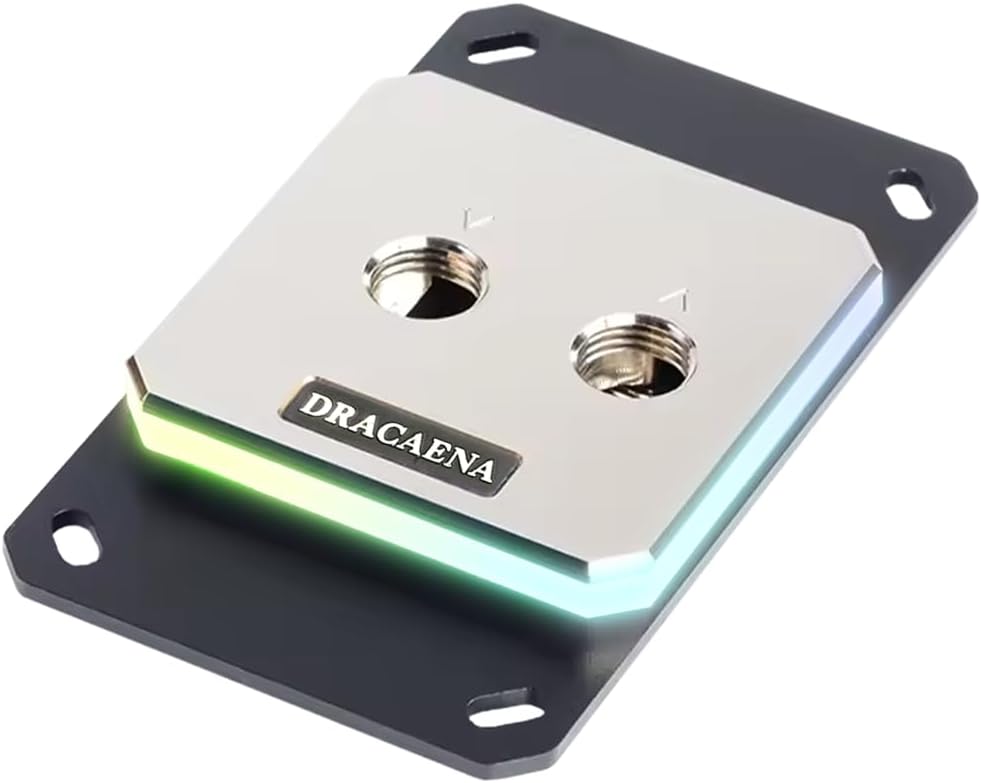
The Dracaena.io CPU Water Block delivers impressive value without compromising on core cooling materials. It holds a 4.6 rating thanks to its robust copper construction.
We may earn a commission when you buy through this link, at no additional cost to you.
It features full copper internal water channels for maximum thermal conductivity. The 0.4mm microfin base plate ensures rapid heat transfer from the processor die.
Compatibility is a major strength covering virtually every AMD platform from the last fifteen years. This versatility saves users from needing adapters for older builds.
Budget-conscious builders wanting pure performance should choose this option. It offers premium cooling materials at a fraction of the cost of branded competitors.
This block supports AM5, AM4, AM3+, and more with no adapters required, making it a versatile choice for various system generations.
With no aluminum in the water path, the all-copper loop ensures superior conductivity and avoids corrosion issues often found in mixed-material blocks.
We may earn a commission when you buy through this link, at no additional cost to you.
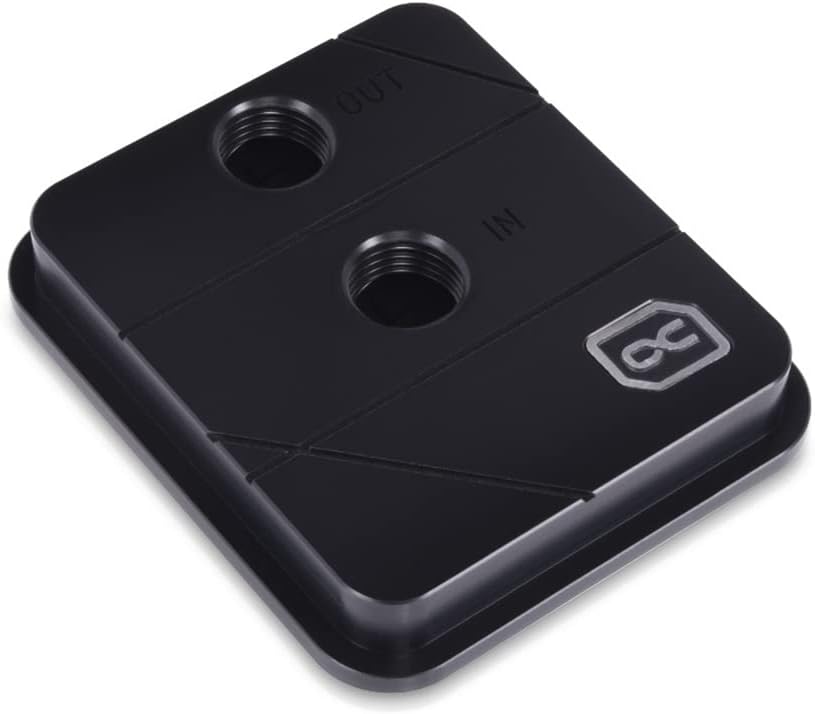
The Alphacool Core 1 is a reliable choice for standard cooling needs without extra bells and whistles. It maintains a 4.6 rating for consistent performance across common sockets.
We may earn a commission when you buy through this link, at no additional cost to you.
Designed for Intel LGA 1700 and AMD AM4/AM5 platforms, it fits modern builds easily. The black finish provides a clean look for systems prioritizing subtlety.
While it lacks RGB features, it delivers solid thermal efficiency for most users. The simplicity reduces potential points of failure during installation and long-term use.
Users seeking a straightforward, high-quality block without flashy lights will appreciate this model. It balances performance and price well for everyday workloads.
Compatibility with the latest Intel and AMD sockets ensures this block remains relevant for current-generation processor upgrades.
The focus remains on thermal efficiency and reliability rather than aesthetic gimmicks, appealing to purists who value function.
We may earn a commission when you buy through this link, at no additional cost to you.
This generic copper block serves as an entry-level option for older systems or budget projects. It holds a 4.2 rating based on its fundamental cooling capabilities.
We may earn a commission when you buy through this link, at no additional cost to you.
The 50mm copper base provides a large contact area to carry heat quickly. Chrome plated faucets and an inner channel allow for standard loop integration.
It fits legacy platforms like Intel 775 and AM2/AM3 but lacks modern AM5 support. Users with newer CPUs will need to check compatibility before purchasing.
DIY builders on a tight budget with older hardware might find this useful. It provides basic liquid cooling functionality without expensive features or branding.
The copper base ensures decent heat transfer for less demanding applications where advanced microfin designs are not strictly necessary.
Support for older Intel and AMD sockets makes this a potential option for retro builds or legacy system upgrades.
We may earn a commission when you buy through this link, at no additional cost to you.
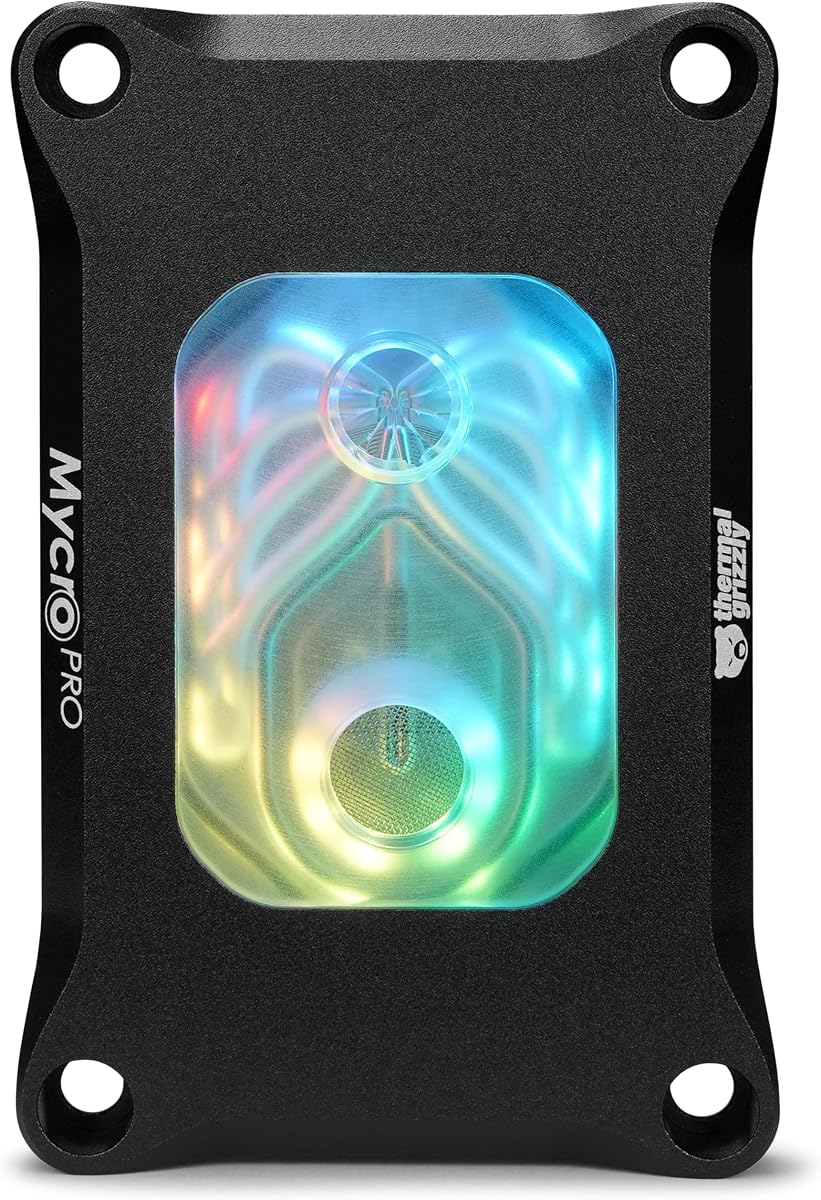
The Thermal Grizzly Mycro Pro RGB is engineered for high-end custom loops requiring maximum heat dissipation. It earns a 4.6 rating for its premium build quality.
We may earn a commission when you buy through this link, at no additional cost to you.
With 68 microfins and a 0.2mm structure, it offers exceptional surface area for heat transfer. The integrated fine mesh filter supports consistent coolant flow inside the block.
The nickel-plated copper cold plate and O-rings provide durability and stability. While flow rates must be managed, the thermal performance under load is impressive.
Enthusiasts focused on peak cooling efficiency should consider this model. It is a strong choice for systems that demand every possible degree of thermal improvement.
The 0.2mm microfin structure significantly increases surface area, allowing the coolant to absorb heat more efficiently than standard blocks.
The inlet filter helps trap particles before they reach the microfin structure, preventing clogs and maintaining consistent flow over time.
We may earn a commission when you buy through this link, at no additional cost to you.
The TRYX Panorama WB redefines visual customization with its curved AMOLED screen and integrated fan. It stands out as a premium option despite a lower 3.6 rating.
We may earn a commission when you buy through this link, at no additional cost to you.
Its 6.67 inch curved screen delivers vivid color and immersion for any custom loop. The built-in PWM VRM fan actively cools motherboard voltage regulators under heavy loads.
While the price is high, the unique features justify it for enthusiasts. The software integration with GIPHY offers endless personalization options without local downloads.
Users seeking the ultimate showpiece for their build should choose this. It is a bold statement piece that merges high performance with striking visual appeal.
The curved screen offers immersive anamorphic visual effects that set your build apart from conventional flat LCD water blocks.
The built-in fan delivers targeted airflow to voltage regulators, ensuring stability even during sustained overclocking workloads.
We may earn a commission when you buy through this link, at no additional cost to you.
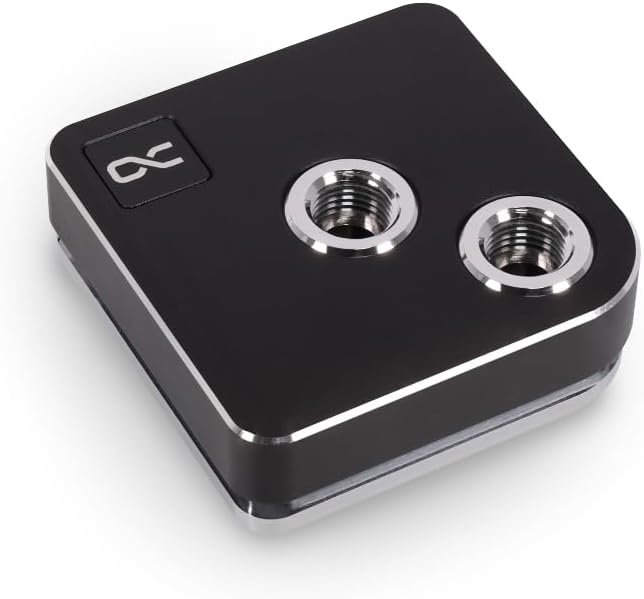
The Alphacool Core XP3 is a compact and efficient block suitable for tighter builds. With a 4.4 rating, it offers reliable cooling in a smaller footprint.
We may earn a commission when you buy through this link, at no additional cost to you.
Its nickel plated copper cooler ensures effective heat transfer while the Acetal housing provides durability. The dimensions allow it to fit in cases where larger blocks might clash.
While it lacks RGB features, the performance remains consistent for standard tasks. The compact design reduces potential clearance issues with tall RAM modules.
Builders with limited space should consider this model for its size. It balances performance and physical constraints effectively for smaller systems.
The slim dimensions allow for easier routing in small form factor cases without compromising on the core cooling performance.
The Acetal material provides a strong and corrosion-resistant outer structure that maintains integrity over years of use.
We may earn a commission when you buy through this link, at no additional cost to you.
The CORSAIR iCUE Link XC7 offers a simplified connectivity experience for modern builds. Rated 4.1 stars, it focuses on intelligent design and ease of setup.
We may earn a commission when you buy through this link, at no additional cost to you.
The Hexa-Flow engine ensures even cooling across cores while the transparent flow chamber adds a nice visual element. The daisy-chain connectors reduce cable clutter significantly.
A built-in temperature sensor enables precise control through the iCUE ecosystem. While it requires the hub for full benefits, the setup is streamlined.
Users investing in the iCUE Link ecosystem will appreciate this block. It simplifies building and enhances control without sacrificing cooling performance.
The universal connectors allow daisy-chaining components together, reducing clutter and making assembly faster and more cohesive.
Built-in sensors allow precise monitoring and control of the block temperature, enabling advanced cooling management strategies.
We may earn a commission when you buy through this link, at no additional cost to you.
The Alphacool Core 1 LT offers a classic acrylic aesthetic with digital RGB features. It maintains a 4.1 rating for its reliable performance in standard setups.
We may earn a commission when you buy through this link, at no additional cost to you.
The Acrylic top provides a clear view of the internal flow chamber. Digital RGB lighting enhances the visual appeal, adding color to any custom loop.
While Acrylic is less durable than metal, it offers a premium look. The compatibility with LGA 1700 and AM4/AM5 makes it versatile for modern builds.
Users who prefer a transparent look should consider this model. It balances a classic design with modern lighting features well.
The Acrylic top allows you to see the coolant flowing through the block, adding a dynamic element to your custom loop setup.
Digital lighting provides crisp colors and easy synchronization with other system components for a unified aesthetic.
We may earn a commission when you buy through this link, at no additional cost to you.
Selecting the right CPU water block requires understanding several technical aspects and features. This guide explores key factors that influence cooling performance, compatibility, and overall value.
Ensure the block supports your specific processor socket type such as AM5, LGA 1700, or older variants. Mismatched mounting holes can prevent installation entirely.
Always verify the manufacturer lists your CPU platform before purchasing to avoid return issues.
Look for nickel-plated copper bases which offer the best thermal conductivity and corrosion resistance. Pure copper is excellent but may tarnish without plating.
A high-quality cold plate ensures maximum heat transfer from the processor to the coolant.
Denser microfin structures increase surface area for better heat dissipation. Blocks with finer fins generally perform better under load but may restrict flow slightly.
Consider your pump strength when choosing high-density designs to maintain proper system flow.
Decide if you want standard LEDs, ARGB, or a display screen. RGB requires headers on your motherboard and controllers or hubs for management.
Visual features can add significant cost so prioritize performance if you do not need aesthetic customization.
Standard G1/4 threading is essential for custom loop integration. Some blocks offer USB-C connectivity for digital screens which simplifies setup.
Check the number of ports and any included fittings to ensure they match your tubing and loop requirements.
Materials like Acetal, Acrylic, or Aluminum affect durability and weight. Ensure the block dimensions fit your case and clear tall RAM modules.
A compact design may be necessary for small form factor builds to avoid clearance conflicts.
Integrated filters can trap debris and prevent clogs in your loop. Blocks with filters reduce maintenance frequency and protect the pump.
Regular maintenance is still required to keep the flow clean and efficient.
Established brands often offer better support and longer warranties. A longer warranty period protects your investment against manufacturing defects.
Research customer service experiences to ensure you get help if issues arise with the block.
Before installing the block, apply a high-quality thermal paste to the CPU. Proper TIM application ensures optimal contact between the processor and the cold plate.
Connect the inlet and outlet ports securely to your tubing to prevent leaks. Ensure the block is mounted with even pressure using the provided backplate.
After installation, fill the loop slowly and check for leaks for several hours. Regularly inspect the block for any buildup or clogs to maintain performance.
A water block transfers heat to liquid coolant which circulates to a radiator for dissipation. This allows for higher thermal capacity and quieter operation compared to air coolers.
Yes, a water block requires an active pump to circulate coolant through the loop. A passive block will not dissipate heat effectively without forced flow.
No, a CPU water block is designed for custom loops with tubing and a radiator. It cannot function as a standalone cooler without the rest of the liquid cooling system.
You must drain the loop and disassemble the block to clean it. Use distilled water or a mild cleaning solution to flush out the microchannels and prevent buildup.
Yes, a leak can cause significant damage to the CPU and other components. Use quality fittings and ensure the block is properly mounted to prevent leaks.
Use a high-performance non-conductive thermal paste like Ceramique or Thermal Grizzly. Avoid metallic compounds that could cause shorts if leaked.
Choosing the right CPU water block depends on your cooling needs and aesthetic preferences. Models like the EK-Quantum Velocity 3 offer top performance while others like the Dracaena.io provide budget-friendly value.
Prioritize compatibility with your specific CPU socket and ensure the material quality matches your build goals. High-quality copper bases and proper mounting features are essential for long-term stability.
Review current stock and verify details before purchasing since availability varies by retailer. Investing in the right component now ensures your system stays cool and efficient for years.