
Printer Stand for Desk 17.1×12.4 Inch Desktop Shelf
4.6Editor score
High load capacity
Rounded corners safety
Multi function design
A desktop printer stand helps you organize your workspace while keeping your printer within easy reach. Choosing the right model means considering size, weight capacity, and extra storage options for a tidy desk.
We reviewed ten highly rated stands based on customer feedback, build quality, and design features. This list covers budget-friendly picks and premium options with drawers or charging stations for modern offices.
Each pick highlights key benefits and potential drawbacks to help you decide quickly. Prices change often so check current listings before purchasing to ensure you get the best deal available.
4.6Editor score

4.8Editor score

4.7Editor score
As an Amazon Associate we earn from qualifying purchases.
This side by side comparison shows key specs for all ten stands so you can quickly find the one that fits your desk and storage needs.


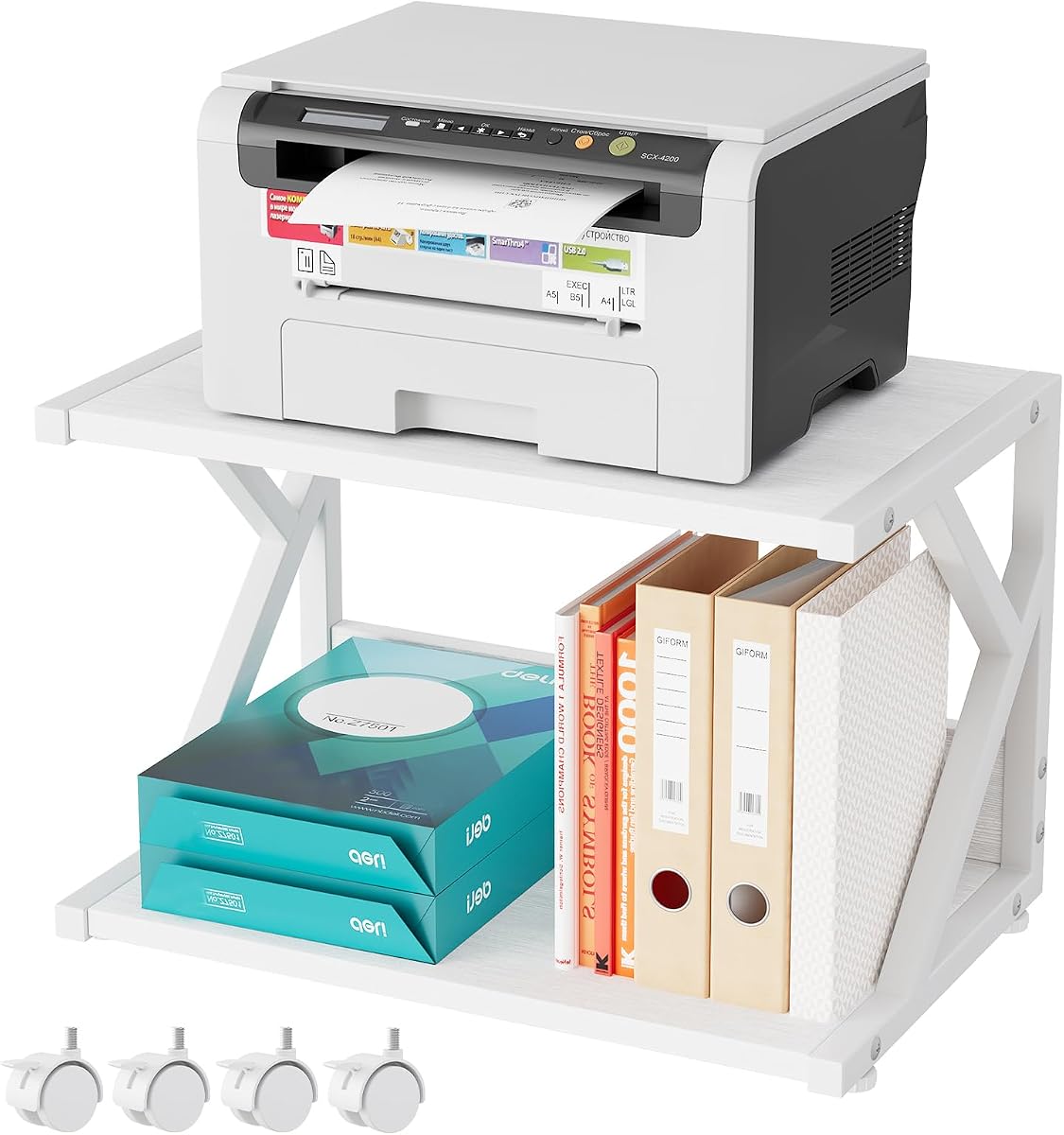
The YAOHUOO 2-Tier Desktop Printer Stand earns our top spot for balancing space efficiency with practical storage. It holds up to 44 pounds and includes a drawer for hiding small office supplies.
We may earn a commission when you buy through this link, at no additional cost to you.
Its open middle shelf gives you room for files or a scanner while the top shelf supports most standard printers. The waterproof surface makes cleanup quick when ink spills happen.
While the drawer is useful it only fits small items like clips or sticky notes. There are no cutouts for power cords so cable management will depend on your desk layout.
Buy this stand if you want a reliable organizer that keeps your desk clear without taking up too much room.
The open middle section works for printers or documents while the top shelf holds heavier gear.
A fabric drawer keeps small office supplies tidy and out of sight.
We may earn a commission when you buy through this link, at no additional cost to you.
This Marbrasse stand fits narrow desks while keeping your printer elevated. Its vertical layout leaves room for a paper tray and pen holders to stay tidy.
We may earn a commission when you buy through this link, at no additional cost to you.
The metal mesh and steel frame handle daily use well. Rubber feet keep it steady and prevent scratches on your work surface.
The top surface is smaller than some models so larger printers may feel cramped. The drawer is open style which works for most tools but offers less privacy.
Choose this if you need to maximize every inch of desktop space.
Its narrow width fits easily in tight corners.
Pen holders and a paper tray keep supplies at hand.
We may earn a commission when you buy through this link, at no additional cost to you.
This stand offers huge value for its price. It supports up to 100 pounds so even heavy printers or 3D printers stay steady.
We may earn a commission when you buy through this link, at no additional cost to you.
The steel frame and board top create a strong surface. Rounded corners reduce injury risk and anti-slip pads keep it from sliding.
It lacks storage so expect it to be a simple shelf. The design is basic and may not match fancy decor.
Pick this for reliability without spending much money.
It handles heavy equipment without buckling.
A no-fuss shelf for any room.
We may earn a commission when you buy through this link, at no additional cost to you.
This cart rolls under most desks to free up counter space. A drawer keeps supplies close and bottom shelves hold paper or files.
We may earn a commission when you buy through this link, at no additional cost to you.
Caster wheels make moving it easy. Adjustable height lets you fit under different counters.
It holds less weight than floor stands so check your printer mass. The drawer dividers are thin and could move.
Use this if you want mobile storage.
Wheels let you move the cart when needed.
Short height clears most desk spaces.
We may earn a commission when you buy through this link, at no additional cost to you.
This stand fits two devices on its upper shelves. Dual rods boost stability and the drawer folds when not in use.
We may earn a commission when you buy through this link, at no additional cost to you.
Its vintage look blends into home offices. The compact width keeps desks clear.
The fabric drawer holds small items but is not rigid. Assembly requires patience but stays solid.
Use this for multi-device setups.
Two shelves allow two devices.
A drawer that hides when not needed.
We may earn a commission when you buy through this link, at no additional cost to you.
This stand goes together fast and looks good in any room. A hidden drawer stores supplies and the shelves keep paper tidy.
We may earn a commission when you buy through this link, at no additional cost to you.
Its frame is sturdy enough for most printers. The top wipes clean easily.
Long term drawer wear is possible and the build is lighter than metal ones.
Choose this for a quick tidy setup.
Tools included and clear steps.
A drawer that hides clutter.
We may earn a commission when you buy through this link, at no additional cost to you.
This stand offers big capacity for printers and files. Three compartments and stackable tiers let you expand storage.
We may earn a commission when you buy through this link, at no additional cost to you.
Its top can hold heavy gear and the rubber feet protect desks.
It takes more floor space and is heavier to move.
Use this when you need extra room.
Stackable tiers grow your space.
Plenty of room for big printers.
We may earn a commission when you buy through this link, at no additional cost to you.
This stand adds charging ports to your desk. A small hook and file rack keep supplies tidy.
We may earn a commission when you buy through this link, at no additional cost to you.
The frame supports typical printers well. Its compact design fits corners.
Limited cord space may need extra clips.
Pick this for phone charging and organization.
Ports keep your devices powered.
Fits in tight spots.
We may earn a commission when you buy through this link, at no additional cost to you.
This Z-shaped stand balances style and strength. Its open shelves keep papers accessible and the frame is stable.
We may earn a commission when you buy through this link, at no additional cost to you.
Each tier carries strong loads and the finish wipes clean.
The open design can gather dust and lacks drawers.
Choose this for a stylish desktop look.
Unique frame supports weight well.
Retro colors fit many decor styles.
We may earn a commission when you buy through this link, at no additional cost to you.
This stand offers wheels or pads for fixed or moving use. Its MDF top resists water and scratches.
We may earn a commission when you buy through this link, at no additional cost to you.
Two shelves hold printers and paper. The white finish suits clean offices.
It is short which limits tall gear.
Use this for flexible desk use.
Choose wheels or feet as you prefer.
Easy to clean when spills occur.
We may earn a commission when you buy through this link, at no additional cost to you.
Selecting a stand requires checking size, load limits, and storage options that fit your work habits.
Measure your printer and desk to ensure clearance. A stand that is too wide can crowd your keyboard area.
Check width depth and height before buying to avoid returns.
Look for stands that support your printer plus ink and paper. Heavier printers need stronger frames.
A higher capacity gives a safety margin for growth.
Drawers or open shelves help keep cables and supplies tidy. Decide if you need hidden storage.
Choose a design that matches your clutter habits.
Steel frames last longer than wood only builds. Waterproof tops resist spills.
Invest in durable materials to prevent wobbling.
Caster wheels let you move gear quickly but require locked brakes. Fixed stands feel more stable.
Choose wheels for flexible layouts and fixed for heavy loads.
Most stands ship ready to build. Check for included tools and time.
Clear instructions save effort on setup.
Look for cutouts or hooks for power cords. This prevents trip hazards.
Good cable access keeps your desk clean.
Colors and textures should match your office. Matte finishes hide fingerprints.
Aesthetic choices help the stand blend in.
Place the stand on a level surface to keep weight distributed evenly and prevent tipping.
Check all screws after first use and tighten any that loosen during the first week.
Clean the top with a damp cloth and wipe drawers weekly to avoid dust buildup.
Most stands hold printers up to 20 inches wide and 15 inches deep. Check your printer dimensions against the listed shelf size before buying.
No most stands require 10 to 20 minutes of assembly. All tools and instructions are included in the box to speed up setup.
Some models are designed as under desk carts with locking wheels. Choose a stand with adjustable height if you plan to store it beneath a table.
Standard stands support 40 to 50 pounds which is enough for most home printers. Heavy duty models can hold up to 100 pounds for larger devices.
Use a soft cloth and mild cleaner to wipe the top surface. Avoid soaking the drawers as some materials may warp.
Most models do not include cable cutouts so use ties or clips to route power cords. Some premium stands offer hooks or ports for better management.
The top picks cover a range of needs from budget shelves to premium organizers with drawers and charging ports.
Prioritize weight capacity and fit first then consider storage and mobility options that match your work routine.
Always check current prices and availability before ordering to ensure you get the best value for your choice.