
Rongta Bluetooth Shipping Label Printer
4.0Editor score
Wireless Bluetooth connectivity
Automatic label identification
Compact portable design
Compare the top 10 DHL label printers for small businesses in October 2026. This guide reviews thermal shipping printers compatible with DHL and major
Finding the right DHL label printer is essential for efficient shipping operations. A good printer delivers clear barcodes, reliable connectivity, and fast speeds to keep your business moving without delays.
We compared ten top thermal printers based on compatibility, print quality, and ease of use. Each model was evaluated for its ability to handle DHL labels and integrate with popular shipping platforms.
Each pick shows key features, pros, and cons to help you choose wisely. Prices and availability change frequently so always check current listings before making your final purchase decision online.
4.0Editor score

4.4Editor score

4.1Editor score
This side-by-side comparison highlights the core specifications and capabilities of each thermal printer. Use this table to quickly identify which model fits your specific DHL shipping and business workflow needs.






The JADENS Bluetooth Thermal Shipping Label Printer earns our Editor's Choice award for balancing performance and price. It delivers crisp 203 DPI prints and connects via Bluetooth or USB to most systems.
We may earn a commission when you buy through this link, at no additional cost to you.
Its high tech thermal print head ensures reliable output for DHL labels and barcodes. The printer supports a wide range of platforms including Shopify Amazon and eBay for seamless workflow integration.
While Android and iOS users must download the Jadens printer app for Bluetooth printing the setup remains straightforward. The included U-Disk provides driver files and tutorial videos for faster adoption.
This model is ideal for small businesses needing a dependable printer that handles both fanfold and roll labels. Its economical operation and reliable after-sale service make it a strong choice for daily shipping.
Connect wirelessly to Windows or Mac devices via Bluetooth for a clutter-free workspace without cables.
Print labels from Endicia ShipStation and other major marketplaces directly through the printer software.
We may earn a commission when you buy through this link, at no additional cost to you.
The Rongta Bluetooth Shipping Label Printer stands out as the most affordable option in this guide. It offers solid performance for basic shipping needs without breaking your budget.
We may earn a commission when you buy through this link, at no additional cost to you.
Its automatic label identification saves time by detecting and feeding labels without manual adjustment. The compact build makes it easy to store on small desks or take to different work areas.
Users should note that while it supports iOS and Android via the RONGTA app Bluetooth pairing can require patience. The print quality is adequate for standard shipping labels but may lack ultra-sharp detail.
This printer is perfect for startups or occasional shippers who need a cost-effective solution. It supports a wide range of label sizes from QR codes to standard 4×6 shipping labels.
Save money on upfront costs while maintaining essential thermal printing capabilities for daily tasks.
Take your printing capability anywhere with a small footprint that fits in drawers or bags.
We may earn a commission when you buy through this link, at no additional cost to you.
The Rollo Wireless Shipping Label Printer offers premium convenience with its direct Wi-Fi and AirPrint capabilities. It allows printing from iPhones and iPads without needing extra drivers.
We may earn a commission when you buy through this link, at no additional cost to you.
Its printhead is designed to last 4x longer than competitors which reduces long-term replacement costs. The dedicated Rollo Ship Manager app provides exclusive shipping rates and platform integration.
While the initial investment is higher the elimination of cables and drivers streamlines multi-device office workflows. Users appreciate the high speed of 150mm/s for quick label generation.
Ideal for high-volume businesses or Apple-centric environments this printer provides top-tier connectivity. It supports major platforms like FedEx UPS and Amazon for comprehensive shipping support.
Use AirPrint to send labels directly from your iPhone iPad or Mac without installing software.
Benefit from a printhead rated for 650000 shipping labels which reduces maintenance needs.
We may earn a commission when you buy through this link, at no additional cost to you.
This NULLTONEX thermal printer combines energy efficiency with a robust set of features for small businesses. It delivers crisp 203 DPI prints and connects via Bluetooth or USB easily.
We may earn a commission when you buy through this link, at no additional cost to you.
The free FlashLabel Pro app offers over 1800 customizable templates which simplifies label creation. Offline capability ensures you can start printing immediately even without an internet connection.
While it supports major carriers like DHL UPS and FedEx the Bluetooth connection depends on the app. The package includes starter labels which is a thoughtful touch for new users.
It is a solid choice for those needing a reliable printer with strong software support. Its compact design fits well in home offices or retail spaces.
Access thousands of templates and fonts to create custom labels beyond standard shipping forms.
Receive 25 sheets of 4×6 labels in the box to begin printing right away.
We may earn a commission when you buy through this link, at no additional cost to you.
The KNAON Bluetooth Thermal Shipping Label Printer offers a unique blend of style and speed. Its compact dimensions make it easy to store while delivering fast 180mm/s printing.
We may earn a commission when you buy through this link, at no additional cost to you.
It provides over 3000 templates and 5000 icons for diverse DIY labeling needs beyond just shipping. The FlashLabel Pro app ensures compatibility across iOS Android Windows and Mac systems.
Note that ChromeOS users must install a specific extension for full functionality. The printer supports a wide range of paper sizes and connects via USB for a stable office connection.
This model is excellent for sellers on Etsy or Shopify who need flexible customization. Its portability allows you to print labels in different rooms or even at trade shows.
Create custom thank-you notes name tags and price tags using thousands of built-in templates.
Print up to 180mm per second which helps handle high volume shipping periods efficiently.
We may earn a commission when you buy through this link, at no additional cost to you.
The Rollo USB Shipping Label Printer is a commercial-grade workhorse with a strong user rating. It connects via USB to ensure a stable connection for busy shipping workflows.
We may earn a commission when you buy through this link, at no additional cost to you.
Its 203 DPI print head produces clear labels that scan easily for DHL and other carriers. The complimentary Rollo Ship Manager app offers exclusive shipping rates for connected platforms.
While it lacks Bluetooth the USB connection minimizes interference and dropouts in shared networks. The printer supports a wide range of label widths and integrates with major marketplaces.
This printer is best for businesses prioritizing reliability over wireless convenience. Its robust build quality ensures it can handle the demands of a commercial shipping environment.
Designed for heavy use this printer maintains performance even during long printing sessions.
Use the Rollo Ship Manager app to access discounted shipping rates for major carriers.
We may earn a commission when you buy through this link, at no additional cost to you.
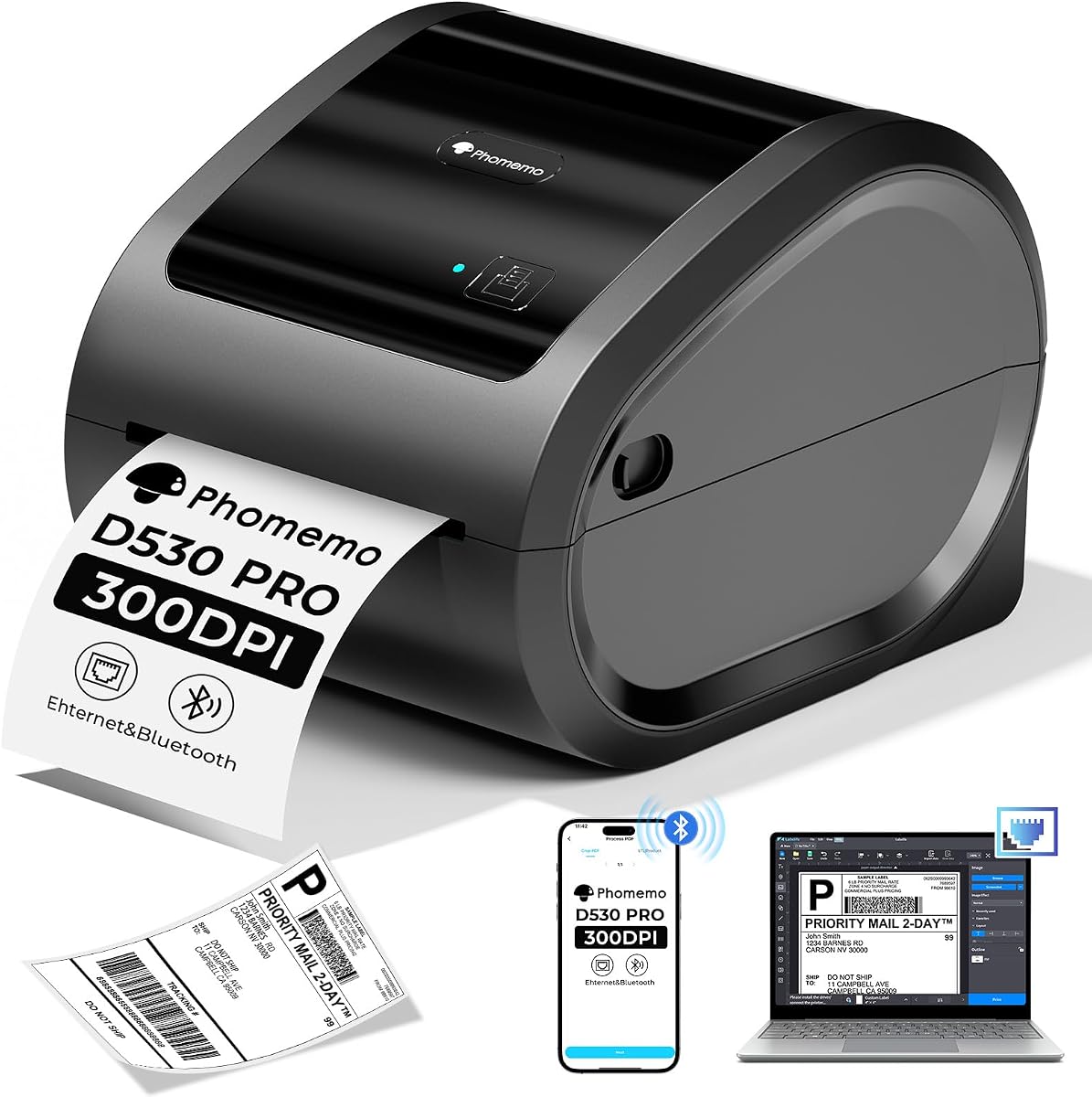
The Phomemo D530Pro stands out with its 300 DPI resolution for ultra HD printing. This clarity ensures that small text and barcodes remain readable for strict carrier scanning systems.
We may earn a commission when you buy through this link, at no additional cost to you.
Its built-in paper slot holds up to 500 rolls which keeps your desktop organized. The Ethernet connection provides network sharing capabilities for multiple office users.
Users can also choose Bluetooth or USB for flexibility depending on their setup. The return to paper towel function helps save unused label portions and reduce waste.
Ideal for enterprises needing high precision and network sharing this printer is powerful. It supports a wide variety of label shapes and sizes for different packaging needs.
Achieve 300 DPI clarity that makes even small text and QR codes easy to scan.
The built-in paper bin eliminates the need for external label holders on your desk.
We may earn a commission when you buy through this link, at no additional cost to you.
The MUNBYN Bluetooth Thermal Label Printer features DAC Dynamic Algorithm Tech for auto-calibration. This tech reduces label misalignment and improves overall packaging precision.
We may earn a commission when you buy through this link, at no additional cost to you.
Operating at just 60 dB it is quieter than typing which keeps home offices peaceful. The Bluetooth indicator light provides clear feedback on data transfer status.
With a near-zero jam rate it maximizes productivity for high-volume shipping days. The 0.1 mm font legibility ensures clear text even on small inventory tags.
This printer is best for quiet environments and those needing reliable auto-alignment. Its engineering ensures long-term durability and consistent output quality.
The 4-inch DAC chip automatically adjusts to ensure labels align correctly every time.
Maintain a calm environment with whisper-quiet operation perfect for home offices.
We may earn a commission when you buy through this link, at no additional cost to you.
The Nelko PL70E thermal shipping label printer is designed for cost saving and efficiency. It uses direct thermal technology to achieve speeds of 150 mm/s without ink.
We may earn a commission when you buy through this link, at no additional cost to you.
Its compact size takes up minimal space on a desk which is great for small offices. The printer provides drivers and instruction videos on a U-Disk for quick setup.
Bluetooth works on Windows and Android but Mac users must use a USB connection. It supports fanfold and roll labels providing flexibility for different label supplies.
This printer is ideal for home-based businesses that need a small and efficient tool. It works well with eBay Amazon and other major marketplaces.
Fit the printer easily on a tight desk and still enjoy fast printing capabilities.
Get started quickly with included instruction videos and problem solving videos in the kit.
We may earn a commission when you buy through this link, at no additional cost to you.
The DYMO LabelWriter 550 Series focuses on precision and sustainable packaging. It uses only authentic DYMO labels which are BPA-free and FSC certified for eco-friendly use.
We may earn a commission when you buy through this link, at no additional cost to you.
Its automatic recognition helps eliminate waste by printing precise quantities instead of full sheets. The optimized direct thermal printing ensures no ink or toner is ever needed.
While it is limited to proprietary labels this ensures reliable performance and fewer jams. The packaging is plastic-free which aligns with environmentally conscious business practices.
This printer is best for those prioritizing sustainability and brand consistency. It works well for small businesses looking to reduce waste in their operations.
Receive your printer in plastic-free packaging to reduce environmental impact.
Eliminate the hassle of sheet labels by printing exact quantities for each package.
We may earn a commission when you buy through this link, at no additional cost to you.
Choosing the right DHL label printer requires balancing features speed and compatibility. Here are the key factors to consider for your shipping needs.
Most printers support Bluetooth or USB with some adding Wi-Fi or Ethernet. Choose the connection that matches your workflow and device types.
Prioritize dual connectivity options for backup and stability in busy offices.
Resolution measured in DPI affects barcode and text clarity. 203 DPI is standard but 300 DPI offers sharper details for small labels.
Opt for higher resolution if you need to print small QR codes or intricate text.
Ensure the printer works with your shipping platforms like DHL Shopify or Amazon. Some models require apps to access these features fully.
Check reviews or specs to confirm support for your specific carrier requirements.
Faster printers improve throughput during peak seasons. Look for speeds around 150mm/s for efficient daily use.
Higher speeds reduce wait times and keep your shipping line moving quickly.
Check the supported label widths to ensure they match your shipping labels. Most printers support 4×6 but some vary in maximum width.
A wider range gives you flexibility for different product sizes and labels.
Commercial grade printers last longer and handle heavy use better. Look for durable materials and low jam rates.
Invest in solid construction if you print hundreds of labels daily.
Simple setup saves time and reduces frustration. Look for printers with included drivers and setup guides.
Quick installation means less downtime getting your printer ready for shipping.
Advanced apps offer templates and design tools for custom labels. Check if the software supports your editing needs.
User-friendly software can streamline label creation and save design time.
Install the provided drivers or app and connect your printer via USB or Bluetooth. Ensure you load the label roll correctly according to the manual.
Keep the printhead clean with a lint-free cloth and avoid touching it with fingers. Dust can affect print quality so clean regularly.
Use recommended label supplies to avoid jams and damage. Store labels in a cool dry place to prevent thermal degradation.
No thermal printers use heat to print labels so no ink or toner is needed. This reduces costs and mess for efficient shipping workflows.
Most models support Bluetooth printing via a companion app on Android or iOS. This allows you to print labels directly from your smartphone.
Standard 4×6 inch labels are compatible with most shipping printers. Check the specs for width ranges if you need different sizes.
Yes thermal shipping printers support USPS UPS FedEx and other major carriers. The labels are printed digitally so the system dictates the content.
Jamming often comes from improper label loading or using incorrect label types. Ensure the labels are within the supported width range and loaded properly.
Bluetooth is generally reliable but interference can occur. Using USB or Wi-Fi can provide more stable connections in crowded office environments.
The JADENS Rongta and Rollo models offer top choices for different needs and budgets. Each provides reliable thermal printing suitable for DHL shipping.
Prioritize connectivity and platform support that match your existing workflow. This will ensure smooth label creation and faster package processing times.
Always check current prices and stock before buying as these can change frequently. The right printer will help your business ship efficiently and professionally.