
Digital Calendar 10.1" Touchscreen
4.4Editor score
No subscription fees
Weekly meal manager
Kids reward tracking
Finding the right digital chore chart can transform how your family manages daily tasks and schedules. These devices combine calendar functionality with interactive task tracking to keep everyone organized and motivated throughout the week.
We evaluated ten leading models based on screen quality, ease of setup, synchronization capabilities, and built-in features like meal planning and reward systems. Each product offers unique strengths for different household sizes and organizational needs.
Every pick highlights specific benefits such as touchscreen responsiveness, app integration, and design flexibility. Keep in mind that availability and features may shift over time so checking current listings ensures you get the most accurate information.
4.4Editor score

4.4Editor score

4.4Editor score
As an Amazon Associate we earn from qualifying purchases.
The following table provides a side-by-side look at key specifications for each model including screen size, mounting options, and core features to help you decide which fits your home best.
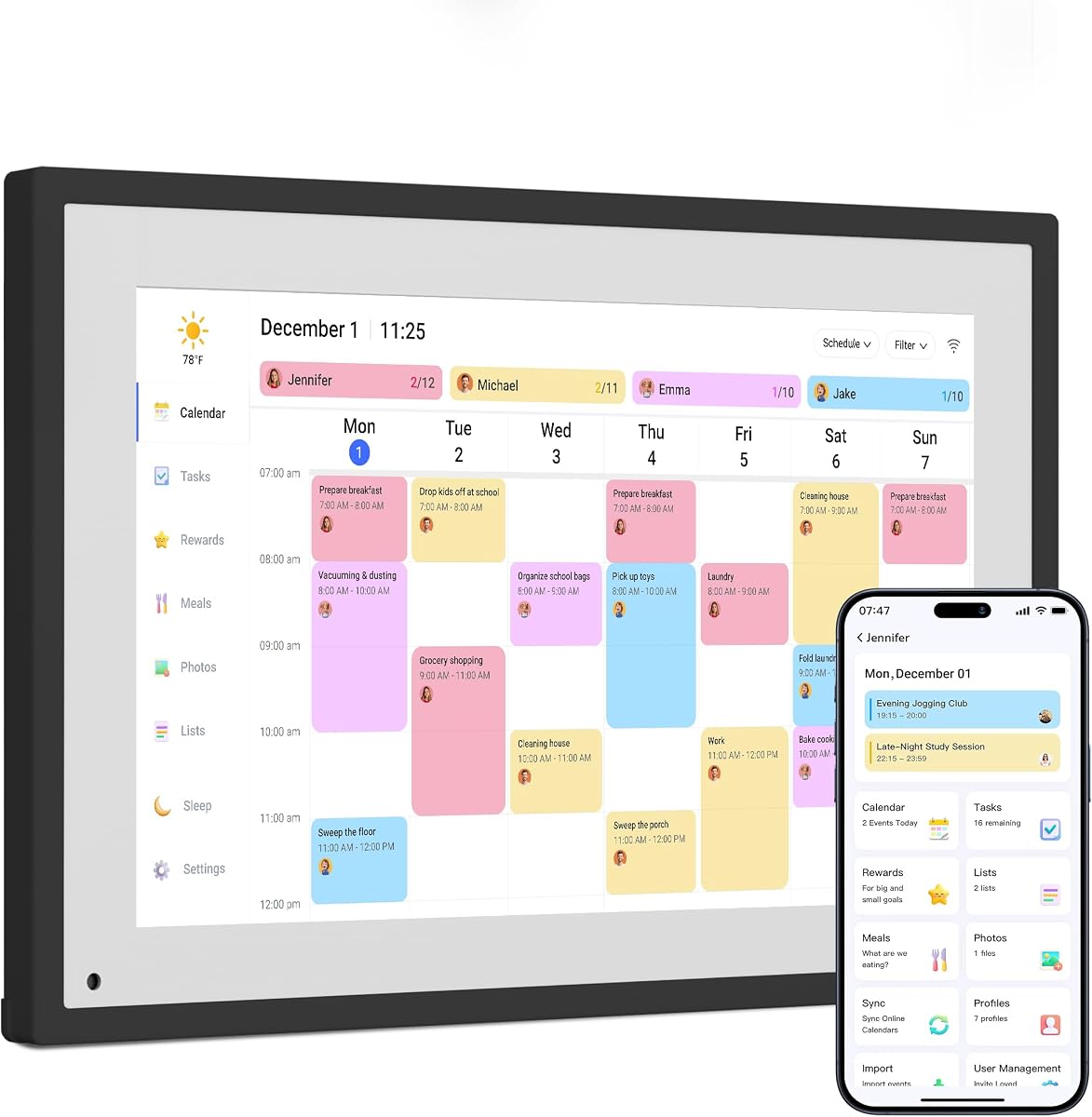




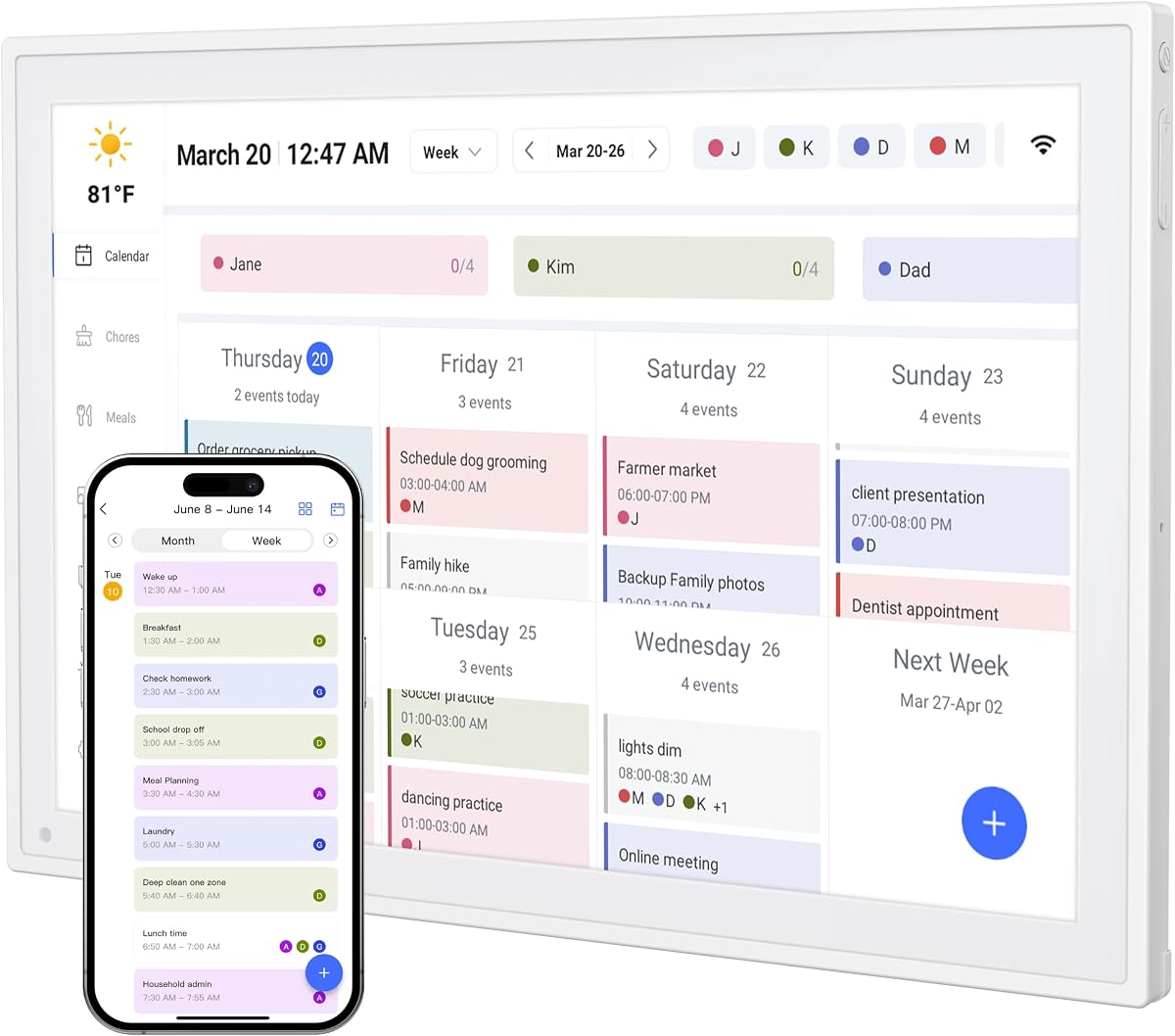

This model stands out as a top choice for families needing a comprehensive command center. With a 15.6-inch display it offers ample space for calendars chores and photos. Its high rating reflects strong user satisfaction with functionality and design.
We may earn a commission when you buy through this link, at no additional cost to you.
The device excels at integrating family schedules from Google Outlook and iCloud into one view. The interactive chore chart allows kids to check tasks and earn points which promotes responsibility. AI photo restoration ensures memories look great when the screen transitions to frame mode.
While it requires a power source and lacks battery operation the benefits outweigh this limitation for most households. The large size might be overwhelming for very small spaces but its clarity and features make it a robust solution for busy homes.
Families seeking a premium yet practical organizer will find this device highly effective. It balances task management with family engagement through rewards and visual clarity. For those wanting a central hub without recurring costs this is a strong recommendation.
The seamless integration of multiple calendar platforms ensures no family member misses an event while keeping everyone updated in real time.
Gamified task tracking encourages children to take ownership of their responsibilities through immediate feedback and reward points.
We may earn a commission when you buy through this link, at no additional cost to you.
This Dragon Touch model offers a balanced solution for smaller households or those preferring a desk-friendly device. Its 10.1-inch screen is bright and responsive making it easy to assign tasks. Users appreciate its dual role as a calendar and photo frame.
We may earn a commission when you buy through this link, at no additional cost to you.
The ability to assign different colors and tasks to each family member simplifies scheduling significantly. When not tracking chores the screen displays family photos adding warmth to the room. This versatility makes it a popular choice for living rooms or kitchens.
One limitation is the lack of wall mounting which restricts placement options compared to other models. However for counter-based organization it performs exceptionally well. The clear interface ensures even young children can interact with their schedules independently.
For families needing a simple yet effective tool this frame combines utility with style. It avoids complex setups while delivering reliable performance for daily planning. Those who value aesthetics alongside function will find it a valuable addition to their space.
Visual differentiation through colors helps each member instantly identify their own tasks and appointments on the shared screen.
Transitioning between calendar and photo modes maximizes utility without requiring extra devices for memory display.
We may earn a commission when you buy through this link, at no additional cost to you.
Designed with ease of use in mind this device simplifies the process of linking personal calendars. The setup involves plugging in and connecting to Wi-Fi making it accessible for non-tech-savvy users. It serves as a thoughtful gift for parents seeking better organization.
We may earn a commission when you buy through this link, at no additional cost to you.
The interactive chore chart motivates children by keeping housework visible and organized. Additionally the dinner planner feature addresses a common household pain point by displaying meal plans clearly. Managing tasks from anywhere via the app adds convenience for busy parents.
While remote access requires app authorization the benefits of staying connected on the go are substantial. The elegant design ensures it looks good as home decor even when not displaying schedules. Some users may prefer wall mounting for high visibility but desk placement works well too.
This model is ideal for families wanting a seamless blend of function and aesthetics. It provides essential tools without overwhelming complexity. If you value simplicity and thoughtful features this touchscreen planner delivers reliable support for daily routines.
Accessing and updating schedules from a mobile device ensures parents can adjust plans even when away from home.
Visual tracking of housework encourages children to develop healthy habits through consistent engagement and progress visibility.
We may earn a commission when you buy through this link, at no additional cost to you.
This electronic calendar focuses heavily on integrating meal planning with daily schedules. The 10.1-inch display provides enough room to view grocery needs and menus without clutter. It syncs instantly with major platforms ensuring everyone sees the same updates.
We may earn a commission when you buy through this link, at no additional cost to you.
The interactive chore tracking turns tasks into a game for kids which boosts engagement and independence. Meal planning tools allow users to map out weekly menus and generate shopping lists easily. This dual focus helps families manage time and nutrition more effectively.
While it relies on Wi-Fi connectivity the dual-band support ensures stable updates. The design fits well on kitchen counters or desks. When idle it cycles through photos adding a personal touch to the environment without taking up extra space.
Families juggling meals and appointments will appreciate the centralized control this device offers. It reduces the mental load of tracking multiple lists. For those wanting to streamline kitchen and schedule management this model provides a practical solution.
Weekly menu mapping combined with grocery list generation simplifies food management and reduces last-minute decisions.
Enhanced Wi-Fi support ensures reliable real-time syncing even in homes with heavy network traffic.
We may earn a commission when you buy through this link, at no additional cost to you.
Skylight positions itself as a premium hub for families wanting a stylish and functional command center. The 15.4-inch touchscreen offers crisp visuals and intuitive navigation. Its sleek design blends well with modern home decor whether mounted or placed on a surface.
We may earn a commission when you buy through this link, at no additional cost to you.
The device supports syncing with major platforms and allows updates directly from the device or app. Disney Mode adds a unique playful element for families who enjoy character animations. The optional Plus Plan unlocks advanced features like magic import for enhanced photo displays.
While the subscription model may not suit everyone the core features remain accessible. The premium build quality justifies the cost for those seeking durability and elegance. It excels at keeping routines consistent with clear visual cues for meals and tasks.
This calendar is perfect for households valuing design and advanced features equally. It provides a robust platform for managing complex schedules. If you are willing to invest in a high-end solution this model offers an exceptional user experience.
Character animations and avatars add a fun interactive layer that makes chore tracking more engaging for kids.
High-grade materials ensure the device looks sophisticated while delivering reliable performance in daily use.
We may earn a commission when you buy through this link, at no additional cost to you.
This device is a compelling choice for budget-conscious families seeking full functionality without ongoing costs. The 10.1-inch touchscreen handles calendars and chores effectively. Users love the lack of subscriptions which simplifies long-term ownership significantly.
We may earn a commission when you buy through this link, at no additional cost to you.
The interactive chore list includes reward systems that motivate kids to complete tasks independently. Meal management displays menus clearly helping to reduce dinner planning stress. Automatic sleep saves energy ensuring the screen only wakes when needed.
While the design may be less premium than other models it delivers on core promises. The sync capabilities work well for real-time updates across devices. It serves as a reliable hub for coordinating schedules without demanding a large upfront investment.
For households looking for practicality and affordability this calendar offers significant value. It removes financial barriers to digital organization. If you want essential features without recurring fees this is a smart and straightforward purchase.
All features including rewards and lists are unlocked permanently eliminating monthly costs and subscription anxiety.
Kids earn stars for completed tasks which builds self-discipline through positive reinforcement and fun.
We may earn a commission when you buy through this link, at no additional cost to you.
The 15.6-inch 1080P display makes this model ideal for large families needing clear visibility from a distance. The screen supports custom widgets allowing users to prioritize what matters most. Its high definition ensures all details are sharp and easy to read.
We may earn a commission when you buy through this link, at no additional cost to you.
The built-in 64GB storage holds thousands of photos and videos which is rare in this category. Syncing happens through the AiMOR app providing a unified interface for tasks and calendars. The auto-dimming feature adjusts brightness for comfort day and night.
Although the unit is larger than average it includes a full mounting kit for wall installation. This flexibility ensures it can be placed where everyone can see it. The upgraded system logic improves page-switching speeds for a smoother user experience.
For those who want maximum screen real estate and storage this calendar is unmatched. It handles heavy data and daily planning effortlessly. If you value high definition and customization this device provides a robust and feature-rich solution.
The FHD screen ensures that schedules and photos look crisp even when viewed from across the room.
With 64GB built-in users can store extensive media libraries without needing external memory cards.
We may earn a commission when you buy through this link, at no additional cost to you.
With a perfect user rating this device offers an exceptionally smooth and intuitive experience for families. It combines calendar sync with task management in a straightforward interface. The lack of subscription fees adds to the appeal for long-term use.
We may earn a commission when you buy through this link, at no additional cost to you.
The reward charts are customizable allowing parents to tailor incentives to their children's needs. Real-time weather updates help in planning daily activities without needing a separate check. Flexible mounting options mean it fits both walls and desks easily.
While it uses a standard 10.1-inch screen it maximizes usability through clear design. The automatic sleep and wake times save energy and reduce light pollution at night. Users report that it effectively reduces household friction and planning stress.
Families wanting a reliable tool with a proven track record will find this model exceptional. It prioritizes ease of use and practical features. If you seek a hassle-free planning solution this calendar delivers high satisfaction and consistent performance.
Tailored incentives help children stay motivated by aligning tasks with their personal interests and goals.
Built-in forecasts allow families to plan outings and clothing choices based on current local conditions.
We may earn a commission when you buy through this link, at no additional cost to you.
This model emphasizes sync and practical task management for busy households. The Full HD IPS touchscreen ensures readability at any angle. Users appreciate the silent vibration alerts which wake you without disturbing others during night hours.
We may earn a commission when you buy through this link, at no additional cost to you.
The device supports color-coded personal schedules for multiple family members. Recipe keeping and meal planning tools help organize kitchen routines effectively. It is designed to sit on a desk or counter with an adjustable stand for any orientation.
While its rating is slightly lower than others it offers solid core features. The silent vibration is a unique benefit for bedrooms or offices. It avoids subscription fees ensuring full functionality right out of the box without extra costs.
For those needing reliable alerts and meal tracking this calendar fits well. It balances productivity with family organization efficiently. If you value silent reminders and flexible placement this model is a practical choice for your routine.
Vibration modes wake users gently for appointments without disturbing sleeping partners or family members.
Saving family recipes within the calendar simplifies meal prep and ensures favorite dishes are always handy.
We may earn a commission when you buy through this link, at no additional cost to you.
This device stands out for its ultra-thin design which blends seamlessly with modern home decor. It offers basic but essential features for task tracking and scheduling. The sleek profile ensures it looks elegant on a desk or wall.
We may earn a commission when you buy through this link, at no additional cost to you.
Syncing with Apple and Google calendars ensures compatibility with most user ecosystems. Sleep mode reduces light pollution at night while still offering reminders. It serves as a straightforward tool for families who want simplicity without complex extras.
While it lacks advanced meal features it focuses on core organization needs effectively. Users appreciate the clean interface and easy mounting options. It is a solid choice for those prioritizing aesthetics and essential digital planning functions.
For households needing a stylish yet functional planner this model fits well. It keeps essentials visible without cluttering the view. If you value design and reliable basic syncing this calendar is a good addition to your workspace.
The slim profile ensures the calendar looks like a piece of decor rather than an electronic device.
Custom sleep schedules reduce energy usage and light exposure during resting hours for better sleep hygiene.
We may earn a commission when you buy through this link, at no additional cost to you.
Selecting the right digital chore chart depends on understanding your family's size and specific organizational needs. This guide breaks down key factors to help you make a confident decision.
Larger screens like 15.6 inches provide better visibility across the room which is ideal for busy kitchens. Smaller 10.1-inch models suit desks where space is limited and detailed views are needed.
Choose a screen that matches your mounting location to ensure everyone can read tasks without moving closer.
Look for devices that support syncing with popular platforms like Google iCloud and Outlook. This ensures that personal appointments merge seamlessly with household tasks in one unified view.
Real-time syncing prevents double booking and keeps all family members updated instantly across devices.
Some models support wall mounting for high visibility while others are designed for desk placement. Consider where you plan to place the device to ensure it fits your physical environment comfortably.
Flexible mounting options allow you to switch between wall and desk setups as your needs change.
Interactive charts with reward systems encourage kids to complete tasks through gamification. Check if the device offers visual progress tracking and customizable points to motivate responsibility.
Effective chore tracking turns daily routines into engaging activities rather than burdensome tasks.
Devices with built-in meal planners reduce the stress of deciding what to cook daily. Features like grocery list generation and recipe storage streamline kitchen management significantly.
Prioritize models that display menus clearly to avoid last-minute takeout decisions.
Many digital charts double as photo frames when not in use. Ensure the device has a mode to cycle through memories automatically to add warmth to your home.
A good photo display feature maximizes the utility of the device by enhancing your decor.
Some advanced features may require paid plans or subscriptions. Check if core functions like calendars and chores are fully accessible without extra fees over time.
Choosing a device with no mandatory fees ensures long-term affordability for your household.
Dual-band Wi-Fi support ensures stable updates without frequent disconnections. A simple plug-and-play setup saves time and frustration during initial configuration.
Reliable connectivity is essential for keeping family schedules accurate and up-to-date.
Start by connecting the device to your home Wi-Fi and syncing it with your preferred calendar accounts. This ensures that all existing appointments are imported so you can begin adding chores immediately.
Assign colors to each family member and set up reward rules to encourage participation. Use the touchscreen to drag and drop tasks into the daily view for clear organization.
Clean the screen gently with a soft cloth to maintain clarity and avoid smudges. Periodically check for app updates to ensure you have the latest features and security patches.
Many models offer core features like calendars and chores without any mandatory subscription. Some brands provide optional premium plans for advanced tools but basic functionality remains free for all users.
Yes most devices support real-time syncing and allow multiple users to make changes via the app or device. This ensures everyone can update their schedules instantly without conflicts.
Most wall-mountable models come with included hardware for installation. You typically need to mark the hole positions drill anchors and secure the device using the provided screws.
These devices are not battery-operated so they will turn off during a power outage. However they automatically return to the last synced state once power is restored.
While basic display features might work offline syncing and app connectivity require an internet connection. For full functionality like calendar updates Wi-Fi is necessary.
Yes larger screens are ideal for big families to display many schedules at once. They support color-coding and multiple tasks to keep complex routines organized efficiently.
This guide reviewed ten top models ranging from budget-friendly 10-inch options to premium 15-inch command centers. Each offers unique strengths depending on your focus on size rewards or aesthetics.
Prioritize syncing capabilities and ease of use to ensure the device actually gets used. A device that is easy to update will always outperform one that is hard to manage.
Remember to check current availability before purchasing to ensure you get the latest features and support. Choosing the right tool can make a significant difference in household harmony.