
EZ AD Digital Signage Display Player, AI Digital Menu Board for Business
4.1Editor score
Free plan available
4K content support
Wireless cloud updates
Digital menu displays have revolutionized how businesses communicate with customers. These screens offer dynamic content that captures attention and updates instantly. Choosing the right display ensures your messaging is clear and engaging for every visitor.
We evaluated ten leading products based on brightness, content management features, and durability. Each option serves specific needs from small counters to large lobby walls. Our analysis highlights key strengths and potential limitations for informed decisions.
Each pick demonstrates unique capabilities tailored to different operational requirements. Prices fluctuate frequently so verify current rates before purchasing. This overview helps you select a system that aligns with your brand goals and budget constraints.
4.1Editor score

3.8Editor score

3.4Editor score
As an Amazon Associate we earn from qualifying purchases.
This table provides a side-by-side view of key specifications across all ten selected digital menu display solutions to help you quickly identify which hardware fits your specific commercial environment and operational needs.


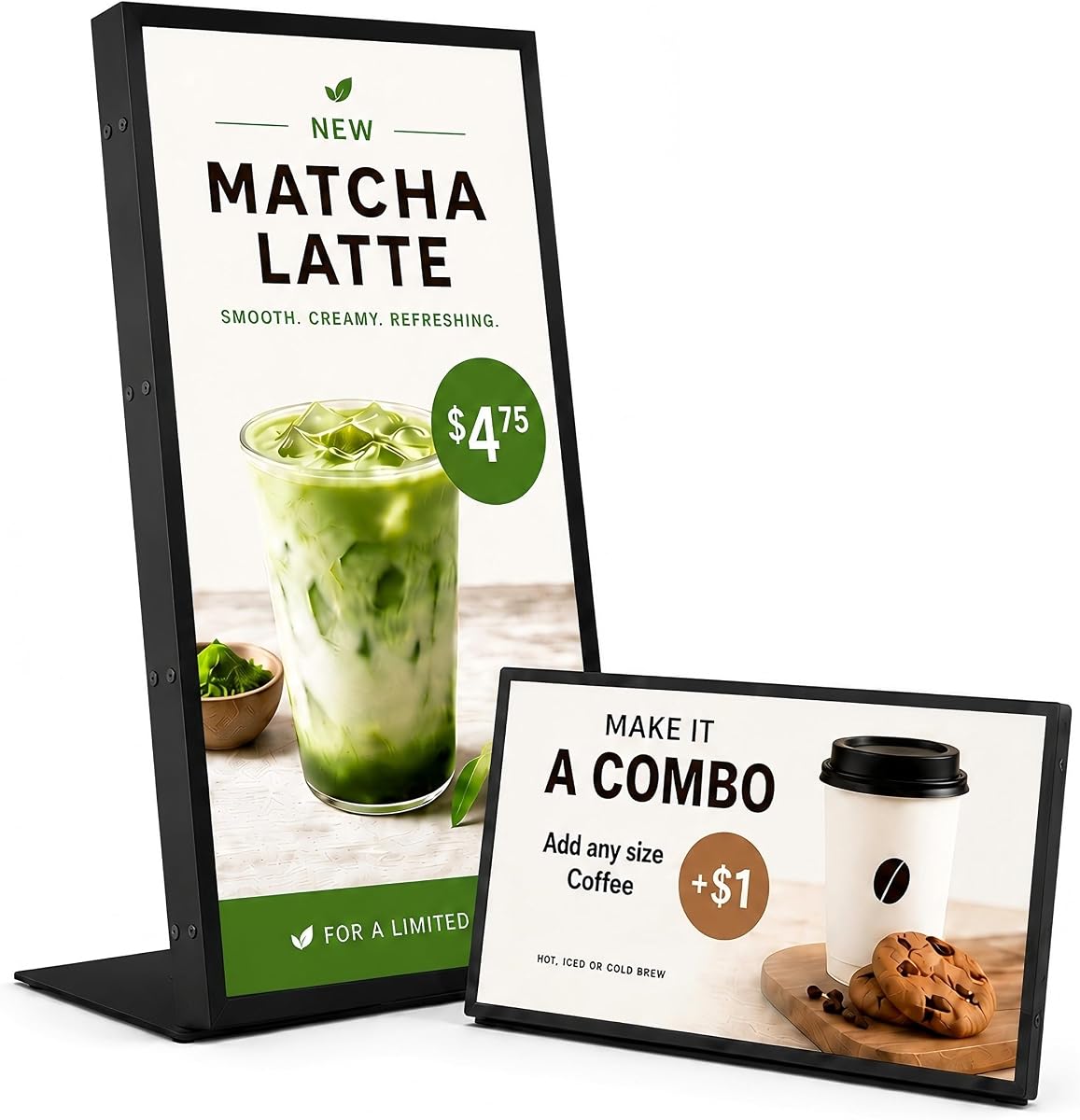


This 18.5 inch digital signage display offers a robust solution for businesses needing reliable menu updates. It features 700 nits of brightness ensuring content is visible even in well lit areas. The included lifetime free CMS allows easy remote management without ongoing fees.
We may earn a commission when you buy through this link, at no additional cost to you.
Powered by Android 12 with 2GB RAM it handles continuous playback smoothly. The device supports multiple connectivity options including HDMI LAN and USB for flexible local or cloud updates. A sturdy desktop stand fits various countertop layouts effectively.
While the rating is modest the hardware supports 24/7 commercial operation well. The packaging ensures secure transport and customer service is rated reliable. Some users may prefer higher resolution for detailed graphics but menus remain clear.
Ideal for coffee shops bakeries and retail counters this unit balances cost and functionality. It simplifies content scheduling and promotes dynamic engagement. This choice works well for owners prioritizing ease of use over premium specs.
Upload and schedule menu changes from any device using the free cloud CMS platform.
Designed for continuous operation with heat dissipation and a three year warranty for peace of mind.
We may earn a commission when you buy through this link, at no additional cost to you.
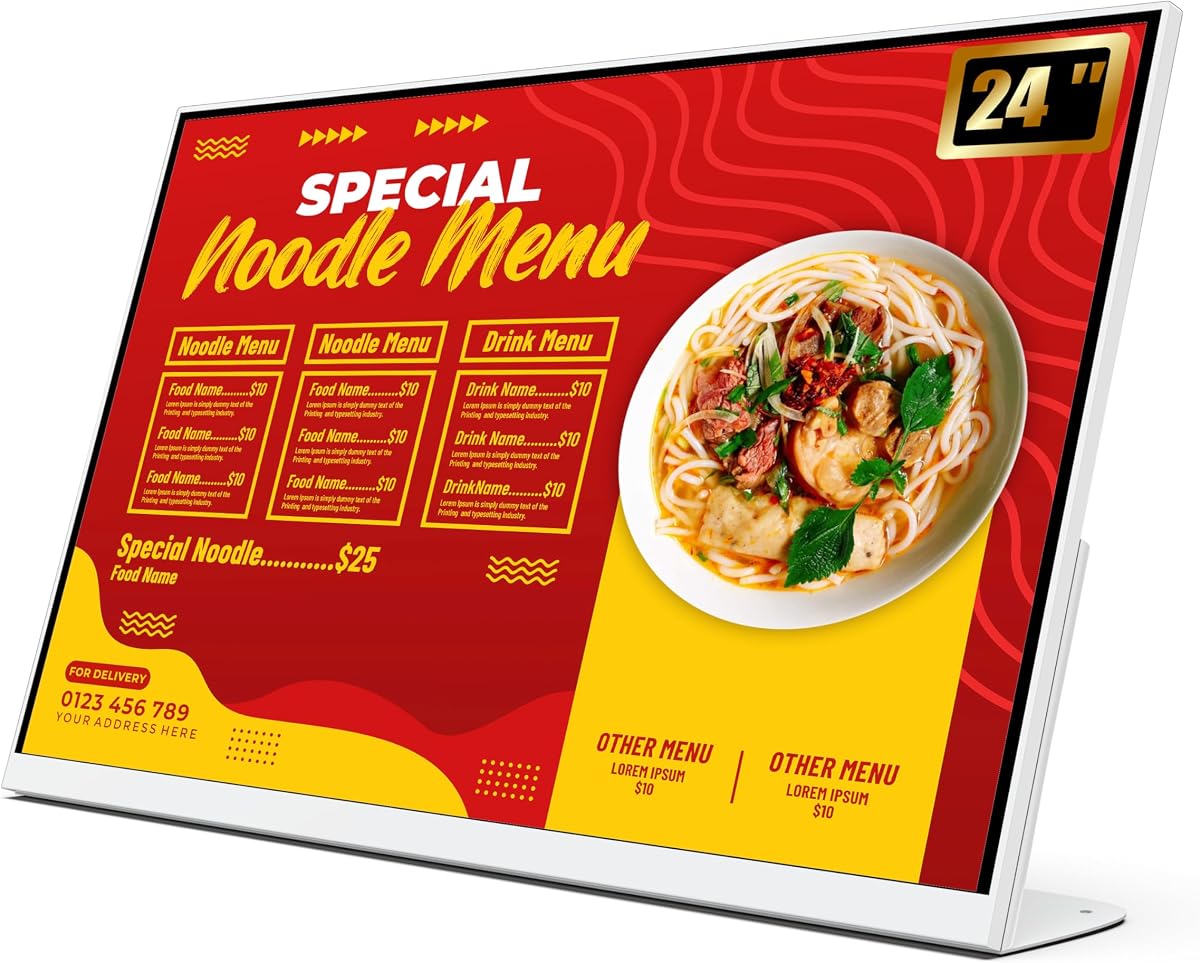
This 24 inch board stands out with a perfect customer rating. It delivers FHD visuals that make products look vibrant and inviting. The Android system supports centralized management for fast updates without onsite computers.
We may earn a commission when you buy through this link, at no additional cost to you.
Users appreciate the space saving desktop fit for ordering counters. Wide viewing angles ensure clarity from any position. Flexible updates via USB APP or remote PC keep promotions current instantly.
The commercial grade durability supports long hours of operation. Heat dissipation design reduces maintenance costs over time. Split screen features allow simultaneous menu and ad display for better engagement.
Milk tea shops restaurants and retail stores benefit from its efficiency. It enhances brand image through clear dynamic visuals. This pick is ideal for businesses needing reliable high definition display solutions.
True colors and high contrast restore product appeal while wide angles ensure visibility everywhere.
No need for onsite computers lets staff update menus faster using the cloud CMS.
We may earn a commission when you buy through this link, at no additional cost to you.
The MWE 32 inch kiosk delivers vibrant IPS visuals with a wide viewing angle. It features automatic loop playback ensuring continuous content without manual intervention. CMS enables real time remote updates for frequent promotion changes.
We may earn a commission when you buy through this link, at no additional cost to you.
Portability is a key strength with built-in wheels for easy movement. Timed settings help save energy by scheduling power cycles around business hours. This unit suits events exhibitions and temporary promotional setups well.
Robust compatibility allows HDMI USB and WiFi connections for flexible management. It operates continuously for days ensuring no downtime for important messages. The three year warranty covers quality defects for added confidence.
Hotels malls and retail stores find this tool effective for advertising. Its sleek design enhances professional brand image. Buyers needing mobility and reliable playback should consider this versatile option.
Foldable design with wheels makes setup and relocation simple for temporary or rotating displays.
Synchronous remote publishing lets you change messages instantly from any location.
We may earn a commission when you buy through this link, at no additional cost to you.
This player transforms any HD TV into a digital menu board instantly. It delivers 4K content with an extensive video gallery exceeding 250,000 options. The free plan supports basic image and video formats with tech support.
We may earn a commission when you buy through this link, at no additional cost to you.
Content creation is streamlined with a Template Builder and Video Studio. The mobile app lets you manage menus on the go. Wireless updates ensure your display stays fresh without manual plugging.
Connectivity options include HDMI Ethernet USB and memory card readers. Flexible layouts allow vertical display and split screens for dynamic content. Upgrade paths exist for advanced needs without changing hardware.
Businesses seeking low cost entry points benefit from this flexibility. It simplifies ads and product showcases effectively. This device is ideal for owners wanting powerful tools at a low initial cost.
Template Builder and Video Studio make professional looking menus easy without design expertise.
Content pushes from the cloud so you can change menus from your phone or laptop.
We may earn a commission when you buy through this link, at no additional cost to you.
This compact 10.1 inch display fits easily on crowded countertops. Touchscreen operation allows customers to browse information via simple tap and swipe gestures. WiFi and USB enable compatible file transfer for quick updates.
We may earn a commission when you buy through this link, at no additional cost to you.
It is designed for organized indoor information presentation with a compact format. Management of price lists and notices is straightforward. The screen displays text and media with clean detail suitable for close viewing.
Ideal for cafes reception desks and clinic notice zones this unit saves space. It functions as a desktop advertising screen or product showcase effectively. Routine changes do not require a complicated operating process.
Businesses needing interaction without large hardware will appreciate this. It keeps information accessible at eye level. This option suits environments where counter space is limited but engagement is key.
Touch panel allows customers to swipe through info which increases engagement without extra staff.
Compact tabletop structure fits tight counters where larger screens would clutter the workspace.
We may earn a commission when you buy through this link, at no additional cost to you.
This 18.5 inch unit is built for indoor commercial counter environments. It features a tempered glass front panel and metal housing for stability. The screen offers 700 nits brightness and 1080P resolution for sharp visuals.
We may earn a commission when you buy through this link, at no additional cost to you.
Landscape and portrait stands allow flexible placement near checkout areas. CMS publishing enables remote updates while USB playback offers offline options. Scheduling helps show targeted messages at specific times during the day.
Commercial-grade construction ensures reliability in high-traffic spaces. It is designed for display use only not as a POS terminal. The warranty provides replacement support for the first year for added security.
Bakeries salons and retail counters benefit from its robust design. It keeps information visible without disrupting workflow. This unit is a solid choice for businesses needing dependable counter signage.
Landscape or portrait stands let you fit the screen into various counter layouts easily.
Metal housing and tempered glass protect against daily wear in busy commercial environments.
We may earn a commission when you buy through this link, at no additional cost to you.
This 50 inch display offers an ultra-thin profile with narrow bezels for tiling. It delivers 1000 nits brightness ensuring optimal viewing in diverse environments. The screen supports 4K resolution with lossless crystal clear frames.
We may earn a commission when you buy through this link, at no additional cost to you.
Flexible multi-screen design divides the area into zones for videos feeds or codes. It supports continuous loop playback and image rotation for varied information delivery. CMS software handles automatic menu switching by time of day.
The unit includes Google Play Store for immediate operation after startup. Reinforced packaging protects during freight transport and industrial processing ensures quality. It supports plug and-play HDMI without needing extra drivers for setup.
Large lobbies and big retail spaces will appreciate its visibility. It creates a seamless visual experience when mounted properly. Despite a lower rating the hardware specs indicate premium commercial capabilities.
4K UHD resolution and narrow bezels make this display ideal for high visibility brand messaging.
Google Play Store and CMS allow immediate operation and automated scheduling without coding.
We may earn a commission when you buy through this link, at no additional cost to you.
This 29 inch screen features narrow bezels for seamless wall mounting. It delivers 700 nits brightness and a 50,000 hour lifespan for durability. The Android system supports versatile connectivity across devices without signal loss.
We may earn a commission when you buy through this link, at no additional cost to you.
Divisible into zones it can show videos social feeds and QR codes simultaneously. It supports 24/7 continuous loop playback with image rotation for dynamic content. 2GB RAM allows faster app switching compared to 1GB models.
CMS software handles bulk editing and remote scheduling from mobile devices. Real-time adjustments for brightness and power help manage energy use. Packaging ensures secure transport with reinforced wooden crates for protection.
Diverse settings like hospitals malls and offices can utilize this model. It serves well for navigation and bulletin boards. While the rating is low the hardware offers broad utility for commercial needs.
Split the screen into multiple zones for ads and menus at once to maximize space.
2GB RAM ensures smoother app switching so content plays without lag.
We may earn a commission when you buy through this link, at no additional cost to you.
This player lets you set up quickly by plugging in HDMI and Wi-Fi. It includes free features like LightningAds for scheduling your own content easily. The Canvas Designer allows menu creation without extra software or skills.
We may earn a commission when you buy through this link, at no additional cost to you.
Remote management supports uploading content and scheduling menu changes with a few clicks. PowerPoint uploads and an AI Image Enhancer help optimize display quality automatically. Premium tools can be unlocked via affordable upgrade plans.
The system pushes content automatically from the cloud so screens stay updated. It is designed for businesses needing fast deployment without IT expertise. Connectivity is simple with Wi-Fi and standard power sources.
Small shops or events needing fast setup will find this useful. It combines media playback with design tools in one unit. This option suits those who want AI assistance in their menu design process.
Canvas Designer lets you build boards directly in the interface without needing external software.
Manage screens from anywhere by uploading and scheduling changes via the online portal.
We may earn a commission when you buy through this link, at no additional cost to you.
This player runs on a powerful Hexa-core CPU with 4GB RAM for speed. It includes 16GB local cache ensuring there is never any playback interruption. The built-in watchdog helps maintain stable operation over long periods.
We may earn a commission when you buy through this link, at no additional cost to you.
Powered by a popular free cloud service it supports both vertical and horizontal modes. Ethernet and Wi-Fi offer flexible networking options for content delivery. It supports HD video playback with reliable performance.
The device avoids playback interruptions by storing data locally during sync. It is designed for businesses needing a cost-effective cloud player without subscription fees. The dedicated Android OS ensures compatibility with common signage software.
Retail chains and multi-site businesses benefit from its centralized service. It simplifies management by handling content via the cloud. This device is ideal for those prioritizing stability and cloud access.
Built-in watchdog ensures the player restarts if it freezes keeping your content visible.
4GB RAM allows smooth handling of complex content and quick app loading.
We may earn a commission when you buy through this link, at no additional cost to you.
Selecting the right digital menu display requires evaluating several factors to ensure long-term value and functionality for your business.
Screen size should match your viewing distance. Larger spaces like lobbies need 40+ inch screens while counters work well with 10 to 24 inches. Resolution impacts clarity so opt for Full HD or higher if you want crisp images.
Choose a size that fits your layout without overwhelming the space. Higher resolution ensures details are readable from afar.
Brightness measured in nits determines visibility in lit environments. For indoor counters 500 to 700 nits is sufficient. Brighter areas or windows need higher nits to prevent glare from washing out content.
Select brightness based on ambient light conditions. Higher nits ensure clarity in bright settings.
A CMS controls how you update content. Cloud-based systems allow remote updates from any device. Look for platforms that support scheduling playlists and templates to streamline daily tasks without technical training.
Prioritize systems with intuitive interfaces. Cloud access simplifies updates for multiple locations.
Connectivity determines how content is delivered. HDMI is standard for video inputs while LAN and Wi-Fi support remote management. USB ports enable offline backups and local updates which is helpful in areas with weak internet.
Ensure the device supports your preferred connection type. Multiple ports offer flexibility for future needs.
Commercial displays operate longer than consumer TVs. Look for units rated for 24/7 operation with robust heat dissipation. A longer lifespan reduces replacement costs. Check for warranty coverage especially for hardware defects.
Verify operating hours ratings and warranty length. Durable builds lower maintenance costs over time.
Mounting options affect where you can place screens. VESA mounts allow wall mounting while stands fit countertops. Consider weight and portability if you need to move displays between events or temporary zones.
Choose mounting based on your physical space. Portable units add flexibility for rotating displays.
Total cost includes hardware and potential software fees. Some systems require subscriptions while others have free tiers. Calculate the total cost of ownership to ensure it fits your budget without hidden costs.
Compare upfront costs against long-term fees. Free tiers often suffice for basic needs.
Support helps resolve issues quickly. Reliable manufacturers offer technical assistance via phone or chat. Check if remote management is available to fix problems without sending a technician onsite.
Prioritize vendors with responsive service channels. Good support minimizes downtime.
Begin by connecting the display to a power source and your network via Wi-Fi or Ethernet. Install the recommended CMS app on your computer or mobile device to manage content. Ensure all cables are secure to prevent signal issues during operation.
Create content that fits the screen resolution to avoid stretching. Use templates provided by your CMS to maintain brand consistency. Schedule updates to reflect daily specials or menu changes efficiently without manual effort.
Clean the screen regularly with a soft lint-free cloth to remove dust. Avoid abrasive cleaners that could damage the surface. Keep the unit ventilated to prevent overheating especially when running for long hours without breaks.
Most digital displays work best with internet for remote updates. However many models support USB offline updates if network access is unavailable. Check product specs to confirm offline playback capabilities for your needs.
Update content daily to keep customers informed about specials or price changes. Regular updates increase engagement. Using a CMS you can schedule these changes so they appear automatically at set times.
Commercial displays are designed for long-term use often lasting 50,000 hours. This translates to years of continuous operation. Proper ventilation and regular maintenance extend this lifespan further.
Consumer monitors may not handle 24/7 operation well. Dedicated commercial displays are built for reliability. Some systems include media players that turn standard screens into signage though specialized hardware performs better.
Some systems charge subscription fees for cloud CMS. Others offer free tiers or one-time costs. Verify if recurring charges apply before purchasing to fit your budget.
Restart the device using the power button or unplug it briefly. If the issue persists check your network or content file for errors. Most units include a watchdog feature that auto restarts to prevent this.
Our top picks cover a range of needs from compact countertop units to large commercial screens. Each option offers unique strengths in brightness content management and durability for various environments.
Prioritize features that align with your workflow such as remote CMS support or high brightness. Consider installation requirements and support options to ensure a smooth deployment without unexpected issues.
Prices and availability change frequently so check current listings before purchasing. The right digital menu display can transform your business communication and customer experience.