
Brother DS-640
4.3Editor score
Ultra compact design
16ppm color speed
Free iPrint Scan app
Discover the top document scanners for iPhone 18 users. This guide compares portable and wireless models optimized for mobile scanning workflows and cloud
Finding the right document scanner for iPhone 18 requires balancing portability with performance. Modern users need tools that integrate seamlessly with mobile ecosystems while delivering crisp scans of receipts and contracts.
We evaluated ten leading models based on speed, connectivity, and software compatibility. Each product was assessed for its ability to work with iOS devices and support cloud storage solutions effectively.
This list highlights key strengths and weaknesses to help you choose wisely. Note that prices fluctuate frequently so check current listings before making your final purchase decision today.
4.3Editor score

4.3Editor score
4.4Editor score
The following table provides a side by side comparison of all ten selected models. It highlights key specifications and unique features to help you quickly identify the best fit for your specific needs.





The Epson Workforce ES-50 stands out as the top recommendation for mobile scanning tasks. With a rating of 4.3 stars it delivers consistent performance for users needing quick digital copies.
We may earn a commission when you buy through this link, at no additional cost to you.
Its standout quality lies in its speed. Scanning a single page takes just 5.5 seconds. This efficiency saves valuable time during busy workdays. The USB powered design means you never need batteries.
Trade-offs include the lack of wireless connectivity. You must connect directly to a computer or hub. However the speed and portability often outweigh this limitation for frequent travelers.
Buy this if you prioritize speed and simplicity. It is ideal for professionals who scan receipts and contracts daily. The included OCR ensures your files are searchable and editable.
At 5.5 seconds per page this scanner processes documents faster than many competitors.
Being USB powered eliminates the need to recharge batteries or find outlets.
We may earn a commission when you buy through this link, at no additional cost to you.
The Brother DS-640 offers exceptional value for budget conscious buyers. It matches the performance of pricier models while costing less. This makes it a smart choice for students or startups.
We may earn a commission when you buy through this link, at no additional cost to you.
Its compact size allows it to fit in a pocket or purse. You can scan documents anywhere without carrying heavy equipment. The 16ppm speed ensures quick processing of color files.
The micro USB connection might feel outdated compared to USB-C. Still it works reliably with most laptops. The free software helps organize scans without extra costs.
Choose this for everyday scanning needs. It handles receipts and reports well. The balance of price and performance makes it a top contender.
At less than 1 foot in length it fits easily in any travel bag.
Color scans happen at the same speed as black and white ones.
We may earn a commission when you buy through this link, at no additional cost to you.
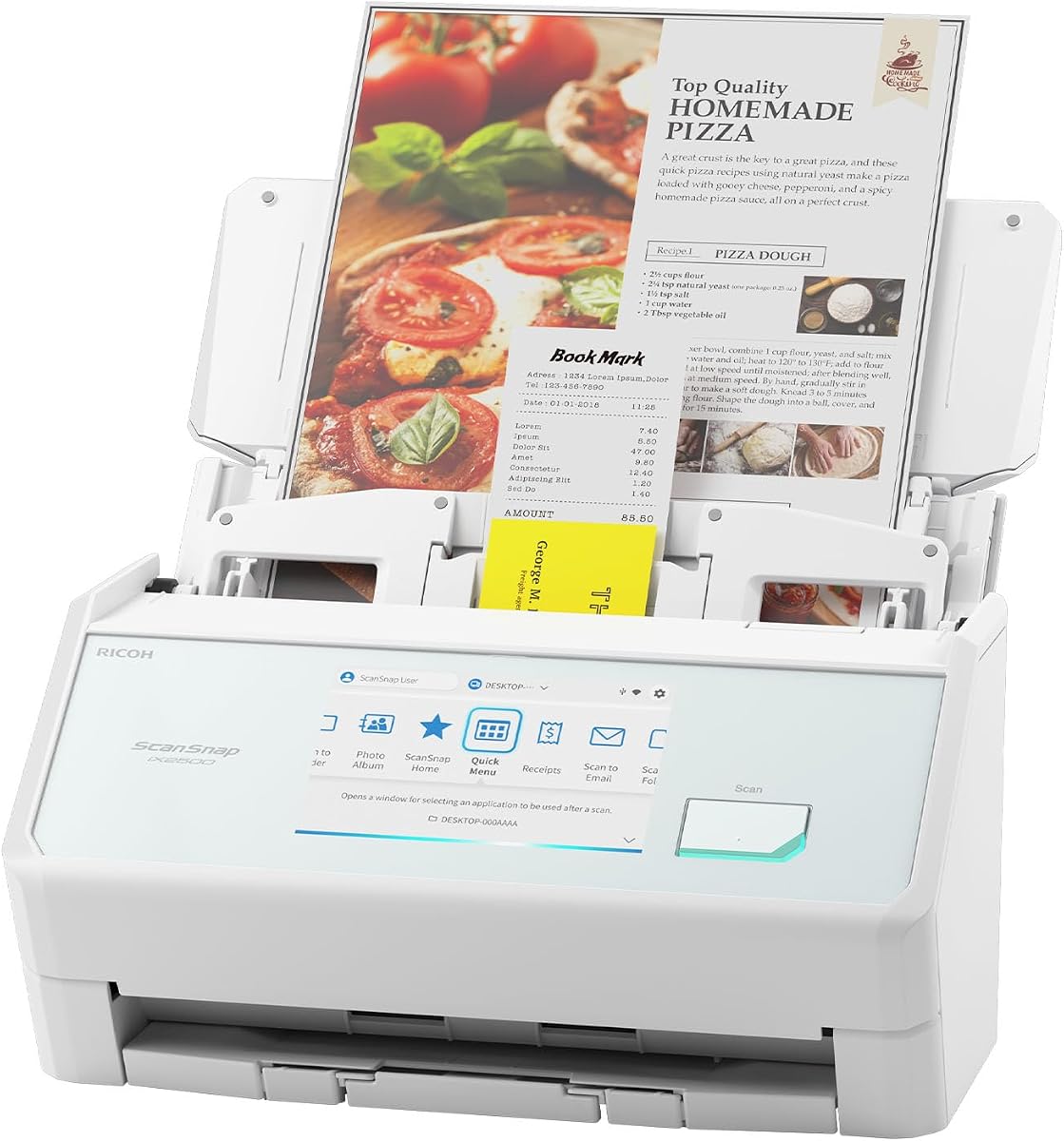
The ScanSnap iX2500 is a powerhouse for heavy document loads. Its 45ppm speed and 100-sheet feeder make it suitable for office environments. It handles large jobs with ease.
We may earn a commission when you buy through this link, at no additional cost to you.
Wireless connectivity allows direct scanning to mobile devices. You can send files to your iPhone 18 without a computer. The touchscreen simplifies selecting specific destinations.
The cost is higher than portable models. It also needs a dedicated spot on your desk. But for volume and speed the investment pays off quickly.
Select this if you scan hundreds of pages daily. It automates workflows and reduces manual effort. The reliability justifies the premium price tag.
Built-in Wi-Fi 6 lets you scan directly to cloud services or phones.
The 100 sheet feeder handles large batches without constant refilling.
We may earn a commission when you buy through this link, at no additional cost to you.
The CZUR Shine Ultra specializes in scanning books and flat documents. Its camera technology captures pages quickly. This makes it unique among traditional sheet feeders.
We may earn a commission when you buy through this link, at no additional cost to you.
Patented flattening technology reduces shadows on curved pages. You get clean images without distorting the text. The speed is impressive at just one second per page.
However it requires a Windows or Mac connection. It does not support iOS directly. This limits its portability for iPhone users who need standalone scanning.
Buy this if you have many books to digitize. It is perfect for libraries or research. Just ensure you have a compatible computer for processing.
Specially designed to scan books without damaging the spine or pages.
The 13MP camera ensures sharp text and clear images.
We may earn a commission when you buy through this link, at no additional cost to you.
The Brother DS-740D improves on the 640 with duplex scanning. It captures both sides of a document in a single pass. This doubles your efficiency without extra steps.
We may earn a commission when you buy through this link, at no additional cost to you.
Its Desk Saving Design minimizes space usage. You can keep it on small workstations easily. The speed remains consistent at 16ppm for color and black white.
Like its sibling it uses a micro USB connection. This is standard but less modern than USB-C. Still it offers reliable performance for mobile workers.
Pick this for double sided documents. It saves time and paper. The software handles sorting and cloud uploads efficiently.
Scan both sides of a page in a single pass to save time.
Designed to reduce desk footprint by over ten inches.
We may earn a commission when you buy through this link, at no additional cost to you.
The Canon imageFORMULA R10 focuses on simplicity and quality. It is designed for quick setup. You can start scanning immediately without complex drivers.
We may earn a commission when you buy through this link, at no additional cost to you.
It handles various media types well. Receipts and cards fit easily into the feeder. The output quality reflects Canon's camera technology.
Speed is slower at 12ppm compared to competitors. The feeder holds only 20 sheets. But for light use it is reliable.
Choose this for straightforward needs. It works well for home offices. The energy star certification is an added bonus.
No installation needed to start using the powerful built-in software.
Digitizes receipts business cards and plastic cards without jams.
We may earn a commission when you buy through this link, at no additional cost to you.
The Epson Perfection V19 II excels at photo scanning. Its high optical resolution preserves detail in images. This is ideal for digitizing old family albums.
We may earn a commission when you buy through this link, at no additional cost to you.
The removable lid helps scan books or thick items. Software tools allow you to restore faded colors easily. It supports OCR for document conversion.
Speed is a tradeoff here. Without a feeder you scan page by page. This is fine for photos but tedious for documents.
Buy this if photos are your priority. It captures quality images. For documents only consider faster models.
Easy Photo Fix technology restores color to faded old photos instantly.
4800 dpi optical resolution ensures maximum clarity for enlargements.
We may earn a commission when you buy through this link, at no additional cost to you.
The Epson Workforce ES-60W brings wireless freedom. It scans in 4 seconds and connects directly to devices. This makes it great for iPhone 18 users on the move.
We may earn a commission when you buy through this link, at no additional cost to you.
Automatic switching between USB and battery is seamless. You can work unplugged for hours. The software supports scanning to cloud accounts directly.
Battery charging is necessary. But the speed compensates for this. It is one of the fastest wireless options available.
Get this for wireless convenience. It reduces cable clutter. The speed and connectivity make it a strong choice.
Scan wirelessly to iOS devices without needing a computer hub.
Automatically switches between USB and battery power seamlessly.
We may earn a commission when you buy through this link, at no additional cost to you.
This handheld scanner is the simplest option available. It weighs just 0.31lbs. You can carry it anywhere. Scanning happens manually by moving the device.
We may earn a commission when you buy through this link, at no additional cost to you.
It uses SD cards for storage. This eliminates computer dependency. The resolution modes allow customization. It is a good budget choice for occasional use.
You must move it carefully for straight scans. This requires a steady hand. But for quick notes it works well.
Choose this for casual tasks. It is cheap and portable. Just ensure you have batteries ready.
Weighing only 0.31lbs it fits in any bag easily.
Save scans directly to SD card without connecting to a PC.
We may earn a commission when you buy through this link, at no additional cost to you.
The silver version mirrors the blue model perfectly. It offers the same lightweight design. Manual scanning allows flexibility on any surface. This is great for quick notes.
We may earn a commission when you buy through this link, at no additional cost to you.
Storage is handled via SD cards. This simplifies the process. The cost remains low. It is an entry level solution for digitization.
Precision depends on your steady hand. It might be slower than automatic feeders. But it offers total control over positioning.
Select this for minimal needs. It is simple and portable. Ensure you include batteries for power.
Affordable pricing makes this accessible for personal or home use.
Handheld design gives you full control over what to scan.
We may earn a commission when you buy through this link, at no additional cost to you.
Selecting the right scanner involves weighing features against your specific workflow needs. Below are key factors to consider before making a purchase.
Wi-Fi models allow direct connection to iPhone 18 without cables. USB options require a host computer. Choose wireless for maximum mobility.
Prioritize wireless if you need standalone scanning capabilities.
Speed varies from 4 seconds to 45 pages per minute. Faster models save time for high volume tasks. Slower models suit occasional use.
Check pages per minute ratings to match your daily volume.
Automatic feeders hold 20 to 100 sheets. High capacity reduces manual handling. Small feeders save space but require frequent refills.
Consider capacity based on how many pages you batch.
Portable scanners range from 0.31 lbs to 2 lbs. Lighter devices fit in pockets. Heavier models offer stability.
Select a weight that your daily carry bag can handle.
OCR converts scans to editable text. Cloud apps save files automatically. Ensure the software supports your operating system.
Look for OCR and cloud integration for organized workflows.
Some models handle receipts cards or long documents. Others need flat paper only. Match paper handling to your document types.
Ensure the scanner accepts your specific paper sizes.
USB powered units need a connection. Battery powered ones offer freedom. Dual power options provide flexibility.
Check if the device needs charging or AA batteries.
Prices vary from budget to premium. Higher cost usually means faster speeds and wireless. Balance cost with necessary features.
Set a realistic budget before comparing specific models.
Connect your scanner via USB or Wi-Fi. Install any required software or apps on your iPhone. Ensure permissions allow file access for scanning.
Place documents face down or in the feeder. Press the scan button or use the app. Wait for the process to finish before removing files.
Clean the glass with a soft cloth regularly. Avoid overloading the feeder. Store in a dry place to prevent internal damage.
Yes wireless models connect directly to iOS devices. Some USB models require a computer. Check compatibility specs before buying.
Speeds between 4 to 16 pages per minute are ideal. Faster speeds waste battery on phones. Look for balanced performance.
Wireless models allow direct scanning to phones. USB models need a host. Choose wireless for standalone use.
Files save to cloud services or SD cards. Software apps manage destinations. Ensure your account is logged in.
OCR makes files searchable on iOS. It allows text copying from images. It is useful for research and notes.
Battery life depends on usage. Some last hours on one charge. Keep a charging cable handy.
We reviewed ten top models suitable for iPhone 18 users. The Epson Workforce ES-50 remains a top pick for speed. The Brother DS-640 offers great value.
Prioritize wireless connectivity for seamless mobile workflows. Battery life and software compatibility also matter for daily use. Your choice depends on your specific needs.
Prices for these models change often. Always check current listings before buying. This ensures you get the best deal available today.