
Redragon M612 Wired RGB Optical Gaming Mouse
4.6Editor score
8000 DPI Adjustable
9 Programmable Buttons
Ergonomic Claw Grip
This expert guide compares the top 10 drag click mice for gamers and power users, evaluating sensors, ergonomics, and programmable features.
Finding the right mouse for drag clicking requires balancing precision, durability, and comfort. Gamers and productivity users alike need devices that can handle rapid inputs without fatigue or signal loss during intense sessions.
We compared ten top-rated models based on sensor performance, build quality, programmability, and user feedback. Each product was analyzed for its suitability in competitive gaming, macro-heavy workflows, and everyday use cases.
Each pick highlights key strengths and trade-offs to help you decide quickly. Prices and availability change frequently, so check the current listings before purchasing to ensure you get the best value for your needs.
4.6Editor score

4.6Editor score

4.6Editor score
Here is a side-by-side overview of all ten models, highlighting their sensor capabilities, connectivity options, button layouts, and design philosophies to help you narrow down your choice efficiently.

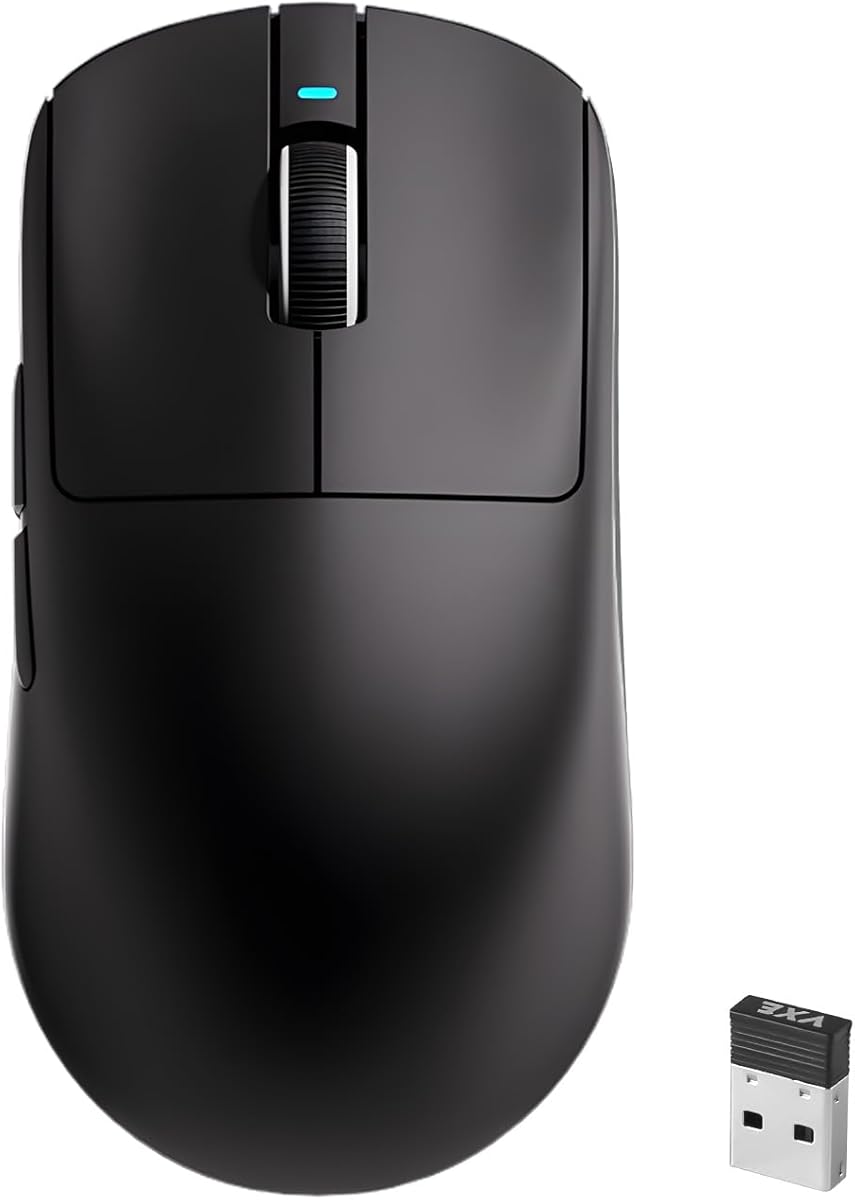


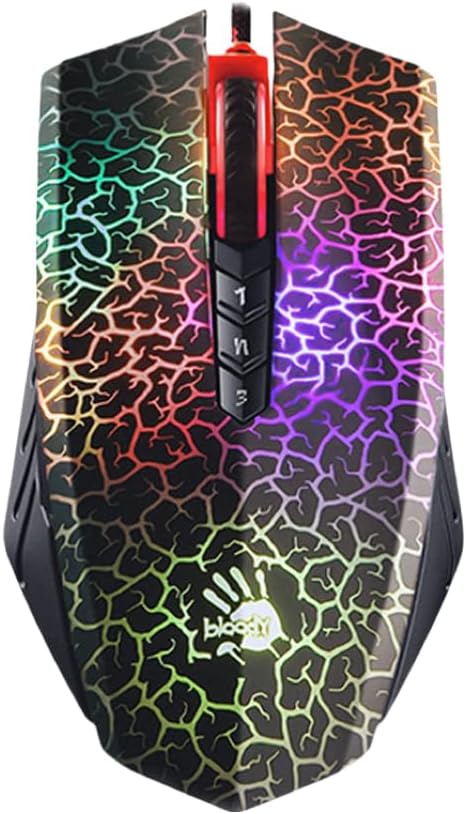

The Redragon M612 stands out as a highly capable budget option for drag click enthusiasts. With a 4.6 rating and robust optical sensor, it delivers reliable performance for gamers and power users alike.
We may earn a commission when you buy through this link, at no additional cost to you.
Its 8000 DPI sensor and redefinable buttons allow for precise control and quick macro execution. The ergonomic claw grip design reduces fatigue during long sessions, while the RGB lighting adds a personalized aesthetic.
While it lacks wireless freedom, the wired connection ensures zero latency. The software is straightforward, though not as advanced as premium options, making it ideal for users seeking value without sacrificing core features.
For those prioritizing affordability and function, this mouse is a strong contender. It balances performance and comfort effectively, making it a top recommendation for entry-level drag click setups.
The five adjustable DPI levels and programmable buttons provide granular control for varied gaming scenarios.
Frosted coating and rubber textures enhance grip stability, preventing slips during intense gameplay.
We may earn a commission when you buy through this link, at no additional cost to you.
The Redragon M923 PRO offers wireless freedom with impressive performance metrics. Its 4.6 rating reflects consistent user satisfaction regarding connectivity and customization options.
We may earn a commission when you buy through this link, at no additional cost to you.
Supporting Bluetooth, 2.4GHz, and wired modes, it adapts to various setups. The 24000 DPI sensor ensures accuracy, while the eight programmable buttons facilitate complex keybinds and macros.
Although not the lightest, the ergonomic design supports comfortable prolonged use. Software allows deep customization, though occasional driver updates may be needed for optimal stability.
Ideal for budget-conscious users needing wireless versatility, this mouse delivers reliable performance. It balances cost, features, and comfort effectively for both gaming and productivity tasks.
Switch seamlessly between devices and connection types to suit different environments and preferences.
Dedicated software enables detailed button mapping and profile management for diverse workflows.
We may earn a commission when you buy through this link, at no additional cost to you.
The Razer Viper V3 Pro is engineered for elite competitive play, offering industry-leading specs. Its 4.6 rating confirms its status as a top-tier choice for serious gamers.
We may earn a commission when you buy through this link, at no additional cost to you.
Featuring an 8000 Hz polling rate and Focus Pro 35K sensor, it ensures zero latency and pixel-perfect tracking. The 54-gram build enables swift movements without strain.
While priced higher, the performance justifies the cost for esports athletes. Optical switches eliminate double-click issues, and the battery life supports marathon sessions without interruption.
For those demanding the fastest response times and lightest feel, this mouse is unmatched. It sets a new standard for wireless gaming performance in 2026.
The combination of high polling rate and sensor precision delivers unmatched responsiveness in fast-paced games.
Optical switches and durable materials ensure consistent performance over years of intense use.
We may earn a commission when you buy through this link, at no additional cost to you.
The ATK R1 SE+ delivers lightweight agility with a PAW3395SE sensor for precise tracking. Its 4.6 rating highlights satisfaction with its control and versatility.
We may earn a commission when you buy through this link, at no additional cost to you.
Weighing only 55 grams, it supports rapid flicks without fatigue. Tri-mode connectivity via Type-C, 2.4G, and Bluetooth ensures adaptability across devices.
Web-driven customization simplifies adjustments without heavy software installation. However, the interface may require a learning curve for some users.
This mouse balances performance and price effectively. It suits gamers seeking ultra-light feel without the premium price tag of top brands.
The lightweight chassis allows for effortless, rapid movements essential in competitive shooters.
Three connection modes ensure compatibility with various setups and environments.
We may earn a commission when you buy through this link, at no additional cost to you.
The Redragon M910 focuses on macro efficiency with nine programmable buttons and a dedicated fire key. Its 4.5 rating reflects strong performance in workflow and gaming scenarios.
We may earn a commission when you buy through this link, at no additional cost to you.
The ergonomic contour fits naturally in hand, reducing strain during extended use. Five user profiles allow quick switching between different task setups.
While it uses a standard 8000 DPI sensor, the programmability compensates for many users. The RGB lighting adds visual appeal, though software remains basic compared to premium rivals.
Ideal for users prioritizing button depth over raw sensor speed, this mouse offers excellent value. It is a reliable tool for productivity and casual gaming.
The fire button and macro editor streamline complex actions for faster gameplay or work.
Ergonomic design ensures consistent contact points, minimizing fatigue during long sessions.
We may earn a commission when you buy through this link, at no additional cost to you.
The MOJO Pro Performance offers a unique silent click experience, ideal for quiet environments. Its 4.0 rating indicates solid build quality and specialized features.
We may earn a commission when you buy through this link, at no additional cost to you.
The PMW3336 sensor supports up to 12000 DPI with adjustable force settings for personalized resistance. Nine programmable buttons enhance versatility for various tasks.
Weighing 127 grams, it is heavier than most gaming mice, which may reduce agility. However, the silence and ergonomic shape provide comfort and discretion.
For users needing silent operation during late-night sessions, this mouse is a niche winner. It balances functionality with sound reduction effectively.
Fully silent buttons allow gaming or work without disturbing others nearby.
Adjustable click resistance helps tailor the mouse to personal tactile preferences.
We may earn a commission when you buy through this link, at no additional cost to you.
The Redragon M913 is designed for MMO enthusiasts with sixteen programmable buttons and twelve side keys. Its 4.4 rating reflects strong utility for complex game builds.
We may earn a commission when you buy through this link, at no additional cost to you.
The dual-mode wireless ensures stable connectivity during critical battles. With forty-five hours of battery life, it supports extended gaming without frequent recharging.
However, its bulkier shape may not suit smaller hands. The weight and size are trade-offs for the extensive input options available.
For MMO and simulation gamers requiring high macro capacity, this mouse excels. It offers robust features tailored to demanding virtual environments.
The side button array provides instant access to numerous commands or skills.
Long battery and dual-mode connectivity ensure uninterrupted gameplay sessions.
We may earn a commission when you buy through this link, at no additional cost to you.
The Bloody A70 II uses Light Strike optical switches for lightning-fast actuation. Its 4.5 rating confirms reliability and speed for competitive gaming.
We may earn a commission when you buy through this link, at no additional cost to you.
With zero debounce delay and over twenty million clicks lifespan, it ensures consistent performance. The optical engine and X Glide Armor enhance control and movement.
Software offers advanced macro features but may require setup time. While not as mainstream, its technical specs compete with top brands.
For users prioritizing speed and durability, this mouse is a standout. It delivers professional-grade performance at a competitive tier.
Light Strike switches provide immediate feedback with minimal actuation time.
X Glide Armor feet reduce friction for smooth, precise tracking on any surface.
We may earn a commission when you buy through this link, at no additional cost to you.
The Logitech G PRO X2 SUPERSTRIKE introduces Haptic Inductive Trigger technology for immersive feedback. Its 4.6 rating reflects its premium status and performance.
We may earn a commission when you buy through this link, at no additional cost to you.
With HERO 2 sensor and 60-90 hours of battery life, it offers precision and endurance. The thin-wall build maintains durability while staying lightweight.
While expensive, the haptic system adds unique tactile depth. It targets pros seeking the cutting edge in feedback and accuracy.
For those investing in top-tier peripherals, this mouse offers unmatched innovation. It redefines what a wireless gaming mouse can deliver.
Real-time haptic feedback enhances game awareness and tactile response.
HERO 2 sensor ensures pixel-accurate movement without smoothing or jitter.
We may earn a commission when you buy through this link, at no additional cost to you.
The Razer Basilisk V3 combines iconic ergonomics with advanced features like HyperScroll tilt. Its 4.6 rating confirms widespread satisfaction with comfort and function.
We may earn a commission when you buy through this link, at no additional cost to you.
Featuring an optical sensor with 26000 DPI and eleven programmable buttons, it supports both gaming and productivity. The RGB lighting integrates with over 150 Chroma games.
While wired and slightly heavier, the ergonomic design reduces strain effectively. The scroll wheel provides precise control for productivity tasks.
Ideal for users valuing comfort and customization, this mouse delivers balanced performance. It remains a top choice for mixed-use gaming setups.
HyperScroll wheel offers both free-spin and tactile modes for varied navigation needs.
Eleven RGB zones allow deep personalization that syncs with games and apps.
We may earn a commission when you buy through this link, at no additional cost to you.
Choosing the right drag click mouse involves evaluating sensor accuracy, button programmability, and ergonomics to match your specific usage patterns.
A high-quality optical sensor ensures consistent tracking without jitter. Look for sensors with high DPI ranges and adjustable settings for varied environments.
Prioritize sensors with low latency and accurate surface calibration.
Drag clicking benefits from extra programmable buttons that allow macros and custom keybinds. Ensure the mouse supports robust software for easy configuration.
More buttons enable complex workflows without interrupting your focus.
Comfort during extended sessions is critical. Choose a mouse with a shape that fits your hand and grip style to reduce strain.
Lighter mice facilitate quicker movements, but balance is key for control.
Decide between wired for zero latency or wireless for freedom. Wireless models should support high polling rates to maintain responsiveness.
Wired options are often more reliable, while wireless offers mobility.
Optical switches provide faster actuation and longevity compared to mechanical ones. They eliminate debounce delay which is crucial for rapid inputs.
Look for high click lifecycle ratings for long-term durability.
A durable chassis ensures the mouse withstands heavy use. Rubberized textures and reinforced frames improve grip and longevity.
Invest in materials that resist wear and maintain performance over time.
Intuitive software is essential for customizing macros and lighting. Ensure the manufacturer provides regular updates and compatible drivers.
Good software enhances usability and expands the mouse's capabilities.
Balance cost with features. Budget options may lack advanced sensors, while premium models offer unique features like haptic feedback.
Focus on what features directly impact your performance and comfort.
Begin by installing the manufacturer's software to configure DPI, macros, and lighting. Adjust settings based on your preferred sensitivity and workflow needs.
Keep the mouse surface clean to maintain grip and sensor accuracy. Use a mousepad with consistent texture for optimal tracking performance.
Regularly update firmware and drivers to ensure compatibility. Monitor button responsiveness and adjust weights or settings to reduce fatigue over time.
A suitable mouse features low friction surface materials, precise optical sensors, and lightweight design. These elements allow the finger to slide smoothly without signal loss or latency.
Yes, modern wireless mice with high polling rates and low latency are reliable. Look for models supporting 2.4GHz or Bluetooth with stable drivers.
Optical switches reduce debounce delay and increase click lifespan. This results in faster, more consistent actuation essential for rapid inputs.
Ideal DPI depends on playstyle but ranges from 400 to 3200 for most gamers. Test different settings to find balance between precision and speed.
Clean your mouse weekly to remove dust and oils affecting performance. Use a soft cloth and mild cleaner to maintain surface grip.
Yes, most programmable mice support productivity workflows. Macros and customizable buttons can streamline repetitive software tasks efficiently.
The Redragon M612, Razer Viper V3 Pro, and Logitech G PRO X2 offer standout performance across budget and premium segments. Each provides unique strengths for specific user needs.
Prioritize ergonomics and sensor accuracy to ensure long-term comfort and precision. Balance features with your actual usage to avoid paying for unnecessary specs.
Check current prices and availability before purchasing as deals change frequently. Selecting the right tool will significantly enhance your gaming and productivity experience.