
TP-Link ER605
4.4Editor score
Five Gigabit Ports Total
Supports USB WAN Backup
Advanced Firewall Security
Discover the top Dual Wan Router options for reliable connectivity. This guide compares features, performance, and security across ten leading models for your
Finding the right Dual Wan Router ensures your network stays online even if one connection fails. These devices manage multiple internet lines for better speed and reliability in homes and businesses.
We compared ten top models based on port types, security features, VPN support, and overall performance. Our analysis highlights how each router handles failover, load balancing, and remote management effectively.
Each pick shows specific strengths like budget friendliness, enterprise grade security, or high speed capabilities. Please note that prices and availability change frequently so check current listings before buying.
4.4Editor score

4.2Editor score

4.3Editor score
This table provides a quick side-by-side look at key specifications for all ten routers. Compare port counts, security features, and VPN capabilities to find the right fit for your needs.



The TP-Link ER605 is a top choice for those needing reliable connectivity without a high cost. With a solid 4.4 rating it offers five Gigabit ports for flexible network setups.
We may earn a commission when you buy through this link, at no additional cost to you.
Its ability to support USB WAN backup makes it great for remote locations where mobile internet is a lifeline. Security features like SPI Firewall and DoS defense protect your data effectively.
While it lacks wireless capabilities it is designed for wired enterprise use. The basic web interface is functional but may lack advanced customization for power users.
This router is ideal for small offices or labs needing failover protection. It delivers excellent value for basic dual WAN routing needs.
Three WAN ports optimize bandwidth usage allowing you to connect multiple internet sources for better performance.
Supports up to 20 LAN to LAN IPsec connections for secure site to site networking.
We may earn a commission when you buy through this link, at no additional cost to you.
The Peplink B-One is built for enterprise branch offices needing blazing fast speeds and resilience. It offers a 1GBps throughput ensuring your business stays connected during outages.
We may earn a commission when you buy through this link, at no additional cost to you.
SpeedFusion technology creates a robust network that keeps you online even if primary internet fails. It also integrates seamlessly with Starlink for versatile satellite connectivity.
The high price reflects its advanced features but it may be overkill for home users. Frequent resets are rare compared to other routers ensuring stability.
Choose this if you need industrial grade reliability and Starlink support. It is a solid investment for mission critical environments.
Works with existing internet to create a robust network that ensures smooth video calls and uninterrupted service.
Integrates easily with services including Starlink Cable DSL and Fiber for adaptable network configurations.
We may earn a commission when you buy through this link, at no additional cost to you.
The NETGEAR PR60X stands out for its high performance hardware and 10G/Multi-Gig configurable ports. It supports robust failover and load balancing for seamless connectivity in SMEs.
We may earn a commission when you buy through this link, at no additional cost to you.
Remote network access is secure via IPSec OpenVPN and WireGuard supporting up to 100 client device connections. Insight cloud management allows you to monitor from anywhere easily.
The cost is significant but justified for businesses needing enterprise grade speed. The 1-year subscription might require renewal to maintain full cloud features.
If you need multi-gigabit speeds and cloud management this is the top choice. It simplifies SME management through a unified interface.
Includes one 10G Multi-Gig port and one 2.5G WAN port for optimized network performance.
Supports IPSec Site-to-Site and Client-to-Site VPN with up to 30 VPN tunnels for safety.
We may earn a commission when you buy through this link, at no additional cost to you.
The Cudy R700 is a versatile option for those who love OpenWRT and custom control. It allows connection to up to 5 ISPs with automatic failover keeping your business online.
We may earn a commission when you buy through this link, at no additional cost to you.
Full OpenWRT support unlocks VLAN segmentation and custom QoS policies. Built-in WireGuard and IPsec server capabilities make it a complete VPN gateway suite.
While it offers great power it may require technical expertise to configure fully. The web GUI is functional but learning curves exist for advanced settings.
This router is perfect for home labs and remote offices needing customization. It delivers professional-grade management at a competitive price.
Connect up to 5 ISPs with automatic failover and load balancing to keep your business online.
SPI firewall and DoS attack prevention protect your network perimeter while keeping critical services accessible.
We may earn a commission when you buy through this link, at no additional cost to you.
The Omada ER707-M2 handles high network capacity with a 2.5Gigabit WAN port and flexible configurations. It supports up to 1000+ clients and 500,000 concurrent sessions.
We may earn a commission when you buy through this link, at no additional cost to you.
Remote Cloud access allows centralized management from anywhere. With up to 100 LAN-to-LAN IPsec connections it is highly secure for multi-site businesses.
A five year warranty provides peace of mind which is rare in this category. However it lacks built-in wireless for direct Wi-Fi needs.
Ideal for growing offices needing reliable cloud management and support. It is a robust choice for network expansion.
Maximum of 1000+ clients and 500,000 concurrent sessions for high-bandwidth aggregation.
Omada app brings centralized cloud management of the whole network controlled from a single interface.
We may earn a commission when you buy through this link, at no additional cost to you.
The ASUS RT-BE88U brings blazing-fast WiFi 7 technology with 10G ports for high end users. It supports up to 7.2 Gbps throughput and 34G wired network capacity.
We may earn a commission when you buy through this link, at no additional cost to you.
AI WAN detection ensures always-on internet with versatile configuration options. Commercial-grade AiProtection Pro powered by Trend Micro keeps malicious traffic away with one-tap scanning.
This is an investment for enthusiasts needing top tier performance. The cost is high but you get powerful hardware and advanced features.
Choose this for a future-proof home or office network. It delivers premium performance and comprehensive security tools.
Boosts throughput up to 7200Mbps with Multi-Link Operation and 4096-QAM for speed.
Bolster your wired network capacity up to 34G with 10G SFP+ and WAN/LAN ports.
We may earn a commission when you buy through this link, at no additional cost to you.
The ASUS ExpertWiFi EBG15 focuses on security with IPS Intrusion Prevention and a Layer 7 Firewall. It offers three WAN ports to optimize multi-line broadband usage for businesses.
We may earn a commission when you buy through this link, at no additional cost to you.
Easy setup is possible via Bluetooth app or web browser. Safe Browsing and VPN features secure public WiFi connections with a free subscription to AiProtection Pro.
While user ratings are lower it offers specific commercial security benefits. The USB WAN port acts as a stable backup for connectivity.
Best for small businesses needing security without high cost. It provides robust intrusion prevention for protecting your data.
Secure public WiFi connections with Safe Browsing and VPN features including deep packet inspection.
Each Ethernet port can be assigned to VLAN IDs for additional business security.
We may earn a commission when you buy through this link, at no additional cost to you.
The D-Link DSR-250V2 is designed for remote work with enterprise-grade encryption and TAA/NDAA compliance. It allows secure access to corporate resources without complex setup.
We may earn a commission when you buy through this link, at no additional cost to you.
Dual WAN failover minimizes disruptions by switching to backup internet if primary goes down. You get up to 75 VPN tunnels and 50 IPsec tunnels for connections.
Low ratings suggest some usability issues but security compliance is a major plus for agencies. A lifetime warranty backs the hardware for long-term confidence.
Ideal for organizations needing compliance and remote access. It is a secure choice for hybrid teams.
Follows NDAA and TAA for enhanced trust in strict regulatory environments.
Extends corporate network to remote offices enabling access to resources easily.
We may earn a commission when you buy through this link, at no additional cost to you.
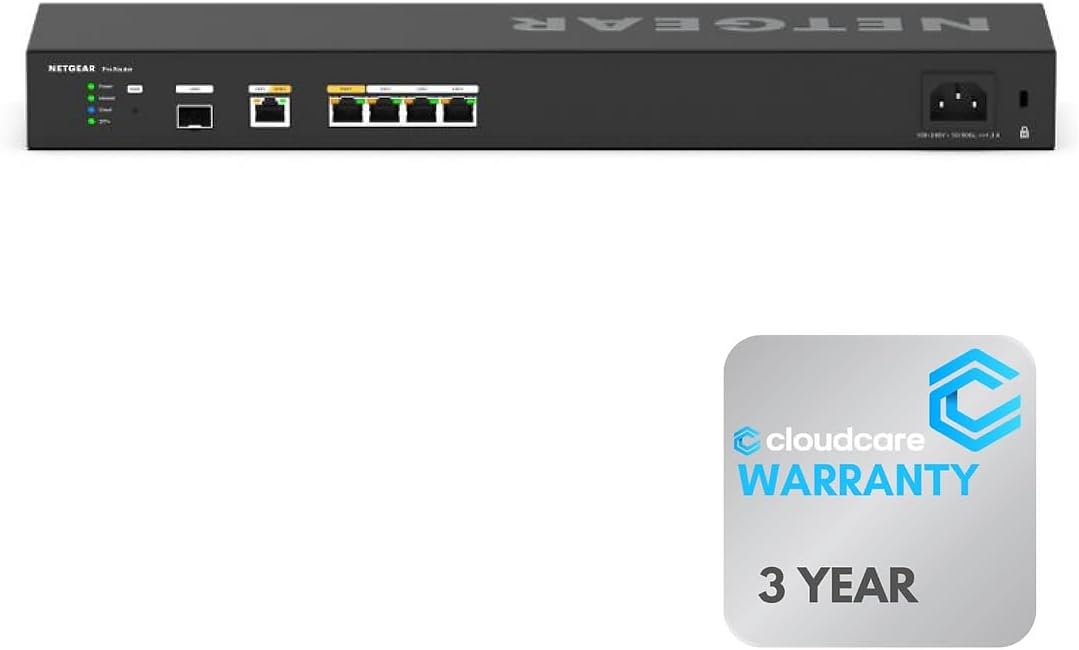
This version of the PR60X offers six 10G/Multi-Gigabit ports for maximum speed and performance. It includes Insight cloud management for remote monitoring and setup.
We may earn a commission when you buy through this link, at no additional cost to you.
Rack-mountable design saves space in professional environments. The Cloud Care warranty support ensures all products are warrantied with easy claims.
With a high rating it delivers reliable enterprise connectivity. Desktop usage might be limited but wall-mount options exist.
Choose this for data centers needing high port density. It combines speed with professional management tools.
Connect wired devices with six 10G/Multi-Gigabit ports for maximum performance.
Manage and monitor your network remotely with cloud-based control for maintenance.
We may earn a commission when you buy through this link, at no additional cost to you.
The Linksys LRT224 supports up to 50 IPsec tunnels for secure site-to-site connections. It features a 900 Mbps firewall and load balancing for reliable internet.
We may earn a commission when you buy through this link, at no additional cost to you.
iOS and Android users benefit from five OpenVPN tunnels. The router supports dual WAN failover to keep your business online during outages.
While it is an older model it remains reliable for essential business needs. It is feature-rich for basic network requirements.
Select this for straightforward business networking on a budget. It delivers essential security and failover capabilities.
5 OpenVPN tunnels available for iOS and Android users for secure access.
Supports load balancing and WAN failover for highly reliable connectivity.
We may earn a commission when you buy through this link, at no additional cost to you.
Selecting the right router depends on your specific network needs. Here are key factors to consider before making a purchase.
Check the number of WAN and LAN ports available. Some models support 10G or 2.5G ports for faster speeds than standard Gigabit.
Ensure the router has enough ports to connect all your devices without needing extra switches.
Look for automatic failover so your internet switches to backup when the primary link fails. Load balancing distributes traffic across both connections.
These features ensure continuous connectivity and better performance for your business.
Check how many VPN tunnels are supported like OpenVPN or IPsec. Some routers offer site-to-site or client-to-site options.
Choose a model that supports the number of secure connections your team needs.
Advanced firewalls and intrusion prevention systems protect against threats. Look for DoS defense and SPI firewall options.
Strong security ensures your data remains safe from external attacks.
Remote management via cloud platforms allows you to monitor networks from anywhere. This is useful for distributed offices.
A centralized interface simplifies setup and maintenance tasks.
Some routers include Wi-Fi while others are wired only. Decide if you need built-in wireless for your setup.
Wired routers often provide more stable connections for critical devices.
Check the warranty period and availability of technical support. Longer warranties provide peace of mind.
Reliable support helps resolve issues quickly during business hours.
Compare prices against the features offered. Higher cost models often have more ports and faster speeds.
Pick a router that fits your budget without sacrificing essential performance.
Connect your primary and secondary internet cables to the designated WAN ports. Ensure the LEDs indicate active links before configuring settings.
Access the web interface via browser to set up failover or load balancing rules. Follow the manufacturer guide for optimal configuration.
Keep firmware updated to maintain security. Place the router in a cool dry area to ensure long-term performance.
A Dual Wan Router ensures your internet stays online even if one connection fails. It manages multiple lines to provide backup and better speed through load balancing.
Yes you generally need a modem for each internet connection unless you have fiber with direct Ethernet. The router connects to modems via WAN ports.
Yes many small business models work well for home use. They provide backup internet if your main line goes down for important tasks.
Load balancing splits your internet traffic across both connections. This increases total speed and ensures efficient use of available bandwidth.
Some models include Wi-Fi while others are wired only. Check specifications to see if built-in wireless is needed for your setup.
Access the router settings page and navigate to WAN options. You can set priorities so backup internet activates if the primary link drops.
Our top picks like the TP-Link ER605 and NETGEAR PR60X offer excellent reliability for different needs. Each model balances cost and features effectively.
Prioritize security and port speed based on your business size. Choose a model that supports your current and future growth plans.
Always verify current pricing and availability before purchasing. Check product listings for any changes in specifications or discounts.