
GODBPNYMU 5-in-1 Drive
4.2Editor score
Integrated SD and TF card reader
Affordable price point
Dual USB 2.0 hub ports
This guide compares the top external DVD drives for Windows 11, evaluating compatibility, speed, and portability to help you find the perfect optical drive for
In an era dominated by streaming and cloud storage, external DVD drives remain essential for accessing legacy media, installing software, and backing up important data on Windows 11 systems.
We evaluated ten highly rated models based on build quality, connection speed, compatibility with modern operating systems, and real-world performance across various usage scenarios.
Each recommendation highlights specific strengths and limitations, ensuring you can match a drive to your needs while keeping in mind that retail prices fluctuate frequently.
4.2Editor score

4.4Editor score

4.3Editor score
The following table provides a side-by-side comparison of the ten featured drives, highlighting key specifications and compatibility features to help you make an informed decision quickly.


The ROOFULL ECD829-Y stands out as a reliable choice with over 1.65 million units sold worldwide, offering a straightforward plug and play experience for Windows 11 users.
We may earn a commission when you buy through this link, at no additional cost to you.
It features a dual USB 3.0 and Type-C cable that stores neatly inside the drive, reducing clutter while ensuring high-speed data transmission up to 5 Gbps for smooth playback.
While the drive performs well across most media formats, macOS users must note that the physical eject button may not work after burning due to system restrictions requiring software ejection.
Ideal for students and professionals who need a dependable optical drive for software installation and media playback without complex setup or frequent technical troubleshooting.
The drive includes an extra-thick protective sleeve that shields against scratches and drops, ensuring longevity even during frequent travel between home and office locations.
With 8x DVD and 24x CD read speeds, this drive minimizes waiting times when accessing large installation files or playing full-length movie discs efficiently.
We may earn a commission when you buy through this link, at no additional cost to you.
The GODBPNYMU 5-in-1 drive offers exceptional value by combining optical disc reading with SD and TF card slots, making it a versatile tool for transferring photos and data quickly.
We may earn a commission when you buy through this link, at no additional cost to you.
It includes two USB 2.0 ports that allow you to connect peripherals like mice or keyboards directly to the drive, effectively turning it into a compact docking station for laptops.
While the hub ports are limited to USB 2.0 speeds, the optical drive itself supports USB 3.0 transfer rates ensuring disc burning and playback remain fast and uninterrupted.
This model is perfect for budget-conscious users who need multi-functionality without spending extra on separate card readers or additional USB hubs for their workspace.
Users can insert memory cards directly into the drive to access photos and videos without needing separate external readers, streamlining workflows for photographers and content creators.
The kit includes a separate power cable that connects to a 5V adapter, ensuring stable operation even if your laptop USB ports cannot supply enough power for heavy writing tasks.
We may earn a commission when you buy through this link, at no additional cost to you.
The ASUS ZenDrive distinguishes itself with M-Disc support allowing users to burn data onto archival-quality discs designed to last for over a thousand years under proper storage conditions.
We may earn a commission when you buy through this link, at no additional cost to you.
Its sleek 13mm profile and durable construction make it a sophisticated accessory that complements modern ultrabooks while providing robust performance for critical data backup tasks.
Although it uses USB 2.0 connectivity which limits transfer speeds compared to USB 3.0 models, the reliability of ASUS hardware and included Nero software justify the investment for professionals.
Recommended for users who prioritize long-term data preservation and require a premium drive that balances aesthetic design with functional stability for daily archival workflows.
M-Disc allows for burning data onto rock-like media that is immune to light humidity and heat, making it ideal for storing irreplaceable family photos and critical business documents securely.
The drive comes with Nero BackItUp which simplifies the process of creating backups and managing files across devices without needing to purchase third-party software separately.
We may earn a commission when you buy through this link, at no additional cost to you.
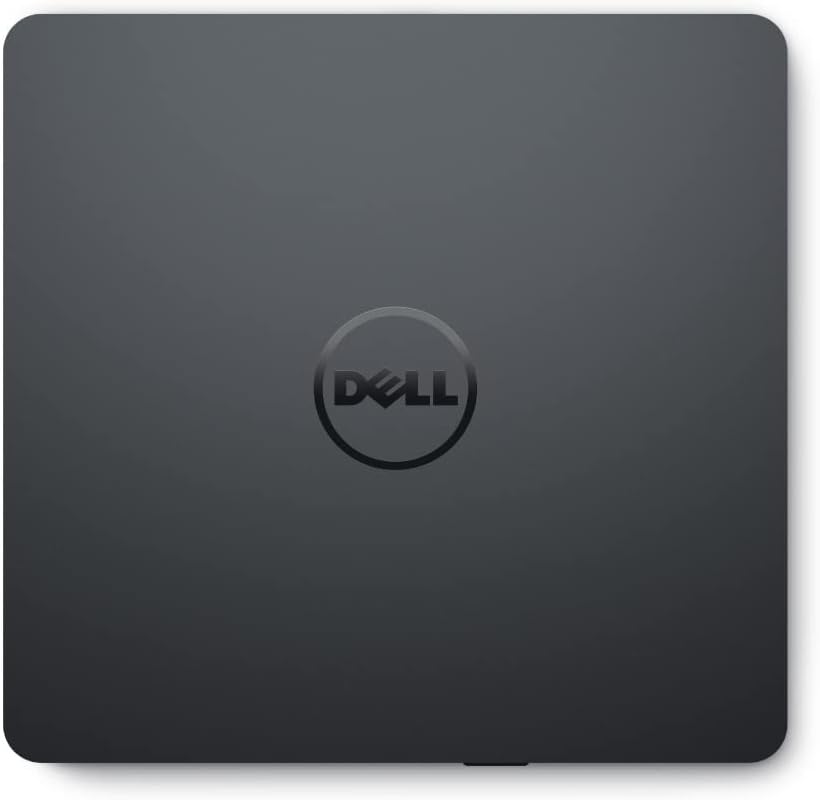
Designed to blend seamlessly with Dell laptops, this external DVD drive offers a premium look and feel with a black finish that matches most ultrabooks available on the market today.
We may earn a commission when you buy through this link, at no additional cost to you.
It comes pre-loaded with CyberLink Media Suite which provides immediate access to media playback and disc burning tools without needing to search for additional software after purchase.
The slim 14mm profile and lightweight 200g construction make it easy to slip into a laptop bag ensuring you can burn media or install software while traveling with minimal effort.
This drive is ideal for Dell ecosystem users who want a branded solution that maintains design consistency and provides reliable optical functionality for everyday tasks at home or work.
The included software suite allows users to play, burn, and manage DVD and CD content instantly reducing the setup time required to get started with optical disc operations.
Weighing only 200 grams and measuring just 14mm in thickness this drive is incredibly easy to carry and does not add significant bulk to your daily travel gear.
We may earn a commission when you buy through this link, at no additional cost to you.
The Amicool external drive features both USB 3.0 and Type-C ports allowing you to connect it to a wide range of devices without needing separate adapters for modern laptops or older desktops.
We may earn a commission when you buy through this link, at no additional cost to you.
It includes an integrated cable design that keeps the connection wire neatly stored on the drive body ensuring you never lose the cable while packing the drive for travel or storage.
With intelligent error correction and anti-shock technology this drive ensures stable performance even when reading scratched discs or operating in environments with minor vibrations or movement.
Best suited for users who want a versatile connection option and a sleek portable design that protects against physical damage while delivering reliable optical performance for media and software.
By supporting both USB 3.0 and Type-C interfaces this drive adapts to different computer generations allowing seamless connectivity whether you have a legacy port or a modern USB-C port.
The anti-shock technology protects internal components during movement ensuring that your discs are read correctly even if the drive is jostled slightly while in transit.
We may earn a commission when you buy through this link, at no additional cost to you.
Rioddas provides a distinct advantage with a physical eject button that allows users to manually eject discs even if the computer system fails to recognize the drive during a software crash.
We may earn a commission when you buy through this link, at no additional cost to you.
The drive features copper mesh technology in the cable which helps reduce electrical interference ensuring consistent data transmission speeds and reliable performance during read and write operations.
Its brushed texture shell not only looks modern but also provides a tactile grip that makes handling the drive easier while protecting the surface from scratches and daily wear.
This drive is ideal for users who prioritize hardware reliability and want a safety net against software glitches through manual disc ejection options for uninterrupted access to their media.
In the event of a system freeze the physical button allows you to eject the disc manually without needing to restart your computer or rely on software commands that may not work.
The copper mesh inside the cable acts as a shield against electromagnetic interference which helps maintain data integrity and prevents read errors during critical file transfers.
We may earn a commission when you buy through this link, at no additional cost to you.
Measuring just 13mm in thickness and weighing only 200 grams this drive is one of the thinnest options available making it exceptionally easy to slip into a pocket or laptop sleeve.
We may earn a commission when you buy through this link, at no additional cost to you.
It features an anti-skid bottom that prevents the drive from sliding around on your desk during operation ensuring a stable connection and reducing the risk of accidental disconnection while in use.
The included power cable allows you to plug into a separate power source if your laptop USB port does not supply enough voltage to burn discs reliably without connection drops.
This model is perfect for frequent travelers who need a lightweight and compact optical drive that can withstand movement on the go without adding weight to their already heavy backpacks.
The 13mm thickness allows the drive to fit into cases where space is extremely limited making it an ideal choice for users with minimal storage options in their travel bags.
The anti-skid surface ensures the drive stays firmly in place on any desk surface which prevents accidental cable pulling that could lead to data corruption during active disc burning.
We may earn a commission when you buy through this link, at no additional cost to you.
As a branded HP accessory this external drive offers a level of compatibility assurance that appeals to users with HP laptops who want hardware that is optimized for their system architecture.
We may earn a commission when you buy through this link, at no additional cost to you.
It follows a standard plug and play design that eliminates the need for driver installation ensuring that the drive is ready to use immediately after connecting it to a USB port.
The drive delivers consistent performance for reading and writing CD and DVD discs providing a stable solution for installing software from physical media or backing up essential files.
Ideal for corporate environments using HP equipment this drive ensures seamless integration with existing systems while maintaining a professional aesthetic that matches standard office hardware setups.
Using a drive from the same manufacturer as your laptop can sometimes reduce compatibility issues ensuring smoother integration with system settings and power management features.
The drive adheres to standard optical performance metrics providing reliable read and write speeds for everyday tasks without requiring specialized software or complex configuration steps.
We may earn a commission when you buy through this link, at no additional cost to you.
This portable drive uses pure-copper-knitted-net technology which offers better shielding against interference ensuring more stable data transmission during long read or write sessions without dropouts.
We may earn a commission when you buy through this link, at no additional cost to you.
The embedded cable design keeps the connection secure and tangles free which is beneficial for users who frequently pack and unpack the drive for travel between different locations.
It supports a wide range of operating systems from Windows 11 to older versions ensuring that you can use the drive on legacy systems as well as modern Windows computers easily.
Suitable for home users who need a reliable backup tool this drive balances affordability with performance providing a sturdy solution for installing programs and managing physical media efficiently.
The use of pure copper in the mesh net improves conductivity and shielding reducing resistance and ensuring that data signals remain clean during high-speed transfer operations.
Compatible with multiple OS versions including Windows and Mac this drive allows you to use the same hardware across different computers without needing to install specific drivers.
We may earn a commission when you buy through this link, at no additional cost to you.
The Dell Slim DW316 stands out for its ability to read and write DVD-RAM discs which are useful for rewritable data storage and are not supported by many standard modern drives.
We may earn a commission when you buy through this link, at no additional cost to you.
It maintains a slim profile similar to other Dell optical drives ensuring it fits comfortably into bags and does not protrude awkwardly from laptop USB ports during use or storage.
While it relies on USB 2.0 which limits transfer speeds compared to newer standards this drive delivers high reliability and consistent performance for basic disc reading and writing needs.
This drive is recommended for users with legacy systems or specific requirements for DVD-RAM formats who need a dependable Dell branded solution for essential optical disc operations.
Support for DVD-RAM allows for frequent rewrites and data management similar to a hard drive making it useful for professionals who need to update data on optical media regularly.
Optimized for older Dell laptops like Inspiron and OptiPlex series this drive ensures seamless integration with systems that may not support newer USB 3.0 protocols reliably.
We may earn a commission when you buy through this link, at no additional cost to you.
Selecting the right external DVD drive involves considering connection types, build quality, and specific features that match your workflow needs on Windows 11 systems.
Look for USB 3.0 or Type-C ports to ensure faster data transfer speeds which are crucial when burning large DVD-Rs or installing software from discs on modern systems.
Choose USB 3.0 or Type-C for speed and future compatibility with new laptops that may lack older USB ports.
If you travel frequently prioritize models with slim profiles under 15mm and integrated cable designs to minimize bulk and prevent the hassle of searching for missing cables.
Slim designs with integrated cables make the drive easier to pack and use in different locations without extra accessories.
Some drives require extra power especially when burning discs on laptops with weak USB ports so check if the model includes a supplemental power cable for stability.
Verify power requirements and consider models with extra power cables if you use the drive on laptops with limited power delivery.
A durable casing with anti-shock technology protects internal components during travel ensuring the drive lasts longer and performs consistently even if dropped accidentally.
Prioritize drives with sturdy materials and anti-shock features to ensure longevity during travel or frequent handling.
Ensure the drive explicitly states compatibility with Windows 11 and your specific laptop model to avoid driver issues or recognition errors after connecting the device.
Check for explicit Windows 11 compatibility in the product description to ensure seamless plug and play functionality.
Opt for brands offering at least a one-year warranty to protect your investment against manufacturing defects and ensure you receive support if the drive fails unexpectedly.
Look for a minimum one-year warranty to guarantee reliable support and replacement options in case of hardware failure.
Some models offer extra features like card readers or USB hubs which can reduce clutter by consolidating functions into a single device for your workspace.
Consider drives with extra ports or card readers if you want to consolidate your peripheral setup without buying separate hubs.
Check if the drive includes essential software like burning tools or playback suites to save time on installing third-party applications after purchasing the hardware.
Verify included software options to ensure you can start burning and playing discs immediately without additional downloads.
To use the drive plug the USB cable directly into a rear port on a desktop or a high-power USB port on a laptop to ensure stable power and data transmission.
Insert discs gently until the tray clicks and wait for the system to recognize the drive before attempting to burn or copy files to avoid corruption issues.
Keep the drive in a protective case when not in use to prevent dust buildup and physical damage while avoiding exposure to direct sunlight or extreme temperatures.
Yes most modern external DVD drives are plug and play and work with Windows 11 without needing manual driver installation. Simply connect the drive to a USB port and the system will install generic drivers automatically to enable reading and writing.
If the drive does not appear check that you connected it to a direct USB port rather than a hub. Try restarting the computer and testing with a different port or cable to rule out power or connection issues.
You can watch DVDs using the external drive but Windows 11 does not include native DVD playback software. You will need to install a third-party player like VLC to play video content from discs effectively.
USB 3.0 drives offer significantly faster data transfer rates which helps reduce wait times when burning large disc images or reading high-capacity data DVDs compared to slower USB 2.0 models.
Most drives draw power from the USB port but some may require an external power cable if your computer does not supply enough wattage especially when burning discs on battery-powered laptops.
Yes you can use an external DVD drive to install software directly from discs which is common for older programs or operating systems that still require physical media for installation.
If the disc is stuck try using the physical eject button on the drive if available. If that fails restart the computer or use third-party software tools designed to force eject optical media.
Many models support macOS but note that Mac users must insert the disc before connecting the drive and use a powered USB hub for certain newer Macs to ensure enough power for operation.
The ROOFULL ECD829-Y and GODBPNYMU 5-in-1 offer exceptional value for general users while the ASUS ZenDrive provides premium features for archival needs.
Prioritize USB 3.0 connectivity and power stability features to ensure your drive performs reliably across all your media and software installation tasks on Windows 11.
Remember that prices for these drives fluctuate so check current listings before purchasing to secure the best deal on the model that suits your requirements.