
Ethernet Adapter for Fire TV Stick
4.7Editor score
Universal Micro USB compatibility
Plug and play setup
Aluminum heat dissipation
This guide compares the top Fire TV Stick Ethernet Adapter options for wired connectivity, focusing on compatibility, speed, and reliability to ensure smooth
Streaming devices often struggle with weak wireless signals. A reliable Fire TV Stick Ethernet Adapter provides a stable wired connection to eliminate buffering and ensure smooth 4K video playback.
We evaluated ten top-rated adapters based on compatibility, build quality, and network performance. Our analysis covers both Micro-USB and USB-C options for various Fire TV Stick generations.
Each pick highlights key features and potential trade-offs. Note that pricing fluctuates frequently. Always verify your device port type before purchasing to ensure proper fit and functionality.
4.7Editor score

4.5Editor score

4.1Editor score
The following table provides a side-by-side comparison of all ten products to help you quickly identify the right wired network solution for your specific streaming device and home setup.


This Micro-USB Ethernet Adapter stands out for its simplicity and reliability. It allows Fire TV devices to connect directly to a wired network, which is essential for consistent 4K streaming without buffering interruptions.
We may earn a commission when you buy through this link, at no additional cost to you.
The setup process is straightforward. You simply connect the adapter into the USB port on your Fire TV and plug in an Ethernet cable from your router. This action frees up WiFi bandwidth for other devices in your home.
While it does not work with newer USB-C models like the Fire TV Stick HD 2nd Gen, it covers a wide range of older and current devices including the Fire TV Stick 4K and Fire TV Cube.
If you own a compatible Fire TV device and want to ensure a stable internet connection, this adapter offers a proven solution at an accessible price point.
Wired connections eliminate the signal fluctuations common with wireless networks, ensuring your video stream remains uninterrupted even during peak usage times.
By moving your streaming device to a wired connection, you leave more wireless bandwidth available for phones and laptops that rely on WiFi.
We may earn a commission when you buy through this link, at no additional cost to you.
The Right Angle USB-C Ethernet Adapter is specifically designed for the Fire TV Stick HD (2nd Gen). Its unique design addresses the physical space constraints often found behind televisions.
We may earn a commission when you buy through this link, at no additional cost to you.
Because of the right angle design, the adapter does not protrude too far from the back of the TV. This makes it easier to mount the device neatly without cables hanging loosely.
However, it is critical to verify your model before purchasing. This accessory is incompatible with the 1st Gen HD stick which uses micro-USB. Always check your device port first.
For users with the newer 2nd Gen HD stick, this adapter provides a convenient and tailored solution for adding wired internet capabilities to your streaming setup.
The right angle layout minimizes the physical footprint behind your TV, making it easier to hide cables and maintain a clean entertainment center appearance.
While limited to a specific model, this specificity ensures a precise fit that reduces the risk of connection issues or damage to the USB-C port on the device.
We may earn a commission when you buy through this link, at no additional cost to you.
The ELECTOP 1000 Mbps Ethernet Adapter upgrades your connection to gigabit speeds. This is particularly beneficial for gaming or streaming high bitrate content where latency matters.
We may earn a commission when you buy through this link, at no additional cost to you.
Its aluminum alloy body helps dissipate heat effectively during long operation. An LED indicator light gives you immediate visual confirmation of your network status.
Be aware that this is a micro-USB adapter. It does not work with Fire TV Stick 4K Max or Chromecast with Google TV models that use USB-C. Always check the port type.
If you need a stable fast connection for a compatible device, this adapter provides excellent speed and safety features for a competitive price.
Unlike standard fast Ethernet adapters that cap at 100Mbps, this unit supports 1000Mbps which helps future proof your home entertainment setup.
Built-in over-voltage and short-circuit protection adds a layer of security to your setup which is important when connecting expensive streaming devices.
We may earn a commission when you buy through this link, at no additional cost to you.
The ZEXMTE Ethernet Adapter offers excellent value for users seeking a reliable wired connection. It supports various Fire TV Stick models including 4K and 4K Max.
We may earn a commission when you buy through this link, at no additional cost to you.
Setup takes just one minute. You plug the adapter into your USB port and connect the cable to the router. This provides instant streaming without wireless dropouts.
The aluminum casing ensures the device stays cool. This is useful for marathon binge watching sessions where the adapter might run for hours without interruption.
For those who want a trustworthy adapter that works with most micro-USB streaming sticks, ZEXMTE delivers a solid balance of quality and price.
The plug and play nature means you do not need to install drivers or run software updates to get your streaming device online.
Metal construction is superior to plastic for heat dissipation, keeping the electronics inside the adapter operating within safe temperature ranges.
We may earn a commission when you buy through this link, at no additional cost to you.
This Ethernet Adapter for Fire TV Stick has received high praise for its reliability. It works with any TV stick that has a micro-USB port for Ethernet.
We may earn a commission when you buy through this link, at no additional cost to you.
The setup is incredibly simple. Just plug it in and connect your router cable. The built-in LED indicator helps you confirm the connection is active immediately.
It comes with self-adhesive tapes to help you mount the adapter securely. This prevents loose connections which can occur if the device hangs in the air.
Given its high rating and thoughtful design, this adapter is a great choice for anyone looking to improve their streaming experience with minimal hassle.
The included adhesive tapes allow you to stick the adapter to the back of the TV or the stick itself which ensures a steady connection over time.
The LED light acts as a quick visual cue so you know if your internet is connected without having to navigate menus on your TV screen.
We may earn a commission when you buy through this link, at no additional cost to you.
UGREEN is a well-known brand in accessories and this adapter delivers consistent performance. It is designed for FireTV Stick basic and 4K models.
We may earn a commission when you buy through this link, at no additional cost to you.
The cable design is thoughtful with a length of up to 3.3 feet. This allows for better positioning when your TV ports are tight or hard to reach.
It includes a USB-A power cord which powers both the adapter and stick. However, note that a USB wall charger over 5W is required for normal use.
This adapter is a good choice if you need a longer cable reach and want a branded product with reliable power management features.
The longer cable length allows you to route the adapter to a better location on your TV back which can reduce cable clutter and strain.
Using an external wall charger ensures the adapter gets enough power to operate correctly which is a key feature for stable connectivity.
We may earn a commission when you buy through this link, at no additional cost to you.
This adapter offers gigabit speeds at an affordable price. It is designed to eliminate buffering and WiFi drops for 4K streaming.
We may earn a commission when you buy through this link, at no additional cost to you.
Green and yellow LED lights help you monitor the operation status at a glance. The aluminum shell ensures fast heat dissipation during long sessions.
Keep in mind this adapter is not compatible with Fire TV Cube or Roku devices. Always check your device compatibility before purchasing to avoid returns.
If you need a budget friendly way to get higher speeds for your micro USB TV stick, this option provides strong performance for the price.
Different colored lights indicate connection and operational status which helps you troubleshoot quickly if the internet drops unexpectedly.
The reinforced aluminum shell acts as a heatsink to protect internal components from overheating during extended periods of streaming.
We may earn a commission when you buy through this link, at no additional cost to you.
Cable Matters is known for reliable connectivity solutions. This adapter connects streaming devices to your router with a stable wired link.
We may earn a commission when you buy through this link, at no additional cost to you.
It features a 3-foot USB power cable which allows easy connection to a wall charger. This helps reduce clutter compared to shorter cables.
The adapter supports up to 300+ Mbps which is faster than standard 100 Mbps Ethernet. This ensures your video stream remains smooth without interruptions.
For those looking for a high quality branded adapter that includes a long power cable, Cable Matters is a dependable choice for your streaming needs.
The extended cable length allows you to organize wires behind the TV more effectively keeping your entertainment center looking clean.
Data transmission speeds exceed standard fast Ethernet which provides a buffer for high quality video streams and faster app loading times.
We may earn a commission when you buy through this link, at no additional cost to you.
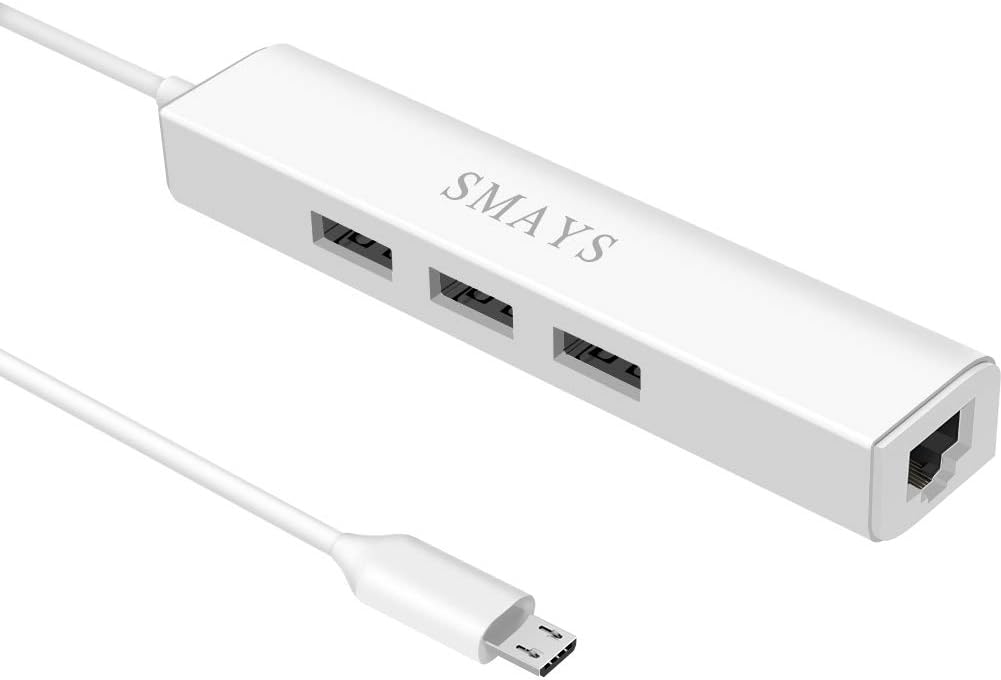
This Micro USB Hub combines Ethernet connectivity with additional USB ports. It allows your streaming stick to access external flash drives or media.
We may earn a commission when you buy through this link, at no additional cost to you.
With a 3-port OTG design you can connect a mouse keyboard or SSD. This adds significant flexibility to your Fire TV setup beyond just internet.
However it requires a 5V DC-in power cord. You will need to connect a wall charger to ensure enough power for all connected devices.
If you want to turn your Fire TV Stick into a more versatile media center with wired internet, this hub is a comprehensive solution.
The extra ports allow you to plug in storage for offline movies which is useful if your internal storage is full.
Using a mouse and keyboard with your TV stick makes typing and navigating much faster than using the remote control alone.
We may earn a commission when you buy through this link, at no additional cost to you.
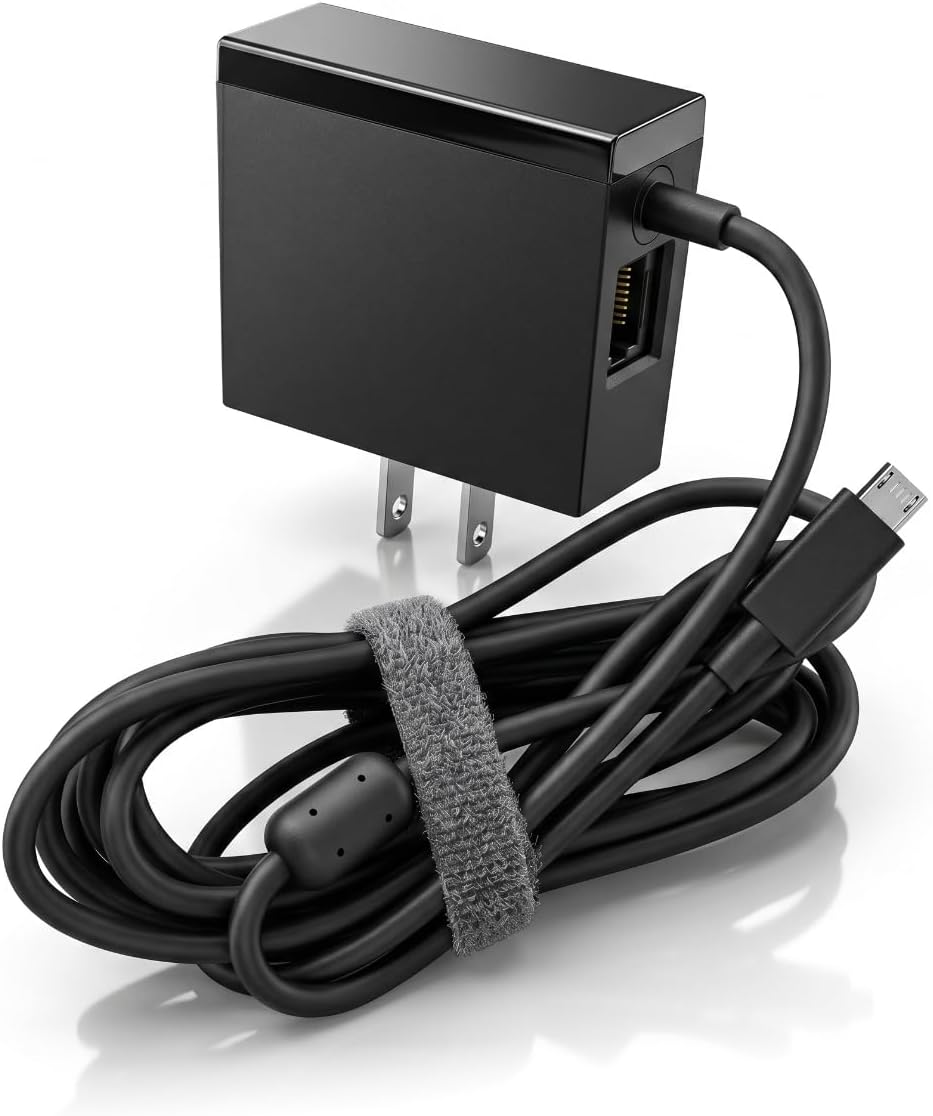
This adapter combines a power supply with an Ethernet port. It is designed for micro USB port Fire TV sticks and Chromecast Ultra.
We may earn a commission when you buy through this link, at no additional cost to you.
It functions as an original standard power adapter with a 100Mbps RJ45 Ethernet port. This reduces cable clutter by handling power and network in one unit.
The output is 5V 1A which is sufficient for most sticks. It ensures no worrying signal delay or loss during 4K streaming.
For users who want a simplified setup that handles power and internet in a single device this adapter offers a convenient all-in-one solution.
By combining power and data this adapter reduces the number of cables behind your TV which can make mounting the device cleaner.
The 5V 1A output provides stable power to the stick which ensures it runs smoothly even with additional network activity.
We may earn a commission when you buy through this link, at no additional cost to you.
Choosing the right adapter depends on your device model and desired network speed. Here are the key factors to consider before purchasing.
The most critical factor is matching the adapter to your Fire TV Stick model. Older devices use Micro-USB ports while newer models like the Fire TV Stick HD 2nd Gen use USB-C. Always check the physical port on your device to ensure you buy the correct adapter type.
Verify the port type on your Fire TV Stick before purchasing to ensure compatibility.
Most adapters offer 10/100 Mbps speeds which are sufficient for standard 4K streaming. However if you have a gigabit internet plan or need low latency for gaming consider a 1000 Mbps gigabit adapter to maximize your connection potential.
Check if your adapter supports 1000 Mbps for future proofing your connection speed.
Streaming devices often run for hours so a heat is important. Adapters made from aluminum alloy dissipate heat better than plastic models. Look for reviews mentioning thermal performance to avoid overheating issues.
Choose an adapter with metal casing for better heat management.
Some adapters require external power via a USB-A cable and wall charger. Others draw power from the Fire TV USB port. If you choose a model that needs extra power ensure you have a compatible wall charger.
Ensure you have the necessary power supplies for your adapter.
The length of the included USB power cable can matter. A longer cable allows you to reach a wall outlet without stretching. This reduces strain on the ports and allows for cleaner cable management behind the TV.
Look for adapters with longer power cables for flexible installation.
Some adapters include adhesive tapes to help secure them. This prevents the adapter from hanging loosely and potentially disconnecting due to cable tension. Secure mounting ensures a stable connection over time.
Consider adapters that include mounting tape for stability.
Check the compatibility list carefully. Most adapters work with Fire TV, Chromecast, and Google Home Mini but some exclude Roku or Fire TV Cube. Ensure the product description explicitly supports your specific device model.
Confirm device support in the product details before buying.
Prices range from budget friendly to premium. While basic adapters often perform well investing a bit more for better build quality or gigabit speeds can be worth it. Compare features against price to find the best value.
Balance the cost against the features and build quality.
Start by connecting the Ethernet cable from your router directly to the adapter port. Then plug the micro-USB or USB-C side into your Fire TV Stick. If your adapter requires a separate power cable connect that to a USB wall charger.
Once connected navigate to your Fire TV settings and select the network option. Your device should automatically detect the wired connection. You can verify the connection status in the network menu to ensure it is active.
Keep the adapter in a well ventilated area to prevent overheating. If you move your TV unpl the Ethernet cable first to avoid putting stress on the adapter port which could damage the connection.
No compatibility varies by model. Adapters with micro-USB work with most older sticks like the 4K and Cube. Newer models like the HD 2nd Gen require USB-C adapters. Always check your device port type.
Yes wired connections are more stable and reduce latency. They prevent buffering caused by weak signals and interference. This ensures consistent 4K streaming performance.
Most Fire TV Stick Ethernet adapters are plug and play. You do not need to install drivers. Simply plug in the adapter and connect the cable to activate the wired connection.
Yes the adapter connects to the network and does not affect the remote. You can continue using your Alexa voice remote and standard controls without any issues.
It improves stability rather than raw speed. If your WiFi is slow or dropping the adapter ensures you get the full speed of your plan by eliminating wireless interference.
Some adapters draw power from the USB port while others use a separate power cable. Check the product description to see if you need an extra wall charger for proper operation.
Selecting the right Fire TV Stick Ethernet Adapter ensures reliable streaming and better network stability. Our top picks cover various needs from budget options to gigabit performance.
Prioritize compatibility with your specific TV Stick model to avoid returns. Features like heat dissipation and power options also play a key role in long term usability.
Remember that prices and stock change frequently. Always verify current pricing and availability on the retailer page before making your final purchase decision.