
Antec Flux Pro Full-Tower E-ATX PC Case
4.7Editor score
Multi-directional vent design available
Supports up to twelve fans
Innovative iShift PSU mount
This guide compares the top full tower workstation server cases for enterprise storage, cooling, and expansion to help you build reliable infrastructure.
Selecting the right chassis is critical for professional builds. A full tower workstation server case offers the space and robust airflow needed for high-performance components and extensive storage arrays.
We evaluated ten leading models based on their expansion capabilities, thermal management, build quality, and support for enterprise motherboards. Each option serves distinct needs from dense NAS configurations to multi-GPU workstations.
Every pick details specific strengths and trade-offs to help you find the perfect fit for your setup. Please note that pricing and availability change frequently, so always verify current details before purchasing.
4.7Editor score

5.0Editor score

4.6Editor score
The following table provides a side-by-side comparison of all ten selected cases to help you quickly identify key specifications and features relevant to your specific workstation or server needs.



This Antec model stands out as an AI Workstation Ready Full Tower chassis with exceptional ratings. It supports diverse motherboard types and fits dual GPUs up to 495mm long for serious workloads.
We may earn a commission when you buy through this link, at no additional cost to you.
The cooling system is a major strength, featuring six pre-installed high-performance PWM fans that establish a massive airflow path for GPU stability. This ensures thermal headroom even under heavy computational loads.
While the case offers extensive features like USB Type-C 3.2 Gen 2 support and tool-free access, its size is a trade-off. You need adequate desk or floor space to accommodate its generous internal volume.
It is the ideal choice for professionals needing robust hardware infrastructure with high-speed data transfers and reliable thermal management. We highly recommend it for AI servers and media hubs requiring maximum capacity.
The six pre-installed fans including reverse airflow on the PSU shroud optimize heat dissipation for sustained performance.
USB Type-C 3.2 Gen 2 support provides rapid data transfers essential for enterprise workflows and large dataset handling.
We may earn a commission when you buy through this link, at no additional cost to you.
The Phanteks Enthoo Pro 2 Server V2 offers a high-performance full tower capable of extreme workstation and server systems. Its all-metal mesh panels ensure durability and superior airflow for professional environments.
We may earn a commission when you buy through this link, at no additional cost to you.
With support for up to SSI-EEB motherboards and room for massive radiator setups, this case accommodates extreme configurations. You can install up to fifteen fans to create a highly customized cooling solution.
The main consideration is that fans are not included in the package. You will need to budget for additional cooling components to fully realize its potential for heat dissipation and noise control.
This case is perfect for users who demand flexibility and durability in a workstation environment. It supports extensive storage and cooling needs, making it a strong candidate for serious builders.
All-Metal Mesh Panels provide the highest performance and durability ensuring optimal thermal efficiency for demanding workloads.
Support for SSI-EEB boards allows for expanded I/O and PCIe slot options essential for enterprise-level computing tasks.
We may earn a commission when you buy through this link, at no additional cost to you.
This Fractal Design model is an expansive internal layout that easily accommodates large motherboards up to E-ATX and SSI-EEB. It is designed for silent operation with solid brushed aluminum and steel construction.
We may earn a commission when you buy through this link, at no additional cost to you.
You can install up to 18 HDDs alongside 5 SSDs mounts in the default Storage Layout. The versatile new multi-brackets allow you to convert unused fan positions to HDD or SSD mounts as needed.
While the build quality is exceptional and the design is refined, the cost reflects the premium features. It is a significant investment for users prioritizing silence and storage density over raw performance.
It is the best choice for quiet home servers or workstations where noise reduction is critical. The modular design ensures you can adapt the case for custom water loops if your needs change.
Solid brushed aluminum and steel construction dampen noise effectively ensuring a quiet environment for office or home use.
Convert to Open Layout for custom water loops or keep standard layout for maximum storage density up to 18 HDDs.
We may earn a commission when you buy through this link, at no additional cost to you.
The Antec Flux Pro combines metal glass and wood to create a high-quality texture with different materials. It is a full tower case that supports E-ATX boards and offers a multi-directional vent design.
We may earn a commission when you buy through this link, at no additional cost to you.
Six PWM fans are included to support up to 12 fans simultaneously for efficient cooling. It also features an innovative iShift PSU 90° mount and a CPU/GPU dual temperature display for monitoring.
While the design is unique and the cooling support is robust, the removable cooling brackets might require extra time during assembly. This flexibility is useful but adds a step to the build process.
This case is excellent for users seeking a balance between aesthetics and thermal performance. It supports multiple radiators making it a great option for liquid cooling enthusiasts on a budget.
The combination of metal glass and wood creates a distinct high-quality look that stands out from standard all-metal cases.
Supports simultaneous installation of 420mm and 360mm radiators providing extreme cooling headroom for high-performance systems.
We may earn a commission when you buy through this link, at no additional cost to you.
The KM7B case is designed as a NAS Server Computer Case with 13 HDD drive bays. It supports Micro ATX ATX and E-ATX motherboards making it versatile for various NAS configurations.
We may earn a commission when you buy through this link, at no additional cost to you.
The magnetic front panel adds a touch of convenience for maintenance. It allows support for 360/280 liquid cooling which is useful for keeping CPUs cool in server applications.
While it offers extensive drive bays the fan options are not pre-installed. You will need to source your own fans to ensure adequate airflow for the drives and components.
This is a solid budget option for those building a dedicated NAS system. The focus on drive bays and motherboard compatibility makes it ideal for storage enthusiasts seeking value.
With 13 HDD and 2 SSD drive bays it offers significant storage capacity in a single tower chassis.
Magnetic front panel design allows quick access to internal components without tools for regular maintenance tasks.
We may earn a commission when you buy through this link, at no additional cost to you.
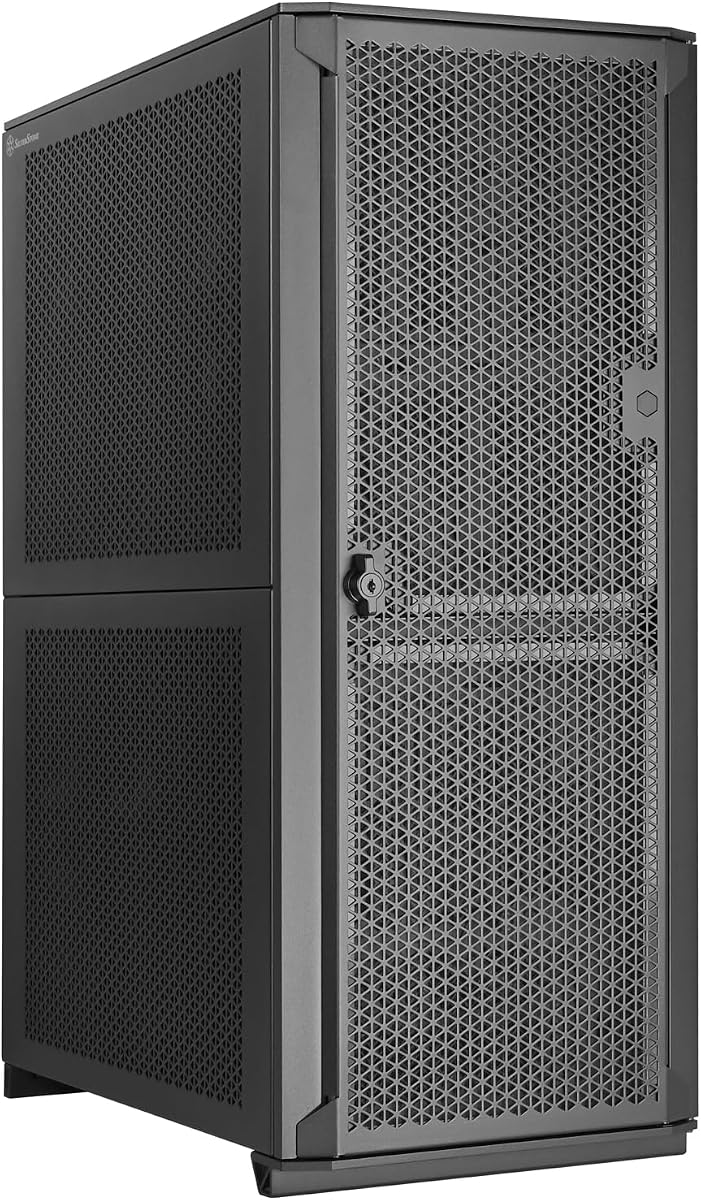
The Silverstone SETA H2 is a Full-Size Workstation Tower Chassis crafted from high-grade steel for exceptional durability. It features a fully perforated front mesh panel to ensure unobstructed airflow.
We may earn a commission when you buy through this link, at no additional cost to you.
It supports up to 15 x 2.5 SSDs or 3.5 HDDs including 15mm thick SSDs which is crucial for high-density storage. Multi-GPU capability with 8 available expansion slots makes it ideal for GPU clusters.
Keep in mind that fans are not included. You must purchase them separately to utilize the perforated front panel effectively for cooling. This can increase the overall cost of the build.
This case is excellent for users needing a robust workstation or server chassis with high expandability. The steel construction ensures longevity while the mesh front supports efficient thermal management.
Supports up to 15 x 2.5 SSDs or 3.5 HDDs providing massive storage options for enterprise workloads.
Eight available expansion slots support multi-GPU capability allowing for extensive parallel processing power.
We may earn a commission when you buy through this link, at no additional cost to you.
The Pop XL Air RGB features an easily mounted tempered glass side panel to showcase your components. It accommodates E-ATX motherboards up to 280mm and supports up to four HDDs and six SSDs.
We may earn a commission when you buy through this link, at no additional cost to you.
Four of their 120mm Aspect RGB fans come included making it ready for immediate lighting effects. It also holds radiators up to 360mm in the front providing solid cooling support.
While the storage capacity is lower than other full towers it excels in aesthetics and airflow. The concealed 5.25 bays offer hidden storage utility without compromising the modern look.
This case is perfect for builders who want to display their hardware with style. It balances RGB features with practical cooling and storage for a premium consumer workstation experience.
Tempered glass side panel and included RGB fans create a visually striking workstation setup.
Supports radiators up to 360mm in the front ensuring effective thermal performance for high-end components.
We may earn a commission when you buy through this link, at no additional cost to you.
The ALTA D1 is a Modular Workstation Chassis crafted from high-grade steel for durability. It supports SSI-EEB motherboards and offers up to 11 expansion slots for multi-workstation GPU capability.
We may earn a commission when you buy through this link, at no additional cost to you.
Multiple modules and dual PSU capability maximize expansion performance and flexibility. You can support up to three 360mm radiators ensuring extreme cooling for demanding setups.
The modular design provides incredible flexibility but requires careful planning and setup. This can be complex for casual users but is a major benefit for professional workstation builders.
It is the best premium choice for advanced users needing maximum GPU and power options. The high-grade steel construction ensures robustness while the modularity adapts to changing hardware needs.
Multiple modules allow you to customize the chassis layout to suit specific workstation requirements.
Supports up to 11 expansion slots allowing for extensive multi-GPU configurations and add-in cards.
We may earn a commission when you buy through this link, at no additional cost to you.
The CS383 is a high Performance Full Tower NAS Chassis featuring 8 hot-swappable 3.5 or 2.5 drive trays. It supports motherboard up to E-ATX / SSI-EEB form factors for robust computing power.
We may earn a commission when you buy through this link, at no additional cost to you.
It supports 8 expansion slots with a maximum 340mm GPU length and up to 420mm liquid cooling radiators. This dual power supply capable option provides reliability for continuous operation.
While the features are excellent for a NAS setup the price is higher than standard cases. This premium cost is justified by the hot-swappable trays and enterprise-grade reliability.
This case is ideal for professionals managing large data centers or media servers. The hot-swappable capability ensures minimal downtime during maintenance or drive replacements.
8 hot-swappable drive trays allow easy maintenance and upgrades without powering down the system.
Dual power supply capable option ensures redundant power delivery for mission-critical server uptime.
We may earn a commission when you buy through this link, at no additional cost to you.
The Rosewill Thor NAS is a Full Tower Workstation Server Chassis supporting up to 11 HDDs or 13 SSDs. It is E-ATX Compatible and includes a 140mm PWM fan for essential airflow.
We may earn a commission when you buy through this link, at no additional cost to you.
USB 3.2 Gen Type-C port ensures rapid data transfers for enterprise workflows and professional applications. It features 11 external 5.25 drive bays for optical drives and additional storage expansion.
User ratings suggest performance can vary so checking reviews is recommended before purchase. However the capacity and connectivity features make it a strong candidate for DIY NAS projects.
This chassis is a good fit for hobbyists and SMBs needing robust hardware infrastructure. Its high-density storage options and Type-C port provide value for data-centric applications.
Supports up to 11x 3.5 HDD or 13x 2.5 SSD bays for massive storage capacity.
USB 3.2 Gen Type-C port enables fast data transfers essential for modern workflows.
We may earn a commission when you buy through this link, at no additional cost to you.
Selecting the right case requires evaluating several critical factors to ensure your workstation or server meets your performance and storage needs effectively.
Ensure the case supports your motherboard form factor such as E-ATX or SSI-EEB for professional builds. Compatibility ensures you can install larger boards with more expansion slots and better I/O options.
Always verify dimensions and standoff alignment before purchasing to avoid compatibility issues with your chosen motherboard.
Check the number of 3.5 HDD and 2.5 SSD bays to match your storage requirements. NAS and workstation builds often require extensive storage capacity for data redundancy and performance.
Prioritize cases with hot-swappable trays if you need frequent drive access without shutting down the system.
Look for cases with mesh front panels and multiple fan mounts to ensure adequate airflow. High-performance components generate significant heat that must be managed to maintain system stability.
Consider pre-installed fans and support for large radiators if you plan to use liquid cooling for maximum thermal efficiency.
Determine the number of PCI slots needed for GPUs and add-in cards. Multi-GPU configurations require cases with ample space and slot clearance to avoid obstruction.
Check maximum GPU length specifications to ensure your largest component fits inside the chassis without conflict.
High-grade steel and aluminum construction provide durability and noise dampening. A robust build protects components from damage and ensures a stable foundation for heavy hardware.
Solid panels are better for noise reduction while mesh panels prioritize airflow for performance-oriented setups.
Modern workstations benefit from USB 3.2 Gen 2 or Type-C ports for rapid data transfers. Ensure front panel headers support the connectivity speeds you require for external devices.
Quick access to USB ports on the front panel improves convenience during daily workflow and maintenance tasks.
Look for spacious interiors with cable routing options and reusable ties. Clean cable management improves airflow and makes maintenance easier over time.
A well-designed interior prevents cables from blocking airflow paths or interfering with component installation.
Cases with removable drive cages allow you to convert storage space for custom water cooling loops. This flexibility is valuable for future-proofing your build as needs change.
Evaluate the ease of conversion to ensure you can adapt the layout without losing essential components.
Begin by placing the case on a stable and level surface to prevent vibration. Ensure there is enough clearance around the sides and rear for proper airflow and cable management.
Use the included dust filters regularly to keep the interior clean. Clean the mesh panels and intake areas with compressed air every few months to maintain optimal cooling performance.
Check the drive trays and mounting screws periodically to ensure they are secure. Tighten any loose components to reduce vibration and prevent hardware damage over time.
A full tower case offers significantly more internal space for E-ATX boards and large radiators. It supports more drive bays and GPU expansion slots compared to standard mid-tower options.
Several models in this list support SSI-EEB boards specifically designed for servers. Always check the motherboard compatibility section for exact dimensions and slot counts.
Some cases come with pre-installed fans while others do not. Always review the specifications to see if additional fans are required for optimal cooling performance.
Yes most full towers support large radiators up to 480mm or multiple smaller units. Check the radiator support section for front and top mounting limits.
Hot-swappable bays allow you to insert or remove drives without powering off the system. This is ideal for servers requiring high uptime and quick maintenance cycles.
Use the included cable ties and routing channels to keep wires organized. Proper management improves airflow and makes it easier to access components later.
Most full tower cases accommodate multiple GPUs with ample length clearance. Check the maximum GPU length specs to ensure your specific cards fit side by side.
Solid steel panels and soundproofing dampers are best for reducing noise. Mesh cases are better for airflow but may allow more operational sound.
We reviewed ten exceptional full tower workstation server cases designed to meet diverse professional needs. From high-density storage to silent operation each pick offers distinct strengths for your setup.
Prioritize motherboard compatibility and drive bay capacity when selecting the right chassis for your project. These factors determine whether the case can support your current and future hardware configurations effectively.
Please remember that product details and availability can change so verify current specs before buying. Selecting the best case ensures your workstation delivers reliable performance and longevity.