
Acer Nitro V 16S AI
4.4Editor score
32GB DDR5 Memory
180Hz WUXGA Display
RTX 5060 GPU
Choosing the right Gaming Laptop for Baldurs Gate 3 means balancing power, display quality, and portability. This guide compares ten top models with RTX GPUs and fast screens.
We evaluated each laptop on CPU strength, GPU performance, memory capacity, and thermal management. Our analysis ensures you find a system that runs complex role-playing games smoothly.
Each pick highlights key strengths and trade-offs for different budgets. Prices fluctuate often, so check current listings before buying to secure the best deal available now.
4.4Editor score

4.4Editor score

4.3Editor score
As an Amazon Associate we earn from qualifying purchases.
This side-by-side comparison highlights key differences across performance, display, and connectivity to help you make an informed decision quickly.


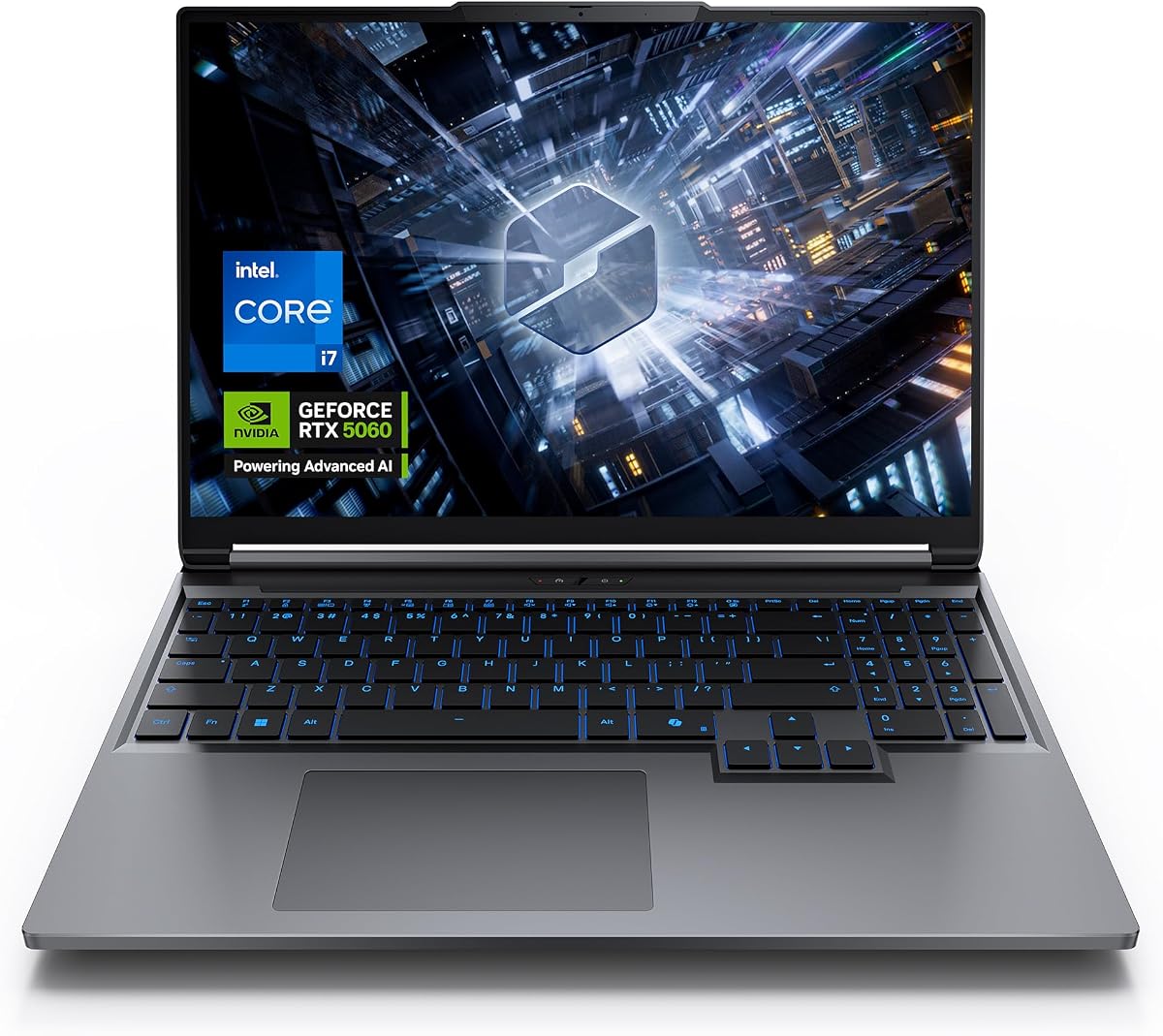



This ASUS ROG Strix G16 delivers high performance for Baldurs Gate 3 with an RTX 5060 GPU and fast DDR5 memory. Its 165Hz display ensures smooth visuals during intense battles.
We may earn a commission when you buy through this link, at no additional cost to you.
The Intel Core i7 14650HX processor handles complex RPG mechanics effortlessly. Advanced cooling keeps temperatures low even during long sessions.
While 16GB RAM is standard, heavy multitasking might require upgrades. The lack of extra slots limits future expansion for some users.
Gamers seeking balanced power and display quality should choose this model. It offers a strong foundation for modern titles and future games.
The RTX 5060 and strong CPU deliver consistent frame rates in demanding scenes.
A 165Hz refresh rate makes movement fluid and responsive for immersive gameplay.
We may earn a commission when you buy through this link, at no additional cost to you.
The Acer Nitro V 16S AI offers exceptional value with 32GB of DDR5 memory and an RTX 5060 GPU. This config supports high settings in Baldurs Gate 3 easily.
We may earn a commission when you buy through this link, at no additional cost to you.
Its AMD Ryzen 7 260 provides fast AI processing and smooth multitasking. The 180Hz display ensures visuals stay crisp during action sequences.
Battery endurance is average for this class, limiting unplugged play. Build materials feel sturdy but lack premium finishes.
Budget-conscious players wanting high memory and refresh rates will love this pick. It balances cost and performance effectively.
You get top-tier RAM and GPU specs without paying premium prices.
The WUXGA panel covers 100% sRGB for accurate color representation.
We may earn a commission when you buy through this link, at no additional cost to you.
This premium ROG Strix G16 features an RTX 5070 Ti GPU and a stunning 2.5K 240Hz display. It handles Baldurs Gate 3 with maximum ray tracing enabled.
We may earn a commission when you buy through this link, at no additional cost to you.
The Intel Core Ultra 9 processor ensures rapid data processing and multitasking. ROG Intelligent Cooling keeps performance stable under load.
The high price limits accessibility for average buyers. Its bulk reduces portability compared to lighter models.
Enthusiasts seeking absolute top performance and visual fidelity should buy this. It sets the standard for premium gaming laptops.
The 2.5K panel delivers crisp details and vibrant colors for immersive scenes.
Liquid metal and tri-fan tech prevent thermal throttling during long play.
We may earn a commission when you buy through this link, at no additional cost to you.
The msi Cyborg 17 brings a 17.3 inch screen to a thin 0.83 inch chassis. Its RTX 5060 GPU ensures smooth frame rates in RPGs.
We may earn a commission when you buy through this link, at no additional cost to you.
The Intel Core 7 240H offers solid hybrid performance for daily tasks and gaming. Its design stands out with a translucent aesthetic.
Cooling fans can get loud during heavy gaming sessions. Ports are fewer compared to larger chassis laptops.
Gamers wanting a large display without heavy weight will appreciate this option. It is great for travel and dorm setups.
The 17.3 inch display offers expansive views for detailed game worlds.
Translucent materials give a unique look that fits modern gaming rigs.
We may earn a commission when you buy through this link, at no additional cost to you.
This GIGABYTE Gaming A16 features an RTX 5070 GPU and GiMATE AI tools for smart interaction. It handles complex graphics and content creation smoothly.
We may earn a commission when you buy through this link, at no additional cost to you.
The Intel i7-13620H processor provides reliable speed for streaming and gaming. The chassis remains thin despite the powerful components inside.
The display lacks premium brightness and color accuracy. Battery life is average, requiring frequent charging for travel.
Creators and gamers needing AI tools and high power should consider this model. It blends creativity and gaming well.
GiMATE offers intelligent controls for personalized system management.
At 19.45mm, it remains portable while holding high-end hardware.
We may earn a commission when you buy through this link, at no additional cost to you.
The HP Victus 15.6 offers 32GB of DDR5 RAM and an RTX 4050 GPU. It runs Baldurs Gate 3 smoothly and handles multitasking well.
We may earn a commission when you buy through this link, at no additional cost to you.
Its AMD Ryzen 7 7445HS processor delivers consistent power without overheating. Build materials feel durable for daily use.
The RTX 4050 may limit ray tracing settings in demanding scenes. Screen brightness is adequate but not exceptional for bright rooms.
Users seeking reliability and high memory without breaking the bank should pick this. It offers a safe choice for students.
Advanced cooling keeps fan noise low during extended gaming sessions.
32GB RAM allows seamless switching between apps and game tabs.
We may earn a commission when you buy through this link, at no additional cost to you.
The Aurora 16X features a 2.5K 180Hz display and RTX 5060 GPU. It delivers high fidelity visuals and smooth motion for RPGs.
We may earn a commission when you buy through this link, at no additional cost to you.
Its Intel Core i7-14650HX processor ensures fast loading and responsive gameplay. The 80Wh battery supports longer unplugged usage.
The trackpad feels small for a 16 inch chassis. Warranty support varies by region and vendor.
Gamers prioritizing display resolution and refresh rate should choose this laptop. It is a strong contender for visual quality.
2.5K resolution and 180Hz refresh rate offer crisp and smooth visuals.
80Wh capacity provides extended playtime away from power outlets.
We may earn a commission when you buy through this link, at no additional cost to you.
The ASUS TUF Gaming A16 is built for durability with military grade standards. Its Ryzen 7 7445HS and RTX 4050 provide solid gaming performance.
We may earn a commission when you buy through this link, at no additional cost to you.
It features 16GB DDR5 RAM and a 16 inch display. The chassis withstands drops and wear better than typical plastics.
512GB storage fills quickly with modern game sizes. Fans are audible during high load but acceptable for durability.
Students and travelers needing a tough machine should select this model. It balances resilience with performance effectively.
Military grade testing ensures long term reliability and physical resilience.
The Ryzen 7 processor delivers reliable speeds for most modern titles.
We may earn a commission when you buy through this link, at no additional cost to you.
This GIGABYTE Gaming A16 combines Ryzen 7 260 processing with RTX 5060 graphics. It offers 16GB DDR5 RAM and a thin design.
We may earn a commission when you buy through this link, at no additional cost to you.
The Ryzen 7 260 provides efficient power for daily use and gaming. It supports Wi-Fi 7 for fast wireless connectivity.
Screen brightness is moderate compared to premium competitors. Port variety is limited for external monitors or drives.
Gamers needing a portable AMD laptop with strong GPU power should consider this. It balances size and speed well.
The 19.45mm chassis makes it easy to carry for on the go gaming.
RTX 5060 delivers solid frame rates in demanding role playing games.
We may earn a commission when you buy through this link, at no additional cost to you.
The Dell Alienware 16 Aurora offers 32GB DDR5 RAM and Windows 11 Pro. Its RTX 5060 GPU ensures smooth performance for complex RPG mechanics.
We may earn a commission when you buy through this link, at no additional cost to you.
The WQXGA display delivers sharp visuals for immersive gameplay. Build quality reflects Dell's premium Alienware standards.
It carries a higher price tag than similar models. The weight makes daily commuting challenging for some users.
Pro users seeking professional OS features and solid performance should choose this. It stands out for its build and specs.
The WQXGA panel provides high resolution for crisp textures and details.
Windows 11 Pro offers advanced security and remote desktop features.
We may earn a commission when you buy through this link, at no additional cost to you.
Selecting the right gaming laptop requires understanding key hardware factors that affect performance and longevity.
The graphics card is the most critical component for rendering detailed worlds and lighting. Look for RTX 5060 or higher to ensure stable frame rates.
Prioritize models with RTX 5060 or above for consistent visual fidelity.
Processors handle complex physics and AI calculations during gameplay. Modern Intel Core i7 or Ryzen 7 chips provide sufficient power for RPGs.
Choose a recent i7 or Ryzen 7 processor for smooth multitasking.
RAM affects how many apps you can run alongside the game without slowing down. 32GB is recommended for future-proofing, though 16GB is usable.
Aim for at least 16GB RAM, ideally 32GB for heavy users.
High refresh rates like 144Hz or higher ensure fluid motion. Resolution should be at least Full HD+ for clear text and details.
Select a display with high refresh rates and solid color accuracy.
Solid state drives reduce loading times and improve system responsiveness. PCIe Gen 4 SSDs offer faster read speeds for large game libraries.
Ensure the laptop includes a fast Gen 4 SSD for quick loads.
Effective cooling prevents throttling during long gaming sessions. Vapor chambers and liquid metal are excellent technologies for keeping heat down.
Check for advanced cooling tech to maintain performance over time.
Wi-Fi 7 or 6E ensures low latency for online play. USB-C and HDMI ports allow external monitor connections for expanded setups.
Verify Wi-Fi 7 support and multiple video output ports.
Durable materials protect your investment from daily wear and tear. Aluminum chassis or military grade certifications suggest better longevity.
Look for sturdy chassis designs to ensure long-term durability.
Keep your laptop on a hard, flat surface to allow proper airflow through vents. Using a stand can improve cooling efficiency and reduce internal heat buildup.
Update graphics drivers regularly to access the latest optimizations for games like Baldurs Gate 3. Manufacturers often release patches that improve stability and performance.
Clean vents periodically with compressed air to remove dust that blocks cooling fans. Avoid placing liquids near the device to prevent accidental damage to internal components.
For optimal performance, we recommend at least an RTX 5060 GPU. This level ensures smooth gameplay with high settings and reliable frame rates.
Yes, 16GB is sufficient for most modern titles like Baldurs Gate 3. However, 32GB provides better multitasking headroom and future-proofing.
A 144Hz or higher refresh rate improves visual smoothness significantly. It makes movement look fluid and helps you react faster in combat.
Switch to integrated graphics when not gaming and lower screen brightness. Keeping background apps closed also helps extend unplugged usage time.
Many models allow RAM or storage upgrades, but some soldered components cannot be changed. Always check the manual for upgradeability before buying.
Modern multi-core CPUs like the Intel Core i7 or AMD Ryzen 7 are ideal. They handle complex game logic and multitasking without lag.
Yes, all listed laptops feature HDMI or USB-C with video output support. This lets you connect to larger screens for an immersive setup.
This guide highlighted ten top models offering strong GPUs, fast displays, and reliable cooling. Each pick balances performance and portability for different needs.
Prioritize GPU power and memory capacity to ensure smooth long-term gameplay. Cooling and display quality also play major roles in immersion.
Prices fluctuate often so always check current listings before finalizing your purchase. Verify warranty terms and return policies for added peace of mind.