
hohem iSteady X3 SE
4.2Editor score
Detachable remote controller
Portable foldable design
11-hour battery life
This guide compares the top gimbal for beginners models to help you choose the right stabilizer for smooth smartphone or camera video content creation.
Finding the right gimbal for beginners can transform your shaky footage into smooth professional video. A good stabilizer ensures steady shots even when you are walking or moving quickly during recording sessions.
We compared ten top models based on stabilization quality, battery life, ease of use, and compatibility with various smartphones. This list covers options ranging from budget-friendly picks to advanced kits.
Each pick highlights key features and real world performance. Prices and availability change often so check the latest details before purchasing your next piece of content creation gear.
4.2Editor score

4.4Editor score

4.5Editor score
Here is a side-by-side look at all ten gimbals to help you compare features and find the best match for your video style.



The DJI Osmo Mobile 8 is a top-tier choice for beginners seeking reliable stabilization. With a 4.4 rating it delivers smooth footage through robust 3-axis technology that handles movement effortlessly.
We may earn a commission when you buy through this link, at no additional cost to you.
Its native tracking with audio and lighting capabilities makes it stand out for content creators. The seamless 360 pan rotation allows immersive shots while the built-in tripod adds versatility without extra gear.
While the DJI Mimo app has been removed from Google Play requiring a manual download it remains user-friendly. One-tap editing saves time for new users learning to create professional-looking videos quickly.
Beginners who want a balance of features and ease of use should consider this gimbal. It offers long battery life and a comfortable grip making it ideal for extended shooting sessions on the go.
Active tracking lets you follow subjects freely ensuring they stay sharply in focus during dynamic shots.
Shoot for hours at events with a long-lasting gimbal that also charges your phone via USB-C.
We may earn a commission when you buy through this link, at no additional cost to you.
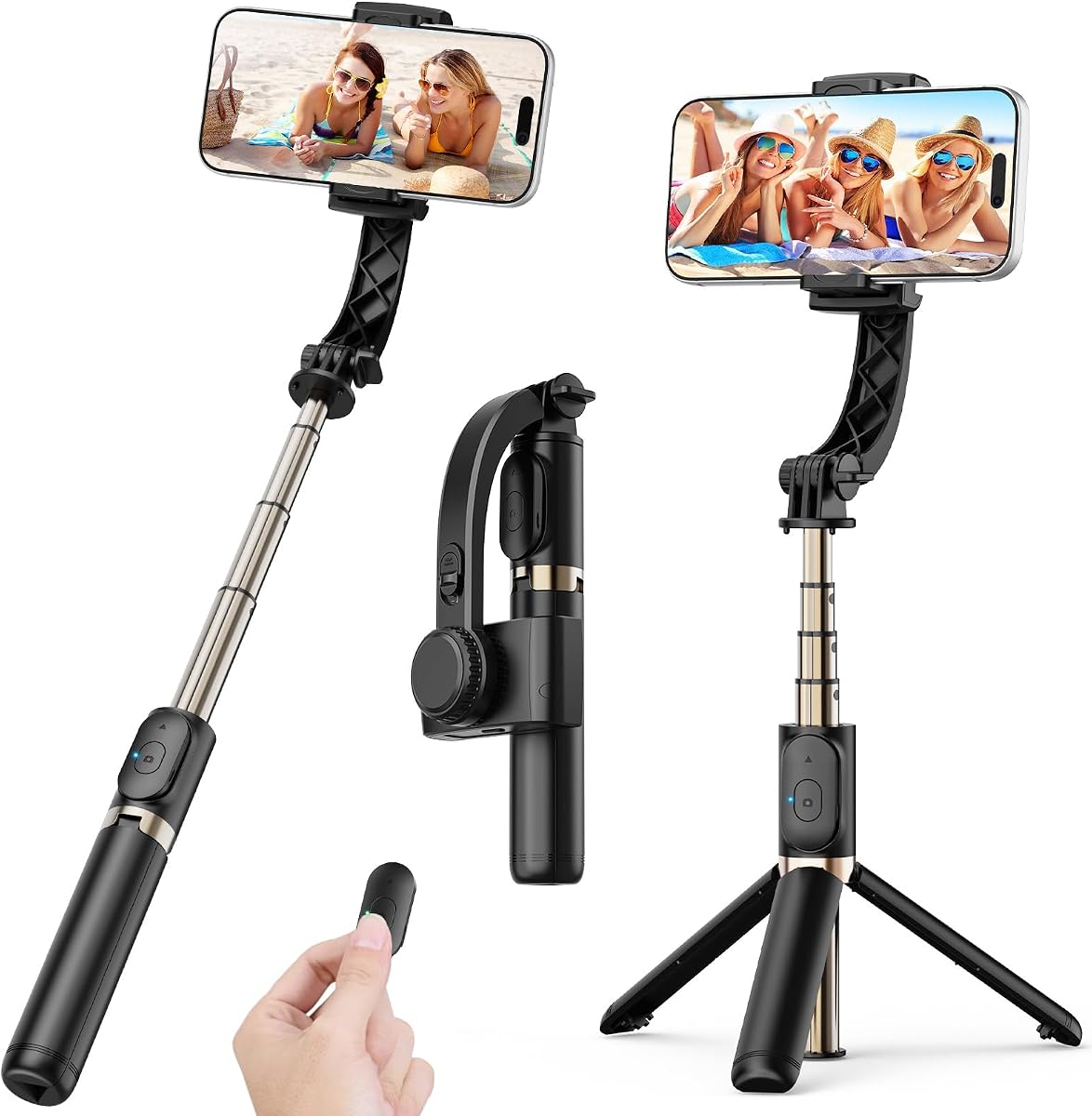
The hohem iSteady X3 SE offers exceptional value for beginners on a tight budget. It provides smooth 3-axis stabilization and a comfortable grip that fits easily in your pocket for travel.
We may earn a commission when you buy through this link, at no additional cost to you.
Its detachable magnetic remote allows you to control selfies from up to 32 feet away. The Hohem Joy App unlocks creative modes like gesture control and AI tracking to elevate your content quickly.
Although the remote has a limited range and the app may take time to master the gimbal remains easy to use. The 11-hour battery life ensures you can film all day without interruptions or recharging worries.
New users looking for professional-grade content without a steep learning curve will appreciate this model. It is designed for anyone wanting to start vlogging or recording family events with steady footage.
Unlock your creativity with multiple shooting modes including AI tracking and gesture control for dynamic videos.
Weighing only 0.79 lbs it folds into a pocket-sized tool perfect for travelers and vloggers on the go.
We may earn a commission when you buy through this link, at no additional cost to you.
The DJI Osmo Mobile 7P stands out as a premium option with its Multifunctional Module that includes tracking and lighting. This all-in-one design ensures precise stable tracking for content creators.
We may earn a commission when you buy through this link, at no additional cost to you.
It features dual-lens enhanced tracking allowing your subject to move freely while staying in sharp focus. The built-in extension rod and tripod let you capture wide selfies and steady vlogs with ease.
While the price is higher and the app requires manual download the benefits are significant. Snap the spectacular with intelligent tracking and lighting features that improve shots every time you film.
Beginners who want a top-end device with advanced features should consider this gimbal. It empowers your steady creativity with a compact unit that delivers lossless stability for cinema-quality masterpieces.
The Multifunctional Module packs intelligent tracking and lighting features into one compact unit for ideal shots.
Unfold the phone gimbal to power it on and mount a paired smartphone with the magnetic design easily.
We may earn a commission when you buy through this link, at no additional cost to you.
The DJI Osmo Mobile 7 is praised for being ultra-light with a comfortable grip that reduces wrist strain. At just 300 grams it is ideal for extended use during long recording sessions.
We may earn a commission when you buy through this link, at no additional cost to you.
ActiveTrack 7.0 ensures subjects stay in focus no matter how bold your moves are during filming. The integrated foldable design with a built-in tripod makes solo creation effortless and storage hassle-free.
Although it lacks an extension rod and the app requires manual download the performance remains excellent. Dual-lens enhanced tracking allows for smarter steadier tracking even during fast close-up action sequences.
Beginners who prioritize portability and comfort should choose this gimbal. It empowers your steady creativity with a lightweight design that offers lossless stability for creating stunning cinema-quality masterpieces.
At just 300 grams it boasts an ergonomic design and an anti-slip handle making it ideal for extended use.
Dual-lens enhanced tracking allows your subject to move more freely while fast close-up action stays sharp.
We may earn a commission when you buy through this link, at no additional cost to you.
The COOVOAMAE gimbal is an entry-level pick that delivers smooth video with simple one-button control. It reduces hand shake using a built-in gyroscope making it reliable for vlogging and TikTok clips.
We may earn a commission when you buy through this link, at no additional cost to you.
Its lightweight portable design folds down to 7.5 inches and fits in any bag. The extendable rod allows you to capture wide group shots and creative angles without holding the device for long periods.
While it offers only one-axis stabilization and short battery life it is great for casual users. The detachable Bluetooth remote works up to 32 feet away for easy group photos and videos.
Beginners looking for a cheap and easy to use tool should consider this model. It simplifies horizontal and vertical shooting adjustments so you can focus on capturing the moment instead.
No complicated apps required with simple one-button control to switch between horizontal and vertical shooting quickly.
The extendable 31.5-inch aluminum alloy rod allows you to capture selfies and wide group shots effortlessly.
We may earn a commission when you buy through this link, at no additional cost to you.
The AOCHUAN Smart XE offers versatile compatibility with most smartphones making it a great mid-range pick. It features 3-axis stabilization that produces smooth and steady video for professional videography.
We may earn a commission when you buy through this link, at no additional cost to you.
Its 2600mAh battery enables up to 10 hours of continuous shooting perfect for live-streaming or long events. The intuitive app includes AI Face Track 4.0 and gesture control to optimize your native camera settings.
Although the app requires learning and the weight is slightly higher the performance remains strong. One-click video buttons help you switch from horizontal mode to vertical portrait mode rapidly for TikTok shots.
Beginners who want all-day battery life and multiple shooting modes will appreciate this gimbal. It is born for filmmakers and vloggers looking to shoot professional videography without complicated skills.
A 2600mAh big-capacity battery enables up to 10 hours of continuous shooting making it perfect for live-streaming.
AI Face Track 4.0 and gesture control allow you to take any kind of shooting mode easily.
We may earn a commission when you buy through this link, at no additional cost to you.
The DJI RS 3 Mini is an ultra-compact gimbal stabilizer for cameras weighing only 795 grams. Its lightweight portable design makes it convenient for travel and easy to hold for extended shooting sessions.
We may earn a commission when you buy through this link, at no additional cost to you.
With a load capacity of up to 2 kg it supports a wide range of camera and lens combinations. The 1.4-inch full-color touchscreen displays a new intuitive UI design that lets you access settings easily.
While it is expensive for beginners the stabilization algorithm offers pro-level image stabilization. Bluetooth shutter control lets you control photo capture and video recording via the gimbal without touching the camera.
Beginners shooting with mirrorless cameras should consider this gimbal for its portability. It enables native vertical shooting for social media content with strong high-torque motors that ensure stability.
Weighing only 795g it is easy to hold for extended shooting and convenient for travel needs.
The compact camera gimbal features a 1.4-inch full-color touchscreen displaying a new intuitive UI design.
We may earn a commission when you buy through this link, at no additional cost to you.
The hohem iSteady Mobile Plus is designed for creative shots with its ultra-wide-angle mode. This functionality addresses the common issue of gimbal motors obstructing the view of your smartphone camera.
We may earn a commission when you buy through this link, at no additional cost to you.
Its 13-hour battery life ensures longer shooting time when shooting outdoors without recharging. The Hohem Joy App offers one-click filming modes like Dolly Zoom and CloneMe for professional effects easily.
While manual balancing is required especially for large-screen phones the stability remains strong. The 2024 updated version can also act as a power bank to charge your phone during long recording sessions.
Beginners who want unique camera movements and long battery life should consider this model. It addresses motor interference issues so you can encompass a broader view of your surroundings effortlessly.
Enjoy controlling your filming tool on your phone with templates like Inception and Panoramic Video.
Activate the ultra-wide-angle mode with a simple four-trigger press to encompass a broader view effortlessly.
We may earn a commission when you buy through this link, at no additional cost to you.
The FeiyuTech SCORP Mini 2 supports mirrorless cameras and smartphones with a payload of 1.2 kg. It weighs only 852g making it easy to carry and compatible with a variety of devices.
We may earn a commission when you buy through this link, at no additional cost to you.
The built-in AI tracker allows face object tracking without connecting to an app for smoother shooting. A new control panel design features five-way joysticks and a 1.3-inch touch screen for operation ease.
While it can be complex for beginners the functionality remains versatile. Bluetooth and cable control allow easy focus adjustment by lightly pressing the shutter button for capturing photos.
Beginners with multiple device types will find this gimbal useful for diverse shooting needs. It allows you to easily accommodate four different types of devices making your shooting more diverse.
The payload reaches 1.2 kg allowing you to easily accommodate mirrorless cameras and smartphones.
The stabilizer comes with independent AI tracking function built into the body making shooting smoother.
We may earn a commission when you buy through this link, at no additional cost to you.
The Hohem iSteady M6 integrates iSteady 7.0 stabilization algorithms for shake-free creations that wow. With Magnetic Al Tracker you can track any subject using your phone's native camera without setup.
We may earn a commission when you buy through this link, at no additional cost to you.
Its OLED display visualizes almost all gimbal statuses including battery level and Bluetooth status. The Magnetic Fill Light allows different lighting such as cold warm and RGB light for varied shooting needs.
While the price is higher the control wheel supports roll axis rotation and light adjustments. The gimbal can be powered on whether your phone is in front of or behind the roll motor.
Beginners who want lighting controls and an OLED display should consider this gimbal. It allows you to use different lighting for your shooting from 2700K to 6500K color temperature.
Use different lighting for your shooting like cold light and RGB light with a color temp of 2700K to 6500K.
The OLED display visualizes almost all gimbal statuses so you can conveniently check various gimbal parameters.
We may earn a commission when you buy through this link, at no additional cost to you.
Choosing the right gimbal involves balancing stability features and budget to find the perfect match for your content creation needs.
Look for 3-axis stabilization which ensures smooth footage by compensating for movements on three different planes. This is essential for reducing jitter and achieving professional-looking video results.
Always prioritize 3-axis systems for beginners to ensure the smoothest results possible during your first projects.
Aim for a gimbal with at least 8 to 10 hours of battery life to support long recording sessions without interruption. Some models even offer power bank features to charge your phone while filming.
Check battery capacity and runtime to avoid missing important moments due to power issues during your shoot.
Beginners benefit from intuitive controls one-tap editing and simple setup. Features like auto-tracking and magnetic clamps save time and help you focus on your creative vision rather than mechanics.
Choose models with user-friendly apps and physical buttons to streamline your workflow and reduce learning time.
Ensure the gimbal supports your smartphone model or camera type. Check payload capacity and clamp width to guarantee a secure fit and optimal performance without balance issues or motor strain.
Verify compatibility with your specific device to prevent connection problems and ensure smooth operation.
Lightweight and foldable designs make gimbals easier to carry for travel or daily vlogging. Consider weight and fold size if you plan to keep the gimbal in a backpack or purse regularly.
Select a portable design if you prioritize mobility and on-the-go content creation opportunities.
Look for extras like built-in tripods fill lights and creative modes such as hyperlapse or 360 rotation. These tools expand your creative possibilities and reduce the need for extra gear.
Evaluate which extra features align with your content goals to get the most value from your purchase.
Determine a price range that fits your finances while meeting your minimum requirements. Entry-level options offer basic stability while premium models provide advanced tracking and longer battery life.
Balance cost with features to ensure you get a reliable tool without overspending on unnecessary functions.
A well-designed companion app can significantly enhance your experience with templates and editing tools. Ensure the app is regularly updated and compatible with your operating system for full functionality.
Research app reviews to confirm that the software delivers the editing and control capabilities you need.
Start by balancing your phone or camera on the gimbal according to the manufacturer's instructions to ensure smooth operation. Most models require you to adjust the position on each axis until the device stays level when powered off.
Once balanced turn on the gimbal and connect it to the companion app via Bluetooth. Calibrate the device by following the on-screen prompts to align the motors correctly with your setup.
Store the gimbal in a cool dry place away from direct sunlight to protect the motors and battery. Clean the exterior with a soft cloth and check the clamps regularly for signs of wear or damage.
Most gimbals work best with their companion apps which offer tracking and editing features. However some basic functions work without an app so you can still stabilize footage manually if needed.
A typical gimbal battery lasts between 8 to 13 hours on a full charge. Some models allow fast charging or act as power banks to extend your filming time outdoors.
Yes some gimbals are designed to support mirrorless cameras but check the payload capacity carefully. Ensure the model supports your camera weight to prevent motor strain or imbalance.
3-axis stabilization corrects movement across three planes horizontal vertical and rotational to keep footage smooth. This technology reduces jitter and makes walking shots look professional.
Balance the gimbal by adjusting the phone or camera position on each axis until it stays level when powered off. Follow the specific instructions in your user manual for accurate results.
Yes a gimbal is highly worth it for beginners as it instantly improves video quality by reducing shakiness. It helps you create smoother more professional content with minimal effort.
While mainly designed for video many gimbals offer modes that help with photography by reducing camera shake. They are particularly useful for long-exposure shots or low-light photography situations.
Regular maintenance includes keeping the device clean storing it in a safe place and checking the clamps for wear. Avoid exposing it to water or extreme temperatures to prolong its lifespan.
We highlighted the DJI Osmo Mobile 8 hohem iSteady X3 SE and DJI Osmo Mobile 7P as top picks for beginners. Each offers strong stabilization and unique features to suit different content styles and budgets.
Prioritize battery life and ease of use when selecting a model to ensure a smooth learning curve. These factors help you focus on creativity rather than struggling with technical setup during filming.
Remember to check current prices and availability before making a purchase. Deals and stock levels change often so reviewing the latest information ensures you get the best value for your budget.