
Marspark 2 Pcs Heated Mouse Pad
3.6Editor score
Value two-pack
Plush soft material
USB power source
This guide compares the top 10 heated mouse pads for hand warmth, analyzing features like temperature control, safety, and design for winter comfort.
Staying warm at your desk during cold months is essential for productivity and comfort. A hand warmer mouse pad combines a traditional mouse surface with integrated heating to keep your hands cozy without sacrificing dexterity.
We evaluated ten leading models based on heating performance, safety certifications, build quality, and user feedback. Our analysis covers enclosed cocoon designs, open heater styles, and heated desk mats to find the best options for every setup.
Each selection highlights unique strengths such as adjustable temperatures, auto shut-off timers, and ergonomic wrist support. Keep in mind that pricing and availability fluctuate, so verify current details before making your final purchase decision.
3.6Editor score

4.2Editor score
4.5Editor score
The following table provides a side-by-side comparison of all ten products included in this guide. Review the key specifications to identify which model aligns best with your desk setup and heating needs.


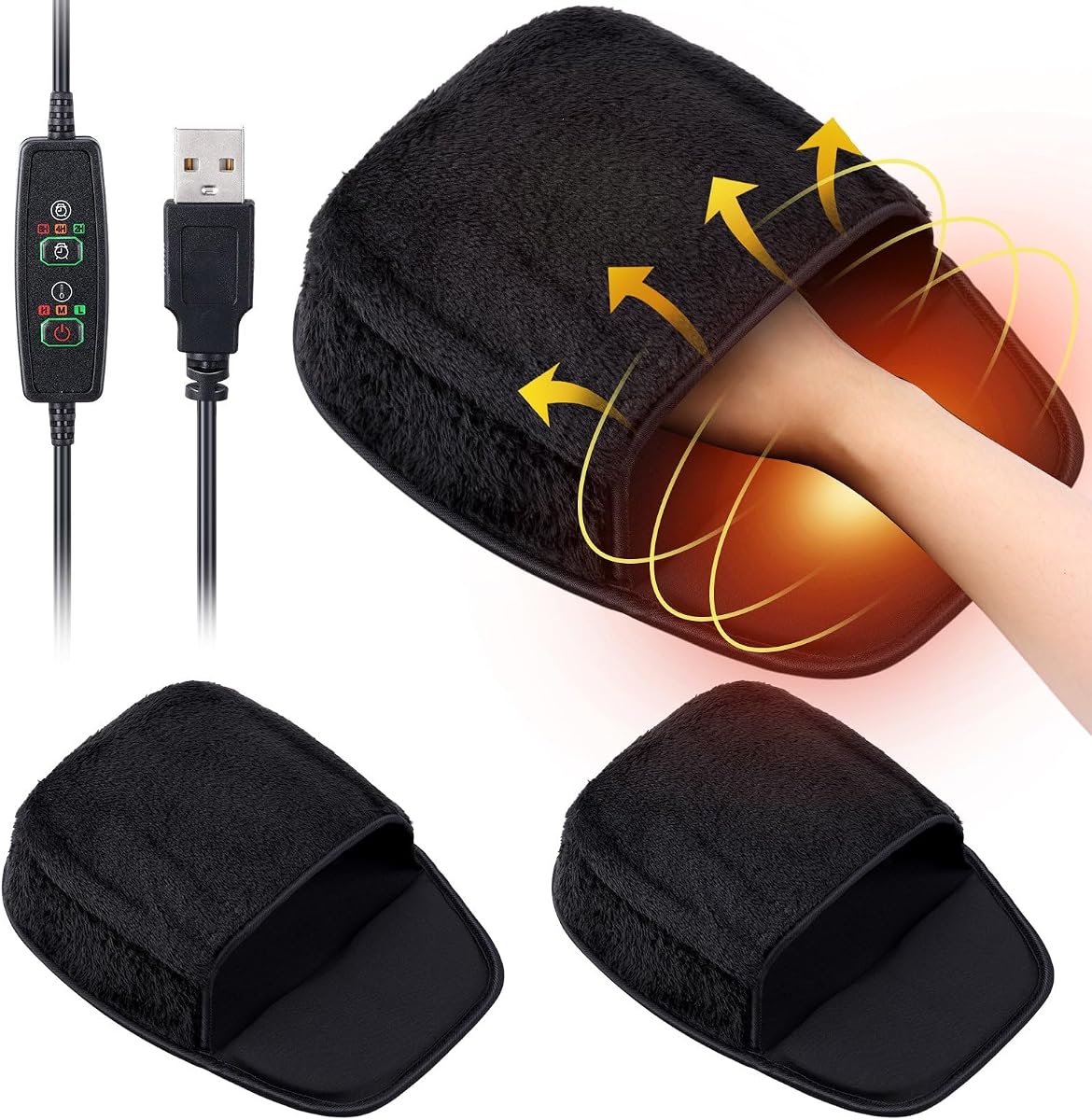

This heated mouse pad stands out with its enclosed cocoon design that wraps your entire hand in soft neoprene. Rated 4.2 stars, it uses a PTC heating element to distribute warmth safely and evenly across fingers and palm.
We may earn a commission when you buy through this link, at no additional cost to you.
The three temperature levels allow you to choose between 110°F, 130°F, or 145°F depending on your comfort needs. Auto shut-off timers at two, four, and eight hours ensure safe usage without worrying about leaving it on overnight.
While it is designed for most hands, some users with very large or small hands might find the fit less than perfect. However, the removable heating pad makes cleaning easy, and the non-slip base keeps it secure during use.
Ideal for remote workers and gamers in cold offices, this product is a thoughtful gift. It works with any mouse type and requires no drivers, making it a practical choice for anyone battling chilly fingers at their desk.
Unlike flat mats, the cocoon design ensures your knuckles and fingers stay warm while maintaining full dexterity for mouse movement.
UKCA and CE certifications along with multiple auto shut-off timers provide peace of mind during extended use sessions.
We may earn a commission when you buy through this link, at no additional cost to you.
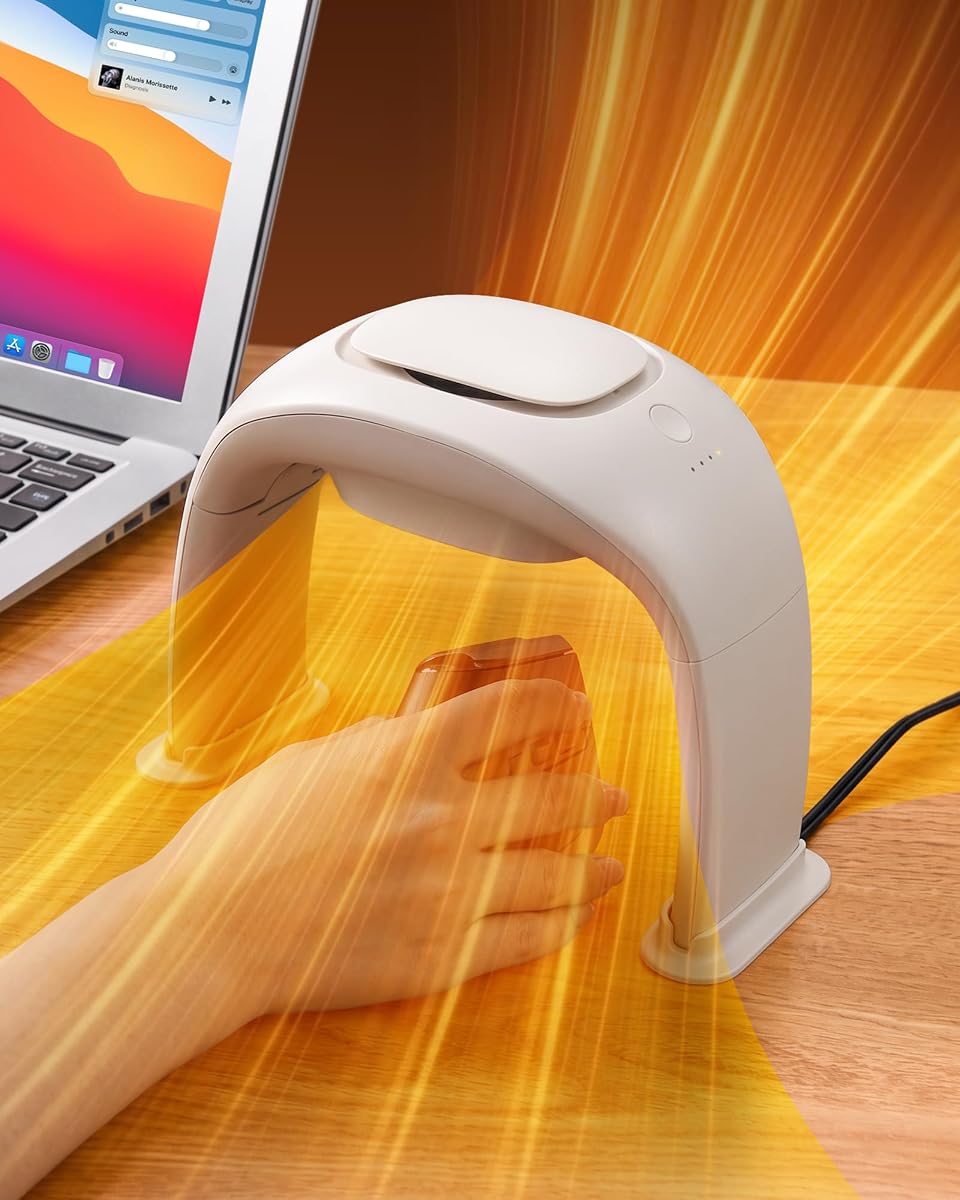
With a 4.5 rating, this warmer uses advanced PTC ceramic heating to deliver fast warmth up to 140°F on high mode. It operates quietly at less than 20dB, making it suitable for offices and bedrooms without noise distractions.
We may earn a commission when you buy through this link, at no additional cost to you.
The open design allows 360-degree hand warmth without pressing against your hand back, unlike slipper-style pads. A smart energy-saving chip reduces power when the set temperature is reached, maintaining comfort efficiently.
While it uses 100W power, the smart chip helps manage energy use effectively. The folding legs make storage convenient when not in use, and the wide angle air guide ensures heat transfer across a large area.
This model is perfect for those who need consistent heating without noise. It is a practical gift and includes stabilizers for secure placement, ensuring you stay comfortable during long work or gaming sessions.
The ultra-quiet performance ensures that the warming device does not interfere with calls, gaming, or focused work tasks.
Built-in tipping auto shut-off and over-temperature protection add layers of safety to the high-power heating system.
We may earn a commission when you buy through this link, at no additional cost to you.
This hand warmer features MCH technology and PTC ceramic heating to keep your mouse hand warm during winter work. Rated 4.3 stars, it offers three temperature options between 100 and 150 degrees F with a simple one-button operation.
We may earn a commission when you buy through this link, at no additional cost to you.
A smart chip maintains constant temperature once reached, saving energy while keeping your hands comfortable. The foldable design is convenient for storage, and the anti-slip silicone bottom ensures stability on any desk surface.
Safety features include tip-over protection and overheat protection at 170 degrees F. The anti-scald grille is made from flame retardant material, improving safety without compromising heat transfer to your hands.
With noise levels as low as 15 decibels, it will not distract you while working or gaming. This model balances portability with effective heating, making it a strong choice for those needing a compact desk solution.
The foldable design means it takes up minimal space when not in use, ideal for smaller desks or shared spaces.
Three gear temperature settings allow you to customize warmth levels to match changing room temperatures easily.
We may earn a commission when you buy through this link, at no additional cost to you.
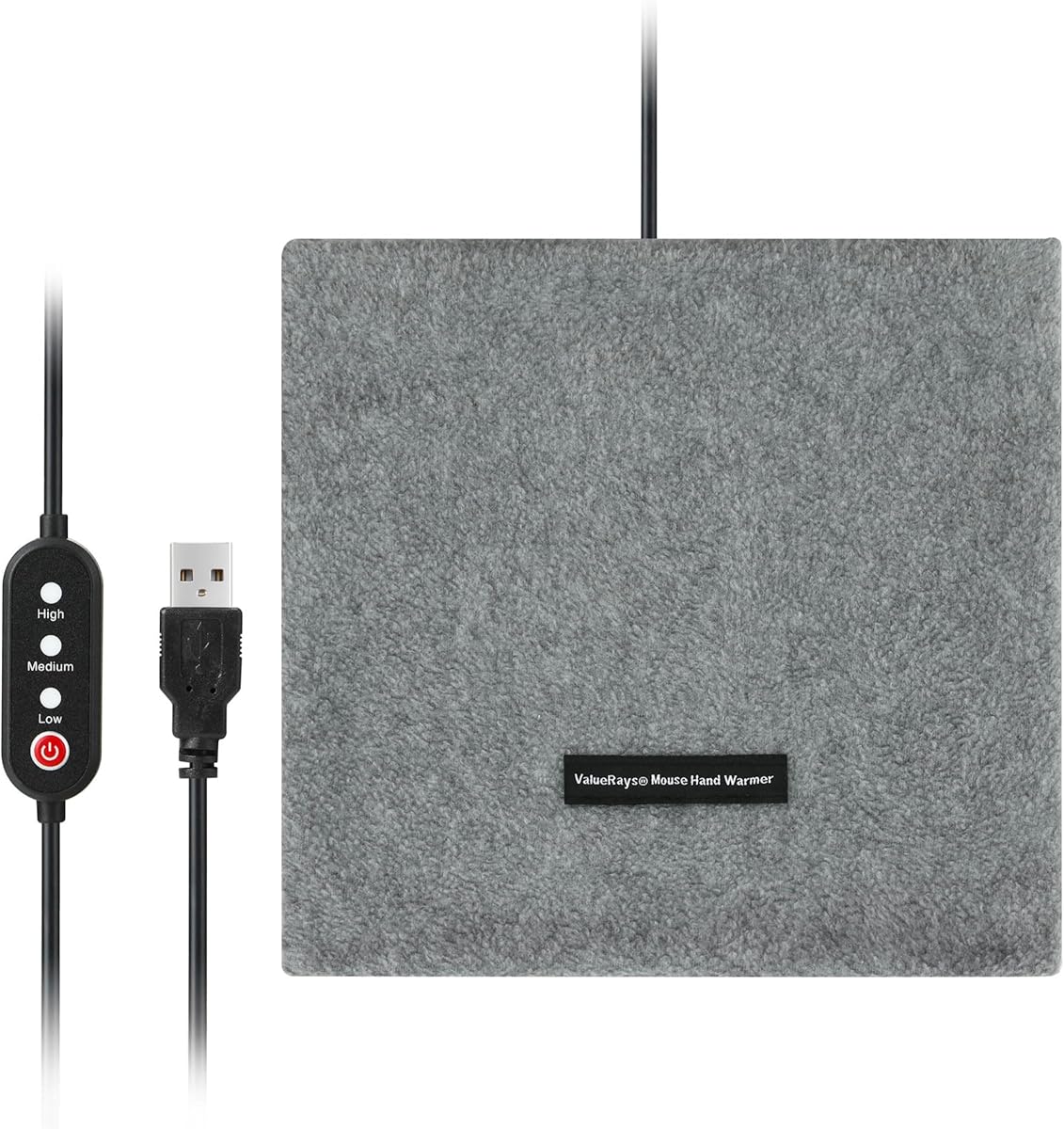
This two-pack offers a budget-friendly way to warm your hands with a large 11 by 9 inch mouse pad. The plush wrist rest adds comfort, and the heating element is separate, allowing you to use the pad without heat if preferred.
We may earn a commission when you buy through this link, at no additional cost to you.
Connecting via USB raises the temperature to a suitable level quickly. It is designed for students and workers who need to keep hands warm during long computer sessions without breaking the bank on expensive hardware.
However, the rating suggests some users may find durability inconsistent. It is advised to unplug after extended use to avoid burns or overheating, as the heating element has limited durability according to the instructions.
Great for gifting or stocking multiple desks, this product provides basic warmth without complex controls. If you need a simple, dual-unit solution for home and office, this represents a practical entry-level option.
Receiving two units allows you to place one at work and one at home for consistent warmth across environments.
The straightforward USB plug-in design makes it easy to use without any setup or special software required.
We may earn a commission when you buy through this link, at no additional cost to you.
These pads are made of thick plush that is soft and skin friendly for comfortable touch during cold days. The internal heating pad is detachable, which makes cleaning easier and extends the overall usability of the product.
We may earn a commission when you buy through this link, at no additional cost to you.
They provide a safe and stable heat environment to give you a good experience while working or gaming. With two pieces included, you can manage needs at home and in the office without needing to buy separate units.
Note that the heating element durability may be limited, so unplugging after use is recommended to extend service life. Always be aware of burn risks during extended sessions to ensure safe usage over time.
If you prioritize softness and ease of cleaning, this option stands out. It serves as a thoughtful gift and provides reliable warmth for daily tasks at a competitive price point for a two-pack solution.
The plush construction ensures that your hands feel soft against the pad, enhancing comfort during prolonged typing.
Detachable heating elements allow you to wash the fabric top easily, keeping the product fresh and clean.
We may earn a commission when you buy through this link, at no additional cost to you.
This 31.5 by 13 inch mat covers your entire workspace, keeping your fingers, hands, and arms warm while working. Made of PU leather and waterproof PVC, it heats up quickly and has three color-coded heat settings for easy selection.
We may earn a commission when you buy through this link, at no additional cost to you.
The control box sits at the left corner, offering simple switching between high, medium, and low temperatures. An auto shut-off feature turns the mat off after four hours to prevent energy waste and increase safety.
When switched off, it acts as a regular smooth mouse pad or writing surface. It is suitable for use all year round as a desk accessory, providing warmth during winter without changing your workflow.
Ideal for those needing full desk warmth, this mat is versatile. Just ensure your outlet matches US voltage as it is designed for that standard, making it a practical essential for winter productivity.
The generous size ensures both keyboard and mouse areas remain warm, reducing overall body chill during work.
Color coded lights make temperature selection intuitive without needing to read complex manuals or settings.
We may earn a commission when you buy through this link, at no additional cost to you.
Featuring upgraded double ball bearings and PTC heating ceramics, this warmer maintains low-noise operation during use. It weighs just 14oz and has foldable legs for easy storage after use, making it portable for travel or travel.
We may earn a commission when you buy through this link, at no additional cost to you.
The activity space allows flexible use for both left and right hands without limitation. You get 360-degree circulating full hand warmth, avoiding the uneven heating found in slipper-style or one-piece heating pads.
Three temperature settings let you choose from 95 to 140 degrees F based on your preference. The intelligent energy-saving chip reduces power automatically when the set temperature is reached, maintaining constant comfort efficiently.
Backed by a 12-month warranty, it is reliable for office and home use. If you need a quiet, efficient desk heater that fits easily into a bag, this model is an excellent choice for winter comfort.
Foldable legs and low weight make this unit easy to carry for dorms or hotels during winter seasons.
Smart chip technology reduces power draw after heating, saving energy while keeping your hands toasty.
We may earn a commission when you buy through this link, at no additional cost to you.
This hand warmer utilizes infrared technology to provide basic warmth for your hands while using the computer. It connects via USB and features a manual control switch for turning the heat on or off as needed.
We may earn a commission when you buy through this link, at no additional cost to you.
The design is straightforward, focusing on essential warming without complex temperature adjustments. It serves as a basic accessory for those who need simple heat generation during cold working sessions without high power consumption.
Given the manual control nature, you must remember to switch it off when not in use. It is a practical option for budget-conscious users who prioritize simplicity and USB convenience over advanced features.
If you need an affordable, plug-and-play heating pad, this fits the bill. It integrates easily with your existing mouse setup, offering warmth without altering your typical workflow or requiring additional power sources.
Provides direct infrared heat to the palm area, sufficient for mild cold conditions without excessive energy use.
A simple switch design ensures reliability without electronic failures associated with digital temperature controls.
We may earn a commission when you buy through this link, at no additional cost to you.
This heated pad includes a built-in wrist cushion that reduces strain during long work sessions. It offers three temperature modes at 110, 130, and 145°F with timed auto-off features at 2, 4, and 8 hours.
We may earn a commission when you buy through this link, at no additional cost to you.
The thick rubber base grips tightly to any surface so you do not chase the pad across your desk. Slim and lightweight, it is easy to fold and carry to school, the garage, or while traveling.
It is ideal for users who want consistent warmth with safety timers to avoid overheating. The wrist support helps ease pressure, making it comfortable for tasks like editing photos or crunching spreadsheets all day.
While the rating is lower, the features like wrist cushion and timers provide good value. If you need a portable hand warmer that doubles as a supportive rest for your wrist, this is a solid choice.
The integrated cushion fits the natural curve of your wrist, reducing fatigue during repetitive mouse use.
Auto-off timers ensure you do not leave the device on accidentally, saving power and increasing safety.
We may earn a commission when you buy through this link, at no additional cost to you.
Constructed from high-quality PU leather, this mat offers durability and elegance while protecting your desk from scratches. The non-slip leather bottom ensures it stays in place during intense typing or gaming sessions.
We may earn a commission when you buy through this link, at no additional cost to you.
Three adjustable temperature settings are activated by pressing the switch button multiple times. It can be used as a desktop pad, mouse pad, or under-desk foot warmer, making it a practical and stylish addition to any workspace.
During cold months, this versatile solution helps keep you warm throughout the day. The large size ensures full coverage of your desk, which is useful if you want both keyboard and mouse warmth without separate devices.
While it lacks an established rating, the features suggest strong usability for winter productivity. If you prefer a multi-purpose mat that looks professional and offers basic heating options, this model is worth considering.
PU leather resists wear and tears better than standard fabric, maintaining a clean and professional look over time.
The design allows use in multiple roles, from desk pad to foot warmer, providing maximum utility for your budget.
We may earn a commission when you buy through this link, at no additional cost to you.
Choosing the right heated mouse pad requires considering several factors to ensure it fits your specific needs. The following sections break down the key elements to evaluate before you buy.
Heating methods vary between enclosed cocoon designs, open heaters, and flat desk mats. Enclosed designs wrap your hand fully, while open heaters allow more movement. Desk mats provide larger coverage for keyboard and mouse use.
Evaluate which heating method best suits your movement style and desk setup for optimal comfort.
Look for adjustable temperature settings to match the varying cold levels in your environment. Some units offer fixed heat while others provide multiple modes like low medium and high for precise comfort.
Adjustable settings allow you to fine-tune warmth without risking burns or excessive power consumption.
Safety should be a top priority with heating elements. Certifications like UL, CE, or UKCA indicate reliable manufacturing. Features like auto shut-off timers and overheat protection prevent hazards during unsupervised use.
Always choose products with proven safety certifications to ensure secure usage in your home or office.
Power sources range from USB connections to standard wall plugs. USB units are portable and power-efficient while wall plugs may provide stronger heat output. Ensure your chosen power method matches your desk setup.
Consider whether portability or raw heating power is more important for your daily workspace needs.
Build quality affects durability and comfort. Materials like neoprene or PU leather resist wear and are easier to clean. Check for features like non-slip bases and stable structures to prevent movement during use.
High-quality materials ensure the product lasts longer and maintains a professional look over time.
Some mouse pads include built-in wrist rests to reduce strain during long work sessions. Ergonomic design helps maintain a neutral wrist position which can prevent fatigue and repetitive strain injuries.
If you suffer from wrist pain, look for models that integrate cushioning support into the heated design.
Noise levels matter for shared spaces like offices or bedrooms. Some heaters operate silently while others emit a low hum. Check product descriptions for decibel ratings if noise is a concern.
Silent or low noise operation ensures the device does not disturb you or others around you.
Warranty terms offer protection against defects. Look for at least a 12-month warranty from reputable brands. Good customer support can be vital if you encounter issues with the heating element.
Always verify warranty details before purchase to safeguard your investment against potential product failures.
Plug the device into a secure power source such as a USB port or wall outlet. Ensure the surface is clean and dry before activating the heating element to prevent electrical hazards.
Select the appropriate temperature setting based on your comfort needs. If the pad offers multiple heat levels, start with a lower setting and increase gradually if more warmth is required.
Clean the surface periodically with a mild damp cloth. Avoid submerging the unit in water unless it is explicitly designed to be detachable or washable to ensure the electronic components remain safe.
Most modern heated pads are safe if they include safety certifications and auto shut-off features. Always follow the manufacturer instructions regarding maximum usage times to ensure safe operation.
Yes, heated pads are designed to work with any standard USB wireless or Bluetooth mouse as long as the surface is flat and stable enough for the mouse sensor to track.
In some models the heating pad is detachable allowing you to use the mouse pad surface without heat. Check product descriptions to confirm if your specific model supports this.
Most heated pads should not be submerged. Use a damp cloth to wipe the surface. If the heating element is removable, clean the fabric separately according to the care instructions.
Many users with Raynaud's find these devices helpful due to consistent warmth that improves circulation. However, consult your physician for advice tailored to your specific medical condition.
Wall plugs often provide higher wattage for faster heating but lack portability. USB is more portable but may generate less heat depending on the device power output.
We reviewed ten top options ranging from budget friendly two packs to premium ceramic heaters. The USB Heated Mouse Pad Hand Warmer offers complete hand coverage, while the Desk Hand Warmer Over Mouse delivers superior heating performance.
Prioritize safety certifications and temperature control features to find a match for your workflow. Whether you need portability or full desk coverage there is a model in this list to suit your preferences.
Always check current prices and availability before purchasing as offers and stock change frequently. We hope this guide helps you find the perfect product to keep your hands warm this winter.