
HDMI ARC to Optical Audio Adapter for TV Soundbar
4.9Editor score
Supports 192KHz sampling
Includes 4.9FT optical cable
Gold-plated connectors included
This guide compares the top HDMI Arc Adapter for Soundbar options to help you connect legacy audio gear to modern TVs using optical or analog outputs effectivel
Modern televisions often lack dedicated audio outputs, forcing users to find creative solutions for connecting soundbars. An HDMI Arc Adapter for Soundbar bridges this gap by extracting audio from HDMI ARC or eARC ports and converting it to optical or analog signals for external speakers.
We evaluated ten real products based on compatibility, audio quality, ease of setup, and user feedback. Each item was analyzed for its ability to handle high-resolution audio, support legacy devices, and integrate seamlessly into home theater setups without requiring complex configuration.
Every pick highlights specific strengths like sampling rates, output types, and build quality. Prices and availability fluctuate frequently, so always verify current listings before purchasing. This list aims to simplify your search for the right adapter to upgrade your home audio experience.
4.9Editor score

4.3Editor score

4.1Editor score
This side-by-side comparison outlines key specifications for each adapter to help you identify the right fit for your specific TV and soundbar setup based on output types and audio support.


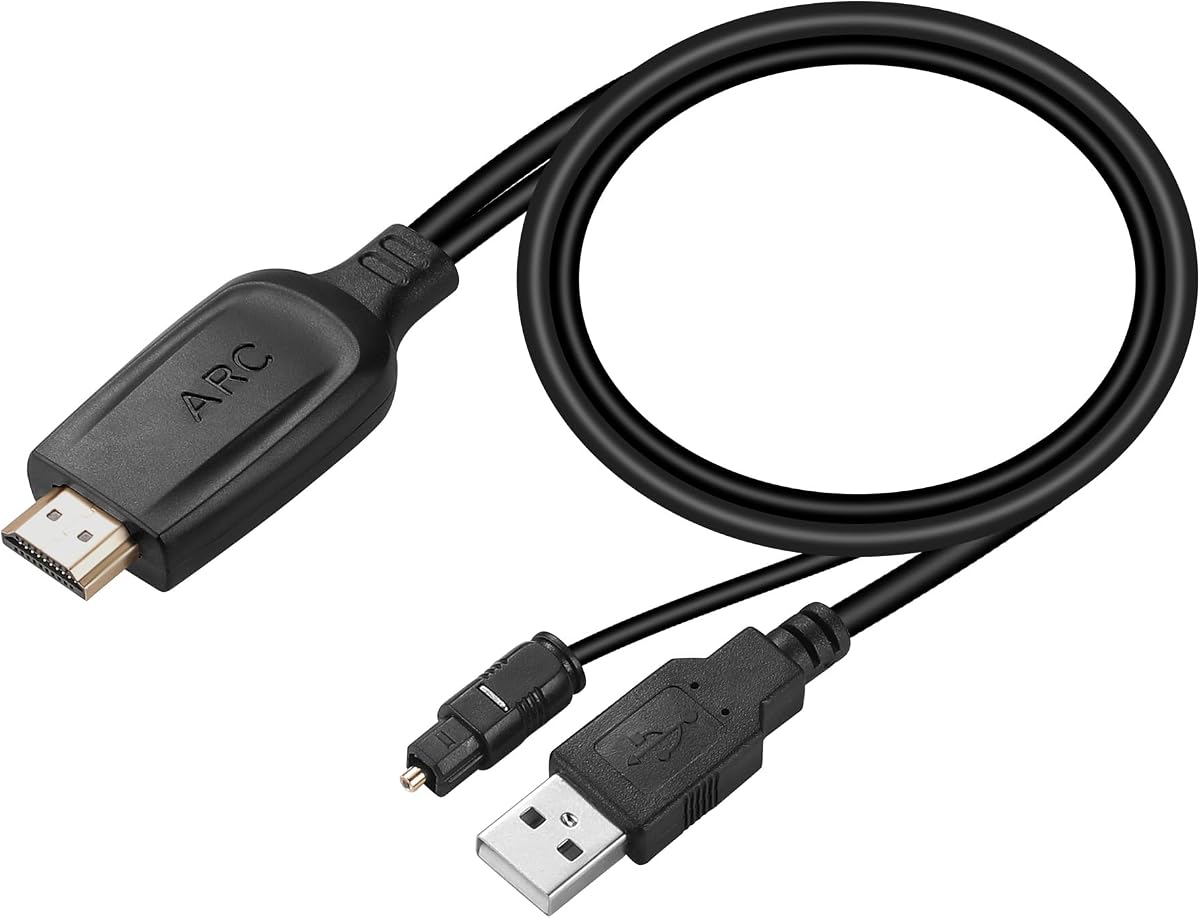


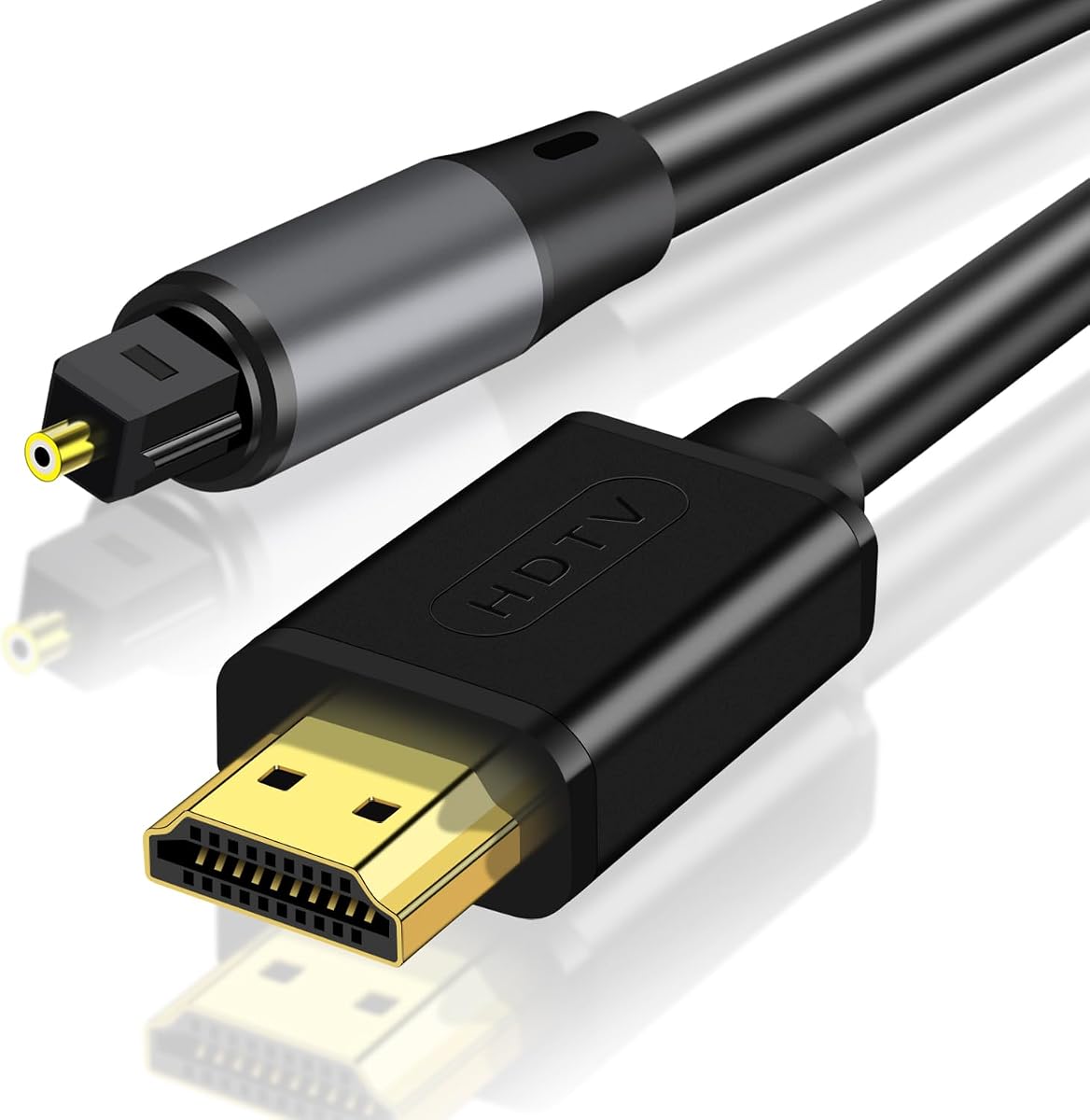
The eSynic Professional converter stands out as a top choice for users needing to bridge HDMI ARC to optical audio systems. With a strong 4.3 rating from verified buyers, it delivers reliable performance for connecting legacy soundbars to modern TVs without needing a new receiver.
We may earn a commission when you buy through this link, at no additional cost to you.
Its focus on a pure optical output minimizes cable clutter while maintaining high audio fidelity through a 192KHz sampling rate. The status LED confirms power and signal connection instantly, ensuring you know the device is functioning correctly without guessing or troubleshooting.
While it lacks CEC volume control, which is common for optical extractors, this trade-off is acceptable for most users who adjust volume on the soundbar itself. The included cables make setup straightforward, reducing the need for extra purchases or compatibility checks.
This adapter is ideal for home theater enthusiasts upgrading old gear with new TVs. Its compact footprint fits neatly behind displays, and the straightforward design ensures consistent audio transmission for movies, music, and games without signal loss or delay.
The device focuses on one pure optical output to reduce cable clutter and ensure stable audio transmission without interference from unused ports.
Its small form factor looks great next to your TV and simplifies setup with clear status indicators for power and signal presence.
We may earn a commission when you buy through this link, at no additional cost to you.
This HDMI ARC adapter offers unique flexibility by supporting both L/R stereo and 3.5mm headphone outputs simultaneously. With a 4.1 rating, it appeals to users needing analog connections for older amplifiers or headphones without sacrificing audio quality.
We may earn a commission when you buy through this link, at no additional cost to you.
The 192KHz sampling rate ensures high-resolution audio transmission, while the aluminum metal material provides stability and effective heat dissipation during extended use. Digital noise reduction technology keeps the sound clear and pleasant for all content types.
It requires TV settings to be adjusted to PCM 2.0, which may limit surround sound formats but guarantees compatibility with devices lacking Dolby support. The plug-and-play design avoids driver installations, making it accessible for non-technical users.
Ideal for PS5, Xbox, or Blu-ray player connections, this adapter bridges TVs and sound systems effectively. Its robust build and multi-channel synchronized output make it a reliable choice for diverse home entertainment setups requiring analog inputs.
Users can connect L/R speakers and 3.5mm headphones at the same time, offering flexible audio routing for different listening preferences.
The high-quality aluminum housing ensures longevity and proper heat management, maintaining stable performance during long listening sessions.
We may earn a commission when you buy through this link, at no additional cost to you.
The HDMI eARC to Optical Audio Converter solves compatibility issues between modern TVs lacking optical interfaces and legacy audio systems. With a 4.4 rating, it delivers high-quality sound through a 24-bit/192kHz sampling rate for immersive home theater experiences.
We may earn a commission when you buy through this link, at no additional cost to you.
It works seamlessly with major brands like Samsung, LG, and Sony, ensuring broad usability across different TV models. The optical port connects to soundbars, amplifiers, and active speakers, providing a reliable bridge for digital audio signals.
Setup involves enabling CEC and setting audio output to ARC or eARC in TV settings. While CEC volume control isn't supported on the optical port, the straightforward plug-and-play experience minimizes configuration hassles for most users.
This converter is perfect for upgrading older audio gear without replacing existing equipment. Its compact design and included USB power cable make it easy to integrate into any setup, ensuring consistent audio performance for movies and streaming content.
The 24-bit/192kHz sampling rate ensures pure sound quality, making it ideal for users seeking to maximize audio fidelity from their TV.
It works with most major TV brands supporting ARC or eARC, reducing concerns about compatibility when connecting to specific manufacturers.
We may earn a commission when you buy through this link, at no additional cost to you.
Unstincer's converter simplifies setup with a built-in optical SPDIF digital audio cable, reducing extra cable management. Rated 4.2 by users, it provides a convenient bridge between ARC-compatible TVs and sound systems with pure sound quality at 24-bit/192kHz.
We may earn a commission when you buy through this link, at no additional cost to you.
The LED indicator lights up when the HDMI interface is connected, giving immediate visual confirmation of successful signal transmission. This feature adds peace of mind during setup and helps troubleshoot connection issues quickly without complex diagnostics.
It supports Dolby 5.1 and DTS 5.1 formats, requiring matching support from the sound system for optimal surround sound. Setting the TV audio format to PCM or Dolby ensures compatibility, while the USB power connection ensures stable operation.
Ideal for home theaters or conference rooms, this adapter delivers high-quality audio without needing additional converters. Its compact design and reliable performance make it a practical choice for users seeking seamless TV-to-soundbar integration.
The built-in optical cable reduces clutter and simplifies connections, making setup faster and more straightforward for users.
An LED indicator confirms connection status, helping users verify proper setup without needing to test audio output manually.
We may earn a commission when you buy through this link, at no additional cost to you.
The VPFET extractor offers dual optical and coaxial outputs, providing broad compatibility for diverse audio systems. With a 4.1 rating, it enables lossless high-definition audio conversion from TV eARC ports to external speakers or DACs.
We may earn a commission when you buy through this link, at no additional cost to you.
The independent ARC/eARC status indicator visually shows the current operating mode, adding a layer of convenience for troubleshooting connection states. Its 24-bit/192kHz chip accurately reproduces audio details, eliminating quality loss for immersive cinema-grade experiences.
Setup involves enabling eARC on compatible TVs and using high-pin HDMI cables for stable transmission. While it lacks CEC volume control, the flexible output options make it suitable for users needing both Toslink and coaxial connections simultaneously.
This device excels in scenarios like private listening via headphones or upgrading older audio systems. Its plug-and-play design and compact build allow easy integration into home theaters without needing complex configurations or extra hardware.
Supports simultaneous optical and coaxial outputs, offering broad compatibility with speakers, amplifiers, and DACs for versatile setups.
An independent indicator shows the current ARC/eARC mode, helping users confirm proper connection states quickly.
We may earn a commission when you buy through this link, at no additional cost to you.
This adapter transforms HDMI ARC signals into optical outputs with a 6.6FT optical cable included for flexible placement. With a 4.2 rating, it solves compatibility issues between TVs and fiber optic sound systems while delivering cinematic audio experiences.
We may earn a commission when you buy through this link, at no additional cost to you.
The 24-bit/192kHz audio transmission ensures high-resolution sound quality, fully unleashing the potential of high-end audio systems. It overcomes television sound limitations, allowing users to enjoy immersive audio through TV applications and connected devices effectively.
Setup requires setting the TV output to ARC and enabling USB power. While it lacks CEC volume control and Dolby Atmos support, its broad compatibility with most ARC/eARC TVs makes it a reliable choice for basic surround sound or stereo setups.
Ideal for placing soundbars across rooms without cable constraints, this adapter simplifies home theater integration. Its zero-software requirement ensures instant use, making it accessible for users seeking straightforward audio extraction without technical hurdles.
The included 6.6FT optical cable allows flexible placement of soundbars or speakers, reducing room layout constraints.
Supports 24-bit/192kHz audio for superior sound quality, ensuring high-end systems perform at their best.
We may earn a commission when you buy through this link, at no additional cost to you.
With an impressive 4.9 rating, this adapter delivers clean digital audio from HDMI ARC ports to Toslink optical soundbars. Its built-in chip decodes PCM, LPCM, and Dolby formats, ensuring your sound system can play content with virtually no loss.
We may earn a commission when you buy through this link, at no additional cost to you.
Gold-plated HDMI and optical ports resist corrosion, maintaining signal integrity over years. The 4.9FT optical cable gives flexible placement for soundbars, while LED lights show power and signal status for easy setup verification.
It works with most HDMI ARC TVs from brands like Samsung and Sony, making it broadly compatible. Setting the TV to PCM or Dolby output ensures proper signal transmission without complex configuration steps or driver installations.
This is a top budget choice for users seeking reliable connectivity without extra costs. Its plug-and-play simplicity and durable construction make it perfect for upgrading home theaters or enabling private listening via headphones.
Gold-plated connectors resist corrosion, ensuring clean audio signals and long-lasting performance for years.
A 4.9 rating reflects user satisfaction with its reliable performance, ease of setup, and consistent audio quality.
We may earn a commission when you buy through this link, at no additional cost to you.
The LiNKFOR converter transforms HDMI eARC signals into high-quality optical audio with 24-bit/192kHz fidelity. Rated 4.4, it maintains studio-grade audio quality while offering clear channel indicators for PCM 2.0, Dolby 5.1, and DTS 5.1 formats.
We may earn a commission when you buy through this link, at no additional cost to you.
Its advanced processing extracts pure digital audio, eliminating interference and delay for synchronized output. The plug-and-play design requires no drivers, while universal compatibility ensures it works with smart TVs, soundbars, and wireless headphones effortlessly.
Setup involves enabling CEC on ARC TVs and connecting via USB for power. While it lacks CEC volume control due to fiber optic limits, its support for immersive surround formats makes it a strong choice for sports or movie nights.
Ideal for family viewing with clear synchronized audio, this adapter delivers theater-quality sound from any content source. Its compact design and reliable performance make it a practical accessory for upgrading older audio setups.
Channel indicators show active audio formats, helping users confirm proper configuration for surround sound content.
Supports Dolby 5.1 and DTS 5.1, enabling theater-quality surround sound for games, movies, and sports events.
We may earn a commission when you buy through this link, at no additional cost to you.
This converter converts HDMI ARC audio to Toslink optical or 3.5mm AUX signals, connecting smart TVs to legacy devices. With a 4.3 rating, it supports PCM 2.0 and 5.1 surround formats, up to 192KHz/24-bit for immersive audio experiences.
We may earn a commission when you buy through this link, at no additional cost to you.
It includes free USB power and HDMI 2.0 cables, saving extra purchases. The hassle-free setup involves setting sound output to HDMI ARC and adjusting digital audio format to PCM for analog connections or optical outputs.
Volume control works via the playback device since TV remote commands don't pass through this converter. Its universal compatibility makes it useful for connecting to headphones, old amplifiers, or soundbars needing different input types.
Perfect for users with mixed audio gear, this adapter offers seamless flexibility for various setups. Its straightforward design and included accessories ensure quick integration without needing additional components or technical expertise.
Converts to optical or 3.5mm AUX, connecting new TVs to legacy optical devices or analog speaker systems easily.
Includes USB and HDMI cables, saving money and time by avoiding the need for separate cable purchases.
We may earn a commission when you buy through this link, at no additional cost to you.
This adapter transforms HDMI ARC signals into optical outputs with a 6.6FT cable for flexible device placement. Rated 4.2, it overcomes TV sound limitations, delivering cinematic audio experiences through a straightforward zero-software setup process.
We may earn a commission when you buy through this link, at no additional cost to you.
The 24-bit/192kHz transmission ensures high-resolution quality, ideal for high-end audio systems. It solves common sound issues, allowing users to enjoy immersive sound from TV apps and connected devices without signal degradation or setup complexity.
Setup requires setting audio output to ARC, enabling USB power, and adjusting TV format to PCM or Dolby. If no sound occurs, restarting devices helps. While lacking CEC control and Atmos support, it covers most standard audio needs effectively.
Perfect for users prioritizing ease of use and reliable connectivity, this adapter simplifies home audio integration. Its long cable and broad compatibility make it a practical choice for rooms with varying device distances or legacy setups.
The included 6.6FT optical cable allows flexible placement of soundbars or speakers, reducing room layout constraints.
Supports 24-bit/192kHz audio for superior sound quality, ensuring high-end systems perform at their best.
We may earn a commission when you buy through this link, at no additional cost to you.
Choosing the right adapter involves evaluating output types, audio format support, and compatibility with your existing devices to ensure seamless integration and high-quality sound.
Different adapters offer optical, coaxial, or analog outputs. Match the adapter to your soundbar's input requirements to avoid buying additional cables or incompatible connectors. Some models provide dual outputs for maximum flexibility.
Verify your soundbar supports the specific output type offered by the adapter to ensure a direct connection without extra hardware.
Look for adapters supporting PCM, Dolby, and DTS formats for surround sound experiences. Not all adapters support multi-channel formats, so check specifications to ensure your desired audio quality. Higher sampling rates improve clarity and depth.
Ensure your TV settings can output formats matching what the adapter supports to avoid audio dropouts or muted channels.
Adapters designed for eARC provide higher bandwidth for lossless audio, while ARC adapters work with standard return channels. Verify your TV has an eARC or ARC labeled port to ensure compatibility. Using a standard HDMI port won't work.
Confirming your TV's port type before purchasing prevents setup issues and ensures the adapter functions correctly with your system.
Many adapters lack CEC support, meaning TV remotes can't control soundbar volume. If volume control via TV remote is essential, prioritize models that include this feature or accept manual soundbar adjustments. Optical connections generally don't support CEC.
Understanding this limitation helps you decide if manual volume control on your audio device is acceptable for your setup.
Some adapters come with optical, HDMI, or USB power cables, while others require separate purchases. Check what's included to avoid hidden costs and setup delays. Complete packages save time and ensure all necessary components are ready.
Prioritize models with included cables that match your needs to simplify installation and reduce additional expenses.
Metal casings offer better heat dissipation and durability compared to plastic models. Look for aluminum construction for longer lifespan and stable performance during extended use. Gold-plated connectors resist corrosion and ensure clean signal transmission.
Choose models with robust materials to ensure the adapter withstands daily use and maintains consistent performance over time.
Adapters requiring no drivers or software updates offer the easiest setup experience. Look for devices with LED indicators to confirm power and signal status instantly. Simplified setup reduces troubleshooting time and technical barriers.
Opt for models with plug-and-play design to ensure quick installation without needing complex configuration or additional tools.
Select adapters from established brands with reliable customer support and warranties. Check reviews for troubleshooting responsiveness and return policies. Good support ensures help is available if compatibility issues arise during setup.
Prioritize brands with positive user feedback and clear support channels to protect your investment and ensure peace of mind.
Begin by connecting the HDMI cable from your TV's ARC or eARC port to the adapter's input. Plug the USB power cable into a TV USB port or external adapter, then connect the optical or analog cable to your soundbar's matching input.
Navigate to your TV's audio settings menu to enable HDMI ARC and set the audio output to external speakers or ARC device. Select PCM or Dolby/DTS format based on your adapter and soundbar capabilities. Disable internal TV speakers if necessary.
Keep the adapter in a well-ventilated area to avoid overheating. Periodically check cable connections for secure placement. If audio cuts out, restart the TV and adapter, and verify all ports and settings match the manufacturer's recommendations.
No, most adapters work with ARC ports as well, but eARC adapters require an eARC-enabled TV for full functionality. Check the product description to confirm compatibility with ARC or eARC specifically.
Most optical adapters do not support CEC volume control, meaning you must adjust volume on the soundbar. Some HDMI adapters may support CEC depending on TV settings and adapter design.
Ensure your TV audio output is set to ARC or external speakers, and the audio format matches the adapter's capabilities. Verify all cables are securely connected and the adapter is powered via USB.
Yes, if your headphone base has an optical or analog input, you can connect it via the adapter. Extractors often include dedicated ports or outputs for private listening setups.
Some adapters support 5.1 formats like Dolby or DTS, but others only support stereo PCM. Check the specifications to confirm multi-channel audio capabilities before purchasing.
Without an ARC or eARC port, an adapter won't work directly. You may need an optical audio output on the TV or consider using a different audio extraction method.
Most require USB power from your TV or an external adapter. Ensure your TV USB port provides sufficient power, or use the included adapter for stable operation.
Quality adapters typically maintain synchronized audio without noticeable lag. However, check product reviews for any delay issues specific to your TV model or content type.
The best adapters like the eSynic Professional and VPFET extractor offer reliable connectivity, high-resolution audio, and flexible outputs. Whether you prioritize budget, dual outputs, or ease of setup, these top picks deliver strong performance.
Prioritize matching your TV's ARC capabilities with the adapter's input requirements and ensure your soundbar supports the chosen output type. Check for CEC support if volume control convenience is important for your workflow.
Always verify current prices and stock levels on Amazon before purchasing, as availability fluctuates. Selecting the right adapter will breathe new life into your audio setup without needing costly upgrades.