
Adjustable Laptop Stand Portable Riser
4.5Editor score
Lightweight foldable design
Six height adjustment levels
Anti-slip silicone pads
Finding the right laptop ventilation stand is crucial for maintaining optimal device performance and your personal comfort during long work sessions. A good stand elevates your screen to eye level, reduces neck strain, and ensures proper airflow to prevent overheating.
We compared ten highly rated models based on build quality, cooling efficiency, adjustability, and portability. Each product was evaluated for stability, compatibility with various laptop sizes, and overall value to provide a reliable list for your needs.
Each pick highlights key features, pros, and cons to help you decide quickly. Note that prices and availability can change frequently, so check current listings before making your final purchase decision for the best deal.
4.5Editor score

4.7Editor score

4.8Editor score
As an Amazon Associate we earn from qualifying purchases.
Below is a side-by-side comparison of all ten selected laptop ventilation stands. This table highlights key specifications to help you quickly identify the model that best fits your specific requirements and workspace setup.




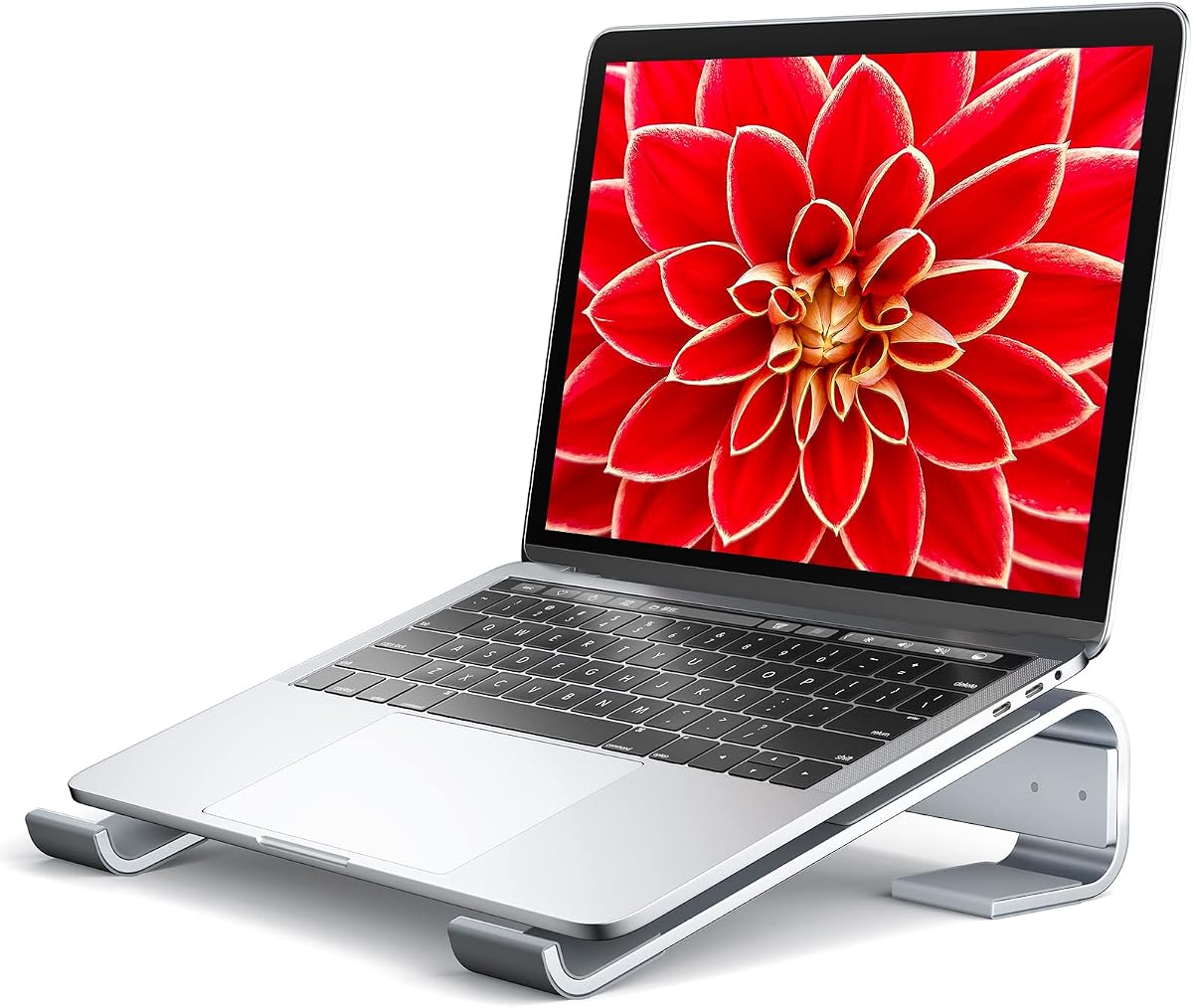

The Nulaxy Ergonomic Adjustable Laptop Stand stands out as a top performer with a 4.7 rating. It combines heavy-duty stability with advanced thermal ventilation, making it ideal for long work sessions and demanding tasks that generate significant heat.
We may earn a commission when you buy through this link, at no additional cost to you.
Its dual-rod stability mechanism ensures a 100% wobble-free typing experience, safely supporting devices up to 22 lbs. The advanced thermal cooling panel features a unique geometric heat-vent design that provides superior airflow compared to standard solid stands, preventing thermal throttling during intensive use.
While the stand offers significant stability, it is slightly heavier than some ultra-light budget options. The angle settings are fixed rather than multi-level adjustable, which might limit customization for some users who prefer varied viewing angles throughout the day.
This stand is perfect for professionals and gamers who need reliability and cooling performance. If you prioritize durability and airflow over extreme portability, the Nulaxy is the final recommendation for your desk setup.
The geometric heat-vent design maximizes airflow to prevent overheating during intensive tasks.
Dual support rods distribute weight evenly for a stable typing experience without wobbles.
We may earn a commission when you buy through this link, at no additional cost to you.
This Adjustable Laptop Stand offers exceptional value with a 4.5 rating. It is designed for portability and ergonomics, elevating your notebook to reduce fatigue while keeping your device cool through its open ventilation design.
We may earn a commission when you buy through this link, at no additional cost to you.
Weighing only 0.49 pounds, it folds down to a very small size making it easy to carry anywhere. The six level height adjustments allow you to fix posture and reduce neck pain, while the triangle support design adds necessary stability for daily tasks.
Because it is so light, it may not support heavier gaming laptops as securely as sturdier models. Users must ensure the support bars are inserted into slots at the same level to avoid imbalance on the desk surface.
Ideal for travelers and students on a budget, this stand provides the essentials of ventilation and ergonomics. It is the best budget pick for those who need a simple, effective riser without breaking the bank.
At less than half a pound, it fits easily into any laptop bag for travel.
Six height levels help you find the perfect eye level for comfort.
We may earn a commission when you buy through this link, at no additional cost to you.
The BESIGN LS03 Aluminum Stand earns the highest rating at 4.8 stars. It combines premium build quality with excellent ergonomics, making it a top choice for those seeking a durable and stylish desk accessory that supports effective cooling.
We may earn a commission when you buy through this link, at no additional cost to you.
Crafted from premium aluminum alloy, it is sturdy and supports up to 8.8 lbs without wobbling. The open aluminum design provides good ventilation to prevent overheating. Its detachable design allows for easy assembly in just three steps, saving storage space when not in use.
The fixed angle limits adjustability for users who prefer multiple viewing options. Additionally, while durable, it is slightly heavier than foldable plastic alternatives, which might matter for frequent travelers prioritizing minimal weight.
This stand is best for home or office setups where style and durability are key. If you want a premium-looking accessory that keeps your laptop cool and secure, the LS03 is highly recommended.
High-quality aluminum alloy ensures durability and a modern aesthetic on your desk.
Detachable design allows for quick setup and easy disassembly for storage.
We may earn a commission when you buy through this link, at no additional cost to you.
Amazon Basics delivers a reliable option with a 4.6 rating. This stand emphasizes adjustable height and ventilation, supporting your laptop securely while promoting airflow to keep it cool during extended use.
We may earn a commission when you buy through this link, at no additional cost to you.
It offers up to 7 inches of height adjustment helping improve posture significantly. The open hollow design promotes airflow and heat dissipation, while the lightweight aluminum construction supports up to 11 lbs. It folds flat for easy storage and portability.
The stand is somewhat heavier than ultra-light travel options. It performs best on flat solid surfaces and may not be suitable for very heavy gaming laptops which could affect overall balance and stability.
For users needing significant height adjustment in a reliable package, this is a solid choice. It balances durability, ventilation, and brand reputation effectively for daily office work.
Up to 7 inches of adjustment helps tailor the viewing angle to your needs.
Open hollow design ensures consistent airflow to prevent heat buildup.
We may earn a commission when you buy through this link, at no additional cost to you.
The Tonmom Laptop Stand is a compact solution with a 4.5 rating. It features an adjustable design that elevates your notebook for better posture while offering smooth edges to prevent injury and silicone pads to protect your device.
We may earn a commission when you buy through this link, at no additional cost to you.
Its forward-tilt angle and open design offer greater ventilation and airflow compared to laying flat. Weighing only 0.53 pounds, it is easy to carry. The triangle support design helps maintain stability for standard laptops up to 15.6 inches.
The base is relatively small which may lead to slight shifts with heavy typing. It comes in black only limiting aesthetic options. Ensure you use it on a flat surface for best results.
Ideal for light users and travelers needing basic ergonomic support. If you want a lightweight option that focuses on protection and ventilation, this stand is a great choice.
Open design ensures better airflow to cool the device effectively.
Silicone pads and smooth edges prevent scratches and injuries.
We may earn a commission when you buy through this link, at no additional cost to you.
The Thibault Aluminum Laptop Stand features a robust alloy build with a 4.6 rating. It offers an elegant minimalist design that complements office settings while ensuring unwavering durability for daily use.
We may earn a commission when you buy through this link, at no additional cost to you.
Designed for quick assembly, it rises your laptop to a comfortable height for typing and viewing. The soft rubber pads protect your desk and laptop from scratches. Its ventilated design ensures efficient airflow for optimal performance.
The stand is fixed in angle so adjustability is limited. It requires a stable desk space for setup. While durable, it is not foldable like portable options.
Best for permanent desk setups where style and sturdiness are priorities. If you want a reliable aluminum stand for home or office work, this model is excellent.
Tilted ventilated design allows efficient cooling airflow for your device.
Sturdy aluminum alloy ensures strength and a sleek look.
We may earn a commission when you buy through this link, at no additional cost to you.
This Aluminum Laptop Stand Riser is a unique wedge design with a 4.6 rating. Crafted from premium 6061 aluminum, it provides a stable base and elevates your laptop by 35 mm to create a comfortable typing angle.
We may earn a commission when you buy through this link, at no additional cost to you.
The built-in dual-scale ruler makes it a convenient desktop measuring tool. Silicone pads keep your computer secure and protect surfaces. Its open design helps reduce heat buildup during work or gaming.
As a wedge, it lacks adjustability. It is a fixed solution best suited for users who want a minimal footprint. The low-profile design keeps your laptop raised without occupying unnecessary desk space.
Ideal for minimalists wanting a solid aluminum accessory. If you value precision materials and extra utility like a ruler, this stand is a smart pick.
Dual-scale markings turn the riser into a practical measuring tool.
6061 aluminum alloy ensures durability and a premium finish.
We may earn a commission when you buy through this link, at no additional cost to you.
The Kootek Laptop Cooling Pad offers active ventilation with a 4.4 rating. It features 5 built-in fans to keep your device cool and includes a dual USB hub for extra connectivity options for peripherals.
We may earn a commission when you buy through this link, at no additional cost to you.
Enjoy a noise-free environment with whisper-quiet fans. The ergonomic stand offers 6 adjustable height settings for comfort. Two switches let you control fans and LEDs efficiently while securing your laptop with front stoppers.
Requires a power source via USB which may add cable clutter. More moving parts mean potential wear over time. Ensure you have a port available for the USB connection.
Best for high-performance laptops needing active cooling. If you want fans and extra USB ports in one unit, this pad is a practical choice.
5 fans provide active heat dissipation beyond passive stands.
Dual USB hub expands connection options for peripherals easily.
We may earn a commission when you buy through this link, at no additional cost to you.
The havit HV-F2056 is an ultra-portable cooling solution with a 4.4 rating. It features 3 ultra-quiet fans and a metal mesh surface providing a stable carrying surface for 15.6 to 17 inch laptops.
We may earn a commission when you buy through this link, at no additional cost to you.
Doubles as an ergonomic stand with two adjustable height settings. Extra USB ports and a power switch design allow for connecting more devices. The fans create a noise-free environment for you.
It is designed primarily for larger laptops which might limit versatility. Requires power connection for fans. If you need a slim fan-based solution for big screens, it fits well.
Best for large laptops needing active cooling on the go. If you prioritize portability and noise reduction, this slim pad is a strong contender.
Slim and light build allows protection of your investment anywhere.
Metal mesh provides stable surface for carrying and typing.
We may earn a commission when you buy through this link, at no additional cost to you.
The Soqool Laptop Stand is built for comfort and stability with a 4.7 rating. It elevates your laptop by 2.6 inches to eye level, reducing neck and shoulder stiffness while maintaining a neutral posture.
We may earn a commission when you buy through this link, at no additional cost to you.
Its stable triangle support design ensures strong construction. Made from high-quality aluminum alloy with an automatic increase in laptop battery life by keeping temps down. Rubber anti-skid pads prevent sliding and protect surfaces.
Fixed angle may limit ergonomics for some. It is not foldable for travel. Ensure you verify your laptop fits within the 10 to 15.6 inch range.
Ideal for home office users seeking solid build quality. If you want a sturdy metal stand that reduces pain and keeps devices cool, this is a reliable option.
Elevating your laptop relieves neck and shoulder stiffness effectively.
All three sides made of durable tight material for safety.
We may earn a commission when you buy through this link, at no additional cost to you.
Selecting the right laptop ventilation stand requires considering several factors to ensure it meets your ergonomic and cooling needs. This guide outlines the key aspects you should evaluate before making your purchase.
The material used in a laptop stand significantly impacts durability and heat dissipation. Aluminum stands are generally sturdier and better at conducting heat away from your device compared to plastic options. Look for reinforced joints and a solid base to prevent wobbling during typing.
Opt for premium materials like aluminum alloys for longevity and stability. Avoid flimsy plastics if you plan on heavy daily use or have a heavier laptop model.
Effective ventilation is crucial to prevent overheating which can throttle performance. Stands with open designs or hollow structures allow air to circulate under the laptop more effectively than solid platforms. Some models even include active fans for extra cooling power.
Prioritize stands with open or ventilated structures. If your laptop runs hot, consider a model with active fan support for maximum heat dissipation.
An ergonomic stand should lift your screen to eye level to reduce neck strain. Adjustable stands with multiple height settings allow you to find the perfect viewing angle. Ensure the tilt angle supports a natural wrist and hand position for typing.
Choose adjustable stands that let you customize the height and angle. This ensures better posture and reduces long-term physical fatigue.
If you travel frequently, weight and folded size are critical. Lightweight stands under one pound that fold flat are ideal for carrying in a backpack. However, lighter stands may sacrifice some stability for heavier devices.
For travelers, prioritize foldable and lightweight designs. Ensure the folded dimensions fit your bag without adding too much bulk or weight.
Verify that the stand supports your laptop's size and weight. Most stands accommodate up to 15.6 or 17 inches but some may have specific limits. Check the load capacity especially if you use a gaming laptop which tends to be heavier.
Ensure the stand is compatible with your laptop dimensions. Check load limits to guarantee safety and stability for your specific device.
Rubber or silicone pads on the stand protect both your laptop and desk from scratches. These pads also increase friction to prevent the stand from sliding. A non-slip base is essential for a secure typing experience.
Look for high-quality silicone pads and hooks that secure the device. This protects your hardware and ensures the stand stays in place.
Prices vary widely from budget-friendly plastic stands to premium aluminum models. Consider how often you will use it and how important durability is to you. Sometimes spending a little more ensures longer lifespan and better performance.
Evaluate the price against build quality and features. Investing in a higher-quality stand often pays off in durability and comfort over time.
Some stands require complex assembly while others are ready to use out of the box. Detachable or foldable designs add convenience for storage. Look for intuitive setups that save time and effort.
Prioritize stands that are easy to assemble or use immediately. Simple setups are more user-friendly and save valuable time.
Place the stand on a flat and solid surface to ensure stability. Position your laptop carefully on the support arms and secure it with rubber pads if available. Adjust the height and angle to your preferred ergonomic position.
Clean the stand regularly with a soft dry cloth to remove dust. If using active fans, occasionally check the vents for debris to maintain airflow. Avoid using harsh chemicals that could damage the finish or rubber pads.
When not in use, fold or disassemble the stand to save space. Store it in a dry place to prevent rust or warping. Check the joints and screws periodically to ensure the stand remains sturdy over time.
Yes, they improve airflow under the laptop which aids cooling. Raising the device allows heat to escape more easily than on a flat surface. This can prevent thermal throttling and extend hardware life.
The top of your screen should be at or slightly below eye level. This usually requires raising the laptop by 2 to 7 inches depending on your posture. Adjust until you can view the screen without tilting your head down.
Yes, many stands support larger and heavier devices up to 17 inches. Look for models with a load capacity of at least 10 pounds and sturdy metal construction. Check the compatibility list before purchasing to ensure safety.
Absolutely. Using a stand raises the screen to eye level while allowing you to use an external keyboard and mouse. This combination offers the best ergonomic setup for productivity and comfort.
Most stands listed are compatible with MacBook Air and Pro models. Check the size range which typically covers 10 to 16 inches. Aluminum stands often match the aesthetic of MacBooks particularly.
Use a slightly damp cloth to wipe the pads gently. Avoid soaking them with water as this may degrade the silicone. Dry thoroughly before placing your laptop back on the stand.
Choosing the right laptop ventilation stand depends on your specific needs for cooling ergonomics and portability. Our top picks include the Nulaxy for stability and active ventilation and the Adjustable Stand for budget-friendly flexibility.
Prioritize build quality and airflow design to ensure your device stays cool and secure. Consider whether you need adjustability or a fixed solution based on your workspace and travel habits.
Remember that prices and availability can change frequently. Always check the current listings and prices before making your purchase decision to get the best value available today.