
HP 14 inch Laptop
4.5Editor score
Intel N150 Processor
Anti-glare Display Coating
Lightweight Portable Design
Finding a laptop with an anti glare screen is essential for anyone who spends long hours working or studying in varied lighting conditions. Glare can cause eye strain and reduce visibility, making it difficult to focus on tasks. This guide highlights ten reliable options designed to minimize reflections while delivering strong performance for everyday use.
We evaluated each model based on display technology, processor efficiency, memory capacity, and build quality. Our selection includes a range of sizes and configurations to suit different budgets and workflows. Every product listed offers an anti glare coating to ensure clearer visuals whether you are indoors or outdoors.
Each review provides detailed insights into specific features like battery life, connectivity options, and display brightness. We also include a buying guide to help you understand key specifications before purchasing. Keep in mind that product availability and pricing may change over time, so verify details before ordering.
4.5Editor score
4.1Editor score

4.5Editor score
As an Amazon Associate we earn from qualifying purchases.
This table compares all ten selected laptops side by side. Review key specifications like screen size, processor type, memory, and storage to find the model that best fits your workflow and budget requirements.




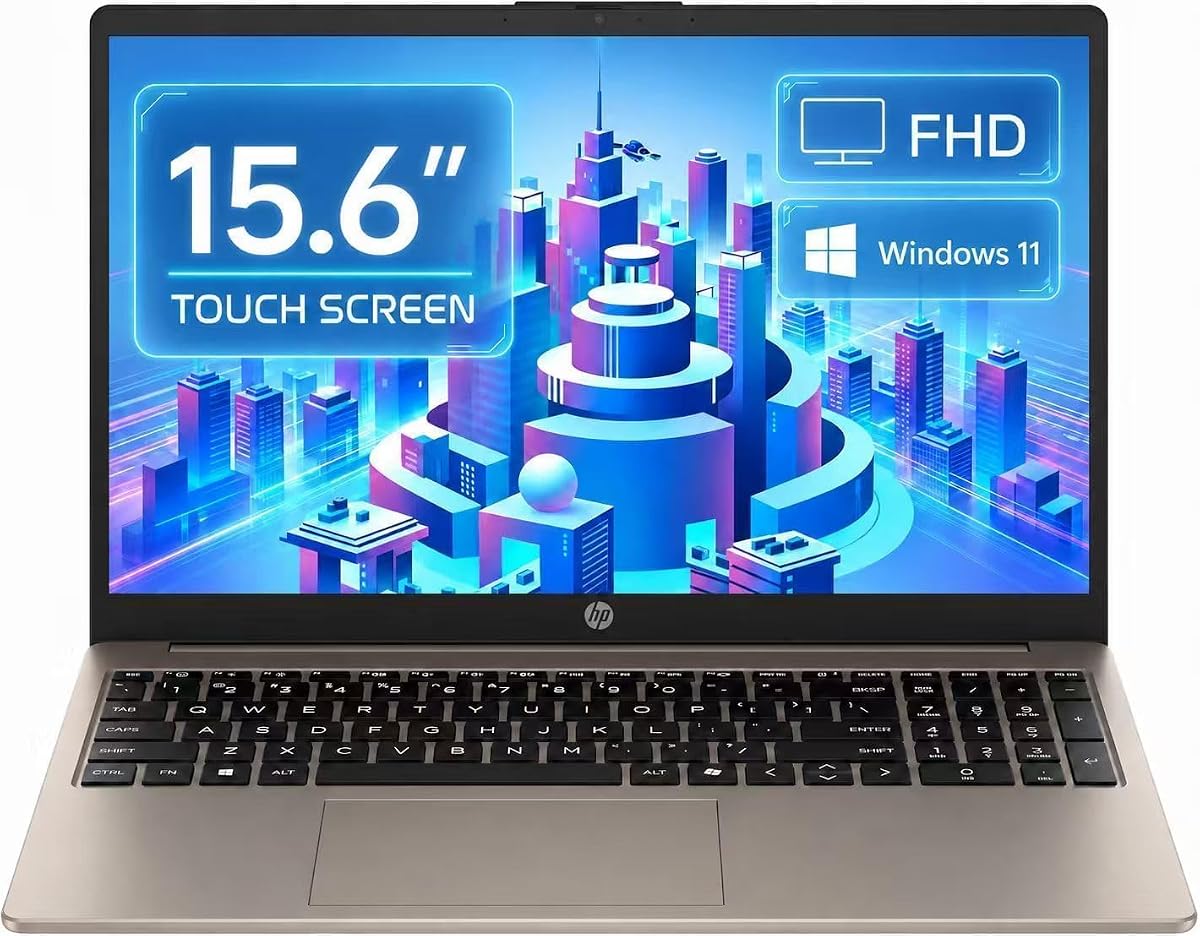
The HP Pavilion 15.6 Inch delivers a robust computing experience with a vivid anti-glare touchscreen. Its 4.1 rating reflects solid performance for daily tasks and media consumption.
We may earn a commission when you buy through this link, at no additional cost to you.
With 16GB RAM and a 1TB SSD, multitasking remains smooth even with multiple browser tabs and applications open. The Intel processor reaches speeds up to 3.8GHz ensuring responsive handling of office work.
While the touchscreen adds versatility, it can increase the weight slightly compared to non-touch models. The brightness at 300 nits is adequate indoors but may struggle in direct sunlight.
This laptop suits students and professionals needing a balance of screen real estate and performance. Its privacy shutter and long battery life make it reliable for travel and remote work.
The capacitive touchscreen allows intuitive navigation while the anti-glare coating reduces reflections for comfortable viewing in various lighting.
Up to 11 hours of battery life supports extended use without outlets. Wi-Fi 6 and Bluetooth 5.3 ensure fast wireless performance and seamless accessory pairing.
We may earn a commission when you buy through this link, at no additional cost to you.
The HP 14 inch Laptop offers excellent value with a clear anti-glare screen and efficient processor. It holds a 4.5 rating indicating strong user satisfaction for basic computing needs.
We may earn a commission when you buy through this link, at no additional cost to you.
Its 14 inch non-touch display provides vibrant visuals without reflections making it ideal for students or home users. The Intel N150 processor handles web browsing and document editing with ease.
Storage is limited locally to 128GB but compensated with 1TB cloud storage. The 4GB DDR5 RAM works well for light multitasking but may slow down with heavy applications.
This model is perfect for budget-conscious buyers seeking portability and essential features. The included Microsoft 365 subscription adds immediate productivity value upon setup.
Weighing just 3.24 lbs with a slim 0.71 inch profile it fits easily in bags for commuting or travel without strain.
USB 3.0 Type-C and Type-A ports plus HDMI enable versatile connections to peripherals and external displays for expanded workflows.
We may earn a commission when you buy through this link, at no additional cost to you.
The HP 17.3 inch Laptop provides an expansive workspace with its large anti-glare IPS display. A 4.5 rating confirms its quality for entertainment and productivity tasks.
We may earn a commission when you buy through this link, at no additional cost to you.
Featuring an AMD Ryzen 5 7430U CPU with six cores it handles demanding workloads smoothly. The 16GB RAM ensures fluid performance when switching between video editing and browsing.
While the screen offers excellent clarity at 300 nits the physical size adds weight making it less portable than smaller models. The premium build supports professional and home office use.
Ideal for users prioritizing screen real estate and processing power this laptop excels in stationary environments. The privacy shutter and AI features enhance security and efficiency.
The 17.3 inch IPS panel delivers wide viewing angles and vibrant colors while the anti-glare coating keeps reflections at bay.
A dedicated Copilot key streamlines workflows with AI assistance. Wi-Fi 6 and Bluetooth 5.4 provide stable fast connections for accessories and networks.
We may earn a commission when you buy through this link, at no additional cost to you.
This HP model delivers high performance with a 13th Gen Intel Core i7 processor and anti-glare screen. It earns a 4.4 rating for its balance of speed and visual comfort.
We may earn a commission when you buy through this link, at no additional cost to you.
The 15.6 inch FHD display offers crystal-clear visuals without glare making it suitable for extended work sessions. Fast charge technology allows quick power-ups from zero to fifty percent in minutes.
Intel Iris Xe graphics support multimedia and light creative tasks effectively. However the lack of a touchscreen may limit interactivity for some users seeking modern input methods.
Recommended for professionals needing speed and reliability this laptop handles complex applications smoothly. Its design focuses on efficiency and modern features for productive workflows.
HP Fast Charge lets you power down and recharge to fifty percent in about forty-five minutes reducing downtime during busy days.
The 13th Gen processor advances real-world computing while the anti-glare display ensures comfortable viewing for long periods without eye fatigue.
We may earn a commission when you buy through this link, at no additional cost to you.
This HP laptop combines a touchscreen anti-glare display with AI features for enhanced communication. Its 4.3 rating highlights reliability for general use and creative tasks.
We may earn a commission when you buy through this link, at no additional cost to you.
The AMD Ryzen 5 7520U processor supports smooth multitasking while the touchscreen allows intuitive navigation. AI noise reduction filters background sounds during calls ensuring clear voice transmission.
Storage is limited to 256GB SSD but fast access speeds compensate. The included laptop cooler adds value by maintaining performance during extended use.
Ideal for remote workers and students needing collaborative tools this model offers strong connectivity and security features. The anti-glare screen ensures comfort in bright environments.
AI noise reduction tracks only your voice during calls filtering distractions while the anti-glare touchscreen provides responsive interaction.
Windows 11 with Copilot streamlines tasks and the privacy shutter protects your privacy when not in use video conferencing.
We may earn a commission when you buy through this link, at no additional cost to you.
The Dell 15.6 Laptop is built for efficient everyday tasks with a clear FHD screen. It holds a 4.3 rating reflecting dependable performance for school and office use.
We may earn a commission when you buy through this link, at no additional cost to you.
Designed with energy-efficient batteries and Express Charge it keeps you productive longer. The ComfortView software reduces harmful blue light emissions supporting eye comfort during long viewing times.
While storage and RAM are standard the ergonomic hinges provide a comfortable typing angle. Onsite service offers peace of mind if hardware issues arise remotely.
This laptop is suitable for users needing a reliable machine for basic workflows. Its focus on ergonomics and battery efficiency makes it practical for daily routines.
Lifted hinges provide a better typing angle reducing wrist strain while ComfortView keeps eyes comfortable during extended screen time.
Express Charge support extends focus by quickly recharging batteries so you can continue working without long waits.
We may earn a commission when you buy through this link, at no additional cost to you.
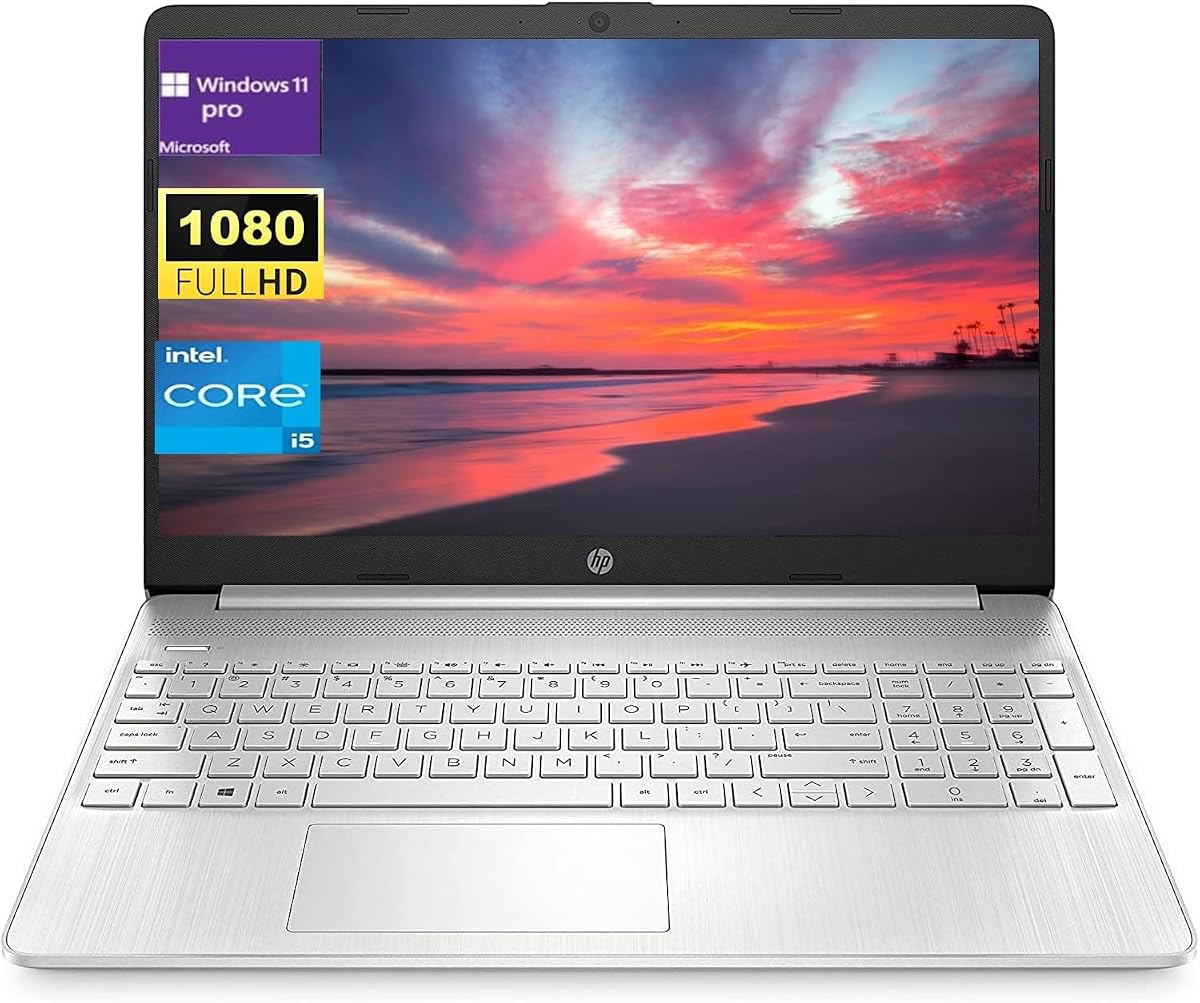
This HP model features Windows 11 Pro for enhanced business tools and security. Its 4.2 rating indicates solid reliability for professional environments.
We may earn a commission when you buy through this link, at no additional cost to you.
The 15.6 inch FHD display with anti-glare coating ensures clear visuals. An SD card reader simplifies file transfers from cameras while the Intel Core i5 processor handles daily tasks efficiently.
Battery life reaches up to 10 hours and 45 minutes supporting all-day use. The natural silver finish adds a professional aesthetic suitable for office settings.
Recommended for business users needing specific OS features this laptop offers balanced performance. Its connectivity options like HDMI and USB-C meet standard workstation requirements.
Windows 11 Pro provides advanced security and management tools essential for business workflows and data protection.
With SuperSpeed USB Type-C and Type-A ports plus an SD card reader you can connect diverse peripherals easily.
We may earn a commission when you buy through this link, at no additional cost to you.
The Lenovo Business 15.6" delivers robust performance with a high 4.6 rating. It is built to withstand daily wear while offering an anti-glare screen.
We may earn a commission when you buy through this link, at no additional cost to you.
Its 15.6 inch FHD display reduces eye strain in bright environments. The Intel N150 processor handles web browsing and video streaming smoothly for home users.
MIL-STD-810H testing ensures reliability under challenging conditions. However the mixed storage setup may result in slower boot times compared to pure SSD models.
Suitable for students and remote workers needing durability this laptop offers practical features. Microsoft 365 inclusion adds immediate value for productivity and cloud storage.
Testing under 21 military items ensures the chassis withstands bumps and environmental stress during daily transport.
Low Blue Light certification and anti-glare coating reduce eye fatigue supporting comfortable long hours of work.
We may earn a commission when you buy through this link, at no additional cost to you.
This HP 17 inch Laptop offers a spacious workspace with a clear anti-glare display. A 4.5 rating highlights its effectiveness for study and home office use.
We may earn a commission when you buy through this link, at no additional cost to you.
The AMD Ryzen 5 7430U processor ensures rapid boot-ups and instant application launches. Flicker-free technology and wide viewing angles enhance visual comfort for long sessions.
Its large size makes it bulky for frequent travel but ideal for stationary setups. The ergonomic lift-hinge design improves airflow and typing posture.
Recommended for users prioritizing screen space and multitasking this laptop delivers strong efficiency. AI features and modern connectivity streamline daily workflows effectively.
Enjoy sharp visuals on a 17 inch screen perfect for spreading out windows during research or document editing.
Lift-hinge design boosts airflow to maintain performance while offering a comfortable typing angle for extended use.
We may earn a commission when you buy through this link, at no additional cost to you.
The Dell Latitude 5420 is a renewed business laptop featuring an anti-glare touchscreen. Its 4.4 rating indicates reliable functionality for office environments.
We may earn a commission when you buy through this link, at no additional cost to you.
It includes 16GB DDR4 RAM and a 256GB SSD ensuring fast performance. The 14 inch display reduces reflections and touch adds ease for navigation.
While renewed units may vary in appearance performance remains consistent with business needs. Thunderbolt 4 and USB ports support versatile peripheral connections.
This model suits organizations or individuals seeking a cost-effective professional machine. Its build and OS features support secure and efficient daily operations.
Two Thunderbolt 4 ports and USB-A options allow fast data transfer and multiple monitor setups for expanded workspace.
Windows 11 Pro delivers enterprise tools and security features while the anti-glare touchscreen improves interaction comfort.
We may earn a commission when you buy through this link, at no additional cost to you.
Selecting the right laptop involves evaluating screen quality, performance, and portability. This guide outlines key factors to consider for optimal viewing comfort and usability.
Anti-glare coatings reduce reflections by diffusing light across the screen surface. This is crucial for outdoor work or bright offices where glossy screens create distracting glare. Look for models specifying matte or anti-glare finishes for clearer visibility.
Prioritize anti-glare displays to minimize eye strain during long sessions.
Brightness measured in nits affects visibility in various lighting. A minimum of 250 nits is recommended for indoor use but 300 nits or higher is better for versatility. Full HD resolution ensures crisp text and images for work.
Choose at least 300 nits and Full HD resolution for sharp visuals.
The processor determines how smoothly tasks run. For basic office work Intel Core i3 or i5 is sufficient while Core i7 handles heavier loads. AMD Ryzen processors offer competitive performance with strong multitasking capabilities.
Select a processor matching your workload intensity to ensure speed.
RAM affects multitasking efficiency. 8GB is standard for everyday tasks but 16GB is better for multiple applications. SSDs provide faster boot times and data access compared to traditional hard drives.
Aim for 16GB RAM and SSD storage for responsive performance.
Weight impacts convenience for travel. Laptops under 4 lbs are ideal for commuting while larger 17 inch models are better for stationary use. Consider your mobility needs when choosing screen size.
Choose lighter weights under 4 lbs for frequent movement.
Battery life influences productivity away from outlets. Look for models promising at least 8 hours of real usage. Fast charging features can reduce downtime significantly.
Opt for 8+ hours of battery life and fast charging support.
Ports like USB-C HDMI and SD card readers expand versatility. Wi-Fi 6 and Bluetooth 5.0+ ensure reliable wireless connections. Verify ports match your peripherals.
Ensure sufficient ports and modern wireless standards for your setup.
Windows 11 offers updated security and multitasking features. Business models may include Pro versions with added tools. Features like privacy shutters enhance security.
Select Windows 11 Pro for business and privacy features.
Clean the anti-glare screen gently with a soft microfiber cloth to avoid scratches. Avoid harsh chemicals or paper towels which can damage the matte coating. Light wiping removes dust without affecting display quality.
Adjust brightness settings to match your environment. Anti-glare screens work best in well-lit rooms. Use adaptive brightness features to reduce strain in varying conditions.
Store your laptop in a protective case when not in use. Avoid placing heavy items on top of the screen. Regular backups ensure data safety during travel.
An anti-glare screen has a matte coating that diffuses light to reduce reflections. This makes it easier to view content in bright rooms or outdoors without eye strain. It improves usability for long work hours.
Not all laptops come with anti-glare displays. Some models feature glossy screens for vibrant colors but these reflect more light. Always check specifications for matte or anti-glare mentions before buying.
Use a dry microfiber cloth to gently wipe the screen. Avoid spraying liquid directly on the display or using abrasive cleaners. This preserves the matte coating and prevents scratches over time.
Anti-glare coatings slightly soften image sharpness compared to glossy screens but reduce reflections significantly. For most users the comfort benefits outweigh minor clarity tradeoffs in bright environments.
14 and 15.6 inch models balance portability with screen real estate. 17 inch laptops offer larger anti-glare displays but are less portable. Choose based on whether you need mobility or desktop replacement.
By minimizing reflections the anti-glare screen reduces the need for eye focusing adjustments. This lowers fatigue during extended use especially under overhead lighting or near windows.
We reviewed ten laptops featuring anti-glare screens suitable for various needs. The HP Pavilion 15.6 inch and HP 17.3 inch offer premium experiences while the HP 14 inch provides budget value.
Prioritize display brightness and processor power if you work in bright environments. Consider portability if you travel often and memory for multitasking requirements.
Verify current availability and prices before purchasing as models change frequently. These options represent top choices for clear viewing and reliable performance.