
acer Nitro V 15.6” FHD IPS 165Hz Gaming Laptop
4.3Editor score
165Hz refresh rate display
8GB GDDR7 VRAM graphics
Thunderbolt 4 USB-C port
Finding the right laptop with an RTX 5050 GPU means balancing power efficiency with immersive gaming visuals. These machines bring next-generation ray tracing and AI acceleration to portable form factors without breaking the bank for most users.
We evaluated ten distinct models based on processor synergy, cooling efficiency, display refresh rates, and build durability. Each entry was selected for its ability to leverage the Blackwell architecture while maintaining reasonable thermals during sustained workloads and play.
Every pick highlights specific strengths like OLED panels, thin chassis designs, or robust port selections. Keep in mind that prices fluctuate frequently due to promotions and inventory shifts, so verify current deals before committing to a purchase decision today.
4.3Editor score

4.6Editor score

4.0Editor score
As an Amazon Associate we earn from qualifying purchases.
This side-by-side comparison breaks down the key specifications across all ten selected models to help you quickly identify which device aligns best with your specific workflow needs and performance expectations.




This Acer Nitro V stands out with an exceptional 180Hz display and powerful Core 7 processor, earning high marks for balanced performance in modern gaming and creative workflows.
We may earn a commission when you buy through this link, at no additional cost to you.
The NVIDIA Blackwell architecture enables advanced ray tracing while the dual-fan cooling system ensures stable thermals during extended sessions without excessive noise levels.
While the chassis is slightly heavy, the trade-off provides robust thermal management and a premium feel that justifies the carry weight for most stationary setups.
Buyers seeking a versatile gaming machine with superior visual fluidity and AI-driven enhancements will find this model offers significant value in today's competitive market.
The 180Hz refresh rate minimizes motion blur effectively for fast-paced titles and responsive competitive gaming experiences.
Intel Application Optimization allocates resources dynamically to improve overall system responsiveness during multitasking scenarios.
We may earn a commission when you buy through this link, at no additional cost to you.
This budget-friendly option delivers impressive value with an RTX 5050 and 165Hz screen making it ideal for entry-level gaming without sacrificing core visual performance.
We may earn a commission when you buy through this link, at no additional cost to you.
The inclusion of Thunderbolt 4 ensures future-proof connectivity options for high-speed data transfer and external display capabilities across various workflows.
While DDR4 memory is used here the overall system responsiveness remains snappy for most daily tasks and gaming scenarios with reasonable expectations.
Cost-conscious gamers looking for a reliable machine with essential high-end features like fast refresh rates and dedicated VRAM should prioritize this model.
The 165Hz screen ensures smooth animations that reduce eye strain during prolonged gaming or video editing sessions.
Thunderbolt 4 offers versatile docking solutions for external peripherals and displays with high-speed transfer rates.
We may earn a commission when you buy through this link, at no additional cost to you.
The IdeaPad Pro 5 offers a visually stunning OLED panel paired with Ryzen AI processing making it a standout choice for creative professionals and media consumers alike.
We may earn a commission when you buy through this link, at no additional cost to you.
Its 2.8K resolution combined with HDR support delivers rich contrast and deep blacks that elevate both gaming visuals and high-end content creation tasks significantly.
Although the OLED panel may have longevity concerns compared to IPS its vibrancy and color depth provide an immersive experience that few other laptops match currently.
Prospective buyers valuing display fidelity and premium aesthetics above raw performance metrics will appreciate the unique blend of power and visual excellence offered here.
The 2.8K OLED screen provides unmatched contrast ratios perfect for detailed design work and media consumption.
Ryzen AI 7 brings intelligent task management features that enhance multitasking without draining battery life quickly.
We may earn a commission when you buy through this link, at no additional cost to you.
Alienware brings premium build quality to the RTX 5050 category with its innovative Cryo-Chamber cooling that keeps performance consistent even during intense gaming marathons.
We may earn a commission when you buy through this link, at no additional cost to you.
The WQXGA display ensures crisp visuals while the sleek design avoids unnecessary bulk providing a refined look suitable for both office and home environments.
Onsite service inclusion adds significant value for business travelers or users who cannot afford downtime due to hardware failures or warranty repairs.
Gamers seeking a polished and reliable machine with superior thermals and professional support will find this model justifies its higher price tag easily.
Cryo-Chamber structure directs airflow precisely to core components ensuring stable frame rates during long sessions.
Dell Onsite Service minimizes disruptions by sending technicians to your location when hardware issues arise.
We may earn a commission when you buy through this link, at no additional cost to you.
The ROG Strix G16 pushes performance boundaries with advanced cooling like liquid metal and a vapor chamber enabling sustained high-clock speeds for demanding games and tasks.
We may earn a commission when you buy through this link, at no additional cost to you.
Wi-Fi 7 support ensures ultra-low latency connections for online gaming while the MUX Switch offers direct GPU access for maximum performance during critical gaming moments.
Tool-free access simplifies maintenance allowing users to upgrade RAM or storage easily without voiding warranty or requiring specialized tools for internal components.
Enthusiasts prioritizing top-tier cooling and connectivity options will appreciate the engineering behind this chassis despite the modest SSD size included out of the box.
Conductonaut extreme liquid metal improves thermal transfer to reduce heat buildup on the chipset during heavy loads.
Wi-Fi 7 delivers faster speeds and better stability than previous generations for seamless wireless networking.
We may earn a commission when you buy through this link, at no additional cost to you.
The Cyborg A15 combines portability with capable performance making it an excellent choice for students or professionals who need gaming power on the go daily.
We may earn a commission when you buy through this link, at no additional cost to you.
At just over four pounds it slips easily into backpacks while still delivering solid thermals and enough power for modern AAA titles at respectable frame rates.
The translucent keycaps provide a unique aesthetic but may not appeal to users preferring traditional keyboard looks or tactile feedback during typing tasks.
Mobility seekers wanting a balance of weight and performance will find this model offers significant convenience without sacrificing core gaming capabilities.
The slim profile allows easy transport between classes or work environments without added strain on daily commutes.
Translucent keycaps enhance visibility in low light while adding a futuristic visual identity to the device.
We may earn a commission when you buy through this link, at no additional cost to you.
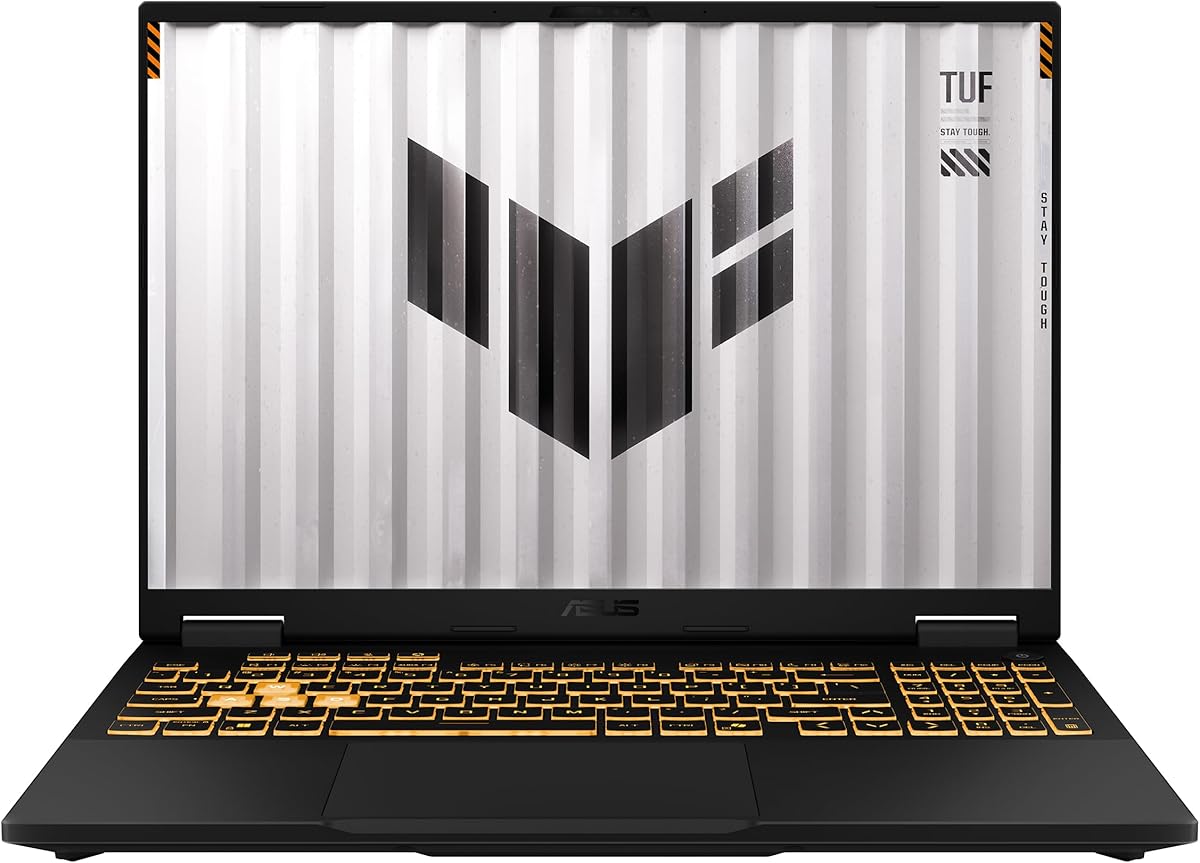
Built for resilience the TUF Gaming F16 passes strict military standards ensuring it can withstand accidental drops and harsh conditions better than many consumer grade laptops.
We may earn a commission when you buy through this link, at no additional cost to you.
The 165Hz screen delivers smooth motion and adaptive sync technology eliminates visual tearing which is crucial for competitive shooters and fast-paced gaming genres.
While the storage capacity is standard users may need to upgrade for larger libraries but the build durability and thermal management compensate well for this limitation.
Those needing a robust laptop for fieldwork or travel can rely on its proven durability without compromising on essential gaming performance and visual fluidity.
MIL-STD-810H certification ensures the chassis survives rough handling and environmental stress during use.
Adaptive-Sync keeps gameplay smooth by matching screen refresh rate to the GPU output for consistent frame delivery.
We may earn a commission when you buy through this link, at no additional cost to you.
Lenovo LOQ delivers exceptional value by pairing a capable Core i7 processor with ample storage and AI-enhanced features that tune performance automatically for various workloads.
We may earn a commission when you buy through this link, at no additional cost to you.
G-Sync support ensures tear-free visuals which enhances the gaming experience significantly while the AI Engine helps balance performance and battery life dynamically on the fly.
Though the design is understated compared to more colorful gaming rigs it offers a practical approach focusing on function and performance rather than flashy aesthetics.
Value seekers wanting high specs like large storage and strong processing without paying a premium should strongly consider this balanced configuration for daily use.
G-Sync synchronizes the display refresh rate with the GPU to eliminate screen tearing and stuttering.
AI Engine Plus automatically adjusts system settings to optimize performance based on active applications and tasks.
We may earn a commission when you buy through this link, at no additional cost to you.
The GIGABYTE A16 stands out with a slim chassis that remains portable without compromising on core performance capabilities needed for modern gaming and creative tasks.
We may earn a commission when you buy through this link, at no additional cost to you.
GiMATE introduces an intuitive interface for device control while the 180-degree hinge allows flexible positioning for sharing content or working in tight spaces.
Although software support can fluctuate with GIGABYTE the hardware fundamentals including the processor and GPU are robust enough for smooth daily operation overall.
Users prioritizing a sleek and portable design with unique interactive features will find this model offers a distinct alternative to standard gaming laptop options.
The slim chassis enables easy transport to cafés or co-working spaces without excessive weight or bulk.
GiMATE simplifies device management by creating personalized shortcuts for apps and system controls.
We may earn a commission when you buy through this link, at no additional cost to you.
The Katana provides reliable performance with a powerful Core i7 processor and enough battery capacity to support light tasks without immediate need for charging sessions.
We may earn a commission when you buy through this link, at no additional cost to you.
Its 144Hz display offers smooth visuals while basic connectivity options ensure users can link necessary peripherals for gaming or professional productivity workflows effectively.
Though the build materials are somewhat basic compared to premium models the internal hardware supports consistent performance that meets general user expectations well.
Those prioritizing battery endurance and raw processor speed over premium build aesthetics will find this model serves well for work and casual gaming tasks.
The 75Wh battery provides enough capacity for extended light use away from a power outlet comfortably.
Core i7 and DDR5 memory deliver consistent multitasking capabilities for demanding applications and workflows.
We may earn a commission when you buy through this link, at no additional cost to you.
Choosing the right laptop with RTX 5050 graphics requires understanding how specific components interact to deliver performance in gaming and productivity scenarios.
A balanced CPU ensures the GPU is not bottlenecked during high frame-rate gaming or rendering tasks. Look for Core 7 or Ryzen 7 chips paired with the RTX 5050 for best results.
Prioritize processors with strong AI cores if you use creative workflows.
Refresh rates above 144Hz reduce motion blur and make gameplay smoother. An 180Hz or higher panel enhances competitive gaming but may impact battery life.
Look for adaptive sync technologies like G-Sync to avoid screen tearing.
Sustained performance relies on cooling systems that keep the GPU and CPU from throttling. Models with advanced cooling like vapor chambers or dual fans maintain higher performance.
Thicker chassis often manage heat better than ultrathin designs.
DDR5 memory provides better bandwidth for modern gaming and creative tasks. Aim for at least 16GB to handle multitasking effectively.
PCIe Gen 4 SSDs ensure fast loading times and system responsiveness.
Check for Thunderbolt 4 or USB-C ports for external displays and high-speed transfers. Multiple HDMI ports or USB-A slots add versatility for peripherals.
Verify Ethernet availability if wired network connections are necessary.
Military-grade tested chassis can withstand travel and accidental drops. Premium materials enhance longevity but add to the overall cost.
Choose hinges that allow flexible positioning for comfort.
Wi-Fi 7 or 6E offers lower latency and faster wireless speeds. Bluetooth 5.3 ensures stable connections for peripherals like headphones and mice.
Future-proofing your connectivity saves money over time.
Batteries over 70Wh provide better endurance for light work. Fast charging capabilities allow quick top-ups during breaks.
Manage brightness and power modes to extend battery life.
Keep the laptop on hard flat surfaces to ensure proper airflow intake and exhaust. Avoid soft fabrics or beds that block cooling vents and cause overheating.
Use NVIDIA GeForce Experience software to update GPU drivers and optimize game settings. These tools help maintain performance efficiency without manual tweaks.
Regularly clean dust from vents using compressed air to prevent clogging. Monitor system temperatures periodically to detect potential thermal issues before they worsen.
Yes the RTX 5050 delivers solid performance for most modern games especially with DLSS enabled. It supports ray tracing and AI acceleration making it a capable mid-range GPU.
The RTX 5050 offers improved AI performance and power efficiency compared to the RTX 4050. It supports newer generation features and provides slightly better frame rates in supported titles.
Many models allow RAM upgrades via accessible slots. Always check the manual or product specs to confirm whether the memory is soldered or expandable before purchase.
Several models like the Acer Nitro V offer Thunderbolt 4 for high-speed data and external displays. Look for port icons or specs to confirm compatibility.
Yes it handles video editing and rendering tasks efficiently thanks to dedicated VRAM and AI acceleration. Creative software often benefits from the CUDA and Tensor cores.
With proper care and maintenance most gaming laptops last three to five years. Thermal maintenance and battery care extend their useful life significantly.
These ten options deliver diverse strengths from OLED displays to robust durability. Each model balances power and portability to suit different needs and budgets effectively.
Prioritize cooling and display quality if you game frequently. For creative work focus on color accuracy and memory capacity for optimal results.
Always verify current prices and warranty details before purchasing. Prices fluctuate often so checking deals ensures you get the best value today.