
Canon imageCLASS LBP6030w
3.8Editor score
Compact design fits anywhere
Wireless connectivity options
Low energy consumption mode
Discover the top laser printers with cheap toner options for home and office use. This guide compares ten models based on cost efficiency and print quality.
Finding a reliable laser printer with cheap toner is essential for managing office costs without sacrificing print quality. Many users struggle with high cartridge expenses that quickly outweigh the initial savings on the hardware itself.
We have analyzed ten top-rated models to identify those offering the best balance of performance and ongoing supply costs. Our comparison focuses on genuine toner pricing, subscription options, and yield rates to help you save money.
Each pick highlights specific strengths like wireless connectivity or duplex printing while noting potential drawbacks. Keep in mind that prices fluctuate frequently, so verify current deals before making your final purchase decision today.
3.8Editor score

4.1Editor score

4.3Editor score
This table provides a side-by-side comparison of the top ten laser printers selected for their toner efficiency and overall performance metrics.





The Brother HL-L2405W stands out as a top choice for users seeking a laser printer with cheap toner. It offers sharp black and white prints at an affordable price point with solid connectivity options.
We may earn a commission when you buy through this link, at no additional cost to you.
Its 30 pages per minute speed ensures efficient workflow for home offices. The Refresh EZ Print Subscription Service helps manage toner costs by offering significant savings on genuine supplies.
While it lacks automatic duplex printing, manual duplexing is possible. The compact design fits easily on desks without sacrificing performance or connectivity features for modern workflows.
This model is ideal for individuals needing reliable daily printing. It balances cost efficiency with quality output making it a strong recommendation for budget-conscious buyers.
The Refresh subscription service offers up to fifty percent savings on genuine Brother toner ensuring you always have supplies without high costs.
Dual-band wireless support allows seamless connection to multiple devices while the Brother Mobile Connect app simplifies remote management and monitoring.
We may earn a commission when you buy through this link, at no additional cost to you.
The Canon imageCLASS LBP6030w is an excellent entry-level option for those prioritizing initial cost and simplicity. It delivers basic wireless printing without complex features that add unnecessary expense.
We may earn a commission when you buy through this link, at no additional cost to you.
Using the Canon Genuine Toner 125 with a standard yield means predictable expenses. While slower than premium models it handles occasional printing needs effectively in small home environments.
Its compact design makes it suitable for tight spaces like dorm rooms or small desks. The lack of advanced features keeps the price low but may limit high-volume users.
Buyers looking for a straightforward printer should consider this model. It offers a balance of affordability and functionality for low to moderate printing requirements.
With a low purchase price and energy-saving modes this printer minimizes both upfront and operational costs for budget-conscious consumers.
Wireless connectivity enables printing from mobile devices and PCs without cables providing flexibility without compromising simplicity in operation.
We may earn a commission when you buy through this link, at no additional cost to you.
The Brother MFC-L2820DW offers comprehensive office capabilities in a compact design. It combines printing scanning copying and faxing with efficient toner usage through subscription services.
We may earn a commission when you buy through this link, at no additional cost to you.
At 36 pages per minute it handles high-volume tasks quickly. The touchscreen interface simplifies navigation while the auto document feeder speeds up multi-page tasks.
Its refresh subscription trial helps control ongoing supply costs significantly. While larger than basic models the functionality justifies the space requirement for serious home offices.
This printer is best for users needing multifunctional capabilities. It delivers professional results and convenience while managing costs through smart supply options.
The inclusion of scanning copying and faxing alongside printing reduces the need for separate devices streamlining workspace organization and utility.
Subscription services ensure continuous toner supply with potential savings reducing downtime and financial stress associated with running out of ink.
We may earn a commission when you buy through this link, at no additional cost to you.
The Canon imageCLASS MF3010 VP provides essential multifunction features without wireless complexity. It includes a substantial amount of toner in the box which helps immediate budget concerns.
We may earn a commission when you buy through this link, at no additional cost to you.
Using a wired connection ensures stable performance for desktop use. While slower than wireless models it is reliable for consistent daily printing needs in controlled environments.
The absence of wireless features limits flexibility but reduces potential connectivity issues. It remains a strong candidate for users prioritizing reliability over remote access.
Ideal for users who prefer straightforward operation. It delivers consistent results and includes supplies making it a practical choice for basic office requirements.
The included toner with a high yield reduces initial setup costs and ensures you can start printing immediately after unboxing.
USB connectivity offers a stable and secure link between the printer and computer minimizing risks associated with wireless interference.
We may earn a commission when you buy through this link, at no additional cost to you.
The Brother HL-L2460DW introduces automatic duplex printing to the compact laser category. This feature saves paper and costs while maintaining high-speed performance for busy users.
We may earn a commission when you buy through this link, at no additional cost to you.
With speeds up to 36 pages per minute it handles documents efficiently. The dual-band wireless connection ensures reliable connectivity across various devices without lag.
Refresh subscription options allow for predictable supply costs and savings. It strikes a good balance between advanced features and affordability for modern home offices.
Recommended for users needing frequent two-sided printing. It reduces manual effort and waste while keeping operational costs manageable over time.
Automatic duplex printing cuts paper usage in half reducing both environmental impact and long-term material expenses significantly.
Built-in dual-band wireless and mobile app support enable flexible printing options from virtually any device in the household.
We may earn a commission when you buy through this link, at no additional cost to you.
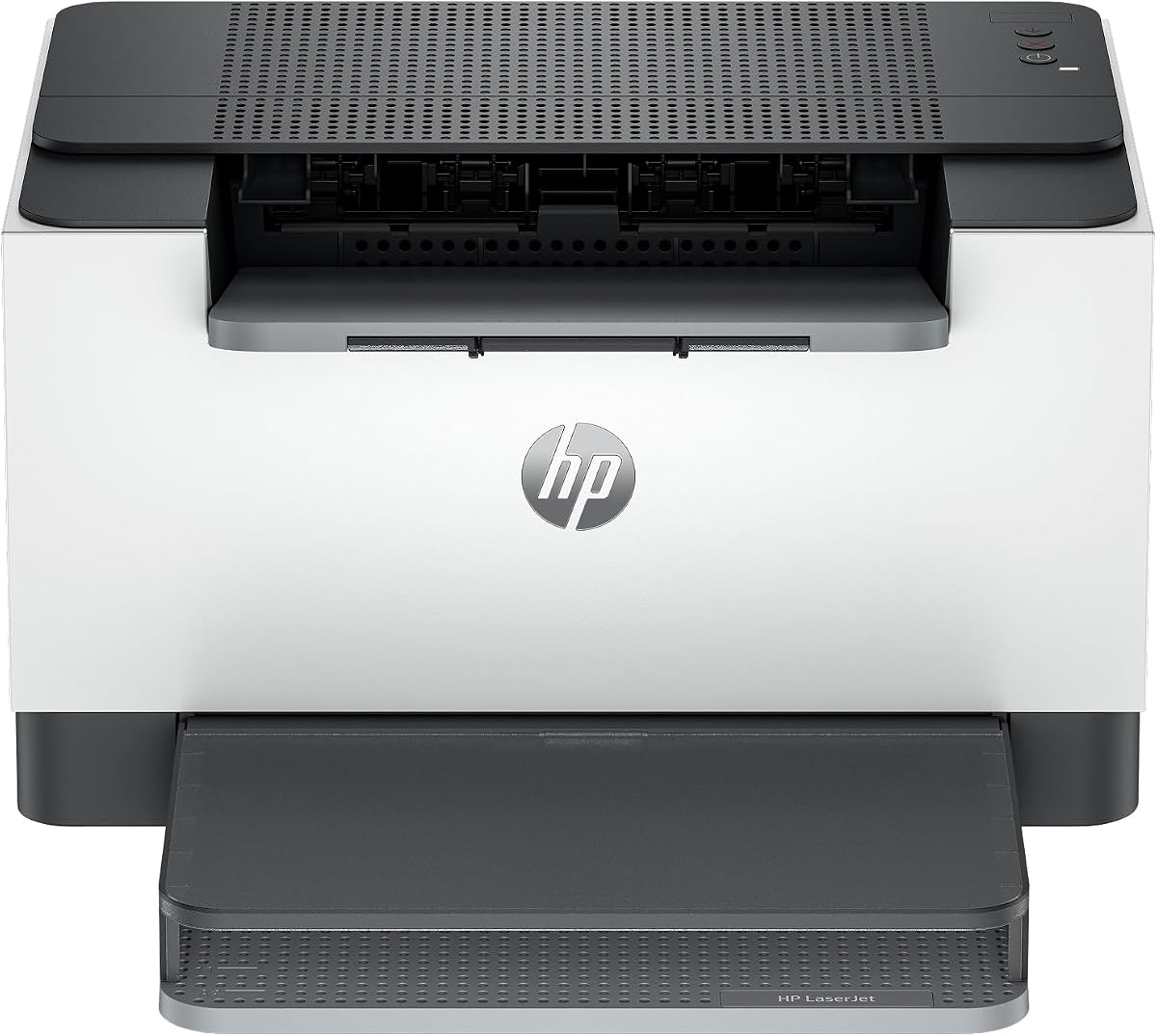
The HP LaserJet M110w is designed for simplicity and space efficiency. It offers fast wireless printing suitable for small teams or individual home users.
We may earn a commission when you buy through this link, at no additional cost to you.
Its HP Smart app streamlines setup and daily tasks easily. The printer fits easily into tight spaces making it ideal for limited desk areas.
HP's cartridge lock system ensures genuine use which can limit third-party toner options. However the reliability often justifies this restriction for business environments.
Good for those prioritizing ease of use over flexibility. It delivers consistent results with minimal setup effort for everyday printing needs.
Wireless self-reset and app guided setup make initial configuration straightforward reducing technical barriers for new users.
Mobile printing support allows users to print directly from phones or tablets offering flexibility without needing a computer.
We may earn a commission when you buy through this link, at no additional cost to you.
The HP LaserJet M209dw combines speed with efficiency through automatic duplex printing. It is designed for small teams needing reliable output with minimal downtime.
We may earn a commission when you buy through this link, at no additional cost to you.
The Instant Ink program allows for subscription-based toner delivery which can lower costs for regular users. Dual-band Wi-Fi ensures stable network performance in crowded environments.
While Instant Ink requires a subscription it simplifies supply management significantly. This model is a strong option for those wanting modern convenience features.
Ideal for small teams or frequent users. It balances performance and cost with smart connectivity and supply management tools effectively.
Instant Ink monitors usage and delivers supplies before running out ensuring continuous operation without manual intervention.
Dual-band Wi-Fi self-reset technology resolves connection issues automatically keeping the printer online and ready to use.
We may earn a commission when you buy through this link, at no additional cost to you.
The Canon imageCLASS LBP122dw offers duplex capability in a very small footprint. It is an excellent choice for users needing both sides printing without sacrificing desk space.
We may earn a commission when you buy through this link, at no additional cost to you.
Wireless connectivity and mobile app support make it versatile for modern workflows. The 30 pages per minute speed keeps document processing efficient for daily tasks.
Lack of a touchscreen means relying on software controls which some may find less intuitive. However the performance and space saving make up for it.
Suitable for home offices with space constraints. It delivers necessary features like duplex printing while maintaining a minimalist design.
The compact form factor allows placement in small corners or shelves saving valuable desk space while maintaining functionality.
Canon PRINT app support enables easy mobile printing from smartphones ensuring connectivity for users on the move.
We may earn a commission when you buy through this link, at no additional cost to you.
The HP LaserJet MFP M235sdw brings full office functionality to home users. It combines scanning copying and printing with secure features for safer document handling.
We may earn a commission when you buy through this link, at no additional cost to you.
Ethernet connectivity provides an alternative to wireless for more stable connections. Security features protect against potential attacks ensuring safe document processing.
While larger and pricier the all-in-one capabilities reduce equipment needs significantly. It is a comprehensive solution for users needing office-level security and output.
Best for users needing robust office features at home. It ensures secure efficient printing while managing costs through efficient toner use.
Built-in security features protect against potential attacks ensuring safe document handling for sensitive business materials.
Dual-band Wi-Fi and Ethernet support provide flexible connection choices suitable for various network environments.
We may earn a commission when you buy through this link, at no additional cost to you.
The Brother HL-L2480DW is a compact multi-function printer offering high speeds and intuitive control. Its touchscreen simplifies navigation and scanning tasks for daily use.
We may earn a commission when you buy through this link, at no additional cost to you.
With up to 36 pages per minute it handles high volumes efficiently. The Refresh subscription trial supports long-term cost management for regular users.
Larger than basic print-only models but remains compact for most desks. It offers a balance of speed and convenience for small office environments.
Recommended for users needing scanning and copying. It combines efficiency with cost-saving features to meet diverse printing needs.
The 2.7 inch touchscreen enables effortless navigation and simplifies complex tasks like scanning to cloud apps.
Works with Alexa and mobile apps for remote printing and management allowing seamless integration into smart homes.
We may earn a commission when you buy through this link, at no additional cost to you.
Selecting the right laser printer requires evaluating toner costs alongside performance and features to ensure long-term value.
Toner yield determines how many pages you can print before replacement. Look for models with high yields or subscription options to reduce cost per page significantly.
High yield cartridges offer better value over time for regular printing.
Faster printers reduce wait times during busy workdays. Aim for 30 pages per minute or more if you handle frequent large documents.
Aim for higher speeds to improve productivity in busy environments.
Automatic duplex printing saves paper and reduces costs. Manual duplexing adds time and effort which can hinder workflow efficiency.
Automatic duplex saves paper and reduces manual workload.
Wireless connectivity enables mobile and remote printing. Ethernet offers stability for shared office networks.
Wireless options enhance flexibility and ease of access.
Subscription services like Brother Refresh manage toner supply and offer discounts. They prevent unexpected supply runs and ensure continuous operation.
Subscriptions manage supply and offer predictable pricing.
Scanning and copying features reduce equipment needs. All-in-one models consolidate multiple tasks into one device.
All-in-one models reduce desk clutter and equipment costs.
Higher paper capacity reduces refills frequency. Look for at least 250 sheets for consistent workflow.
Larger trays minimize interruptions during heavy print jobs.
Built-in security protects sensitive documents. Features like firmware updates prevent unauthorized access.
Strong security ensures safe handling of confidential data.
Always use recommended toner cartridges to maintain print quality and prevent damage. Compatible cartridges may void warranties.
Keep the printer in a cool dry place to avoid toner clumping. Dust can also affect print quality.
Clean the printer regularly to remove toner residue. This extends the life of internal components.
Many printers accept compatible toners but some brands block them via firmware. Check model compatibility before purchasing third-party cartridges.
Subscription services monitor usage and ship supplies automatically. They often provide discounts on genuine toner and ensure you never run out unexpectedly.
Yes duplex printing saves paper which is a significant cost over time. It reduces manual effort and helps environmental efforts as well.
High yield toner options typically offer the lowest cost per page. Compare yield rates and cartridge prices to determine the best value model.
Wireless allows printing from mobile devices and laptops without cables. It is crucial for modern offices where devices vary.
Not all models include scanning. Look for All-in-One labels if scanning is required for your workflow.
Choosing the right laser printer depends on balancing speed cost and features. Our top picks offer reliable performance with affordable ongoing supply options.
Prioritize toner subscriptions and high yields to save money over time. Consider duplex features and connectivity needs to match your workflow.
Check current prices and deals before buying as costs vary frequently. With careful selection you can find a printer that meets your needs.