
Pulsar Gaming Gears X2H Crazylight Wireless Gaming Mouse
4.3Editor score
Featherlight 37 gram build weight
Symmetrical shape for all grips
XS1 flagship sensor for speed
Discover the top lightweight gaming mice in this guide comparing the lightest models for speed and precision including wireless and wired options for all
Finding the right gaming mouse can transform your experience from frustrating to fluid. Lightweight mice reduce strain and increase speed allowing you to react faster in competitive matches. This guide explores the best options available for players seeking minimal weight without sacrificing performance or durability.
We evaluated ten top models based on weight sensor quality battery life and build reliability. Our analysis includes wireless and wired designs across various price points to suit every gamer. Each product was selected for its ability to deliver precision and comfort during extended play sessions.
Every pick highlights key specs pros and cons to help you decide quickly. Note that prices may fluctuate due to sales or availability changes. We focus on factual data from manufacturers and verified user feedback to ensure accuracy and trustworthiness in our recommendations.
4.3Editor score

4.5Editor score
4.4Editor score
This table provides a quick side by side view of the most critical specs for each mouse. Compare weights sensors and connectivity modes to find the perfect match for your setup without reading through long reviews.




The Logitech G PRO X Superlight 2 is a top choice for competitive gamers seeking minimal weight. It earns a strong rating for its performance and build quality. This mouse stands out with its wireless freedom and exceptional precision.
We may earn a commission when you buy through this link, at no additional cost to you.
Its HERO 2 sensor delivers over 800 IPS tracking and up to 44000 DPI for flawless accuracy. The 8kHz polling rate ensures instant response times crucial for fast-paced games. Battery life reaches 95 hours on a single charge via USB-C.
Despite its light build it feels sturdy with quality materials and Zero-additive PTFE feet for smooth gliding. The trade-off is the premium price and lack of RGB effects which may matter to some users. These are acceptable for pros prioritizing speed.
Ideal for esports players and FPS enthusiasts who demand the best wireless performance. We recommend it for those willing to invest in top-tier gear for competitive edge.
The HERO 2 sensor offers calibration with zero smoothing ensuring your moves translate exactly on screen.
With 95 hours of battery life you can game for days without needing to recharge frequently.
We may earn a commission when you buy through this link, at no additional cost to you.
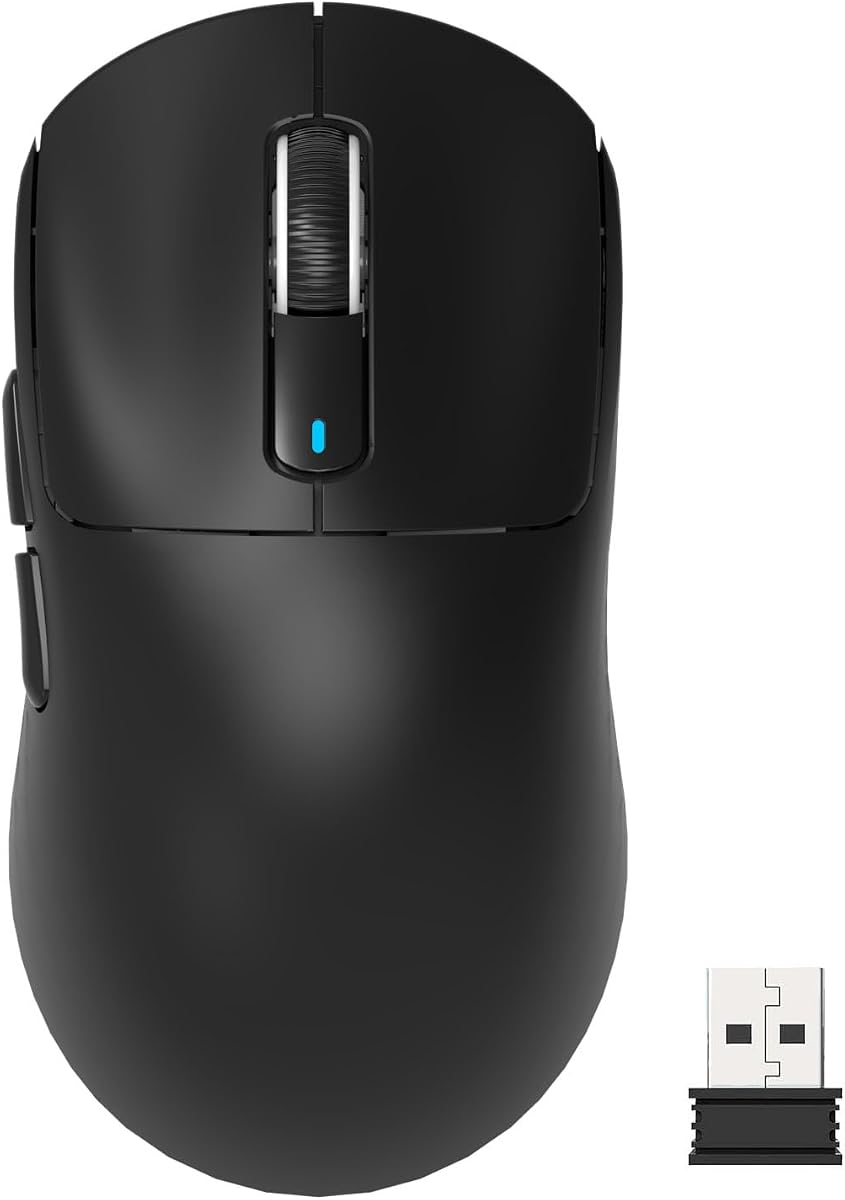
The Pulsar X2H Crazylight redefines lightweight gaming with a weight under an egg. It rates well for speed and precision due to its exclusive XS1 sensor. This mouse is designed for claw grip users who need maximum agility.
We may earn a commission when you buy through this link, at no additional cost to you.
Its 37 gram weight enables rapid flicks and reduced wrist fatigue during long sessions. The XS1 sensor supports 32000 DPI and 750 IPS tracking for unmatched accuracy. Optical switches ensure swift responses with minimal risk of double clicks.
The symmetrical shape fits both claw and relaxed claw grips effectively. While the small size may not suit larger hands or palm grip it excels for precision seekers. The included Dot Skates enhance smooth gliding on hard surfaces.
Best for competitive gamers with smaller hands who prioritize speed and low friction. We suggest it for those seeking a true featherlight experience without compromising performance.
Weighing just 37 grams this mouse allows for effortless flicks and faster reactions in any game.
The XS1 sensor provides 32000 DPI and 750 IPS tracking for flawless accuracy across surfaces.
We may earn a commission when you buy through this link, at no additional cost to you.
The Redragon M725 offers incredible value with a lightweight build and versatile connectivity. It rates highly for its 49 gram weight and tri mode support. This mouse proves you do not need to spend heavily for speed.
We may earn a commission when you buy through this link, at no additional cost to you.
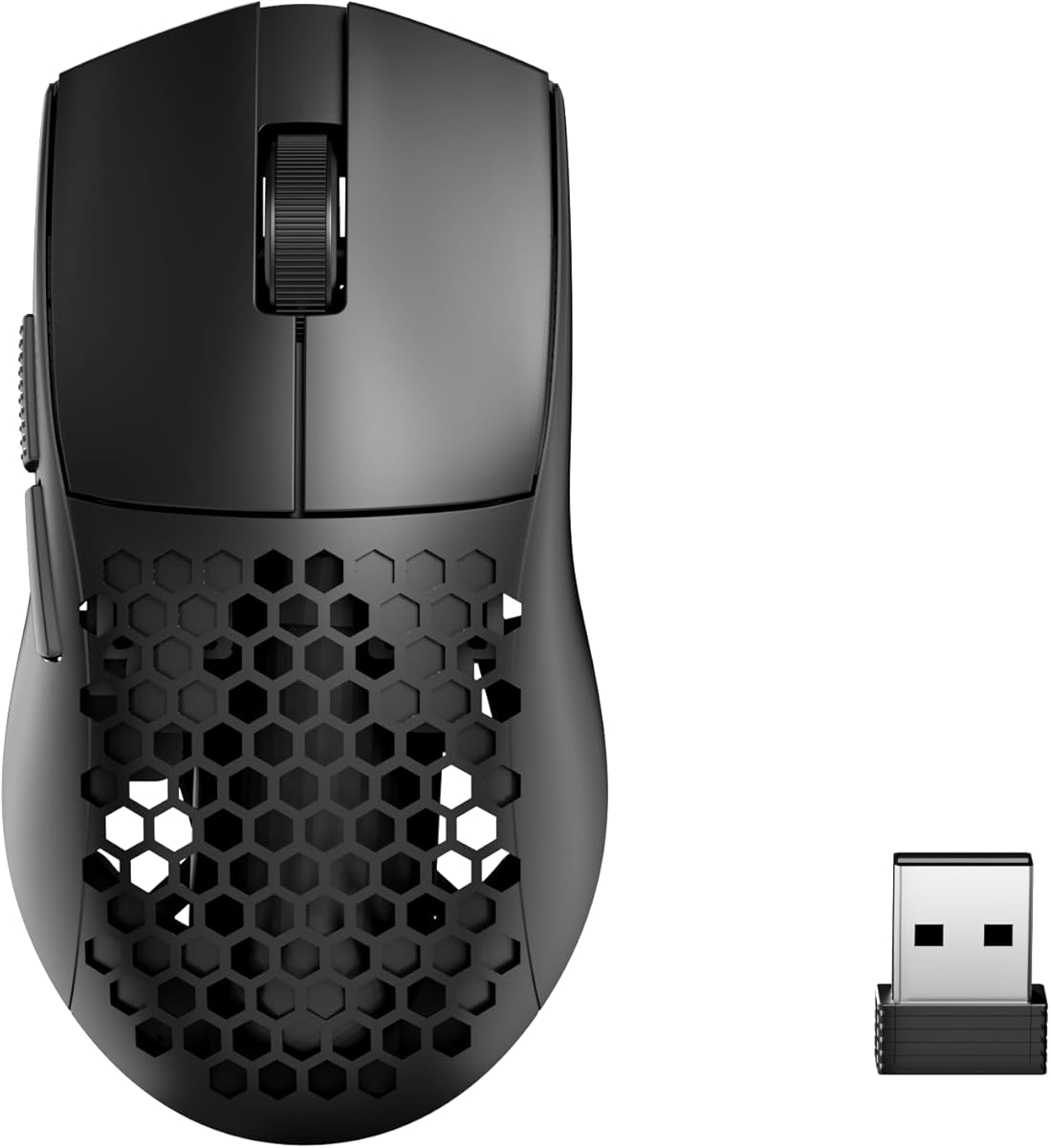
Its 8000 DPI sensor covers most gaming needs with five adjustable levels. The honeycomb shell reduces weight and keeps hands dry during intense sessions. Three connection modes let you switch seamlessly between devices and setups.
The trade-off is a lower DPI limit compared to high-end models and simpler software. These are acceptable for casual gamers or those on a tight budget. It remains a strong choice for entry-level lightweight gaming.
Ideal for budget conscious players wanting wireless freedom without high costs. We recommend it for beginners or secondary setups where value matters most.
Tri mode support allows easy switching between Bluetooth 2.4G and wired connections for any scenario.
At a low price this mouse delivers reliable performance and comfort for extended gaming use.
We may earn a commission when you buy through this link, at no additional cost to you.
The Razer Viper V3 HyperSpeed balances weight and power with a unique AA battery design. It rates well for its 280 hour battery life and FOCUS PRO sensor. This mouse is great for long play sessions without recharge downtime.
We may earn a commission when you buy through this link, at no additional cost to you.
Its 82 gram design offers stability without excess weight. The sensor tracks flawlessly on glass surfaces and up to 30000 DPI. Optical switches ensure 60 million click lifespan for lasting reliability and crisp execution.
The AA battery setup adds slight weight but removes charging worries. While heavier than superlight models it suits those prioritizing battery over grams. It is a practical choice for daily gaming setups.
Ideal for players needing long endurance and reliable wireless. We recommend it for casual to mid-level gamers who value convenience.
Enjoy up to 280 hours of gaming on one AA battery for uninterrupted play sessions.
The FOCUS PRO sensor ensures accuracy even on glass surfaces for diverse desk setups.
We may earn a commission when you buy through this link, at no additional cost to you.
The Logitech G305 Lightspeed is a proven wireless mouse known for reliability and portability. It rates highly for its 250 hour battery and compact form. This mouse is perfect for travel and small desk spaces.
We may earn a commission when you buy through this link, at no additional cost to you.
Its HERO sensor delivers 12000 DPI and low power usage for consistent tracking. The design is simple but effective for general gaming and daily use. Endurance mode extends battery life to nine months for minimal maintenance.
While heavier than ultra-light options it remains lightweight for a wireless mouse. The lack of extra features keeps costs low and usability high. It is a trusted choice for broad audiences.
Ideal for students and travelers needing a dependable wireless mouse. We recommend it for those seeking simplicity and long battery life.
Its compact size and built-in receiver storage make it easy to carry in any laptop bag.
The HERO sensor uses up to ten times less power than older models for extended play.
We may earn a commission when you buy through this link, at no additional cost to you.
The MCHOSE L7 Pro delivers extreme lightness with a 39 gram build and 8K receiver. It rates well for its high polling rate and ergonomic hump design. This mouse targets pros who need rapid updates and comfort.
We may earn a commission when you buy through this link, at no additional cost to you.
Its 8K polling rate ensures sub-millisecond latency for instant feedback. The ergonomic shape supports various hand sizes and grip styles effectively. Optical switches provide 150 million click durability for long-term use.
The trade-off is less brand recognition and a driver that may need tweaking. These are acceptable for tech-savvy users seeking peak specs. It stands out as a powerful contender.
Ideal for gamers wanting top-tier polling without premium costs. We recommend it for enthusiasts ready to customize their setup.
With 8K polling this mouse updates your input eight thousand times per second for instant response.
The high hump and small waist angle fit most hands for reduced strain during play.
We may earn a commission when you buy through this link, at no additional cost to you.
The ATTACK SHARK X3 brings flagship specs at a friendly price point. It rates well for its PAW3395 sensor and tri mode connectivity. This mouse offers pro-level performance without the usual premium cost.
We may earn a commission when you buy through this link, at no additional cost to you.
Its 49 gram weight and ergonomic body reduce fatigue over long sessions. The sensor tracks up to 26000 DPI and 650 IPS for precise control. Kailh switches provide 80 million clicks for lasting durability and crisp sound.
The trade-off is a learning curve with the driver and simple look. These are acceptable for those focused on function over form. It competes well with pricier rivals.
Ideal for gamers needing top specs on a budget. We recommend it for value seekers who want flexibility.
The PAW3395 sensor delivers industry leading tracking for competitive accuracy and speed.
Tri mode lets you switch between wireless wired and Bluetooth for any device scenario.
We may earn a commission when you buy through this link, at no additional cost to you.
The Pulsar X2 Crazylight offers a medium version of the featherlight X2H for larger hands. It rates well for its 39 gram weight and XS1 sensor accuracy. This mouse suits fingertip or claw grip users seeking speed.
We may earn a commission when you buy through this link, at no additional cost to you.
Its symmetrical shape supports stable holds while minimizing wrist movement. Optical switches ensure swift responses with minimal double-click risk. The included Dot Skates maintain smooth gliding on hard surfaces over time.
The trade-off is a premium price and color that shows dirt. These are acceptable for pros focused on performance. It remains a top tier wireless option.
Ideal for larger handed gamers wanting ultra-light speed. We recommend it for competitive players who prefer medium sizing.
The XS1 sensor provides 32000 DPI and 750 IPS tracking for flawless accuracy.
Optical switches deliver instant responses without unintended double clicks for clean input.
We may earn a commission when you buy through this link, at no additional cost to you.
The ASUS ROG Harpe Ace Mini is co-developed with pros for fingertip and claw grips. It rates well for its 49 gram weight and aimpoint pro sensor. This mouse is built for competitive play on any screen size.
We may earn a commission when you buy through this link, at no additional cost to you.
Its 36000 DPI and track-on-glass technology ensure pixel perfect accuracy. The tri-mode setup lets you connect up to three devices easily. ROG Omni Receiver links multiple devices for a clean desk setup.
The trade-off is limited to small hands and higher cost than basic options. These are acceptable for serious players seeking pro gear. It delivers reliability where it counts.
Ideal for competitive gamers with smaller hands. We recommend it for those who need a proven esports tool.
Co-developed with pro players this shape fits fingertip and claw grips for optimal control.
Tri-mode supports three devices at once for easy switching between gaming and work.
We may earn a commission when you buy through this link, at no additional cost to you.
The Redragon M808 Storm brings lightweight gaming to a budget wired setup. It rates well for its honeycomb shell and RGB customization. This mouse is great for players who prefer no battery or wireless worries.
We may earn a commission when you buy through this link, at no additional cost to you.
Its 85 gram shell with cutouts reduces weight and keeps hands cool. The 12400 DPI sensor covers most gaming needs with software support. Seven buttons allow complex macros and key bindings for diverse tasks.
The trade-off is the cable and slightly higher weight than wireless superlights. These are acceptable for desktop setups where cord drag is minimal. It offers style and function cheaply.
Ideal for budget desktop gamers wanting RGB and macros. We recommend it for those avoiding wireless costs.
Sixteen million color options let you match your setup with full software control.
Seven buttons support custom macros for faster execution of complex in-game actions.
We may earn a commission when you buy through this link, at no additional cost to you.
Choosing the right lightweight mouse depends on your grip size preferred weight and budget. Here are key factors to consider before you buy.
Weight is the most obvious factor for lightweight mice. Aim for under 70 grams for fast movement. Balance ensures the mouse feels natural in hand without feeling too light to control.
A good sensor ensures your movements translate accurately to the screen. Look for DPI up to 20000 and high IPS tracking. Optical sensors avoid acceleration issues common in older models.
Wireless offers freedom but wired removes latency worries. Choose wireless with low latency tech like 8K polling. Wired options often cost less and avoid battery needs.
For wireless models battery life is key to uninterrupted play. Aim for 50 hours or more on a charge. Some mice use replaceable batteries for endless use without cables.
Match the shape to your grip style like palm claw or fingertip. Symmetrical designs work for most but ergonomic shapes suit right-handed players. Proper fit prevents strain during long sessions.
Lightweight mice can still be durable. Check for PTFE feet and strong switches. Avoid models with creaky shells or flimsy materials that break easily.
Budget options deliver speed under fifty dollars. Premium models offer advanced sensors and wireless. Decide how much you spend based on your skill level and needs.
Clean your mouse regularly with a microfiber cloth to remove dust. Avoid harsh chemicals that may damage coatings or PTFE feet.
Update firmware and drivers for best performance. Software often adds features and fixes bugs to keep your mouse running well.
Store your mouse in a safe place when not in use. If wireless turn it off after sessions to save battery life and power.
Yes lighter mice reduce wrist strain and allow faster flicks. They make aiming easier especially in FPS games. However choose a weight you can control well.
Keep it clean and charged. Update drivers via software. Store it safely and avoid drops to protect internal parts.
Yes many work well for both work and play. Their comfort helps with long tasks. Just ensure it has enough buttons for your needs.
Most gamers use 800 to 3200 DPI. Higher DPI allows faster movement but requires more control. Adjust based on your screen size.
Not if built well. Look for durable switches and strong shells. Avoid models with cheap materials and read reviews for reliability.
Depends on usage and battery life. Charge when indicators show low. Use endurance mode if available to extend time.
The Logitech G PRO X Superlight 2 Pulsar X2H and Redragon M725 top this list. They offer speed and value for different budgets.
Prioritize weight sensor and connectivity that fit your play style. Comfort matters just as much as specs for long gaming sessions.
Prices may change so check current deals before buying. Investing in the right mouse improves performance and enjoyment.