
Logitech G305 Lightspeed Wireless Gaming Mouse – Black
4.6Editor score
HERO sensor up to 12000 DPI
LIGHTSPEED wireless 1ms response
250 hours battery life per AA
This guide compares the top 10 lightweight mice for gaming and productivity, analyzing sensors, weight, battery life, and ergonomics to help you choose.
Finding the right lightweight mouse can transform your daily computing experience. Whether you are a competitive gamer seeking speed or a professional needing precision, a lighter design reduces hand fatigue and improves control. This guide explores ten top options that balance portability with performance.
We evaluated these mice based on sensor accuracy, build quality, battery efficiency, and overall user comfort. Our analysis covers wired and wireless models across various price points. Each product was selected for its ability to deliver smooth tracking and responsive clicks without unnecessary bulk or weight.
Every pick highlights specific strengths like unique sensors, ergonomic shapes, or extended battery life. You will see detailed specs and real-world performance notes for each model. Please note that prices and availability change frequently, so check current listings before making your final purchase decision today.
4.6Editor score

4.5Editor score

4.6Editor score
This comparison table lists all ten lightweight mice side by side. It highlights key specifications like weight, sensor type, connectivity, and battery life. Use this overview to quickly identify which model fits your specific gaming or work needs.





The Logitech G305 Lightspeed Wireless Gaming Mouse stands out as a top choice for budget conscious gamers. It delivers impressive performance with a HERO sensor that offers high accuracy. The wireless connection is stable and responsive for competitive play.
We may earn a commission when you buy through this link, at no additional cost to you.
Its battery life is exceptional, lasting up to 250 hours on a single AA battery. This longevity reduces the need for frequent replacements. The lightweight mechanical design ensures quick movements without adding strain to your hand.
One trade-off is the reliance on an AA battery which adds some weight compared to rechargeable models. However, the efficiency of the battery usage mitigates this concern. It remains a strong performer for daily gaming sessions.
Gamers looking for reliable wireless performance at an affordable price should consider this model. It balances weight, speed, and battery efficiency effectively. It is an ideal entry point into wireless gaming mice.
The HERO sensor provides precise tracking with up to 12000 DPI sensitivity for detailed control.
With up to 250 hours of continuous gameplay, you can play for months on one battery.
We may earn a commission when you buy through this link, at no additional cost to you.
The white variant of the Logitech G305 offers the same high performance in a sleek design. It features the same HERO sensor and LIGHTSPEED wireless technology. This model appeals to users who prefer a lighter visual look for their setup.
We may earn a commission when you buy through this link, at no additional cost to you.
Performance remains consistent with the black version. The 1ms response time ensures minimal lag during gaming. Battery life is equally impressive at 250 hours. The compact design makes it easy to carry in a laptop bag.
The main drawback is a slightly higher price compared to the black variant. Some users may also find the AA battery limitation less convenient than USB-C charging. Yet, for style focused buyers, it is a great choice.
If you want a premium look without sacrificing performance, this white mouse is ideal. It fits well in minimalist setups and delivers solid gaming utility. It is a strong alternative for aesthetic preferences.
The white finish complements modern desk setups and adds a touch of elegance.
All technical specifications match the black version for consistent gaming performance.
We may earn a commission when you buy through this link, at no additional cost to you.
The Logitech G PRO X Superlight 2 is a top tier wireless gaming mouse built for pros. It weighs only 60 grams which makes it one of the lightest options available. The HERO 2 sensor offers unparalleled tracking precision up to 44000 DPI.
We may earn a commission when you buy through this link, at no additional cost to you.
With an 8kHz polling rate, this mouse delivers incredibly fast response times. It is designed with esports pros to ensure every click counts. The battery lasts 95 hours which is sufficient for extended sessions between charges.
The high price reflects its advanced engineering and materials. It lacks the RGB lighting found on other models to save weight. However, performance focused users will appreciate the pure functionality and lack of distractions.
Professionals and serious gamers should choose this for its speed and accuracy. It removes unnecessary features to focus on core performance. It is a benchmark for lightweight wireless gaming.
At 60g, this mouse reduces hand fatigue and enables rapid movement.
The new sensor provides zero smoothing and maximum tracking accuracy.
We may earn a commission when you buy through this link, at no additional cost to you.
The Logitech G PRO X2 SUPERSTRIKE brings groundbreaking haptic technology to gaming mice. Its Haptic Inductive Trigger System gives real time feedback during play. This feature enhances immersion and allows precise control over actions.
We may earn a commission when you buy through this link, at no additional cost to you.
Powered by the HERO 2 sensor it offers 44000 DPI tracking and 8kHz polling. The thin wall case reduces weight while maintaining durability. Battery life ranges from 60 to 90 hours depending on usage settings.
The main trade off is the high cost and the need for software to unlock full features. Some users may find the haptic feedback distracting initially. However, for competitive play it offers a unique advantage.
Users seeking cutting edge tech will love this mouse. It is built for those who want the latest in click customization and feedback. It stands out as the most innovative option here.
This system replaces standard switches with an electromagnetic field for unique feedback.
8 kHz polling ensures minimal latency for tournament level performance.
We may earn a commission when you buy through this link, at no additional cost to you.
The Redragon M612 offers a solid wired experience with strong customization. It features an 8000 DPI optical sensor suitable for various games. The 11 programmable buttons allow for tactical keybinds in any title.
We may earn a commission when you buy through this link, at no additional cost to you.
Its ergonomic claw grip design reduces fatigue during long sessions. The RGB backlight adds style to your gaming space. Being wired ensures a stable connection without battery concerns.
The wired nature limits portability compared to wireless models. It is also heavier which may not suit all users seeking extreme lightness. But for desktop users, it is a reliable and affordable choice.
Budget gamers who need multiple buttons and RGB lighting will find this useful. It delivers good value for the price. It is a practical pick for home setups.
Eleven buttons can be remapped to support complex gaming strategies.
The claw grip shape supports natural hand positions to reduce strain.
We may earn a commission when you buy through this link, at no additional cost to you.
The Logitech G502 Hero is known for its versatile weight system. You can add or remove up to five 3.6g weights to match your style. The HERO sensor tracks movements with sub micron accuracy.
We may earn a commission when you buy through this link, at no additional cost to you.
It includes 11 programmable buttons and a dual mode hyper fast scroll wheel. This allows deep customization for work and gaming tasks. Mechanical switch tensioning provides a crisp click feel.
It is heavier than ultralight options which might not suit pure speed fans. The wired design also limits mobility. Yet, for those who prefer a solid feel, it is excellent.
Users who value weight customization and durability will appreciate this model. It is a robust choice for desktop gaming. It balances control and precision well.
Adjustable weights let you personalize the feel to match your preference.
The HERO sensor delivers precise tracking up to 25600 DPI.
We may earn a commission when you buy through this link, at no additional cost to you.
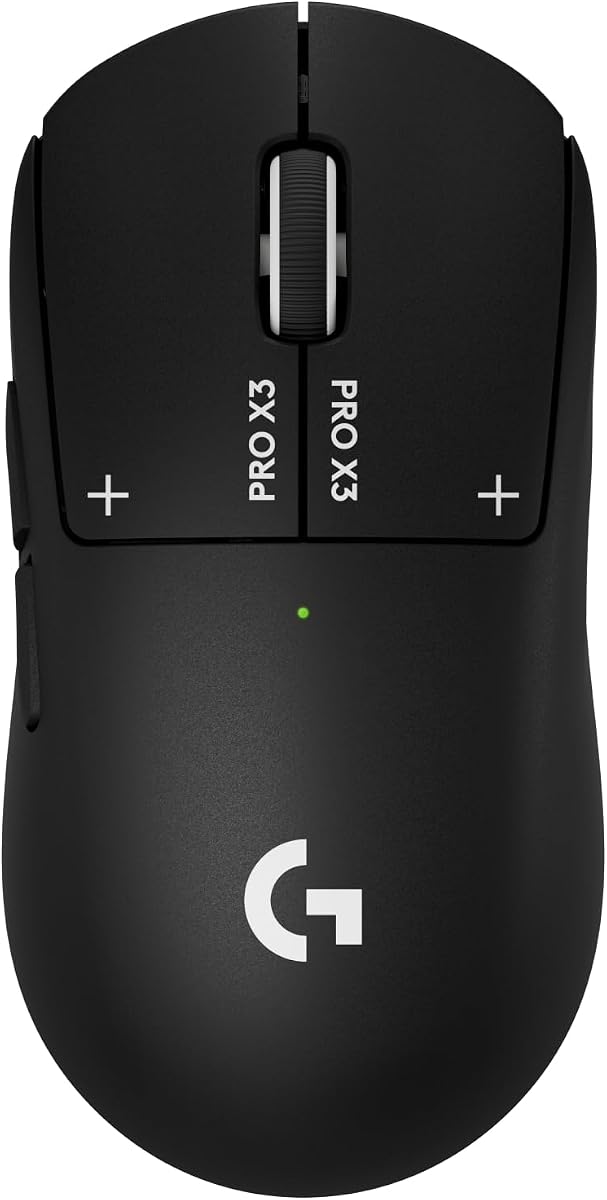
The Logitech G PRO X3 SUPERSTRIKE pushes the limits with 135 hours battery life. It uses the HERO 2 sensor for precise tracking up to 48000 DPI. The lightweight case and UHMWPE feet ensure smooth gliding.
We may earn a commission when you buy through this link, at no additional cost to you.
Its electromagnetic field trigger system allows up to 10 actuation points. This adds a layer of customization for competitive play. It is also compatible with POWERPLAY for endless wireless use.
The price remains high which may limit accessibility. It requires software for full feature access. However, for pro users, the battery and feedback are worth the investment.
Gamers who play long sessions without charging will benefit most. It offers top tier precision and comfort. It is a strong contender for serious esports.
Up to 135 hours on a single charge reduces interruptions during use.
The latest sensor offers high speed tracking and zero smoothing.
We may earn a commission when you buy through this link, at no additional cost to you.
The Logitech M185 is a simple and portable wireless mouse. It is ambidextrous so it works for both left and right handed users. With 1 year battery life it saves power costs.
We may earn a commission when you buy through this link, at no additional cost to you.
It features a contoured shape that feels comfortable for daily tasks. The 33 feet range gives you freedom to move around. It is ideal for office work or travel.
It lacks advanced gaming sensors or programmable buttons. It is not built for competitive play. But for general computing it is reliable and efficient.
Anyone needing a basic mouse for work should consider this. It is budget friendly and long lasting. It simplifies your desk setup.
The small size makes it easy to carry in a laptop bag.
A full year of battery life means minimal maintenance.
We may earn a commission when you buy through this link, at no additional cost to you.
The Logitech M330 Silent Plus reduces click noise by 90 percent. This makes it ideal for shared offices or quiet workspaces. It features a contoured design for long term comfort.
We may earn a commission when you buy through this link, at no additional cost to you.
Battery life lasts 18 months which minimizes battery changes. It uses a wireless receiver that is compatible with most systems. It is a full size mouse that suits many hand sizes.
The silent click may feel less tactile for gaming. It is not optimized for high speed movement. However, for work it is a top choice.
Professionals who value quiet and comfort will enjoy this mouse. It is practical for daily use. It reduces distractions in busy environments.
This technology reduces clicking sounds for a peaceful workspace.
18 months of use means fewer interruptions for battery changes.
We may earn a commission when you buy through this link, at no additional cost to you.
The Logitech MX Master 4 is a productivity focused wireless mouse. It offers a MagSpeed scroll wheel that stops on a pixel. The haptic panel allows feedback on shortcuts and notifications.
We may earn a commission when you buy through this link, at no additional cost to you.
It features quiet clicks and an ergonomic tilt for comfortable use. It supports both Bluetooth and USB-C dongle connectivity. The recycled materials make it environmentally friendly.
Its weight and size make it less ideal for gaming. It is designed for office work and creative tasks. The price reflects its premium features and build quality.
Professionals needing efficiency will love this mouse. It adapts to apps for better workflow. It is the best choice for productivity.
This wheel allows fast scrolling with precision stopping on pixels.
The panel offers customizable tactile feedback for actions and notifications.
We may earn a commission when you buy through this link, at no additional cost to you.
Choosing the best lightweight mouse requires attention to key factors. These considerations help ensure the model fits your needs and budget.
A high performance sensor ensures precise tracking. Look for HERO or similar advanced sensors. DPI should match your usage needs for control.
Select a sensor that offers zero smoothing for accurate tracking.
Lightweight mice reduce hand fatigue. Check the weight in grams. Ergonomic shape should fit your hand size comfortably.
Aim for models under 70g for true lightweight performance.
Wireless offers freedom but needs battery. Wired ensures stable connection. Choose based on your need for portability.
Wireless with low latency is best for gaming.
Battery life determines convenience. AA batteries are easy to swap. USB-C charging is modern and reusable.
Look for long life to reduce interruptions.
Durable materials ensure longevity. Thin wall designs reduce weight without breakage. Check for quality feet for smooth movement.
Quality construction prevents issues over time.
Polling rate affects response speed. 8kHz is ideal for pro gaming. Low latency ensures clicks register instantly.
Prioritize high polling rates for competitive play.
Software allows button mapping and sensitivity adjustment. Look for flexible tools. Some mice offer haptic feedback customization.
Good software enhances overall user control.
Budget options exist but may lack features. Premium models offer better tech. Balance cost with what you need.
Value depends on long term use and reliability.
To use your lightweight mouse effectively adjust sensitivity in settings. Ensure the surface you use is clean and smooth. This helps tracking accuracy.
Keep the mouse clean by wiping it regularly. Dust can accumulate on sensors and feet. Use a soft cloth for care.
For wireless models charge or replace batteries as needed. Store them in dry places. Proper care extends their life.
A lightweight mouse typically weighs under 70 grams. It uses thin shell designs and efficient internal components. This reduces hand fatigue during use.
Yes modern wireless mice offer 1ms response times. This matches wired performance. They use advanced connectivity like LIGHTSPEED.
Battery life ranges from 250 hours to 90 hours. It depends on features like polling rate and haptics. Proper use extends this.
For many players yes because it enables faster movements. Less weight means less strain. It suits fast paced competitive games well.
Yes they come in various shapes. Some are compact for small hands. Others are ergonomic for larger grips.
Some models like G502 offer adjustable weights. Most true lightweight mice do not add weight for speed. It is better to pick a fixed light weight.
The top picks include the Logitech G305 and PRO X Superlight 2. These offer strong balance of performance and price. They suit different needs well.
Prioritize sensor quality and battery life for best results. Consider weight if you play long sessions. Ergonomics also matter for comfort.
Check current listings for pricing and stock. Prices change often and vary by seller. Ensure you get the right fit for your setup today.