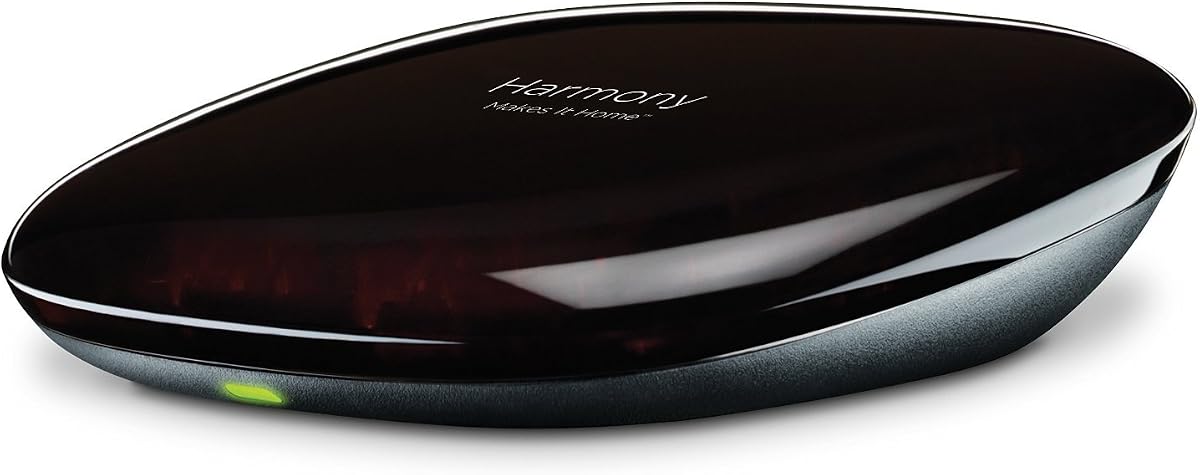
Logitech Harmony Home Hub
3.9Editor score
Compatible with Alexa voice control
Controls up to 8 devices
Closed cabinet control included
This guide compares the top Logitech Harmony Home Hub models for 2026, evaluating features, compatibility, and performance to help you choose the right smart
The Logitech Harmony Home Hub represents a pivotal shift in how we manage our home entertainment and smart home ecosystems. By consolidating multiple remote controls into a single, intuitive interface, these hubs streamline complex setups into seamless experiences for users of all technical levels.
Our selection process involved a comprehensive analysis of each model's capabilities, focusing on device compatibility, app integration, and ease of use. We prioritized units that offer robust connectivity options and reliable performance across various entertainment and automation scenarios.
Each pick in this list highlights specific strengths tailored to different user needs, from budget-conscious buyers to those seeking premium features. Please note that product availability and pricing can fluctuate, so verify current details before making your final purchase decision.
3.9Editor score

3.7Editor score

3.8Editor score
The following table provides a side-by-side comparison of all ten models, highlighting their key specifications and unique attributes to help you quickly identify the best fit for your home entertainment needs.
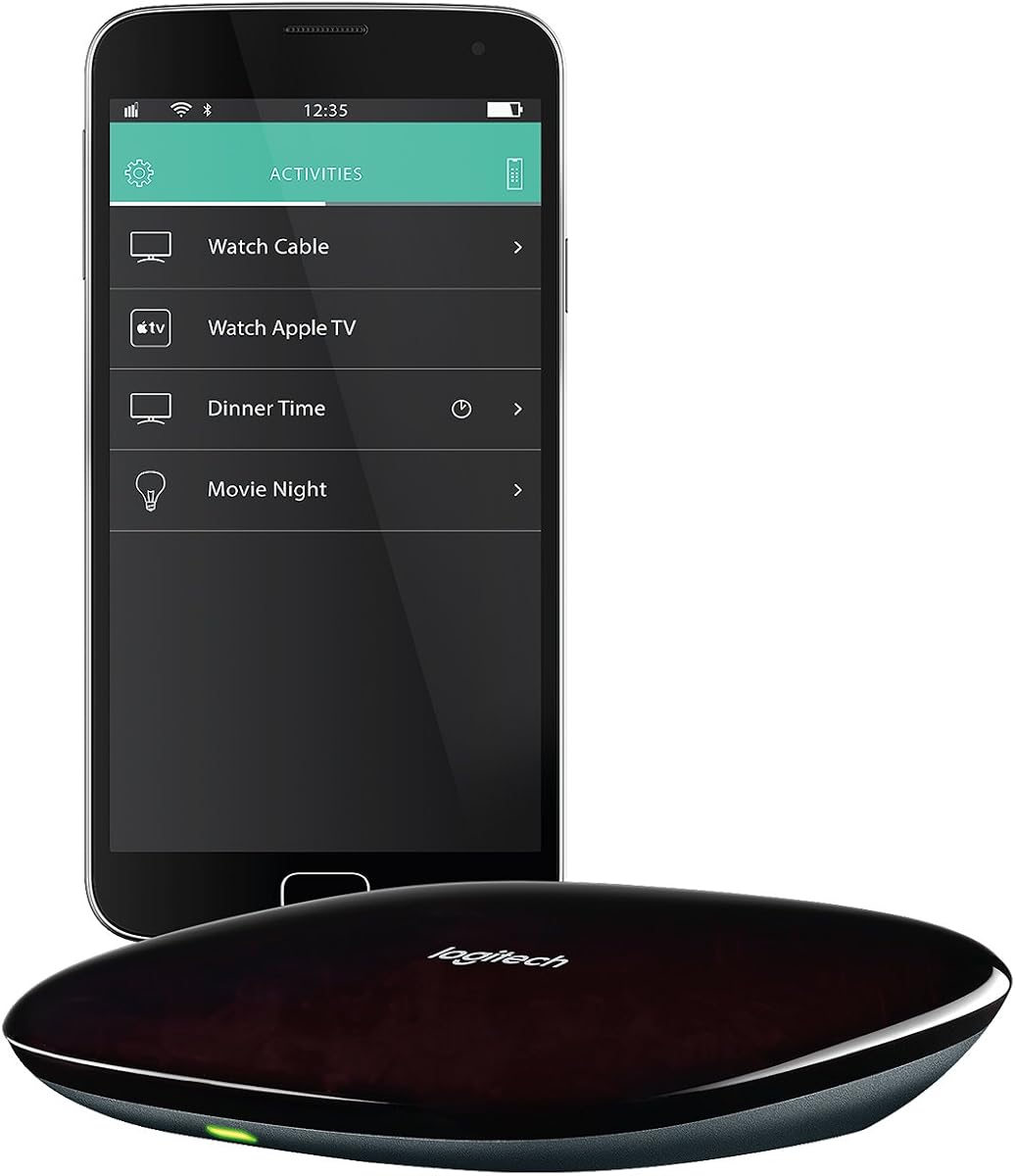


The Logitech Harmony Hub was designed as a central controller for up to eight home entertainment devices, offering a streamlined approach to managing TVs, consoles, and streaming boxes through a single interface.
We may earn a commission when you buy through this link, at no additional cost to you.
Its primary strength lies in its ability to connect via Wi-Fi and interact with the Harmony smartphone app, allowing users to control hidden devices behind cabinets using an IR blaster.
However, the main drawback is that this model has been discontinued by the manufacturer, which means finding new units may be difficult and official support is likely limited.
This hub is best suited for collectors or those finding stock at a discount who need a basic solution for controlling a small number of entertainment devices without advanced features.
This hub uses Wi-Fi to connect to your home network, enabling remote control through the smartphone app even when devices are hidden behind cabinet doors.
It supports over 270,000 devices, ensuring broad compatibility with major brands of TVs, streaming players, and home automation systems.
We may earn a commission when you buy through this link, at no additional cost to you.
The Logitech Harmony Elite stands out as the most powerful option available, featuring an interactive full-color touchscreen that makes navigating channels and adjusting settings incredibly intuitive and visually appealing.
We may earn a commission when you buy through this link, at no additional cost to you.
It allows control of up to 15 devices and supports over 270,000 products, including smart lights and locks, which makes it a true all-encompassing tool for entire home automation needs.
While the advanced features like One-touch Activities streamline entertainment by automating device power states, the higher cost and potential complexity might be a hurdle for casual users.
This model is highly recommended for tech enthusiasts who want a centralized control system that combines entertainment and smart home management into one seamless, user-friendly device.
The full-color touchscreen allows you to swipe and tap to adjust channels and settings, offering a modern alternative to traditional button-based remotes.
Compatibility with Philips Hue lights and other connected devices lets you manage your entire environment from the same remote.
We may earn a commission when you buy through this link, at no additional cost to you.
The Logitech Harmony Smart Control offers a practical balance between cost and functionality, providing both a physical remote and a smartphone app for controlling your entertainment system.
We may earn a commission when you buy through this link, at no additional cost to you.
Its included Hub enables control of devices hidden behind cabinet doors, and the removable battery ensures flexibility, while swipe and tap features simplify navigation on your mobile device.
Although it supports fewer devices compared to the Elite, it still covers over 270,000 options, making it a versatile choice for standard home theater setups without breaking the bank.
Ideal for budget-conscious users, this set delivers reliable performance and essential automation features that enhance daily viewing experiences without requiring a premium investment.
Users can switch between using the included physical remote or the Harmony Smartphone app depending on their preference for hands-on or mobile control.
The Harmony Hub component allows for infrared signal transmission through cabinet doors, ensuring your devices remain accessible even when stored away.
We may earn a commission when you buy through this link, at no additional cost to you.
The Logitech Harmony Ultimate Hub focuses primarily on mobile control, turning your iOS or Android smartphone into a powerful universal remote through a dedicated and intuitive application interface.
We may earn a commission when you buy through this link, at no additional cost to you.
It supports advanced control of eight devices and includes an IR mini-blaster to handle equipment hidden in closed cabinets, making it perfect for sleek entertainment centers without physical remote clutter.
While the reliance on a smartphone app might not suit everyone, the swipe and tap gestures for navigating channels and favorites streamline the user experience significantly.
This model is best suited for users who prefer managing their devices from their phone and need reliable support for streaming services like Netflix and YouTube.
The mobile app serves as the central interface, allowing users to control their devices directly from their handheld device without extra hardware.
Access to internet services like Netflix and YouTube is integrated directly into the control interface for seamless media consumption.
We may earn a commission when you buy through this link, at no additional cost to you.
This Renewed version of the Logitech Harmony Home Hub provides an accessible entry point for smart home enthusiasts, offering the same core functionality as new units at a more attractive price point.
We may earn a commission when you buy through this link, at no additional cost to you.
It allows you to combine up to eight remotes into a single smartphone app and supports Alexa voice commands, enabling customized activities like dimming lights while watching a movie.
The refurbished nature means you save money, but you should expect potential cosmetic wear and ensure the device has been tested for full functionality before use.
It is an excellent choice for eco-conscious buyers who want reliable performance and smart home integration without the premium cost of a brand-new device.
Compatible with Alexa, this hub allows you to control entertainment devices using simple voice commands for added convenience.
The Harmony app turns your device into a universal remote, offering swipe and tap controls for channels and favorites.
We may earn a commission when you buy through this link, at no additional cost to you.
The Logitech Harmony Ultimate Home Touch Screen Remote offers a simplified control experience for users who prefer a dedicated handheld device with a visual interface rather than relying solely on a smartphone app.
We may earn a commission when you buy through this link, at no additional cost to you.
This Renewed unit provides a black finish and full touch capabilities, making it easy to navigate channels and settings without needing complex menus or buttons.
While specific feature details are limited in the listing, the core function remains consistent with the Harmony ecosystem, providing universal control across various brands and devices.
This option is well-suited for those seeking a physical touchscreen remote at a reduced cost, though it may lack the additional connectivity of a standalone hub.
The touch screen allows for intuitive swiping and tapping, mimicking the experience of modern tablet devices for remote control.
Designed to work with a wide range of devices, ensuring broad support for your existing home entertainment equipment.
We may earn a commission when you buy through this link, at no additional cost to you.
This Renewed Elite model brings the powerful features of the top-tier Harmony line at a more accessible price, including a full color touchscreen and support for up to 15 connected devices.
We may earn a commission when you buy through this link, at no additional cost to you.
It retains the ability to create activities that automate power states and settings, plus compatibility with Amazon Alexa for streamlined voice control of your home setup.
Buying a renewed unit can involve some trade-offs regarding cosmetic condition or battery life, but it remains a viable way to access premium functionality without the full retail cost.
Best for value-driven users, this model delivers the core Elite experience including smart home integration and robust device control in a cost-effective package.
Activities like Watch a Movie automatically power on devices and switch to the right settings with a single touch.
Integration with smart home devices allows you to manage lighting and other systems through the same interface.
We may earn a commission when you buy through this link, at no additional cost to you.
The Logitech Harmony Elite Kit provides a complete solution out of the box, including the hub, remote, and smartphone app for managing home entertainment devices comprehensively.
We may earn a commission when you buy through this link, at no additional cost to you.
As a Renewed product, it offers significant savings while maintaining the core functionality needed to control multiple devices and automate complex entertainment sequences effectively.
Ensuring that all components such as the hub and remote are present and functional is essential, as accessory availability can vary with renewed listings.
This model is ideal for buyers who want the full Elite ecosystem experience without the cost of a new unit, provided the hardware meets their expectations.
The kit includes all necessary components to start controlling your devices immediately, simplifying the initial setup process.
Control your devices via the smartphone app, which serves as a universal remote when the physical remote is not at hand.
We may earn a commission when you buy through this link, at no additional cost to you.
This Renewed Elite Remote focuses on the handheld unit itself, offering full color touch screen capabilities and support for over 270,000 devices without necessarily including a separate hub in the listing.
We may earn a commission when you buy through this link, at no additional cost to you.
It enables one-touch activities to automate device settings and power states, providing a high-level control experience that simplifies your daily media routines significantly.
Since it lists as a remote control item, verify whether a hub is included if you need to control devices behind closed cabinets or need advanced connectivity options.
Best for users who already have existing connectivity solutions, this remote adds a premium interface and extensive device compatibility to your setup.
The touch screen allows intuitive navigation and customization, making it easy to select channels and favorites quickly.
With support for over 270,000 devices, this remote works with most major brands of TVs and audio equipment.
We may earn a commission when you buy through this link, at no additional cost to you.
The Logitech Harmony 1100 represents a premium legacy model featuring a 3.5-inch full-color touch screen and RF wireless capability for reliable control across larger distances and obstacles.
We may earn a commission when you buy through this link, at no additional cost to you.
It supports over 225,000 devices and includes customizable commands and screens, offering a high degree of personalization for complex home theater environments.
While the rechargeable battery and charging stand add convenience, the older technology and higher price point may limit its appeal compared to newer, more integrated options.
This model is best for users who need RF wireless control and a large screen, valuing established performance over the latest smartphone integration features.
RF technology allows signals to pass through walls and cabinets, ensuring reliable control even when devices are not in direct line of sight.
Customizable commands and screens let you tailor the remote to your specific devices and viewing habits.
We may earn a commission when you buy through this link, at no additional cost to you.
Selecting the right Logitech Harmony Home Hub involves evaluating compatibility, connectivity options, and control features to ensure it meets your specific home entertainment needs.
Ensure the hub supports the number and brands of devices you currently own. Most models cover over 270,000 devices, but check for specific requirements if you have niche equipment.
A wide compatibility range ensures you can control your TV, streaming players, and smart home devices without needing separate remotes.
Decide whether you prefer a physical remote with a touchscreen or a smartphone app. Touchscreens offer a dedicated interface, while apps provide flexibility and remote access.
Choose the interface that best suits your daily habits and whether you value having a physical device over using your phone.
Look for Wi-Fi or RF capabilities to control devices hidden in cabinets or behind walls. Wi-Fi is standard, but RF provides better signal penetration for complex setups.
Adequate connectivity ensures all your devices are accessible regardless of their placement in your home.
If you have smart lights or locks, choose a model that supports them. Integration with systems like Alexa adds voice control capabilities for hands-free operation.
Smart home features allow for a unified control experience across both entertainment and automation devices.
Consider how easy it is to install and configure the hub. Models with intuitive apps simplify adding devices and creating activities.
A user-friendly setup process saves time and reduces frustration when getting your system running.
Compare the cost against the features offered. Premium models cost more but offer larger touchscreens and higher device counts.
Select a model that balances your budget with the level of control and convenience you require.
For remotes, check the battery type and life. Rechargeable batteries offer convenience, while replaceable ones may last longer between charges.
Good battery life ensures your remote remains operational without frequent interruptions or replacements.
Activities allow one-touch control of multiple devices. Ensure the hub supports creating custom activities that match your viewing habits.
Automation streamlines your entertainment experience by handling multiple commands with a single action.
Begin by downloading the Harmony app on your smartphone and connecting the hub to your home Wi-Fi network. Follow the on-screen instructions to add your devices by searching their brand and model numbers in the database.
Set up Activities to automate common routines like watching TV or listening to music. These activities can control power states and settings for multiple devices simultaneously with one tap.
Keep the hub in a central location with good Wi-Fi signal strength to ensure reliable performance. Regularly update the app and firmware to maintain compatibility with new devices and features.
Yes, most models include an IR mini-blaster that allows infrared signals to pass through cabinet doors. This ensures you can control equipment stored away without needing a direct line of sight.
Many models support smart home devices like Philips Hue lights and locks. Integration allows you to manage lighting and automation through the same app or remote as your entertainment devices.
Yes, compatible models work with Amazon Alexa for voice control. You can use voice commands to launch activities or control specific devices hands-free using your Echo speakers or app.
Most hubs control up to 8 or 15 devices depending on the model. The Elite offers the highest capacity, making it suitable for large home theater setups with multiple components.
Yes, the Harmony app works as a standalone controller on iOS and Android devices. You can manage your entertainment system entirely through your phone if the remote is missing.
RF signals travel through walls while IR requires line of sight. Some remotes use RF for better range, but most hubs rely on IR with blasters for device connectivity.
Updates are managed through the Harmony app. Ensure the hub is connected to Wi-Fi, then check for firmware updates in the settings menu to install the latest features and fixes.
Our top picks include the Harmony Elite for its premium touchscreen features, the Harmony Home Hub for budget-friendly automation, and the 1100 for legacy RF capabilities.
Prioritize the number of devices you need to control and whether you value voice control or physical touchscreens based on your specific home setup requirements.
Always verify current pricing and availability on Amazon before purchasing since product listings and stock levels can change frequently in the marketplace.