
TP-Link AC1200 Gigabit Dual Band WiFi Router
4.5Editor score
1200 Mbps total speed
Beamforming technology support
Four Gigabit Ethernet LAN ports
This comprehensive guide compares the top long range WiFi routers for 2026, evaluating coverage speed and features to help you choose the best network solution.
Finding a reliable long range WiFi router is essential for modern homes filled with smart devices and high bandwidth needs. A quality router ensures stable connections throughout your property without dead zones or frustrating lag during critical activities like gaming or streaming.
We evaluated ten leading models based on coverage area, speed capabilities, antenna design, and advanced features like beamforming and mesh compatibility. Our analysis focuses on real-world performance metrics and user experiences to provide a clear comparison of the current market options available.
Each pick highlights key strengths and ideal use cases for different household sizes and internet plans. Please note that product specifications and pricing can change over time so verify current details before making your final purchase decision online.
4.5Editor score

4.3Editor score
4.2Editor score
The following table provides a side-by-side comparison of all ten selected long range WiFi routers. Review the key specifications and coverage areas to determine which model best fits your specific home layout and internet speed requirements.






The TP-Link BE6500 Dual-Band WiFi 7 Router stands out as a top choice for modern networks needing future-proof performance. With a solid 4.3 rating from users it delivers optimized speeds and coverage that handles multiple connected devices with ease.
We may earn a commission when you buy through this link, at no additional cost to you.
This model leverages the latest Wi-Fi 7 technology including Multi-Link Operation to simultaneously transfer data across frequency bands. It achieves total bandwidth up to 6.5 Gbps which supports seamless 4K and 8K streaming along with low latency AR and VR gaming experiences.
While it excels in performance users should note it is not compatible with existing Deco mesh systems though it supports EasyMesh for other extenders. The need for a separate modem is standard for most routers and ensures flexibility with various ISPs.
If you need reliable coverage up to 2400 square feet for work gaming or education this router is an excellent investment. Its strong connectivity and built-in cybersecurity make it a secure and high-performing solution for demanding households.
Features Multi-Link Operation and 4K-QAM for optimized performance on latest devices like iPhone 16 Pro and Galaxy S24 Ultra.
Includes HomeShield for IoT protection parental controls and VPN support with easy management via the Tether App.
We may earn a commission when you buy through this link, at no additional cost to you.
The TP-Link AXE5400 Tri-Band WiFi 6E Router offers robust performance with its award-winning design and tri-band architecture. Users appreciate the 6 GHz band which provides more bandwidth and near-zero latency for responsive gaming and video calls.
We may earn a commission when you buy through this link, at no additional cost to you.
Its unique housing design optimizes heat dissipation combined with a strong CPU and high-speed memory for long-term reliability. The router increases capacity four times to support simultaneous transmission to more devices without speed drops.
One limitation is that it is not a mesh system itself but can be expanded with EasyMesh extenders. It also requires a separate modem which is common for high-end routers but worth noting if you expect an all-in-one solution.
This router is ideal for busy homes needing faster streaming and gaming speeds without dead zones. Its VPN support and HomeShield security make it a versatile choice for safeguarding your network and connected IoT devices.
The 6 GHz band brings more bandwidth and near-zero latency for more responsive gaming and video chatting.
True Tri-Band and OFDMA technology increase capacity by four times for simultaneous transmission to more devices.
We may earn a commission when you buy through this link, at no additional cost to you.
The TP-Link AX5400 WiFi 6 Router provides full featured performance ideal for gigabit internet and 8K streaming. With a strong 4.5 rating it supports MU-MIMO and OFDMA to reduce congestion and boost throughput four times the average.
We may earn a commission when you buy through this link, at no additional cost to you.
It covers up to 2000 square feet using High-Power FEM six antennas and beamforming to concentrate signal strength towards devices. Improved vented areas help unleash full power while a USB 3.0 port enables easy media sharing and private cloud storage.
While it does not offer the newest Wi-Fi 7 speeds it is a reliable and cost-effective choice for most households. The USB port is useful for local storage though wired connections may be faster for large file transfers.
This router is perfect for users needing extensive coverage and robust security via HomeShield. It ensures stable connections for remote work and entertainment without breaking the bank on cutting-edge Wi-Fi 7 hardware.
Covers up to 2000 sq. ft. with High-Power FEM and 6x Antennas to perfectly fit your home.
1x USB 3.0 port enables easy media sharing and private cloud storage for connected devices.
We may earn a commission when you buy through this link, at no additional cost to you.
The TP-Link AX6000 Wi-Fi 6 Dual Band Router levels up Wi-Fi game with speeds up to 4804 Mbps on 5GHz. It reaches further with eight high-gain antennas equipped with beamforming ensuring vast coverage for most homes.
We may earn a commission when you buy through this link, at no additional cost to you.
It features a 2.5G Multi-Gigabit Port to break through gigabit speeds enter the multi-gig era of wired connections. MU-MIMO and OFDMA work together to boost throughput and efficiency supporting more devices with lower latency.
Users should note that it supports OneMesh extenders for whole home Wi-Fi but is not a full mesh system. The lack of a third band means it might not be ideal for very large homes with many concurrent heavy users.
This router is a great choice for users needing multi-gig wired connections and strong Alexa integration. It provides stable performance for gaming and streaming while keeping the network safe with robust parental controls.
2.5G Multi-Gigabit Port breaks through gigabit speeds for multi-gig wired connections.
Compatible with Alexa to control router functions via voice commands such as turning on guest Wi-Fi.
We may earn a commission when you buy through this link, at no additional cost to you.
The NETGEAR Nighthawk WiFi 7 Router RS90 is a dedicated dual-band router built to keep up when everyone is online. It offers speeds up to 3.6 Gbps which is 1.2x faster than standard Wi-Fi 6.
We may earn a commission when you buy through this link, at no additional cost to you.
You can set up and manage your network with the free Nighthawk app on iOS or Android for guided setup. The router pairs with existing modems via ethernet and supports most cable fiber DSL and satellite providers without coax.
While it delivers reliable coverage up to 2000 square feet larger homes may need the Orbi mesh system. The included Armor security trial is helpful but requires a separate subscription to continue protection after the trial period.
This router is well-suited for users upgrading to Wi-Fi 7 without needing a tri-band setup. Its multi-gig ready wired connections and security features make it a solid choice for modern home internet needs.
Up to 3.6 Gbps across 2.4 GHz and 5 GHz bands which is 1.2x faster than WiFi 6.
Set up and manage network with the Nighthawk app for guided setup and remote device management.
We may earn a commission when you buy through this link, at no additional cost to you.
The NETGEAR Nighthawk WiFi 7 Router is a dedicated tri-band router designed for demanding devices and growing connected homes. It delivers up to 9.3 Gbps speeds across 2.4 GHz 5 GHz and 6 GHz bands which is 2.4x faster than Wi-Fi 6.
We may earn a commission when you buy through this link, at no additional cost to you.
The added 6 GHz band gives your fastest devices their own lane so nothing slows down during peak usage. It covers up to 2500 square feet for up to 100 devices making it suitable for larger multi-story homes.
While it excels in speed and capacity it comes at a higher price point than dual-band options. The router requires a separate modem and subscription for Armor security after trial but offers robust protection against hackers and malware.
Choose this router if you need multi-gig ready wired connections and maximum speed potential for future-proofing. It ensures stable performance for streaming video calls and gaming without latency issues across all devices.
Up to 9.3 Gbps across 2.4 5 and 6 GHz bands which is 2.4x faster than WiFi 6.
Delivers up to 2500 sq. ft. of coverage for up to 100 devices.
We may earn a commission when you buy through this link, at no additional cost to you.
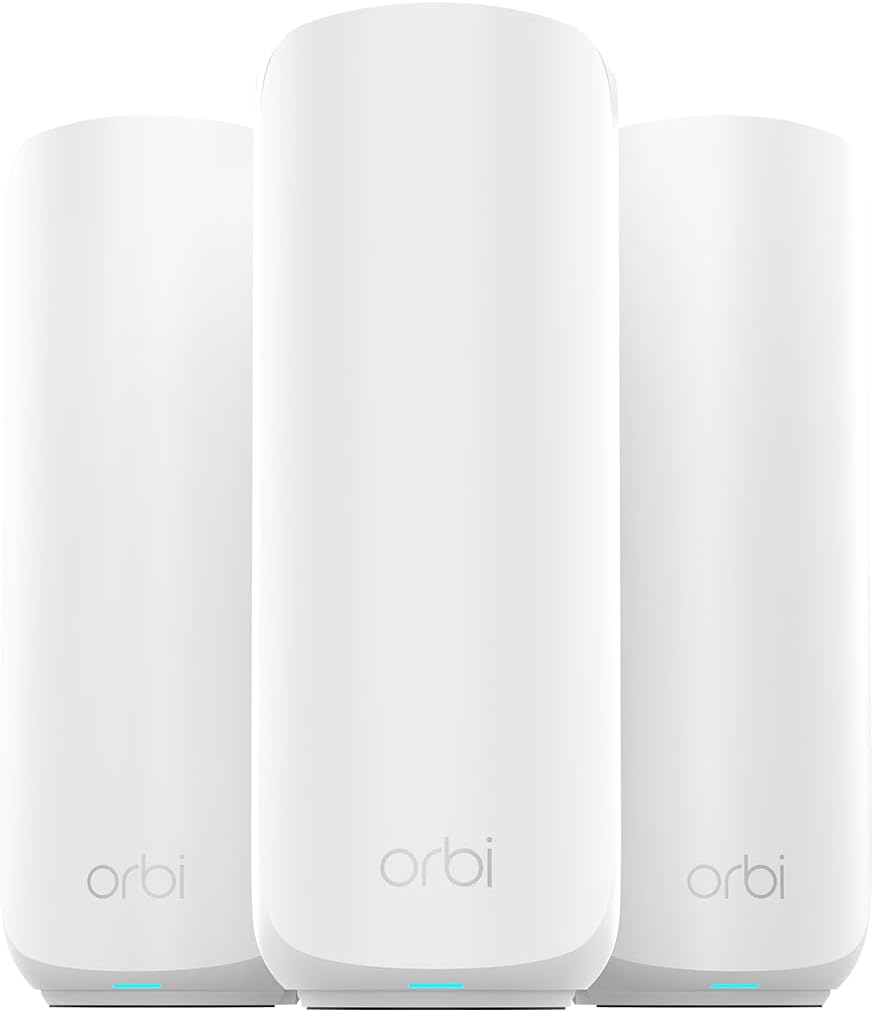
The NETGEAR Orbi 370 Series WiFi 7 Mesh System provides whole-home coverage with no dead zones across large properties. A router plus satellites create a seamless mesh network that blankets up to 6000 sq ft of reliable fast WiFi.
We may earn a commission when you buy through this link, at no additional cost to you.
Enhanced Backhaul helps deliver faster WiFi across your home so speed stays consistent on every device simultaneously. It supports up to 70 devices on one network ensuring no slowdowns when everyone is online.
While it is more expensive than a single router the investment pays off for extensive coverage and stability. The need for a modem bridge mode on some systems is a minor setup hurdle that ensures optimal performance.
This system is ideal for multi-story homes and large layouts needing maximum reach and future-proof speeds. It ensures everyone stays connected with stable low latency connections for streaming gaming and remote work.
The router plus satellites create a seamless mesh system that blanket up to 6000 sq ft.
Up to 5 Gbps which is 2.4X faster than WiFi 6 for 8K streaming and gaming.
We may earn a commission when you buy through this link, at no additional cost to you.
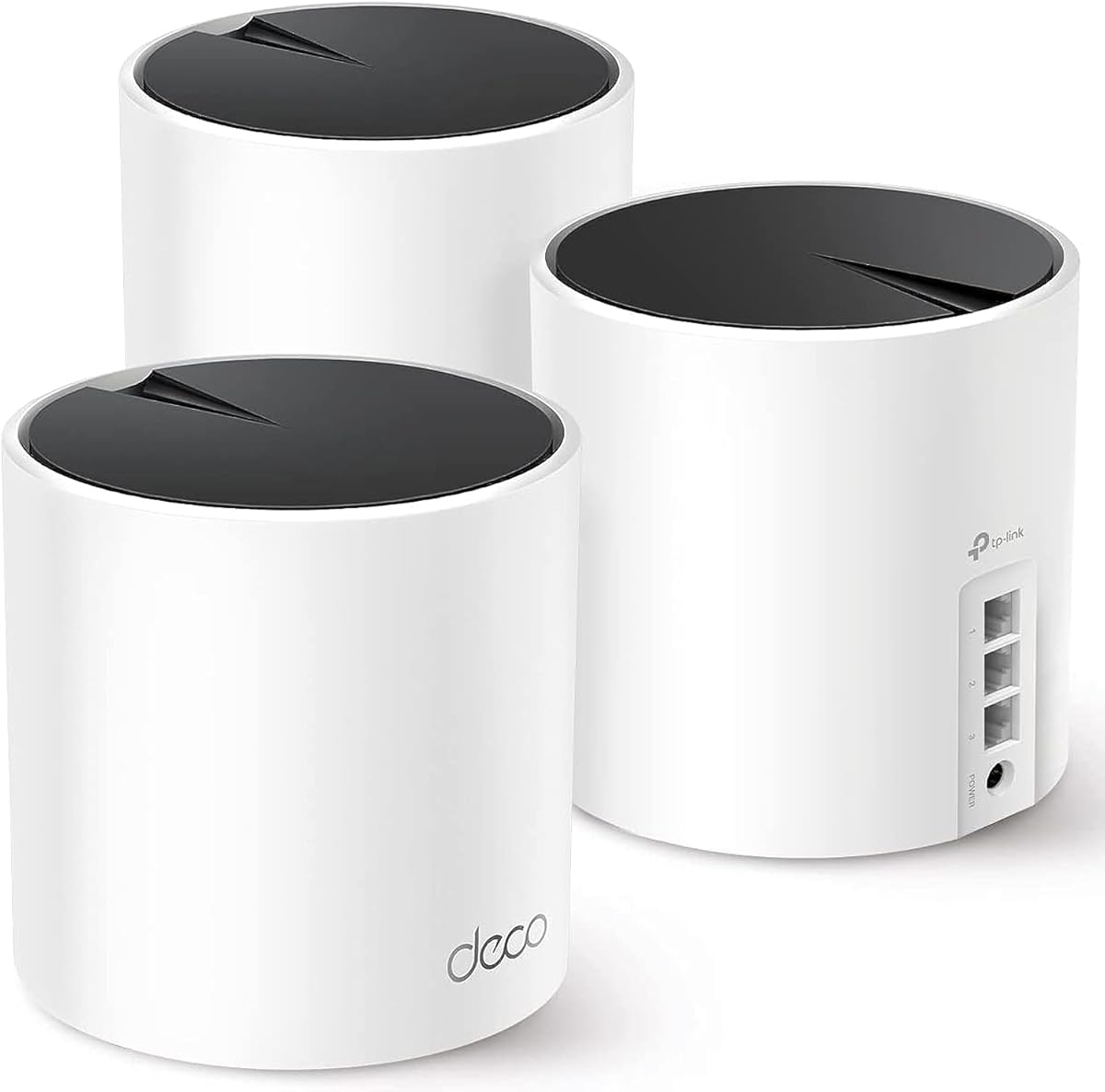
The TP-Link Deco X55 AX3000 WiFi 6 Mesh System is a strong whole home mesh system to eliminate weak WiFi for good. With a 4-pack4 rating it covers up to 6500 square feet with seamless high-performance Wi-Fi 6.
We may earn a commission when you buy through this link, at no additional cost to you.
Each unit has three Gigabit Ethernet ports and supports Wired Ethernet Backhaul for better speeds. AI-Driven Mesh intelligently learns the network environment to provide ideal WiFi unique to your home layout.
While its AX3000 speeds are lower than newer Wi-Fi 7 models it offers excellent value and coverage for most users. The system is easy to set up via the Deco app but takes up space with multiple units.
Choose this system for reliable coverage across large or multi-story homes without worrying about dead zones. It supports up to 150 devices making it a robust solution for smart homes with many connected gadgets.
Covers up to 6500 square feet with seamless high-performance Wi-Fi 6 and eliminate dead zones.
Intelligently learns the network environment to provide ideal WiFi unique to your home.
We may earn a commission when you buy through this link, at no additional cost to you.
The TP-Link Tri-Band BE9300 WiFi 7 Router features Multi-Link Operation Multi-RUs 4K-QAM and 320 MHz channels. It provides blazing-fast speeds of 5760 Mbps on 6 GHz band ensuring seamless 4K and 8K streaming.
We may earn a commission when you buy through this link, at no additional cost to you.
It is equipped with one 2.5G WAN port and four 2.5G LAN ports enabling peak device performance and offering an ideal solution for future-proofing your home network. Six strategically positioned antennas ensure higher capacity stronger and more reliable connections.
Users may note a lower rating of 4.0 which could reflect the learning curve of new Wi-Fi 7 features. The premium price point is justified for those needing massive capacity and wired multi-gigabit connections.
This router is perfect for power users who want maximum throughput and future-ready networking capabilities. Its robust security and easy setup make it a strong candidate for demanding environments.
Ensures seamless 4K and 8K streaming engaging AR/VR gaming and ultra-fast downloads.
Set up a separate WiFi network for IoT devices using HomeShield and WPA3 encryption.
We may earn a commission when you buy through this link, at no additional cost to you.
The TP-Link AC1200 Gigabit Dual Band WiFi Router upgrades to 1200 Mbps high speed internet reducing buffering for 4K streams. With a strong 4.5 rating it is ideal for any internet plan and allows direct wired connections.
We may earn a commission when you buy through this link, at no additional cost to you.
It features four external antennas equipped with Beamforming technology to extend and concentrate Wi-Fi signals. MU-MIMO technology on the 5GHz band allows high speeds for multiple devices simultaneously without speed drops.
While it does not offer Wi-Fi 6 or 7 speeds it provides robust performance for basic needs and small to medium homes. The WPA3 protocol brings new capabilities to improve cybersecurity in personal networks ensuring a secure environment.
This budget-friendly router is perfect for users seeking reliable connectivity without breaking the bank. Its OneMesh compatibility allows easy expansion if you need more coverage in the future.
Four external antennas equipped with Beamforming technology extend and concentrate the Wi-Fi signals.
Advanced Security with WPA3 brings new capabilities to improve cybersecurity in personal networks.
We may earn a commission when you buy through this link, at no additional cost to you.
Choosing the right long range WiFi router involves evaluating coverage speed and security features to match your home layout and internet needs.
Ensure the router supports a coverage area that matches your home's square footage. Models with multiple antennas and beamforming technology provide better signal reach and reliability throughout your property.
Look for specs that indicate coverage up to at least 2000 sq ft for standard homes to avoid dead zones.
Modern routers offer WiFi 6 6E or 7 standards which provide faster speeds and better handling of multiple devices. Consider your internet plan speed and device compatibility when choosing a model.
Higher standards like WiFi 7 support features like Multi-Link Operation to reduce latency for gaming and streaming.
Routers with more external antennas generally offer stronger and more consistent coverage. Look for designs that utilize beamforming to direct signals towards your devices rather than broadcasting equally.
At least four to six high-gain antennas are recommended for effective long range performance.
Check the number and speed of Ethernet ports to support wired connections for gaming consoles or PCs. Multi-gigabit ports (2.5G) future proof your network for faster internet speeds.
Ensure the router has enough ports for your needs and supports USB sharing if required.
Built-in security such as WPA3 and parental controls protect your network from threats. Premium routers may include advanced threat protection subscriptions to secure IoT devices.
Prioritize routers with comprehensive security suites to safeguard your data and connected devices.
If you have a large home consider a router compatible with mesh extenders or systems. Mesh networks eliminate dead zones by creating a seamless Wi-Fi blanket across your property.
Check if the router supports OneMesh or EasyMesh to expand coverage as needed.
Look for routers with intuitive apps for setup and management which simplify network control. User-friendly interfaces help manage guest networks device priorities and security remotely.
Routers with guided setup and mobile apps save time and improve long-term usability.
Balance the cost against features to find a router that meets your needs without overspending. Budget models often suffice for smaller homes while advanced routers suit demanding users.
Invest in a router that offers the best features for your specific requirements to ensure long-term satisfaction.
Place your router in a central elevated location away from thick walls or metal objects for optimal signal distribution. Avoid placing it near microwaves or cordless phones that cause interference.
Update your router firmware regularly to ensure security patches and performance improvements are applied. Most routers allow automatic updates via their management apps for ease of use.
Periodically reboot your router to clear caches and maintain stable connections. Use the admin interface to monitor connected devices and adjust settings as your household needs evolve.
Long range routers typically feature multiple high-gain antennas beamforming technology and higher transmit power. These elements work together to extend signal reach and penetrate walls more effectively than standard models.
Yes most routers require a separate modem to connect to your internet service provider. Modems translate signals from your ISP into data your router can distribute via Wi-Fi and Ethernet.
Many of these routers support mesh compatibility via OneMesh or EasyMesh standards allowing you to add extenders seamlessly. This setup helps eliminate dead zones and ensures consistent coverage throughout your home.
Modern routers support dozens to over a hundred devices simultaneously thanks to MU-MIMO and OFDMA technology. Choose a model based on the number of smart devices you have at home.
WiFi 7 provides higher speeds lower latency and better multi-device handling through features like Multi-Link Operation. It is future proof for upcoming high-bandwidth devices but may require compatible hardware to utilize fully.
Beamforming directs wireless signals toward connected devices rather than broadcasting equally in all directions. This focus improves signal strength and reliability especially for devices far from the router.
This guide highlights ten top long range WiFi routers offering varied performance from budget-friendly AC models to advanced WiFi 7 systems. Each option balances coverage speed and features to suit different home sizes and usage demands.
Prioritize coverage area antenna quality and security features when deciding on a model. Ensure the router supports your ISP and devices to avoid compatibility issues and maximize network reliability.
Remember that product details and pricing may change so verify specifications and offers before purchasing. Choosing the right router today ensures stable high-speed internet for your smart home and entertainment needs.