
StarTech USB-A 3.0 to HDMI Converter
4.5Editor score
USB 3.0 high-speed data transfer
Plug and play setup process
Lightweight travel-friendly design
This guide compares the best Flash Drive to HDMI Adapter options for 2026, evaluating performance, compatibility, and value for diverse computing needs.
Finding a reliable Flash Drive to HDMI Adapter can transform how you connect devices to displays. These adapters allow users to extend or mirror screens using USB ports, enabling versatile setups for work and entertainment without needing built-in HDMI outputs.
We evaluated ten top-rated adapters based on resolution support, driver requirements, system compatibility, and build quality. Our analysis focuses on real-world performance metrics to help you choose the right device for your specific laptop or desktop configuration needs.
Each pick highlights key strengths and potential limitations to ensure informed decisions. Product availability and pricing fluctuate frequently, so verify current listings before purchasing. Our goal is to provide clear, unbiased insights into the best options available today.
4.5Editor score

4.1Editor score

4.4Editor score
This side-by-side comparison outlines the core specifications of each adapter to simplify your selection process. Review resolution limits, operating system support, and physical dimensions to find the model that aligns best with your hardware and workflow requirements.




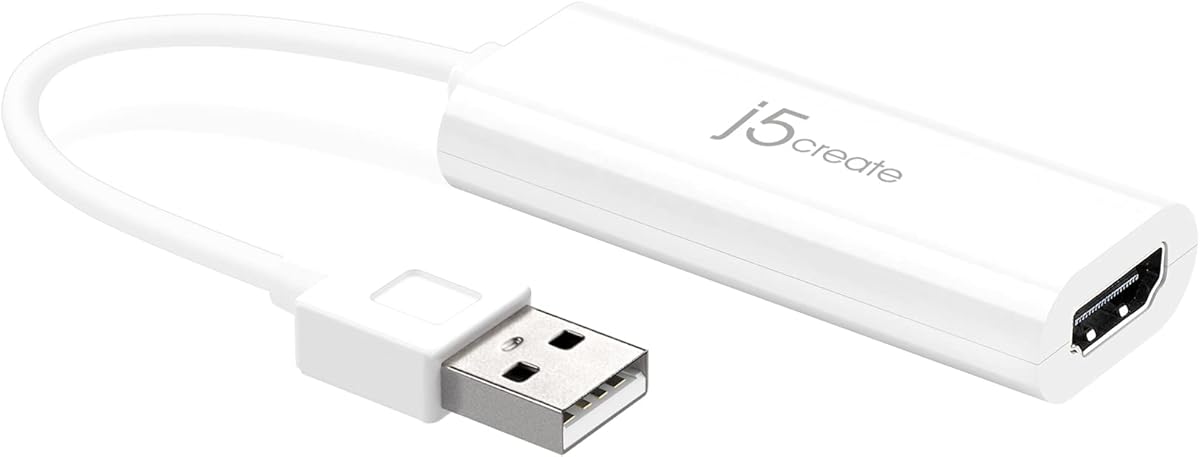
The Reborn USB to HDMI Adapter stands out as a top choice for users seeking reliable connectivity across multiple platforms. With a solid rating and robust features, it delivers consistent performance for both work and entertainment setups. Its ability to handle 1080P at 60Hz ensures smooth visual output for most daily tasks.
We may earn a commission when you buy through this link, at no additional cost to you.
Key strengths include support for Windows and macOS, making it versatile for diverse environments. The adapter facilitates seamless connections to HDMI displays, enhancing productivity by allowing extended desktop modes. Installation is straightforward, requiring only a driver setup that ensures stable functionality once completed.
However, users should note that driver installation is mandatory, which might be a hurdle for those preferring plug-and-play solutions. Additionally, it does not work in BIOS mode, limiting use cases to operating system environments. These trade-offs are generally acceptable given the device's reliability and cost-effectiveness.
Ideal for professionals needing a budget-friendly solution to connect laptops to monitors or projectors. Whether presenting data or enjoying media, this adapter provides dependable performance. We recommend it for anyone prioritizing cross-platform compatibility without breaking the bank.
Works seamlessly with both Windows and macOS systems for broad user appeal.
Supports mirror and extended display modes to boost workflow efficiency.
We may earn a commission when you buy through this link, at no additional cost to you.
StarTech delivers a budget-friendly adapter that does not compromise on build quality. This USB 3.0 converter offers stable video output up to 1080P at 60Hz, ideal for office workstations. Its compact form factor makes it easy to transport for remote work or travel scenarios.
We may earn a commission when you buy through this link, at no additional cost to you.
The device allows users to extend their desktops effortlessly, enhancing multitasking capabilities. It supports modern Windows platforms including ARM-based Copilot+ PCs, ensuring future-proofing. Installation requires administrator rights, but once set up, performance remains consistent without needing external power.
The main limitation is its restriction to Windows systems, excluding Mac or Linux users. Admin privileges for driver installation may also be a minor inconvenience for some. However, these constraints are reasonable for a device targeting cost-effective productivity gains in corporate environments.
Perfect for IT managers or home users needing a reliable secondary display solution on Windows machines. Its focus on stability and ease of use makes it a standout budget option. We recommend it for those prioritizing functional simplicity over cross-platform flexibility.
Compatible with Windows X86/X64/ARM platforms including Snapdragon Copilot+ PCs.
Lightweight USB bus-powered design requires no extra power supply.
We may earn a commission when you buy through this link, at no additional cost to you.
This adapter offers a straightforward solution for connecting computers to displays via USB ports. It supports 1080P resolution and allows users to extend their desktop for improved workflow efficiency. Hot-plugging support means you can disconnect and reconnect without restarting your device.
We may earn a commission when you buy through this link, at no additional cost to you.
Its compatibility spans Windows versions and macOS, making it versatile for mixed environments. The included 36-month warranty adds peace of mind for long-term use. Setup involves installing a driver, which is user-friendly and enables immediate use afterward.
While it provides solid functionality, the rating is lower compared to competitors, suggesting potential variability in user experiences. It may lack some advanced customization options found in higher-end models. Still, it serves well for basic monitoring needs without excessive complexity.
Recommended for users seeking a reliable, no-fuss adapter for home or office use. Its warranty coverage and hot-plugging features make it practical for occasional use. Consider this if you need cost-effective connectivity without demanding high-end performance.
Allows connecting additional monitors to expand workspace and productivity.
Includes 36 months warranty coverage for extended protection.
We may earn a commission when you buy through this link, at no additional cost to you.
The WAVLINK adapter excels for users managing complex multi-monitor setups. With DisplayLink technology, it enables up to six displays on a single device, transforming workstations into powerful command centers. Support extends across Windows, macOS including M1-M5 chips, and ChromeOS for maximum flexibility.
We may earn a commission when you buy through this link, at no additional cost to you.
Key features include audio input and output ports, allowing for conference calls directly through the adapter. The LED display status indicator ensures users know when the device is connected properly. Compact design and robust build quality make it reliable for intensive daily use.
Installation requires DisplayLink drivers which may complicate setup for some users. While performance is robust, the premium price reflects these advanced capabilities. For most professionals needing extensive screen real estate, these investments prove worthwhile for productivity gains.
Ideal for creative professionals, traders, or engineers requiring multiple displays on a single laptop. Its broad OS support and audio ports make it a comprehensive solution. We recommend this for users who prioritize scalability over basic connectivity needs.
Supports up to 6 monitors for ultimate multitasking and workflow efficiency.
Includes microphone in and earphone output for versatile audio handling.
We may earn a commission when you buy through this link, at no additional cost to you.
This adapter brings impressive 4K support to USB 3.0 connections on one output while maintaining 1080P on the other. Designed for IT professionals, it caters to users who need high-resolution displays for detailed work. Its dual HDMI ports allow extending desktops to two external monitors seamlessly.
We may earn a commission when you buy through this link, at no additional cost to you.
StarTech's reputation for durability is evident here, backed by a 3-year warranty and 24/5 technical assistance. This level of support ensures long-term reliability for business environments. Installation requires admin rights but once configured it performs consistently without extra power needs.
Limitations include Windows-only compatibility which may restrict Mac users. The need for admin rights during driver installation adds a slight barrier for non-admin users. However, these are minor compared to the robust performance and high-resolution output it provides.
Perfect for professionals needing 4K output on dual displays without internal GPU upgrades. Ideal for financial traders or analysts needing multiple high-res screens. We recommend it for enterprise users prioritizing reliability and support over cross-platform flexibility.
Delivers 4K 30Hz on one port for high-detail visual work.
Backed by 3-year warranty and 24/5 technical support.
We may earn a commission when you buy through this link, at no additional cost to you.
This adapter stands out due to its DisplayLink certification, ensuring compatibility with a wide range of laptops and desktops. Automatic driver installation simplifies setup, making it accessible for users with varying technical skills. It delivers reliable 1080P at 60Hz for smooth viewing experiences.
We may earn a commission when you buy through this link, at no additional cost to you.
The compact design ensures portability for professionals on the go. HDCP 1.4 support is crucial for accessing protected content securely. USB bus-powered functionality means no additional power supply is needed, reducing cable clutter during presentations or remote work sessions.
While the price is higher than basic adapters, the certification and ease of use justify the cost. However, reliance on drivers means it may require updates or reinstallation on new systems. This trade-off is minor given the reliability and broad hardware support it offers.
Recommended for users valuing certification and hassle-free setup for multiple devices. Ideal for business travelers or educators needing consistent performance. We suggest this for those prioritizing certified compatibility over budget considerations.
Guaranteed compatibility with any USB-A laptop or desktop system.
Automatic driver installation minimizes manual configuration steps.
We may earn a commission when you buy through this link, at no additional cost to you.
This adapter is tailored for mobile users needing high-quality video output from iPhones and iPads. Supporting 4K at 60Hz ensures crisp visuals on large screens. Its plug-and-play design eliminates driver hassles making it instantly usable for presentations or media streaming.
We may earn a commission when you buy through this link, at no additional cost to you.
A built-in charging port allows simultaneous use and charging ensuring uninterrupted usage sessions. Premium aluminum casing and braided cables enhance durability and heat dissipation. It works seamlessly with latest iPhone 15/16 series and MacBook models without configuration overhead.
Users should note that DRM protected apps like Netflix or Prime Video will not work due to copyright restrictions. This limits entertainment use but suits business presentations well. Additionally, USB-C compatibility restricts use to devices with DisplayPort Alt Mode support.
Ideal for iPhone or iPad users needing to present content on HDTVs or projectors. The charging port makes it practical for long meetings or events. We recommend this for mobile professionals who value convenience and modern device support.
No driver installation needed for instant connectivity on supported devices.
Dedicated charging port ensures device stays powered during use.
We may earn a commission when you buy through this link, at no additional cost to you.
This adapter offers straightforward functionality for connecting devices to displays with minimal fuss. It delivers 1080P at 60Hz ensuring smooth visuals for movies or presentations. User-friendly setup guides make installation easy even for those with limited technical expertise.
We may earn a commission when you buy through this link, at no additional cost to you.
Drivers run locally ensuring privacy and security for your data. It supports both Windows and macOS offering versatility for mixed environments. The device handles mirror and extended modes allowing users to customize their workspace according to specific needs.
Limitations include compatibility with older systems like Windows 8 or Android. The need for driver installation may deter some users seeking immediate connectivity. However, privacy-focused drivers are a plus for security-conscious users seeking standard HD resolution.
Great for general users needing reliable extended display capabilities without advanced features. Perfect for office work or home entertainment setups. We recommend this for those valuing simplicity and data privacy over high-end performance.
Drivers run locally ensuring no internet or data access is required.
Step-by-step instructions simplify setup for non-technical users.
We may earn a commission when you buy through this link, at no additional cost to you.
This adapter delivers exceptional performance supporting up to 4K resolution at 60Hz. Its advanced IC chip ensures superior signal stability minimizing dropouts during critical tasks. Compatibility includes Thunderbolt 3/4/5 making it future-proof for modern laptops and tablets.
We may earn a commission when you buy through this link, at no additional cost to you.
The plated connector resists corrosion enhancing durability for long-term use. Built-in strain relief prevents wear from repeated plugging and unplugging. It supports various devices from MacBook Pro to Galaxy S23 providing a universal solution for diverse users needing high-resolution output.
Users must ensure their device supports DP Alt Mode as the adapter does not convert non-Alt Mode signals. While performance is top-tier, it lacks audio pass-through which might be a consideration for video streaming. However, for video-only tasks it excels in stability.
Best for users with compatible USB-C devices needing high-resolution output. Ideal for designers or video editors working on the go. We recommend this for those prioritizing stability and modern port compatibility over additional audio features.
Built-in IC chip ensures consistent signal transmission without dropouts.
Supports Thunderbolt 3/4/5 for the latest laptop interfaces.
We may earn a commission when you buy through this link, at no additional cost to you.
This adapter is engineered for professional environments where reliability and multitasking are key. It supports extended workflows allowing users to view large spreadsheets or multiple applications without overlapping windows. Hot-swappable USB enables adding or removing monitors without system reboots.
We may earn a commission when you buy through this link, at no additional cost to you.
Ideal for call centers, stock markets, and hospitals where continuous uptime is essential. The installation process is straightforward though driver setup is necessary. It leverages existing USB-A ports avoiding the need for expensive internal video card upgrades.
Limitations include the need for driver installation which requires system configuration. It does not work on USB-C ports without adapters. However, for legacy systems relying on USB-A it provides a dependable and cost-effective solution for productivity enhancement.
Recommended for professionals needing robust extended display setups. Perfect for industries requiring consistent multi-monitor performance. We suggest this for businesses prioritizing reliability and ease of integration with existing hardware.
Add or remove monitors without rebooting your system for flexibility.
Designed for sectors like healthcare and finance needing continuous uptime.
We may earn a commission when you buy through this link, at no additional cost to you.
Selecting the right adapter involves evaluating several key factors to ensure compatibility and performance with your specific hardware needs.
The resolution and refresh rate determine how sharp and smooth your video output appears. For standard work tasks 1080P at 60Hz is sufficient but if you need detailed visuals or gaming capabilities look for 4K support even at lower refresh rates. Higher refresh rates reduce motion blur making video playback smoother. Always check the maximum supported resolution to avoid disappointing results when connecting to high-resolution monitors.
Ensure the adapter supports your current operating system before purchasing. While some adapters work across Windows macOS and Linux others are limited to specific platforms like Windows only. Mac users should look for DisplayLink certified products to ensure driver support is available. Checking system requirements prevents buying an incompatible device that cannot function as expected.
Most USB to HDMI adapters require software installation to function correctly. Some models offer automatic driver installation while others need manual steps which may be inconvenient for less technical users. Ensure the manufacturer provides easy-to-follow guides for the operating system you use. Plug and Play devices save time but may have limitations in advanced features compared to driver-based models.
Verify the USB port type on your device matches the adapter input. USB 3.0 ports provide better performance than USB 2.0 ports so prioritize adapters that leverage faster standards. Some adapters have multiple HDMI outputs enabling dual monitor setups which enhances multitasking. Select a model that fits your physical connectivity requirements to avoid needing additional docks.
Quality materials ensure the adapter survives daily use and transport. Look for aluminum housings and braided cables which resist wear and heat. A substantial warranty period such as one year or more indicates manufacturer confidence in durability. Reliable brands often provide better support channels if you encounter technical issues with the device.
Video adapters often transmit audio through HDMI but some include separate audio input and output jacks for convenience. If you need to connect microphones or speakers directly to the adapter check for these features. It is important for conferencing scenarios where external audio devices are necessary for clear sound.
Most modern adapters are USB bus-powered meaning they draw power directly from your computer. This avoids the need for separate power bricks reducing cable clutter. However high-power scenarios such as 4K output may require external power sources. Confirm whether your chosen adapter needs additional power to function optimally.
Prices vary widely based on features such as resolution support and brand reputation. Basic models are affordable and sufficient for simple tasks while premium options offer higher resolutions and broader compatibility. Determine your specific needs before spending extra to avoid overpaying for features you will not use.
Start by installing any required drivers before connecting the adapter. For many models this step is automatic when you plug in the device. On others follow manufacturer prompts to download software ensuring the system recognizes the new display hardware correctly.
Once connected set your display settings to extend or mirror your screen depending on your needs. Use operating system tools like System Preferences on Mac or Display Settings on Windows to adjust resolution. Ensure your monitor is set to the correct input source such as HDMI 1 or HDMI 2.
To prolong the lifespan of your adapter handle the connector gently during insertion and removal. Keep it in a protective case when traveling to prevent physical damage. Regularly check connections for dust or debris that might interfere with signal quality over time.
Not necessarily as most adapters require a monitor with an HDMI input. If your monitor uses VGA or DVI you may need additional cables or converters. Check your monitor specifications to confirm compatible ports before purchasing an adapter.
Generally no because most adapters require driver software installed on a computer. Gaming consoles do not support these drivers meaning the adapters will not transmit video signal. Use the console's native HDMI port instead for gaming displays.
Single adapters usually support one or two displays. To connect more screens you would need multiple adapters each connected to a separate USB port. Some models support multiple monitors but they require DisplayLink technology and sufficient USB bandwidth.
Flickering can result from outdated drivers or insufficient USB bandwidth. Ensure you have installed the latest drivers and use a USB 3.0 port if possible. Check if the resolution matches the monitor capabilities to prevent signal issues.
Most standard USB to HDMI adapters do not support pass-through charging unless explicitly stated. Models designed for mobile devices like the Kinhaly adapter include extra ports for charging. Always review product features to confirm charging capabilities before purchase.
MacBooks with only USB-C ports need a USB-C to USB-A adapter to connect USB to HDMI adapters. However it is often better to use a USB-C to HDMI adapter directly for simpler setup. Check your device's port types for the best connection method.
Linux support is limited compared to Windows and macOS. Some adapters offer open-source driver support while others may not work at all. Check manufacturer documentation for Linux compatibility before purchasing if you use Linux.
USB to HDMI adapters usually have fixed cables ranging from 6 inches to 2 feet. Longer USB cables can be used but may cause signal degradation. For extended distances use an active USB extender to maintain signal quality reliably.
Our analysis highlights that selecting a suitable adapter depends heavily on your operating system and desired resolution. Models like the WAVLINK and Reborn adapters offer excellent cross-platform compatibility for diverse users.
Prioritize drivers and hardware support based on your workflow needs. For high-resolution requirements or multi-monitor setups opt for adapters supporting DisplayLink or 4K output.
Prices change frequently and availability fluctuates so verify current listings before purchasing. We hope this guide helps you make an informed decision for seamless video connectivity.