
Redragon BM4195 AI Wireless Optical
3.9Editor score
Voice typing and translation
Multi-mode connectivity
Type-C fast charging
This guide compares the top AI Smart Wireless Mouse models to help you choose the best voice typing translation and productivity mouse for your office or
The modern workplace demands tools that streamline workflows and reduce physical strain on your hands. AI Smart Wireless Mouse models combine traditional pointing functions with advanced voice recognition and translation capabilities to transform how you interact with your computer.
We evaluated ten leading models based on voice accuracy, connectivity options, battery life, and ergonomic design. Our comparison focuses on real-world performance for professionals who need hands-free dictation and multilingual support during daily tasks.
Each product entry details specific features like AI assistant integration and silent click technology to help you find the right fit. Please note that availability and pricing may change over time so verify current offers before purchasing.
3.9Editor score

4.1Editor score

5.0Editor score
The following table provides a side-by-side comparison of all ten models evaluated in this guide to help you quickly identify which device meets your specific needs for voice control and wireless connectivity.


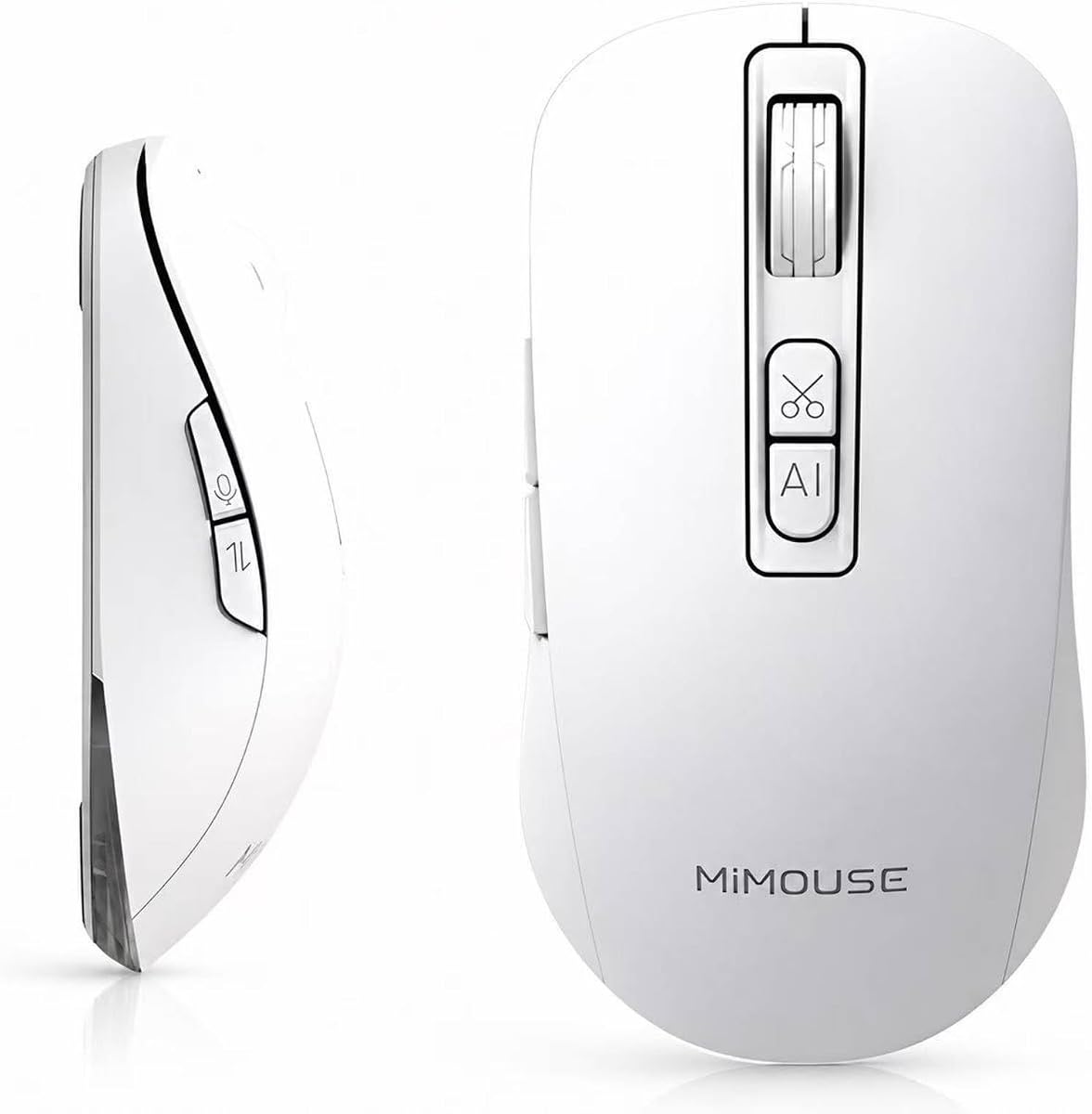


This AI Smart Wireless Mouse combines high accuracy voice typing with powerful ChatGPT assistant features. It earns our top recommendation for professionals needing fast dictation and multilingual translation during work.
We may earn a commission when you buy through this link, at no additional cost to you.
The device offers near zero latency translation across over two hundred languages and includes a robust set of productivity tools like article writing and code generation. Its ergonomic shape ensures comfort during extended use while the silent clicks prevent distractions in shared spaces.
Users must download a dedicated app to activate all features which adds a step to initial setup. The reliance on specific software may be a minor hurdle for those seeking plug and play simplicity but the offline processing ensures data privacy.
If you prioritize efficiency and privacy this mouse is the ideal choice for daily office tasks or creative writing. It transforms how you interact with your computer by reducing manual typing and streamlining complex workflows.
Achieves 98 percent accuracy with support for multiple languages including English Chinese German and Russian for reliable transcription.
Processes data locally without cloud storage to protect your voice records text files and private work documents from external access.
We may earn a commission when you buy through this link, at no additional cost to you.
The Redragon BM4195 delivers essential AI voice typing capabilities at a very accessible price point for budget conscious buyers. It allows hands free control through simple voice commands which significantly speeds up text input and document navigation tasks.
We may earn a commission when you buy through this link, at no additional cost to you.
It supports seamless switching across three devices via two point four G and Bluetooth connections making it versatile for multi-device setups. The high capacity battery ensures you stay powered throughout the workday without frequent recharging interruptions.
Activation of the AI function requires downloading specific software which might frustrate users wanting immediate functionality. The build feels lighter than premium models but remains comfortable for standard office use and everyday productivity tasks.
This mouse is perfect for students or entry level professionals needing basic voice features without overspending. It provides a cost effective entry into the world of intelligent wireless peripherals for daily computing needs.
Offers voice typing and translation capabilities that typically cost more in competing models making advanced tools accessible to everyone.
Allows instant switching between desktop and tablet or laptop to maintain productivity across different work environments without hassle.
We may earn a commission when you buy through this link, at no additional cost to you.
The Cheerdots2 AI Mouse stands out with a magnetic detachable design that transforms into an air mouse or presentation clicker. It earns our premium badge for its versatility in meeting scenarios where traditional mice fall short.
We may earn a commission when you buy through this link, at no additional cost to you.
Its built-in voice recorder and transcription capabilities allow you to capture meetings and ideas instantly without switching apps. The device also includes a laser pointer and touchpad features that enhance remote presentations and collaborative sessions.
The higher price reflects its specialized features which may not be necessary for standard office typing tasks. The learning curve for utilizing all modes requires some patience but the utility justifies the cost for frequent presenters.
If you often present or travel this mouse replaces multiple gadgets and simplifies your desk setup. It is the ultimate tool for professionals who need flexibility between pointing presenting and recording in one compact device.
Allows hands free cursor control and slide navigation without being tied to a podium so you can keep eye contact with your audience.
Captures meetings and lectures with double tap recording to convert spoken words into searchable notes saved directly to your computer.
We may earn a commission when you buy through this link, at no additional cost to you.
This AI Smart Wireless Mouse prioritizes user comfort with an ergonomic shape that reduces hand strain during long work sessions. It includes the same powerful voice typing and AI features found in top rated models.
We may earn a commission when you buy through this link, at no additional cost to you.
The silent click technology makes it ideal for libraries or quiet offices where noise is a concern. Privacy conscious users will appreciate that all AI processing happens locally without cloud storage keeping your data secure.
The initial setup involves downloading an app to unlock full functionality which adds a small hurdle before daily use. The battery life is excellent but the weight might feel slightly heavier than ultra thin alternatives for some users.
For anyone working long hours this model balances comfort with advanced AI tools effectively. It is a strong choice for writers or data entry professionals needing precise control without disrupting their workspace with noise.
Designed with a secure grip and angled shape to prevent fatigue and strain during all day typing and navigation tasks.
Operates at twenty five decibels to maintain a peaceful environment for shared workspaces or libraries without disturbing others.
We may earn a commission when you buy through this link, at no additional cost to you.
The LTC OM021 Wireless AI Mouse offers reliable voice typing and translation features wrapped in a lightweight ergonomic form. It is designed to reduce hand strain while providing flexible connectivity options for various devices.
We may earn a commission when you buy through this link, at no additional cost to you.
It supports both Bluetooth five point zero and two point four G connections to ensure a stable link with your PC or laptop. The quiet click mechanism ensures you can work without disturbing colleagues in shared environments.
The software interface is straightforward but offers fewer advanced AI tools compared to premium rivals. Users may find the build quality standard but durable enough for daily office tasks without needing frequent replacements.
This mouse is a solid mid range choice for users seeking basic voice features without extra complexity. It fits well into standard workflows for general typing and navigation needs across multiple platforms.
Supports both Bluetooth and USB wireless to adapt easily to different system requirements and multi-device environments.
Provides a peaceful workspace for offices or libraries where noise reduction is essential for focus and productivity.
We may earn a commission when you buy through this link, at no additional cost to you.
The Logitech Signature AI Edition M750 is a premium traditional mouse optimized for productivity with advanced wireless tech. It offers exceptional battery life and reliable connectivity for professionals who value stability over extra AI tools.
We may earn a commission when you buy through this link, at no additional cost to you.
It uses Logi Bolt USB receiver or Bluetooth Low Energy to maintain a consistent connection across Windows and macOS devices. The comfortable shape and quiet scroll wheel make it ideal for long work sessions in shared spaces.
While it lacks the built-in voice dictation of other models it integrates well with system level AI tools. Users seeking simplicity and endurance will appreciate the long battery and seamless pairing experience.
This is the best choice for those who prefer a classic mouse experience with modern reliability. It excels at standard navigation and productivity tasks without the need for complex voice command setups.
Runs for up to twenty four months on a single AA battery to minimize charging interruptions during daily workflows.
Uses Logi Bolt technology for encrypted and stable wireless performance across multiple devices without interference.
We may earn a commission when you buy through this link, at no additional cost to you.
This AI Smart Wireless Mouse adds a layer of style with customizable RGB lighting alongside powerful voice recognition features. It delivers precise dictation and translation capabilities in an ergonomic form designed for all day comfort.
We may earn a commission when you buy through this link, at no additional cost to you.
The device offers robust AI tools including code generation and article writing while keeping data local for privacy. Its silent clicks and durable build ensure it performs well in both casual and professional office environments.
The RGB features are appealing but may not appeal to minimalists seeking a simple look. Battery life is good but requires recharging more often than some rivals with larger capacity cells for heavy daily use.
It is a great option for creative professionals who value aesthetics alongside utility. The combination of visual customization and advanced voice control makes it a versatile tool for modern workflows.
Adds a unique visual element to your desk setup while maintaining high performance for standard productivity tasks.
Processes all voice and text data locally on the device to protect sensitive information from external cloud servers.
We may earn a commission when you buy through this link, at no additional cost to you.
The AI Wireless Mouse features a free centralized platform powered by leading AI models to streamline complex document and presentation tasks. It supports robust transcription and summarization for meetings and lectures directly from the device.
We may earn a commission when you buy through this link, at no additional cost to you.
Its rechargeable design and ergonomic shape make it suitable for business travelers needing a reliable tool on the go. The four adjustable DPI levels provide precision control for detailed work while maintaining comfort for long sessions.
The software integration is deep but might overwhelm users looking for simple voice typing. The higher cost reflects the advanced capabilities but those who need extensive AI support will find value in the unified workflow.
This is an excellent choice for professionals who manage heavy documentation or frequent meetings. It consolidates multiple tools into one device to save desk space and simplify your daily computing routine.
Connects with leading AI models to handle tasks like contract drafting video creation and meeting summarization from a single interface.
Captures meetings and lectures with high fidelity to transcribe and summarize content instantly after recording.
We may earn a commission when you buy through this link, at no additional cost to you.
This Bluetooth Wireless AI Mouse focuses on productivity features like PPT generation and real-time translation for global teams. It offers a versatile connectivity solution for users switching between tablets laptops and desktops frequently.
We may earn a commission when you buy through this link, at no additional cost to you.
The ergonomic design ensures comfort during long remote work sessions while the five adjustable DPI levels provide precise control for varied tasks. It integrates well with Windows and macOS systems for smooth operation.
Users must rely on specific apps to unlock all AI features which adds a setup step. The build quality is reliable but feels standard compared to premium models with advanced materials or customization options.
It is a strong contender for office workers needing language tools and presentation features. The focus on seamless connectivity makes it ideal for hybrid work environments where devices change often.
Breaks language barriers instantly during meetings or research by translating speech and text across hundreds of languages seamlessly.
Switches instantly between three devices to maintain productivity across desktop laptop and tablet without lag or interruption.
We may earn a commission when you buy through this link, at no additional cost to you.
The AI Mouse with Voice Typing offers a simplified approach to hands-free input focusing on basic text conversion and summary. It allows users to dictate notes emails and reports to speed up daily communication tasks.
We may earn a commission when you buy through this link, at no additional cost to you.
It supports translation across two hundred languages and includes text summarization tools to organize rough ideas efficiently. The silent rechargeable design keeps the desk clean and maintains a quiet environment for focused work.
This model is less feature-rich compared to rivals offering limited AI integration. Users seeking advanced automation may find it basic but it serves well for straightforward typing and language tasks.
It is a decent option for casual users needing basic voice control without complexity. The straightforward design makes it easy to adopt for simple office work or student notes.
Converts spoken words into text quickly so you can compose emails and reports without spending hours at the keyboard.
Turns rough ideas and long documents into organized content to help you prepare notes and drafts efficiently.
We may earn a commission when you buy through this link, at no additional cost to you.
Selecting the right AI Smart Wireless Mouse requires evaluating key factors like voice accuracy and connectivity to ensure it fits your specific workflow and needs.
Look for models that offer high recognition rates above ninety eight percent to ensure your dictated text is correct. Accuracy is crucial for professionals who rely on the mouse for drafting documents or writing code without constant correction.
Prioritize models with robust language support to avoid errors during speech input.
For global teams or travelers check if the device supports real-time translation across many languages. This feature breaks language barriers instantly during meetings or research helping you communicate effectively with international partners.
Ensure the translation is near zero latency for smooth interactions.
Evaluate the depth of AI tools such as code generation article writing or image analysis capabilities. Some models offer centralized platforms that connect with multiple AI engines while others focus on basic text conversion.
Choose a model that aligns with your daily productivity tasks.
Verify the mouse supports multiple connection modes like Bluetooth and two point four G to switch between devices. Seamless switching is essential if you work across a desktop a laptop and a tablet during the day.
Look for low latency wireless performance to avoid lag.
Consider the capacity of the rechargeable battery and how long it lasts on a single charge. Long battery life reduces interruptions and ensures you can work through long meetings or travel without needing constant access to a power outlet.
Prefer USB-C fast charging for convenience.
Select an ergonomic shape that fits your hand naturally to prevent strain during extended use. Silent click technology is also important for shared workspaces to maintain a quiet and focused environment.
Test the grip if possible or check weight specifications.
Check if the AI processing happens locally on the device or via the cloud to ensure your voice and text data remain private. Local processing protects sensitive work documents and personal conversations from external access.
Prioritize local processing for confidential work.
Ensure the device works with your operating system such as Windows or macOS and supports any required apps. Software dependency can affect ease of use so look for plug and play options if possible.
Verify system requirements before purchasing.
To get started download the necessary software app from the manufacturer and connect the mouse via Bluetooth or USB receiver. Pair the device with your computer following the on-screen instructions to unlock voice typing and AI features.
Hold the designated voice key to speak naturally and let the cursor dictate your text. For translation use the specific hotkey to translate words or screenshots instantly across supported languages.
Keep the mouse clean with a soft dry cloth to avoid dust buildup in buttons. Charge the battery regularly to maintain performance and store it in a cool dry place when not in use.
These mice capture your spoken words through an internal microphone and convert them into text using cloud or local AI. You simply hold a specific button while speaking and the text appears instantly in your document editor.
Most models require you to download a companion app to unlock advanced features like translation or AI summaries. Basic pointing and scrolling work immediately but AI features depend on software activation.
Yes most models support macOS and offer drivers for Windows and iOS systems. Always check the product specifications to ensure full compatibility with your specific operating system version.
Basic translation requires an internet connection to access translation databases but some models offer local processing for privacy. Always check the specific connectivity requirements for the feature you plan to use.
Battery life varies by model but most offer between two hundred to three hundred hours of standby on a single charge. Usage frequency and brightness settings may affect the actual runtime between charges.
Many models process data locally on the device to ensure your voice and text remain private. Cloud based features exist but check the privacy policy for specific details on data storage and access.
The Redragon BM4195 Cheerdots2 AI Mouse and Ai Mouse with Voice Typing offer the best value and performance for different needs. These models balance voice accuracy connectivity and features to enhance productivity across various workflows.
Prioritize your specific requirements such as privacy language support or ergonomic design when selecting a device. The right choice will depend on how you use your computer daily and whether you need advanced AI tools or simple typing.
Please verify current availability and pricing on retailer sites before purchasing since offers may change. Choosing the right mouse now can significantly improve your efficiency and comfort for years to come.